

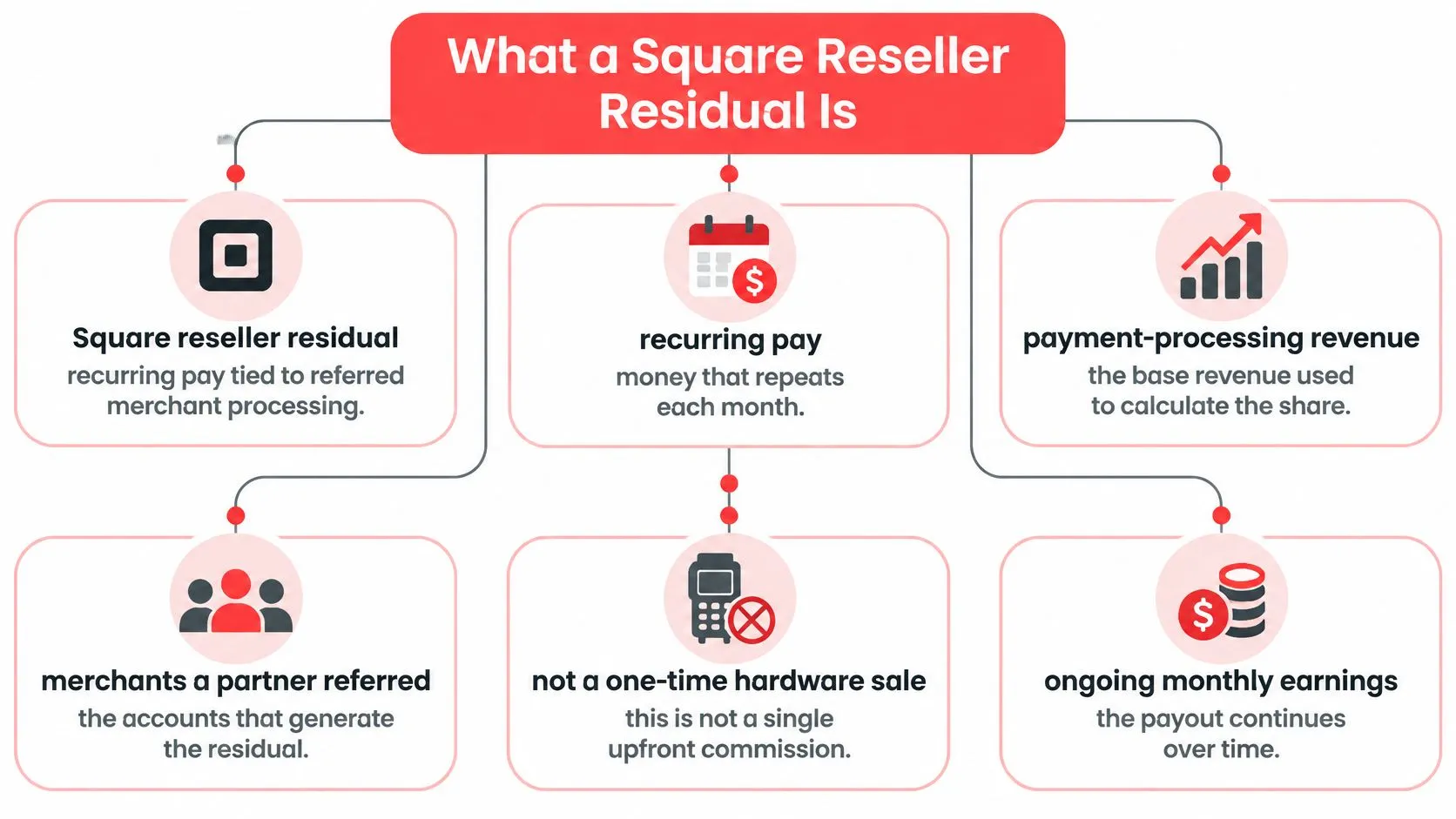
A Square reseller residual is recurring pay tied to Square processing revenue on merchants a partner referred, not a one-time hardware sale or a slice of the restaurant’s total card sales, with figures coming from Square’s report. Advice that starts by multiplying restaurant sales by a headline share skips the costs that determine the actual revenue base.
For Square resellers, ISOs, and payment agents, the useful question isn’t how busy a restaurant was. It’s what eligible processing revenue Square reported for that merchant month and what residual OrderOut received.
What a Square Reseller Residual Is
A Square reseller residual is recurring income tied to processing revenue from merchants a partner brings to OrderOut. Resellers do not buy a plan. Hardware margins, implementation fees, and software referrals are separate revenue categories, even when they come from the same merchant relationship.
OrderOut’s Reseller Program lets partners resell Square, Clover, and Online Ordering. The Square reseller program describes the offer, while how the reseller program works explains the partner relationship.
Keep the commercial categories separate
If you resell Square POS to restaurant merchants, distinguish processing economics from the work around an installation. Selling equipment, configuring a menu, and referring a processing account are different activities. A merchant relationship can include several of them, but that does not make their revenue interchangeable.
For broader reading on digital payment tools, explore payment-solutions topics separately. For residuals, keep your attention on the program’s processing-revenue base rather than grouping every payment-related income stream together.
Practical rule: Record processing residuals, hardware income, and service fees separately. Recurring income from a merchant can come from different sources, and each should be tracked in its own category.
The Residual Waterfall From Fees to Share
| Line | What it means | Where the figure comes from |
|---|---|---|
| Processing fees paid | Card fees the merchant paid on eligible volume | Square’s residual report |
| Card network and other costs | Costs taken out before processing revenue | Square’s residual report |
| Square processing revenue | Fees minus those costs | Square’s residual report |
| Reseller residual | The partner share of that processing revenue | Portal Explain after OrderOut receives the Square residual |
Read this as one merchant month from fees to residual. Start with processing fees paid, subtract card-network and other costs, identify Square processing revenue, and then identify the reseller residual associated with that revenue.
The final line isn’t a share of the restaurant’s sales. It also isn’t a share of the total processing fees before costs have been removed. Vivid’s Square partner disclosures describe recurring compensation in terms of processing revenue or margin, making the revenue base an essential distinction.
Follow the reported amounts
Every figure on these lines comes from Square’s report and the payments OrderOut collects from Square. Neither this article nor the assistant supplies an estimated amount to fill a gap. The portal subsequently displays the result by merchant and month; it doesn’t calculate the split.
Refunds, reversals, and ineligible activity affect the waterfall only as Square’s report states them. Don’t subtract an adjustment again because it appears somewhere else in a restaurant’s operational records. First establish whether Square has already reflected it in the reported revenue.
For agents building their payments knowledge, the ISO merchant services guide provides context for the relationship between merchant acquisition and ongoing processing. The monthly review still needs the actual merchant report, not a general commission assumption.
Separate order routing from payment eligibility
A delivery ticket arriving in Square doesn’t establish that Square processed the customer’s card payment. Uber Eats, DoorDash, and Grubhub orders can appear in the POS for operational purposes while payment settlement follows a different path.
Where delivery activity does generate eligible Square-processed card volume, it may contribute to the reported processing stream. Only Square’s report establishes eligibility. Don’t turn the total value of injected delivery orders into an assumed residual base.
An order in the POS is evidence of an operational record. It isn’t, by itself, evidence of eligible payment-processing revenue.
Reading One Merchant Month in Explain
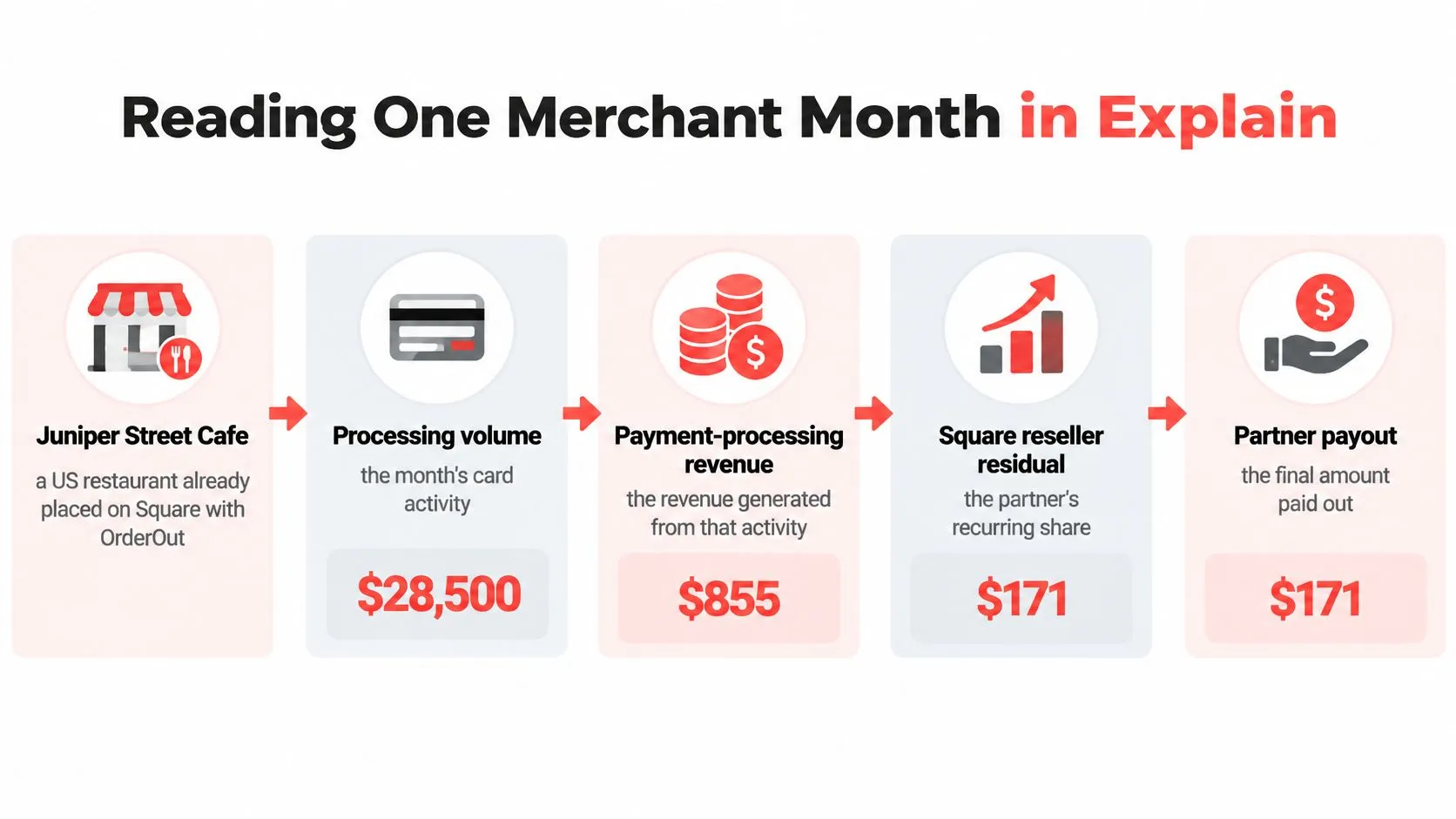
A restaurant’s card sales are not the reseller residual. For Juniper Street Cafe, the partner reads the merchant-month figures in order: the fees the merchant paid, the costs removed, the processing revenue left, and the partner’s share of that revenue. The example is hypothetical and uses no invented amounts.
Read the cafe’s reported fees first
Start with the processing fees Juniper Street Cafe paid on eligible card volume during the selected month. Gross sales, marketplace order totals, and a manager’s estimate of card activity are different figures and cannot replace the reported fees.
Then read the card-network and other costs shown in Square’s report. Subtracting those costs from the merchant’s fees gives the processing revenue used in the residual waterfall. The partner share is tied to that reported revenue, not to the cafe’s total sales.
Keep the merchant and period straight:
- Merchant identity: Confirm the record is Juniper Street Cafe, not another location with a similar name.
- Reporting month: Use the selected period, rather than comparing a partial operating period with a completed residual month.
- Revenue base: Read the processing revenue shown in Explain. Don’t calculate a substitute from sales.
- Reported adjustments: Use refunds and reversals as Square reports them. Avoid assumptions about how they were treated.
Keep the restaurant workflow in view
OrderOut connects delivery apps such as DoorDash and Uber Eats to point-of-sale systems such as Square. It consolidates orders and helps reduce manual entry and errors. That operational flow is separate from the residual calculation: a delivery ticket in Square does not, by itself, establish eligible Square processing activity.
A refund-heavy week may produce many tickets while Square reports a lower residual base because of reflected adjustments. A quieter week may have a lower base because the cafe processed less eligible card volume. The causes differ, so don’t attribute a lower merchant month to a failed integration, lost orders, or changed pricing unless the records support that conclusion.
Use Explain as a readout
Open the merchant and month, then use Explain a residual in the reseller portal to review the fee, cost, processing-revenue, and residual lines together. Explain presents the reported figures and the residual OrderOut collected from Square, giving the partner a month-by-month view without substituting the cafe’s sales for processing revenue.
The release note for Explain a residual in the AI assistant describes its explanatory role. Ask it to clarify the displayed lines, not to supply missing figures or an alternative split.
Review discipline: If an explanation doesn’t reconcile with the merchant month, identify the disputed line. Don’t replace the reported result with a sales-based estimate.
To review a merchant month, request Reseller Portal access and open the record in Explain. Use the reported figures to understand the residual, rather than forecasting it from restaurant sales.
What Changes the Residual Next Month
A Square reseller residual is a share of processing revenue after costs, not a cut of the merchant’s card sales. Month-to-month changes depend on the activity and processing economics reflected in the report.
A merchant may process more or less eligible card volume. Refunds, reversals, and chargebacks can also affect the reported figures. A busy kitchen alone does not establish what happened to processing revenue.
Compare merchant activity rather than location counts
More orders do not automatically mean a larger residual. Average ticket, card mix, and pricing can change the processing revenue associated with a merchant’s activity, as explained in Turnkey’s overview of Square reseller residuals.
For each month, separate three questions:
- Activity: Did the merchant process more or less eligible card volume?
- Processing revenue: Did the reported revenue or costs change?
- Continuity: Did the account remain active, become dormant, or stop processing?
The Square ISO program guide offers broader channel context. Compare merchant mix and account continuity rather than assuming every new location will contribute the same recurring economics.
Check attribution in your agreement
Account activity and reseller attribution are separate issues. Before relying on a merchant for ongoing income, check your reseller agreement to confirm who receives credit for the account and whether that credit continues after your day-to-day involvement ends.
If the merchant stops processing, the processing-based stream stops. Review both whether eligible activity continues and who the agreement credits for the account.
Square Solutions Partner Earnings Differ From This Residual
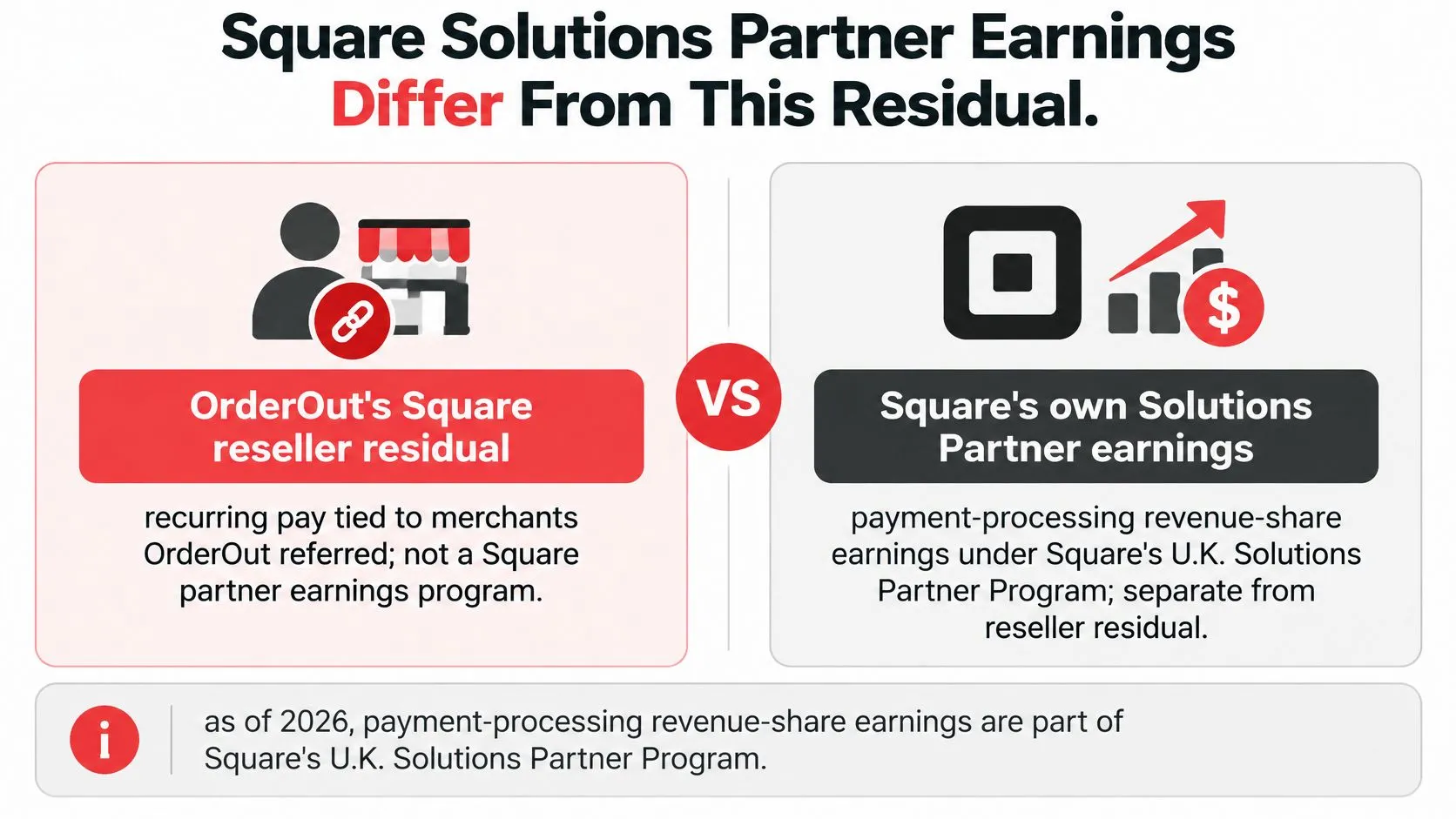
Don’t treat every Square partner offer as the same compensation program. Similar language about revenue share can describe different qualifying work, eligibility conditions, and earnings periods.
Square’s U.K. Solutions Partner Program states that, as of 2026, payment-processing revenue-share earnings for eligible point-of-sale and e-commerce API implementations are capped at 24 months. That is a statement about the U.K. program, not a US rule or a description of OrderOut’s reseller residual.
Match the earnings to the agreement
Square separately describes perpetual revenue share on eligible Square Online paid plans in its official Solutions Partner program. That software-plan offer is also distinct from the processing residual explained here.
For OrderOut’s rules, use its reseller-program guide and commercial Square reseller page rather than importing terms from an API implementation program. The ISV versus ISO guide can help clarify why a software integration partner’s work and a payment agent’s work may lead to different compensation arrangements.
Ask which agreement covers the merchant and which reported revenue supports the payment. A program name alone doesn’t answer either question.
The residual is not a hardware commission.
It is not a cut of total card sales.
It is not a figure the assistant calculates.
Frequently Asked Questions
Does OrderOut work with Square for the restaurants I refer?
Yes. Partners can offer delivery-to-POS integration so Uber Eats, DoorDash, and Grubhub orders inject into Square without manual re-entry. That operational integration is separate from determining which payment activity qualifies for a processing residual.
Does the portal calculate my split or track payouts?
No. It shows residuals by merchant and month, and Explain lays out the reported lines. Figures come from Square’s report and the payments OrderOut collects from Square, not from an assistant-generated calculation.
Where should I read the revenue-share wording?
Use the Square reseller program page for the commercial wording. Don’t substitute a rate from a different partner program or interpret a headline share as a share of restaurant sales.
Do Canadian merchants follow the US Flat Rate path?
No. Canadian merchants are Rack Rate only. Don’t apply a US Flat Rate assumption when reviewing a Canadian merchant’s processing economics.
Will a stopped merchant keep generating a residual?
No. If the merchant stops processing, the processing-based residual stream stops. Attribution preserves the partner relationship under the program terms; it doesn’t create revenue without eligible processing activity.
Request Reseller Portal Access
Reseller earnings come from merchants referred to OrderOut, not from buying a plan. OrderOut connects marketplace delivery orders to restaurant POS systems, including Square. The Square partner program guide explains the reseller relationship.
To ground the discussion, request Reseller Portal access and open a real merchant month in Explain. Review the reported period and its processing-revenue base alongside the residual shown for that merchant.
The portal is for partners; Explain is where you review the merchant-month detail. Keep the restaurant’s delivery workflow and your processing residual distinct when discussing them with clients or agents.
Request Reseller Portal access to review a real merchant month in Explain using Square’s reported figures. OrderOut connects marketplace delivery orders to the restaurant’s POS.