
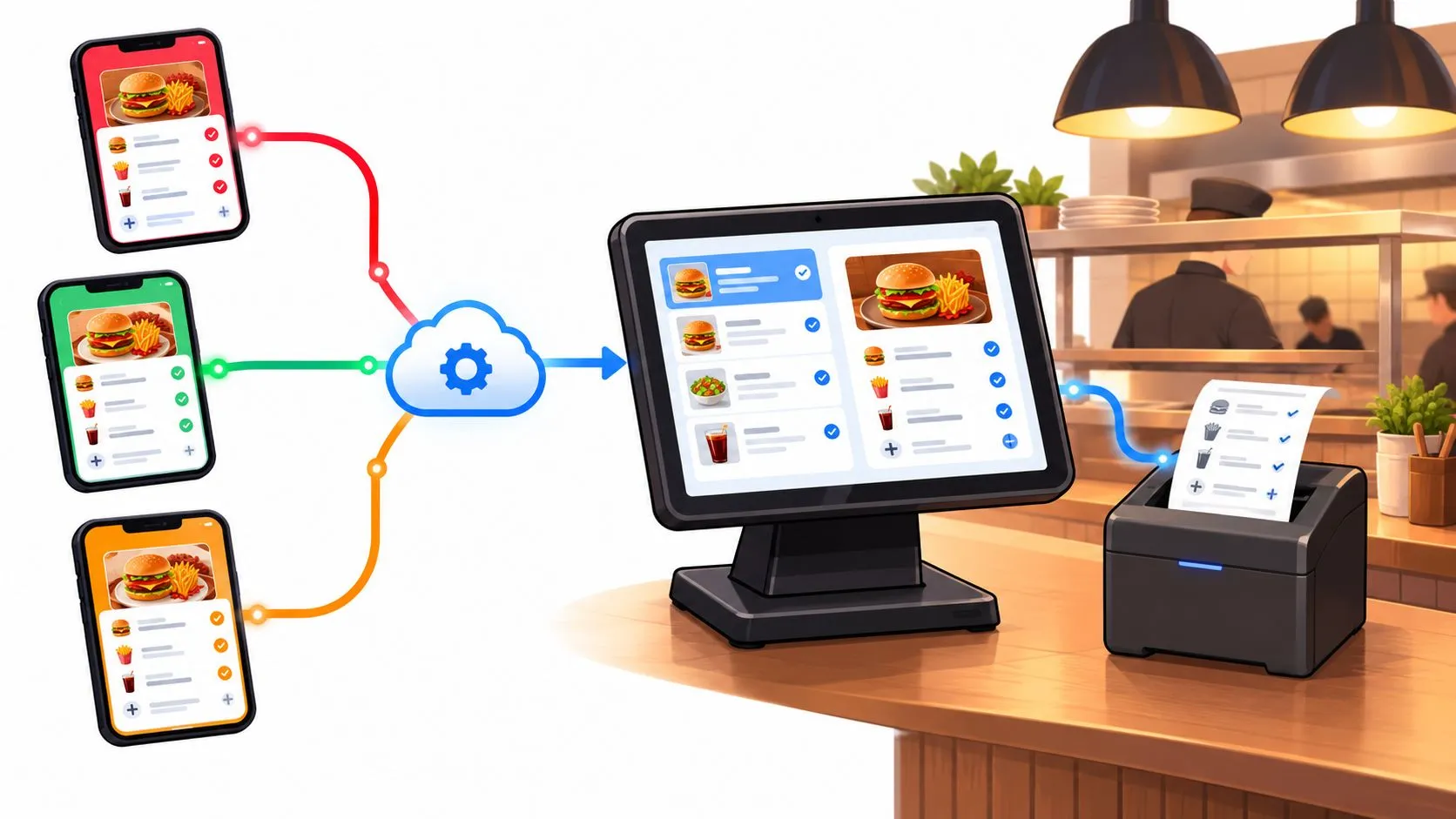
iPaaS is a cloud integration platform that connects separate systems such as Uber Eats, DoorDash, Grubhub and a Clover or Square POS so orders flow between them without re-keying. For a restaurant, its value isn’t how many apps it connects, but whether each delivery order reaches the kitchen correctly.
A connection can be active while an order still fails. Missing modifiers, duplicate tickets and rejected POS writes are the problems worth testing before you trust an integration during service.
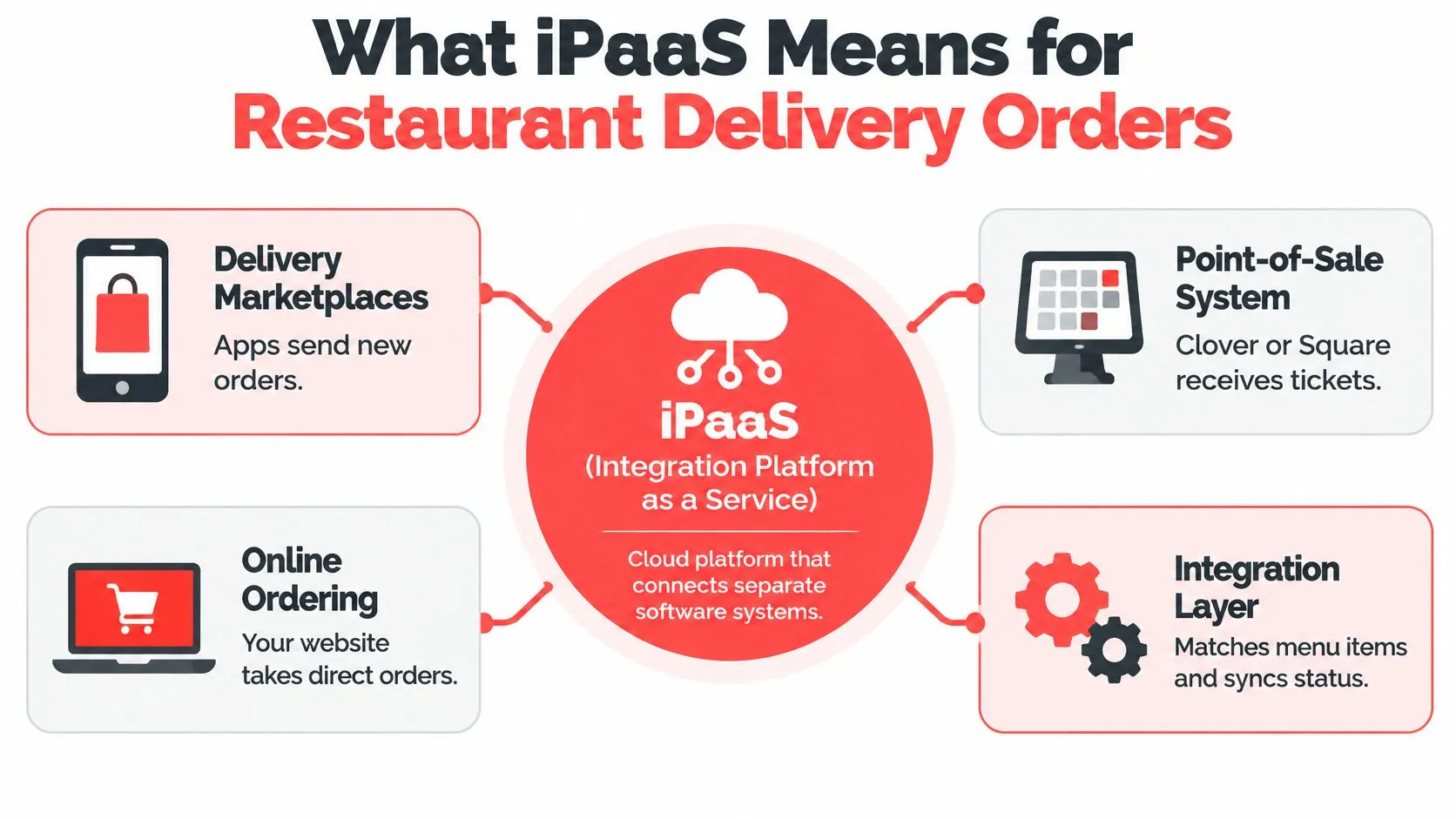
What iPaaS Means for Restaurant Delivery Orders
iPaaS stands for integration platform as a service. Think of a universal power adapter: each device uses a different plug, but the adapter lets it connect without rewiring the wall. Restaurant integration works similarly, except it translates software messages rather than electrical connections.
DoorDash might describe an item differently from Clover. Square might represent a modifier differently from Uber Eats. The integration layer translates those differences into a consistent order structure so the kitchen receives a usable ticket, not just a notification that somebody bought something.
The parts operators actually touch
- Connectors communicate with each marketplace and POS. They handle the connection so staff don’t have to move orders between screens.
- Field mapping matches marketplace items, modifiers and other order details to the POS catalog. Similar item names aren’t enough; the underlying catalog relationships must be right.
- Monitoring makes failed, delayed or duplicate orders visible. A connected account doesn’t prove that its latest order reached the POS.
The diagram shows where that translation layer sits.
An iPaaS isn’t a delivery tablet, a POS or merely a menu-editing tool. It connects systems; it doesn’t replace the operational decisions those systems support. Staff still need to know who handles an unavailable item, a rejected order or a customer cancellation.
OrderOut’s third-party order engine applies this model to restaurant delivery by mapping each marketplace menu to a normalized POS schema. Its Clover delivery integration connects delivery intake to the POS rather than making another tablet the center of service.
The POS stays the operational source of truth for the restaurant’s ticket. The marketplace still holds its own customer-facing order and settlement records, so those records must agree where they overlap.
A useful integration produces a correct POS ticket for each accepted order. A long connector list isn’t evidence that it does.
For delivery operations, that’s the useful boundary of iPaaS: connectors, mapping and monitoring working together to protect order accuracy, not a generic enterprise middleware project.
Why Delivery Tablets and Re-Keying Create Errors
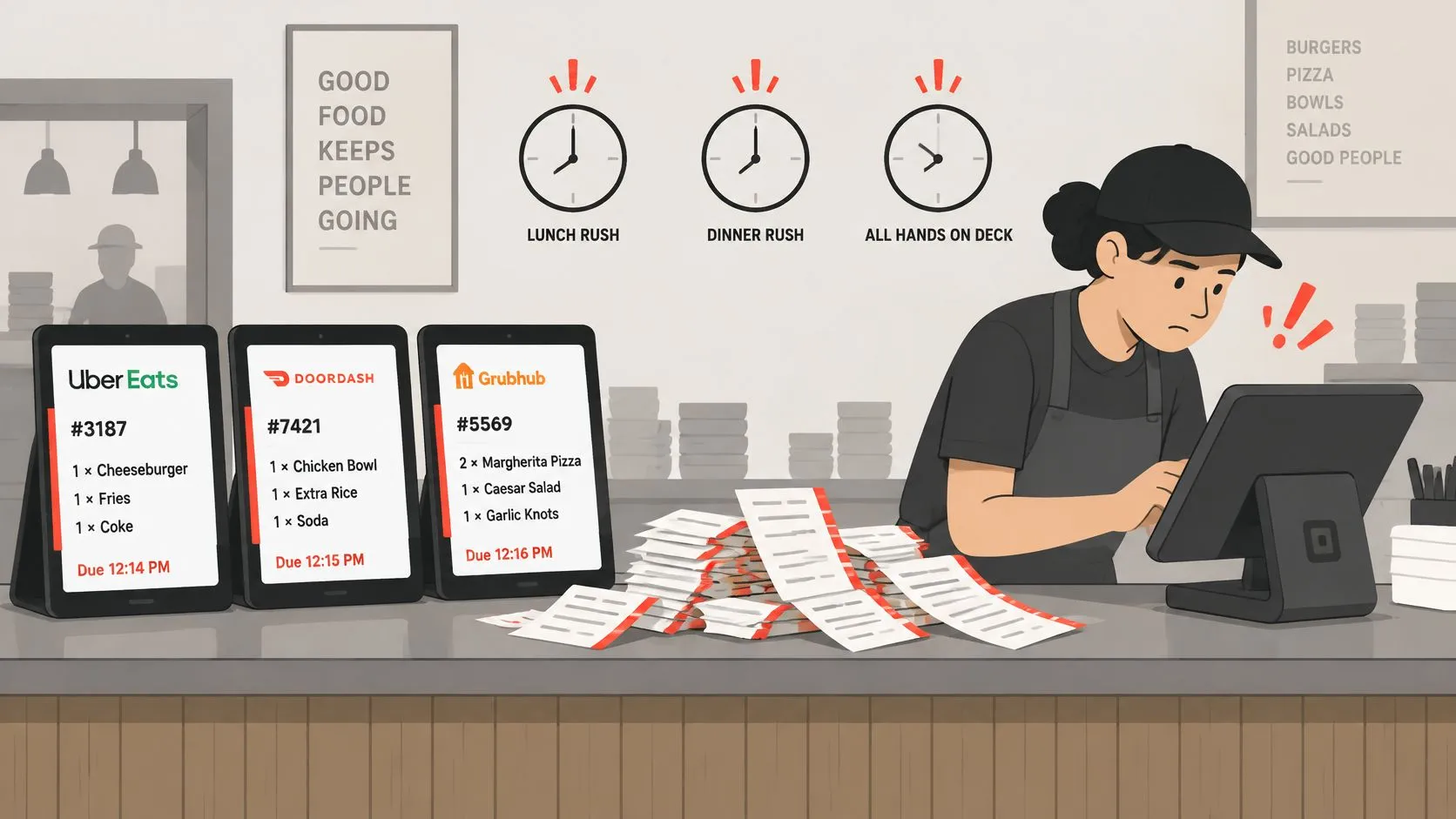
Each delivery app sends an order to its tablet, staff read it, and someone types it into the POS. During a rush, that handoff competes with phone calls, guest questions and food leaving the pass.
A modifier gets misread. A special instruction stays on the tablet instead of reaching the cook. Someone misses an alert, then another employee enters the same order because nobody marked it as handled. When a marketplace item has no clear POS equivalent, staff improvise a substitution that may route to the wrong kitchen station.
The counter makes those competing responsibilities visible.
Manual tablet intake versus integrated delivery intake
| Area | Tablets and re-keying | Integrated delivery-to-POS |
|---|---|---|
| Order entry | Staff read each ticket and type it into the POS | Order arrives in the POS as structured data |
| Modifiers and notes | Easy to miss or misspell under rush | Carried through as mapped modifiers and notes |
| Kitchen ticket source | Created from the employee’s interpretation | Generated from the POS order |
| Channel reporting | Hard to match POS sales to each marketplace | Channel attribution set on each order |
| Menu changes | Updated separately in each app and the POS | Mapped per channel to the POS catalog, then maintained as menus change |
| Reconciliation at close | Manual matching of tablet receipts and tickets | Matching against POS records and settlement reports |
Integration removes the extra delivery tablets and manual re-keying from normal intake. It doesn’t make a poorly maintained menu accurate, and mapping doesn’t mean future catalog changes need no review.
Marketplace commissions still apply when an employee enters a ticket incorrectly. That makes entry accuracy important on orders the restaurant is already paying to receive.
For recurring failures, Rite NRG’s resource on understanding integration root causes offers context for separating connection problems from process problems. OrderOut’s explanation of manual data entry errors focuses on the handoffs restaurant teams can remove.
Use the comparison to identify which task creates the most trouble during your rush. Fix that intake problem before adding another channel.
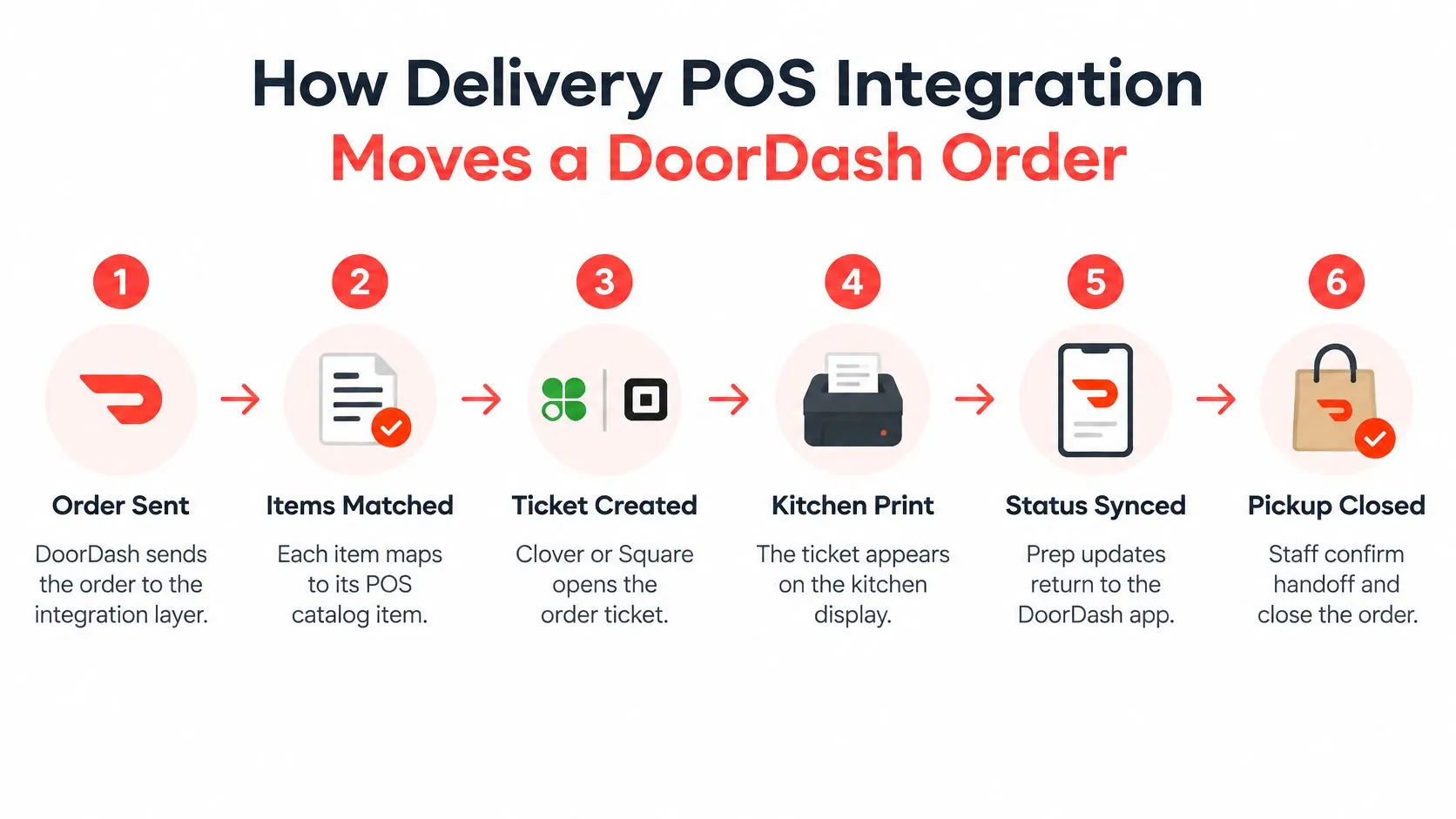
How Delivery POS Integration Moves a DoorDash Order
A DoorDash notification isn’t yet a kitchen-ready order. The integration has to translate marketplace data into the restaurant’s catalog, preserve the customer’s choices and write a POS record that routes to the right station. Each step can fail on its own, and a failed write or duplicated order looks identical to a working connection until the kitchen checks.
Prepare the DoorDash and POS catalogs
DoorDash’s merchant prerequisites, described in OrderOut’s restaurant POS API guide, are an active merchant account, administrator access to both systems, menu data containing items and prices, and configuration for modifiers and store hours.
Check the configuration in this order:
- Item IDs: Confirm the marketplace item points to the intended POS catalog item, not an old or similarly named entry.
- Prices: Check base prices and paid additions. A correct item match does not prove a correct price.
- Modifier groups: Verify required choices, optional additions and permitted combinations.
- Availability: Make sure unavailable items can’t keep selling through a stale listing.
- Operating hours: Check ordering windows against the restaurant’s actual ability to prepare delivery orders.
Keep display names readable, but map on stable catalog identifiers. Renaming an item shouldn’t silently redirect its orders to a different product. A menu mismatch caught here is cheaper than one caught during service.
Follow the order into the kitchen
- DoorDash sends the order. The integration receives the marketplace order and its external identifier. Staff shouldn’t need to recreate it, and that identifier is what lets the system catch the same order arriving twice on a retry.
- Items are matched. Each line is matched to the POS catalog item it represents. An unmatched item needs a visible exception so someone resolves it instead of the system guessing.
- Customer choices are translated. Quantities, modifiers and special instructions map into the POS structure. A paid topping and a preparation note shouldn’t become indistinguishable text.
- Channel and total are retained. Staff need to recognize where the order originated and compare the receipt without reconstructing the transaction.
- The integration writes a POS order. A successful delivery to the integration layer isn’t the same as a successful POS write. Confirm the write returned a POS order ID.
- The POS routes the ticket. The ticket goes to the configured kitchen printer or display. Confirm the intended station receives it, because an order that only reaches a front-counter screen is still a failed route.
Say a Friday rush includes a DoorDash order with an entrée, an added topping and a no-onion note. The test passes only if the intended item and customer choices reach Clover and the kitchen through the expected routing. Staff shouldn’t need to open DoorDash to discover what the cook is supposed to make.
Clover’s Orders API can represent line items, modifiers, discounts and service charges in a single API call, as explained in OrderOut’s consolidated-order guide. That produces a structured ticket rather than a block of retyped text, while preserving the relationship between the external marketplace order ID and the internal POS order.
For broader background on how POS systems connect to surrounding software, Wistec’s guide to POS integration is a useful companion. For event delivery specifically, OrderOut’s webhook integration guide explains the notification side of the connection.
The walkthrough below provides another way to inspect the order-routing process.
Test beyond the basic ticket
A controlled test should compare the marketplace receipt with the POS item, modifiers, special instructions, channel attribution and total. Then inspect the actual kitchen output.
- Modifier combinations: Test required selections alongside optional additions.
- Discounts and taxes: Check how each appears on the POS record.
- Voids and refunds: Confirm what changes automatically and what staff must reconcile.
- Unavailable items: Establish whether the order is blocked, held or flagged for action.
- Retries and duplicates: Trigger the same order notification twice and confirm the POS holds one ticket, not two.
Don’t assume another marketplace behaves identically. Restaurants also taking Grubhub orders can use the Grubhub-to-Clover integration setup as the channel-specific reference.
Ready to test Clover intake? Install OrderOut from the Clover App Market, then validate the catalog and kitchen routing before relying on it during service.
Architecture Patterns for Delivery POS Integration
A custom script can move an order successfully and still be the wrong architecture to maintain. The choice turns on who owns changes, how many systems consume the order and what happens when a destination stops responding.
IBM’s architecture guidance emphasizes standardized interfaces, transformation, governance and lifecycle monitoring. For restaurant delivery, those principles translate into tested order contracts and visible failure handling, not mere connected accounts.
Integration architecture patterns for restaurant orders
| Pattern | How orders move | Main strength | Main risk |
|---|---|---|---|
| Point-to-point scripts | A custom link connects each channel and POS pair | Quick for a narrow connection | Work multiplies with each new channel or POS |
| Hub with normalized schema | Each marketplace and POS maps to a shared order model | New channels reuse the order model | Mapping errors spread unless tested per adapter |
| Event-driven queue | Each order change is published and processed by consumers | Supports locations and downstream tools independently | Requires durable queues, replay and tracing to stay reliable |
Choose the complexity you can operate
A restaurant using Clover or Square with a manageable delivery setup usually needs a maintained hub, not an infrastructure project. A multi-location group feeding operational dashboards and other downstream tools may benefit from event-driven processing.
Queues let consumers work independently. If an analytics destination fails, it shouldn’t prevent the POS from receiving an otherwise valid order. But somebody must own delayed messages, incompatible schemas and recovery.
Magnitude Marketing’s middleware explained for operations leaders helps clarify that intermediary role. For the restaurant-facing API boundary, the restaurant POS API overview provides more specific context.
Ask what happens after a timeout
A POS may create an order even when the integration doesn’t receive its acknowledgment. Retrying blindly can create a duplicate.
Idempotency addresses that problem: repeated processing of the same external order ID should not create another POS order. Ask how the vendor verifies an ambiguous write before deciding to retry.
- Retries: Respect API rate limits and use increasing delays rather than sending repeated immediate requests.
- Dead-letter handling: Preserve messages that can’t be processed, with a reason and an assigned owner.
- Replay: Reprocess a corrected failure without duplicating an existing ticket.
- Tracing: Follow the external order ID through receipt, transformation, POS write and acknowledgment.
A timeout means the result is uncertain. It doesn’t prove the POS rejected the order.
Each adapter also needs contract tests for the fields it accepts and produces. A working DoorDash adapter doesn’t establish that an Uber Eats modifier payload will behave correctly.
Delivery POS Integration Metrics to Track
Counting connected channels tells you little about whether orders are right. Adding connections can create more exceptions if nobody owns alerts, corrections and reconciliation.
The Restaurant Business Digital Technology Report says the share of operators planning to invest in integrations and APIs rose from 14% to 20% year over year. That’s investment intent, not proof of operational payback.
Operational metrics for a delivery-to-POS integration
| Metric | What it reveals | How to check |
|---|---|---|
| Order-injection accuracy | Share of marketplace orders reaching the POS with correct items and modifiers | Compare a sample of POS tickets against marketplace receipts daily |
| Duplicate orders | Repeated POS records for the same marketplace order | Search the POS by external order ID each week |
| Menu sync mismatches | Differences between marketplace items and the POS catalog | Review unmatched or unavailable item reports after each menu change |
| Refunds and cancellations | Whether reversed orders are reflected correctly in the POS | Reconcile against marketplace reports at close |
| Reconciliation time | Time spent matching marketplace totals to POS records | Time the close before and after go-live |
| Labor freed from re-keying | Work staff no longer spend on manual entry | Ask shift leads which tasks disappeared, then track them |
Review exceptions before averages
A healthy overall success rate can hide a recurring modifier failure on a popular item. Group exceptions by marketplace, item, location and failure reason so the person responsible can fix the underlying mapping or process.
At close, compare marketplace totals, POS tickets and settlement reports. Pay particular attention to discounts, service charges, canceled orders and refunds, because disagreement doesn’t necessarily mean the original order failed to enter.
Use OrderOut’s guide to restaurant data analytics to connect operational reporting with decisions staff can act on. A report is useful when it identifies the next correction, not just when it looks complete.
Measurement rule: Count orders that reached the POS correctly, not endpoints that show a connected status.
Judge payback through observed changes: avoided re-entry, prevented corrections, quicker issue resolution and sales that no longer get lost in intake. Compare the same tasks before and after launch rather than treating projected labor savings as realized savings.
Assign an owner to each exception category. A menu mismatch needs someone who can correct the catalog; an authentication failure needs someone who can restore access. An alert without that ownership is another notification staff learn to ignore.
Choosing an iPaaS Vendor for Restaurant Integration
The cheapest subscription can become an expensive integration if staff keep repairing tickets. A generic iPaaS may connect the right applications yet leave restaurant-specific behavior unfinished.
Grand View Research’s iPaaS market analysis identifies upfront implementation costs, including assessment, customization, migration, security configuration and training, as an adoption restraint for cost-sensitive smaller businesses. Evaluate that work alongside the recurring fee.
Vendor checklist for restaurant delivery integration
| Criterion | What to ask | Red flag |
|---|---|---|
| Restaurant-native menus | Does it map modifiers, combos and availability to the POS catalog? | Items must be recreated by hand in the POS |
| Reliability controls | How are retries, duplicates and failed writes handled? | No visibility into failed or dead-letter orders |
| Marketplace coverage | Which delivery channels are supported for my POS? | Your marketplace needs a separate tool |
| POS coverage | Is my exact POS live, and how is it maintained? | Vague roadmap language for your POS |
| Governance | Are credentials least-privilege, logged and separated by environment? | Shared logins and no audit trail |
| Outage procedure | What happens when a marketplace or POS API fails, and is there a tested manual fallback? | No documented fallback |
| Total cost of ownership | What do maintenance, monitoring, support and recovery cost over time? | Pricing discussed only as a subscription fee |
Test restaurant behavior, not a sales demo
Use a POS-specific setup, such as DoorDash delivery integration for Square, rather than accepting a broad claim of Square compatibility. The relevant question is whether your channel, catalog structure and kitchen workflow are supported together.
Run a controlled order through each candidate. In a test environment or controlled menu, deliberately introduce an invalid item mapping and inspect what happens. Does the platform identify the item, preserve the order and explain who must act, or merely report a generic failure?
OrderOut’s guide to POS system integrators provides context for evaluating responsibility across the connection. Get clear ownership for marketplace changes, POS adapter maintenance and support escalation.
Keep governance practical
Low-code tools don’t remove governance. They can make it easier for someone to build a flow without documenting which credentials it uses or where customer information goes.
Require least-privilege access, documented data fields, separate testing and production environments, and audit logs. Include connector maintenance, monitoring, onboarding, support and failure recovery in the ownership discussion.
The risk isn’t limited to a data breach. Stale menus, incorrect modifiers or taxes, failed refunds and unclear incident ownership can disrupt service without any security incident.
Write down a manual fallback before launch. Staff should know how to identify orders that haven’t reached the POS and record any manual entry so recovery doesn’t create duplicates.
Frequently Asked Questions
Does OrderOut work with Clover?
Yes, Clover is supported, and OrderOut can be added from the Clover App Market. Confirm current pricing for your plan, then check menu mapping and kitchen routing before live service.
Does OrderOut work with Square?
Yes, Square is a supported POS, and OrderOut is listed on the Square App Marketplace. Compare your delivery channels against the actual Square catalog you run, because modifier structure and item IDs determine how cleanly orders land.
Do I still need a delivery tablet after integrating?
No. Integrated orders arrive directly in the POS, so the tablet stops being the intake path. You may still open the marketplace portal for channel-side tasks, but tickets originate where kitchen staff already work.
Does integration remove marketplace commissions?
No, marketplace commissions still apply; what changes is where orders land and how errors get handled. DoorDash describes its commission as covering delivery network access, customer acquisition and platform technology, according to the merchant guidance summarized by Restaurant Snapshot.
What should I check before going live?
Verify item mapping, prices, modifiers, availability and store hours on every connected channel, and confirm a failed write surfaces somewhere staff will see it rather than disappearing without notice. For additional setup questions, consult the OrderOut integration FAQ.
OrderOut routes Uber Eats, DoorDash, Grubhub, ChowNow and Wix orders into Clover, Square and other supported POS systems, using normalized menu mapping to remove manual re-keying from delivery intake. Confirm your POS and channels, then start onboarding in the OrderOut dashboard and watch an order land before your next rush.