

A residual change rarely means anyone made a mistake. When a Square merchant’s month-end number drops or jumps, the explanation usually sits in the processing report itself: what ran on eligible cards, how customers chose to pay, and which fees applied during the period.
For agents, ISOs, and POS dealers, the useful comparison is the merchant’s reported processing activity, not how full the dining room looked. A restaurant can stay busy and still produce a smaller residual when more customers pay with cash or Square gift cards, or when a pricing change alters what each transaction contributes.
This guide is for partners reviewing merchants they have already brought to OrderOut, where residuals are earned on those merchants rather than purchased as a plan. For commercial details, see the Square reseller program; for an informational overview, read how the reseller program works. Partners comparing channel roles can also review ISV and ISO differences.
The clearest way to read a change is to follow one cafe through two months, a busy August and a quieter September, and let the reported factors explain the gap.
What a Square Reseller Residual Change Means
A merchant can record its busiest month of the year and still produce a smaller residual. A Square reseller residual change is the difference between the processing residual reported for one merchant in one month and the residual reported for that merchant in another. Rate decisions, hardware bonuses, and software payouts sit outside that number. It follows the card activity and processing economics reported for the merchant.
Three levers explain most month-to-month movement: card volume, payment mix, and fees. The residual works like a toll that only counts card payments. Cash and Square gift cards pass through the business without registering, so a restaurant can hold total sales steady while the residual shrinks.
That distinction matters because a packed patio or a delivery order keyed into the POS shows the restaurant was busy without showing what Square reported. Look at the merchant’s Square report and the reported processing activity for each month, rather than filling gaps with an estimate.
Treat the portal the same way, as a report viewer. The Explain view shows which reported factors moved a residual; it does not rebuild the payout from your own assumptions. Partners managing several channel roles can review how an ISV differs from an ISO for context on channel ownership.
Juniper Street Cafe shows this in practice: one invented single-location merchant moves from a busy patio August into a quieter September, and the residual follows the reported card mix.
What Moves One Merchant Residual and What Does Not
| Driver | What to compare | How the residual can move |
|---|---|---|
| Card volume | Eligible card payments after refunds | A larger card base generally supports a larger residual; a smaller card base can shrink it |
| Cash | Share of tickets paid in cash | Cash earns no residual, so more cash can lower the residual while sales look steady |
| Square gift cards | Gift-card tender versus card tender | Square gift cards earn no residual |
| Refunds and chargebacks | Reversals against card volume | They reduce the eligible base and can lower the residual |
| Fees and pricing plan | Current processing pricing versus last month | A different plan can change processing revenue available for the residual even if card volume holds |
| Software, hardware, delivery | Non-processing revenue | These do not explain a processing residual move |
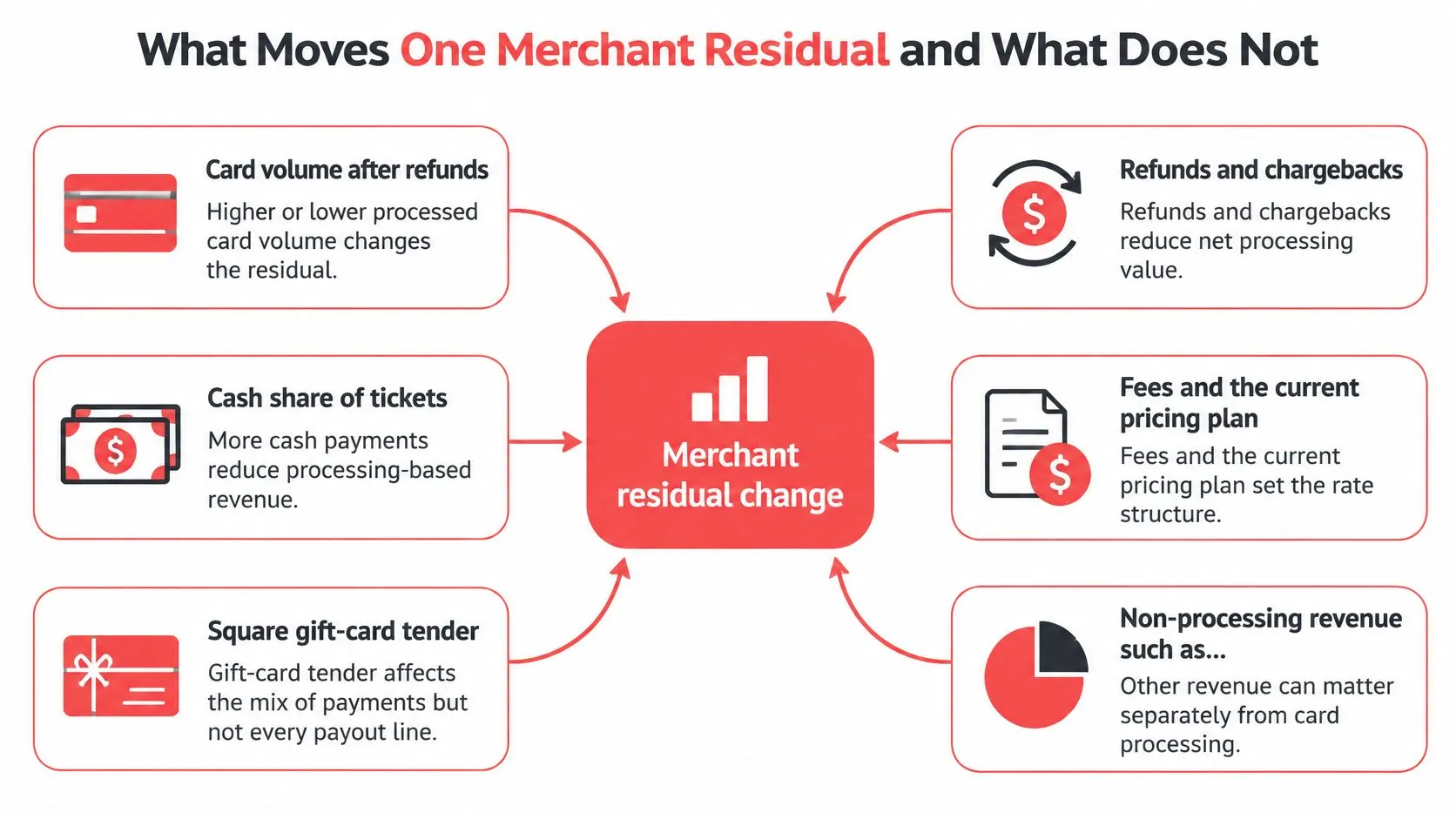
Start with eligible card volume after refunds. A seasonal slowdown can reduce the card base while a restaurant remains open and serves customers. Then look at tender mix: cash and Square gift cards earn no residual, so a shift toward either can make the processing residual smaller even if gross sales seem stable.
Refunds and chargebacks can reduce the eligible base, too. Don’t compare gross POS sales with a residual and assume the figures should move together. For a practical introduction to processing terminology, understand payment processing fees and models before trying to interpret a report line you don’t recognize.
Fees and the merchant’s current pricing plan matter because the residual follows current processing pricing, not necessarily the pricing in place when the merchant signed up. A plan change can affect the processing revenue available for the residual even if card volume holds. Review the plan and reported fees rather than assuming the original terms still describe the merchant’s current processing.
Practical rule: Keep processing residuals separate from software, hardware, and delivery revenue. Those categories can be part of the same merchant relationship, but they don’t explain a processing residual movement.
Four misconceptions can lead to a poor explanation:
- Steady sales mean a steady residual. They don’t. Gross sales can hold while card volume, tender mix, refunds, or fees change.
- A referral credit is the monthly residual. It isn’t. Square’s referral-program terms describe credits that follow qualification and approval timing, which is different from a processing residual tied to an active merchant month.
- Public lifetime language settles the contract. It doesn’t. Square’s official partnership agreement says compensation must be provided under a separate written agreement. Read the terms governing your partner relationship, including assignment, termination, and clawback provisions.
- Hardware, software, and delivery charges are part of the residual base. They’re separate from processing activity. For additional context on the partner channel, see ISO merchant services.
Who Sees the Change in the US and Canada
A residual movement belongs to a merchant-month record, not automatically to the whole portfolio. One cafe can change while the rest of an agent’s book stays steady, and a combined total can hide the reason: fewer eligible card payments, a different tender mix, or different fees.
The unit of review is the individual merchant, wherever that merchant operates. An active restaurant that slowed seasonally, or one that still rings sales but takes more cash or Square gift cards, can stay open and staffed without producing the same eligible card base it did the month before. Check the merchant record before attributing a portfolio movement to a broader change.
Because resellers earn residuals on the merchants they bring to OrderOut, two restaurants in the same city can post opposite movements in the same month. Geography doesn’t explain a residual. The merchant’s own reported activity does.
A merchant’s card activity can include in-person payments and card-not-present payments processed through Square, so terminal sales alone aren’t a complete comparison of the reported card base. For partners placing several products with restaurant clients, the OrderOut ISO and agent multi-product hub outlines the partner offering.
A restaurant merchant can start through the OrderOut Square App Marketplace listing. Keep that operational starting point separate from the residual review: delivery orders appearing in a POS don’t, by themselves, prove that their payment was processed through Square. Partners working specifically with Square can also read about the Square ISO program.
Before opening the portal, pick one merchant and one pair of months. That makes the comparison specific enough to investigate rather than a guess about the entire book.
Juniper Street Cafe from August to September
Juniper Street Cafe is a worked example of a single-location US restaurant using Square. August is its busy patio month. More guests pay by card, so the eligible card base after refunds is larger. A larger processing base gives the residual more room to grow.
September tells a subtler story. The dining room still feels busy, but more guests pay with cash and more redeem Square gift cards. Neither tender contributes to the residual. The residual works like a meter attached to eligible card activity, so it can fall even when the staff remembers a solid month.
The fee side needs the same month-by-month check. Do not assume the Square processing plan in force during September matched August, because different processing costs can change the residual even on card tickets that remain. Refunds are not the main explanation in this example, but a cluster of reversed tickets would reduce the eligible base further.
| Report view | August | September |
|---|---|---|
| Card volume | Larger eligible card base after refunds | Smaller eligible card base after refunds |
| Tender mix | More tickets paid by card | More cash and Square gift-card tender, neither earning residual |
| Fees and pricing plan | Plan in force in August | Plan checked separately rather than assumed to match August |
Line up the same report views for both months. The portal is a report viewer: Explain helps interpret the displayed residual rather than calculate missing card volume, tender activity or fees. A manager’s memory of a busy shift is no substitute for the reported figures.
A merchant reviewing the same period for operations can use business cash flow with EndureGo Tax to separate daily activity from payment timing. For the residual review, compare the reported card volume, tender mix and pricing plan for the same merchant across both months.
How to Confirm Terms in the Reseller Portal
Juniper Street Cafe’s September residual only makes sense once the reported numbers sit side by side. A consistent review keeps the merchant record, the comparison period, and the governing partner terms clear.
-
Read the written compensation terms. Use the agreement that governs your partner relationship. Informal statements about lifetime payments don’t replace written terms.
-
Pull the reported residual for both months. In the partner reporting your agreement provides, select Juniper Street Cafe for August and September. Confirm you are comparing the same merchant and complete reporting periods before reading anything into the difference.
-
Compare the actual drivers. Review card volume, tender mix, and fees across the two months. Cash and Square gift-card tenders earn no residual, so set them aside when you weigh what moved.
-
Keep the source of the figures straight. Work from the reported merchant-month figures rather than estimates or a manager’s memory of a busy shift. For the commercial terms, use the Square reseller program; the informational guide to how the reseller program works covers the partner relationship.
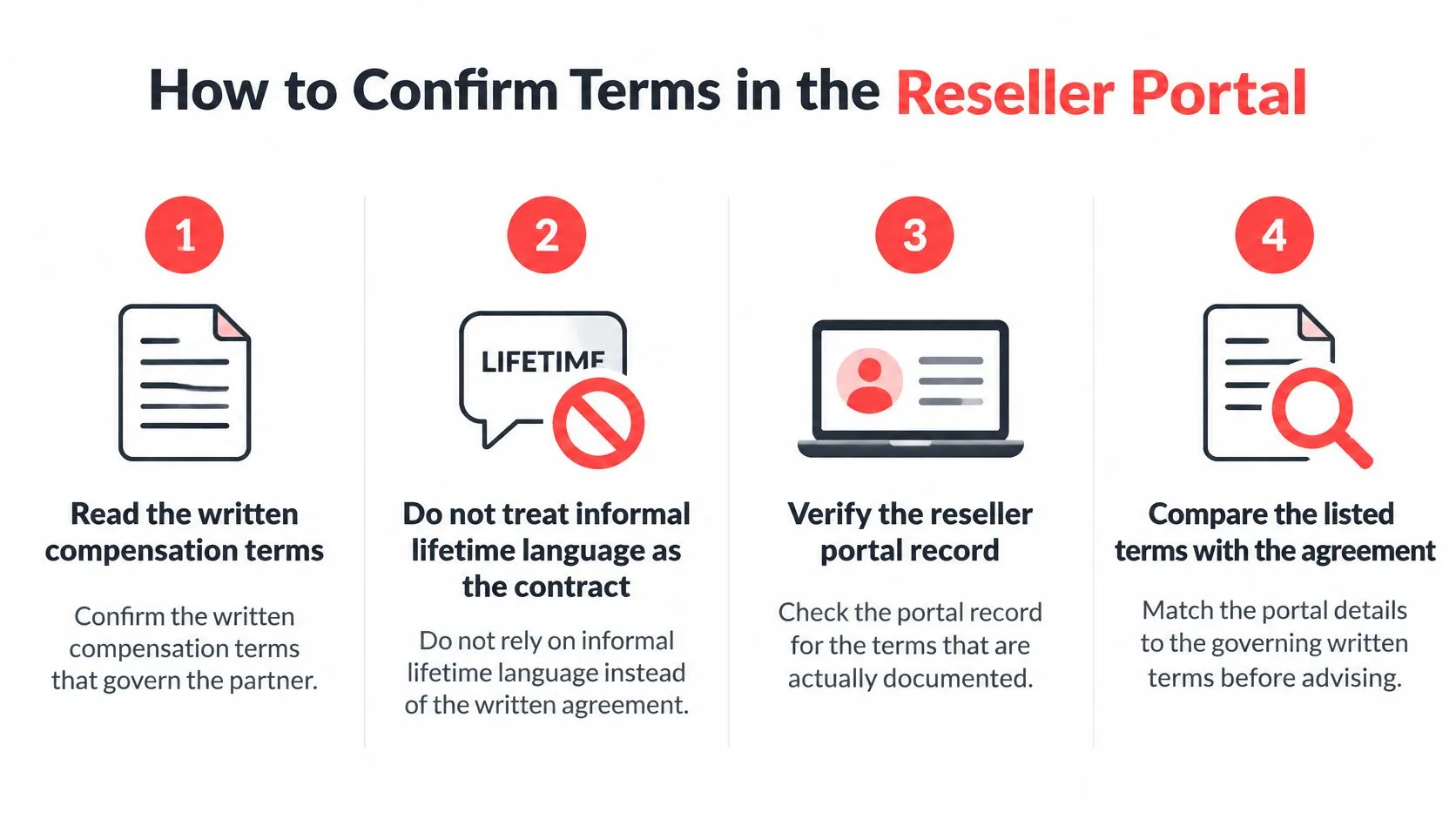
The monthly report is a record to read by merchant and month. Treat each residual figure as the reported amount for that period, and don’t add a share, clawback, or payout date the report doesn’t show.
If a report line doesn’t reconcile with your expectation, identify the line in question and compare it with the governing terms and the reported merchant-month details. A sales-based estimate can’t stand in for the report. Partners who want more context can review the Square partner program overview.
Frequently Asked Questions
Why did my residual drop while the restaurant stayed open?
The usual cause is a smaller eligible card base or a shift in tender mix. Compare card volume, cash, and Square gift cards in Explain before assuming the restaurant’s sales explain the movement. The driver table shows what to line up.
Is a Square reseller residual change the same as a referral credit?
No. Referral credits follow qualification and approval timing, while a processing residual follows the merchant’s active processing activity for the month. Treat them as separate compensation records.
Is the residual guaranteed for the life of the merchant?
Public lifetime wording doesn’t set your terms; the written partner agreement governs. Check assignment, termination, and clawback provisions before assuming a residual stream is permanent.
Where does the month’s data come from?
Figures come from Square’s report and the payments OrderOut collects from Square, never from an AI estimate. The portal shows the residual by merchant and month and includes Explain.
Request Access and Reconcile the Merchant Month
Run the reconciliation on a single merchant-month pair before you raise the change with the restaurant. For Juniper Street Cafe, that means pulling the September record and lining it up against August. The portal works as a report viewer: read what Explain shows on the record rather than treating the screen like a calculator. For month-end recordkeeping context, month-end close help from HireAccountants can help frame the value of matching records to the period being reviewed.
The Reseller Program lets resellers resell Square, Clover, and Online Ordering. Partners bring those offerings to restaurant clients, backed by OrderOut’s delivery-to-POS integration and commission-free online ordering. Resellers earn residuals on the merchants they bring to OrderOut; no plan purchase is required to participate.
A clean reconciliation follows a fixed order:
- Pick the merchant-month pair, such as Juniper Street Cafe in September against August.
- Open Explain on the newer record and compare the card volume, cash and gift card share, and fee lines against the earlier month.
- Identify which line moved before contacting the restaurant.
Review the Square reseller program and how the reseller program works for the commercial details that apply to your agreement. For related partner context, see reselling Square POS. Then request access to the Reseller Portal at OrderOut’s reseller access page so you can review merchant residuals by month and run the reconciliation above.
OrderOut helps partners serve Square and Clover restaurants with delivery-to-POS integration and commission-free online ordering. Reconcile a merchant month first, then visit OrderOut to explore the partner offering.
New to the OrderOut Reseller Portal? The help center for merchant services agents has written steps, screenshots and a short video for each job in the portal — signing your Master Agreement, adding an agent, creating an onboarding link and tracking a merchant application. Every change ships with a note in what’s new in the Reseller Portal.