
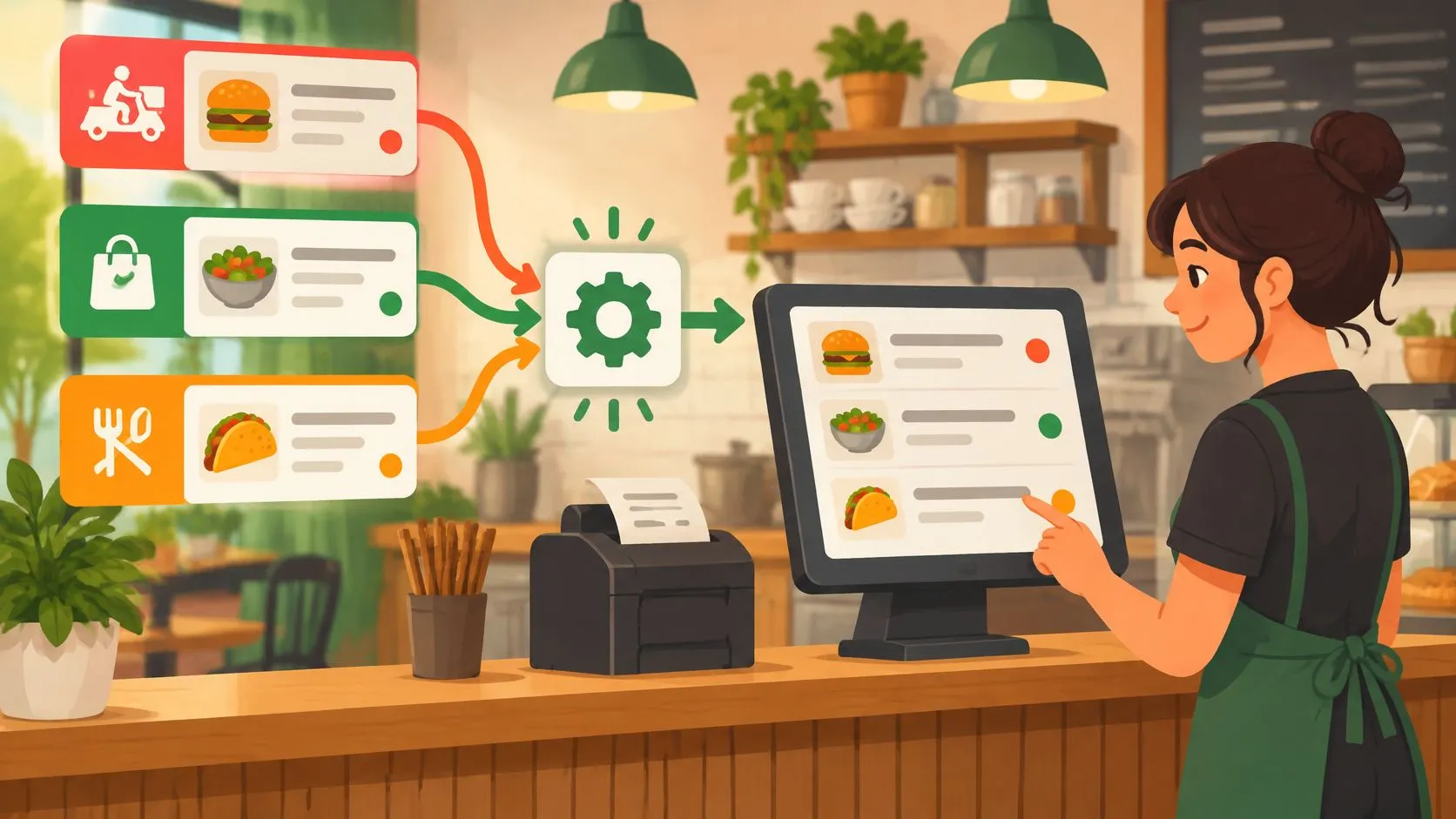
A Square merchant gets DoorDash, Uber Eats, and Grubhub orders onto one Square POS through OrderOut, which places each marketplace order in the same queue as in-store tickets, with no extra delivery tablet and no re-keying. If you’re a Square reseller, ISO, or agent, that setup is the product conversation most cafe and quick-service owners are already in. They have more than one marketplace live, the pass is crowded with tablets, and they want one ticket path before they add another location.
Square reseller aggregator delivery is how you put that path in front of them. You own the merchant relationship and the decision about which accounts should get the aggregator. OrderOut maps each marketplace menu onto a normalized POS schema and injects the order into Square. Aggregator delivery is offered to resellers on request, not as a self-serve toggle in the portal.
How One Square Queue Takes Delivery Orders
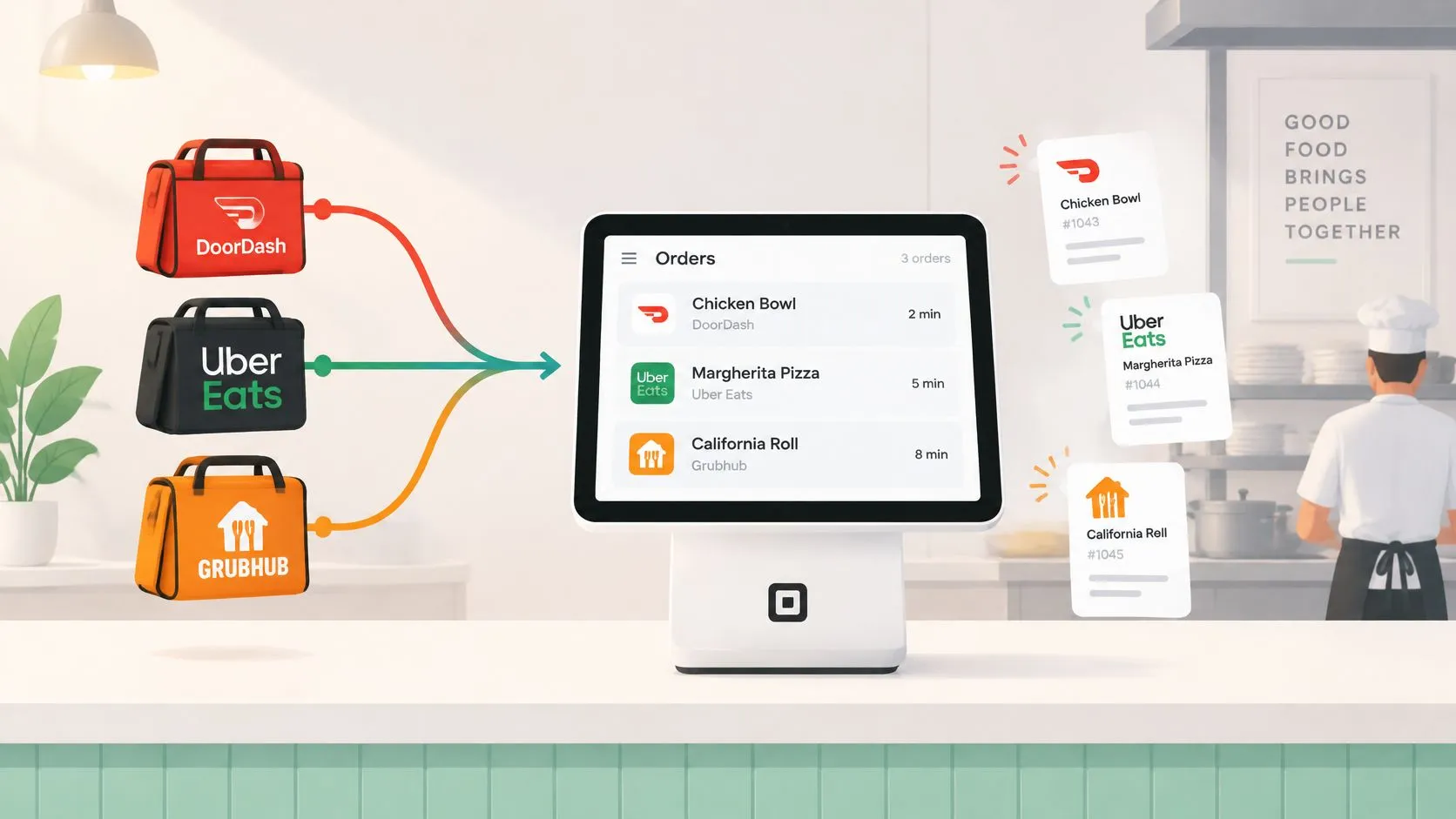
Three parts have to stay distinct or the pitch gets fuzzy. The marketplace sends the order. OrderOut maps that payload onto one order model. Square receives a ticket the kitchen can fire beside walk-in and pickup sales. Restaurants connect Square so online orders land in the same workflow as their in-store sales. OrderOut routes orders from Uber Eats, DoorDash, Grubhub, ChowNow, and Wix into Square.
Say Juniper Street Cafe is a single-location cafe on your book. Two delivery tablets sit at the counter. A barista reads a DoorDash ticket off one screen and types it into Square, then does the same for Uber Eats when the lunch line is already at the pastry case. Names get shortened, a milk modifier gets skipped, and the printed ticket no longer matches what the guest paid on the app.
After both channels land in the same Square queue, the barista stops transcribing. The ticket shows the item, the modifier, and the channel it came from. Staff still glance at the pass, but they aren’t rebuilding the order by hand. That is the change you should be able to describe before you mention residuals.
Checks to run before you pitch
| Channel | Check before the sale |
|---|---|
| Uber Eats | Item names and modifiers match the Square catalog |
| DoorDash | Prices and tax settings match the Square catalog |
| Grubhub | Prep times and fulfillment timing are set in the POS |
Run those three checks on a live menu export, not from memory. A mismatch you find before the sale is a mapping task. The same mismatch after go-live looks like a bad integration.
Order capture and courier dispatch are not the same job. OrderOut’s delivery API uses one endpoint to dispatch couriers from several providers, so the restaurant’s order source calls once while the aggregator handles the provider connections. The OrderOut FAQ describes that single-endpoint dispatch across delivery providers, which is a different product motion from showing marketplace orders on a tablet. OrderOut’s 3rd-party order engine for Square is the capture layer. Dispatch sits beside it when the merchant also needs a courier, not only a ticket.
Practical rule: Sell the queue first. Add courier dispatch only when the merchant is already sending its own delivery, not when the marketplace is still supplying the driver.
The Square reseller program is the commercial relationship you are extending. You are not asking the merchant to leave Square. You are asking them to stop running a second order system next to it. If the kitchen already uses a screen on the line, pair this conversation with how a Square kitchen display system shows those injected tickets.
Three things to walk out with. What connects is the marketplace menu, mapped into Square. Where each order lands is the same Square queue as in-store sales. What the merchant still checks each day is item availability, modifier accuracy, and whether the ticket that printed matches the channel it came from.
How to Route a Marketplace Order into Square
A clean route is a sequence, not a single API call. I would not promise a merchant that “it just syncs” until someone on your side can name each step and the reason it exists.
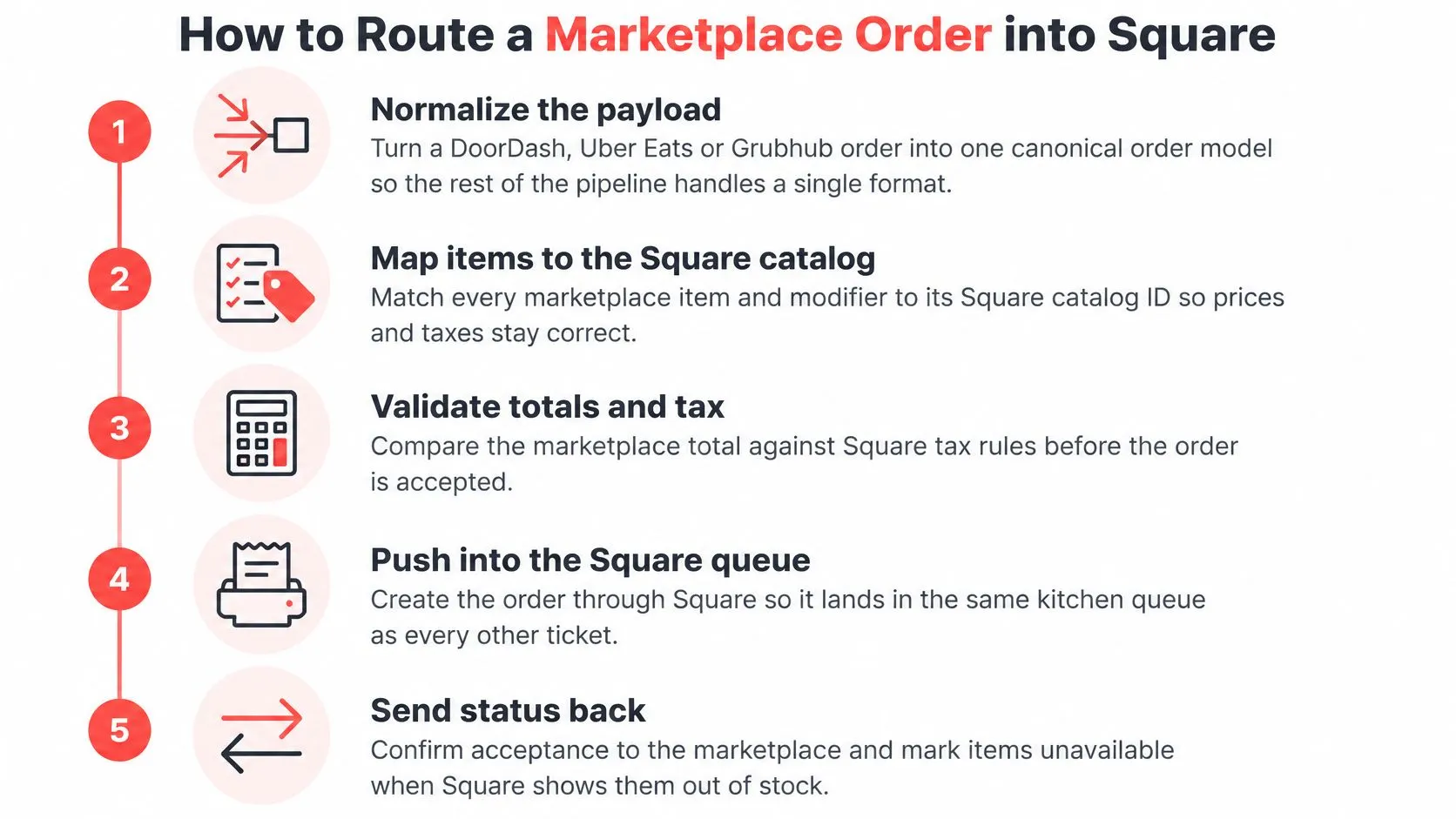
- Normalize the marketplace payload into one canonical order model. DoorDash, Uber Eats, Grubhub, ChowNow, and Wix do not send the same shape. One canonical model keeps the rest of the flow from growing a special case per app, and it is the layer the aggregator maintains each time a marketplace changes its API.
- Map items, modifiers, taxes, discounts, service charges, and fulfillment timing to the Square catalog and the right location. A wrong mapping is the usual source of a bad ticket, and it surfaces as a wrong drink or a wrong total rather than an error code the cook can read. The marketplace connection is OrderOut’s side of the table. This mapping check is yours, and it is what the residual on the account is paying for.
- Create the Square order through the Orders API. Square’s developer documentation describes an Orders API that carries purchase items, totals, payment confirmation, inventory updates, and fulfillment. This is the write that puts a ticket where the kitchen already works.
- Confirm the payment state before anyone treats the ticket as final. An order record can exist while the payment is still partial. Firing food on that record is how a cancelled cart becomes a made sandwich.
- Attach pickup or delivery fulfillment data so the ticket says how the guest is getting the food. Square documents delivery fulfillment as a restricted closed beta, and delivery details can be inaccessible without the required partner access. Confirm that access before you tell a merchant they will see full delivery details inside Square.
Webhooks are signals, not the order
order.created, order.updated, and order.fulfillment.updated are notifications. Retrieve the current order with the identifier on the event, deduplicate, and reconcile versions. Retries and out-of-order delivery otherwise create a second ticket or leave a stale status on the first one.
Treat a webhook as a knock on the door. You still open the order and read what Square has now.
Before production, replay duplicate events, modifier changes, partial payments, cancellations, tax rounding, and location-hours failures. A successful API write does not prove the kitchen has a valid ticket. Reconciliation has to check catalog mapping, equal totals, payment status, fulfillment state, and that the ticket is visible on the POS.
Before a merchant goes live, the catalog check matters more than any promise that every historical menu quirk will sort itself out. Prices, item availability, and 86 changes push from Square to the connected marketplace menu, so run the check in both directions: the incoming order lands correctly, and the menu it came from still matches the catalog. If the account is already on two or three apps, the same discipline is what it takes to connect multiple delivery apps to one POS.
Where Square Delivery Orders Go Wrong and How to Spot It
Does one integration create one source of truth, or does it only centralize inconsistent sources? It centralizes them until someone governs the differences. Every bad ticket needs an owner, or your support queue becomes the owner by default.
Start at the marketplace menu. Item names, prices, and modifiers can already differ from the Square catalog before an order is placed. Next is the aggregator mapping, which is wrong when the menu was right and the link between them is not. Then Square configuration, including tax, location hours, and availability. Last is the courier handoff, which fails after the food is already made.
| Symptom | Likely source | Check first |
|---|---|---|
| Item appears under a different name | Marketplace menu versus Square catalog | Compare item names on both menus |
| Modifier missing from the ticket | Modifier mapping | Place a test order with that modifier |
| Total differs from the marketplace receipt | Price or tax mapping | Compare line totals and tax rounding |
| Duplicate ticket in Square | Duplicate event handling | Replay events and count tickets |
| Order shows rejected but food was made | Stale order status | Compare order version with the current order |
| Delivery status stuck after dispatch | Fulfillment handoff | Check fulfillment state and courier provider |
| Item still sold after going out of stock | Availability update not reaching the marketplace | Check availability in the POS and the marketplace |
Agree the routine before the first angry ticket
Put one named person on the mapping review whenever a marketplace menu changes. Write down who fixes the marketplace menu, who fixes the Square catalog, and who retests the map. Place a test order after any catalog edit, including an 86. OrderOut pushes item, price, and availability changes made in the POS out to connected marketplaces, and it syncs price and out-of-stock changes from Square to the Uber Eats menu. That push only helps if the POS was the copy someone updated.
Each marketplace publishes its own merchant fee schedule, so the originating channel has to stay visible on every ticket. DoorDash’s merchant guidance on delivery services is one place those commercial rules are spelled out, and Uber Eats and Grubhub publish their own. Without the channel on the ticket, nobody can reconcile a payout to a shift. For a deeper pass on what “the totals match” means, use this note on understanding data integrity before you escalate a mismatch to engineering.
Reseller Economics for Square Aggregator Delivery
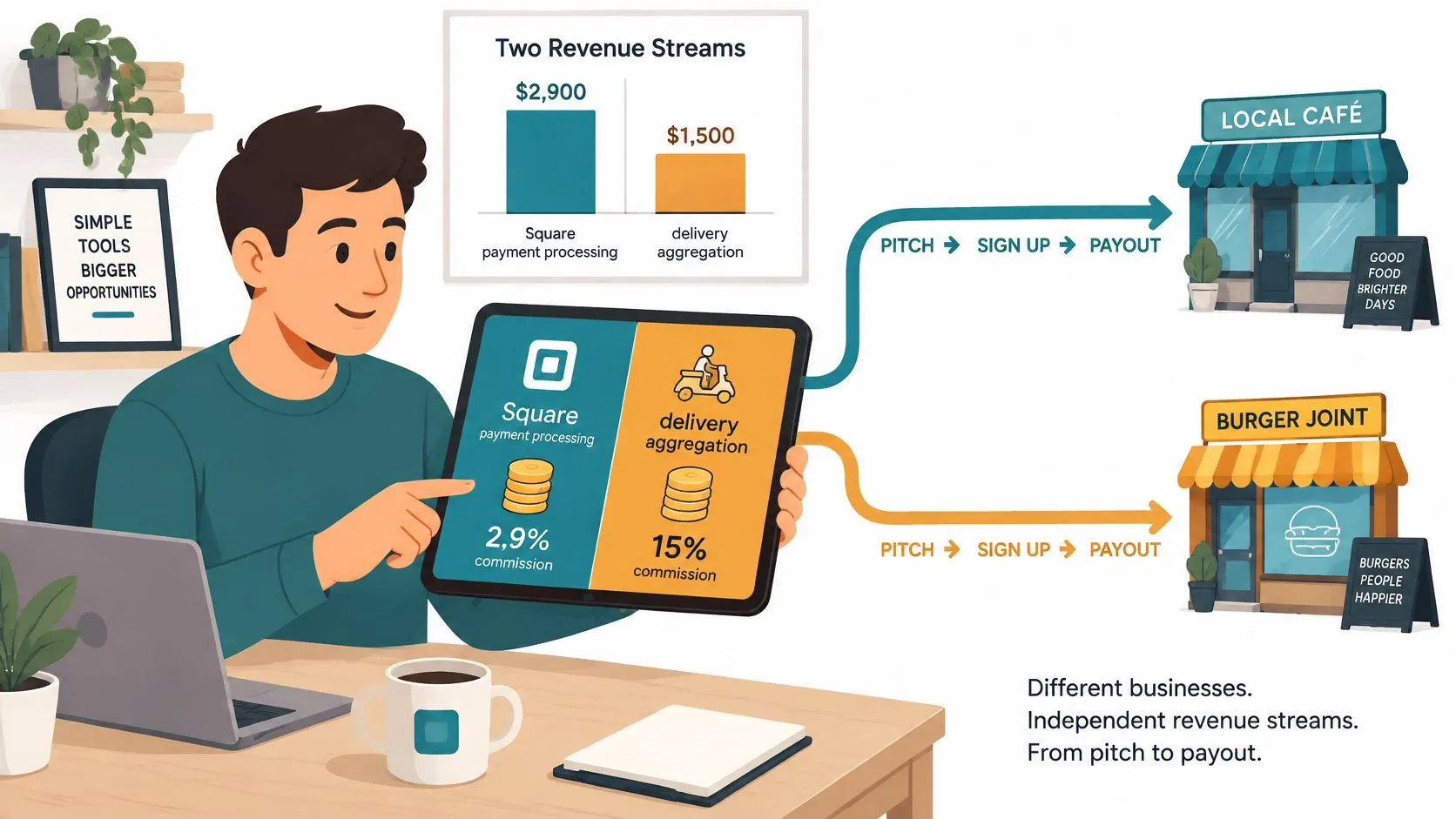
A Square processing residual and an aggregator delivery arrangement solve different problems, so do not book them as one pool. Resellers do not buy a plan; they earn residuals on the merchants they bring to OrderOut. The Square reseller program is where that split of products is laid out, and it is the distinction I would make before any bundle pitch.
Which stream pays for which support
Classify the likely ticket by origin before you price the account: marketplace menu, Square catalog, or courier handoff. Menu and catalog work belongs to onboarding and POS upkeep. Courier trouble belongs to delivery operations, even when the first symptom appears inside Square.
The Delivery API quotes, books, and tracks on-demand delivery across Uber Direct, DoorDash Drive, Relay, and Ally from one endpoint. Each order is auctioned across the enabled providers, the lowest cost within the ETA tolerance wins, and the routing logic can be overridden per restaurant. If a driver cancels or a provider is down, the order is re-dispatched to the next bidder. That removes some rescue work, but a tight ETA tolerance can still create an exception queue during the rush.
Price courier support from the billing shape, not from optimism. There are no contracts with the delivery marketplaces, the business pays per delivery, and charges from all providers appear on one monthly invoice with CSV export for Quickbooks and receipt-level detail for every leg.
Juniper Street Cafe opens a second location that lives on delivery. The original cafe mostly needs a clean Square catalog and occasional marketplace checks. The new site needs failed-order recovery, remote KDS printing, and courier disputes through dinner. Weigh expected support effort at each location against the residual that location produces; a bundle that looks fine on a quiet cafe can consume the margin once a second site is courier-heavy.
- Higher delivery volume, messy multi-app menus: Offer aggregator delivery. The mapping work has somewhere to land.
- Lower complexity, one channel or mostly in-store: Sell Square alone. You can add the aggregator later, on request.
- Payments only, no one named to own the menu: Do not attach delivery support you will end up staffing yourself.
Read how the reseller program works before you price the support, and use the OrderOut aggregator for resellers when you are ready to ask for that product. Aggregator access is requested rather than self-serve: access starts with a short intro call to review delivery volume, use case, and integration needs, and Delivery API pricing is customized around those answers. Keep the residual side tied to documented categories such as Square reseller residual payment types, not a spreadsheet built for one prospect.
Frequently Asked Questions
Does OrderOut work with Square?
Yes. OrderOut routes Uber Eats, DoorDash, and Grubhub orders into the Square POS queue so they sit alongside in-store tickets. Square stays the operational source of truth, and the merchant still owns menu accuracy on both sides of the map.
Does a Square merchant still need a delivery tablet for each marketplace?
No. Marketplace orders arrive in the Square POS, so staff work one queue. Nobody re-keys the same order off a second screen.
Where do Square delivery errors actually start?
Three places: the marketplace menu, the Square catalog, or the courier handoff. OrderOut syncs prices, item availability, and 86 changes from Square to the Uber Eats menu automatically, so when a customer sees a wrong price or orders something the kitchen ran out of, check the Square item record first. A driver problem after the ticket prints sits with the provider running that leg, not with the order routing. Knowing which of the three broke tells you where the fix belongs and whose time it consumes.
Can a reseller add aggregator delivery through the portal?
No. Aggregator delivery is offered on request. You ask for access rather than turning it on yourself, so have the merchant list, the marketplaces, and the Square locations ready before you ask.
Where do residuals come from?
You do not buy a plan. You earn residuals on the merchants you bring to OrderOut, and each boarded merchant carries its own stream. The support obligation on an account should stay inside what that account pays, which is why delivery volume and menu complexity matter before you agree to own the setup.
Is the program available in Canada?
Yes. Coverage runs in the United States and Canada. Pricing and eligibility beyond that depend on the merchant’s country and account, and they are confirmed when you request access.
Request Aggregator Access Through the Reseller Portal
If a Square merchant’s delivery volume arrives through DoorDash, Uber Eats, or Grubhub, request aggregator delivery access through the Reseller Portal. That request is the only path. The product is not self-serve.
The Reseller Program lets resellers resell Square, Clover, and Online Ordering. Resellers don’t buy a plan. You earn residuals on the merchants you bring to OrderOut. Before you send the aggregator request, write down how many merchants are involved, delivery volume by marketplace, how tangled the menus are, and which Square locations should receive the orders. Those details match each merchant to the right setup and show which accounts belong with the higher-volume group.
Access to the Delivery API starts with a short intro call to review delivery volume, use case, and integration needs. Residuals on boarded merchants show by merchant and by month in the portal. Use the Square reseller program for the commercial view of payments alongside this add-on, then send the request when the support owner and the location list are both real.
OrderOut injects Uber Eats, DoorDash, and Grubhub orders into Square so a reseller’s restaurant merchants run one queue instead of a tablet per app. You keep the merchant relationship, and you request aggregator delivery when the account’s volume and menu justify the support. Visit OrderOut and request portal access when you’re ready to attach that path to the Square merchants you already board.
New to the OrderOut Reseller Portal? The help center for merchant services agents has written steps, screenshots and a short video for each job in the portal — signing your Master Agreement, adding an agent, creating an onboarding link and tracking a merchant application. Every change ships with a note in what’s new in the Reseller Portal.