
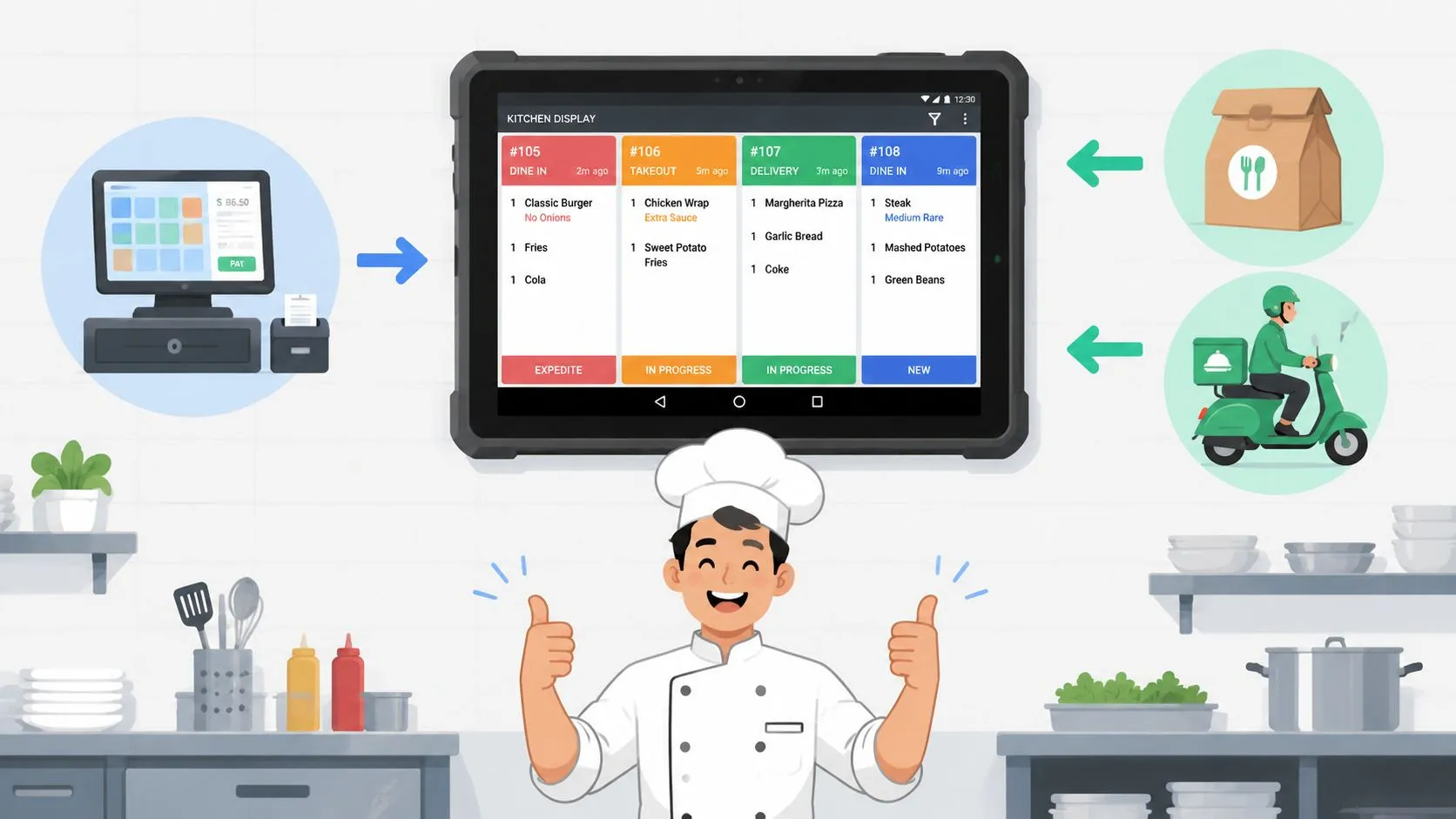
A Square Kitchen Display System is an Android application that replaces paper tickets by showing orders from your Square POS on a digital screen in your kitchen. It requires a Square for Restaurants Plus plan at $30 per month per device or a Premium plan at $20 per month per device, and it works best when your orders already live inside the Square ecosystem.
That sounds straightforward, and for many kitchens it is. The problem starts when your restaurant also takes orders from Uber Eats, DoorDash, or Grubhub. A square kitchen display system can keep the line organized, but only if the orders reach Square first. For many operators, that’s the primary operational gap.
The Rise of Digital Kitchens
Restaurants are moving away from kitchen printers and paper chits because digital workflow is easier to read, easier to manage, and easier to route. A screen can show modifiers, timing, and coursing in one place. A printer can only spit out more paper.
That shift is already large enough to show up at the market level. According to MarkNtel Advisors, cited in Delivety’s KDS guide, the global Kitchen Display System market is projected to reach USD 520 million in 2025, and KDS deployments consistently shave 20 to 30% off average ticket times.
That matters because kitchens don’t need more gadgets. They need fewer handoffs.
Why operators like KDS in practice
A good KDS does three simple things well:
- It centralizes orders: Staff stop chasing paper tickets across stations.
- It makes modifiers visible: Allergies, add-ons, and coursing are easier to spot on-screen.
- It improves pacing: Expo and line cooks can see what’s pending, what’s dragging, and what’s next.
Practical rule: If the kitchen still relies on someone reading fading thermal paper and shouting corrections, the bottleneck isn’t your staff. It’s the workflow.
The broad move to digital kitchens is real, but not all digital workflows are complete. Square KDS is strong when a restaurant uses Square POS and Square’s own ordering channels. It’s far less clean when third-party marketplaces sit outside that path.
Where the promise breaks
This is the issue most glossy KDS writeups skip. A square kitchen display system doesn’t automatically solve multi-channel order management. It solves display and routing inside Square. That’s useful, but it’s not the same thing as consolidating all incoming demand.
If your in-store, phone, and Square Online orders are flowing through Square, the kitchen sees a clean stream. If Uber Eats or DoorDash orders arrive on separate tablets, someone still has to bridge the gap. That’s where digital kitchens often regress into manual work again.
Understanding the Square Kitchen Display System
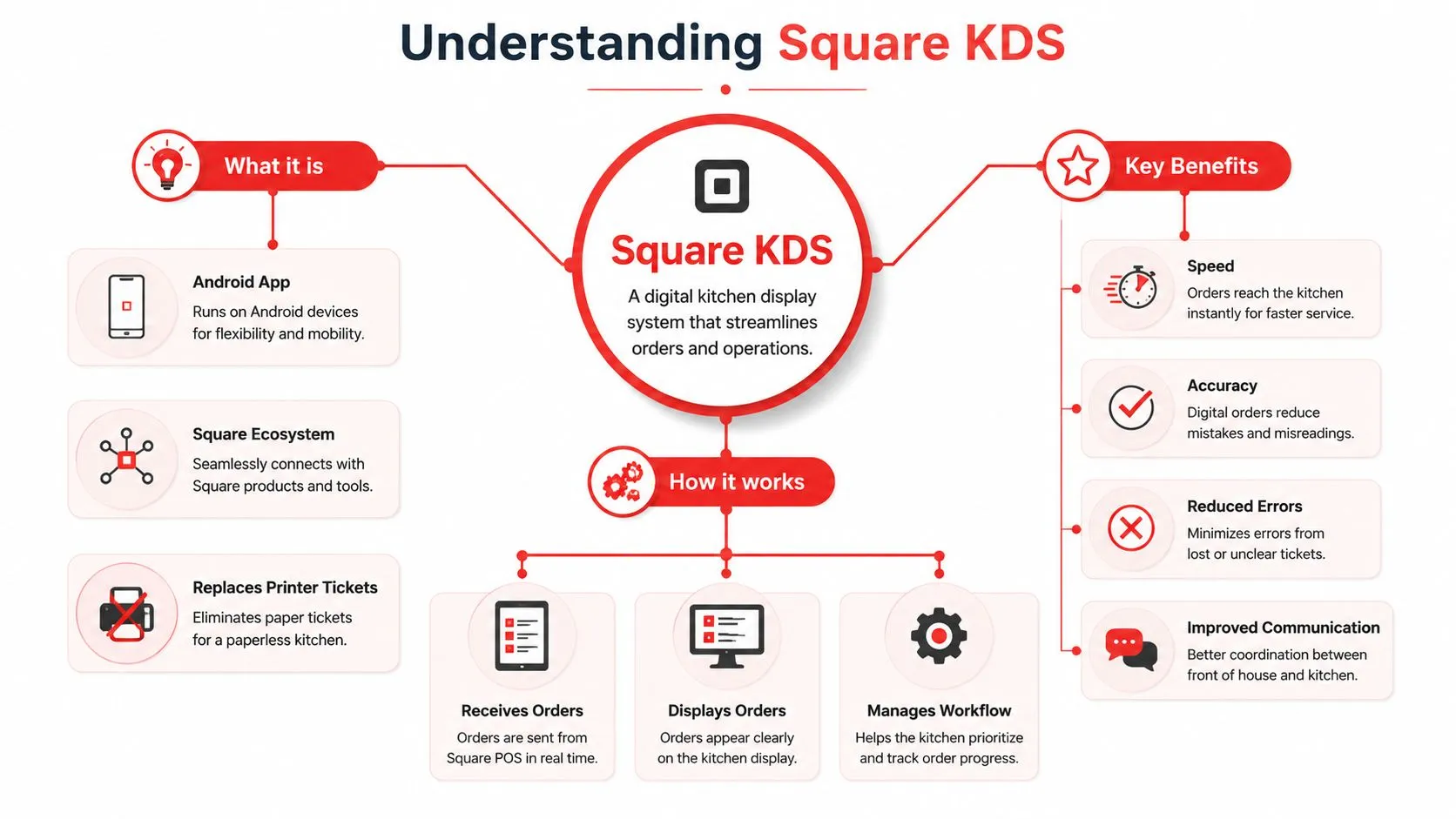
Square KDS is a native Square kitchen screen product, not a generic kitchen app. According to Square’s product page for Kitchen Display System, it’s an Android-operated application available in eight major markets. Square says it shows real-time order details including cooking times, modifiers, and coursing.
What Square KDS does well
In its intended setup, Square KDS is clean and practical. Orders sent through Square appear on the kitchen screen in real time. Staff can work from one display instead of sorting slips from different printers.
The core strengths are familiar to anyone who has run line service:
- Readable tickets: Large text beats crowded printer output during a rush.
- Order context: Modifiers and coursing appear with the item instead of being clipped off or misread.
- Fewer relays: Front-of-house staff aren’t acting as messengers between POS and kitchen.
If you want a useful non-restaurant primer on how systems like this fit into operational software, understanding Transaction Processing Systems helps explain why the POS remains the source of truth and why downstream tools depend on clean transaction flow.
What it needs to run
Square ties KDS to its restaurant software stack. Per Square, access requires Square for Restaurants Plus at $30 per month per device or Premium at $20 per month per device. That matters for budgeting because a KDS isn’t just a screen on the wall. It’s software plus the Android hardware that runs it.
For operators comparing digital kitchen tools more broadly, this guide to restaurant kitchen display systems is useful context on where KDS fits versus printers and other back-of-house workflows.
A KDS is only as good as the order flow feeding it. If the POS sees the order, the kitchen screen usually works beautifully. If the POS never gets the order, the screen stays blind.
The native Square workflow
At its best, the workflow is simple:
| Step | What happens |
|---|---|
| Order enters Square | The POS receives the order |
| Square routes the order | Kitchen routing rules send it to the right station |
| KDS displays the ticket | Staff see items, modifiers, and timing details |
| Kitchen works from one queue | The team prepares and bumps tickets from the screen |
That native path is why Square KDS feels smooth for in-person orders and Square-managed ordering. It also explains the weakness. The KDS displays what Square has. It does not independently pull orders from delivery marketplaces.
Hardware and Kitchen Setup Best Practices
Most KDS buying mistakes happen after the software decision. Operators assume any Android tablet will survive in a commercial kitchen. Sometimes it does. Often it doesn’t.
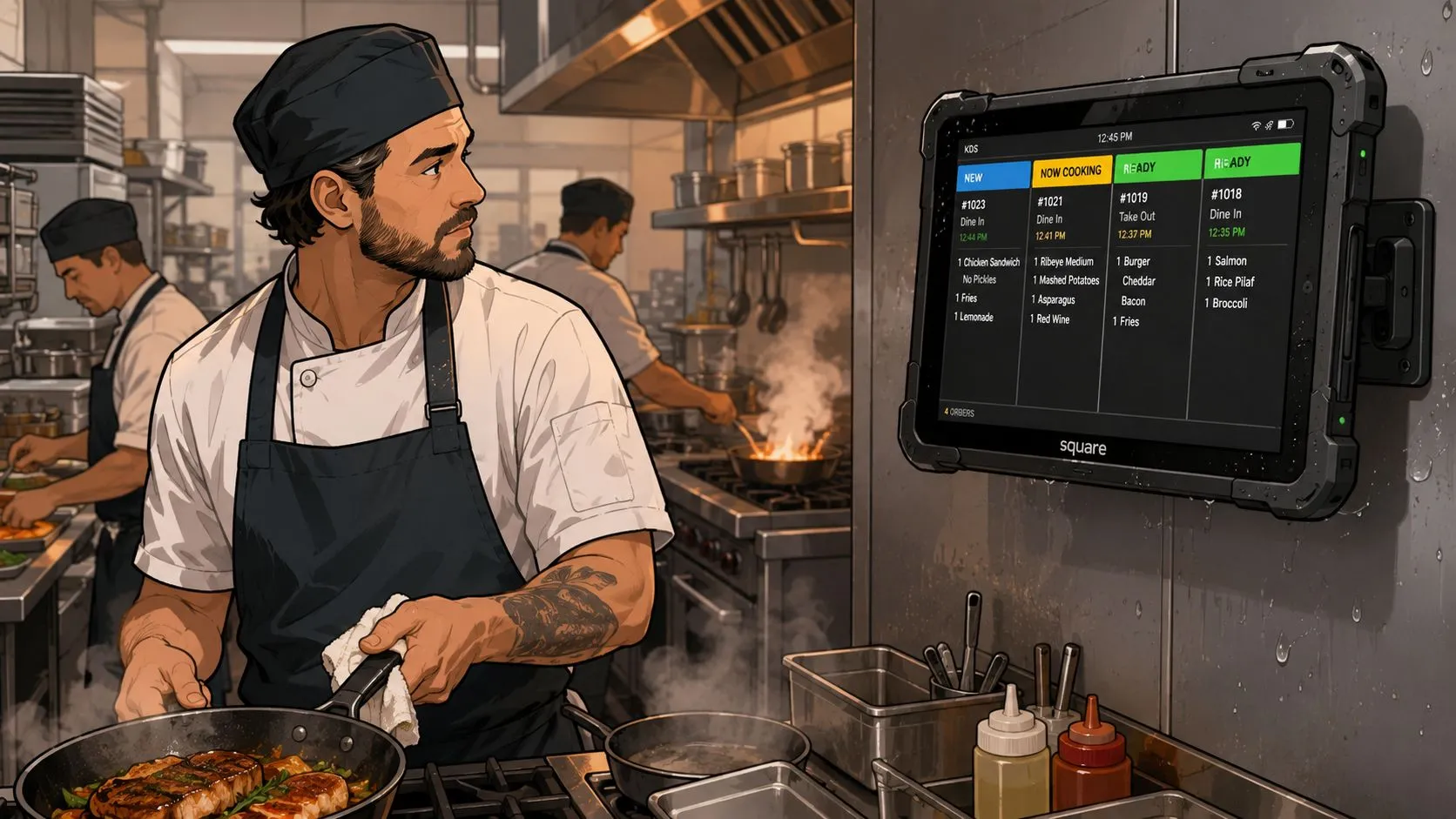
A square kitchen display system runs in one of the harshest environments in the building. Heat, steam, grease, sanitizer, vibration, and constant handling all wear down consumer-grade devices faster than restaurant owners expect. Industry discussion around back-of-house tablet use regularly points to heat and moisture as common failure concerns, including in this restaurant operator discussion about Square KDS setups.
Place the screen like kitchen equipment
A KDS screen shouldn’t be mounted wherever there’s open wall space. It needs to be placed where staff can read it quickly without exposing it to the worst of the line.
Good placement usually means:
- Away from direct heat: Don’t mount above fryers, grills, or steam wells if you can avoid it.
- Visible at working height: Cooks shouldn’t need to crane their necks or step away from station.
- Protected from splash zones: Sauce, sanitizer, and grease mist shorten device life.
Treat the KDS like a piece of production equipment, not like office tech you happened to bring into the kitchen.
Pick hardware with service in mind
The cheapest tablet is often the most expensive decision six months later. Mounting matters. Cables matter. Cleaning access matters. So does replacement planning.
A practical setup checklist looks like this:
- Use a stable mount: Wobble and vibration wear out ports and charging points.
- Choose wipeable enclosures: Food-safe, easy-to-clean protection is better than improvised covers.
- Plan power cleanly: Loose charging cables become failure points fast.
- Keep a fallback path: If a device goes down, the team still needs a temporary ticketing process.
If you’re still running a mixed kitchen with both screens and hardcopy backup, this guide to Square-supported printers is worth reviewing before you finalize your station layout.
Sanitation and durability are operational issues
A kitchen screen isn’t just a display. It becomes part of the line’s daily touch pattern. Staff tap it with gloved hands, bare hands, wet hands, and hands holding tongs. That means your setup has to survive cleaning and repeated contact without becoming a hygiene problem or a visibility problem.
Restaurants that treat KDS installation as a real equipment project usually get a smoother rollout. Restaurants that hang a tablet on a cheap bracket and hope for the best usually end up replacing parts and improvising.
The Delivery App Problem with Square KDS
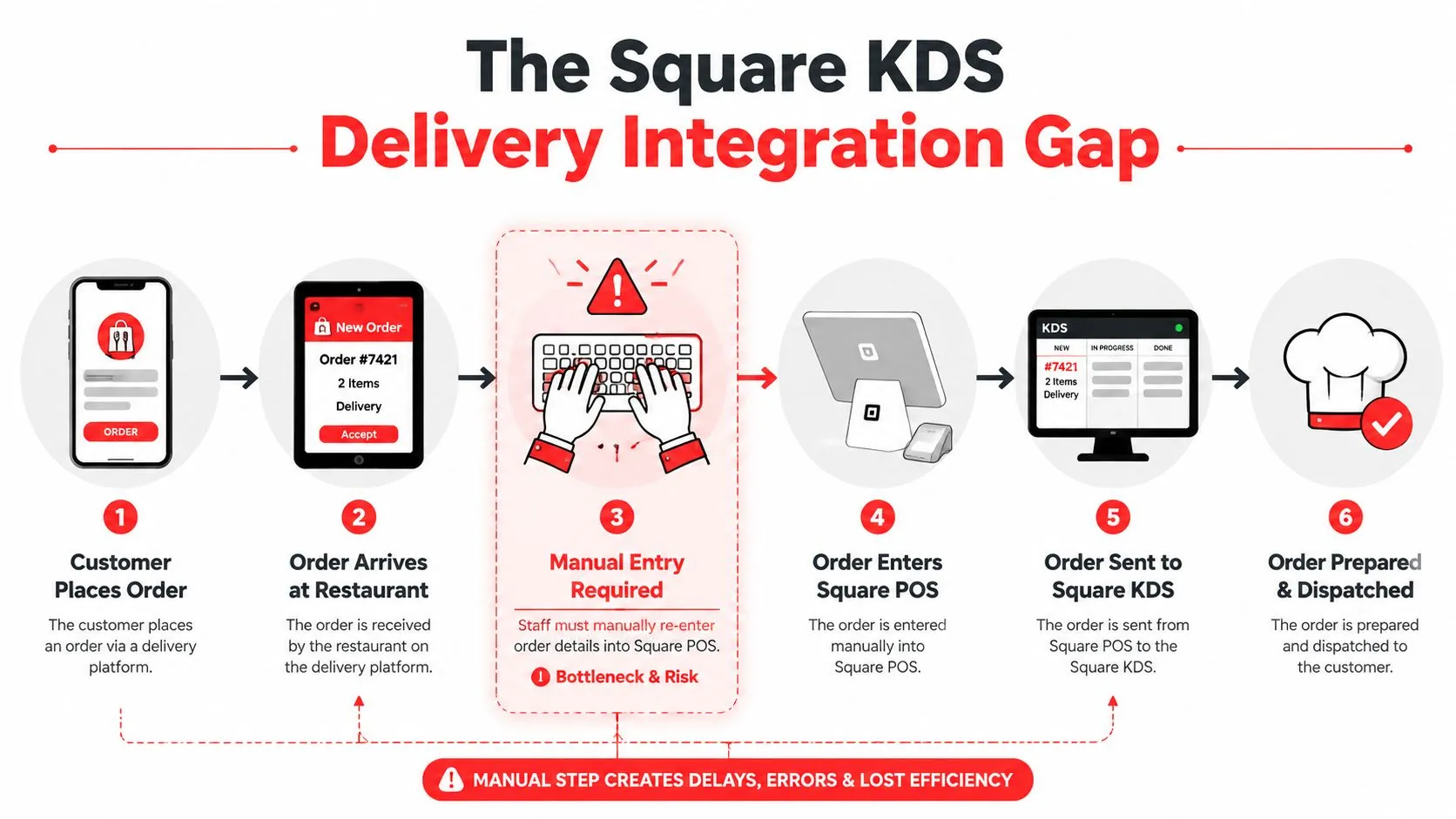
Friday night exposes the gap fast. Dine-in tickets hit Square KDS right away, but Uber Eats, DoorDash, and Grubhub orders often land on separate tablets first. Staff then have to stop, read the order, and enter it into Square before the kitchen sees it.
That limitation matters because Square KDS is built around Square’s own order flow. Inside that environment, it is clean and reliable. Once a restaurant adds third-party delivery, the workflow splits, and the screen that should be the kitchen’s source of truth becomes only part of the picture.
What actually happens during service
Operators usually see the problem in the first rush. A marketplace order arrives. The line does not get a ticket on Square KDS until someone re-keys it into Square POS.
Here is the practical result:
| Order source | What staff must do | What the kitchen experiences |
|---|---|---|
| Square POS or Square Online | Send as normal | Ticket appears on KDS immediately |
| Uber Eats tablet | Re-enter order into Square | Prep starts late |
| DoorDash tablet | Re-enter order into Square | Extra labor and higher error risk |
| Grubhub tablet | Re-enter order into Square | Delayed visibility on the line |
That manual handoff creates a real trade-off. A host, cashier, expo, or manager has to become the connection between systems, usually during the busiest part of service.
Why this breaks down in real kitchens
Simple orders are annoying. Modified orders are where it gets expensive.
Add-ons, allergy notes, combo choices, side swaps, and drink selections all have to be copied correctly from one screen to another. Miss one modifier and the kitchen makes the wrong item. Enter it late and quoted pickup times start slipping. Hand the task to a busy front-counter employee and the whole line feels the delay.
I see the same pattern in multi-channel restaurants all the time. They install KDS to reduce verbal callouts and paper clutter, then third-party delivery brings the chaos back through a side door.
For restaurants that rely heavily on one marketplace, this breakdown is easiest to spot in channel-specific examples like Square and Grubhub order flow problems.
Square KDS usually is not the failure point. The missing connection between delivery marketplaces and Square is.
That distinction matters because it changes the fix. Replacing the KDS does not solve much if the primary issue is that delivery apps are still operating outside the POS workflow. The better approach is to keep Square KDS for what it does well and add a connector that brings third-party delivery orders into Square automatically, so the kitchen can work from one queue instead of several.
How OrderOut Creates a Unified Kitchen Workflow
Friday at 7:15 p.m., the line is full, the fry station is backed up, and two delivery tablets are still lighting up on the counter. Square KDS can keep the kitchen organized once an order is inside Square. A major operational benefit comes from getting marketplace orders into that same queue without asking staff to type them in first.
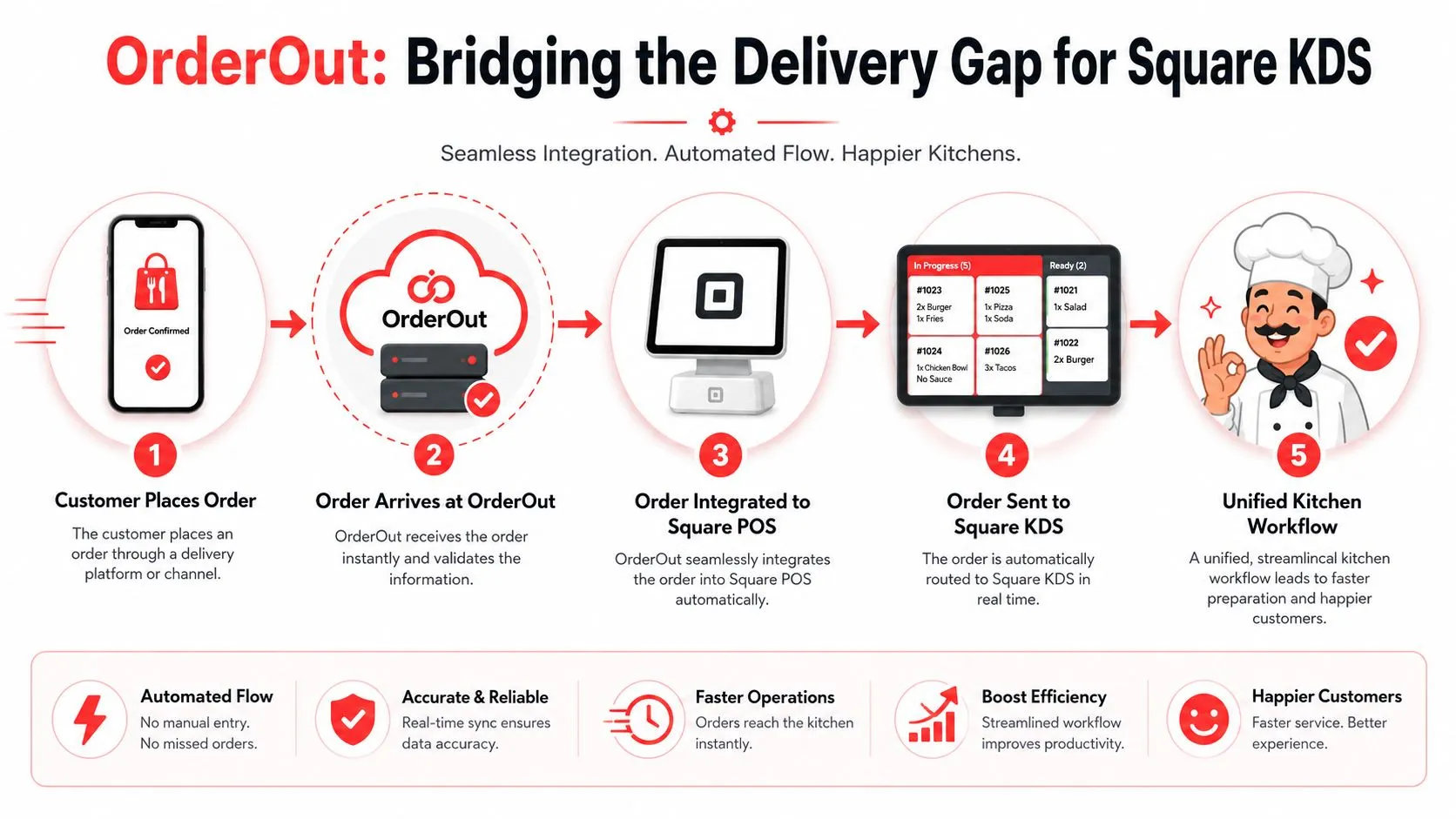
OrderOut connects Uber Eats, DoorDash, and Grubhub to Square POS so those orders flow into the system in a format the KDS can use. Staff work from one kitchen queue instead of bouncing between tablets, paper, and manual POS entry.
The change is operational, not cosmetic.
Before OrderOut, a marketplace order usually sits outside the main production flow until someone notices it, reads it, and keys it into Square. After OrderOut, the order reaches Square automatically, with its items and modifiers mapped into the POS structure the kitchen already uses. The KDS then shows it alongside in-store and first-party orders, which is how a real single-line workflow should work.
A typical shift improves in a few specific ways:
- orders hit the kitchen faster because nobody has to re-enter them
- modifier details are less likely to get lost between tablet and POS
- expo and front-counter staff spend less time acting as order translators
- ticket timing is easier to manage because production starts from one queue
- managers get cleaner reporting because orders originate inside the POS workflow
That last point matters more than many operators expect. If staff are typing delivery orders by hand, the kitchen problem is obvious, but reporting problems build in the background too. Sales mix, prep timing, voids, and reconciliation all get harder to trust when one part of the business lives outside the POS.
Here’s a closer look at the flow in action:
Why menu mapping matters
The integration only works well if the menu structure is set up correctly. Marketplace menus rarely match Square item-for-item on their own. Modifier groups are named differently. Combos are built differently. Side choices and add-ons may not line up cleanly.
OrderOut handles that translation layer so the order that lands in Square is usable in service, not just technically imported. That reduces the register-side judgment calls that cause wrong builds, remake costs, and pickup delays. Clean menu mapping also makes KDS screens easier to trust during a rush, because the kitchen sees the order as it should be prepared.
Restaurants evaluating this setup can get more context from OrderOut’s partnership with Square Point of Sale.
What an operator should do next
Keep Square KDS if the kitchen likes it. Fix the missing delivery connection instead of replacing a screen that already works for in-house orders.
You can review OrderOut’s 3rd-party order engine for restaurants, see how Square delivery integration for restaurant partners is structured, or look at a specific workflow like Uber Eats to Square delivery POS integration.
If your store depends on marketplace volume, stop treating manual re-entry as part of the job. As noted earlier, OrderOut is available through the Square App Marketplace, and connecting delivery accounts is the direct path to getting every order onto the Square KDS in one workflow.
Frequently Asked Questions
Does Square KDS work with Uber Eats, DoorDash, or Grubhub by itself?
Not natively in the same integrated way it works with Square’s own ordering flow. The common issue is that third-party delivery orders arrive outside Square, so staff often have to re-enter them before they appear on the kitchen screen.
Do I need extra tablets if I use a square kitchen display system?
You still may need marketplace tablets if your delivery apps aren’t connected into Square. The KDS itself replaces paper kitchen tickets, but it doesn’t solve third-party delivery order injection on its own.
How long does setup take for OrderOut?
According to OrderOut for Restaurants, setup typically takes 5 to 10 minutes. The usual requirement is login access to your delivery platforms so you can connect accounts in the dashboard.
Is staff training difficult?
Usually it’s easier than the old process because the workflow gets simpler. When orders enter the POS correctly, staff spend less time learning tablet workarounds and more time following one standard kitchen flow.
Where can I learn more about common POS integration questions?
This roundup of OrderOut POS integration frequently asked questions is a good place to clarify how delivery orders connect, what setup looks like, and what operators typically need before going live.
If you want your Square KDS to show all your orders instead of only the ones already inside Square, start with OrderOut and create your free account in the OrderOut onboarding dashboard.