
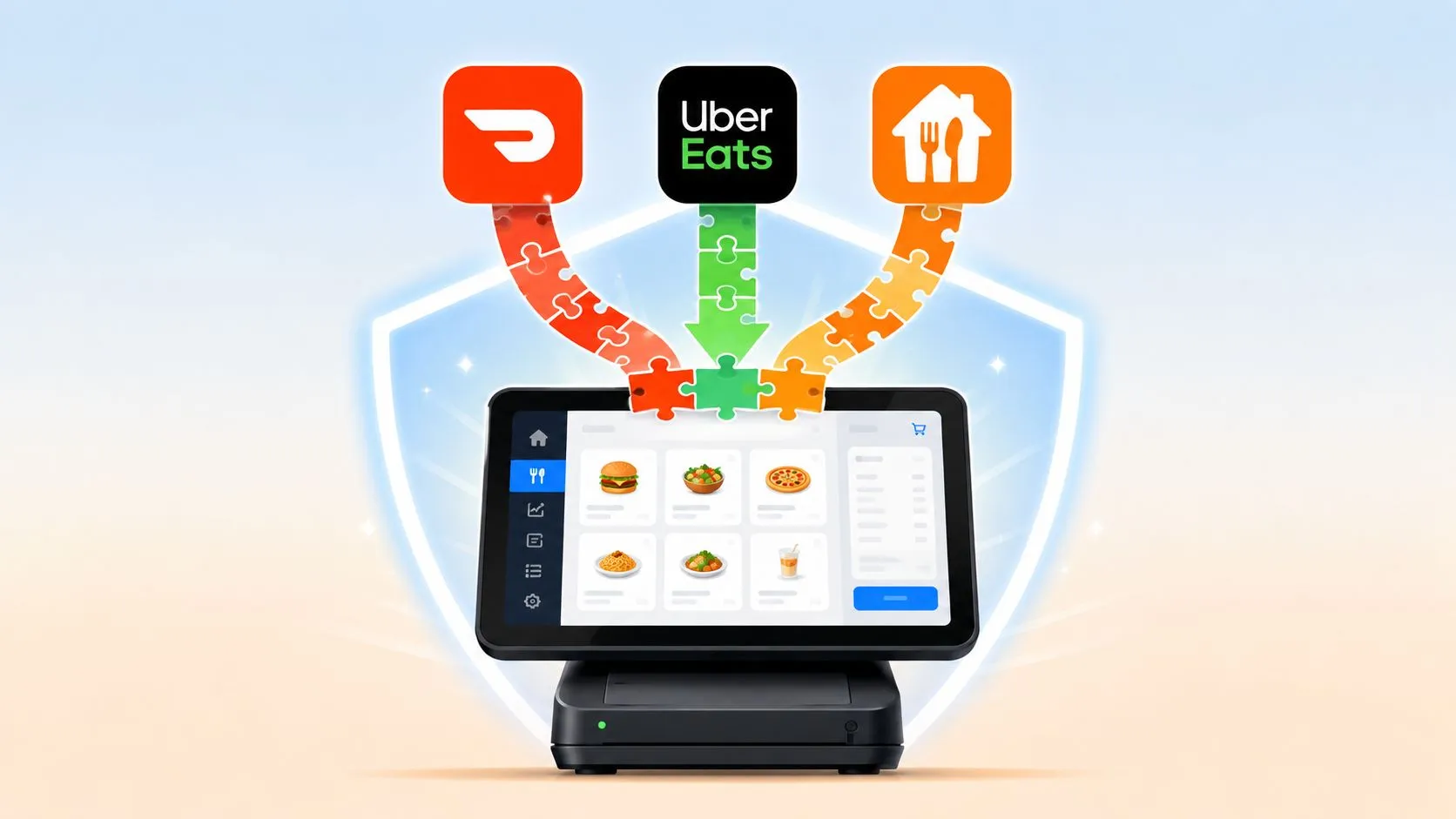
Understanding data integrity means ensuring every order, menu item, modifier, and payment stays accurate, complete, and consistent as it moves from delivery apps into the restaurant POS. Enterprise data error rates are commonly estimated at 1% to 5%, with some organizations reporting rates above 30%, so integrity has to be treated as an operating safeguard, not an occasional cleanup task.
That definition becomes practical during a rush. Uber Eats, DoorDash, and Grubhub orders arrive while staff are working a Clover or Square terminal, the kitchen is reading tickets, and a manager is watching sales and payouts. If one modifier disappears, an item is entered twice, or a marketplace total fails to match the POS, the problem travels through fulfillment, inventory, payment reconciliation, and reporting.
What Data Integrity Means for Restaurants
For a restaurant, data integrity is the confidence that an order remains correct from the moment a guest submits it until the restaurant fulfills, settles, and reports it. The item, quantity, modifier, special instruction, price, tax treatment, timestamp, and payment status all need to retain the right meaning across every handoff.
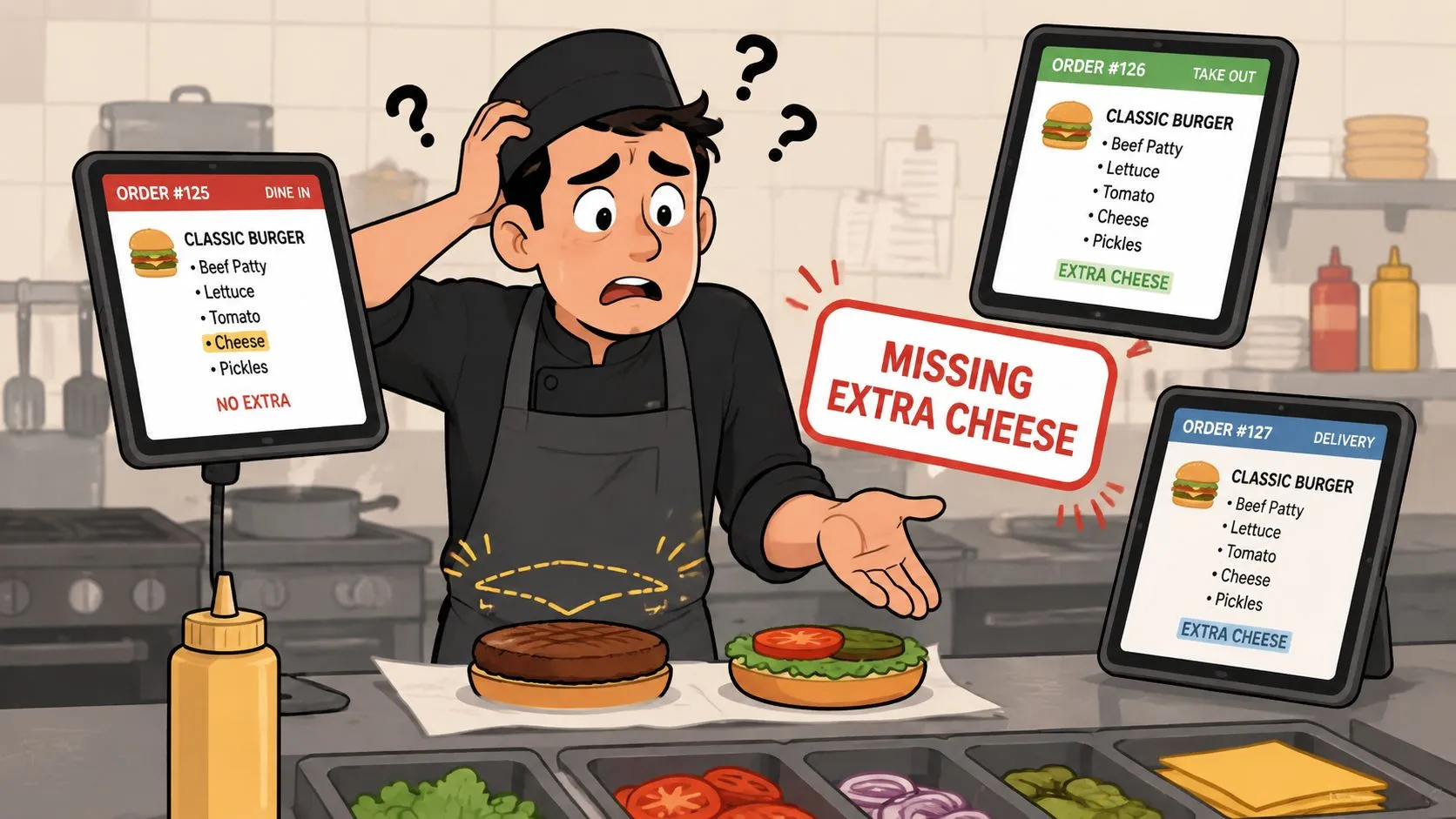
That’s different from having data in the system. A ticket can exist in Clover or Square and still be wrong. A burger may be present, but the no-cheese modifier may have disappeared. A delivery order may have the right total but the wrong quantity. A marketplace transaction may appear in reporting even though the POS never recorded it properly.
The operational definition
A manager should be able to explain it in one sentence:
If the kitchen, POS, marketplace, and payout report disagree about an order, the operation doesn’t have trustworthy data integrity.
Consider a busy service where orders from Uber Eats, DoorDash, and Grubhub arrive together. Staff manually read each tablet, re-enter the order into the POS, interpret channel-specific modifier names, and confirm the ticket reaches the kitchen. Every additional handoff creates an opportunity to lose context.
The practical checks are straightforward:
- Accuracy: The item, price, quantity, and modifier match what the guest ordered.
- Completeness: Special instructions, timestamps, payment details, and required fields arrive with the transaction.
- Consistency: The marketplace order, POS ticket, kitchen record, and settlement data describe the same sale.
- Validity: The order uses menu items and modifiers that the restaurant supports.
- Traceability: Staff can identify what happened when a ticket is changed, retried, canceled, or refunded.
Restaurant reporting depends on the same foundation. A dashboard can show delivery partner performance or top-selling items only if the underlying order records preserve their original context. Operators looking at the wider role of reporting can also review data analytics for restaurants, but analytics can’t repair a missing modifier or duplicated ticket after the fact.
The rule is simple: protect the handoff, not just the final report. If the data enters the POS correctly, downstream decisions become easier. If it enters incorrectly, every later system may treat the error as truth.
Why Data Integrity Affects Profit and Operations
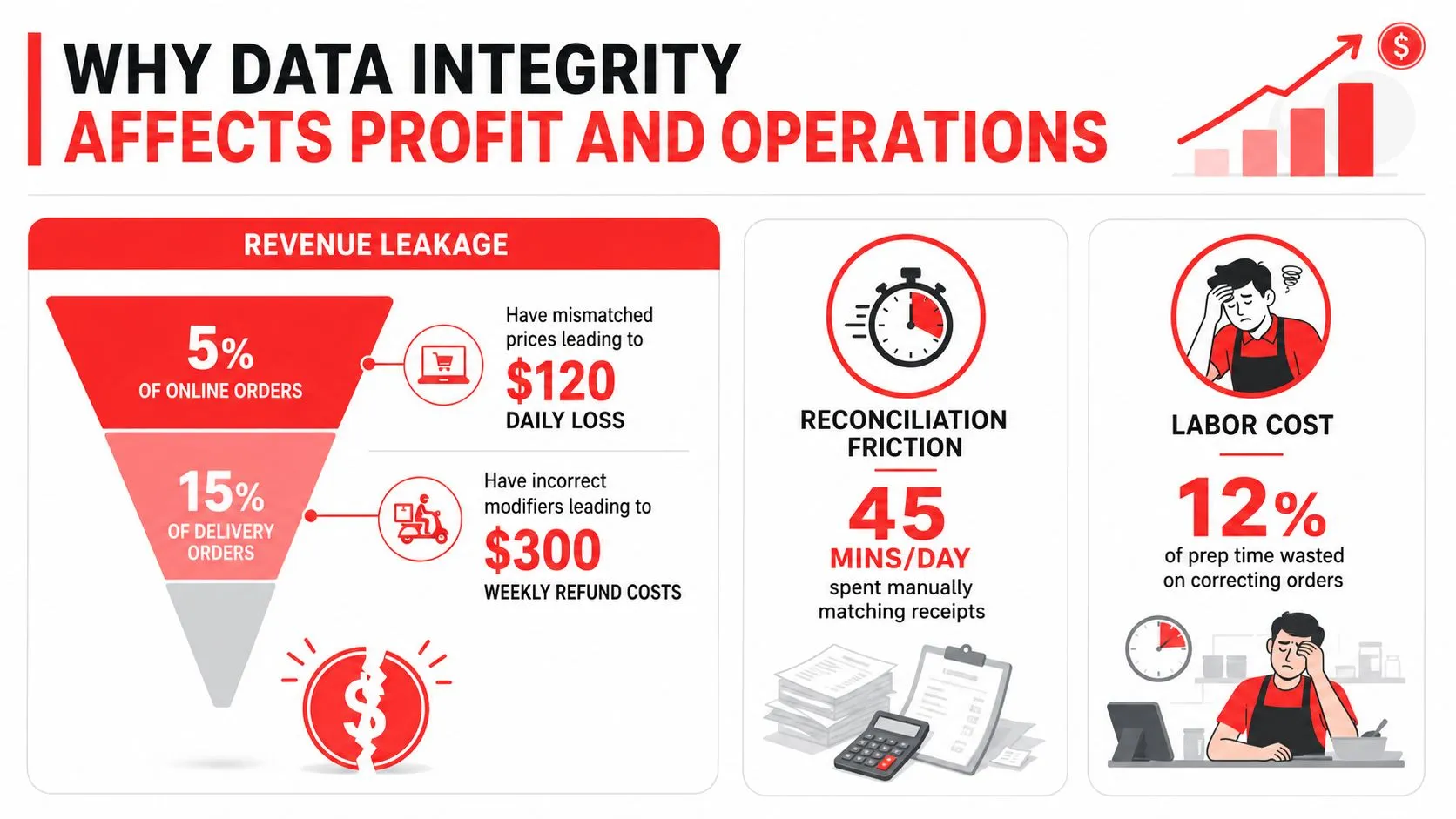
Poor data quality creates costs that operators can see in several places, even when no single error looks serious. A missed modifier can produce a remake. A duplicated order can create a refund conversation. A settlement mismatch can keep a manager at the office long after the dining room closes.
IBM’s summary of a 2025 study says 43% of chief operations officers treat data quality as their most significant data priority. The same IBM analysis of poor data quality costs says more than a quarter of organizations estimate annual losses above USD 5 million, while 7% report losses of USD 25 million or more. Related industry reporting cited in that summary puts the average organizational loss at about USD 12.9 million per year.
Those figures describe organizations broadly, not individual restaurants. Their value for operators is the scale lesson. Small inaccuracies can compound into a direct profitability issue through revenue leakage, reconciliation friction, and avoidable labor.
Where the cost appears
Revenue leakage happens when the restaurant fulfills an order but records the wrong amount, misses an add-on, duplicates a transaction, or accepts a marketplace adjustment that doesn’t reconcile cleanly. The loss may surface as a refund, a comp, an unexplained variance, or a charge that staff can’t confidently trace.
Labor cost appears when employees stop serving guests to fix data. Someone must compare tablets with POS tickets, call the kitchen, correct a menu mapping, research a refund, or match marketplace deposits against sales. That work doesn’t improve the meal, but the restaurant still pays for it.
Guest trust suffers when the kitchen receives incomplete instructions or the wrong item. The guest experiences the failure, while the manager absorbs the follow-up and the marketplace relationship absorbs the complaint.
For a useful broader discussion of reducing operational mistakes, operators can read about embracing hospitality management software. The restaurant-specific takeaway is more direct: clean order data supports accurate prep, dependable inventory signals, credible reporting, and faster settlement review.
Practical rule: Treat every recurring order correction as a process defect, not as an employee problem.
Common Data Integrity Failures in Delivery Workflows
The most familiar failure starts with several delivery tablets sitting beside the POS. A DoorDash order arrives, an employee reads it, and then types it into Clover or Square. A second order comes through Uber Eats, perhaps with a channel-specific modifier label. During the re-entry, the employee selects a similar item, misses an instruction, or enters a quantity incorrectly.
Restaurant operators regularly see the same symptoms: the kitchen asks whether a side was included, a guest says a topping was missing, or a manager finds a marketplace order that doesn’t have a matching POS ticket. The documented failure points include wrong items, missed modifiers, bad quantities, and dropped special instructions, especially when staff manually re-enter orders from DoorDash, Uber Eats, or Grubhub, as described by OrderOut’s guide to order-entry errors.
Where context disappears
An item name can survive a handoff while its context doesn’t. One marketplace may call a selection “add chicken,” while the POS expects a particular modifier group. A special instruction may sit in a free-text field that the re-keying employee overlooks. A timestamp can reflect entry time rather than the guest’s submission time, making service reviews harder to interpret.
Connectivity problems create another class of failure. If an integration or tablet connection drops after submission, staff may retry an order without knowing whether the first attempt succeeded. The result can be a duplicate ticket, a duplicate kitchen preparation, or an extra charge that later requires investigation.
The handoff has three practical layers:
- Marketplace layer: The guest selects items, modifiers, payment details, and instructions.
- Integration layer: The order is translated, validated, and routed.
- POS layer: The restaurant accepts the normalized ticket for preparation, payment records, and reporting.
A failure at any layer can look like a staff mistake at the end. Operators reviewing broader resilience practices may also find data loss prevention for Indiana businesses useful for understanding why reliable records and recovery controls matter beyond one order.
The warning signs deserve a routine response. Track repeated missing modifiers, duplicate tickets, unexplained marketplace-to-POS variances, and refunds linked to incorrect items. Those patterns point to a broken handoff that needs a control, not another reminder to “be careful.”
Practical Controls That Protect Order Accuracy
Restaurants don’t need a data engineering department to improve integrity. They need clear ownership of menu data, reliable validation at the point of entry, and a way to compare what each system believes happened.
Start with the menu
Menu normalization creates one operational vocabulary. Item names, prices, modifier groups, required selections, and availability rules should map to the restaurant’s POS structure instead of relying on staff to interpret each marketplace manually.
Modifier mapping deserves special attention. Build a master list that connects channel-specific labels to the kitchen’s standard choices. If “no onions,” “remove onion,” and a custom instruction all represent the same kitchen action, the POS should preserve that meaning consistently.
Validate each handoff
At ingestion, validate that the order references recognized items and modifiers, includes required values, and carries a usable price and quantity. Schema checks, referential constraints, and duplicate detection sound technical, but the restaurant result is simple: reject or flag a malformed order before it reaches the kitchen.
A transaction-level reconciliation check compares marketplace and POS totals, order identifiers, item lines, and payment status. It should identify missing, duplicated, or mismatched transactions rather than forcing a manager to find them manually at closing.
Under load, test the controls instead of assuming they work. Benchmark guidance recommends concurrent reads and writes, checksum or snapshot comparisons, and intentional transaction interruptions to examine rollback behavior, stale reads, and duplicate prevention. For a restaurant platform connecting Uber Eats, DoorDash, Grubhub, and a POS, that means testing peak-hour bursts, partial sync failures, and retries, as outlined in this data integrity under load benchmark guidance.
Use a short operational checklist:
- One menu owner: Decide who approves changes and where the source menu lives.
- Modifier review: Test common combinations, removals, substitutions, and required choices.
- Duplicate alerting: Flag retries and repeated order identifiers before kitchen release.
- Settlement review: Compare marketplace totals with POS totals on a regular closing routine.
- Staff fallback: Define what employees should do when a channel or integration is unavailable.
For more hands-on process guidance, operators can use these order-entry best practices. A control is useful only when staff can follow it during service.
The practical sequence is menu first, validation second, reconciliation third, load testing fourth. That order prevents teams from tuning reports around bad source records.
Manual Tablet Entry Versus Direct POS Integration
Manual entry can work when delivery activity is limited and one trained employee owns the process. It becomes fragile when several channels compete for attention. DoorDash processed 3.172 billion total orders in 2025, according to secondary industry reporting based on its FY2025 filing, while Grubhub completed 248 million orders in 2023, according to Business of Apps’ Grubhub statistics. Those marketplace volumes show why even small workflow inefficiencies matter across the ecosystem, although they don’t predict any individual restaurant’s order count.
The operating choice is less about convenience than about where translation happens. With tablets, staff translate the guest’s order by sight and memory. With direct integration, software maps the marketplace order into the POS structure before the kitchen uses it.
| Factor | Manual Tablet Entry | Direct POS Integration |
|---|---|---|
| Order capture | Staff read each marketplace tablet | Orders route into Clover or Square |
| Modifier handling | Employees interpret and re-enter choices | Mapped modifiers follow the normalized POS structure |
| Rush-hour workload | Attention shifts between screens and the POS | Staff work from the operational POS workflow |
| Duplicate risk | Retries and repeated typing can create duplicate tickets | Integration controls can identify order and transaction conflicts |
| Reconciliation | Managers compare separate records | POS records provide a central operational reference |
| Menu changes | Updates must be reflected across workflows | Mappings need controlled maintenance and testing |
The trade-off operators should recognize
Direct POS integration doesn’t remove the need for menu hygiene. A bad mapping can move a bad interpretation into the POS consistently. The advantage is that the restaurant can define and test the mapping once instead of asking each employee to recreate it during every rush.
Manual entry also hides its labor cost. Employees may regard a few keystrokes as harmless, but the work includes reading, searching, confirming, correcting, and later explaining mismatches. A direct path removes the re-keying step and keeps Clover or Square as the operational source of truth.
That’s the reasoning behind order-entry automation for restaurants. Choose manual entry only when the team can monitor it without disrupting preparation or guest service. If delivery channels are important to the operation, integration is a data integrity control as much as a productivity decision.
How OrderOut Supports Data Integrity Across Channels
OrderOut addresses the handoff problem by injecting Uber Eats, DoorDash, and Grubhub orders directly into Clover or Square. It maps each marketplace menu to a normalized POS schema, so the item, modifier, quantity, and order context can follow a defined structure instead of being manually re-created from separate tablets.
That matters because the POS remains the restaurant’s operational source of truth. Removing extra delivery tablets and manual re-keying reduces the number of places where staff must interpret an order. It also gives managers a cleaner record for kitchen preparation, sales review, and settlement reconciliation.
The setup still depends on disciplined menu mapping. Operators should review item names, prices, modifier groups, and special instructions before relying on the connection during service. Integration protects the handoff, but it can’t make an unavailable item valid or fix a menu that has never been standardized.
For a broader view of the workflow, see OrderOut’s third-party order engine. Operators using Clover can also review OrderOut’s Clover delivery integration, while Square locations can evaluate OrderOut’s Square delivery integration.
OrderOut is free to install on the Clover App Market, which gives a Clover restaurant a no-cost installation path before deciding on a broader paid rollout, consistent with Clover’s published app guidance. The practical next step is to install it, review the menu mapping, and test representative orders with modifiers before the next busy service. Operators can also review OrderOut’s POS integration FAQ for common setup questions.
Frequently Asked Questions
Does OrderOut work with Clover?
Yes. OrderOut connects third-party delivery orders from Uber Eats, DoorDash, and Grubhub directly to Clover, without extra delivery tablets or manual re-keying. It maps marketplace menus to a normalized POS structure.
Does OrderOut work with Square?
Yes. OrderOut supports direct delivery-to-POS workflows for Square, allowing marketplace orders to enter the POS instead of being manually copied from separate screens.
What happens to modifiers and special instructions?
Modifiers and order details are handled through menu mapping into the POS schema. Restaurants should review their mappings and test common choices, substitutions, and special instructions before using the connection during a rush.
Can better data integrity help reporting and AI tools?
Reliable source records make reporting and automated analysis more trustworthy. If orders are duplicated, incomplete, or misclassified, any reporting or AI-driven decision support can inherit those errors.
How can a Clover restaurant get started?
OrderOut is free to install on the Clover App Market. Owners can install it, review their marketplace-to-POS mappings, and begin onboarding through the OrderOut dashboard.
OrderOut connects Uber Eats, DoorDash, and Grubhub directly to Clover or Square, helping your team protect order details while reducing tablet work and manual re-entry. Start onboarding through OrderOut at dashboard.orderout.co, where owners can onboard free in a few clicks.