
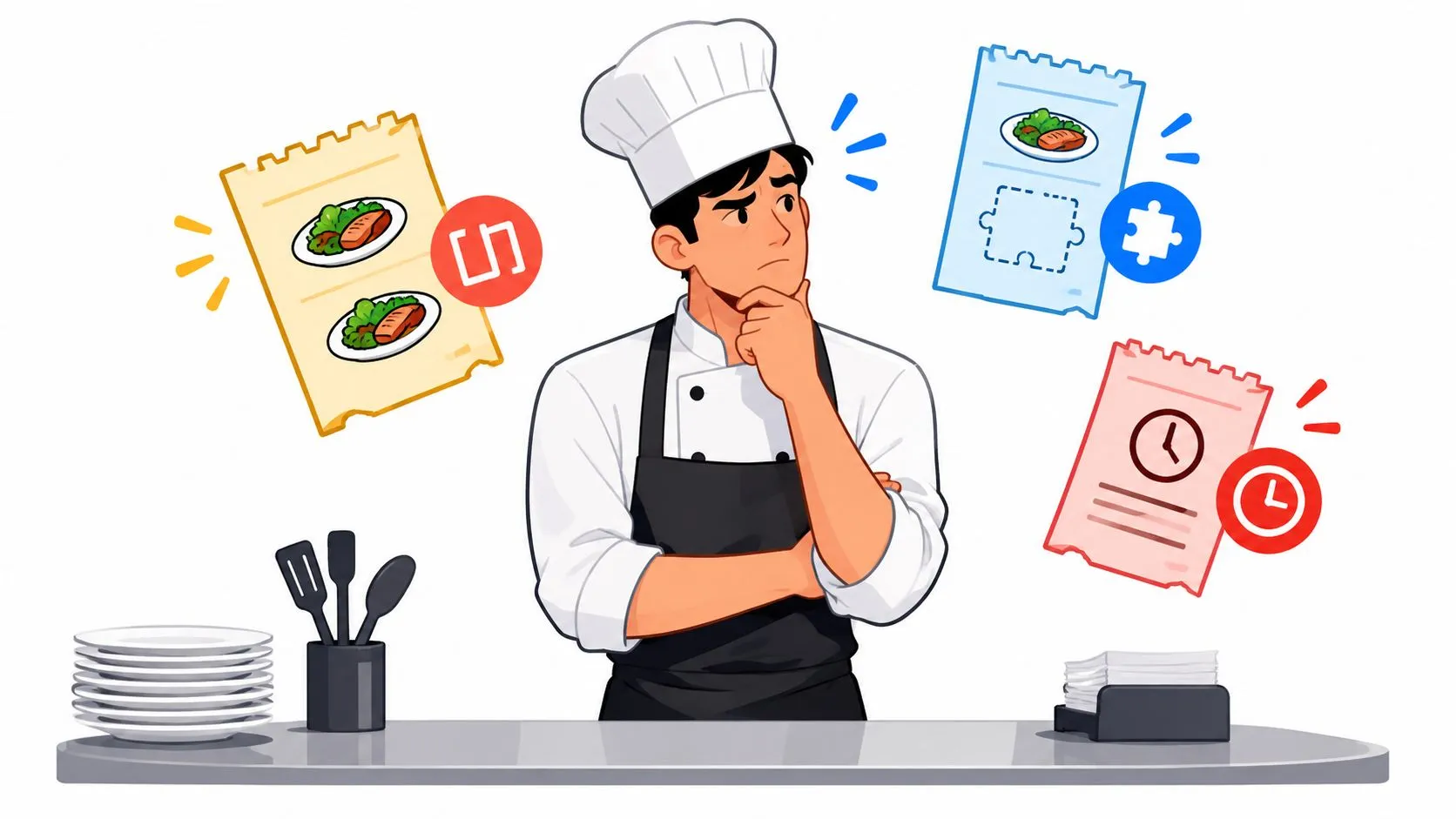
Problems with orders are misorders, duplicates, missing items, and delays caused by manual re-keying and disconnected delivery tablets, and they go down when Uber Eats, DoorDash, and Grubhub orders inject directly into Clover or Square. In one restaurant benchmark, manual delivery workflows had a 6.3% error rate while fully integrated orders had a 0.8% error rate, which is why order problems are often routing and menu-mapping problems before they look like kitchen mistakes.
A lot of operators blame the line first. I get why. When a guest gets the wrong modifiers, when a driver leaves without a drink, or when two tablets start chirping during the rush, it feels like the kitchen lost control.
But most problems with orders start earlier than the expo station. They start when one menu lives in the POS, another lives on Uber Eats, a third lives on DoorDash, and someone has to re-enter all of it by hand into Clover or Square while the phone rings and tickets stack up. That is where items get skipped, modifiers get translated badly, and duplicate tickets appear.
The fix is usually less dramatic than people expect. It’s tighter delivery-to-POS routing, cleaner menu mapping, and one operational source of truth inside the POS. If you’ve ever worked a shift with three delivery tablets, a Clover screen, and a printer spitting out half-mapped tickets, you already know the issue isn’t “staff caring less.” It’s the workflow.
If you want more context on where this fits in the bigger picture of daily service friction, OrderOut’s guide to restaurant operational challenges is a useful companion read.
Introduction to Problems With Orders in Restaurants
Order accuracy still breaks down often enough to show up in national restaurant satisfaction research, and operators feel the cost long before a report confirms it. One missing modifier can trigger a refund, a remake, a delayed driver handoff, and a guest who does not order again.
That is why order problems should be defined broadly. The issue is not only wrong food coming off the line. It includes every failure between the guest placing an order and the POS producing a usable ticket for the kitchen. Wrong modifiers, duplicate entries, missing sides, delayed firing, and tickets that arrive in the wrong format all belong in the same category because they come from the same chain.
A lot of teams diagnose this at the last step because that is where the pain shows up. The bag is wrong. The driver is waiting. The cashier cannot find the matching item in Clover or Square.
The root cause often sits earlier in the workflow.
A delivery order passes through several handoffs before food is made. Marketplace menu data has to match the POS menu. Modifiers have to map to the right buttons. The order has to route into the POS in a format the kitchen can use. If any part of that handoff is messy, the kitchen receives a bad ticket and gets blamed for a problem it did not create.
It helps to picture the POS as the restaurant’s circuit breaker panel. If every wire is labeled correctly, power goes where it should. If labels are inconsistent and someone starts improvising connections during a rush, the lights flicker in random rooms. Delivery orders work the same way. Bad routing and bad menu mapping create ticket chaos that looks like a people problem on the surface.
For restaurants running Clover or Square, the practical goal is simple. Delivery orders should arrive inside the POS as standard orders, with item names, sizes, modifiers, and pricing translated into the restaurant’s menu structure before staff touch anything. OrderOut refers to that process as normalized POS injection. The technical phrase sounds heavier than it is. In daily operations, it just means the system does the translation work so your staff does not have to.
That shift matters because manual re-entry is not just slow. It turns order handling into transcription, and transcription breaks under pressure. If your broader operation already feels noisy across tablets, tickets, and front-counter tools, this guide to restaurant operational challenges gives useful context for where order issues fit.
When operators reframe order problems as routing and menu-mapping failures first, the fixes become clearer. Clean the menu structure. Route delivery orders into the POS correctly. Give the kitchen one reliable ticket source. That is how restaurants stop treating order mistakes as random service failures and start fixing the workflow that creates them.
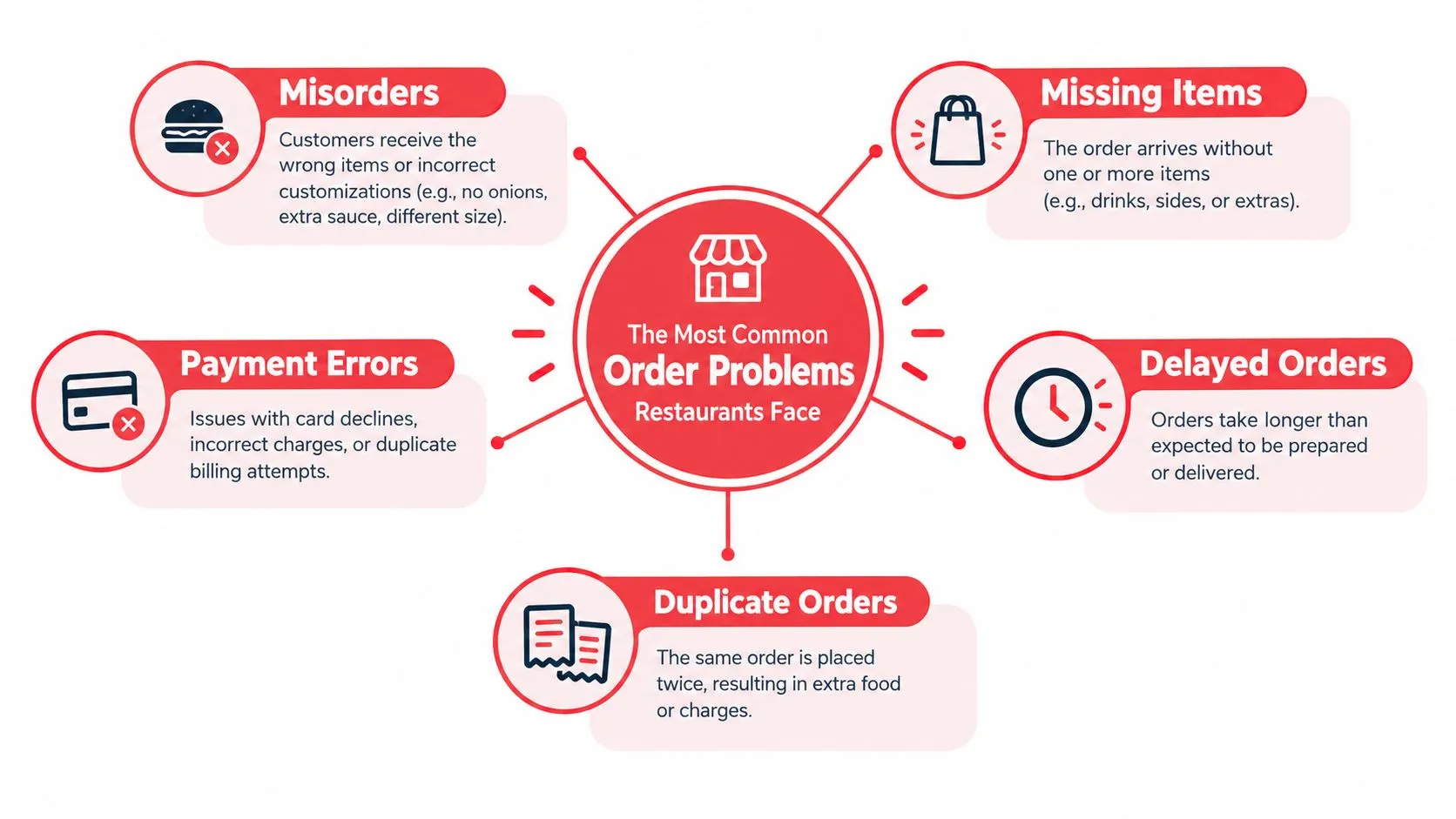
The Most Common Order Problems Restaurants Face
Some order issues are obvious. Some hide inside a ticket until the guest opens the bag. The common thread is that the customer experiences one failure, but the restaurant often sees three smaller failures behind it.
Misorders from modifier breakdowns
This is the classic one. A burger comes through with no onions on Uber Eats, but the cashier keys the core item and misses the modifier. Or the marketplace item name doesn’t match the Clover or Square button well, so staff choose the closest thing and keep moving.
To the guest, it’s “you got my order wrong.” To the kitchen, it may have looked like a normal ticket.
Duplicate tickets from double handling
A tablet beeps. Someone enters the order into the POS. Then another employee sees the tablet still open and assumes it hasn’t been entered yet. Now the kitchen has two tickets for one customer, or the restaurant remakes food that was already fired.
That’s one reason operators look for order entry error examples and fixes. Duplicate handling usually isn’t carelessness. It’s what happens when systems don’t make order state obvious.
Missing items at the handoff
Drinks, sauces, desserts, and add-ons disappear more often than mains because they’re easiest to separate from the core ticket. A bagger may see the entree on the kitchen line but not notice that the drink was still waiting at front counter or the extra dressing was buried in a note.
Delays from ticket overload
When tablets, printed chits, and POS orders all arrive through different channels, the team has to prioritize on the fly. That slows everyone down. The food may be correct, but it’s late because staff spent time deciding which device to trust.
Payment and channel confusion
Payment errors are a little different. The guest thinks they already paid in the marketplace. Staff sees a ticket that looks incomplete or unfamiliar. Confusion follows, especially when the delivery order doesn’t look like a standard POS order.
A clean order is not just “all items present.” It’s a ticket your staff can read fast, trust immediately, and route without guessing.
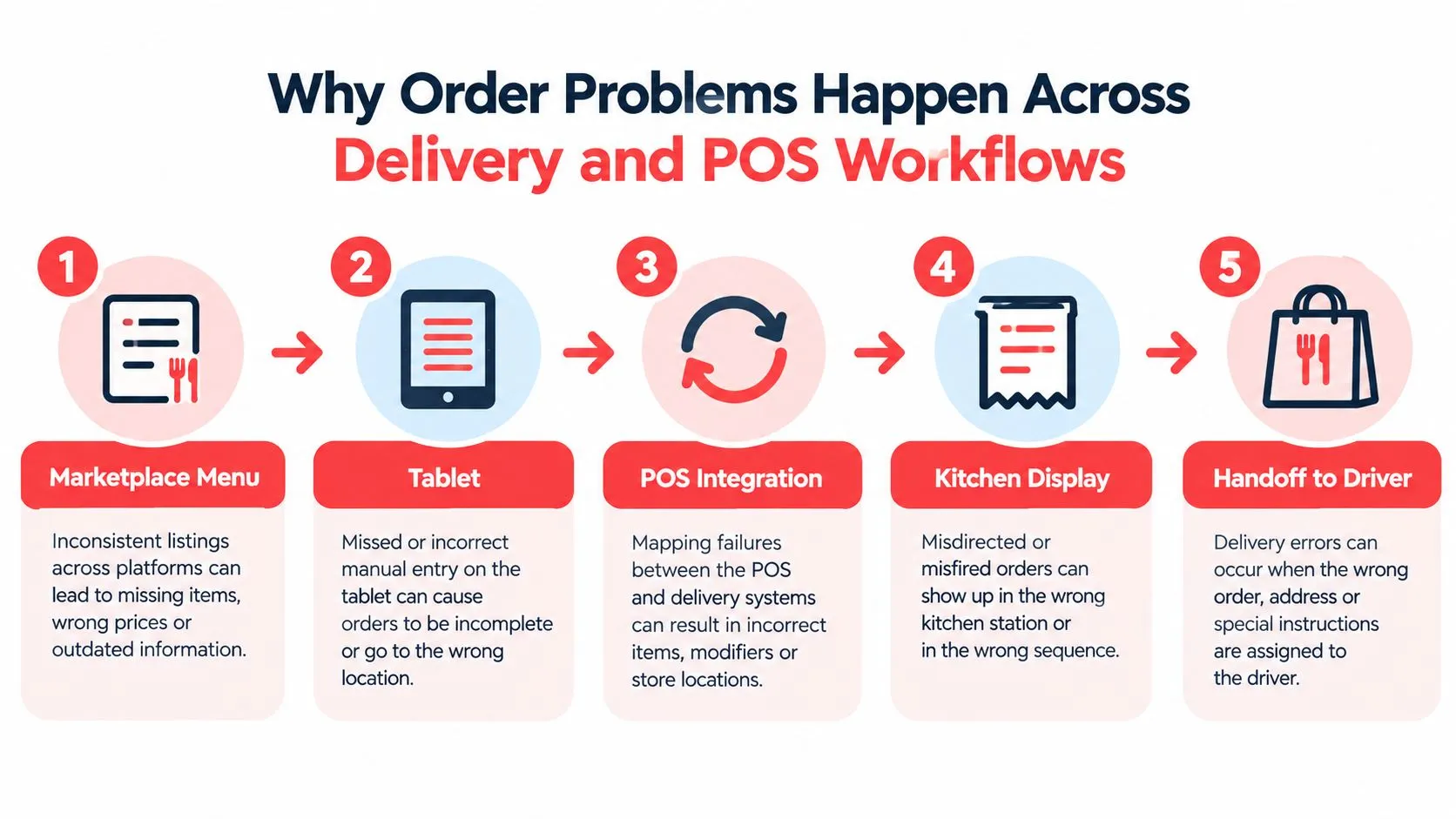
Why Order Problems Happen Across Delivery and POS Workflows
Many order mistakes start before the kitchen sees a ticket. The weak point is often the path from delivery app to POS, where one menu format has to be translated into another without losing meaning.
Orders change shape as they move
A guest orders through Uber Eats, DoorDash, or Grubhub. That order begins life in the marketplace’s menu structure, not in the structure your POS uses every day. If those two structures do not match cleanly, the restaurant has to translate the order on the fly.
That translation step is where trouble starts.
A burger with “no onion” may come through as a removal in one system, a modifier in another, and a free-text note in a third. An add-on like bacon might sit under one modifier group online but under a different item path in Clover or Square. If the mapping is loose, staff have to guess what the order was supposed to become inside the POS. OrderOut explains the root of that problem well in its writeup on how data integrity affects restaurant order flow.
Tablets create extra routing decisions
Each tablet adds another inbox, another alert, and another version of the order. Staff are no longer just receiving tickets. They are acting as live translators between systems while also serving guests and keeping the line moving.
I have seen this play out the same way in busy shifts. A front counter employee rings up a walk-in, glances at a delivery tablet, then types that order into the POS from memory or from a cramped screen. Even careful staff can miss a modifier, choose the wrong size, or attach the item to the wrong category because the systems do not speak the same language.
Normalized POS injection fixes the translation point
The practical fix is to convert outside orders into a format the POS already understands before staff ever touch them. That is what normalized POS injection does.
A simple way to view it: the integration works like a converter between two plug types. The guest still orders through the delivery app, but the order is remapped into a standard POS structure before it reaches the kitchen. Items, sizes, modifiers, removals, and notes arrive as regular POS data instead of as something a cashier has to reinterpret under pressure.
That changes the job for the team. They stop re-entering and decoding. They start reviewing and producing.
One order needs one source of truth
Problems spread fast when the tablet, the POS, and the kitchen display each show the order a little differently. The kitchen trusts the POS. The bagger may check the tablet. The driver sees the marketplace version. Now the same meal has three “correct” versions, and nobody can resolve the mismatch quickly during a rush.
This is why order accuracy is often a routing and menu-mapping issue, not just a kitchen execution issue. If delivery orders enter the POS as normalized tickets, the restaurant has one source of truth from the start. That removes a large share of the confusion before food is fired.
How Order Errors Impact Costs Service and Guest Loyalty
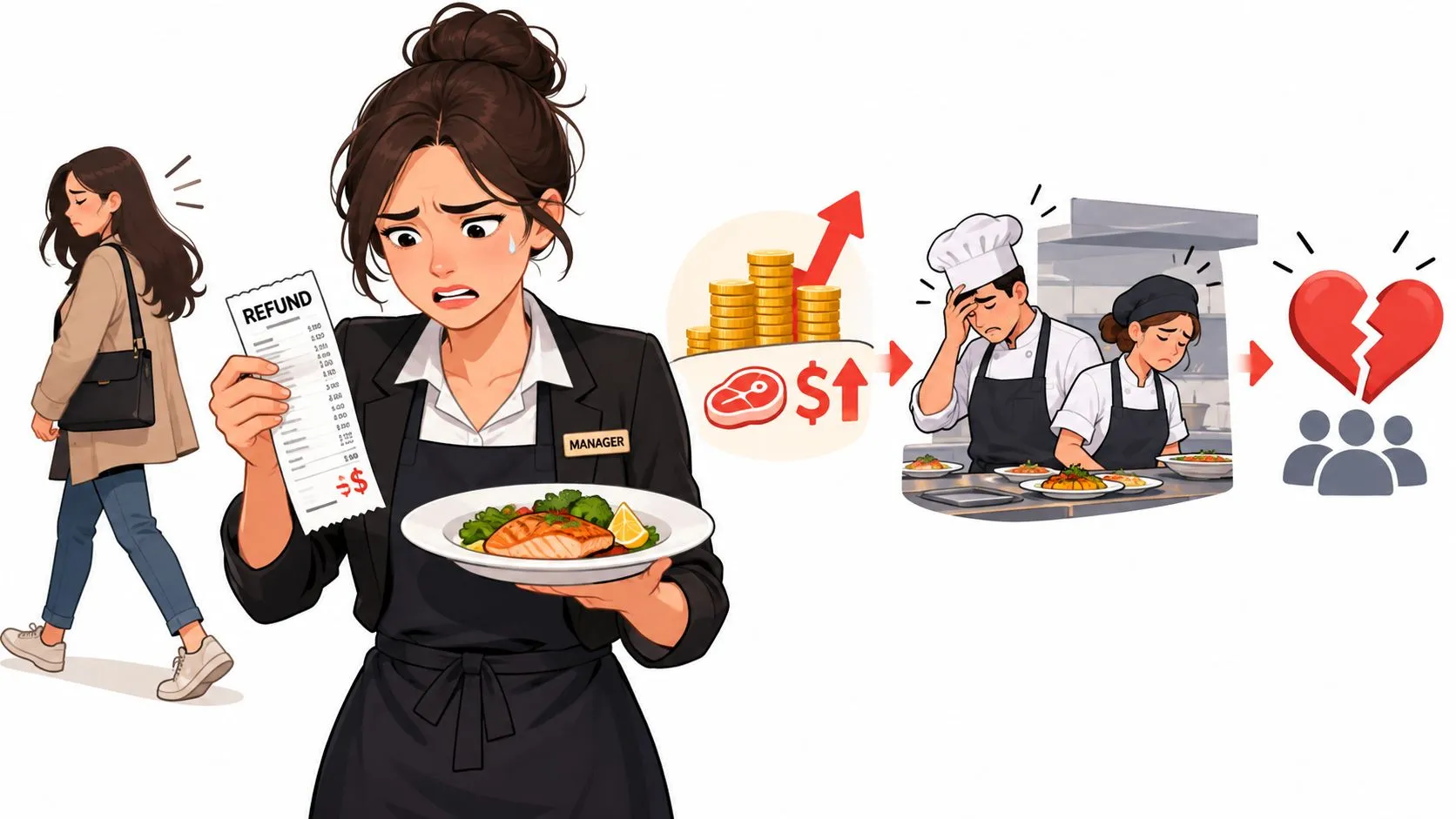
One wrong order rarely kills the shift. A steady stream of wrong orders does. It drags your line, burns labor on remakes, and trains regulars to expect friction.
An Intouch Insight restaurant experience report found order accuracy reached 92% in its study, according to Novatab’s summary of the report. That’s progress, but it still means some orders miss the mark, and for any restaurant processing a high daily volume, those misses turn into re-fires, credits, and service recovery work.
The cost is bigger than the refund
A missing side is not just the cost of that side. Someone has to read the complaint, respond to the platform, decide whether the guest is right, and often make a replacement or issue credit. Meanwhile the line keeps moving and the team gets more reactive.
Food waste follows quickly. So does labor waste. The kitchen remakes items that were technically “already done,” but not done correctly enough to count.
Disputes complicate the picture
Not every complaint comes from a kitchen miss. Some live in the gray area between a real operational mistake and a customer dispute.
A recent operations paper reported that 3.5% of delivery orders are flagged for errors or disputes, that 2.5% to 3% of delivery revenue gets tied up in disputes, and that U.S. delivery-app refund and fraud-related losses are projected at about $1.8B in 2026, up 31% year over year, according to the Optimization Online paper. For operators, that means order accuracy isn’t only about getting the food right. It’s also about being able to tell the difference between a bad handoff, a packaging issue, and refund abuse.
To see the service side of this pressure, watch how quickly small misses turn into visible customer frustration:
Loyalty drops before reviews do
Guests don’t always leave a dramatic review. Often they just stop trusting the order channel. They call instead of using the app. They avoid modifiers. Or they pick another restaurant because yours feels risky for anything customized.
Accuracy protects repeat business because it protects confidence. Guests reorder from places that feel predictable.
Manual Entry Versus Integrated Delivery to POS Routing
There’s a clean way to look at this. Compare the workflow, not the sales pitch.
A restaurant integration guide covering a 2025 study of 340 independent restaurants reported that manually managed delivery orders had a 6.3% error rate, while fully integrated orders had a 0.8% error rate, according to Restaurants Point of Sale. That gap tells you where to look first if your delivery tickets keep breaking.
The side-by-side difference
| Workflow | Error Risk | Operational Impact |
|---|---|---|
| Manual tablets and re-keying | Higher because staff must copy items and modifiers by hand | More tablet clutter, more duplicate risk, and less consistent tickets |
| Integrated delivery to POS routing | Lower because orders arrive in POS-ready structure | Cleaner kitchen flow, fewer interpretation steps, and one source of truth in Clover or Square |
This matches what many operators already feel on the floor. The line usually isn’t failing because cooks can’t read. The line is failing because tickets arrive inconsistently.
Why direct injection matters in practice
If Uber Eats, DoorDash, and Grubhub orders hit Clover or Square as normal POS tickets, your team works one queue instead of several. That’s the operational win. Fewer screens to watch. Fewer chances to transpose a modifier. Fewer moments where someone asks, “Did anyone already enter that?”
For operators comparing workflows, this broader MD TECH TEAM order guide is also worth reading because it frames order management as a systems problem, not just a staffing problem.
Where this fits for Clover and Square
OrderOut’s public materials say its workflow is designed to reduce manual order-entry errors by up to 80% when multiple delivery apps are connected to one POS, and that operators can manage Uber Eats, DoorDash, and Grubhub orders from Clover or Square without extra tablets, as described in OrderOut’s guide to connecting multiple delivery apps to one POS.
If you want the operational logic behind that, OrderOut also has a useful post on order entry automation.
If you run Clover and want to install the app where your team will use it, the start point is the OrderOut Clover App Market listing.
Proven Ways to Prevent Order Problems and Improve Accuracy
The best fixes are boring in the right way. They make the rush feel normal because fewer exceptions reach the line.
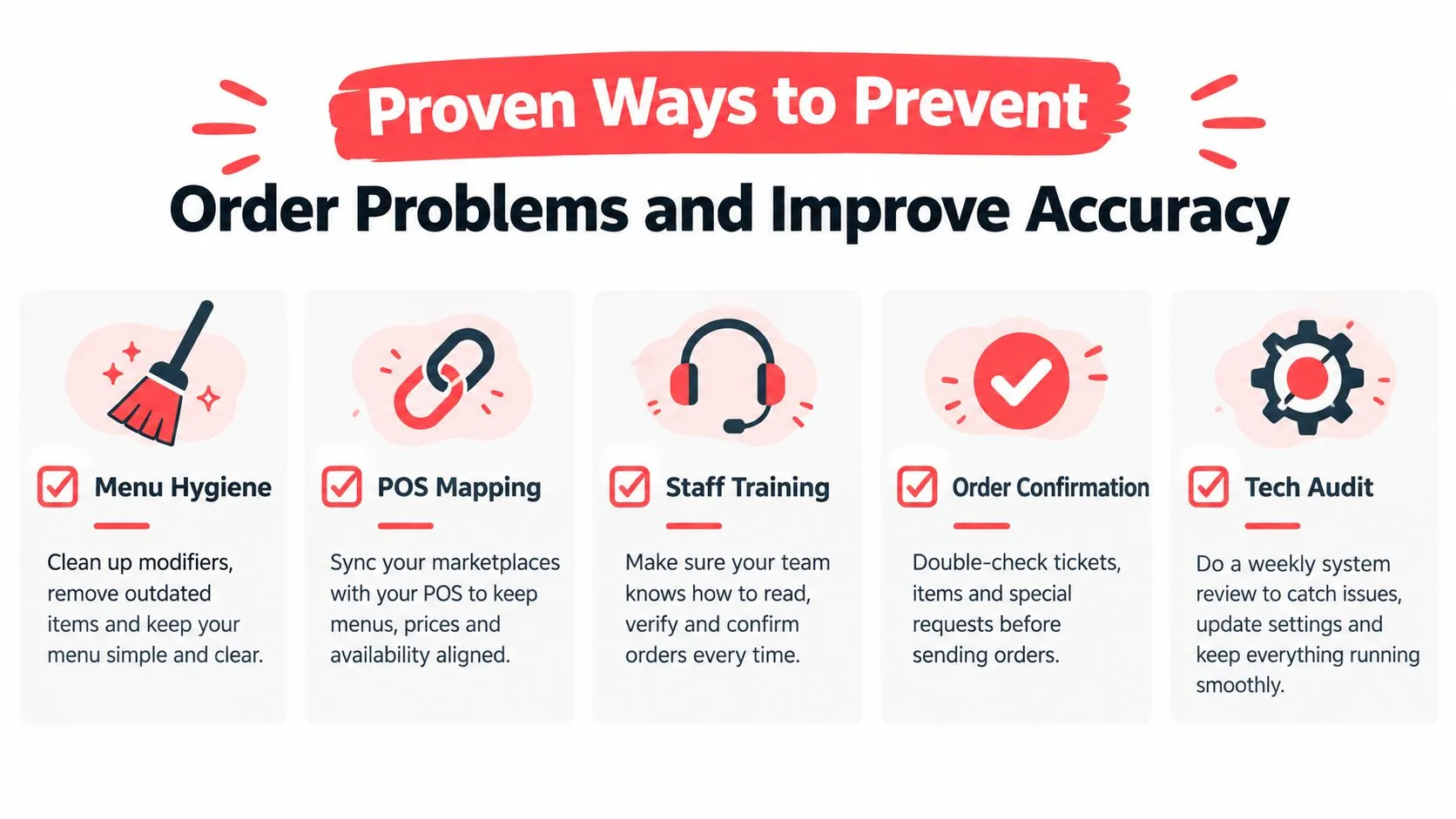
Clean up menu and modifier hygiene
If your marketplace menu and POS menu don’t describe the same products the same way, you’re forcing staff to improvise. Start with top sellers and highly customized items. Check names, sizes, modifier groups, and item availability.
A normalized POS schema matters. OrderOut’s 3rd-party order engine for restaurant delivery POS integration is built around mapping marketplace menus into your POS structure so delivery tickets arrive in a format Clover or Square can process cleanly.
Reduce channels at the human layer
Staff shouldn’t have to monitor a stack of tablets when the POS already exists to organize orders. Consolidation cuts confusion fast, especially at the front counter.
Use one process for all incoming delivery orders:
- Receive in one queue: Keep Clover or Square as the place staff checks first.
- Print or display consistently: Make sure delivery orders look like other kitchen tickets.
- Assign one handoff check: Someone should verify bag, drinks, and modifiers before release.
The rush gets easier when exceptions disappear. Standard tickets create standard behavior.
Run a simple weekly audit
A lot of accuracy issues hide in old menu data. A quick recurring check catches more than most operators expect.
- Review top modifier items: Look at burgers, bowls, pizzas, salads, and combo meals first.
- Spot-check channel mapping: Place test orders on Uber Eats, DoorDash, or Grubhub and compare the marketplace basket to the POS ticket.
- Check outage behavior: Make sure unavailable items don’t create confusing substitutions.
- Audit handoff notes: If staff keeps writing manual comments, the menu mapping may still be incomplete.
If you’re also trying to drive more direct repeat ordering after you’ve cleaned up operations, this guide on boosting online orders with SMS is useful because it focuses on bringing guests back through owned channels instead of relying only on marketplaces.
Keep one source of truth
The POS should be the operational authority. Not the tablet. Not a paper note. Not whoever happened to answer the phone.
That’s why many operators move toward direct injection from Uber Eats, DoorDash, and Grubhub into Clover or Square. OrderOut’s public documentation describes this as removing extra delivery tablets and manual re-keying so the POS remains the source of truth. For deeper workflow ideas, the post on order management best practices is a solid next read.
If your store runs Square, the practical install point is the OrderOut Square App Marketplace listing.
Fixing Order Problems for Good and Next Steps for Operators
Most problems with orders don’t start as kitchen failures. They start as routing failures, menu mismatches, and manual transcription work that hit the kitchen too late to fix cleanly. Once you see that, the solution changes. You stop asking people to be more careful inside a messy system and start making the system easier to run.
For Clover and Square operators, the most practical move is to remove re-keying from the delivery workflow. That means Uber Eats, DoorDash, and Grubhub orders should arrive in the POS as standard tickets, with modifiers mapped properly and fewer side-channel exceptions. If you’re evaluating this setup in more detail, the OrderOut Clover delivery integration page, the OrderOut Square delivery integration page, the Grubhub and Clover delivery POS integration page, the restaurant technology overview for operators, and the OrderOut pricing page are the pages I’d review first.
The practical next step is simple. Audit your current order path from marketplace checkout to kitchen ticket. If anyone on your team still has to read from one screen and type into another, that’s the first problem to remove.
Frequently Asked Questions
Does OrderOut work with Clover?
Yes. OrderOut is available as a Clover app, and OrderOut’s positioning states that it injects third-party delivery orders into Clover so staff don’t have to re-key them manually. It’s also described as free to install on the Clover App Market.
Does OrderOut work with Square?
Yes. OrderOut is positioned to connect third-party delivery orders into Square through the same delivery-to-POS workflow. The goal is to let Uber Eats, DoorDash, and Grubhub orders arrive as standard POS tickets instead of tablet-only orders.
Why do modifier errors happen so often on delivery orders?
Modifier errors usually happen when the marketplace menu and the POS menu don’t match cleanly, or when staff has to manually translate an order under time pressure. If the mapping is messy, the kitchen may still receive a readable ticket, but not the right one.
Are problems with orders always a kitchen issue?
No. Many start before the kitchen sees the ticket. Re-keying, duplicate handling, disconnected tablets, and weak menu mapping can create the wrong order upstream.
What’s the fastest operational fix for delivery order chaos?
The fastest fix is usually to consolidate delivery orders into the POS and clean up menu mapping for your busiest items and modifiers. Owners can start onboarding at OrderOut’s dashboard if they want to move away from tablet re-entry and set up a more consistent workflow.
If tablet re-entry is causing your order problems, OrderOut gives restaurants a way to inject Uber Eats, DoorDash, and Grubhub orders straight into Clover or Square so the POS stays the source of truth. That means fewer disconnected handoffs, cleaner tickets, and a simpler path from marketplace order to kitchen production.