
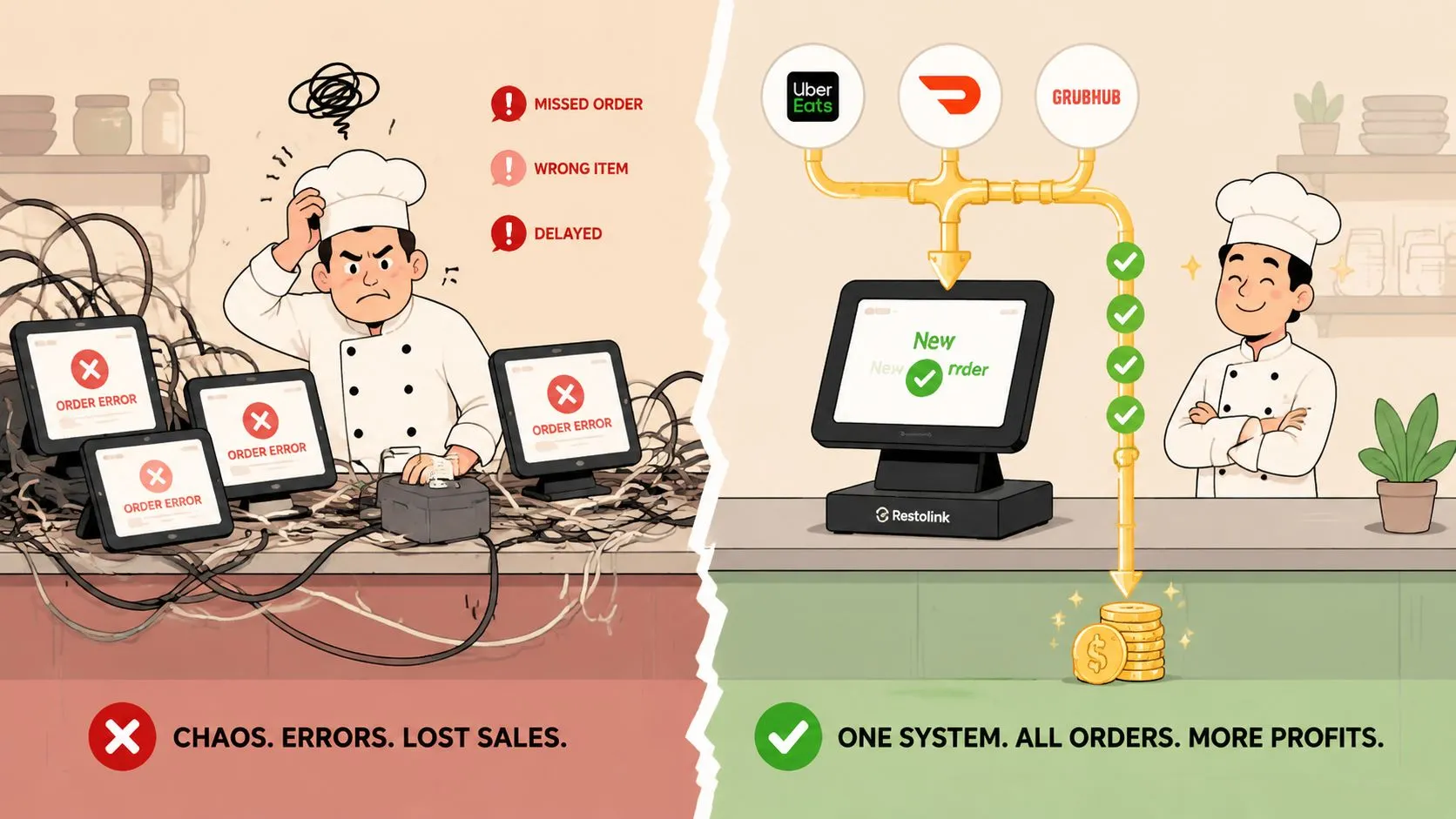
Order entry errors are mistakes made when transferring a customer’s order into a restaurant’s POS system, and they aren’t a minor annoyance. Incorrect order entry contributes to approximately 4% of total restaurant sales losses, which is why the only permanent fix is to remove the manual handoff that causes the mistake in the first place.
Managers usually treat this as a training problem. It isn’t, at least not for long. Training helps for a week, maybe a month, then the Friday rush hits, three delivery tablets light up at once, someone re-keys a modifier wrong, and the same leak starts again. If you want fewer order entry errors over time, you have to redesign the process so staff aren’t retyping orders from Uber Eats, DoorDash, and Grubhub into Clover or Square.
That is what delivery POS integration is for. Instead of asking a cashier or server to read one screen and type into another, the order flows directly into the POS, where the POS stays the operational source of truth.
What Are Order Entry Errors
Order entry errors happen when a restaurant takes what a customer ordered and enters it incorrectly into the POS. That can mean the wrong item, the wrong modifier, the wrong quantity, the wrong allergy note, or the right item entered under the wrong menu button.
According to the National Restaurant Association figure cited here, human errors such as incorrect order entry contribute to approximately 4% of total restaurant sales losses. That should change how operators think about the issue. This isn’t only about a remade sandwich or an annoyed guest. It’s a revenue leak.
Where these mistakes show up
In a restaurant, order entry errors usually come from one of these handoffs:
- Phone to POS: A staff member hears the order, writes it down, then keys it in later
- Tablet to POS: A DoorDash, Uber Eats, or Grubhub order lands on a tablet and someone manually re-enters it
- Server to kitchen: A verbal order gets repeated, shortened, or misheard before it’s entered
- Menu translation: The delivery app item doesn’t match the Clover or Square menu structure cleanly
The problem gets worse as sales channels multiply. A dining room order, a phone order, and a direct online order can still be manageable if the menu is tight and the team is disciplined. Add several third-party delivery apps, each with its own menu logic and modifier structure, and the error surface gets much larger.
Practical rule: Every time a human has to retype an order that already exists somewhere else, you’ve created a preventable failure point.
Restaurants that still rely on manual relay work usually see the same pattern. Errors cluster around modifiers, combos, lunch specials, and peak periods. That’s why operators working on call-in order workflow problems often discover the issue isn’t one careless employee. It’s a process built around repeated transcription.
The Hidden Costs of a Single Mistake
A bad order doesn’t cost you once. It costs you three times: in product, in disruption, and in trust.
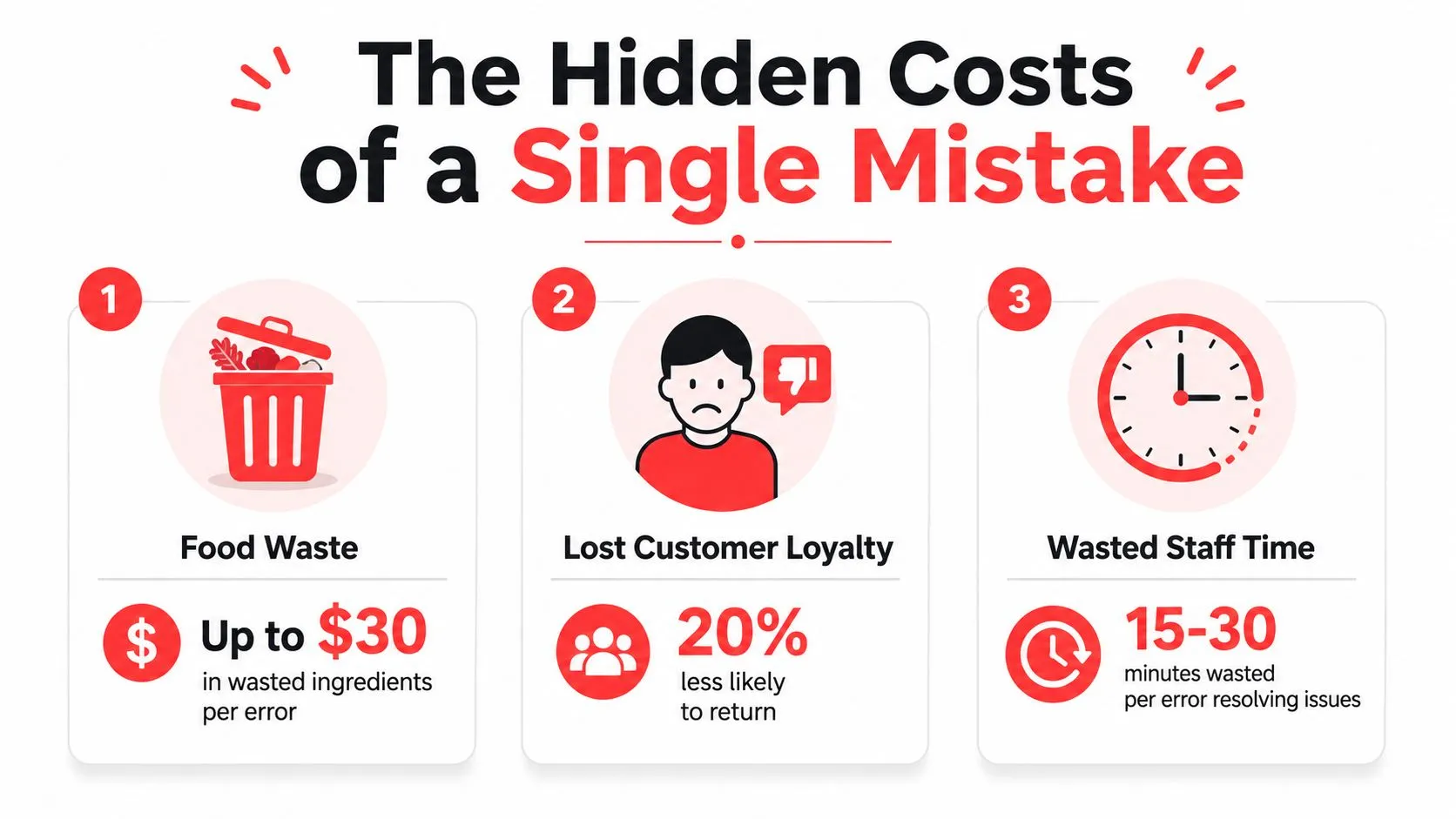
One of the clearest cost estimates comes from Easy Food Handlers, which says human error costs around $30 per order and $9,000 every month for a restaurant with 20 tables processing 6,000 orders monthly, assuming a 5% human error rate where order entry errors are a primary driver. Even if your exact mix is different, the operating lesson is clear. Small entry mistakes add up fast.
The direct cost
Start with a simple example. A DoorDash customer orders a chicken bowl with no dairy and extra avocado. The staff member reading the tablet keys the base item correctly but misses the no-dairy note and forgets the extra avocado charge in the POS.
Now you have wasted ingredients, a remake, staff time, and likely some kind of customer recovery. If the kitchen already fired the wrong ticket, you’ve also lost production capacity for the next orders behind it.
The operating cost
The hidden damage is what happens to the line. One wrong order drags a manager into troubleshooting. A cook stops to ask for clarification. The expo station holds a bag that can’t go out. Another guest waits because the team is fixing something that should’ve been right the first time.
That kind of drag is why operators spend so much time trying to reconcile the difference between expected and actual order performance. The original mistake might look small on paper. The interruption it causes is not.
A single bad ticket rarely stays a single problem. It pulls labor away from every order behind it.
The reputation cost
Customers usually don’t care whether the problem came from your POS, a delivery tablet, or a rushed cashier. They only know the order was wrong. If the miss involved an allergy note, a side item, or a missing add-on they paid for, the frustration is even sharper.
Here’s the operational truth: you can comp a dish once. You can’t comp your way into long-term trust. Wrong orders create friction that pushes people to order somewhere else next time, especially on third-party delivery where switching costs are low.
Four Common Causes of Order Entry Errors
Most restaurant order entry errors don’t come from laziness. They come from predictable pressure points in the workflow.
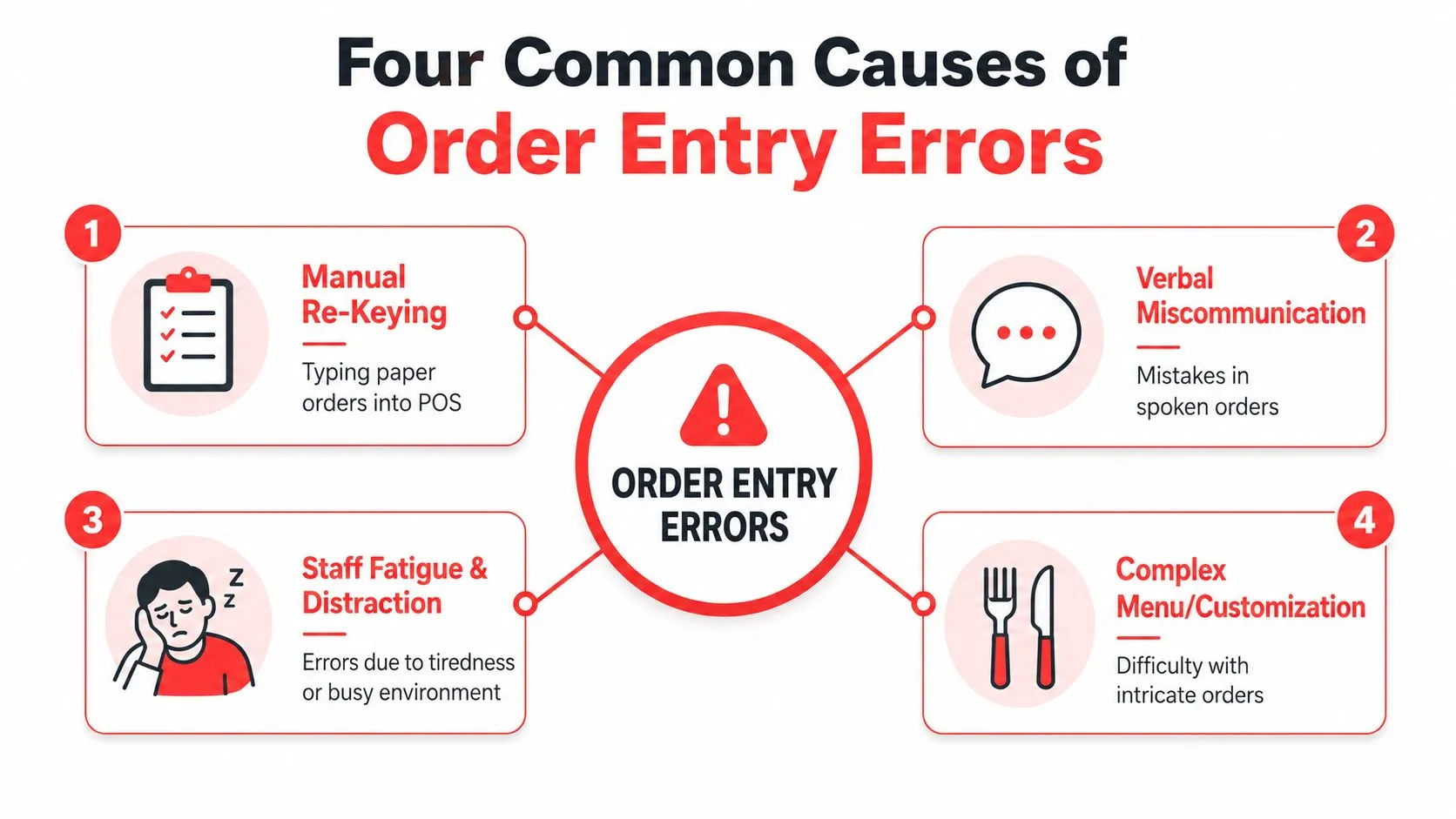
Manual re-keying from delivery tablets
This is the big one. An Uber Eats order arrives on one device, a Grubhub order on another, and a staff member retypes both into Clover or Square while also answering the phone and helping the counter line.
That setup almost guarantees mistakes. The person entering the order isn’t creating value. They’re acting as a translator between systems that should already be connected. The more tablets you add, the more likely someone skips a modifier, picks the wrong item, or sends an incomplete ticket to the kitchen.
Ambiguous menu names
A lot of menus look clear to the owner and confusing to the POS.
Take a Grubhub item called “Lunch Special.” On the marketplace, maybe that means one entree, one side, and one drink. In the POS, those may live as separate item groups with required modifiers. If the menu isn’t mapped cleanly, staff end up guessing which buttons represent the marketplace order.
That is why integrated point-of-sale workflows matter more than most operators first realize. A vague menu label creates trouble long before the kitchen ever sees the ticket.
Peak-hour fatigue
A manager may train the team well and still lose accuracy at the worst possible time. During a rush, people shorten steps. They rely on memory. They click the first modifier that looks close enough.
In distribution, Mirage Metrics reports that the benchmark error rate for manual order entry is 3 to 8 percent of order lines, and under pressure or complex workflows it can spike to 18–40 percent. The setting is different, but the human pattern is familiar to any restaurant operator. Speed plus repetitive manual entry produces mistakes.
When an operator says, “My staff just needs to slow down,” what they usually mean is, “My process only works when the restaurant isn’t busy.”
Menu mismatches across systems
This one shows up when your Clover or Square menu and your marketplace menus drift apart. Maybe Clover has a required sauce modifier that Uber Eats doesn’t. Maybe DoorDash has an outdated combo option that’s no longer active in the POS. Maybe Grubhub still shows an item that was removed in-store.
When those systems don’t share a clean menu structure, staff have to improvise. Improvisation is where expensive errors start.
How to Stop Manual Order Entry Errors for Good
Restaurants do not fix manual order entry errors with more reminders, one more pre-shift talk, or another laminated SOP. They fix them by removing the manual entry step.
The only permanent solution is automation at the point of transfer. The order needs to move from the channel where the guest placed it straight into the POS, without anyone reading one screen and typing into another.
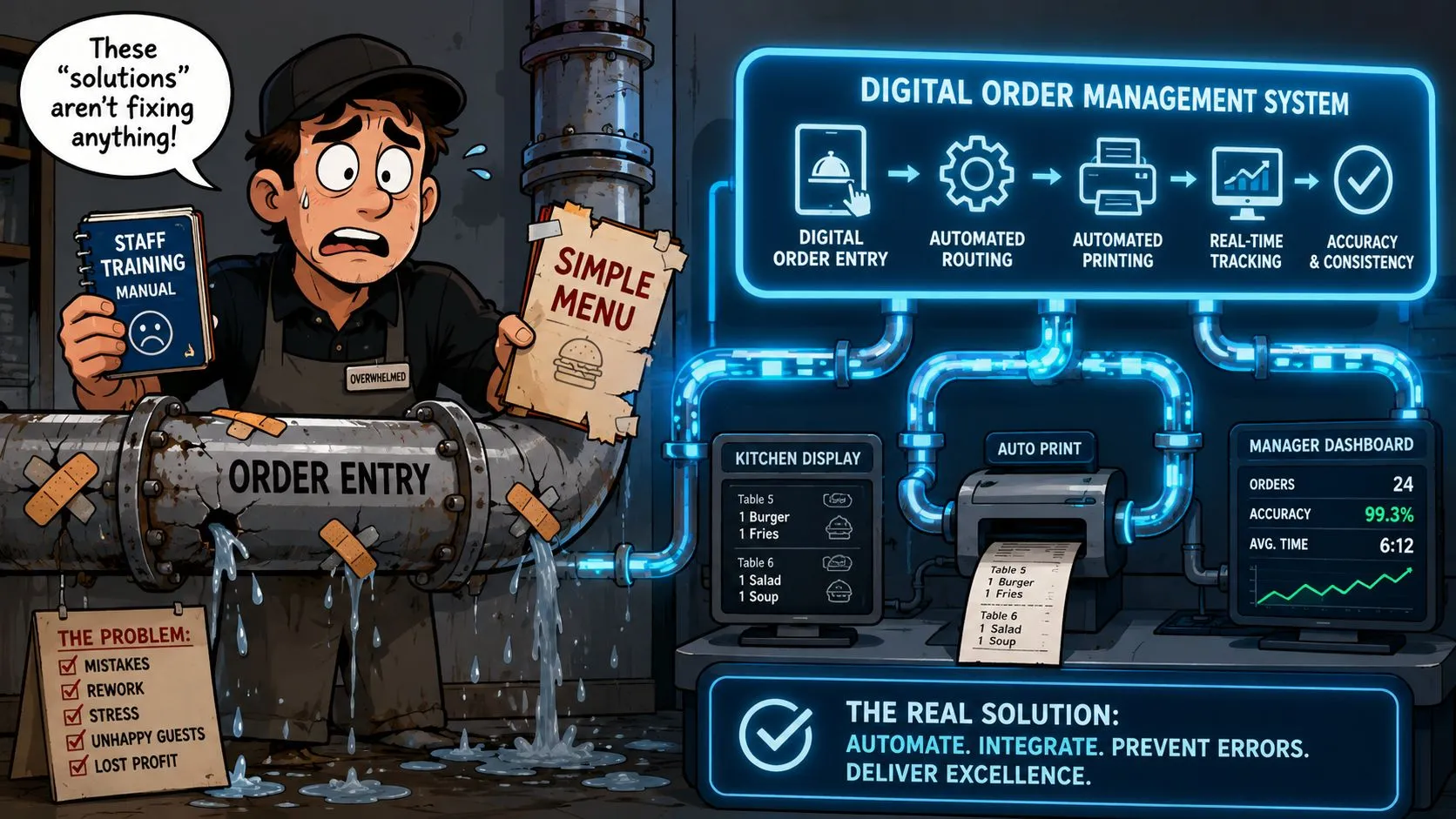
Why training alone doesn’t hold
Training helps for a week. Process redesign lasts.
I have seen well-trained teams still rack up remakes and refunds because the system asked them to do error-prone work during the busiest 90 minutes of the day. If an employee still has to translate an Uber Eats, DoorDash, or Grubhub order into Clover or Square by hand, the business is relying on concentration as a control. Concentration fails under volume.
Conexiom’s explanation of order entry error prevention makes the larger point clearly. Error rates drop when software validates and maps order data before it is accepted. Restaurants do not use the same workflow as manufacturers or distributors, but the operational lesson is the same. If a person has to re-key the order, the risk stays in the process.
What automation looks like in practice
In a restaurant, automation means marketplace orders flow directly into the POS and print to the kitchen in the correct format. Staff do not touch a second tablet unless there is an exception. Managers are not paying supervisors to babysit order transcription during dinner rush.
That depends on menu mapping. Each delivery channel has to map cleanly to the POS item, modifier, and tax structure so the ticket lands correctly the first time. Operators evaluating software should start with an order management system for restaurants that reduces manual entry and then verify the ugly cases, combo meals, half-and-half items, nested modifiers, substitutions, timed prep, and out-of-stock rules.
A factual example is OrderOut’s 3rd-party order engine. It connects third-party delivery orders into the POS, including Clover and Square, so one system stays the source of truth. Operators who want a channel-specific example can review the Grubhub to Clover delivery POS integration flow.
What managers should do this week
Start with the process, not the staff.
- Treat manual re-entry as a system failure: If someone is copying app orders into the POS, document every place it happens and assign an owner to eliminate it.
- Fix menu structure before rollout: Clean item names, modifier groups, combo logic, and discontinued listings so the integration has accurate data to work with.
- Test the exceptions that usually break first: Add-ons, substitutions, special instructions, held ingredients, family meals, and limited-time offers should all pass before launch.
- Keep a fallback rule for outages only: Manual entry can stay as a backup procedure, but it should not be the daily operating model.
This is the trade-off. Automation takes setup time, menu discipline, and testing. Manual entry looks cheaper because you already have the labor. In practice, operators pay for it every week through wrong orders, slower line times, refund requests, and manager intervention.
If the same team is also juggling reservations and guest flow, clean intake matters on that side too. These tips for New York restaurant bookings are useful because front-of-house friction and order-entry friction usually hit the same people at the same time.
Your Action Plan and Checklist
A single bad handoff can trigger a remake, a refund, and a bad review in the same shift. That is why this checklist starts with one standard: if an order already exists in digital form, no one should be typing it again.
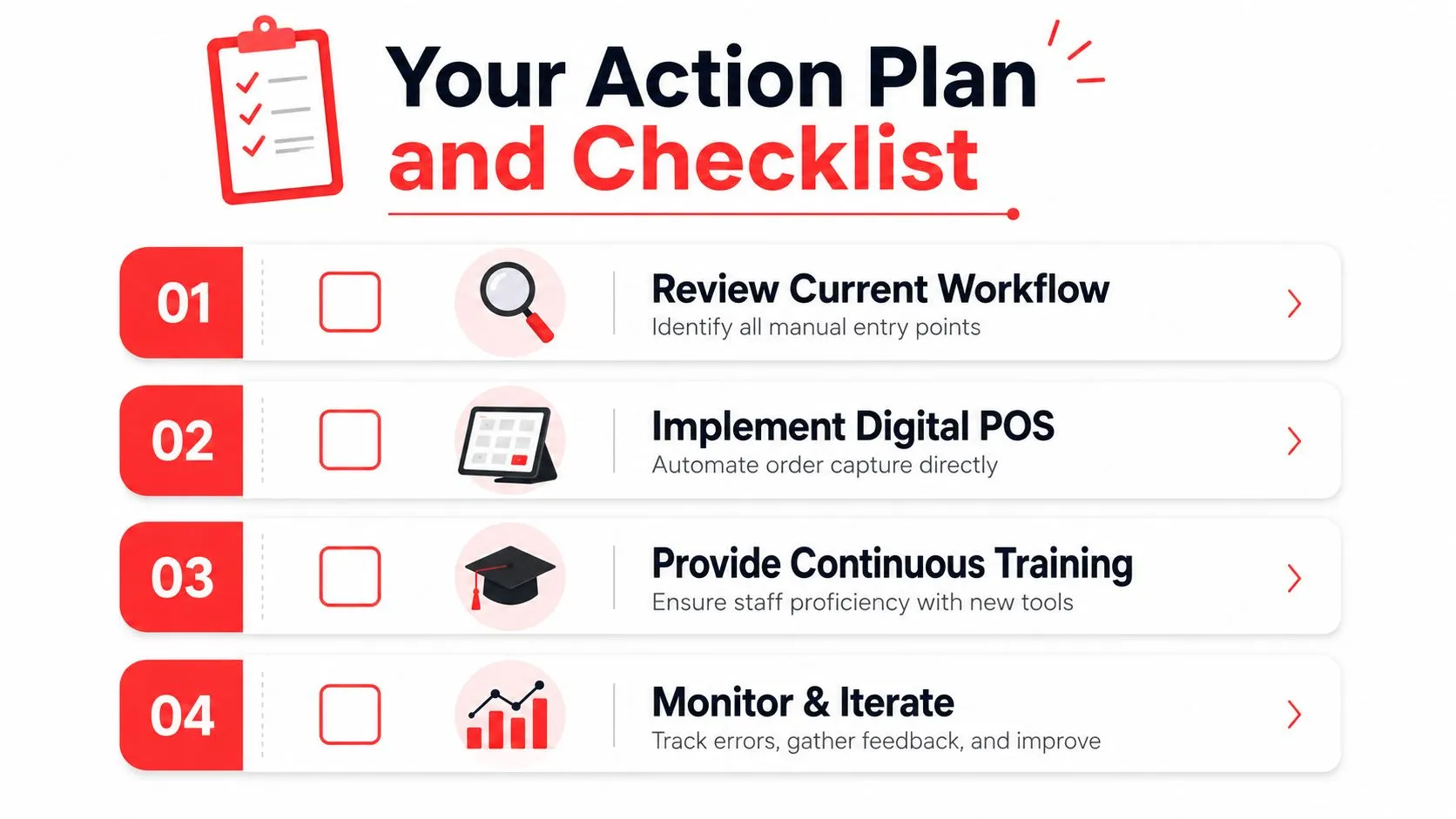
The goal is not better vigilance. The goal is fewer opportunities for human error. Training helps for a week or two. System design changes the result every day after that.
Run the audit
Use this with your GM, kitchen lead, and the person who handles marketplace menus. Walk the process during a live service window if you can. Problems show up faster under pressure.
-
Map every re-entry point
Follow a phone order, an Uber Eats order, a DoorDash order, and a Grubhub order from start to finish. Mark every point where staff rewrite, repeat, text, print, or retype order details. -
Pull the last two weeks of corrections
Review voids, comps, remakes, refunds, and manager overrides. Sort them by cause. Wrong modifier, missing side, duplicate ticket, missed note, wrong fire time. -
Compare menu logic across channels
Check whether item names, modifier groups, sizes, combos, and availability rules match in the POS and on each marketplace. A clean integration fails when the menu structure is sloppy. -
Review exception volume
Count how often staff have to stop and ask, “What do I do with this order?” High exception volume usually means the system still depends on human judgment to patch gaps. -
Time the manual work
Measure how long re-entry takes during peak. Owners often focus on the occasional wrong order. The larger drain is the labor burned every shift copying data from one screen to another.
Fix the operating model
Restaurants lose money when they treat order entry errors as a coaching issue. In many stores, the staff is performing exactly as the process allows. If the process requires people to translate orders between systems, mistakes will keep showing up.
Use these rules instead:
- Remove duplicate entry wherever possible: Digital orders should flow into the POS without a second touch
- Keep one source of truth for menu data: Item names, modifiers, and pricing should be controlled from the POS structure, then pushed consistently to channels
- Write exception rules once: Out-of-stocks, substitutions, and special requests need a defined path so managers are not inventing answers mid-shift
- Audit the process monthly: If manual work has crept back in, fix it before the team normalizes it
Good procedures still matter. They just cannot carry the full load. Managers building cleaner workflows should document the rules in a restaurant SOP framework for daily operations, then remove as many manual decision points as possible through automation.
Ask this in every ops meeting: where are we still paying people to copy information that the system already has?
Choose the right next step
Pick one problem to eliminate this week. Not monitor. Eliminate.
If third-party orders are still being re-keyed, make that the first project. If the menu is inconsistent across channels, fix that before adding volume. If staff are using paper or chat messages to relay exceptions, replace that with a defined POS workflow.
Operators comparing tools can use this guide to the best order management system for restaurants to evaluate what removes manual entry instead of just organizing it. The standard is simple. If a solution still depends on staff to retype orders, it is a temporary patch, not a permanent fix.
Frequently Asked Questions
What are order entry errors in a restaurant?
Order entry errors happen when the order a guest places is not the order that reaches the POS and kitchen. The usual failures are wrong items, missed modifiers, bad quantities, and dropped special instructions.
I see these errors most often in restaurants that still rely on phone orders, handwritten notes, verbal relay, or staff re-keying orders from delivery tablets. Training can reduce the miss rate for a while. It does not remove the failure point. If a person still has to copy the order, the error is still waiting to happen.
Does OrderOut work with Clover?
Yes. OrderOut sends third-party delivery orders into Clover so staff are not retyping Uber Eats, DoorDash, and Grubhub tickets by hand. For Clover operators, the main question is not compatibility. It is whether the setup removes tablet-to-POS re-entry completely. As noted earlier, Clover is supported.
Does OrderOut work with Square?
Yes. OrderOut also supports Square for restaurants that want delivery orders to flow into the POS without manual re-keying. Operators comparing setup options can review OrderOut’s Square delivery integration and general OrderOut pricing for restaurants.
Do I need extra tablets to use delivery POS integration?
Usually, no. The whole point is to stop treating each delivery app like a separate order station.
If orders are mapped correctly into the POS, staff can work from one system instead of bouncing between tablets, paper notes, and the expo line. That cuts errors and speeds up handoff during rush periods. Extra tablets do not solve order entry problems. They often create more places for staff to miss something.
Is OrderOut free on Clover?
Yes. OrderOut is free to install on the Clover App Market. For implementation details, supported workflows, or setup questions before rollout, the OrderOut FAQ for restaurants covers the basics.
If manual re-keying is still part of your delivery workflow, the process is still creating avoidable order entry errors. A practical next step is to start onboarding with OrderOut at the free OrderOut dashboard for restaurant onboarding, where restaurant owners can create an account and get set up in a few clicks.