
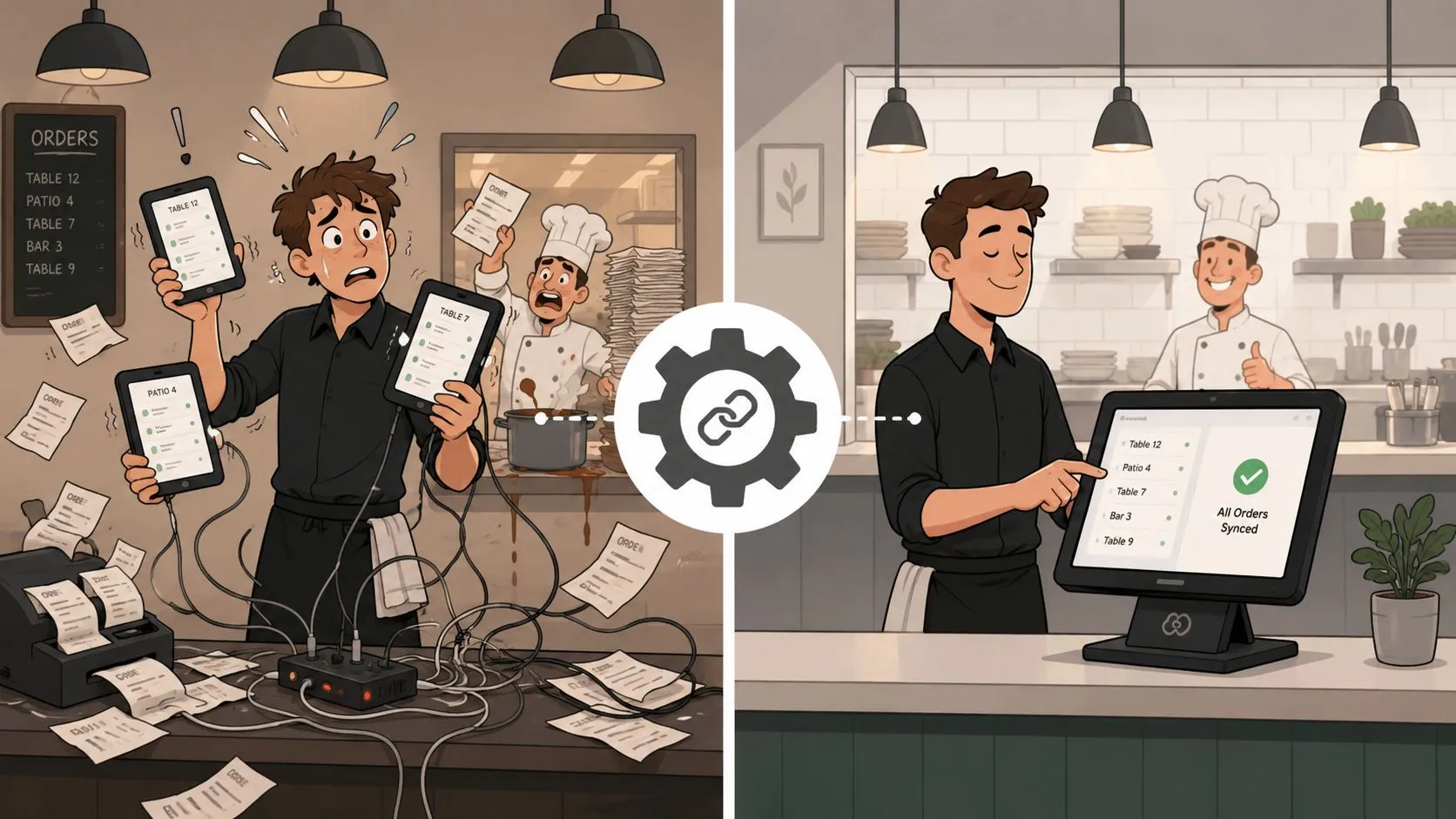
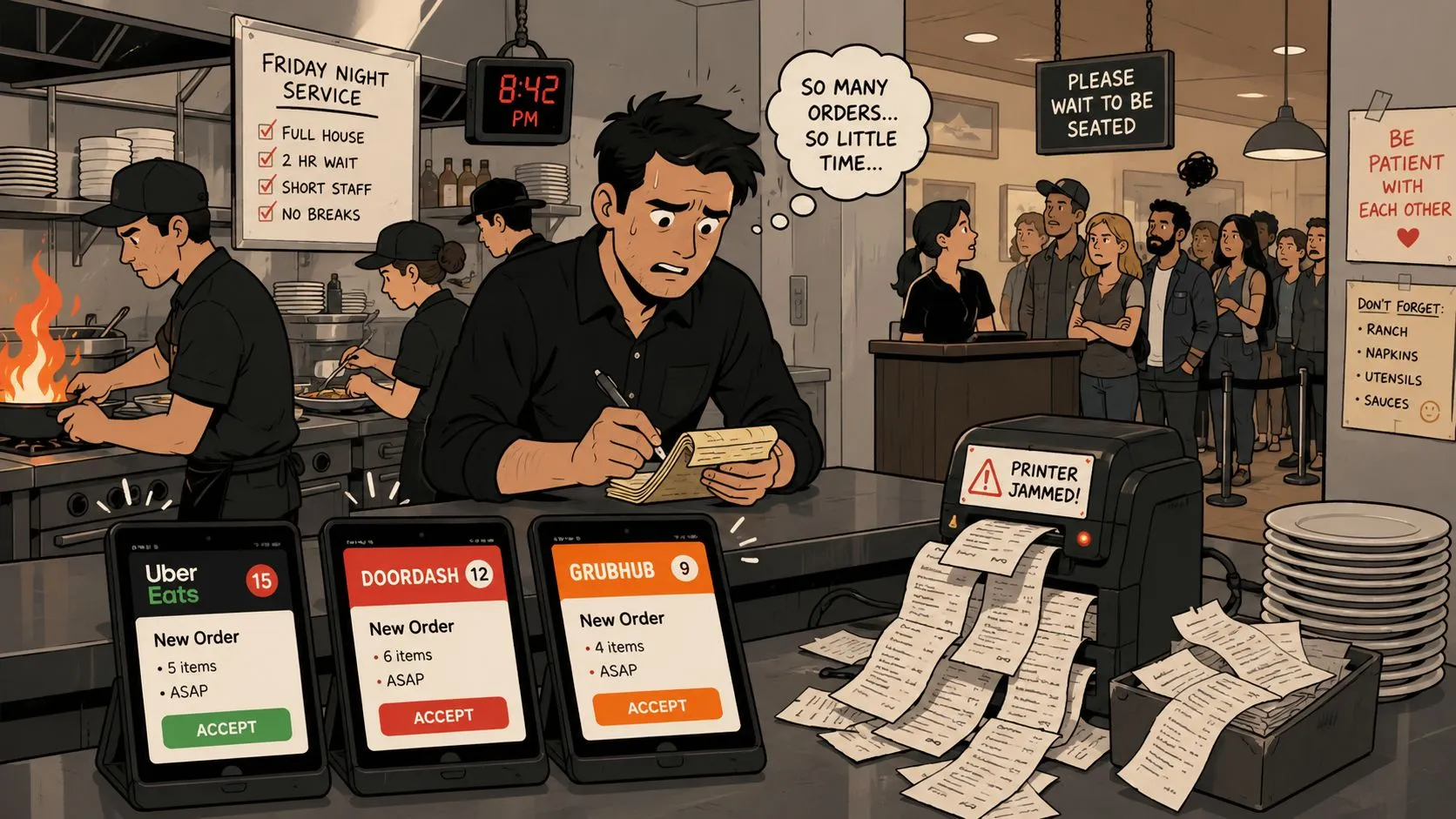
Friday night exposes every weak spot in restaurant operational challenges at once, especially when delivery tablets, the POS, and back-office tools don’t agree on what just sold. A manager can be re-keying a DoorDash order into Clover while the host is trying to seat a walk-in, the printer is jamming, and the guest at the register wants out fast. That chaos usually isn’t one problem, it’s data fragmentation turning small misses into a service-wide mess.
The hard part is that operators often treat each symptom separately. They chase a scheduling fix for labor, a menu fix for delivery, an inventory fix for waste, and a reporting fix for accounting, but disconnected systems keep creating new blind spots. When orders, modifiers, labor, and sales live in different places, the restaurant spends more time reconciling reality than serving guests.
The core operational question is not, “Which problem should we fix first?” It’s, “What’s causing all of them to multiply?” In most restaurants, the answer is the same, siloed data across delivery apps, POS, inventory, and labor tools. A useful way to think about it is simple, if the POS isn’t the source of truth, the rest of the stack starts arguing with itself. OrderOut’s demand forecasting guidance is useful here because forecasting only gets better when the underlying order data is clean.
The Friday Night Cascade That Breaks Restaurants
Friday dinner rush doesn’t fail politely. It starts with one late ticket, then a missed modifier, then a guest complaint, then a manager splitting attention between the line and a stack of tablets. By the time the shift feels out of control, the root cause is usually already buried in disconnected systems.
That’s why restaurant operational challenges feel bigger than the individual issue in front of you. A restaurant can have a strong kitchen and still lose ground if delivery orders arrive in one format, POS data sits in another, and labor coverage is tracked somewhere else entirely. The result is a chain reaction, not a single breakdown.
Practical rule: when the same order has to be touched twice, once on a delivery app and again in the POS, error risk goes up and service speed goes down.
The front of house feels the pain first, but the back of house pays for it later. A host hears the complaint, a cashier tries to recover the ticket, and the kitchen gets a version of the order that doesn’t match what the guest expected. That’s why operators who only fix the visible symptom often end up repeating the same crisis next weekend.
The operational lesson is blunt. If orders, menus, inventory, and labor don’t share the same truth, the restaurant ends up compensating manually for a systems problem. OrderOut’s back-of-house explanation is a good reminder that kitchen performance depends on what reaches it, not just how skilled the cooks are.
A Friday-night collapse looks dramatic, but the fix is usually unglamorous, fewer handoffs, fewer duplicate entries, and one clean data path from order to kitchen. If that sounds basic, it is. Basic is what keeps the room from tilting when volume spikes.
Front-of-House and Back-of-House Pain Points
A dinner rush can look like a front-of-house problem on the surface, a host is juggling guest complaints, servers are waiting on corrected tickets, and the line is backing up at the register. The deeper issue is usually the same one behind the scenes, fragmented data across delivery apps, the POS, and back-office systems. That split forces staff to patch over system gaps in real time, and those patches create the visible failures guests remember.
Front-of-house and back-of-house work break in different places, but the root cause often starts with the same bad handoff. The front of house absorbs the complaint first, then the kitchen, purchasing team, and managers pay for it later. A cleaner way to read restaurant operational challenges is to ask where information is being copied, delayed, or interpreted twice.
Front-of-house friction
Manual re-keying is the classic front-of-house tax. A team member watches a delivery tablet, types the order into Clover or Square, and hopes the modifiers survive the trip intact. That process pulls attention away from the guest standing at the counter, slows checkout, and gives staff one more chance to introduce an error.
The strain shows up fast in the room:
- Order-entry errors: Staff are retyping the same items from Uber Eats, DoorDash, or Grubhub.
- Slow checkout: Cashiers get stuck fixing tickets instead of moving the line.
- Guest wait gaps: Employees keep bouncing between tablets, the register, and the dining room.
Those misses are not just operational. They wear people down. Staff do not feel productive when they are acting like human middleware, and that frustration shows up in service tone long before it shows up in a labor report.
Back-of-house drag
The back of house absorbs the cost when the ticket rail, inventory count, and labor plan all disagree. If sales data does not flow cleanly into accounting and purchasing, managers make calls from stale or incomplete numbers. NetSuite’s restaurant operations guidance makes the point plainly, integrated POS, inventory, and accounting gives multisite operators one data source for faster corrective action.
The useful test is simple. If item-level reporting does not match across systems, the problem is probably fragmentation, not just bad numbers. That shows up as inventory surprises, prep shortages, or unexplained variance between delivery channels and the POS. OrderOut’s internal back-of-house overview helps separate that operational problem from the kitchen work itself, because the kitchen can only execute what reaches it.
Operators usually lose time by treating each pain point as isolated. The more effective move is to find where data gets duplicated, delayed, or re-entered, then remove those handoffs. That is where labor gets wasted and margin leaks first.
How Delivery Integration Failures Multiply Operational Drag
The delivery tablet workflow looks harmless until the rush starts. Uber Eats, DoorDash, and Grubhub each send orders to their own device, staff stare at multiple screens, and someone still has to enter everything into the POS by hand. That extra work piles onto the exact moments when speed matters most, and it turns order intake into a bottleneck instead of a clean handoff.
The hidden cost shows up in the same places every operator already feels pressure. Orders slip, modifiers get missed, and the team burns time reconciling what came in from delivery apps with what the POS says was sold. When the delivery flow, POS, and back-office reporting do not line up, every other task gets harder because managers are fixing mismatched data instead of running the floor.
The practical fix starts with removing re-entry. If you are evaluating how to connect multiple delivery apps to one POS, the key question is whether the setup puts the POS back at the center of the operation or just adds another dashboard for staff to babysit.
Manual workflow versus direct injection
When delivery orders are injected straight into Clover or Square, the restaurant stops using staff as the bridge between systems. The POS becomes the operational source of truth, which cuts down on order-entry errors, missed modifiers, and the end-of-day cleanup that follows a messy shift. That matters on a busy line, because one bad retype can send a ticket to the wrong station and throw off the whole rhythm of service.
A useful resource when you’re evaluating a broader delivery stack is the vendor checklist for dispatch software. It is not a restaurant-specific guide, but it helps you judge workflow fit, visibility, and handoff quality before you add another tool to an already crowded stack.
| Order Lifecycle Step | Multi-Tablet Workflow | Unified POS Injection |
|---|---|---|
| Order arrives | Staff watches separate delivery tablets | Order flows directly into the POS |
| Order entry | Team retypes items by hand | No manual re-keying |
| Modifier handling | Errors can slip in during transcription | Menu maps to a normalized POS schema |
| Kitchen handoff | Tickets can arrive inconsistently | Kitchen sees one clean order stream |
| Closing shift | Staff reconcile sales across platforms | POS already holds the source record |
If you want the delivery-to-POS version for Clover, OrderOut’s Clover delivery integration is the relevant money page. For operators who want the broader workflow first, OrderOut’s third-party order engine explains how the system handles marketplace orders before you drill into a specific POS setup.
Practical rule: if your team is still watching multiple tablets, you are paying labor to move data around instead of serving guests.
Menu mapping matters too. OrderOut maps each marketplace menu to a normalized POS schema, so the restaurant is not relying on luck for modifier matching. The result is simple enough to feel in the kitchen, cleaner orders, fewer avoidable fixes, and less time spent chasing down why one platform says one thing and the POS says another.
If your operation runs on Clover, the free Clover App Market listing for OrderOut is the fastest place to start.
Staffing Scheduling and Compliance Under Pressure
Staffing problems are rarely only about headcount. They’re also about timing, coverage, and the amount of admin work managers are forced to absorb before a shift even starts. The practical reality is that a manager who spends the morning rebuilding schedules has less energy left for coaching, service, and problem-solving.
What strong scheduling actually looks like
Good scheduling starts earlier than many operators want. Guidance from Spindl’s restaurant management challenges article recommends posting schedules at least 14 days in advance and using a float system for rush coverage, which gives teams more stability before service pressure hits. That matters because last-minute changes create confusion for the crew and extra work for managers.
The best setups also reduce re-entry. When labor records and POS data don’t sync, managers end up checking two systems to answer one question about coverage or overtime exposure. That’s where scheduling stops being a people issue and starts being a systems issue.
Practical rule: if the manager is the only integration layer between labor, sales, and shift coverage, the restaurant is one busy night away from a mistake.
Compliance gets harder when systems don’t talk
Labor compliance is easiest to miss when the restaurant is busy. Overtime, shift timing, and labor reports need clean records, not memory and reconciliation at close. Once staffing data is fragmented, even routine compliance checks become manual work.
That’s why integrated reporting matters even when the staffing pain looks unrelated. A restaurant may think it has a hiring problem when it really has a visibility problem, where managers can’t quickly see who worked, when they worked, and how that lines up with sales. When those records live together, managers can focus on coaching instead of spreadsheet triage.
For operators trying to reduce that administrative drag, OrderOut’s restaurant staffing scheduling article is a useful companion piece. It doesn’t replace a labor platform, but it does reinforce the basic truth, the fewer disconnected systems a manager has to babysit, the better the shift usually runs.
The Old Tablet Workflow Versus Unified POS Injection
Friday night exposes the weakness fast. A customer places a Grubhub order, the order lands on a separate tablet, someone types it into Clover or Square, the kitchen prints a ticket, and the closeout team sorts out the mess later. Every handoff creates room for delay, keying errors, and confusion, and the cost is not just the extra taps, it is the split between delivery apps, the POS, and back-office records that never quite line up.
Unified POS injection removes that fracture. Orders move from Uber Eats, DoorDash, or Grubhub straight into the POS, the menu maps to a normalized schema, and the kitchen receives one cleaner stream of tickets. That saves time during the rush, and it also cuts the end-of-shift cleanup that eats manager attention when systems have to be reconciled by hand. A clear overview of how that architecture works is covered in OrderOut’s integrated POS system overview.
Multi-tablet workflow vs POS injection
| Order Lifecycle Step | Multi-Tablet Workflow | Unified POS Injection |
|---|---|---|
| Customer places order | Lands on marketplace tablet | Enters POS directly |
| Staff handling | Someone watches multiple screens | Staff stays on service tasks |
| Ticket creation | Manual re-keying required | Order injects into POS |
| Modifier accuracy | Higher chance of mismatch | Cleaner menu mapping |
| End-of-day close | Sales reconciliation takes longer | POS is already the source of truth |
The difference shows up in the daily questions managers ask. Which order was changed, which modifier was missed, which ticket was delayed, which platform has the correct total. In a fragmented setup, each answer lives in a different place, so staff waste time comparing screens instead of running the floor. A good implementation checklist should ask one simple question, what happens when the menu changes on one channel but not another? If the answer is manual cleanup, the drag is already baked in.
Unified injection also changes the way teams handle exceptions. A tablet stack makes every missed item feel like a one-off, but the pattern usually points back to inconsistent data moving between systems. That is why the vendor checklist for dispatch software matters, because dispatch tools should fit the same data flow instead of adding another place where orders can drift.
The trade-off is straightforward. A multi-tablet setup looks flexible until it starts consuming labor, attention, and accuracy. Unified injection is less about new software for its own sake and more about letting the POS coordinate the order stream, the kitchen, and the closeout records without making a manager act as the human bridge between them.
Building an Operations Stack That Prevents Recurring Failures
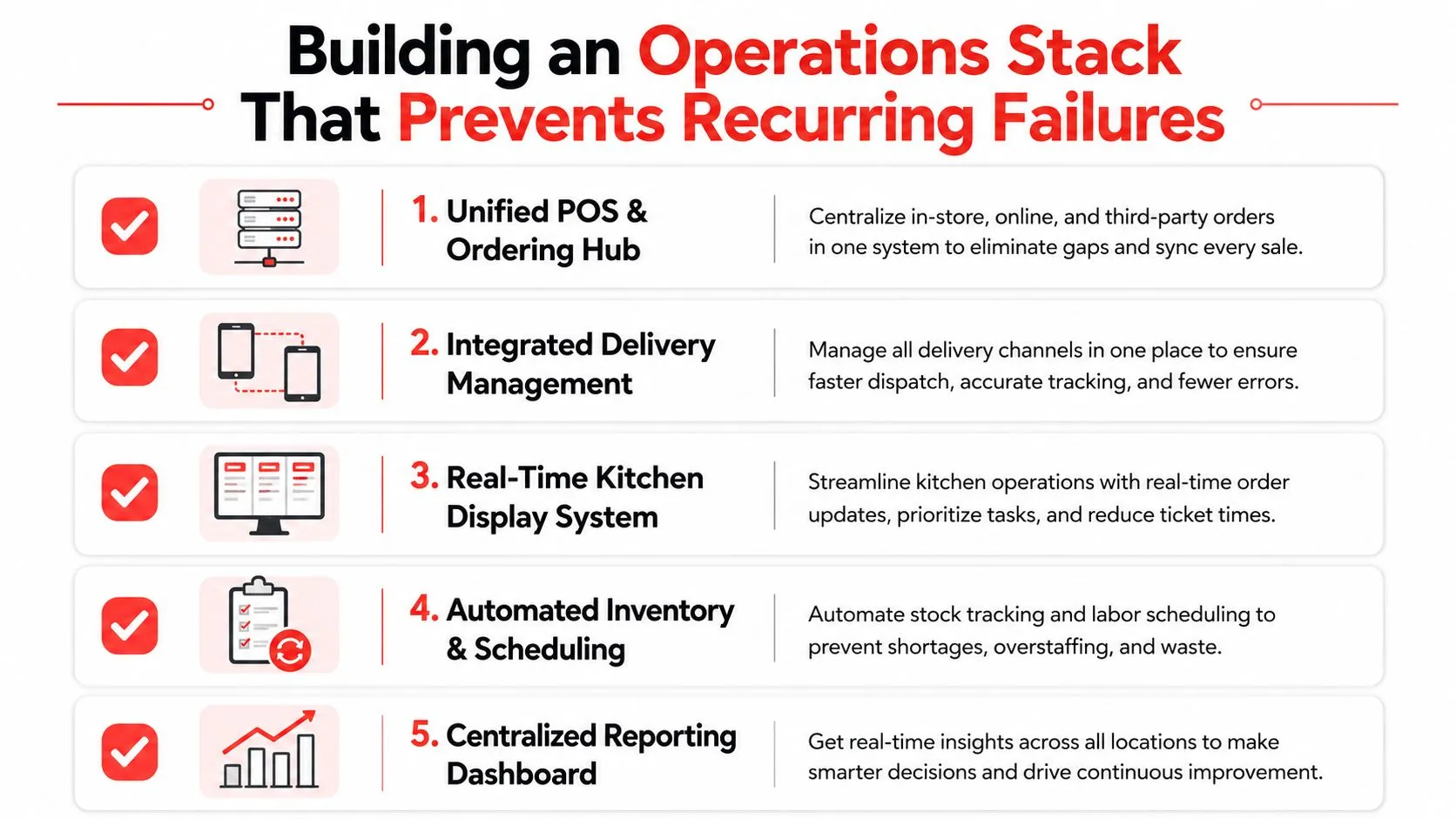
Friday night exposes every weak handoff. An order lands in one app, the POS shows something different, the kitchen sees a third version, and the manager is left sorting out which screen is telling the truth. A restaurant does not need more disconnected tools. It needs an operations stack that keeps the POS central, reduces handoffs, and stops the same failure from showing up in three places.
Start with the highest-friction link
For most operators, delivery-to-POS integration is the first place to fix because that is where the labor drain is easiest to see. It removes extra tablets, cuts manual re-keying, and gives the team one place to work from when Uber Eats, DoorDash, and Grubhub orders hit at once. Once that layer is steady, the rest of the operation is easier to read because staff are no longer chasing scattered order data.
Data fragmentation is the hidden cost behind a lot of restaurant pain. Independent industry reporting notes that fragmented systems create blind spots, delays, menu inconsistencies, promo leakages, kitchen bottlenecks, and inventory misalignment, while digital transformation and analytics adoption are rising alongside operational pressure. The fix is plain, keep the same order data moving through the whole restaurant instead of letting it stop at every handoff. Restaurant India’s coverage of operational challenges captures that problem clearly.
Use the POS as the hub
A stack holds together better when the POS sits at the center and other tools feed it cleanly. That gives managers one source of truth for sales, labor, and order flow instead of forcing them to reconcile different versions of the same shift. It also makes it easier to tell whether a problem is really staffing, menu setup, or a system issue.
The physical side still matters. If you are comparing equipment choices, the DBakerAid™ 2026 equipment guide is a useful reminder that hardware should support the workflow, not fight it. Good equipment helps. Clean data flow matters more when the rush starts.
A clean stack does not remove pressure, it keeps pressure from turning into chaos.
The trade-off is simple. A multi-tablet setup looks flexible until it starts eating labor, attention, and accuracy. Unified injection is less about buying new software for its own sake and more about letting the POS coordinate the order stream, the kitchen, and the closeout records without making a manager act as the human bridge between them. For operators who want that kind of centralization, OrderOut’s restaurant solutions are built around that approach.
Frequently Asked Questions
Does OrderOut work with Clover?
Yes. OrderOut is built to inject third-party delivery orders into Clover so staff don’t have to manage extra tablets or manually re-key tickets. It’s also free to install on the Clover App Market, which makes it easy to start without adding another layer of operational overhead.
Does OrderOut work with Square?
Yes. OrderOut also supports Square, so delivery orders from apps like Uber Eats, DoorDash, and Grubhub can flow into the POS instead of being copied by hand. That helps restaurants keep Square as the operational source of truth.
Do I need extra tablets for delivery apps?
No, that’s the point of the integration. The workflow is designed to remove the tablet pileup and send orders straight into the POS, which keeps the team focused on service instead of screen monitoring.
What if my delivery menus are different across apps?
OrderOut maps each marketplace menu to a normalized POS schema, so the goal is clean injection into the POS rather than another manual bridge. Menu and modifier hygiene still matter, because the POS can only stay clean if the underlying menu setup is accurate.
Is this only for big restaurant groups?
No. Independent operators feel the pain of fragmented systems just as hard, sometimes harder, because they have fewer people to absorb the manual work. A smaller team benefits quickly from fewer handoffs, fewer entry errors, and a cleaner close.
If restaurant operational challenges are eating up your team’s time, OrderOut is built to remove the delivery tablet mess and push third-party orders straight into your POS. That gives Clover and Square operators a cleaner workflow, fewer re-keying mistakes, and a better shot at a calmer rush. Start by visiting OrderOut and see how much smoother your next busy shift can be.