
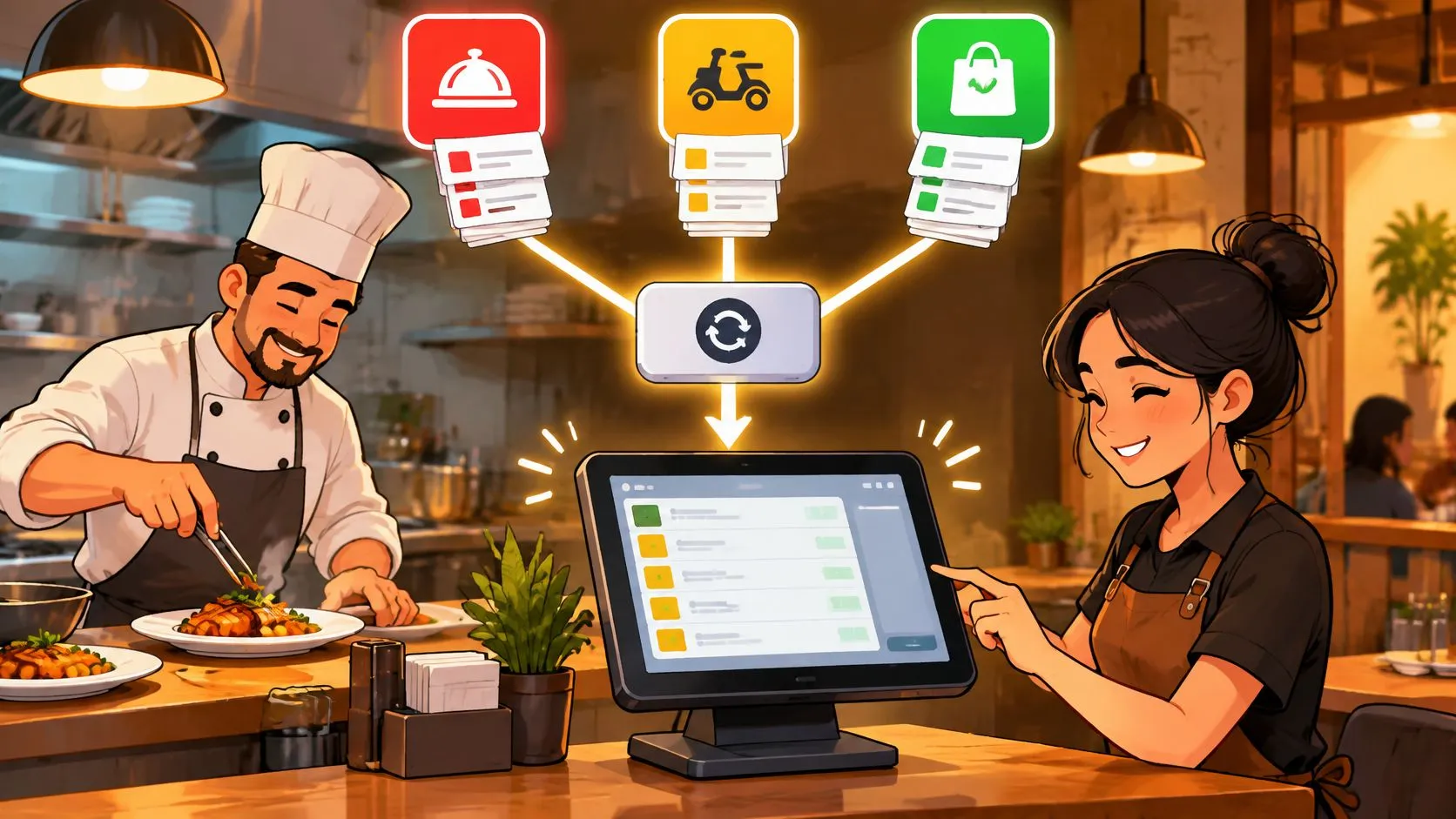
A unified API is a single interface that connects many platforms through one data model, and for restaurants it means Uber Eats, DoorDash and Grubhub orders arrive in Clover or Square without extra tablets or re-keying.
But choosing that interface by connector count alone misses the operational question: what happens when an order doesn’t arrive cleanly? A connection that works during a demonstration still needs a way to handle missing modifiers, duplicate events, expired access and refunds that arrive after the original sale. The useful promise isn’t just less integration work. It’s less order-entry work, with clear responsibility when something goes wrong.
What a Unified API Is in Restaurant Delivery
Think of a unified API as a universal power adapter. Your device uses a familiar plug, while the adapter handles the different wall sockets. In restaurant software, the shared order format is the familiar plug, and each marketplace’s technical requirements are the different sockets.
The restaurant doesn’t need to operate the translator itself. Staff need the resulting ticket to contain the right item, modifier, quantity and fulfillment method, in the POS they already use.
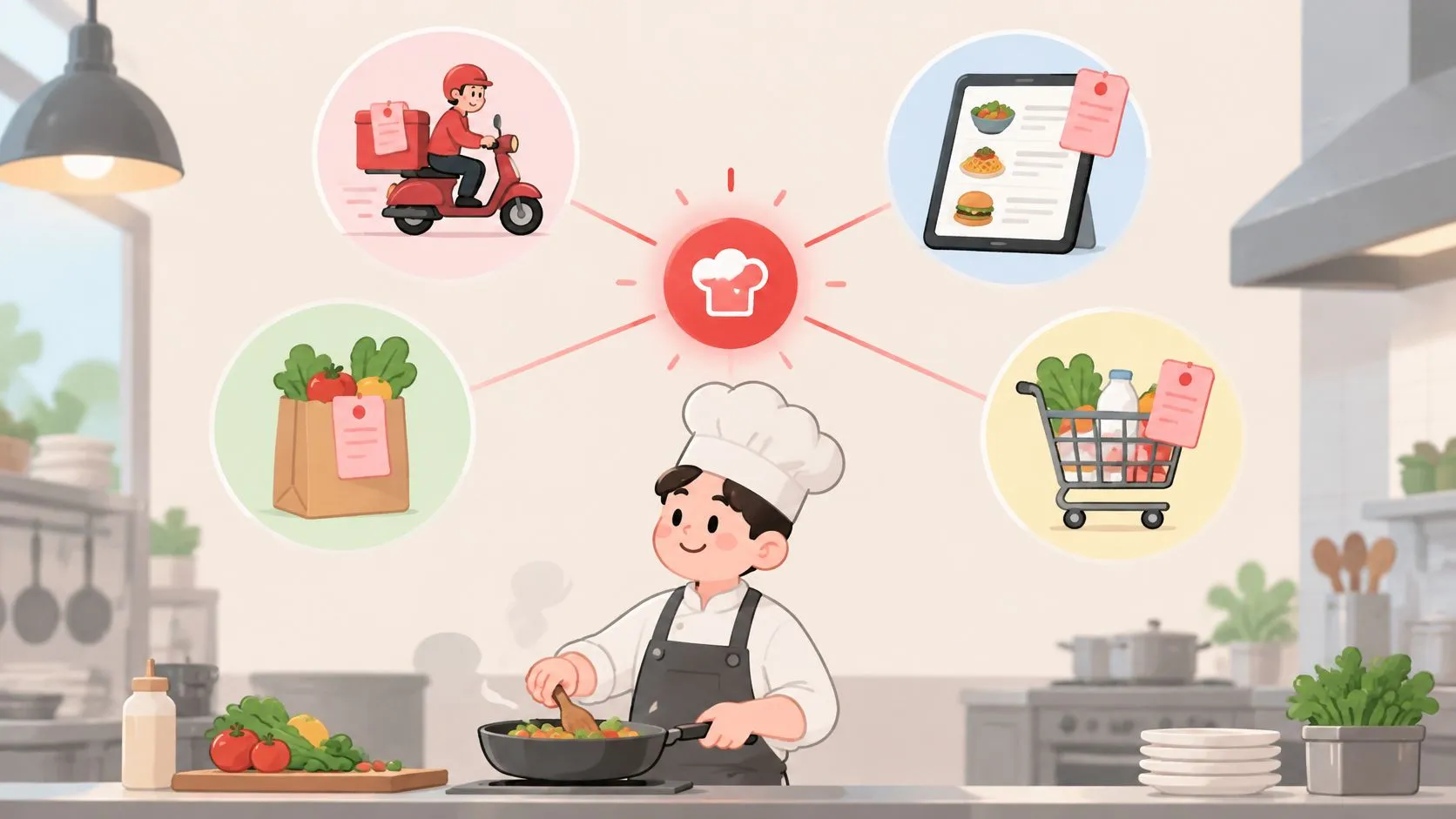
The illustration below shows the broader idea of connected restaurant systems.
What Changes at the Counter
Consider a hypothetical Clover restaurant accepting orders from Uber Eats, DoorDash and Grubhub. Without delivery-to-POS integration, a cashier might read an order from a marketplace tablet and type it into Clover. During a rush, the cashier could select the wrong modifier or overlook an instruction.
A unified layer moves that translation into software. The POS remains the operational source of truth, while the integration converts marketplace orders into the structure the POS expects.
The third-party order engine applies this model to delivery orders. Its purpose is specific: route marketplace orders into the restaurant’s POS rather than ask employees to copy them between screens.
Practical rule: Judge the connection by the ticket your kitchen receives, not by the number of marketplace logos on a sales page.
What Restaurant Operators Should Evaluate
“Unified API” is developer language. An owner should translate it into questions staff can answer:
- Order arrival: Can staff find the marketplace order in the POS?
- Ticket accuracy: Are items, modifiers and fulfillment details intact?
- Exception visibility: Can someone tell when an order hasn’t completed its journey?
- Ownership: Does the restaurant know whom to contact when the connection needs attention?
For Clover operators, the Clover delivery integration page provides the relevant POS-specific starting point. Don’t assume that a supported marketplace automatically means every detail of your menu is ready.
Start by listing every marketplace account and the POS used at each location. Then follow a representative order from checkout to kitchen ticket. A connection is useful only when the order reaches the right restaurant intact.
Normalized Schemas Map Each Marketplace Menu to Your POS
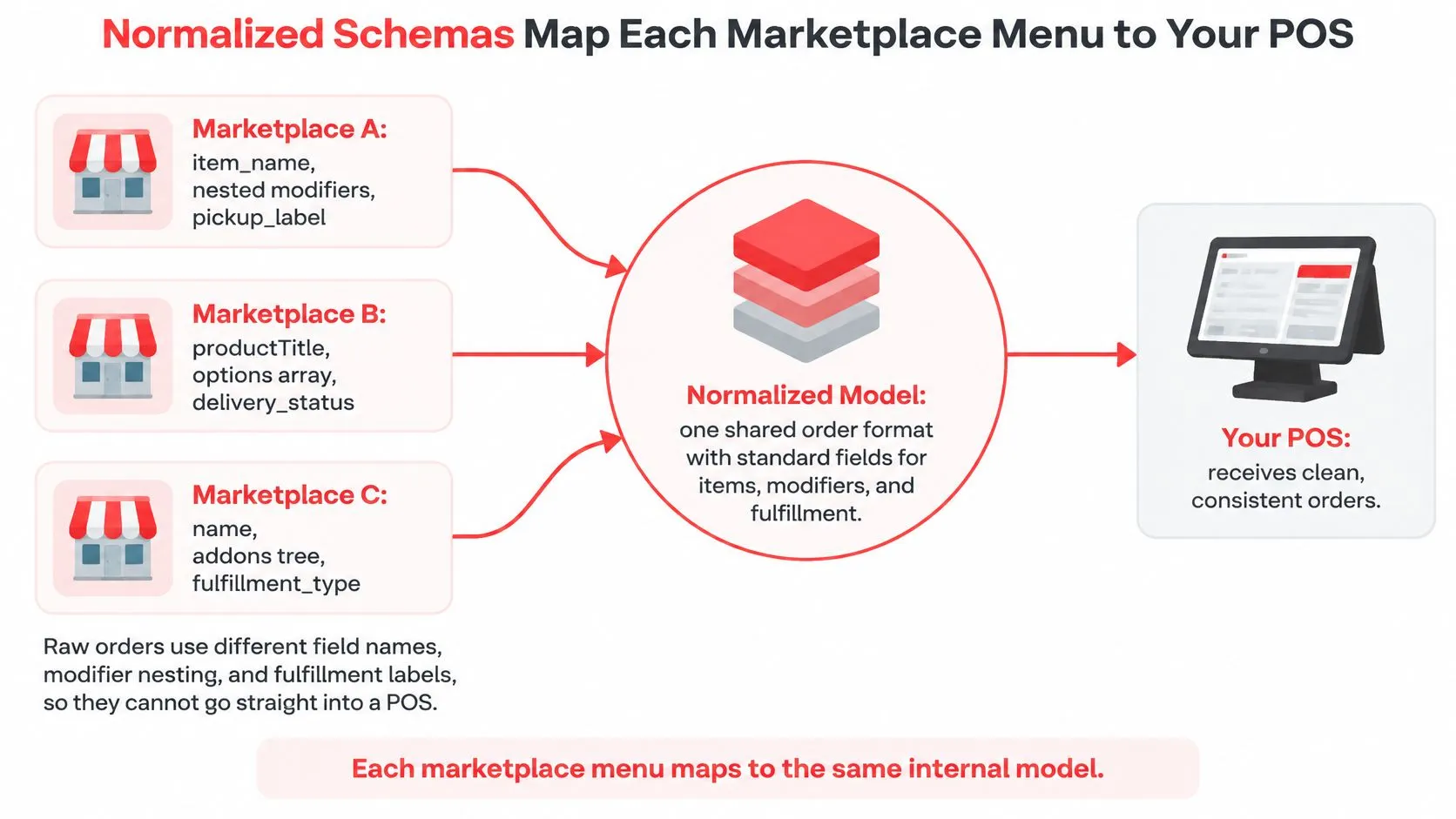
Suppose Extra Cheese sits beneath a Classic Burger as a nested modifier on one marketplace, but appears as a separate add-on on another. Both selections need to reach the same appropriate POS modifier group. Matching the words alone isn’t enough if the systems organize the selection differently.
A normalized schema is the common structure used between those systems. It defines how the integration represents an item, modifier, payment detail or fulfillment choice before translating that information into the destination POS.
This diagram illustrates the mapping process.
Why Endpoint Names Aren’t Enough
As Unified.to’s explanation of unified APIs describes, normalization needs to address data models and differences in authentication, pagination, webhook availability and rate limits. Giving connections similarly named endpoints doesn’t resolve those differences.
For a restaurant, that distinction separates “the connection accepted some data” from “the kitchen received the intended order.” A useful canonical model should preserve source-specific information for reconciliation instead of discarding anything that doesn’t fit a shared field.
Separate connections versus one normalized layer
| Question | Separate connection per platform | One normalized layer |
|---|---|---|
| Work needed when a new marketplace joins | New connector, new menu mapping and new testing | New marketplace mapped into the same POS schema |
| Where menu and modifier mapping lives | Repeated inside each connection | Central mapping shared across channels |
| Staff tablets and re-keying | A tablet-led workflow can require separate screens and manual entry | Orders land in the POS with no extra tablets |
| Who handles authentication and errors | Each vendor handled separately | Handled in the layer, still monitored by the restaurant |
| Channel and fulfillment labels | Must be translated separately between channels | Originating channel and fulfillment type preserved on the ticket |
Separate integrations aren’t unreliable by default. A well-maintained direct connection can work, and a normalized layer can still contain a bad mapping. The architectural advantage is that developers can reuse a common internal structure instead of rebuilding the same translation pattern for every connection.
Menu Hygiene Still Belongs to the Restaurant
A renamed POS modifier can leave its marketplace equivalent without a valid destination. An item that looks correct on a delivery menu may still point to an outdated POS record. Those are mapping problems, not reasons for the kitchen to guess what the customer meant.
For Square restaurants, evaluate the Square delivery integration against the menu structure you run day to day. For a channel-specific example, review the Grubhub-to-Clover order integration rather than assuming all marketplace combinations behave identically.
Keep a named owner for menu changes. That person should understand both the customer-facing menu and its POS equivalents, including required choices and optional additions. The restaurant menu sync guide provides a related starting point for that work.
Before going live, pair each marketplace item and modifier with its POS equivalent. Include combinations that staff recognize as awkward, not just the simplest item on the menu.
Business Advantages of One Integration for Restaurants and POS Partners
The strongest operator benefit is removing the need for staff to act as the connection between systems. When employees don’t have to copy marketplace orders into Clover or Square, they have fewer opportunities to select the wrong item, omit a modifier or enter an order under the wrong fulfillment type.
The benefit isn’t that managers can stop checking delivery orders. It’s that they can spend their attention on exceptions rather than routine transcription.
Channel Labels Make Reconciliation Possible
Not all digital orders follow the same commercial or fulfillment path. DoorDash’s explanation of merchant fees distinguishes Marketplace orders from its separate commission-free Online Ordering product and Drive On-Demand, where charges can involve delivery fees or payment processing rather than a marketplace commission.
That distinction should survive the trip into the POS. A ticket needs to preserve its originating channel and fulfillment method so managers can identify which service generated the order and whether a third-party courier is involved.
A clean ticket tells the kitchen what to prepare. A reconcilable record also tells the manager where the order came from.
Channel labels won’t replace marketplace statements or payment records. They give the manager a way to match those records with the restaurant’s order history instead of treating every digital sale as interchangeable.
Restaurants reviewing their channel mix can also examine the separate commission-free online ordering option. For this delivery-integration decision, the important point is keeping channel identity intact, not assuming that routing software changes marketplace fees.
Reuse Helps POS Partners Support Restaurants
For POS partners, a shared model offers a practical engineering advantage: they can reuse translation patterns across restaurant clients rather than rebuild each marketplace connection from scratch. Individual restaurants still need their own menu mappings, credentials and acceptance checks.
That distinction matters when a partner supports different menus on the same POS. Reusing infrastructure doesn’t mean copying one restaurant’s menu configuration into another restaurant’s account.
The POS integration API guide explores that connection layer. Operators don’t need to learn its implementation details, but they should ask whether their provider can trace an order across the marketplace, normalized record and POS ticket.
The business case is therefore straightforward: remove avoidable copying, retain information needed for reconciliation and make exceptions easier to investigate. Don’t substitute a promised time saving for evidence that your own orders arrive correctly.
Webhook and Retry Patterns Behind Reliable Order Sync
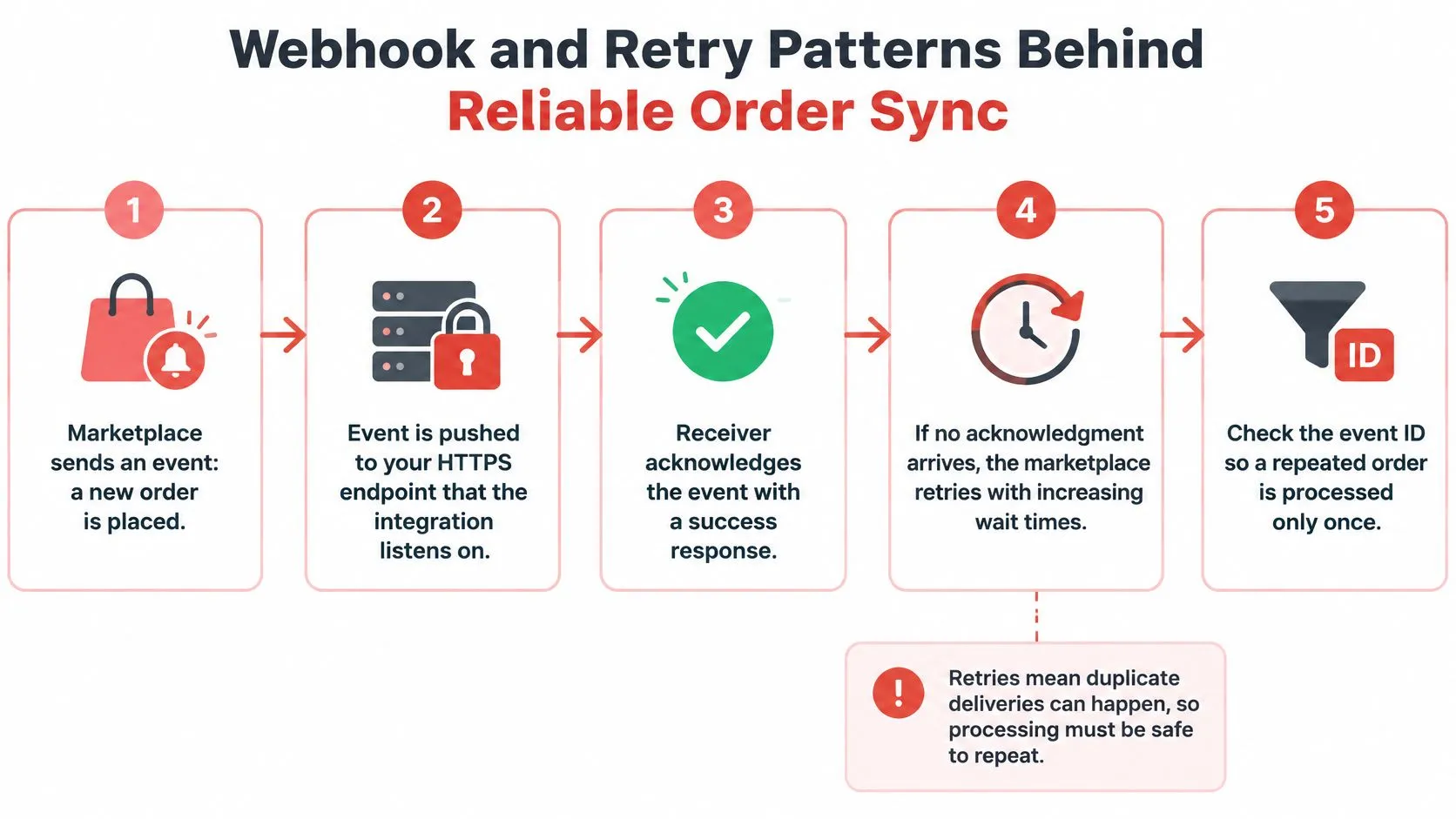
A webhook is a message a platform sends when something happens, such as a customer placing an order. The integration receives that message at an HTTPS endpoint and acknowledges receipt, so the sender knows it arrived.
The OpenAPI webhook explanation describes this provider-initiated request pattern. For restaurant order ingestion, the safe design assumption is at-least-once delivery, meaning an event may arrive again rather than being delivered exactly once.
The diagram shows why retries and duplicate protection belong in the same conversation.
How a Safe Order Event Should Travel
A timeout creates uncertainty. The POS might already have accepted an order even though the sender never received confirmation. Sending the same event again must not create another kitchen ticket.
Each event should carry a stable event identifier, event type, timestamp and idempotency key. Idempotency means repeating the same operation doesn’t repeat its business effect.
- The marketplace sends the order event. The integration receives the order details that should become a POS ticket.
- The receiver checks and durably records the event identifier. It distinguishes a new event from a replay before completing the ticket-creation action.
- A new event proceeds to POS ticket creation. The restaurant should receive the intended order, with the processing state tracked.
- The integration records the result and returns success. The saved event record now links to the outcome rather than merely indicating receipt.
- A completed event can be acknowledged again safely. A replay returns success without creating another ticket; an interrupted event needs recovery based on its saved state.
Saving an identifier alone isn’t enough. The receiver must distinguish received, in progress and completed, or a crash could leave an order marked as seen without a finished ticket. Durable deduplication records also need to cover the sender’s retry and replay window.
When Push Notifications Aren’t Available
A unified layer can use a virtual webhook when an upstream platform doesn’t provide native change notifications. It polls for changes and emits an event when it detects one, rather than asking each downstream application to build its own polling process.
Polling introduces a trade-off between freshness, API quotas and duplicate-event risk. Ask the vendor how it controls request frequency, applies increasing delays between retries and separates temporary failures from invalid orders.
The webhook integration guide provides more context for this event-driven approach. Developers can also review the restaurant integration API, while operators should request documented behavior for order creation, cancellations, refunds and menu updates.
This companion video is included alongside the webhook workflow.
Failure Scenarios Restaurants Must Plan For
A unified API is not automatically a unified operating model. Consolidating connections can remove repetitive engineering work, but managers still need to know how to recognize an incomplete order and who owns the next action.
This isn’t a restaurant-only concern. In Traceable’s API security report announcement published by Business Wire, surveyed organizations across the United States, United Kingdom and Europe used an average of 131 third-party APIs, while only 16% reported a high ability to mitigate risks from those external connections. Those findings describe broader organizations, not restaurant-specific failure rates.
Assign an Owner Before an Exception Happens
The operational test isn’t whether a connection reaches Uber Eats, DoorDash or Grubhub. It’s whether staff can resolve uncertainty without entering an order twice or overlooking a cancellation.
Failure scenarios and who handles them
| Failure scenario | What staff check | Who acts |
|---|---|---|
| Marketplace confirms the order but the POS times out | Confirm a ticket exists for that marketplace order before re-sending | Manager or integration support |
| The same order event arrives twice | Confirm only one ticket exists for that order ID | Integration handles deduplication; manager verifies the POS |
| Item sells out after the order is placed | Confirm the sold-out status reached every channel | Shift lead |
| Modifier is missing from the ticket | Compare the marketplace option with its mapped POS modifier | Menu manager or owner |
| Refund or cancellation arrives late | Reconcile against the POS payment record | Manager |
| Menu or price changed on one channel only | Confirm the same item and price across channels | Menu manager |
A timeout leaves the result uncertain, not necessarily unsuccessful. Staff should check the marketplace order identifier against existing POS tickets before attempting a manual resend. Otherwise, their recovery action could create the duplicate they were trying to prevent.
Availability and menu changes create a different problem: updates may reach channels at different times. An unmapped modifier can also follow a renamed option or changed relationship in the POS, so the menu owner needs to inspect the actual mapping rather than just compare visible names.
Treat Reconciliation as Recovery
A late refund or cancellation may relate to an order that staff have already prepared or closed. The manager needs to compare the marketplace event with the POS payment record and determine what remains unresolved. Event arrival order shouldn’t substitute for checking the underlying transaction.
The restaurant data integrity guide is relevant because recovery depends on records that can be matched across systems. Keep marketplace identifiers, POS references and the exception history available to whoever investigates.
Shift handoff: Leave the next manager an unresolved-order list, not a verbal assurance that someone contacted support.
Track whether manual intervention is becoming routine, whether orders go missing and whether recovery during a rush is straightforward or prolonged. Those observations are more useful than declaring the integration finished because the initial connection succeeded.
Clover restaurants can start with the free-to-install Clover App Market listing. Square restaurants can start from the Square App Marketplace listing, then test their actual menu and recovery path before relying on the connection during service.
Access Control and Vendor Checklist Before You Commit
Judge a unified API by failure handling, access control and reconciliation, not connector count alone. An intermediary that touches marketplace accounts, menus and orders concentrates permissions, so a broadly shared credential deserves scrutiny.
Akamai’s API Security Impact Study reported that 85% of surveyed organizations in China, India, Japan and Australia experienced an API-related security incident in the prior 12 months, with average incident costs exceeding US$580,000 across those markets. These aren’t U.S. restaurant benchmarks, but they show why API access shouldn’t be treated as a setup formality.
Ask for Evidence of the Controls
You don’t need to inspect source code to ask useful questions. Ask the vendor to explain what happens when a location’s access must be revoked, a staff member changes roles or an incoming event can’t be verified.
Vendor evaluation checklist for a unified API
| Criterion | Why it matters | Question to ask the vendor |
|---|---|---|
| Idempotency and retry handling | Prevents duplicate tickets after a timeout | How are repeated events detected and stored? |
| Tenant isolation by location | Limits damage when one location’s access is compromised | Is each location’s data and token separate? |
| Least-privilege credentials | Each connector reaches only what it needs | What permissions does each connector hold? |
| Role-based permissions and webhook validation | Keeps staff access and incoming events in check | Who can change menus, refunds and connector settings, and how are webhooks verified? |
| Audit logs for menu, order and refund actions | Lets managers trace who or what changed a record | Which actions are logged and for how long? |
| Channel and fulfillment preserved on the ticket | Keeps marketplace, pickup and direct orders reconcilable | Does the POS ticket show the originating channel? |
| Connection-health monitoring | Helps staff identify dropped connections | How are dropped connections reported to staff? |
| Reconciliation workflow | Matches marketplace orders with POS payments | What is the process for a refund or cancellation? |
Treat these as evaluation criteria, not assumed features of every provider. A vendor should distinguish controls available today from capabilities it hasn’t implemented.
Also ask how quickly the provider can revoke access for an affected location without disrupting the others. Request a clear explanation of what customer and payment information the integration retains and why it needs that information. As automation gains permission to make changes, the boundary between reading an order and modifying a refund becomes especially important.
Match the Review to Your Restaurant
A single-location Clover or Square restaurant using several marketplaces should prioritize correct menu mapping, duplicate protection and an obvious way to spot missing orders. A multi-location group should add location isolation, role-based permissions and per-location revocation to that review.
A POS partner should also require integration-level monitoring and documented webhook behavior. The guide to connecting to an API provides background for the technical discussion, but the acceptance test should remain grounded in restaurant outcomes.
Before going live, place a test order through each channel and inspect the item, modifiers and fulfillment type in the POS. Then test a cancellation and a refund using suitable test transactions, confirming how each is reflected and reconciled. Don’t call the setup complete until the person responsible for exceptions can follow that path without guessing.
Frequently Asked Questions
Does OrderOut Work With Clover and Square?
Yes. It supports delivery-to-POS integration for Clover and Square, and it is free to install on the Clover App Market. A Square App Marketplace listing is also available. Free installation covers getting the app in place; confirm which services, locations, or order volumes are billed before you rely on it.
Is a Unified API the Same as a POS Integration?
A POS integration connects one system to one POS. A unified API works more like a shared adapter panel: many marketplace plugs can feed the same order model, but the restaurant still has to watch what happens when a plug is loose. Treat connector count as a starting point, then ask how duplicates, retries, refunds, and location permissions are handled.
Will I Still Need Extra Delivery Tablets?
The delivery-to-POS setup can remove extra delivery tablets and manual re-keying from order entry. Clover or Square stays the operational source of truth for staff. Managers still need to monitor exceptions and keep marketplace-to-POS menu mappings accurate, because a clean sync on Tuesday can drift after a menu edit on Friday.
Which Marketplaces Can Send Orders Into My POS?
The supported marketplace connections discussed here are Uber Eats, DoorDash and Grubhub, with orders injected into Clover or Square. During setup, check your own items, modifier combinations and fulfillment details rather than assuming a connected account means the menu is ready. A successful test should confirm the complete ticket, not just that an order appeared.
Owners can start setup at the OrderOut dashboard and confirm current pricing before committing.
OrderOut maps marketplace menus to a normalized POS schema so Uber Eats, DoorDash and Grubhub orders can reach Clover or Square without extra tablets or re-keying. Visit OrderOut to start connecting your channels, then verify your menu mappings and make sure the person who handles exceptions can trace a problem order before your next rush.