
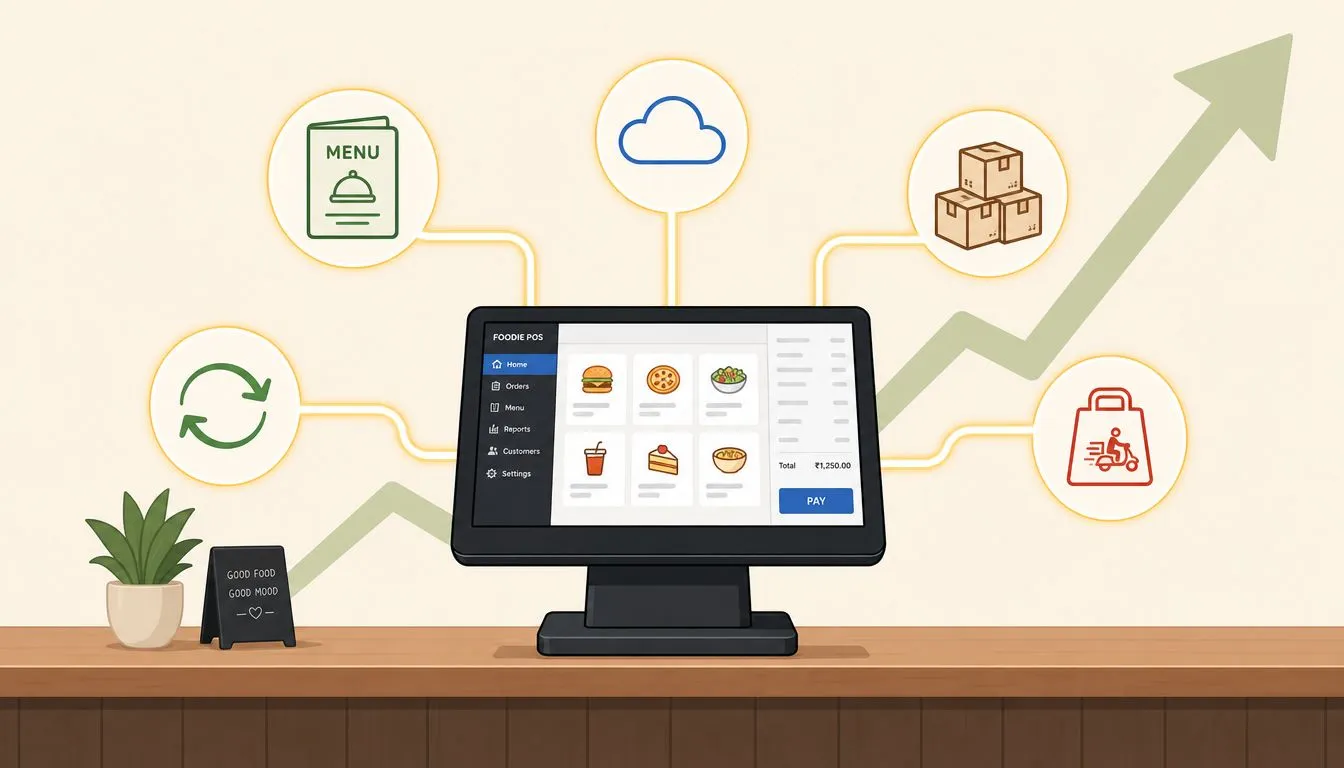
A POS integration API is a set of rules that lets a point-of-sale system and other software exchange data automatically, and that matters more than ever in a $33.41 billion global POS market where 85% of restaurant operators prioritize system integration as their top purchasing driver. For partners, that means integration isn’t a nice add-on anymore. It’s a core part of how you win, keep, and grow restaurant accounts.
Most POS dealers, ISVs, and payment partners still frame integration as a technical feature. That misses the commercial point. Restaurants buy operating simplicity. Partners earn trust when they can connect delivery channels like Uber Eats, DoorDash, and Grubhub straight into Clover or Square without extra tablets, without re-keying, and without forcing staff to babysit multiple screens during service.
The gap is where the opportunity sits. If you’re already selling restaurant technology, a POS integration API lets you package a cleaner operating model, make your POS stack harder to replace, and open a path to recurring revenue around connected services instead of one-time installs.
What Is a POS Integration API
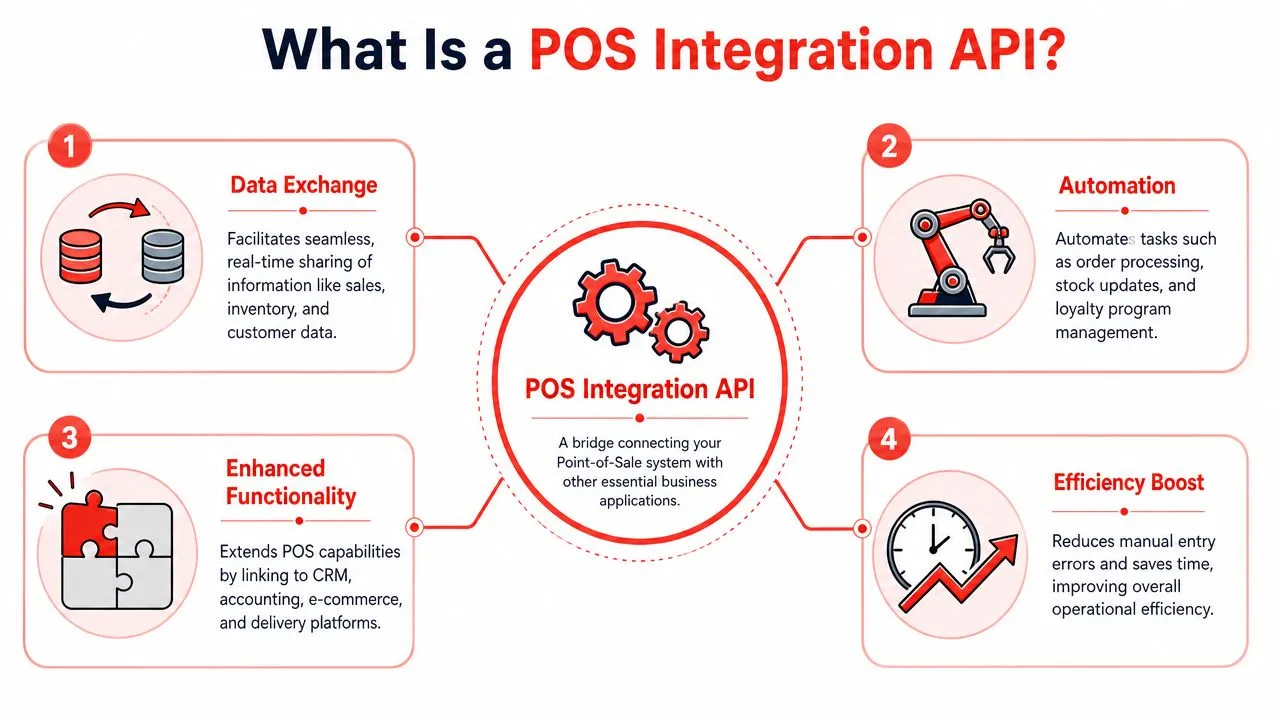
In plain English, a POS integration API is the bridge between a restaurant’s POS and the rest of its software. It lets systems pass orders, menu data, modifiers, sales information, and status updates back and forth automatically instead of relying on staff to type the same information twice.
That simple definition matters because restaurant teams don’t experience APIs as code. They experience them as fewer tablets on the counter, cleaner kitchen tickets, and fewer mistakes during the rush. If you support restaurant operators through Clover or Square, that’s the difference between a setup that creates friction and one that becomes part of daily operations.
What the API actually does
A practical definition from APIX-Drive’s explanation of POS integration APIs is that a POS integration API is a standardized set of programming instructions that enables real-time synchronization between a POS and outside business applications. In restaurant operations, that usually means a delivery app sends an order, the integration maps it correctly, and the POS receives it as a standard order with the right items and modifiers attached.
A good integration also handles the less visible work:
- Order intake: New marketplace orders arrive in the POS automatically.
- Menu structure: Items and modifiers follow a consistent schema.
- Sales flow: Transaction data stays aligned across connected systems.
- Inventory updates: Stock movement can be reflected without waiting on manual updates.
If you want a plain-language refresher on the broader POS side of the stack, OrderOut has a useful primer on what a POS system is in restaurants.
Practical rule: If staff still have to read one screen and type into another, you don’t have a finished integration. You have a workaround.
Why partners should care about the definition
For a reseller or ISV, the definition matters because it changes what you’re selling. You’re not just reselling hardware, payments, or a POS license. You’re selling an operating system for the restaurant. The API is what determines whether that system can connect to delivery, online ordering, customer data, and back-office workflows cleanly.
That’s why API quality deserves commercial attention, not just engineering review. Public docs, clear endpoints, secure authentication, and sandbox testing all signal whether a vendor can support partners at scale. Teams that need a broader implementation perspective can also review guidance like Streamline operations with API integration to compare how integration work is typically structured across business systems.
The restaurant example partners see every week
Take a common setup: a restaurant uses Clover in-store and also takes orders through Uber Eats and DoorDash. Without a usable POS integration API, the operator ends up juggling tablets, manually entering orders, and correcting modifier mistakes when tickets hit the kitchen. With the right API layer in place, those orders can flow into the POS automatically in a format the kitchen already understands.
That’s where technical architecture turns into operational value.
Why Partners Should Care About APIs
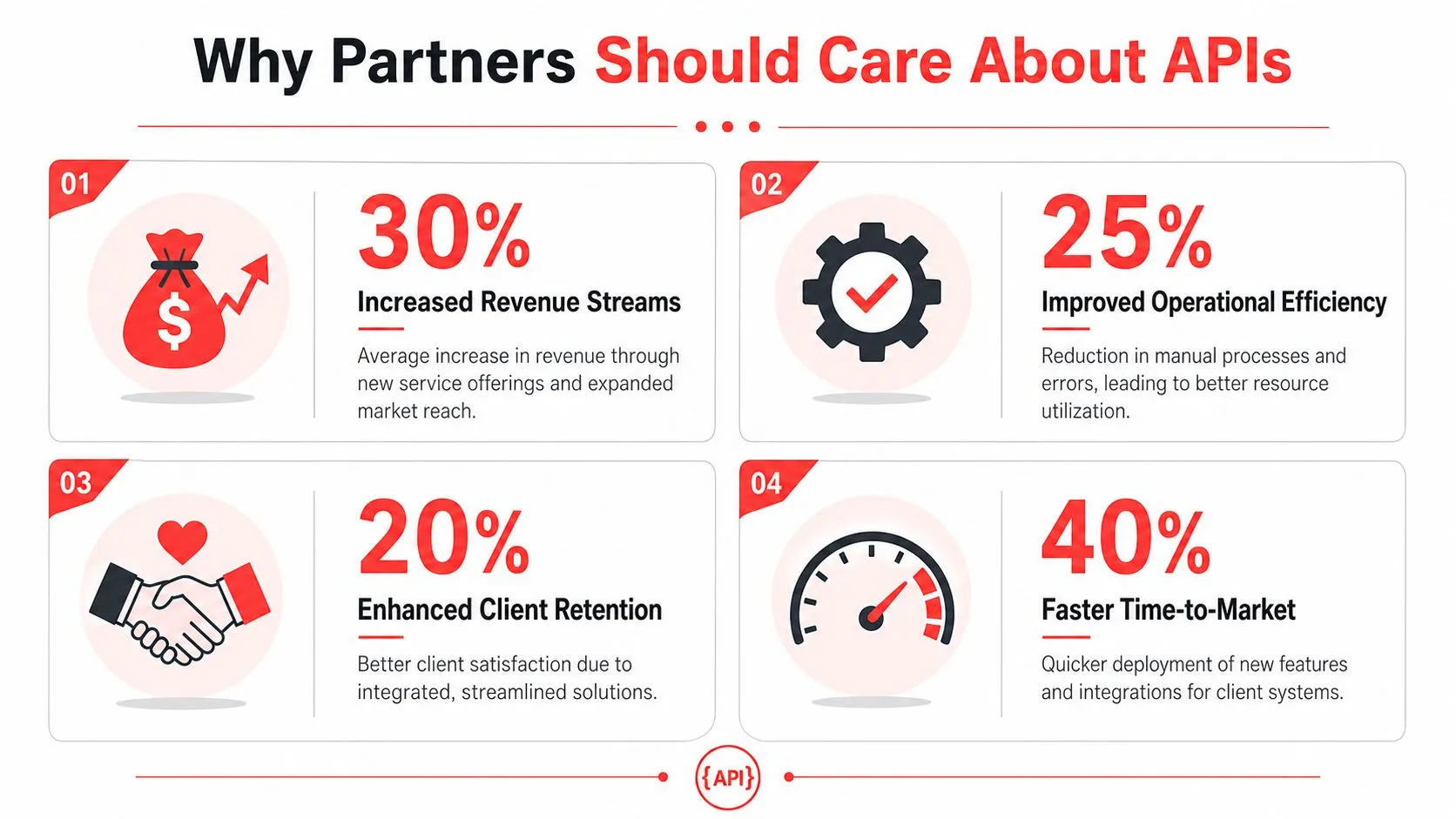
The business case is straightforward. Restaurants increasingly expect integrations to work out of the box, and partners who can deliver that expectation are easier to buy from and harder to replace.
According to Swell’s POS integration statistics, the global POS market reached $33.41 billion in 2024, and 85% of restaurant operators now prioritize system integration as their top purchasing driver when selecting POS software. That tells you where sales conversations have moved. The POS itself still matters, but connectivity now shapes the buying decision.
Better fit for modern restaurant buyers
A restaurant owner usually doesn’t ask for “API-led connectivity.” They ask whether Uber Eats orders will land in Clover without staff touching a tablet. They ask whether Square will stay the source of truth. They ask whether the kitchen will see normal tickets instead of custom chaos.
Partners who can answer those questions clearly close with less friction. Partners who can’t often lose the deal to someone who can package the same POS with cleaner integrations and a simpler implementation story.
A related channel angle shows up in OrderOut’s overview of the Square partner program for restaurant technology resellers. The partner opportunity isn’t just in selling software. It’s in packaging outcomes that restaurants already understand.
More account stickiness
Connected systems create switching costs. That’s not a cynical point. It’s just operational reality.
When a restaurant has Clover or Square connected to its delivery channels in a way that staff trust, replacing the stack becomes a much bigger decision. The operator has to think about menu mapping, order flow, kitchen process, support, and retraining. A partner that owns the integrated setup becomes more embedded in day-to-day operations than one that only sold the terminal.
The POS partner who solves order flow usually becomes the first call for the next software decision.
A cleaner recurring revenue story
For ISVs, dealers, and payment agents, APIs support recurring revenue because they let you attach ongoing services to the core POS relationship. Delivery-to-POS integration is a strong example. It solves an immediate pain, it touches daily operations, and it creates a practical reason for the merchant to stay in your ecosystem.
The important part is that the revenue logic comes from utility, not bundling for its own sake. If the restaurant depends on integrated order intake every day, the service remains relevant every day.
Why this matters now
The partner risk isn’t that restaurants suddenly become technical. It’s that they become less tolerant of fragmented operations. Once an operator sees a clean Clover or Square setup where delivery orders inject directly into the POS, manual re-entry feels outdated fast.
That’s why the pos integration api conversation has moved from developer detail to sales requirement. Partners who treat API capability as a line item will undersell it. Partners who treat it as infrastructure for restaurant operations can build a much stronger offer.
Understanding Key Restaurant API Data Flows
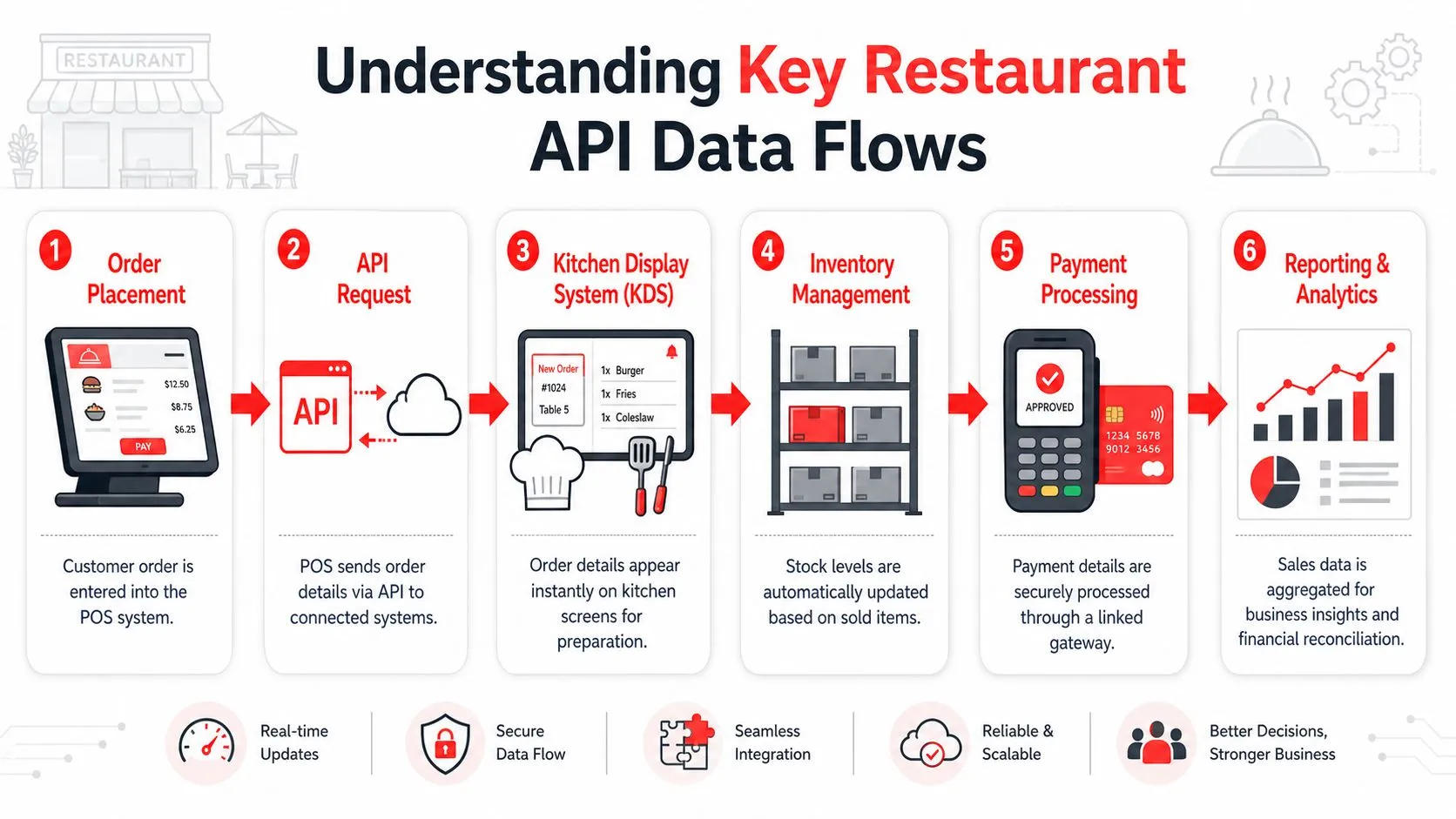
A restaurant integration succeeds or fails on data flow. Not on the pitch, not on the demo, and not on the logo slide. The test is whether orders, modifiers, menu structures, and status changes move cleanly from one system to another without forcing staff into workarounds.
Order flow is the first thing to get right
Start with the basic path. A customer places an order on Uber Eats, DoorDash, or Grubhub. That order has to land in Clover or Square with the correct items, quantities, and modifier choices. If any of that comes through inconsistently, the kitchen gets bad tickets and staff start building side processes to cope.
A practical example is the way OrderOut’s DoorDash to Clover integration handles data normalization. The platform normalizes menu data, modifiers, and order structure from multiple delivery platforms into a single POS schema before the order reaches Clover or Square. That matters because kitchens need standard ticket formatting, not a different logic model for each marketplace.
If you want to see the broader operating impact, this walkthrough on restaurant order entry automation shows why order capture is often the biggest source of avoidable friction.
Menu mapping matters more than most sales decks admit
Partners often focus on the connection itself and gloss over menu hygiene. That’s a mistake. In restaurant integrations, menu mapping is where a lot of support burden hides.
If the same burger exists in multiple marketplaces with different modifier structures, naming conventions, or combo logic, the integration has to normalize that data into something the POS can handle consistently. Otherwise the restaurant ends up with split modifier lines, confusing prep instructions, or ticket patterns that staff don’t trust.
A simple way to evaluate a provider is to ask these questions:
| Question | Why it matters |
|---|---|
| Can marketplace menus map into a consistent POS schema? | Prevents ticket inconsistency |
| How are modifiers normalized? | Reduces kitchen confusion |
| What happens when an item is unavailable? | Avoids operational surprises |
| Who owns the source-of-truth menu logic? | Clarifies support responsibility |
Bad menu mapping doesn’t look like a technical bug to the operator. It looks like the POS can’t be trusted.
Status changes and exceptions are where integrations get tested
The smooth path is easy. The hard part is exception handling.
Restaurants deal with delayed confirmations, canceled orders, changed item availability, and charge state mismatches. A delivery app may cancel an order after the POS has already advanced the transaction. If the integration doesn’t have a clear reconciliation model, staff end up manually checking charges, refunding by guesswork, or duplicating actions across systems.
At this point, partners should think like operators. The question isn’t whether edge cases exist. They do. The question is whether the API architecture includes a sane way to resolve them.
The technical ingredients usually include:
- Structured payloads: The receiving system needs predictable fields.
- Validation rules: Bad parameters should fail clearly, not unnoticed.
- Event handling: Status changes need a reliable path back to the POS.
- Idempotent logic: Retried calls shouldn’t create duplicate orders or duplicate actions.
Here’s a useful product view if you want to assess delivery-to-POS infrastructure from an integration angle: restaurant delivery API and order-routing capabilities.
To see the flow in action, this short video gives helpful context:
Mid-article next step for partners
If you’re evaluating whether to build, embed, or resell this capability, the fastest path is to review an integration partner model that already supports delivery injection into restaurant POS environments. A practical starting point is OrderOut’s developer and integration partner program, which is built around connecting delivery channels into live restaurant POS workflows.
Common API Architecture and Security Best Practices
Partners don’t need to become full-time API engineers, but they do need to know what good architecture looks like. Otherwise it’s too easy to approve a vendor based on a demo and discover later that the integration breaks on scale, edge cases, or routine support tasks.
Start with endpoints and parameter discipline
At the practical level, a POS API exposes endpoints that other systems can call to create or update data. Each call carries required and optional parameters, and those parameters need strict validation. Square’s documentation on what its POS API does is useful here because it shows the underlying discipline: structured requests, managed endpoints, and validation that prevents transaction failures and protects data integrity during order processing.
In restaurant terms, parameter discipline is what keeps an order from arriving half-formed. Item references, modifiers, quantities, and status fields all need consistency. Loose validation may look flexible in development, but it usually creates harder support issues later.
Security isn’t a bolt-on
Most restaurant operators won’t ask whether an integration uses OAuth, API keys, or encrypted transport. Partners still should.
The basics are not optional:
- Authentication: Only approved systems should be able to send or request data.
- Encryption: Sensitive transaction information should be protected in transit.
- Sandbox testing: Partners should be able to validate behavior before production rollout.
- Error handling: Failures should be explicit enough to troubleshoot quickly.
A broader industry shift toward hosted systems is one reason this matters operationally as much as technically. For context on that move, OrderOut’s article on cloud-based restaurant software and connected operations is a useful companion read.
Ask questions that reveal maturity
When vetting a provider, skip vague questions like “Do you have an API?” Ask sharper ones.
- How do you handle retries? You’re looking for protection against duplicate actions.
- What does cancellation reconciliation look like? This reveals whether edge cases were designed.
- Is there a versioned sandbox? That tells you how seriously the provider treats partner implementation.
- What logging is available? Support teams need visibility when a merchant reports a bad order flow.
Mature integrations make failures visible. Immature integrations leave support teams guessing.
An Implementation Checklist for Partners
A strong partner rollout usually has less to do with writing custom code than with making clean decisions in the right order. The checklist below works for ISVs, POS dealers, merchant-service agents, and agencies that want to package delivery POS integration around Clover or Square accounts.
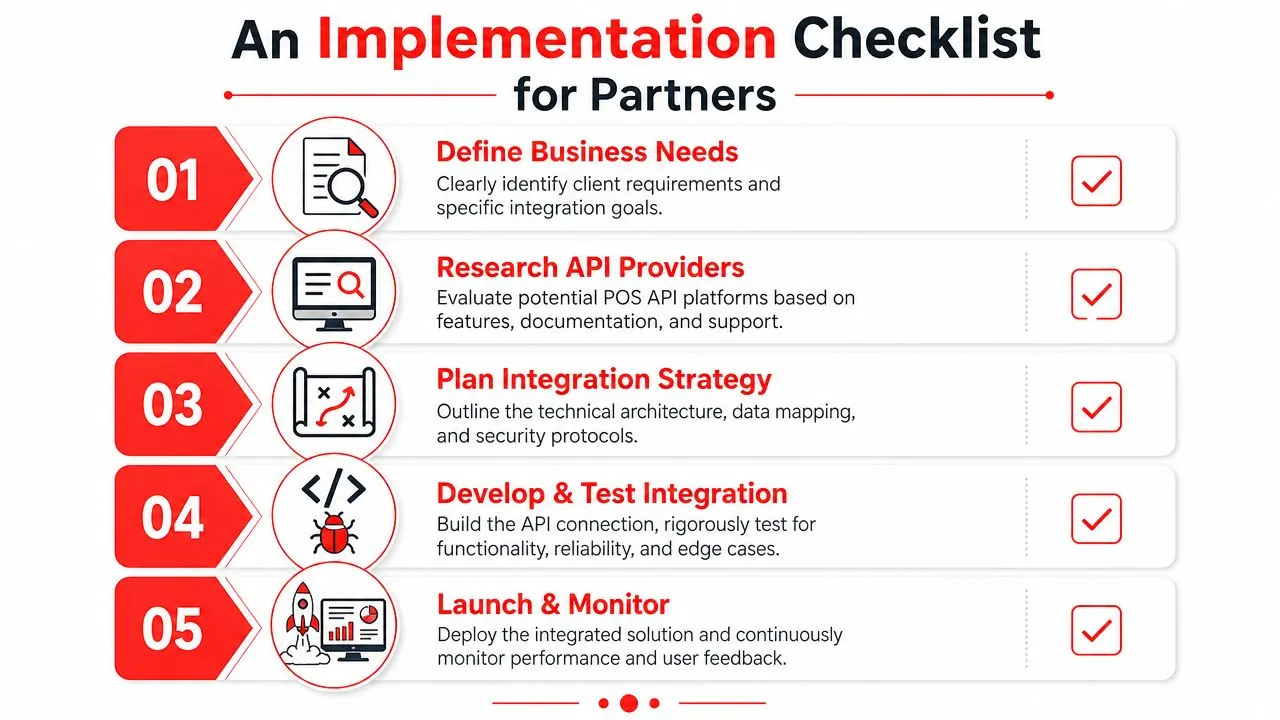
Define the operational problem first
Don’t start with feature lists. Start with what the restaurant is struggling with.
For one account, the problem is extra tablets and manual re-keying. For another, it’s inconsistent modifier mapping between DoorDash and the POS. For a multi-unit group, it may be rollout consistency across locations. A partner who can name the pain clearly will choose a better integration path.
Evaluate the delivery-to-POS motion
If your restaurant clients run Clover, review the commercial fit of OrderOut’s Clover reseller program for delivery POS integration. If they skew toward Square, look at OrderOut’s Square reseller program for restaurant integrations.
What you want to verify is simple:
- Supported channels: Can the solution handle the delivery apps your clients already use?
- POS fit: Does it work cleanly with the POS environments you already sell?
- Merchant onboarding: Can your clients start without adding operational friction?
- Partner model: Can you resell it in a way that fits your business?
Check implementation details before you promise anything
Many channel partners often encounter difficulties. They sell from the ideal workflow and only later discover menu cleanup, modifier mismatch, or account setup blockers.
A better rollout checklist looks like this:
- Review menu complexity: Combo logic and modifiers often determine support load.
- Confirm source-of-truth ownership: Decide whether Clover or Square owns the final operational record.
- Map exception paths: Cancellations, refunds, and unavailable items should have a defined process.
- Test with real merchant data: Demo environments rarely surface the messiest cases.
- Prepare staff guidance: Operators need a short explanation of what changes and what doesn’t.
Use the right install path
If the merchant runs Clover and wants a fast start, direct them to the OrderOut app in the Clover App Market. If they run Square, use the OrderOut app in the Square App Marketplace.
That mid-funnel step matters. It turns partner interest into an actual merchant action instead of leaving the project stuck in “we should look at this.”
Avoiding Common POS Integration Pitfalls
Most integration failures don’t happen because the API call itself is impossible. They happen because a team underestimates messy real-world conditions.
Pitfall one is bad normalization
If marketplace data hits the POS in whatever shape the channel sends it, kitchen workflows drift fast. One app may treat modifiers differently from another. One may send nested options that don’t fit the POS structure cleanly. Staff then invent manual fixes, and those fixes become the actual operating process.
That’s why normalized schemas matter so much in delivery POS integration. The restaurant needs the POS ticket to look familiar every time.
Pitfall two is weak cancellation logic
This is the issue many integrations gloss over in sales conversations. But it’s exactly where support tickets pile up.
As API2Cart’s discussion of POS API cancellation conflicts notes, developers often struggle with conflicting order states when a delivery app cancels after a POS has already processed the charge. The same source says delivery order volumes were up 34% in 2025, and unchecked state conflicts cost restaurants an estimated $12,000 annually per location in refund errors and customer dissatisfaction. For a partner, that means cancellation handling isn’t a technical side note. It’s a merchant risk issue.
Pitfall three is selling “automation” without changing operations
A restaurant doesn’t benefit from automation if staff still have to monitor tablets just in case something didn’t sync correctly. Real implementation means deciding what screen staff trust, what happens when an order fails validation, and who owns support when a mapping issue appears.
One practical option in this category is OrderOut’s 3rd-party delivery-to-POS setup, which routes Uber Eats, DoorDash, and Grubhub orders into Clover or Square without manual re-keying and keeps the POS as the operational source of truth. Partners can review the broader 3rd-party order engine for restaurant delivery integration and a canonical example like Grubhub to Clover delivery POS integration to see how channel-to-POS mapping is packaged.
If staff are creating backup habits around the integration, treat that as a design failure, not a training problem.
Frequently Asked Questions
What does a POS integration API mean for a restaurant partner?
It means you can connect the restaurant’s POS to other systems so data moves automatically instead of through staff re-entry. In practice, that gives you a stronger offer because you’re solving an operating problem, not just selling a terminal or software login.
Does OrderOut work with Clover and Square?
Yes. OrderOut supports delivery POS integration for marketplaces including Uber Eats, DoorDash, and Grubhub into live POS systems including Clover and Square, along with other supported platforms listed on OrderOut’s POS integration FAQ and overview article. For partner conversations, the important part is that Clover and Square are central deployment paths.
Do restaurants need extra tablets for delivery orders?
No. The delivery-to-POS model discussed here is built around injecting orders directly into the POS so staff don’t have to manage separate marketplace tablets as their working system. That keeps Clover or Square as the source of truth for order handling.
Is OrderOut free on Clover?
Yes. OrderOut is free to install on the Clover App Market, which makes it easier for partners to get a merchant started without adding friction to the first step. That’s especially useful when you want the operator to test the workflow quickly.
Which delivery apps connect through this setup?
OrderOut supports third-party delivery POS integration for Uber Eats, DoorDash, Grubhub, ChowNow, and Wix into supported POS systems including Clover and Square. For most restaurant partners, the core use case starts with Uber Eats, DoorDash, and Grubhub because those are the channels operators ask about first.
Start Building Your Integrated Restaurant Solution
A pos integration api becomes valuable when it solves a daily restaurant workflow and gives partners a repeatable way to package that solution. For resellers and ISVs, the opportunity isn’t abstract. It’s the ability to connect delivery channels to Clover or Square in a way operators can trust, support, and keep using.
The practical next step is to choose a rollout path, validate the merchant’s menu and workflow, and move the account into onboarding instead of leaving integration as a future promise. If you want to package delivery orders straight into the POS without extra tablets or manual re-entry, start with a live implementation path and build from there.
If you’re ready to turn delivery-to-POS integration into a real partner offering, start onboarding through OrderOut at the free OrderOut dashboard for restaurant setup and onboarding.