
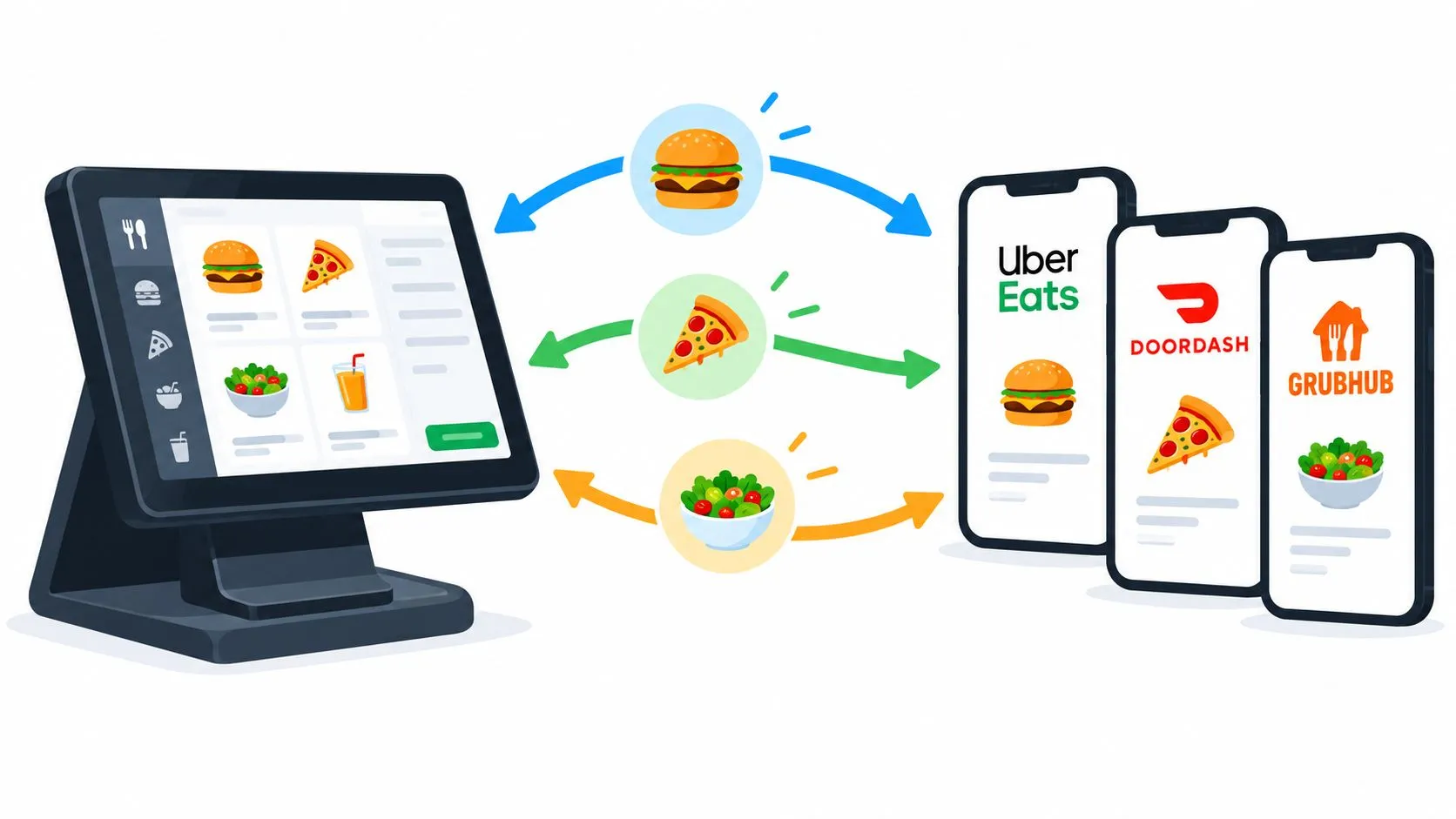
Menu sync keeps one authoritative menu, its prices, modifiers, and availability aligned between a restaurant’s POS and delivery marketplaces so orders can flow into Clover or Square without manual re-entry. For an operator, that means DoorDash, Uber Eats, and Grubhub should reflect the menu staff can prepare, not a collection of disconnected copies.
A familiar shift can still mean juggling delivery tablets, typing a DoorDash ticket into Clover, and discovering that a modifier differs on Grubhub. The fix isn’t faster typing. It’s treating menu sync as operating infrastructure, with consistent field mapping, controlled publishing, and checks that prevent a retry or last-minute edit from creating bad data.
Why Menu Sync Matters for Delivery Operations
Menu sync means maintaining one authoritative POS menu and keeping its items, prices, modifiers, and availability aligned across delivery marketplaces. When the POS is the source of truth, a manager can update the operational menu once instead of trying to remember which app needs a separate correction. That distinction matters because a marketplace listing is a customer-facing view, not a reliable place to maintain the restaurant’s master catalog.
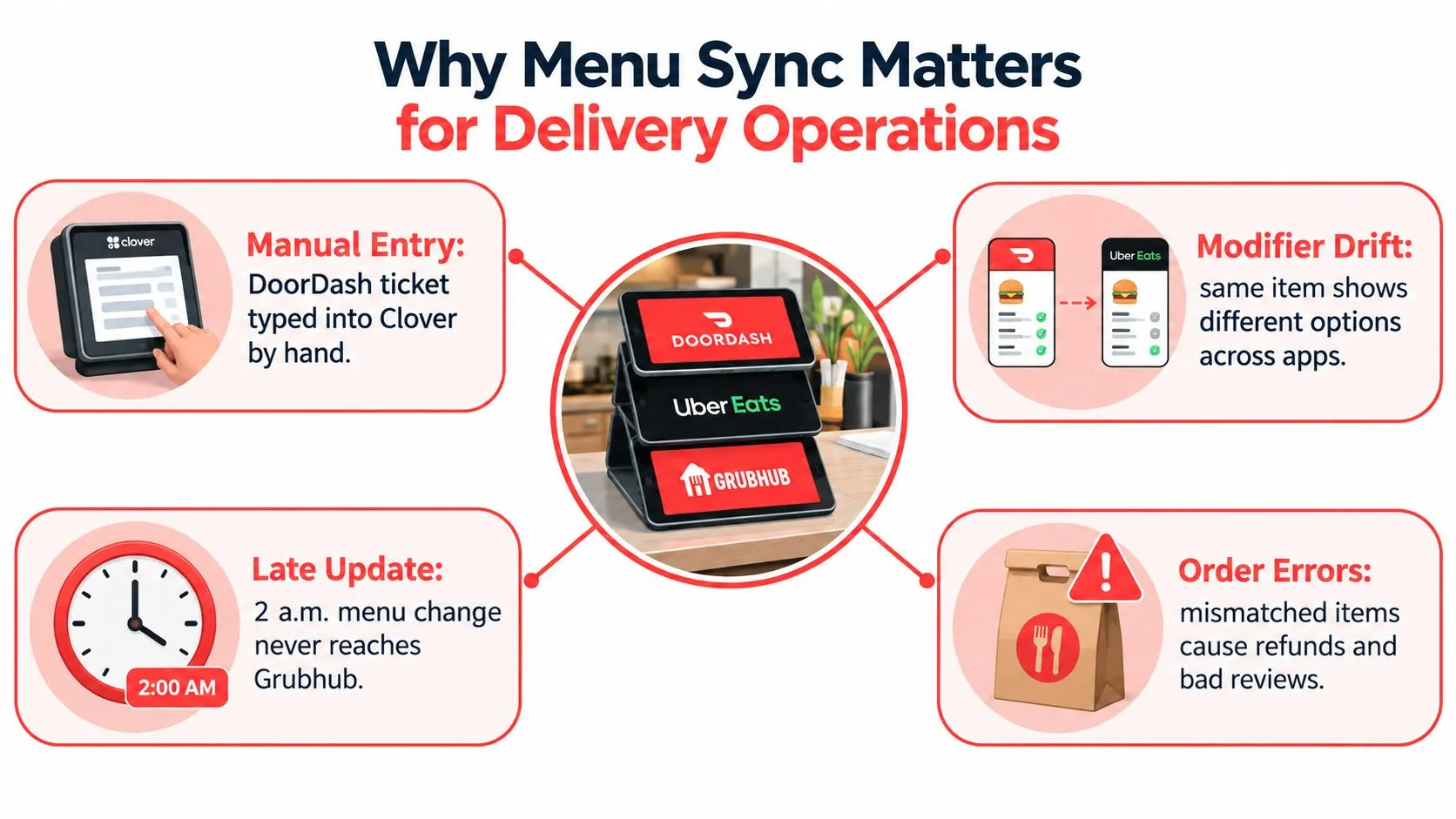
This is an infrastructure problem, not just a data-entry shortcut. Digital restaurant orders had grown 23% over the preceding four years, reaching 3.1 billion visits and $26.8 billion in spending by 2019, according to findings from The NPD Group reported by Restaurant Dive. By 2025, approximately 75% of restaurant traffic occurred off-premises, including takeout, drive-thru, and delivery, in statistics attributed to the National Restaurant Association by Upmetrics. As more orders depend on information customers see before pickup or delivery, stale menu data can lead to unavailable selections, price disputes, and tickets staff can’t fulfill.
A useful way to think about sync is as a controlled flow of information: the POS owns the catalog, and connected channels receive mapped versions of it. For broader context on how synchronized catalogs avoid divergent copies, see NanoPIM’s take on catalog sync. For restaurants, the practical question is whether an update can move safely from the POS through each channel without creating duplicates or losing a modifier.
The Menu Sync Pipeline From Audit to Publish
A dependable menu-sync process is a release pipeline. Each stage catches a different class of error, and the order matters: publishing before identifiers and modifier rules are checked only spreads a bad menu faster.
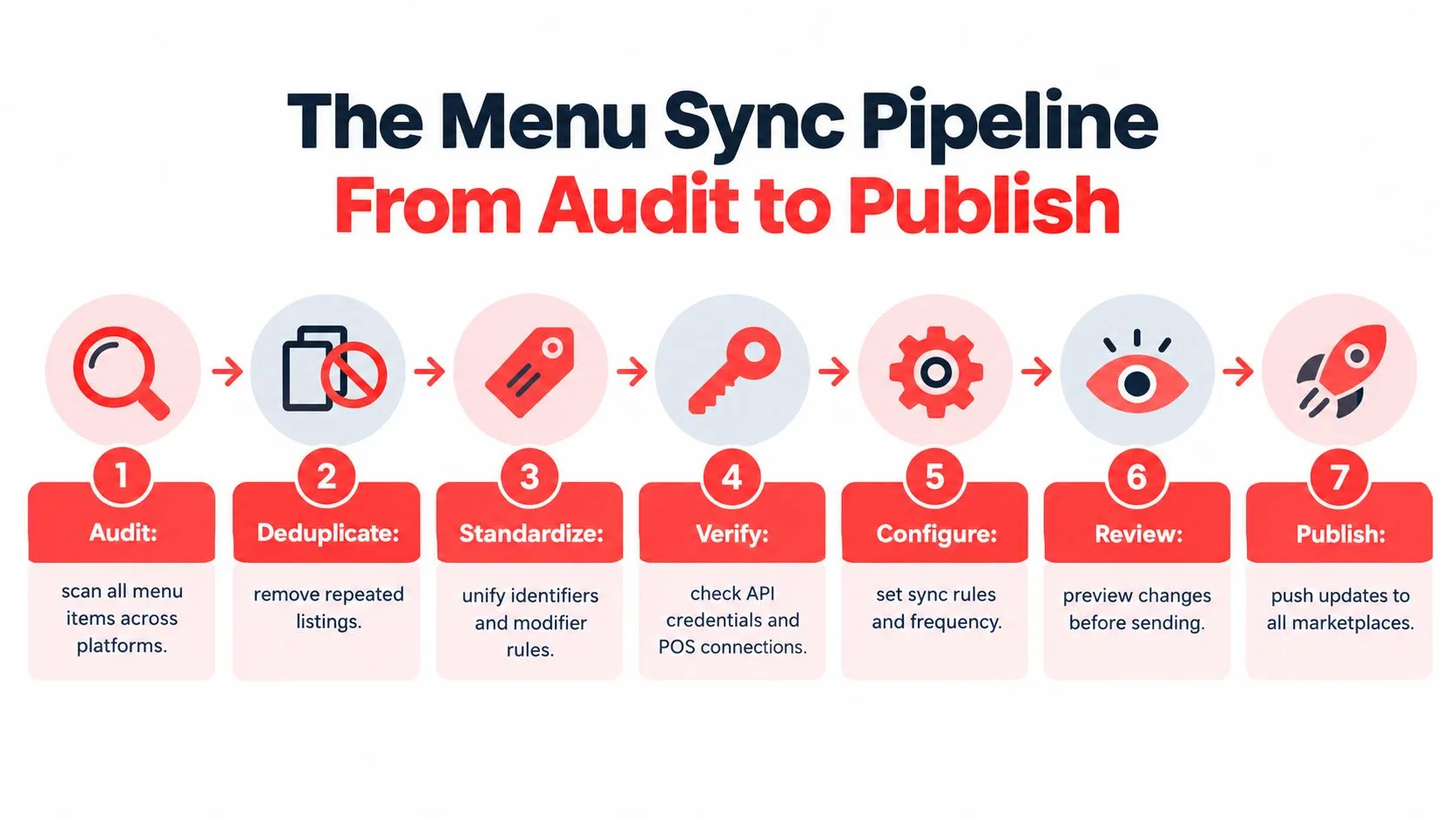
- Audit and deduplicate. Compare POS items with marketplace listings. Resolve duplicate products and decide which catalog entry is authoritative.
- Standardize the fields. Align SKU or PLU identifiers, tax categories, modifier groups, and price rules. A matching item name doesn’t guarantee that the integration has matched the right item.
- Verify access and compatibility. Confirm API credentials and POS-version support before treating a connection as publish-ready.
- Map the full menu. Work category by category, including modifiers, combos, dayparts, location rules, and delivery price tiers.
- Create a versioned snapshot. Freeze a complete, validated copy before publishing. Don’t send a partial catalog while another part is still being assembled.
- Publish and verify. Push the approved snapshot to each channel, then check that it arrived in the expected form.
- Revalidate before checkout. Confirm current availability and cart contents against the live menu so a sold-out item or changed option doesn’t slip into an order.
The key engineering property is idempotency: if a request is retried after a network interruption, the retry must not create another item or order. Publishing should be all-or-nothing, with a rollback to the prior known-good snapshot if validation fails. An integration that can only push changes forward, without safely undoing a bad release, leaves the restaurant to repair every channel by hand.
OrderOut maps marketplace menus to a normalized POS schema, which gives integrations a consistent structure for handling channel data rather than improvising a new mapping for each restaurant. Operators evaluating how integrations communicate can review this practical guide to connecting to an API.
Field Mapping Across Clover, Square, and the Marketplaces
Clover and Square both represent orders as structured data, but they don’t organize every menu field the same way. Delivery platforms add their own catalog and modifier expectations. The connector’s job is to map the meaning of a field, not just copy its label.
Clover’s Orders API can create an order containing line items, modifiers, discounts, and service charges, with taxes and totals calculated in real time. Its modifier groups support minRequired and maxAllowed selection limits, while modifier availability can be represented as true or false through the dashboard or REST API. A connector therefore needs to preserve the item ID, modifier choices, selection rules, and availability state.
Square uses catalog objects such as CatalogItemVariation and CatalogModifier, while also allowing ad hoc line items and modifiers on submitted orders. Its Orders API documentation describes order-level and line-item adjustments for taxes, service charges, discounts, and other price changes. Square’s catalog supports list-based and text-based modifiers, including settings for price, selection limits, defaults, and online ordering visibility, as described in its modifier configuration documentation. Square also states that orders paid with Square payments have no transaction fee through the Orders API, while using a non-Square payment provider incurs a 1% fee per transaction. Check the payment path as part of integration design rather than assuming every order is handled identically.
Field Mapping Coverage by System
The table is a starting audit, not a claim that every channel accepts identical structures. Verify actual support and behavior for each connected account.
| Field | Clover | Square | Uber Eats | DoorDash | Grubhub |
|---|---|---|---|---|---|
| Item identity | Map to Clover item IDs | Map to catalog objects or ad hoc values | Match marketplace product to POS item | Match marketplace product to POS item | Match marketplace product to POS item |
| Modifiers | Groups, limits, price, availability | List or text modifiers, limits, defaults | Map options and constraints supported by the account | Map options and constraints supported by the account | Map options and constraints supported by the account |
| Tax and charges | Order can include service charges and calculated tax | Order supports taxes and service charges | Validate marketplace payload and settlement | Validate marketplace payload and settlement | Validate marketplace payload and settlement |
| Availability | Modifier stock state can be set true or false | Confirm catalog and order behavior for mapped options | Verify item and option states | Verify item and option states | Verify item and option states |
| Channel pricing | Apply the restaurant’s defined POS and channel rules | Apply the restaurant’s defined POS and channel rules | Check displayed menu price and adjustments | Check displayed menu price and adjustments | Check displayed menu price and adjustments |
When a channel field has no clean equivalent, document the fallback and test its effect on the customer-facing menu and POS ticket. This Square developer API guide can help operators and integration teams understand the Square-side model.
Modifiers, Availability, and the Truth Behind 86’ing
Modifier fidelity is where a menu that looks correct can still generate a wrong ticket. Consider a lunch platter with a required side, an optional protein upcharge, and a dessert add-on available only for delivery. The POS and each marketplace need to agree on which choices are required, which change the price, and when the add-on can be ordered.
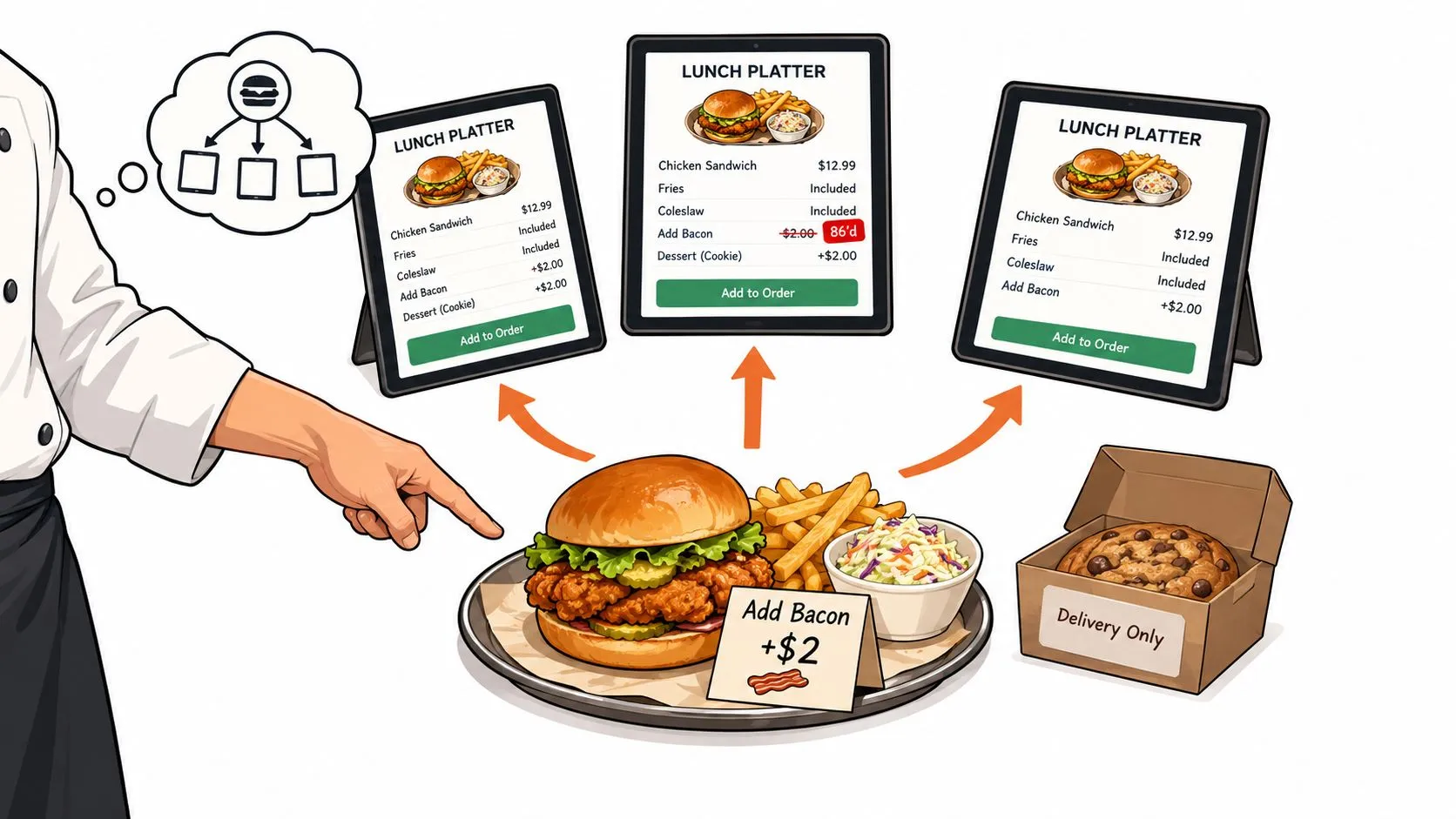
Start by mapping each modifier group’s rules, including required and optional choices, quantity limits, nested combos, price deltas, and tax treatment. Then account for sold-out states, time-based availability, and location-specific menus. If the kitchen runs out of the platter’s side, changing the POS alone isn’t enough if a marketplace continues to accept the choice.
Operational rule: Treat an availability change as an event that needs to propagate, not as a note for the next menu cleanup.
After a menu change, place synthetic orders for representative combinations. Compare the marketplace payload with the POS record, kitchen ticket, and settlement total. This catches silent disagreements, such as a modifier appearing to the customer but disappearing from the ticket, or an upcharge appearing in one system but not another. A reliable test plan should also cover coupons, refunds, and location rules. For more on keeping stock status aligned with ordering, see these inventory management practices.
Menu correctness also affects customer trust and safety. A 2025 review of restaurant allergen communication found that information was often conveyed verbally, while online menus provided limited detail and mostly general warnings. A technically accurate item name can’t compensate for a stale allergen or unavailable modifier. Assign an owner to ingredient and allergen changes, escalate those changes for cross-channel verification, and don’t assume that a successful publish proves the customer-facing details are complete.
Versioning, Snapshots, and Pre-Checkout Revalidation
Treat a menu release like a controlled change to a live ordering system. A versioned snapshot is a frozen copy of the complete menu at a point in time. It gives the operator and integration team a known state to validate, publish, and restore if the update produces a problem.
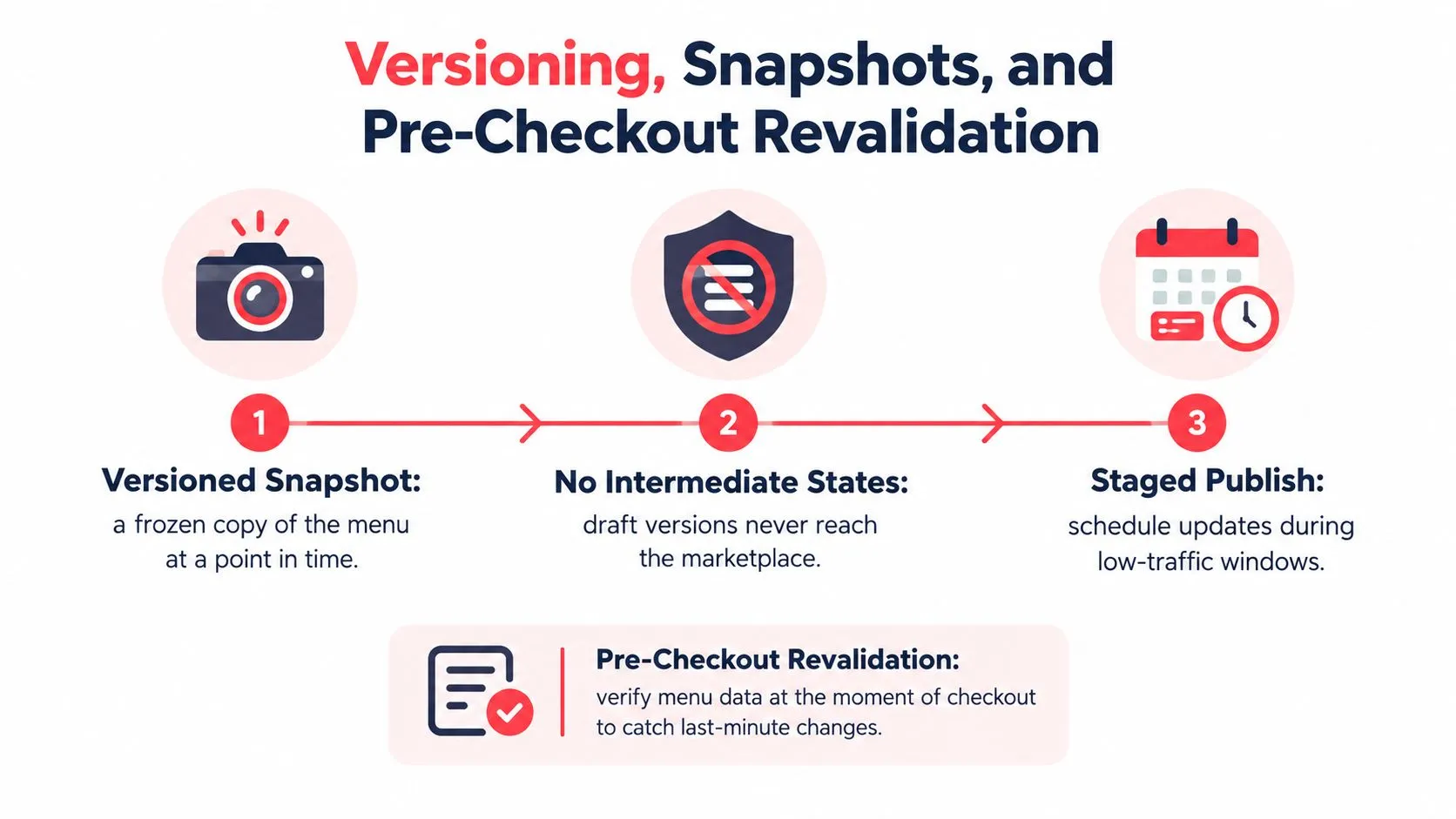
Draft changes shouldn’t leak to a marketplace as intermediate states. Once a snapshot passes field-level checks, publish it in a controlled window. Where the workflow allows, send the release to one channel first, check what customers and staff see, and then continue. That staged approach can reveal a mapping problem before it affects every ordering surface.
A snapshot diff still can’t prove that a live cart behaves correctly. Before exposing the change to customers, test the live menu and a representative cart for prices, modifiers, and availability. Revalidate again near checkout where possible, because availability can change after the publish. Practical guidance on keeping a digital menu current reinforces why updates need to match the menu customers are viewing.
A rollback is useful only if the team knows which approved version to restore and can identify the version associated with an affected order.
Keep the prior known-good snapshot available, and retain an audit trail linking menu versions to orders. For a deeper explanation of why consistent records matter, see this guide to data integrity. The normalized mapping layer makes it practical to apply the same release discipline across restaurants without relying on one-off manual rules for every menu.
Common Pitfalls and How an Operator Catches Them
Most menu-sync failures aren’t mysterious. They come from identifiable gaps in mapping, access, retries, or recovery. Give each one a symptom and a guardrail rather than relying on staff to notice after a customer calls.
| What staff notice | Likely cause | Guardrail |
|---|---|---|
| An order has the wrong item | POS and marketplace identifiers don’t match | Audit IDs and test representative products |
| A choice is missing from the ticket | The channel’s modifier structure wasn’t supported or mapped | Validate required, optional, and nested choices |
| An app shows yesterday’s menu | A batch update is stale or failed | Check publish status and compare the channel with the current snapshot |
| Orders stop arriving | API credentials are missing or expired | Monitor connection status and verify access before a release |
| One order appears twice | A retry created a second submission | Use idempotent request handling and inspect duplicate behavior |
| Payouts don’t reconcile | Fees, promotions, refunds, or taxes don’t line up | Compare channel records with POS tickets and settlement data |
| Staff return to manual entry during an outage | Offline fallback isn’t defined | Establish a controlled recovery path and reconcile manually entered orders |
Vendor-reported performance benchmarks aren’t universal guarantees. Validate any claimed improvement against the restaurant’s own pre- and post-integration measurements, including rejected orders, stale-menu incidents, entry corrections, and reconciliation discrepancies.
Reconcile channel payouts weekly rather than monthly so fee, refund, promotion, and tax differences remain traceable while the transactions are easier to investigate. The practical checklist for manual data-entry errors can help pinpoint which parts of the workflow still depend on re-keying.
Putting It Together and Your Next Step
A workable menu-sync operation has one source of truth, validated field mappings, controlled releases, and a way to recover from a bad change. The POS stays authoritative. Marketplaces receive a mapped view, and operators verify that view instead of assuming a successful push means everything is correct.
That operating discipline covers both catalog changes and incoming orders. Clover’s Orders API supports creating and managing in-store and online orders, including delivery and pickup. Square’s order model handles line items, modifiers, and price adjustments. In either case, the connector must preserve the product identity, modifier choices, and applicable charges so the incoming marketplace order is usable by the restaurant.
For teams that don’t want to manage each delivery tablet and re-key orders, OrderOut connects Uber Eats, DoorDash, and Grubhub to Clover or Square by mapping marketplace menus to a normalized POS schema and injecting orders into the POS. The 3rd-party order engine is the overview, and the Square delivery integration covers the Square path. OrderOut is free to install through the Clover App Market, and its role is to remove extra delivery tablets and manual order entry while keeping the POS as the operational source of truth.
If you use Clover, start through the Clover App Market listing. Square operators can use the Square App Marketplace listing, or begin onboarding at dashboard.orderout.co. For restaurants building a customer-facing menu experience alongside marketplace operations, this practical guide to hosting restaurant menu QR codes offers related context.
Frequently Asked Questions
Does OrderOut work with Clover and Square?
Yes. OrderOut connects third-party delivery marketplaces including Uber Eats, DoorDash, and Grubhub with Clover and Square, so orders can be injected into the POS instead of being re-keyed.
How often does the menu refresh after a POS edit?
Menu updates depend on the connected POS, marketplace, and integration workflow. Confirm the refresh behavior for your setup, and check the channel after an important change rather than assuming it has already propagated.
What happens when a marketplace rejects a modifier?
The restaurant should verify how that marketplace represents the option, then compare the live listing, the POS order, and the kitchen ticket. If the modifier has no clean equivalent, document the fallback and test an order before relying on it.
How do I reconcile orders when commission and tax differ across channels?
Compare marketplace order details and settlement records with the POS ticket, checking taxes, fees, discounts, refunds, and promotions separately. Reconcile weekly so discrepancies are easier to trace to the affected orders.
OrderOut connects Uber Eats, DoorDash, and Grubhub orders to Clover or Square, helping operators avoid extra delivery tablets and manual re-keying. Review the OrderOut platform and choose the POS onboarding path that fits your restaurant.