
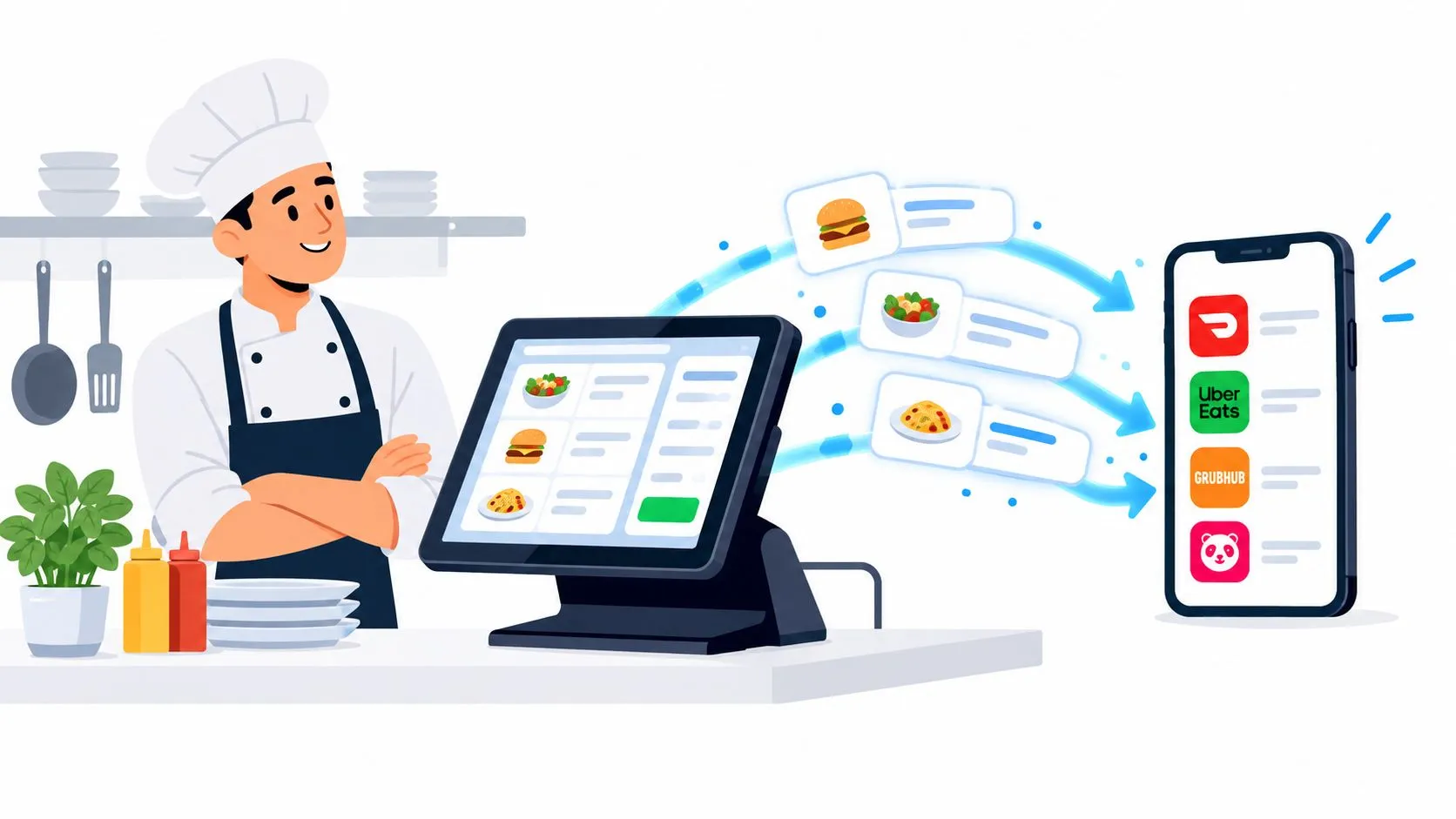
Webhook integration is event delivery over ordinary HTTP, and in a restaurant it’s the clean way to push delivery orders straight from Uber Eats, DoorDash, or Grubhub into Clover or Square. It matters because the order shows up as a POS ticket instead of another tablet to babysit.
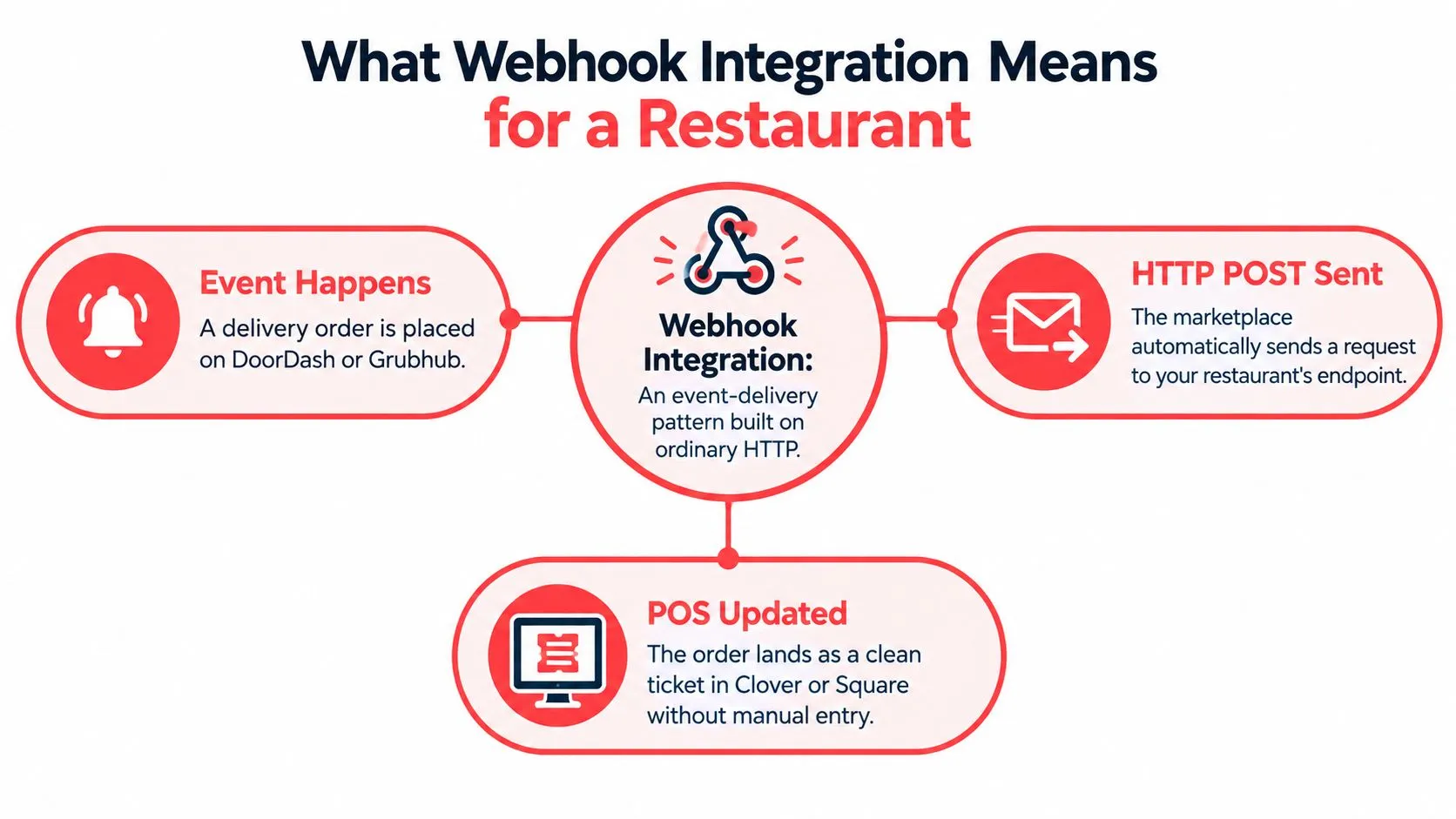
What Webhook Integration Means for a Restaurant
Webhook integration is a simple event-delivery pattern built on ordinary HTTP, where one system sends an HTTP request to another system’s URL when something happens. In restaurant terms, that means a marketplace can tell your POS that an order was placed, cancelled, or updated, instead of making your team keep checking a tablet.
On a busy night, the difference is obvious. Without integration, staff juggle delivery tablets, re-key modifiers, and hope the ticket on the screen matches the bag on the counter. With webhook integration, the marketplace event arrives at a callback endpoint, the order is translated into POS language, and the restaurant works from one operational view.
That’s why webhook integration is a contract, not magic. It includes an event schema, an HTTPS endpoint, authentication, response codes, and delivery behavior. When those pieces line up, a webhook can move real-time information across systems without forcing everyone to use the same vendor or stack. WebhookDB’s monitoring guide describes this model as a delivery pattern built on HTTP, with response codes used to decide whether delivery succeeded or failed.
Practical rule: if the order can’t be acknowledged, authenticated, and mapped cleanly, it hasn’t really been integrated yet.
For restaurant operators, that matters because the webhook is only the handoff. The harder work is making sure the ticket lands in the right place, with the right items, and without asking staff to retype anything.
How a Webhook Actually Travels Between Systems
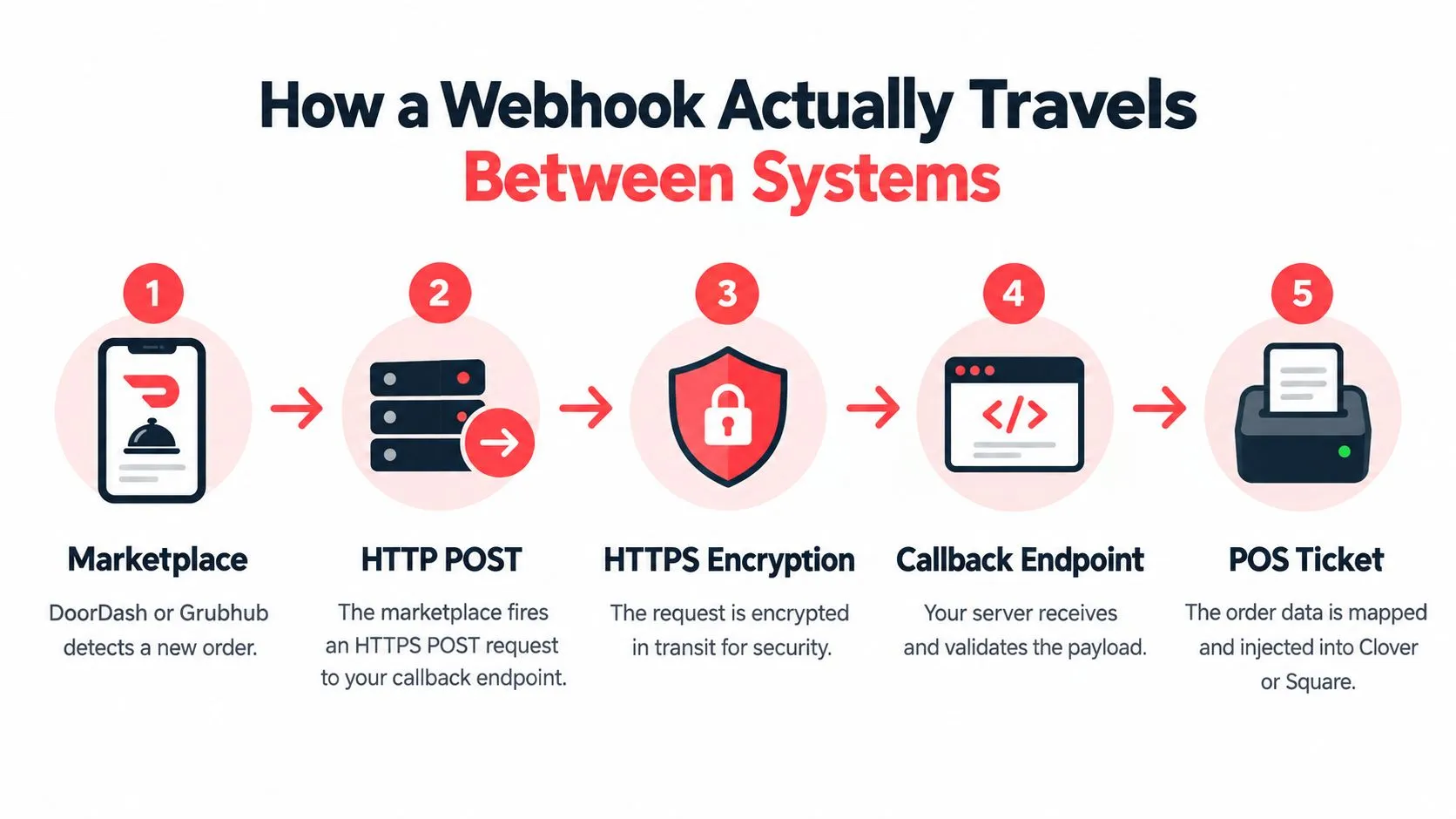
A webhook starts when the marketplace detects an event and sends an HTTPS POST to your callback endpoint. Uber Eats documents this pattern clearly, its Order API uses event-driven webhooks when an order is created, cancelled, or scheduled, and the payload includes an order identifier plus a resource URL rather than the full ticket itself. The receiver then fetches the complete order from the Get Order endpoint, which is why the webhook is a trigger, not the final record. Uber Eats webhooks spell out that flow, and Purple Engage’s webhook integration guide is a useful reference if you want another clean explanation of callback-driven delivery.
The part operators usually miss is timing. The receiving system needs to acknowledge quickly with a successful response, then do the heavier work after the handoff. If the response is slow or missing, the sender may treat the attempt as failed and try again, which is where duplicate deliveries start to appear.
What the receiver actually does
The callback service should inspect the event, validate it, and then fetch or normalize the full record before touching the POS. That’s the step where a simple marketplace event becomes a usable restaurant ticket.
- Receive the trigger: the webhook says something happened.
- Fetch the ticket: the order details come from the source system.
- Normalize the data: items, modifiers, and fulfillment data get translated into POS fields.
- Acknowledge fast: the sender gets a successful HTTP response.
- Process safely: the POS write happens in a controlled way after ingestion.
For teams that want a closer look at the API side of that plumbing, OrderOut’s Square developer API article is a helpful companion.
Mapping Delivery Orders into Clover and Square
Delivery-to-POS integration lives or dies on mapping. The marketplace has its own language, the POS has its own schema, and the integration has to translate one into the other without losing meaning.
A common flow looks simple on paper. An order arrives from a marketplace, the integration fetches the full ticket, and a normalization layer turns that external menu into a POS-ready order object. Square’s Orders API supports itemized orders built from custom line items or catalog objects, and it can send orders to physical Square Point of Sale devices for fulfillment. That structure is why normalized injection works well there. Square’s Orders API webhook reference shows the itemized model in practice.
Clover introduces a different constraint. Webhooks are configured at the application level through the Clover Developer Dashboard, with a publicly accessible HTTPS callback endpoint and a verification step before activation. The integration therefore has to do two jobs at once, accept the event and prove the callback is legitimate, then map the right merchant to the right location before the ticket reaches the kitchen. Clover’s developer FAQ documents that dashboard-level setup.
Why mapping matters in practice
A marketplace may label an item one way, while the POS expects a catalog object, a modifier group, or a specific fulfillment state. When those fields do not line up, staff end up correcting the order by hand, and the value of the integration disappears. OrderOut’s restaurant POS API article is useful if you want a closer look at how those data structures are normalized before the ticket hits the floor.
The cleanest deployments keep the POS as the source of truth. The order lands in Clover or Square in the format the restaurant already uses, instead of forcing the team to translate delivery-app wording during the rush.
A good integration makes the marketplace invisible to the line cook. The ticket should look like it was meant for the POS from the start.
For operators evaluating integration options, OrderOut’s restaurant POS API article shows the kind of mapping work that has to happen before external menus become usable restaurant workflows.
Reliability Beyond a Successful Connection
A webhook can look healthy and still fail where a restaurant feels it most. The sender reaches your endpoint, your server answers, and the POS still misses the order if the downstream write fails or the same event is applied twice.
That is why at-least-once delivery matters. It means duplicates are part of normal operations, so the receiver has to keep a stable event ID, deduplicate before changing order state, and make the handler idempotent. For teams watching webhook performance, Hook0’s webhook monitoring article points to the signals that matter most, including first-attempt success rate, retry rate, endpoint response time, and delivery latency.
A good way to picture the risk is a kitchen ticket that gets printed twice. The printer worked both times, but the line still has to know which ticket is the correct one.
Reliability comes from several small controls working together.
- Fast acknowledgement: accept the event quickly, then process it asynchronously.
- Stable identifiers: store the event ID before changing order state.
- Retry-aware design: expect resend attempts when a delivery times out or fails.
- Dead-letter handling: isolate events that still fail after retries.
- Signature checks: verify HMAC-style signatures before business logic touches the payload.
Security belongs in the same conversation. A solid receiver verifies the signature over the raw body, uses HTTPS, and checks for replay within a narrow time window. Order events cannot be trusted just because they arrived.
Practical rule: a 200 response means the receiver was reachable, not that the order made it safely into the POS.
For teams that want a closer look at why uniqueness and record integrity matter in this workflow, OrderOut’s data integrity article is worth a look.
Benefits Operators Notice
The clearest gain is operational, not technical. When Uber Eats, DoorDash, and Grubhub feed into the POS instead of separate tablets, staff work from one ticket stream instead of bouncing between screens.
That changes the floor rhythm in practical ways. Orders are less likely to be retyped with the wrong modifier, the expo line sees a single source of truth, and managers do not have to compare delivery tablets against the POS every time a rush hits. The workflow also feels calmer because the team is not translating menu language on the fly.
A webhook-fed POS changes the day-to-day work behind the interface as much as the interface itself.
- Fewer manual touchpoints: the ticket arrives where staff already work.
- Less screen-juggling: one queue is easier to manage than several tablets.
- Cleaner prep flow: orders enter the kitchen with less human re-entry.
- Better consistency: marketplace tickets and POS tickets line up more closely.
The reason is the mapping layer and the acknowledgement flow. Once the order is normalized and injected, the POS stays the operational center, and the marketplaces become intake channels instead of parallel systems. That is also why OrderOut’s order entry automation article matters to operators, because the benefit shows up as fewer hands-on fixes, not as a flashy feature.
For teams evaluating deployment on Clover or Square, the practical move is to start from the install point. For Clover, the app lives in the Clover App Market listing, and for Square, the equivalent start point is the Square App Marketplace listing.
Common Pitfalls and Misconceptions
A webhook can say “received” while the restaurant still gets the wrong ticket, the wrong location, or a duplicate. That gap is where integration mistakes usually hide. The handshake only proves the receiver answered. It does not prove the order was written correctly in the POS.
Menu drift is another common failure mode. A marketplace item name can stay put while the POS menu changes underneath it, so modifiers, options, and labels drift apart. Once that happens, staff end up fixing tickets by hand, especially in multi-location setups where one site updates faster than another.
Where integrations usually break
Some issues are easy to spot once you know the pattern.
- Authentication gaps: payloads that are weakly signed, or not signed at all, should not be trusted.
- Replay windows: the same event can arrive again if the receiver does not track it.
- Retry storms: repeated failures can create duplicate tickets or duplicate state changes.
- Silent failures: the marketplace may show success while the POS never gets the order.
Clover’s app-level setup shows why this gets missed. Because the webhook is configured in the Clover Developer Dashboard, the team has to handle endpoint verification and merchant-to-location mapping correctly before trusting the first order. Clover’s general FAQs are direct about the verificationCode step and the need for a publicly accessible HTTPS callback.
The contrarian truth is simple. At-least-once delivery plus idempotent reconciliation is the workable target. Exactly-once behavior sounds clean on paper, but restaurant systems live with retries, lost responses, and state changes. The safer design expects those conditions and handles them without making staff clean up duplicates by hand.
What to Evaluate in a Delivery POS Integration
When you compare webhook-powered delivery integration options, ask how the system normalizes marketplace data before it touches the POS. If the vendor can’t explain how it handles menu drift, modifiers, retries, and duplicate events, the integration will probably shift the cleanup work back onto your team.
You also want to know what gets monitored. A useful setup shows delivery attempts, retry behavior, and failed events in a way operators can act on, instead of hiding failures behind a “connected” status. OrderOut’s API connection guide is a good reminder that integration quality is about the full path, not just the initial handshake.
Questions worth asking a vendor
- How are orders normalized? You want the marketplace mapped into POS-friendly structures, not loose JSON dropped into a queue.
- What happens on duplicate delivery? The handler should be idempotent, not brittle.
- How are missing or delayed events handled? Reconciliation matters when delivery platforms and POS systems disagree.
- Which channels and POSs are supported? The solution should fit the actual restaurant stack, not a generic demo.
- Does the POS stay the source of truth? If not, staff will end up double-checking everything.
If you’re looking for one in-scope solution built around that approach, OrderOut’s Clover delivery integration and OrderOut’s Square delivery integration are the pages to review first. They sit inside a broader restaurants overview that keeps the focus on delivery-to-POS flow, not tablet sprawl.
Frequently Asked Questions
Does OrderOut work with Clover and Square?
Yes. It’s built to inject marketplace orders into Clover and Square so the POS stays central. The important part is the mapping layer, because that’s what keeps delivery tickets readable and usable inside the restaurant workflow.
Does webhook integration replace delivery tablets?
It should, if the integration is set up correctly. The point is to remove the extra screen and let orders land in the POS instead of making staff re-key them. If tablets are still needed to manage the flow, the integration isn’t doing enough.
How are duplicate or replayed orders prevented?
The receiver needs to track a stable event ID and treat repeated deliveries as the same business event. That’s the practical way to handle at-least-once delivery without creating duplicate tickets or duplicate state changes.
What if a marketplace order doesn’t appear on the POS screen?
First, check whether the event was acknowledged, then check the mapping and authentication path, then look at the retry or failure queue. If the marketplace got a success response but the POS never updated, the problem is usually in the downstream processing, not the webhook trigger itself.
OrderOut connects Uber Eats, DoorDash, and Grubhub into Clover or Square so restaurants can work from one POS instead of juggling extra tablets. If you want to see how that delivery-to-POS flow fits your setup, visit OrderOut and look at the options for your restaurant.