
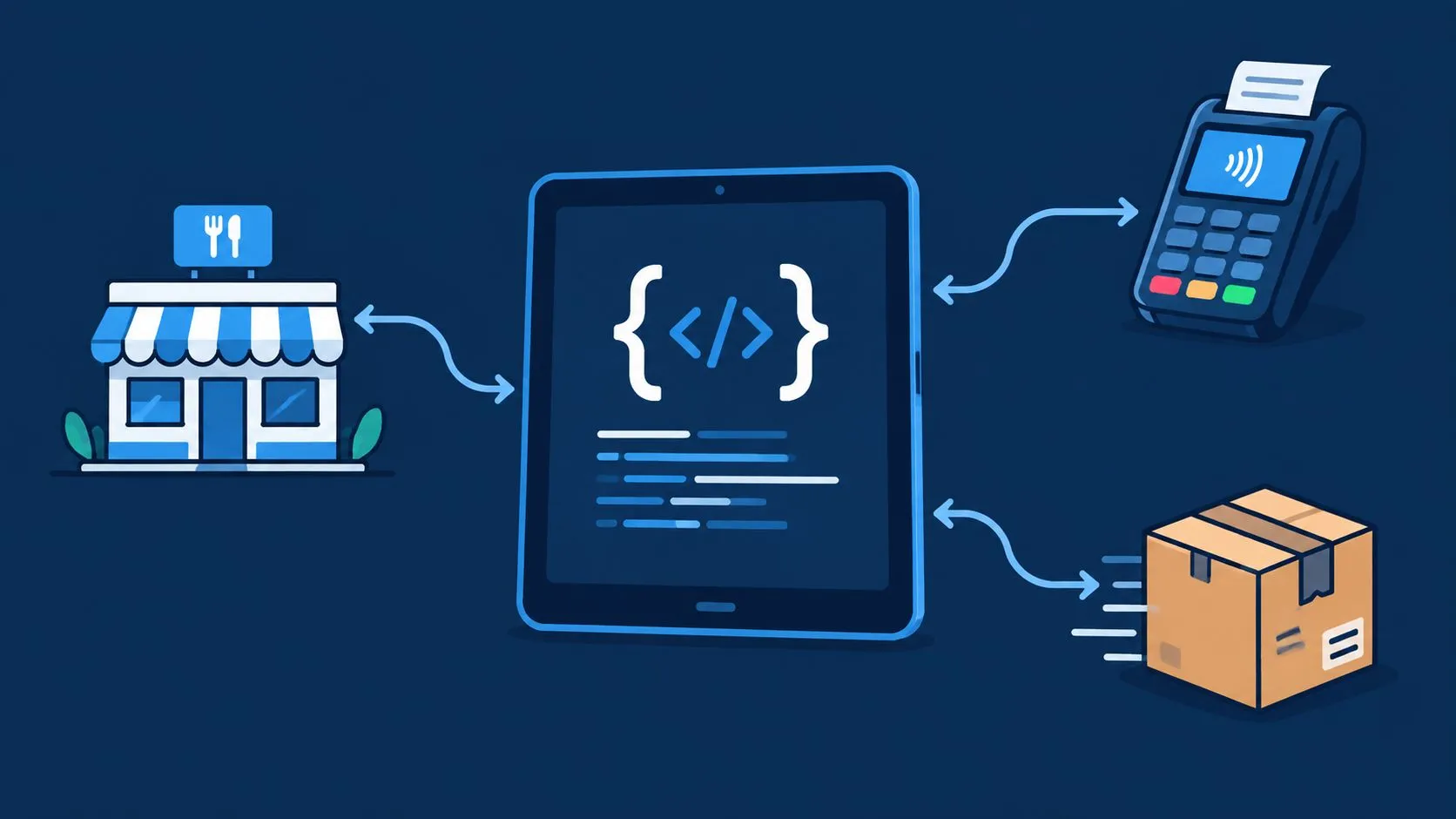
Square Developer API is Square’s versioned REST platform for payments, orders, catalog, and POS workflows, and restaurants use it to keep delivery orders, menus, and fulfillment moving through one stable system. For live restaurant integrations, the main job isn’t just calling endpoints, it’s keeping order flow intact when versions, SDKs, and webhook behavior change underneath you.
A lot of operators only see the surface, a new marketplace order comes in, the kitchen needs it in the POS, and staff can’t afford to retype anything. Developers see the deeper problem, the API has to stay predictable across payment, menu, refund, and webhook changes while the restaurant keeps serving guests.
What Square Developer API Is and When to Use It
Square Developer API is the set of Square APIs and SDKs you use to build commerce workflows around payments, orders, catalog, locations, customers, and fulfillment. Square’s release history shows that this platform has been extended steadily over time, with major milestones in 2016, later additions like the Payments API in 2019 and Refunds API in 2020, and ongoing releases through 2026 on the public changelog archive (Square changelog).
For restaurants, that matters because a delivery-to-POS workflow is not a toy integration. You need a way to accept an order from Uber Eats, DoorDash, or Grubhub, map it into the restaurant’s menu structure, and keep the POS as the source of truth. That’s exactly where Square’s Orders, Catalog, webhooks, and versioning controls become practical instead of theoretical.
Start with the business job, not the endpoint
If you’re an operator, the question is simple. Does this integration prevent extra tablets and manual re-keying? If you’re a developer, the question is more precise. Which Square object owns the order, which object owns the menu, and which event tells you that state changed?
Practical rule: build around the restaurant workflow first, then choose the API object that matches that workflow.
For a plain-language primer on integration patterns, OrderOut’s API integration overview is a good companion to Square’s own docs. It helps frame why the same order can pass through a delivery marketplace, a mapping layer, and a POS without becoming three different sources of truth.
When you use Square Developer API well, you’re not just sending requests. You’re defining how order data, payment state, and menu data stay aligned across the restaurant stack.
Authentication and Versioning That Keeps Integrations Stable
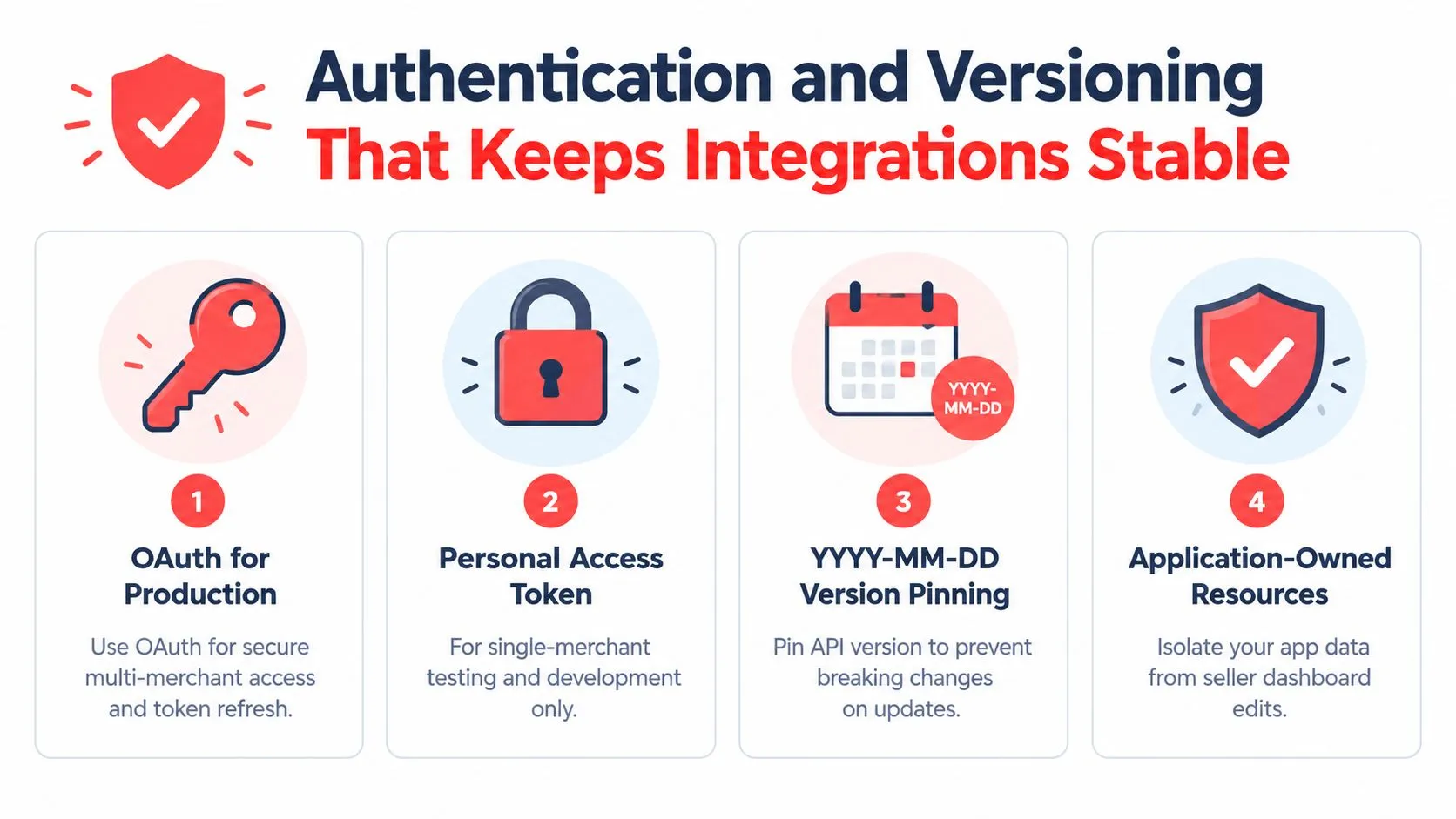
Square gives you two control points that matter most in production, authentication and versioning. Its APIs use a date-based version format, YYYY-MM-DD, and each app has a default version pinned in the Developer Console. Requests can override that default with the Square-Version header, which gives teams a safe way to test new behavior before rolling it into live order flow (Square versioning overview).
Choose the right token for the job
Square’s documentation distinguishes between OAuth access and the application’s personal access token. For a restaurant platform that serves multiple sellers, OAuth is the right pattern because the seller authorizes access to their account. For application-owned resources like webhooks subscriptions, Square says the Webhooks Subscriptions API requires the application’s personal access token rather than an OAuth token (Square common API patterns).
That split trips people up because the token choice changes what the app can own. If your integration is tied to one restaurant, a personal access token may work in development. If it’s a product you’ll deploy across accounts, OAuth is the cleaner production model.
Pin versions before you ship
The safest production pattern is straightforward. First, pin the default API version in the Developer Console. Second, test a newer version in a controlled environment by sending the Square-Version header. Third, promote only after the restaurant workflow behaves the same way in sandbox and production.
Keep the default pinned, then override it only when you’re deliberately testing change.
That approach matters for order sync because breaking changes rarely look dramatic in a demo. They show up as a modifier that disappears, a webhook that arrives differently, or a validation rule that rejects a ticket during dinner rush. For operator-facing tools, those are not small defects, they’re lost trust.
If you’re installing a Square-connected delivery workflow, the practical starting point is the Square listing in the app marketplace. That’s the right place to connect the operational side before the engineering team starts tuning versions.
Core Square APIs by Restaurant Job to Be Done
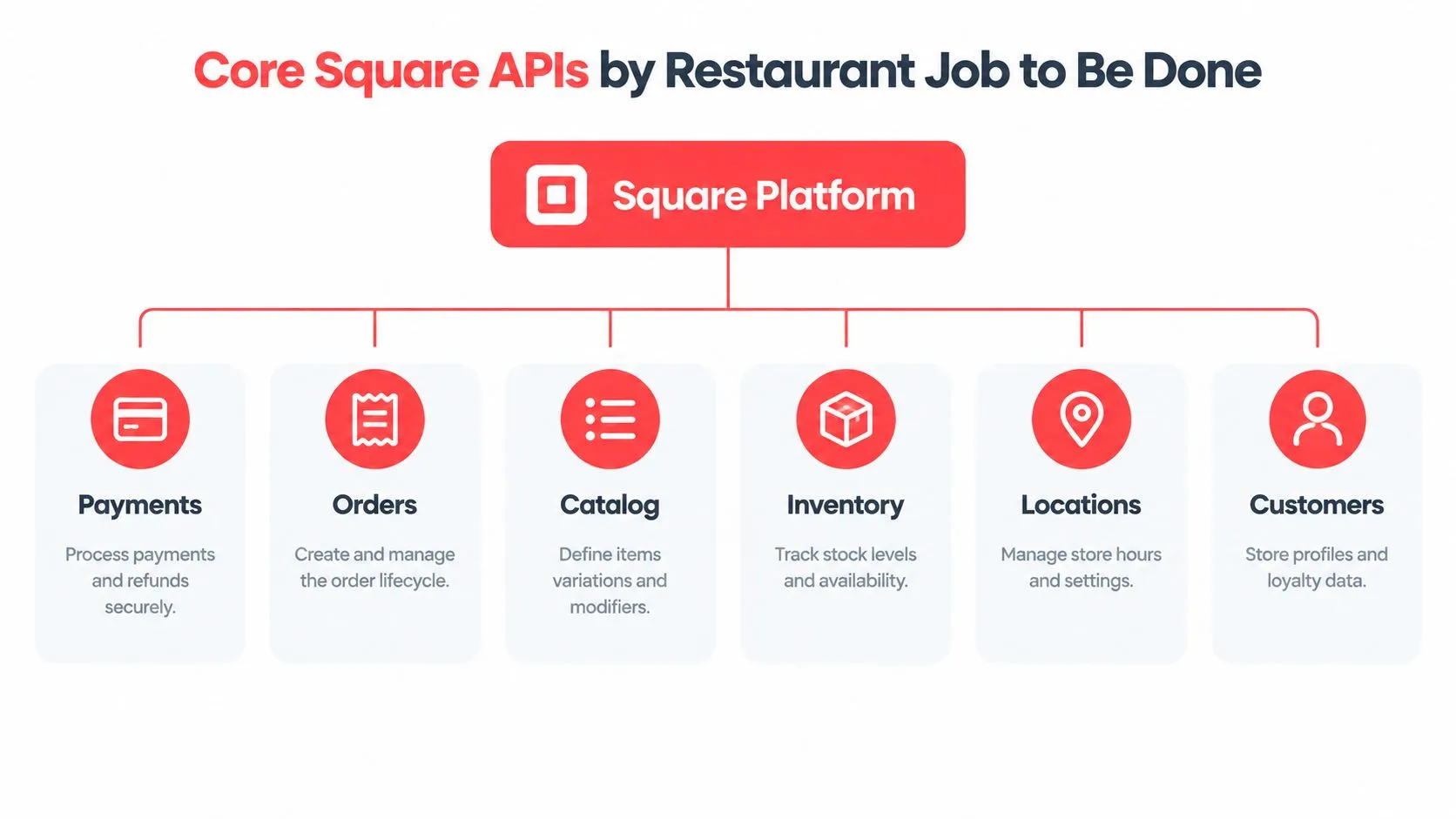
Square’s API surface makes more sense when you sort it by restaurant job instead of endpoint name. The Payments API handles payment capture and related money movement. The Orders API owns order creation and fulfillment flow. The Catalog API defines items, variations, modifiers, and taxes. The Inventory API reflects availability. Locations ties settings to a store. Customers stores guest profiles where that’s part of the workflow.
Match the API to the operational need
A delivery order injection usually touches more than one of these. The marketplace payload may arrive as an order, but the menu structure lives in Catalog. The sold item affects inventory. The final sale may need payment context. That’s why restaurant integrations fail when teams try to treat Square as a single endpoint instead of a platform with distinct objects.
Here’s the quick mental map:
- Payments: Use it when the restaurant needs payment confirmation or refund-related handling.
- Orders: Use it when you need the live ticket, item list, and fulfillment state.
- Catalog: Use it when menus, modifiers, or tax rules have to stay aligned.
- Inventory: Use it when stock or availability changes should be reflected back into the workflow.
- Locations: Use it when a store-specific configuration matters.
- Customers: Use it when guest records or loyalty-linked profiles are relevant.
Use the right object for the right change
The common mistake is pushing menu updates through the order path or trying to manage fulfillment through catalog edits. Square’s Orders API already handles the operational side of the ticket, while Catalog owns the menu structure underneath it (Square Orders API overview).
For developers who want a broader restaurant integration picture, OrderOut’s 3rd-party order engine is the right product page to compare against the API model. It’s the layer that maps delivery channels into the POS schema so the restaurant isn’t forced to manually translate every marketplace order.
Orders API From Creation to POS Fulfillment
Square’s Orders API records purchase items, calculates totals, confirms payments, tracks fulfillment progress, and updates catalog inventory. It can also create fulfillment orders and send them to the Square Point of Sale app for fulfillment (Square Orders API overview).
The lifecycle is easiest to understand if you follow the ticket from arrival to handoff. A marketplace order arrives with items and modifiers. Your integration normalizes that payload, creates the Square order, confirms the money state, and sends the right fulfillment details to the POS so the kitchen sees one coherent ticket.
Treat the order as a state machine
A restaurant ticket is never just a blob of JSON. It changes state. It starts as a draft-like payload, becomes a confirmed order, then moves through prep and completion. Square’s Orders API is built for that progression, which is why it fits restaurant operations better than a generic payload store.
If you’re building a delivery-to-POS path, the practical checkpoints are simple:
- Create the order with the correct items and modifiers.
- Verify totals against the mapped menu and tax rules.
- Attach payment context when the transaction is confirmed.
- Track fulfillment so the kitchen and front of house see the same status.
- Keep inventory aligned so sold items don’t stay available longer than they should.
The key is not speed alone. It’s consistency between the marketplace, the POS, and the kitchen.
Keep the handoff readable for the POS
A clean POS handoff needs the right fields, not every field. Square’s forum guidance says order.created and order.updated can fire for orders created or updated through Square POS, Square Online, the Orders API, Order Manager, and the Square Dashboard, but the webhook payload contains only metadata such as order_id, version, state, location_id, and timestamps, not the full order (Square developer forum).
That means your integration should fetch the full object after the event, not assume the webhook is the full ticket. If you’re mapping marketplace orders into Square for restaurant operations, OrderOut’s order entry automation guide gives a useful operational lens on why the handoff matters more than the transport.
Catalog and Inventory Sync for Accurate Menus
Catalog is where restaurant menu accuracy lives. If the item name, variation, modifier group, or tax setup is off, the order may still arrive, but it won’t land cleanly in the POS. Square’s Catalog objects support items, variations, modifier lists, discounts, and taxes, and the Inventory API reflects stock changes driven by the order flow.
Normalize the menu before you sync
The easiest way to avoid bad injections is to map every marketplace menu into a normalized POS schema before it reaches Square. That means one canonical structure for the item, one structure for the variation, and one consistent place for modifiers and taxes. If Uber Eats names a size one way and DoorDash names it another, your mapping layer should translate both into the Square menu object the same way.
Square’s catalog batch upsert documentation shows why menu hygiene matters. The endpoint uses full-replacement semantics, so missing fields are treated as intentional clears, and inconsistent writes can reject a whole batch if one object is malformed. It also uses idempotency keys, which matters when your menu sync retries after a failure.
Operational rule: don’t “patch around” a messy menu. Clean the data model first, then sync it.
Keep inventory aligned with sold items
The Inventory API becomes important once orders start flowing in volume. If the restaurant sells the last portion of a menu item, inventory should reflect that change so the item doesn’t keep appearing as available in the wrong place. That’s especially important when the same item appears on multiple channels and one source updates faster than the others.
For restaurant teams, OrderOut’s menu management software guide is a useful companion because it explains why menu structure and operational accuracy have to move together. The better the menu hygiene, the less likely an order is to fail because of a modifier mismatch, a stale price, or an out-of-stock item that stayed live too long.
SDKs and Staying Compatible Through Platform Changes
Square has been extending its developer platform for years, and the release-notes archive shows frequent updates in 2024, 2025, and 2026 alongside older milestones from 2016 onward (Square changelog). That steady pace is healthy, but it also means restaurant integrations need a maintenance plan, not just a launch plan.
Pick the SDK for the language you’ll actually support
Square’s ecosystem includes official SDKs across several languages, and the right choice is the one your team can maintain under production pressure. A rewritten SDK sounds like a developer convenience until a restaurant’s live integration depends on old assumptions about serialization, retries, or webhook handling.
The useful question isn’t “which SDK is newest?” It’s “which SDK can I keep aligned with the API version I’ve pinned?” That framing keeps your engineering team from treating restaurant traffic like a sandbox demo.
Watch for churn in the parts that affect orders
Square’s recent changelog items include a rewritten Python SDK, a rewritten PHP SDK, stricter address validation, changed webhook retry behavior, and temporary-expiring invoice payment links (Square changelog notes). For a restaurant platform, those are not abstract platform notes. They can affect how orders are validated, how retries behave, and how a field that used to pass suddenly starts failing.
If you’re comparing integration tooling across systems, sdk for enterprise data quality is a useful example of the kind of discipline strong SDK layers can bring to production data handling. The lesson applies here too, keep the data shape predictable before it reaches the restaurant workflow.
Use a safe upgrade pattern
The safest upgrade sequence is boring on purpose. Read the release notes. Test in sandbox. Override the API version only where you’re validating the change. Then watch the live order path for anything that looks like a silent schema drift.
If your integration supports multiple restaurant groups, this matters even more because a version change that’s harmless for one location can break a modifier rule or delivery ticket somewhere else. Stability is the feature operators notice first.
Webhooks and Event Handling for Reliable Order Sync
Square’s webhook model is built for event-driven integration, but it doesn’t deliver the full business object on every notification. Square’s own guidance says order.created and order.updated can fire across Square POS, Square Online, Orders API, Order Manager, and the Square Dashboard, while the payload only includes metadata like order_id, version, state, location_id, and timestamps (Square developer forum).
Listen for the event, then fetch the object
That design means the webhook is a signal, not the order itself. Your code should use the event to know something changed, then call back into the API to retrieve the full order data before making any routing or kitchen decisions. If you skip that step, your integration is guessing from partial data.
Square also says POS sales do not trigger Orders API events, so if your workflow needs visibility into POS-side activity, you should listen to payment.created and payment.updated to retrieve order_ids (Square developer forum).
| Webhook Event to Action Mapping | |||
|---|---|---|---|
| Event | Fires For | Payload Contains | Next API Call |
order.created | Orders created through Square POS, Square Online, Orders API, Order Manager, and Dashboard | Metadata only | Fetch the order by order_id |
order.updated | Updates across the same Square order surfaces | Metadata only | Fetch the order again and compare versions |
payment.created | POS-side visibility and payment activity | Payment metadata with order references | Retrieve order_ids from the payment |
payment.updated | POS-side visibility when payment state changes | Payment metadata with order references | Refresh order and payment state together |
Webhooks tell you that something changed. The API tells you what changed.
For a restaurant routing mindset, OrderOut’s direct express routing guide is a relevant companion because it reflects the same principle, route from a clean event signal, then resolve the full operational context before the ticket reaches the floor.
Deduplicate before the kitchen sees duplicates
Square requires idempotency keys for most create, update, and delete operations, and it also warns that webhooks can deliver the same event more than once. Square recommends deduplicating webhook processing with the event_id in each notification (Square common API patterns).
That’s the reliable pattern for restaurant order flows. Accept the event once, fetch the object once, and only then push the ticket downstream.
Idempotency Error Handling and Production Safeguards
Idempotency is what keeps a retry from becoming a duplicate ticket. Square requires idempotency keys on most create, update, and delete endpoints, and it explicitly lets you reuse the same key when you’re not sure whether a request succeeded (Square common API patterns).
Build retries that don’t double-send
Restaurant integrations retry all the time. Networks hiccup, a webhook times out, a menu update collides with another update, or a seller session drops at the wrong moment. With idempotency keys in place, the same create call can be safely retried without inventing a second order.
That matters most for write-heavy flows like order injection, menu updates, and refund-related actions. The integration should treat a retry as a safety move, not a new business event.
Use the logs, but know their limits
Square’s API logs are retained for 28 days, individual entries are capped at 50 KB, and sensitive fields such as access codes and merchant IDs are redacted from the logs (Square API logs). That’s enough to debug many integration problems, but not enough to treat logs as a forever archive.
The practical workflow is simple:
- Check the log entry quickly: confirm the request and response shape before the retention window closes.
- Look for redaction: don’t expect every sensitive field to appear in full.
- Use unique idempotency keys: keep retries from becoming duplicates.
- Deduplicate webhook events: use
event_idso the same notification doesn’t get processed twice. - Validate before write: catch menu or payload issues before the restaurant sees them.
Square also states that its APIs and SDKs are free for developers to use, while sellers pay processing fees for each transaction (Square API logs and pricing note). That lowers the friction to build and test, but it doesn’t remove the need for a strong observability plan.
Connecting Delivery Apps to Square POS Without Extra Tablets
A delivery-to-POS integration works when the restaurant’s POS stays the operational source of truth and the marketplace orders get mapped into that structure cleanly. In practice, that means Uber Eats, DoorDash, and Grubhub orders are normalized before they land in Square, so staff don’t have to bounce between tablets or re-key tickets by hand.
OrderOut’s delivery-to-POS model fits that pattern by mapping each marketplace menu into a normalized POS schema, then injecting the resulting ticket into Square. That’s the difference between a loose connector and a restaurant workflow that holds up during service. OrderOut’s multi-delivery-to-one-POS guide is the clearest companion piece if you’re comparing channel complexity across marketplaces.
Keep the operator view simple
Operators don’t need a webhook lecture during dinner rush. They need one place where tickets appear, one place where order status changes, and one place where menu edits don’t break service. Square gives you the platform primitives, but the integration layer has to keep those primitives aligned across channels.
That’s also where related solutions can matter. Commission-free online ordering gives the restaurant a branded ordering page it owns, and AI phone ordering helps capture calls that would otherwise get missed during the rush. Both are adjacent to the same operational problem, getting orders into the POS without extra re-entry.
The best integration is the one staff stop noticing because the tickets just land in the right place.
If the goal is a cleaner live flow in Square, the practical next step is to test the app-marketplace path, verify menu mapping, and confirm that orders, payments, and fulfillment all point back to the same ticket.
Quick Reference and Cross References for Developers
If you need the short version, use this as the working checklist for a Square restaurant integration.
- Auth choice: OAuth for multi-merchant access, personal access token for application-owned resources like webhook subscriptions.
- Version control: Pin the app’s default version, then override with
Square-Versiononly when testing a newer release. - Order flow: Create the order, confirm payment state, then fetch the full object after webhook notification.
- Webhook safety: Deduplicate using
event_id, and don’t assume the payload contains the full order. - Write safety: Add idempotency keys to create, update, and delete requests.
- Debugging: Check API logs within the retention window and account for redaction.
For a broader tooling lens on secure integration design, API tools for security and scale is a useful reference point. The same principles apply here, keep the auth path clean, keep the data model predictable, and keep retries from becoming duplicates.
For the official Square side, the most useful starting points are the versioning overview, the idempotency guidance, and the Orders API overview. For the restaurant side, the most practical companion resources are OrderOut for restaurants and OrderOut pricing.
OrderOut connects delivery apps like Uber Eats, DoorDash, and Grubhub directly into Square so restaurants can keep orders moving through one POS instead of juggling tablets and re-keying. If you want that flow to stay stable in production, OrderOut is the place to review the Square integration path, menu mapping, and onboarding options for your restaurant.