
A restaurant’s online ordering system cost is the total monthly and one-time expense of accepting, processing, and managing digital orders, including marketplace commissions, software, payment processing, setup, hardware, and add-ons. If your staff are watching separate Uber Eats, DoorDash, and Grubhub tablets while your POS receives none of those orders automatically, the invoice is only part of the cost. Manual entry, duplicated hardware, and inconsistent fees also affect what the system really costs to operate.
The practical way to evaluate a quote is to separate fixed costs from variable costs. Fixed costs stay relatively stable, such as a subscription or integration plan. Variable costs rise with order volume, such as commissions and transaction charges. Before comparing providers, operators should also review their broader factors for selecting a POS system so the ordering layer fits the restaurant’s existing workflow.
Introduction to online ordering system cost
A busy shift can expose the difference between a low advertised price and a low total cost. One tablet may show a DoorDash order, another may alert the team to a Grubhub ticket, and an Uber Eats order may still need to be typed into Clover or Square by hand. Meanwhile, the monthly bill combines subscription charges, marketplace deductions, payment fees, and optional modules that weren’t obvious during the sales conversation.
That’s what online ordering system cost means in practical terms. It isn’t just the price printed on a pricing page. It’s the full expense of getting an order from the customer to the kitchen, recording it correctly in the POS, collecting payment, and keeping menus and availability current.
Start with four questions:
- What is fixed? Identify subscriptions, integration plans, and recurring module charges.
- What changes with volume? Separate commissions and payment charges from predictable software costs.
- What happens at launch? Ask about menu setup, configuration, hardware, and testing.
- What happens during a busy month? Model the invoice at realistic order volumes instead of relying on the entry-level price.
The right comparison is not “Which platform has the lowest monthly fee?” It’s “Which fee structure remains workable when orders increase?”
Understanding cost drivers for restaurants
Three forces usually determine the bill: marketplace commissions, software subscriptions, and payment processing. Each affects cash flow differently, and each can create operational work if the system doesn’t connect cleanly to the POS.
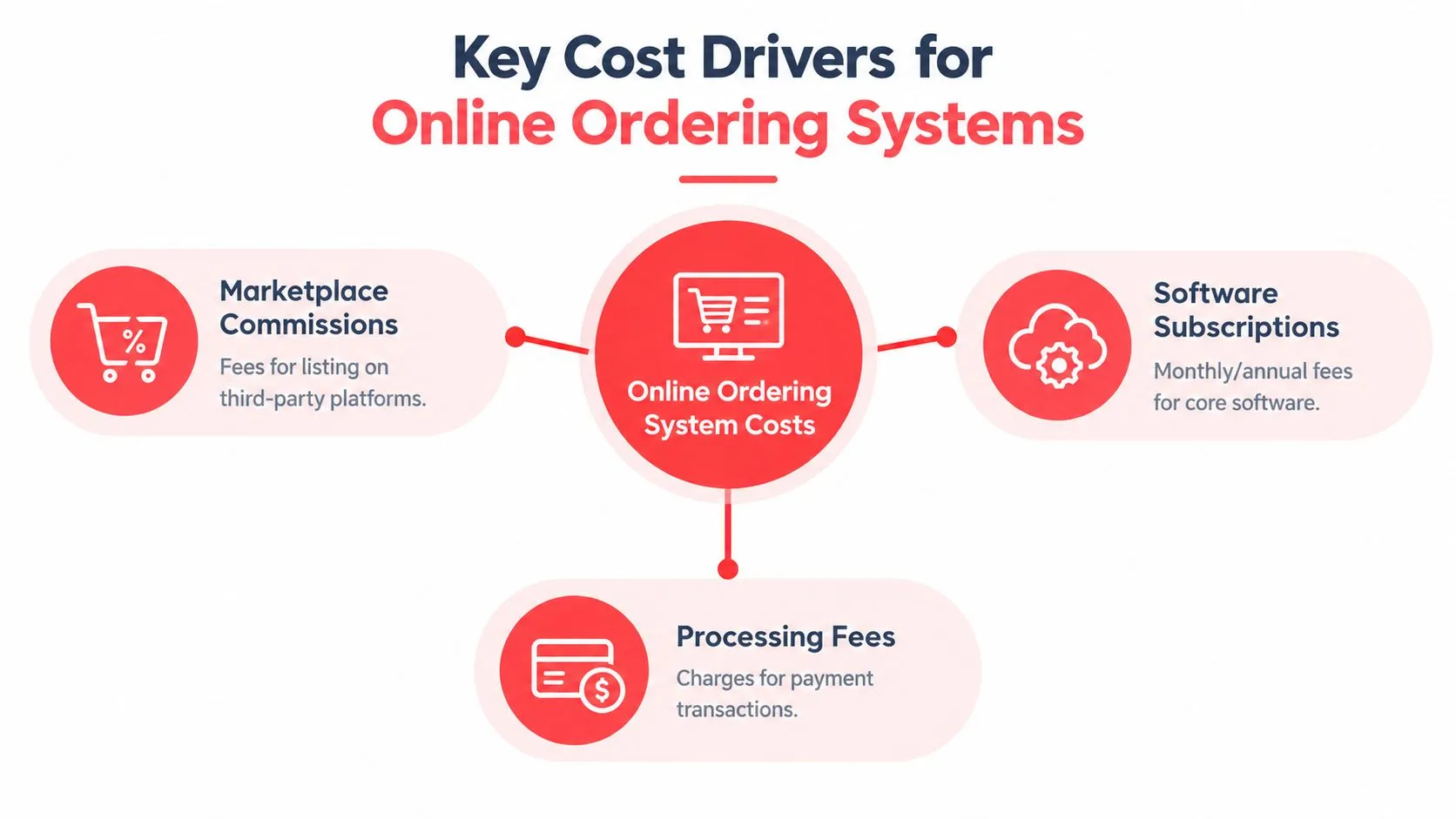
Marketplace commissions became a major restaurant expense as delivery platforms expanded in the 2010s. The fee may look manageable on an individual order, but the deduction applies repeatedly as marketplace sales grow. A restaurant technology cost analysis reports that Grubhub’s average commission has been 15%–25% per order, DoorDash merchant plans have ranged from 15%, 25%, or 30%, and Uber Eats has charged 15%–30%, depending on the arrangement. The same analysis identifies a 4% processing fee, a 15%–20% marketing fee, and an additional 10% delivery-service fee when platform drivers are used. See the detailed breakdown of delivery app fees and restaurant costs for a closer look at how these layers interact.
Software subscriptions work differently. A direct ordering or POS bundle may charge a recurring amount regardless of whether a month is slow or busy. That predictability can help operators budget, although add-ons may change the final total.
Payment processing sits on top of the ordering software in many arrangements. Ask whether the quoted subscription includes processing, passes it through at cost, or adds a separate platform charge. The operational cost matters too. When staff re-key marketplace orders, they spend time transferring item names, modifiers, taxes, and delivery instructions, creating more opportunities for mistakes.
Practical rule: Compare the fee on a single order, the fee across a normal month, and the fee during a high-volume month. Those are three different decisions.
Comparing pricing models
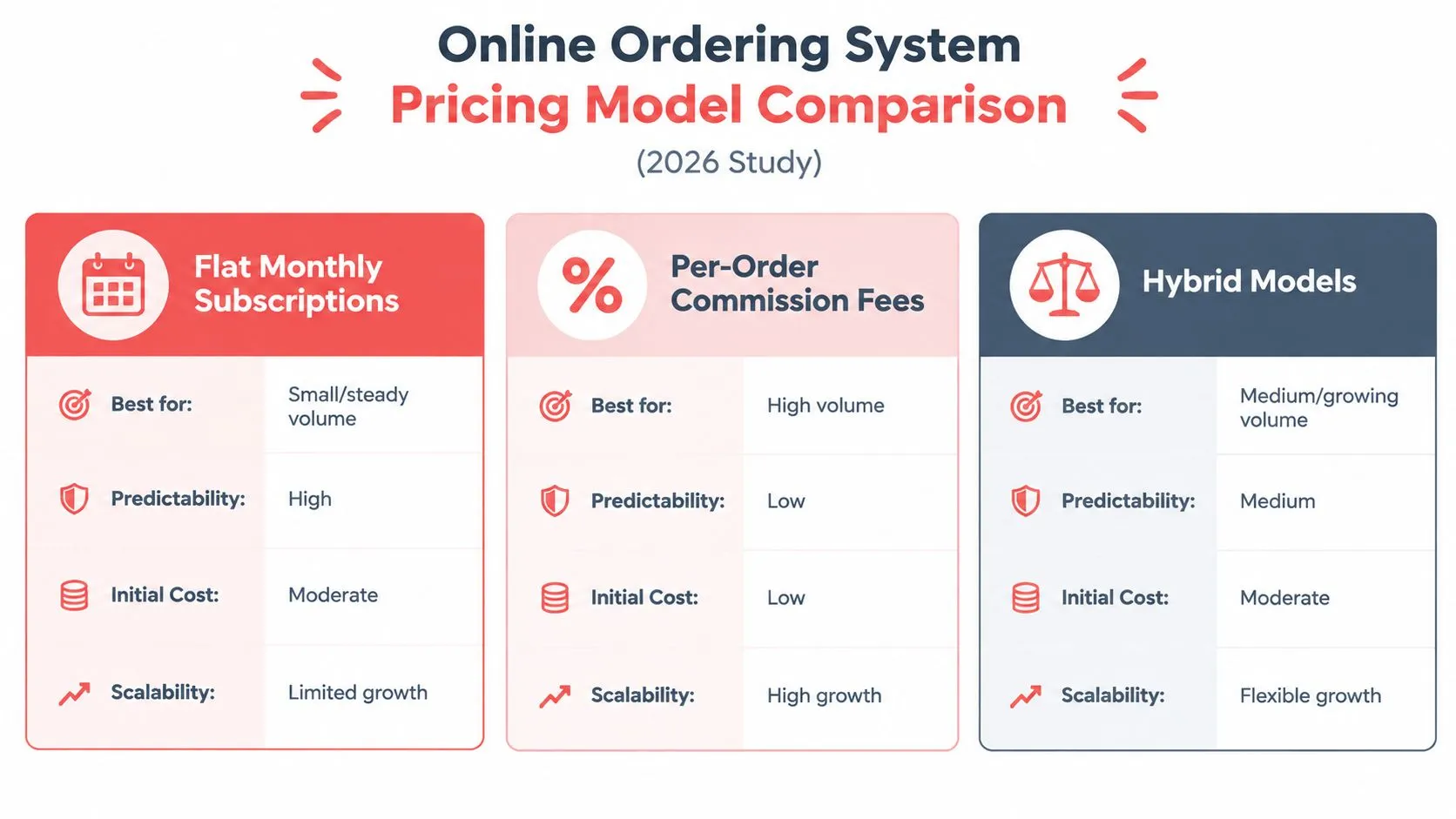
Most restaurant ordering platforms use one of three structures: flat monthly subscriptions, per-order commissions, or hybrid pricing. The best fit depends on order volume, cash-flow preferences, and whether the restaurant wants marketplace exposure, direct ordering, or both.
Flat subscriptions
A flat plan charges a recurring amount for the software. A lean, commission-free setup for a small operator can run about $0–$150 per month, while a broader POS or bundled stack commonly lands around $69 per month for a base POS. Add-ons such as loyalty, delivery management, and marketing may add $19–$100 per month each, according to a 2026 comparison of restaurant ordering costs at Ressto.
The advantage is predictability. If order volume rises, the software charge generally doesn’t rise because more orders passed through the system. The disadvantage is that a subscription may feel expensive during a slow month if the restaurant isn’t using all its features.
Per-order commissions
A commission model ties cost directly to sales. That can feel attractive when volume is low because the restaurant pays less when it receives fewer orders. The trade-off is that the fee grows with every additional order, and marketplace commissions can be accompanied by processing, marketing, or delivery charges.
One 2026 analysis gives a clear comparison. At $40,000 in monthly online orders, a 6% commission would equal about $2,400 in monthly fees, while flat-fee platforms typically cost under $500 per month regardless of volume. The figures come from Ressto’s 2026 restaurant online ordering cost analysis.
Hybrid models
Hybrid plans combine a subscription with a per-order percentage or guest-facing fee. They can offer a lower starting price than a fully featured flat plan, but the contract needs careful reading. Ask whether the variable charge applies to gross order value, delivery fees, taxes, or only the food subtotal.
For a deeper budgeting framework, review restaurant software cost considerations. Then request a quote that shows a slow-month scenario and a busy-month scenario on separate lines.
If you operate Clover, you can start OrderOut from the Clover App Market. OrderOut is free to install on the Clover App Market and is designed to route marketplace orders into the POS instead of requiring staff to re-key them.
Accounting for setup and hardware expenses
Recurring fees get the attention, but launch expenses can determine whether a system is affordable. A quote may include menu configuration, account setup, integration work, receipt routing, and hardware for receiving or printing orders. Some restaurants also need to budget for staff time during testing and menu cleanup.
The key distinction is between necessary setup and avoidable rework. If the POS and marketplace menus don’t use matching item and modifier structures, staff may need to correct tickets after launch. ChowNow defines menu mapping as matching delivery-app items and modifiers with the corresponding POS items and modifiers. That mapping is the foundation of a reliable integration, even when the restaurant uses another ordering technology.
Setup checks that protect the budget
Before launch, verify the following:
- Menu IDs and modifiers: Confirm that sizes, add-ons, combos, and substitutions map to the intended POS items.
- Taxes and fees: Validate tax treatment and any delivery or service charges before orders go live.
- Receipt routing: Check that tickets print or display at the correct station with understandable receipt names.
- Availability rules: Make sure sold-out items and temporary menu changes reach the relevant ordering channels.
- Edge cases: Test combos, discounts, modifiers, pickup instructions, and delivery fees.
A POS integration guide recommends validating taxes and menu mappings, configuring receipt routing, and testing combos and discounts before go-live to prevent costly fixes after launch. The same guide explains that online orders can enter the POS as structured tickets containing items, modifiers, pickup or delivery instructions, and routing details. Its recommendations are summarized in this guide to online ordering POS integration.
Hardware is another line to inspect. If an integration removes extra delivery tablets, that can reduce the physical equipment your team needs to monitor. For a practical discussion of POS equipment and tablet considerations, see restaurant POS system tablet costs.
Uncovering hidden fees
The lowest advertised price often excludes the charges that matter most at scale. A “free” plan may still require payment processing, while a subscription may exclude loyalty, marketing, delivery management, or marketplace connectivity. A vendor quote should therefore show every recurring and variable charge, not just the base plan.
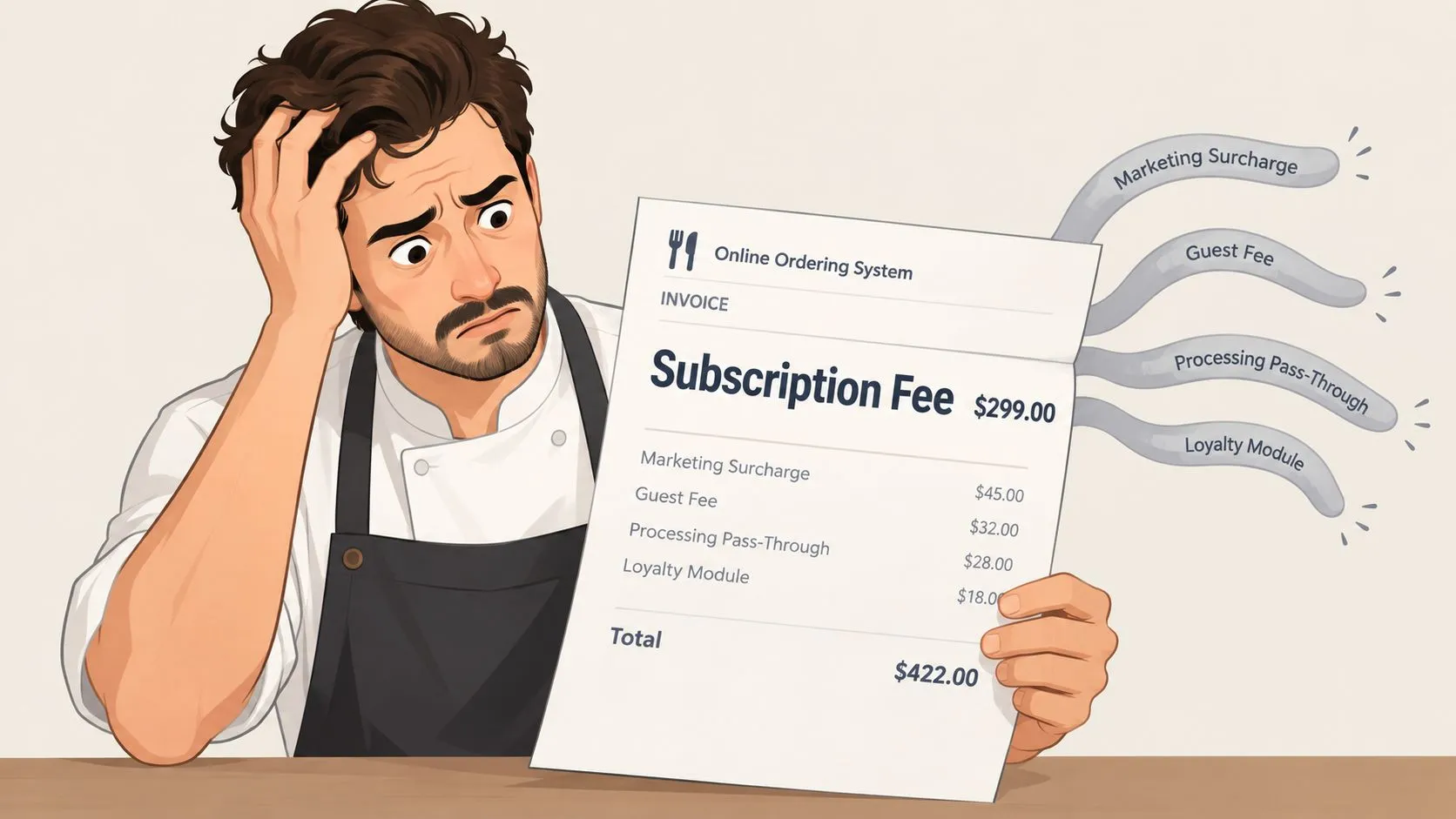
Recent pricing roundups show that some systems start at $0 per month, while add-ons for loyalty, marketing, and delivery management can add $19–$100 or more per month. Processing fees may still apply separately, which makes the advertised starting price an incomplete picture. These pricing patterns are discussed in Chowly’s restaurant online ordering system roundup.
Questions to ask before signing
Use the contract or proposal to identify:
- Guest-facing charges: Does the customer pay a service or convenience fee, and does the restaurant share any of it?
- Processing pass-throughs: Is card processing included, or does another provider bill it separately?
- Marketing charges: Can marketing tools be enabled automatically, or do they require an explicit opt-in?
- Module pricing: Are loyalty, delivery management, and reporting included in the quoted plan?
- Integration terms: Is POS connectivity part of the plan, or does it require another recurring fee?
- Minimums and limits: Does the provider impose order minimums, channel limits, or contract-based pricing changes?
A useful quote should show the fixed monthly amount, the variable fee basis, setup charges, hardware requirements, and optional modules in separate rows.
This short video can help operators think through the difference between headline pricing and the full operating cost:
Don’t judge a plan by the word “free.” Judge it by the amount your restaurant pays when order volume is low, typical, and high.
Cost ranges by restaurant size
Restaurant size changes the economics because order volume changes the effect of variable pricing. A small café may value a low commitment during quiet periods, while a busy pizzeria may prefer a predictable subscription that doesn’t expand with every additional marketplace order. A multi-unit operator also has to consider consistency, menu synchronization, and centralized oversight.
The table below uses the verified cost ranges and comparison scenarios available for restaurant ordering software. It is a budgeting framework, not a quote for a specific restaurant.
| Restaurant Size | Subscription Cost | Commission Cost |
|---|---|---|
| Small café | About $0–$150 per month for a lean, commission-free setup | Varies with order volume and marketplace terms |
| Midsize pizzeria | About $69 per month for a base POS, before add-ons | Varies with order volume, with marketplace rates reaching the ranges described earlier |
| Large multi-unit operation | Commonly requires a broader POS or bundled stack, with add-ons priced separately | Can reach thousands per month as order volume rises |
The important comparison is not the label “small” or “large.” It’s the relationship between monthly order value and the fee model. A low-volume café may tolerate a percentage because the immediate cash commitment is limited. A restaurant with steady marketplace demand can see commissions overtake the cost of a full software subscription.
For example, the verified high-volume scenario shows $40,000 in monthly online orders producing about $2,400 in commissions at 6%, compared with flat-fee platforms that typically cost under $500 per month. That difference illustrates why operators should model their own volume rather than copy another restaurant’s plan.
The right break-even question is simple: at what monthly order value does the variable fee exceed the fixed subscription?
Evaluating and negotiating vendor quotes
A vendor quote becomes useful only when you can compare it with another quote on the same basis. Ask each provider to describe the software, integration, processing, setup, hardware, support, and cancellation terms separately. If one vendor bundles everything and another separates every charge, the totals won’t be comparable until you normalize them.
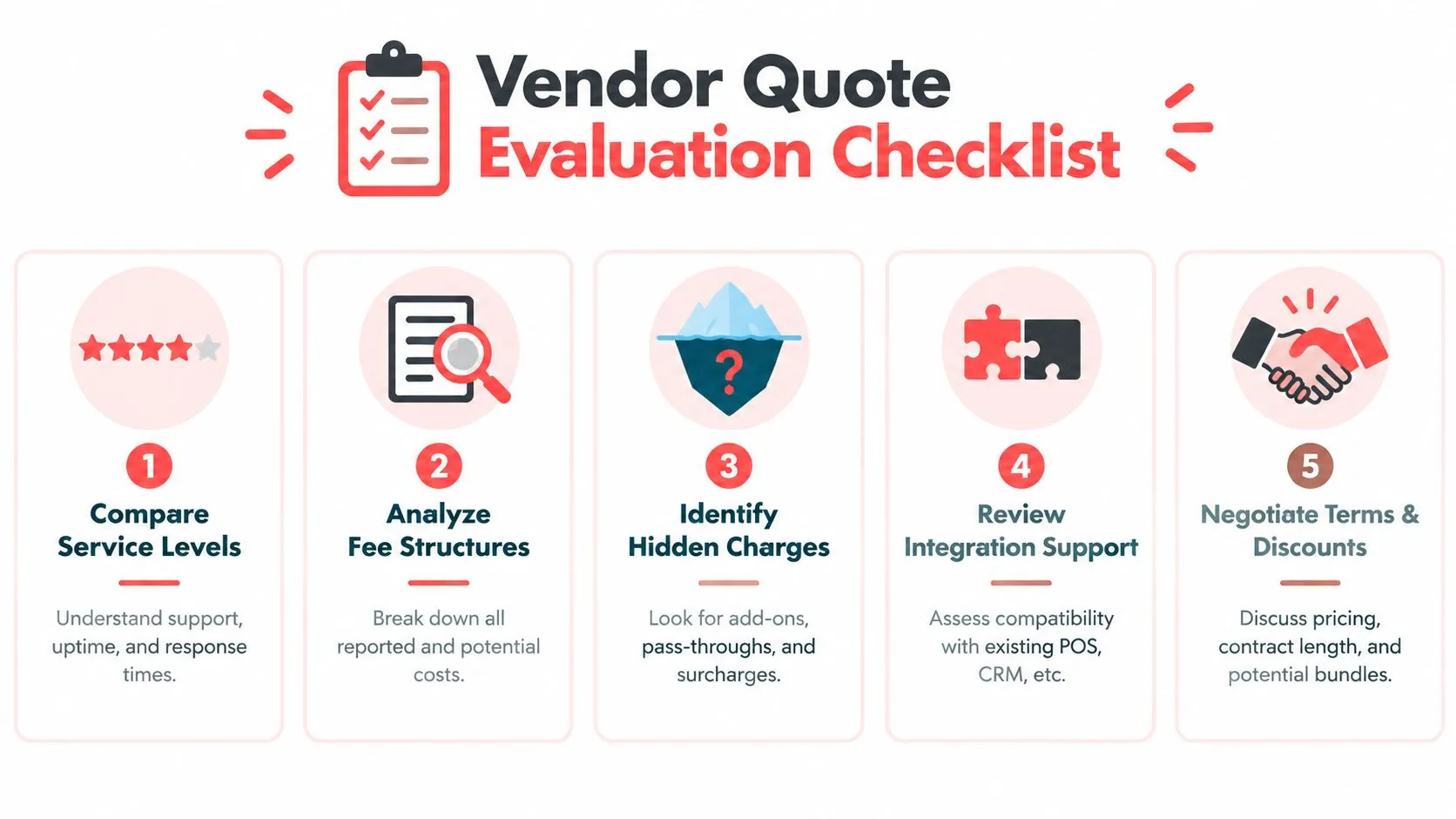
A practical quote checklist
- Compare service levels: Confirm which support channels, response expectations, maintenance responsibilities, and operating features are included.
- Analyze fee structures: Write down every fixed subscription and every percentage-based charge.
- Identify hidden charges: Search for add-ons, pass-through processing fees, marketing surcharges, hardware requirements, and integration charges.
- Review integration support: Confirm compatibility with Clover or Square, menu mapping responsibilities, ticket routing, and availability synchronization.
- Negotiate terms and discounts: Ask whether the provider can simplify the fee structure, bundle needed modules, or offer a more suitable plan for your volume.
The guide to negotiating better third-party delivery fees is useful when marketplace contracts form a large part of the restaurant’s digital ordering cost.
Negotiation points that affect total cost
Ask whether a commission can be capped during high-volume periods, whether optional modules can be bundled, and whether setup work is included. Also ask for a written explanation of what happens if your order volume changes, your menu expands, or you add another location.
Don’t negotiate only on the monthly subscription. A lower subscription can be offset by a higher variable charge, paid setup work, or mandatory add-ons. Negotiate the total monthly scenario, using your own slow and busy months as the reference point.
Assessing ROI with order consolidation and next steps
Order consolidation changes the cost discussion because it addresses both software fees and operational overhead. Instead of asking staff to monitor separate marketplace tablets and manually re-enter tickets, a delivery-to-POS integration can place incoming orders into the restaurant’s existing Clover or Square workflow.
OrderOut’s integration layer supports Clover and Square and routes Uber Eats, DoorDash, and Grubhub orders into the POS as standard tickets, while syncing menus, prices, and item availability back to marketplaces through one integration. OrderOut describes this capability in its FAQ about delivery-to-POS integration.
Why consolidation matters
The operational savings are qualitative but meaningful:
- Fewer devices: Staff don’t need to organize the shift around multiple delivery tablets.
- Less re-keying: Orders can enter Clover or Square without someone typing each item again.
- Cleaner tickets: Structured items, modifiers, and instructions reduce ambiguity between the marketplace and kitchen.
- One source of truth: The POS remains the place where staff manage the order operationally.
- Centralized menu control: Menu and availability updates can move through one integration instead of separate marketplace connections.
The financial benefit depends on your existing contracts and order volume. OrderOut doesn’t erase marketplace commissions charged by Uber Eats, DoorDash, or Grubhub, but consolidating those channels can reduce the labor and equipment burden associated with managing them. For a closer look at this operating model, read about consolidated restaurant ordering.
Start by listing every current tablet, recurring software charge, processing fee, marketplace deduction, and manual handoff. Then compare that baseline with a POS-centered workflow that routes orders directly into Clover or Square.
Frequently Asked Questions
Does OrderOut work with Clover?
Yes. OrderOut supports Clover and routes Uber Eats, DoorDash, and Grubhub orders into Clover as standard POS orders. It also syncs menu information and item availability through the integration.
Does OrderOut work with Square?
Yes. OrderOut supports Square as well as Clover. The integration is designed to send marketplace orders into the POS and keep relevant menu and availability information aligned.
Does OrderOut remove delivery marketplace commissions?
No. OrderOut connects marketplace orders to the POS, but it doesn’t remove fees charged by Uber Eats, DoorDash, or Grubhub. Its value is in consolidating order handling, reducing manual re-entry, and removing the need for extra delivery tablets.
What should a restaurant include in online ordering system cost?
Include the subscription, marketplace commissions, payment processing, setup, hardware, integration charges, and optional modules. Compare fixed costs with variable costs, then model the total during slow and busy months.
How do I start OrderOut?
Restaurant owners can begin through the relevant Clover or Square app marketplace listing or the OrderOut dashboard. Confirm your menu and modifier structure before launch so the POS mapping matches the restaurant’s marketplace menus.
OrderOut connects Uber Eats, DoorDash, and Grubhub orders directly to Clover or Square, helping your team manage delivery tickets without extra tablets or manual re-keying. Visit OrderOut to review the delivery-to-POS workflow and start onboarding through the dashboard.