
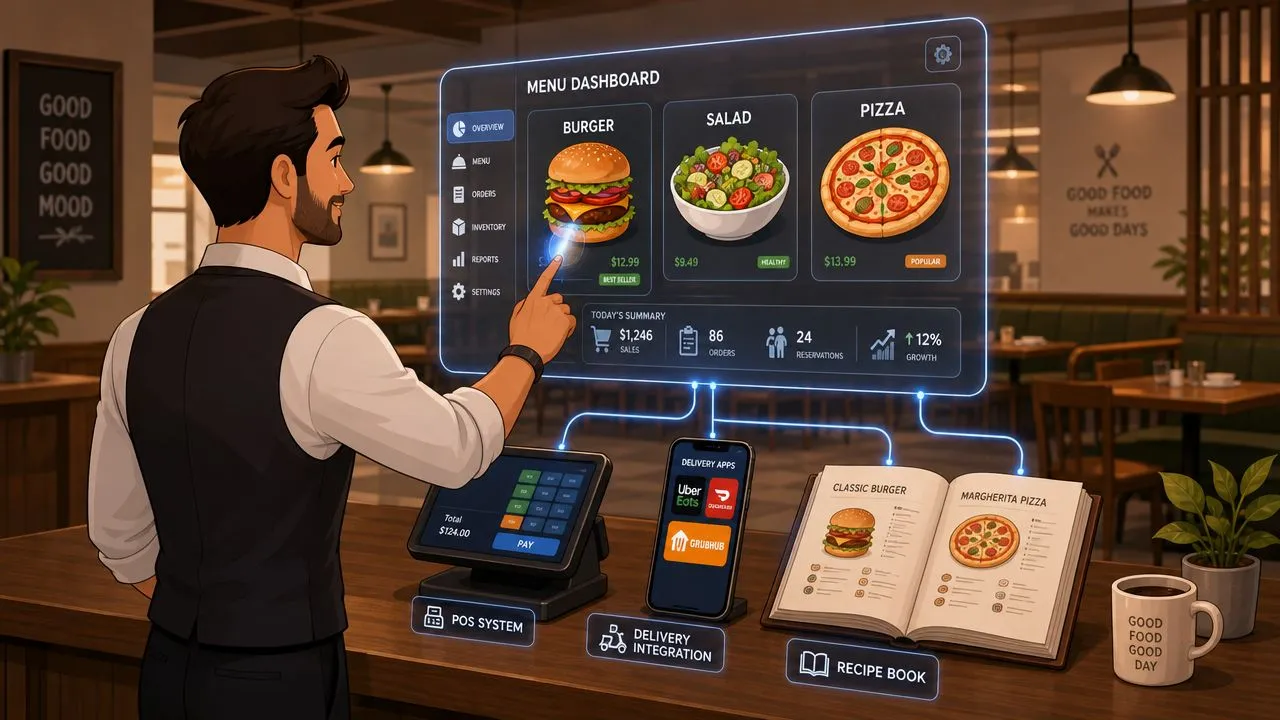
Menu management software is a centralized system for controlling all menu items, prices, and descriptions across your POS, website, QR menus, and delivery apps from one dashboard. It matters even more now because the global restaurant management software market was valued at USD 6.25 billion in 2025 and is projected to reach USD 17.37 billion by 2032, growing at a 15.7% CAGR.
If you’re still thinking menu management is just a back-office admin task, that’s the gap. In practice, it’s one of the main ways restaurants get control over delivery app chaos, stop retyping orders, and keep Clover or Square as the system staff trust during service.
What Is Menu Management Software?
Menu management software is the system a restaurant uses to manage menu items, prices, descriptions, and availability across every sales channel from one place. Instead of editing Uber Eats, DoorDash, Grubhub, your POS, your website, and your QR menu separately, you make the change once and push it everywhere that matters.
That sounds simple. Operationally, it’s a big shift.
Most restaurants don’t struggle because they can’t build a menu. They struggle because they maintain too many versions of the same menu at once. The dining room version says one thing. The delivery apps show something slightly different. The POS has its own naming convention. Modifiers don’t match. Prices drift. Staff ends up guessing which version is right.
Why centralization changes the job
When the menu lives in one controlled system, the restaurant finally has a source of truth. That means:
- Prices stay aligned across in-store and online channels
- Descriptions stay consistent so guests aren’t ordering from outdated listings
- Availability changes move faster when you need to pull an item or swap a modifier
- Staff stops firefighting small menu discrepancies all shift long
This isn’t a niche software category anymore. Stellar Market Research’s restaurant management software outlook says the market was valued at USD 6.25 billion in 2025 and is projected to reach USD 17.37 billion by 2032, driven by cloud adoption and QSR demand for efficient digital menu handling.
Restaurants don’t lose control of menus all at once. They lose it one disconnected channel at a time.
If you’re also thinking about presentation and structure, restaurant menu design software is related. But design isn’t the same as control. The bigger issue is whether every channel is using the same underlying menu data.
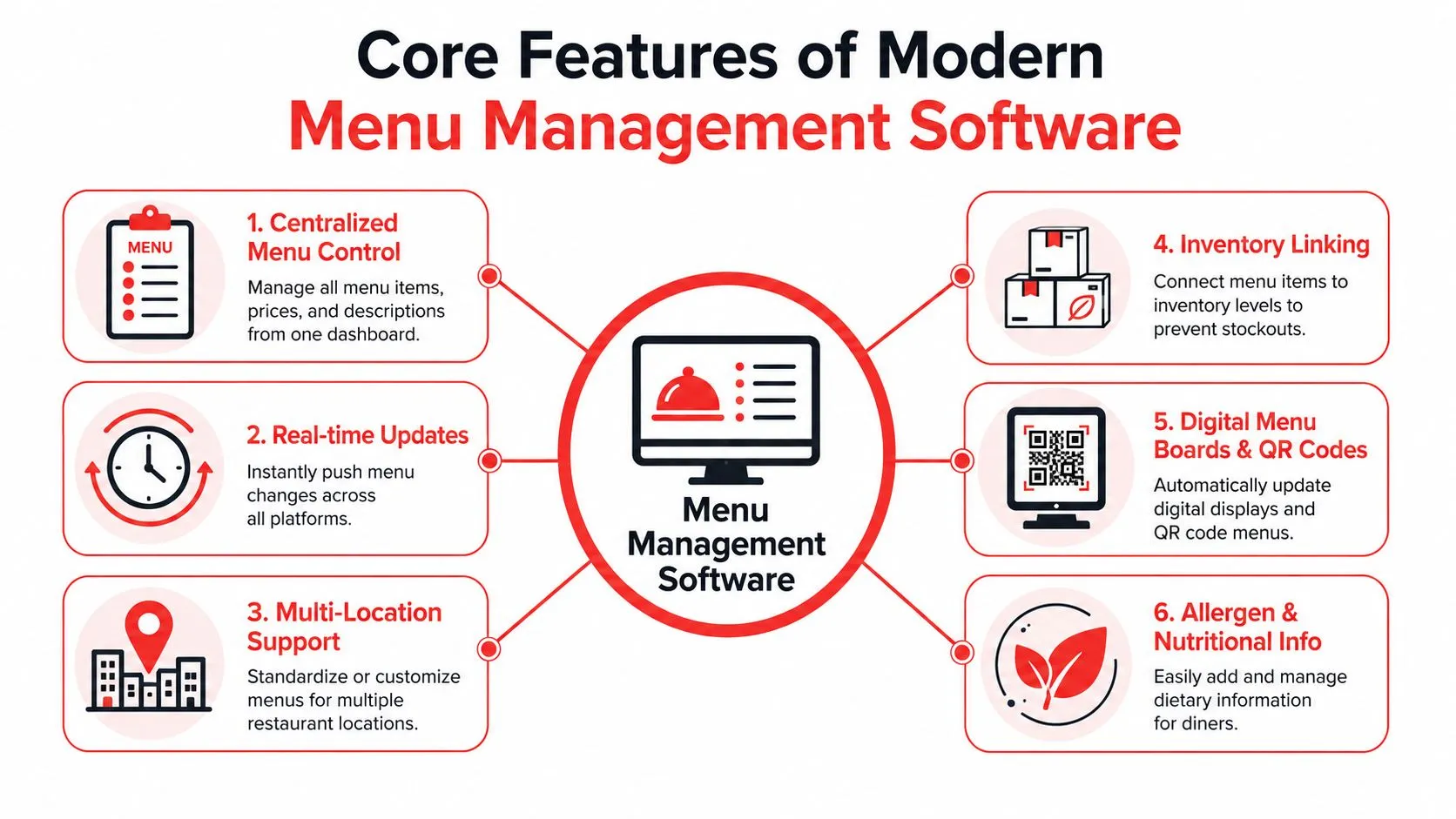
Core Features of Menu Management Software
The right menu management software isn’t just a digital spreadsheet with prettier buttons. It should solve very specific operating problems that show up during prep, during service, and after close.
Single-point editing
The first feature to look for is single-point editing. In plain language, that means you change a burger price once, and the system pushes that update to connected channels instead of making someone repeat the same edit in five places.
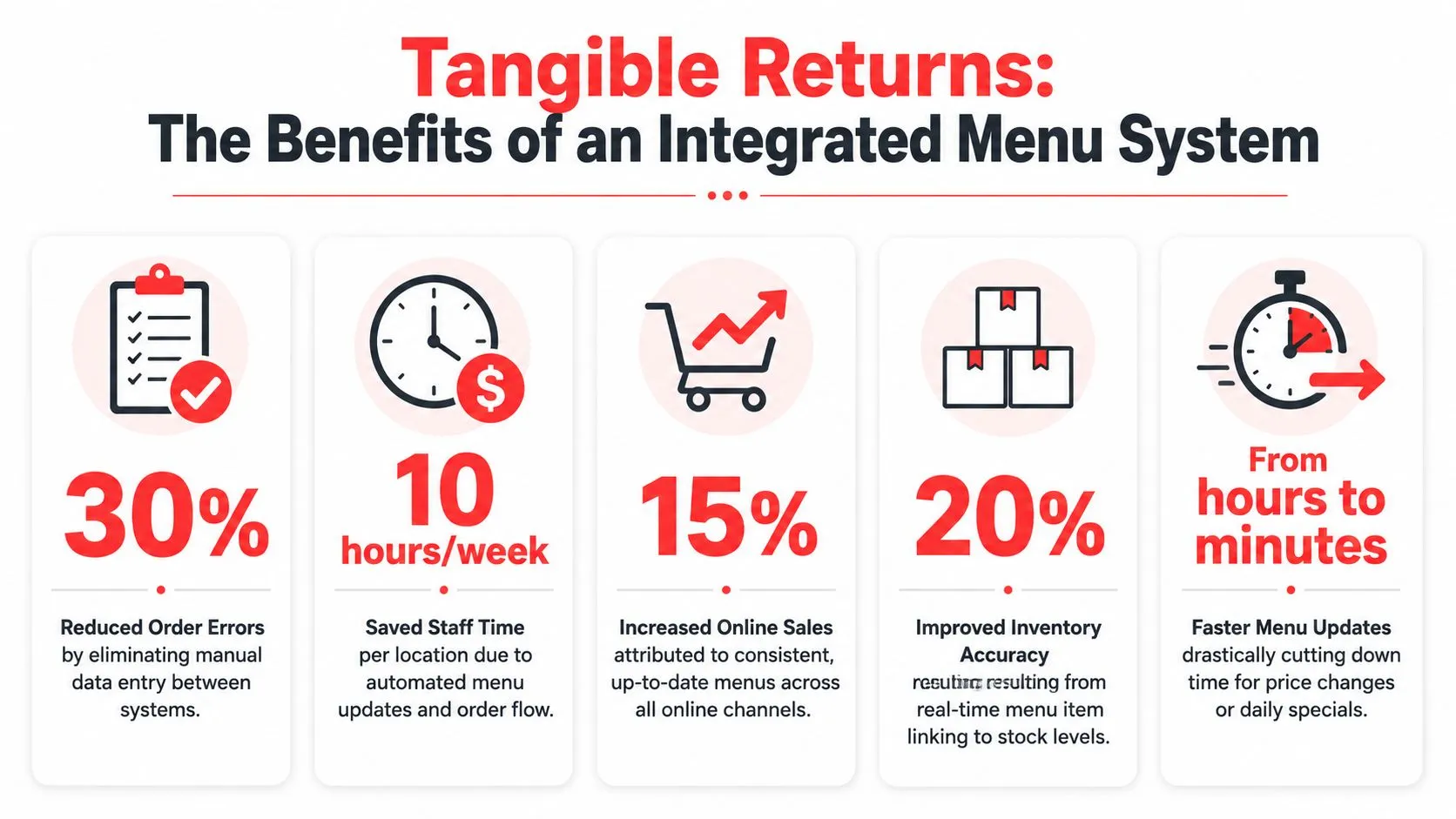
Grubhub Onsite’s explanation of menu management software says this centralized setup can reduce manual entry errors by up to 90% and cut menu update latency from hours to under five minutes.
For an operator, the benefit isn’t abstract. It’s the difference between a quick correction and a full afternoon of cleanup.
Modifier control
Modifiers are where weak systems fall apart.
A menu item by itself is easy. The core work is in add cheese, no onion, extra sauce, side choice, spice level, combo upgrades, and location-specific exceptions. If modifiers don’t map cleanly across systems, the kitchen sees messy tickets, guests get the wrong item, and staff loses confidence in online orders.
Inventory linkage
Inventory-linked menus help the restaurant stop selling what it doesn’t have. If an item is tied to stock or ingredient thresholds, the system can pull it from active channels before another order hits the line.
That matters most for delivery because delivery errors are public. A sold-out item on a marketplace becomes a refund, a replacement call, or a bad review.
Multi-location control
A single-unit restaurant needs consistency. A multi-unit operator needs consistency with controlled exceptions.
Good systems let you standardize core items while adjusting prices, availability, or local specials by store. That’s especially useful when one location can run a lunch special profitably and another can’t.
Operators who want a sharper framework for pricing decisions across local business accounts may also find evaluating price optimizer software for agencies useful. It isn’t restaurant-specific operations guidance, but it does help clarify how centralized pricing tools should be assessed.
Costing and richer menu data
The more mature systems tie menu items back to recipes and cost inputs. That helps you see when a supplier change affects margin before the issue spreads unnoticed across the menu.
A clean data foundation also supports better reporting, cleaner integrations, and easier handoff between systems. If you’re cleaning up item names, modifiers, and category structure, restaurant menu data is where that work usually starts.
Why POS and Delivery App Integrations Are Crucial
A menu system that doesn’t integrate with your POS and delivery apps creates a new admin layer instead of fixing the old one. That’s why delivery POS integration matters more than feature lists.
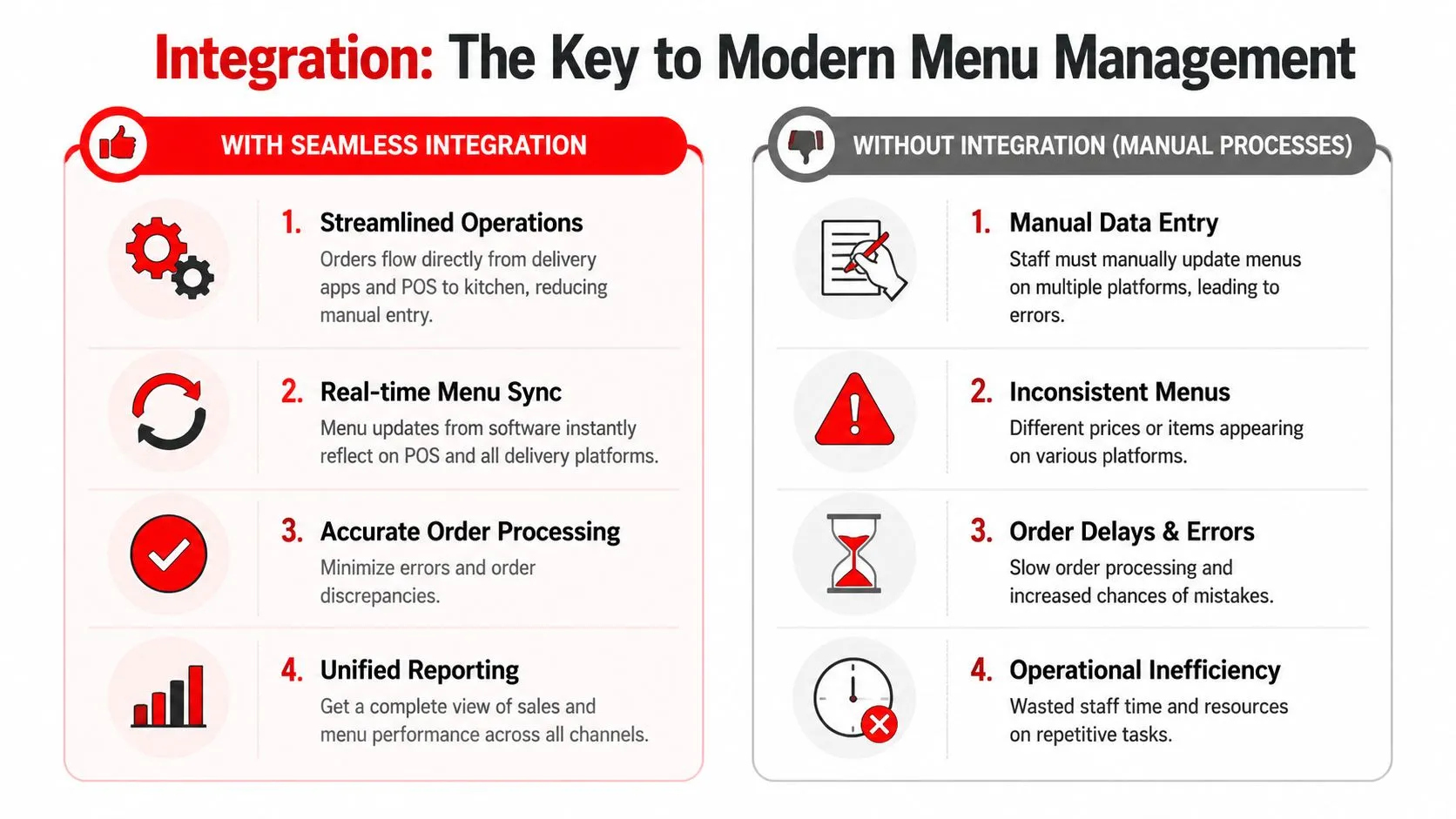
The pain is familiar. Uber Eats dings on one tablet. DoorDash pings on another. Grubhub has its own workflow. Someone on staff retypes each order into Clover or Square while the phone rings and dine-in tickets keep printing. That process doesn’t just waste attention. It creates avoidable mistakes at the exact moment the kitchen can least afford them.
What manual re-keying actually breaks
Manual entry causes three problems at once:
- Order accuracy drops because staff must translate one system into another under pressure
- Ticket flow slows down because the kitchen waits for someone to enter the order
- Menu consistency drifts because marketplace menus often evolve separately from the POS menu
OrderOut’s explanation of POS system integration states that when delivery orders flow directly into Square or Clover, manual entry is eliminated entirely and 100% order accuracy is achieved because kitchen tickets print as soon as the order is placed.
That’s the key operational shift. The order doesn’t pause for a staff member to become a human integration layer.
For restaurants that rely heavily on local discovery, this is also tied to reputation management. If your Google listing promises one experience and your delivery operation produces another, you’ll feel it in reviews. Separate from POS workflow, this guidance for local businesses is a practical resource for tightening that public-facing side.
After the menu is centralized, the next question is whether your systems talk to each other. Point-of-sale integrations for restaurants are what turn a clean menu into a workable operating model.
A quick walkthrough helps:
A disconnected delivery stack doesn’t stay “good enough” for long. It usually gets exposed on the busiest shift of the week.
How OrderOut Unifies Your Restaurant Menus
The immediate fix for delivery app chaos is straightforward. Connect the marketplaces to the POS so online orders enter the same workflow as dine-in and pickup orders, with the POS staying in control.
In practical terms, that’s what OrderOut’s 3rd-party delivery to POS integration does for restaurants using Clover and Square. It takes Uber Eats, DoorDash, and Grubhub orders and injects them into the POS without extra tablets and without manual re-keying. If you want the overview first, start with OrderOut’s 3rd-party order engine. If your store runs Clover, the most relevant path is OrderOut’s Clover delivery integration. For a direct channel-to-POS example, see Uber Eats to Clover delivery POS integration.
What menu mapping means in plain English
“Mapping each marketplace menu to a normalized POS schema” sounds technical, but the idea is simple. It means the system learns that the burger on Uber Eats is the same burger in Clover, with the same modifier logic, tax behavior, and ticket structure.
That matters because marketplaces often describe items one way, while the POS stores them another way. If those don’t line up, staff gets weird tickets, broken combos, and missing modifiers.
OrderOut’s write-up on order entry automation explains that the app is free to install on the Clover App Market and works by mapping marketplace menus to a normalized POS schema so orders from Uber Eats, DoorDash, and Grubhub inject cleanly into Clover.
A real workflow example
Say a guest places an Uber Eats order for a burger combo with no pickles, extra cheese, and a drink. In a manual setup, a staff member hears the tablet, opens the app, and re-enters that order into Clover. Every modifier is another chance to mistype, skip, or rush.
In an integrated setup, the order flows directly into the POS. The kitchen printer gets a familiar ticket format. The staff isn’t translating an app order into house language during the rush. That’s where the value shows up first: less confusion, fewer handoffs, calmer service.
If you’re on Clover and want to test that workflow, you can install from the Clover App Market listing for OrderOut. Square users can start from the Square App Marketplace listing for OrderOut.
For operators who want to see the setup path before touching live menus, OrderOut integration onboarding tutorial gives a clearer view of the mapping process.
Clean integrations start with clean menu structure. If your item names and modifiers are messy in the POS, the marketplaces will amplify the mess.
The Real-World Benefits of an Integrated Menu
An integrated menu does more than remove tablet clutter. It gives the restaurant a cleaner operating loop from order intake to reporting.
Better decisions from cleaner sales data
When delivery orders land inside the same POS environment as other orders, the restaurant can compare performance without stitching together multiple partial reports. That helps with menu engineering. You can see which items travel well, which modifiers create friction, and which channels over-index on certain categories.
This is also where better costing matters. Jamix’s overview of menu management software says advanced systems with real-time menu costing can improve net profit margins by 3–5% by flagging profitability changes when supplier prices move.
Less waste and fewer avoidable service problems
Integrated menus also support tighter inventory behavior. If one item starts moving heavily through delivery, the operator sees that sooner. If stock gets thin, it’s easier to pull or adjust listings before the store overpromises.
That lowers the volume of bad substitutions, refunds, and “we’re out of that” calls that eat up manager time.
A calmer shift for the team
The operational benefit owners often underestimate is staff focus.
Tablet-heavy setups ask the team to monitor several order inboxes, remember different habits for each app, and manually bridge everything into the POS. Integrated setups remove that side job. The cashier, expo, and kitchen can stay inside a more familiar workflow.
If manual entry has already become a recurring issue, restaurant order entry errors is a useful place to diagnose where those mistakes start and how they spread.
Your Quick Start Implementation Checklist
You don’t need a major system overhaul to get control of menu operations. Most restaurants can make meaningful progress by tightening the menu source of truth and fixing the delivery-to-POS path first.
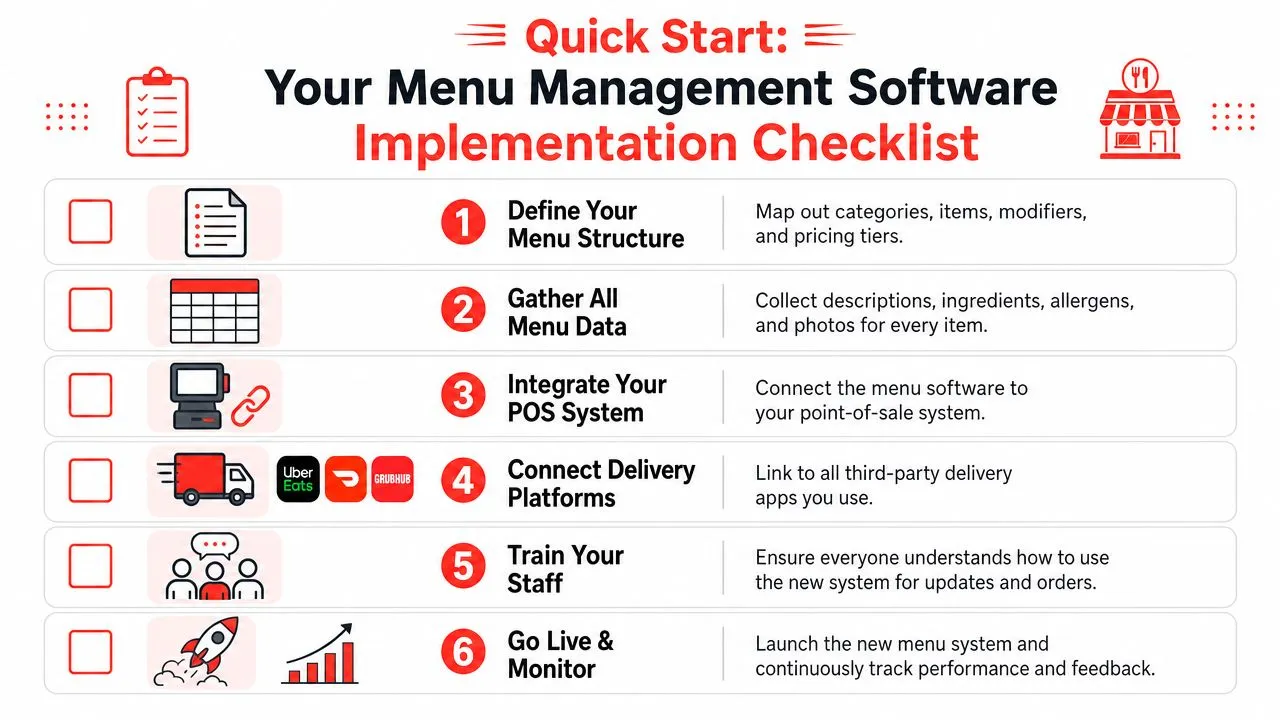
Start with the menu you already have
Use this checklist:
-
Audit every active menu. Compare your POS, Uber Eats, DoorDash, Grubhub, website, and QR menu. Look for price drift, naming inconsistencies, missing modifiers, and stale items.
-
Choose one source of truth. For most operators, that should be the POS. If staff already works in Clover or Square all day, keep that as the operational center.
-
Clean up item structure before integrating. Fix duplicate items, vague names, and sloppy modifier groups. Integration works better when the underlying menu is organized.
-
Connect delivery apps to the POS. The goal is simple: no extra tablets, no retyping. Orders should enter the same production workflow as every other ticket.
-
Test real order scenarios. Run a combo, a modifier-heavy entrée, a tax edge case, and an item with limited availability. These are the situations that expose bad mapping.
-
Train the team on the new normal. Staff doesn’t need a long manual. They need to know where orders appear, what changed, and which devices they can now ignore.
Keep the rollout practical
A short table helps frame the difference:
| Task | Old workflow | Better workflow |
|---|---|---|
| Price change | Update each channel separately | Update once from the central menu |
| Delivery order intake | Watch tablets and re-enter orders | Let orders flow into Clover or Square |
| Modifier handling | Translate app language manually | Use mapped POS ticket structure |
| Out-of-stock response | Pull items channel by channel | Control availability from one process |
If you’re comparing options or want a broader operator view, OrderOut for restaurants, OrderOut pricing, and the OrderOut FAQ are the pages to review before rollout.
Frequently Asked Questions
What is menu management software in a restaurant?
Menu management software is a centralized system for managing menu items, prices, descriptions, and availability across channels like your POS, website, QR menus, and delivery apps. The main goal is to stop maintaining separate versions of the same menu.
Does OrderOut work with Clover?
Yes. OrderOut supports Clover and is free to install on the Clover App Market. It maps marketplace menus so Uber Eats, DoorDash, and Grubhub orders inject into the Clover workflow without manual re-entry.
Does OrderOut work with Square?
Yes. OrderOut also supports Square as a delivery POS integration path. That lets restaurants send third-party delivery orders into Square instead of managing them from separate tablets.
Do I need extra tablets for Uber Eats, DoorDash, and Grubhub?
No. The point of a delivery-to-POS integration is to remove the need for staff to work off extra delivery tablets. Orders flow into the POS so the kitchen can work from familiar tickets and screens.
Is OrderOut free on Clover?
Yes. OrderOut is free to install on the Clover App Market, and no payment information or credit card is required to begin using the Uber Eats and Clover POS integration.
If delivery app chaos is turning menu management into a daily cleanup job, the next move is simple: start onboarding with OrderOut through the free OrderOut dashboard onboarding. You can create an account and onboard for free in a few clicks.