
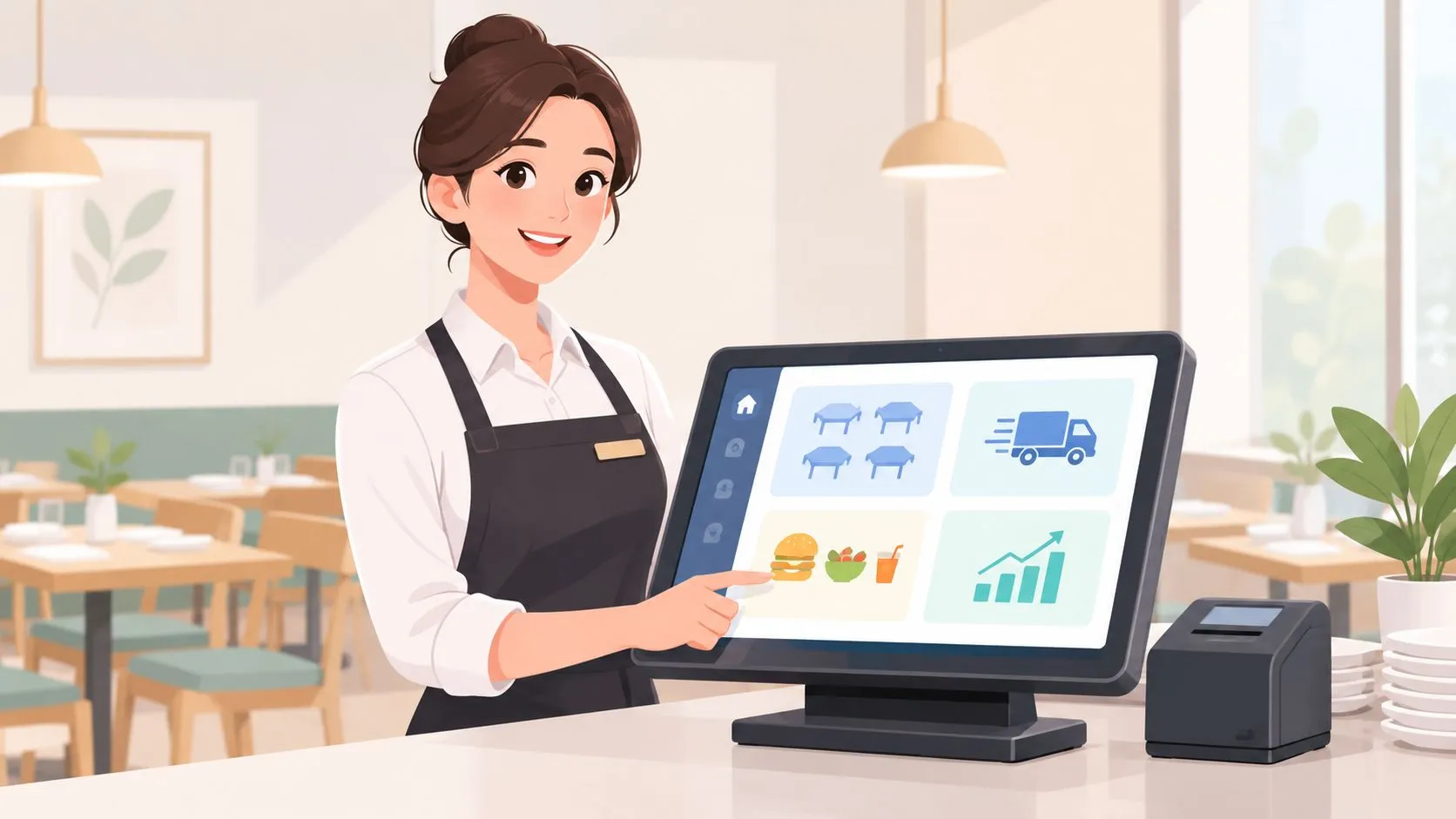
A restaurant manager POS is the manager-facing hub inside the point-of-sale system that controls floor operations, staff, reporting, and order routing. With delivery-to-POS integration, it can inject Uber Eats, DoorDash, and Grubhub orders straight into Clover or Square, without an extra tablet or manual re-keying.
During a rush, the difference is practical. In one workflow, a manager watches several marketplace tablets, accepts an order, checks modifiers, and asks someone to type it into the POS. In the other, the order reaches the POS, follows the restaurant’s normal kitchen workflow, and appears in the same operational record as dine-in and pickup orders.
That makes the restaurant manager POS more than a payment screen. It becomes the source of truth for menus, orders, staff permissions, fulfillment, and reporting. The restaurant POS market is already a major infrastructure category, with estimates varying by whether analysts count software alone or hardware plus software. One estimate values the global restaurant point-of-sale terminal market at USD 22,263.9 million in 2023, with projected growth to USD 38,159.5 million by 2030 at an 8% CAGR. The same estimate identifies Asia Pacific as the largest revenue-generating region in 2023 and fixed terminals as representing USD 17,444.8 million that year. RestaurantData’s restaurant POS market analysis provides that market context.
What a Restaurant Manager POS Really Does
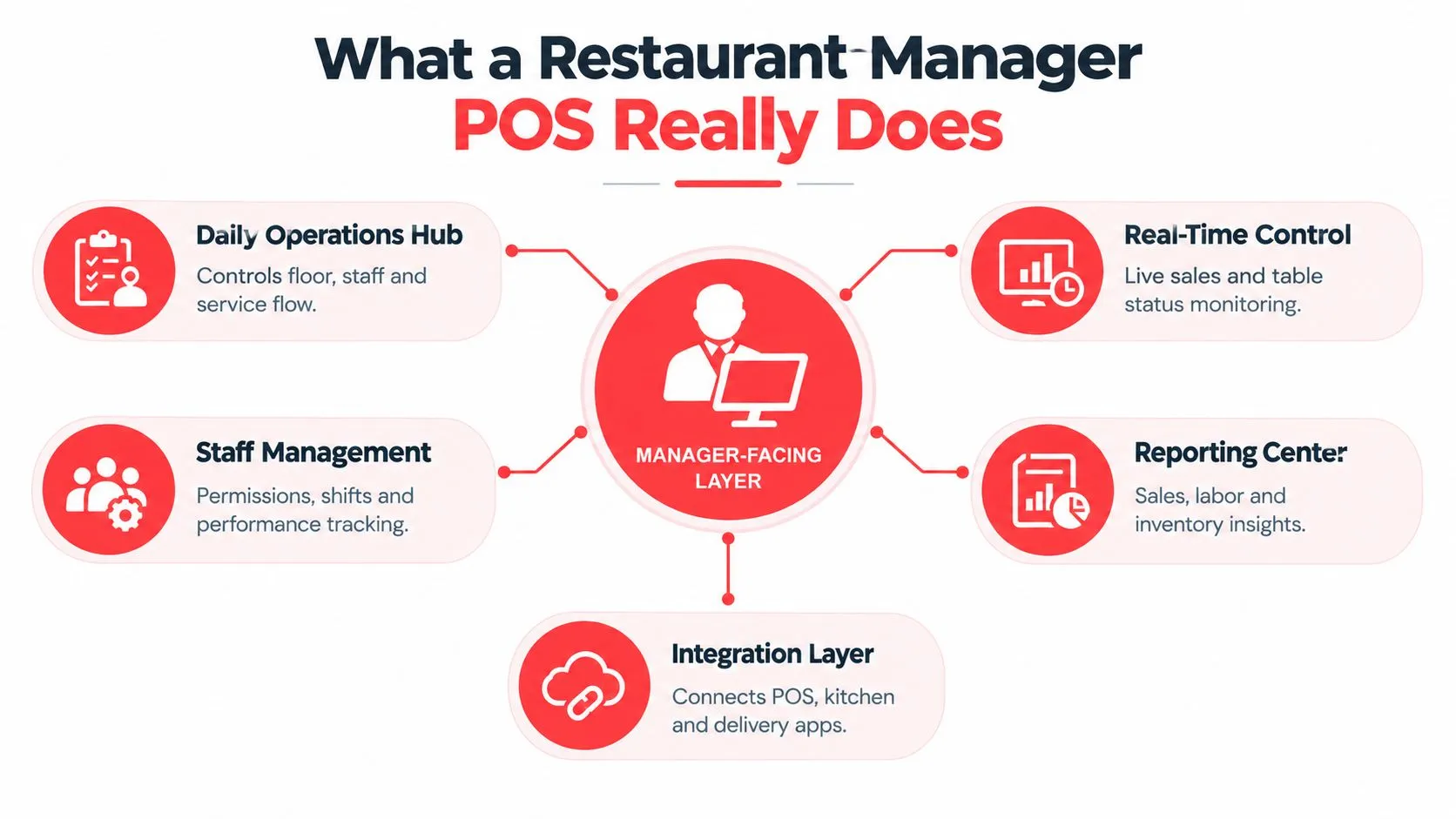
A restaurant manager POS is the control layer for daily service. Cashiers use the POS to ring items and take payment. Kitchen staff use order screens or tickets to prepare food. Managers need a wider view, one that connects the sale to the menu, the employee, the table, the fulfillment channel, and the report that explains what happened.
Consider a delivery order during a Friday rush. A DoorDash tablet displays a burger with a modifier, the Clover terminal holds the restaurant’s menu, and the kitchen is working from tickets entered by the counter team. If a staff member retypes the order, the modifier can be missed, the price can differ, and the kitchen may receive the ticket late. The manager then has to solve an avoidable problem while also watching dine-in service.
With a connected workflow, the delivery marketplace sends the order through an integration into Clover or Square. The POS receives the item and modifier information, the kitchen follows its ordinary preparation flow, and the manager sees the order alongside other channels. The POS doesn’t replace every management judgment, but it gives the manager one dependable operational record.
The manager view versus the cashier view
A cashier needs speed and simplicity. A manager needs control and context.
The manager layer commonly includes:
- Daily operations: Monitor active orders, tables, fulfillment status, and service flow.
- Staff controls: Set permissions and limit sensitive actions such as voids or discounts.
- Menu governance: Maintain items, prices, modifiers, availability, and channel consistency.
- Reporting: Review sales activity by channel and identify operational exceptions.
- Integration oversight: Confirm that external orders reach the correct POS and kitchen destination.
A useful way to evaluate apps for restaurant managers is to ask whether each tool reduces fragmentation or creates another place for staff to check.
Practical rule: If a delivery order exists in one system and the official sale exists in another, the manager has two sources of truth. That gap is where missed modifiers, delayed prep, and confusing reports begin.
How the Manager Layer Works Inside Your POS
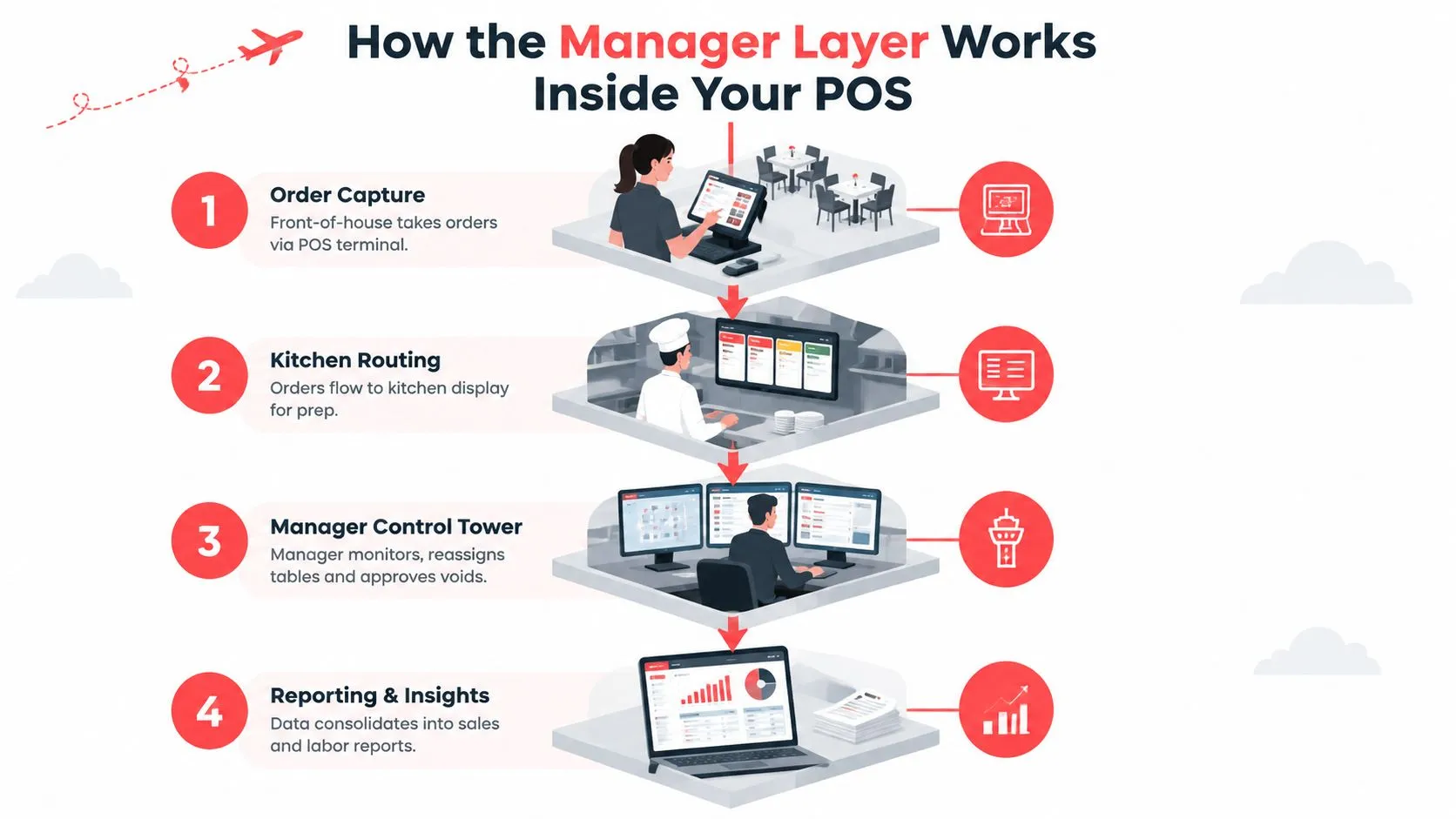
Think of the POS as an air traffic control tower. Orders are the aircraft, the kitchen is the runway, and the manager is responsible for keeping movement safe and coordinated. The manager doesn’t manually fly every order, but they need to see what has arrived, where it should go, and whether the operation can accept more traffic.
The flow starts with order capture. A server, cashier, customer, or delivery marketplace creates an order. The POS records the items, modifiers, prices, payment status, and fulfillment details. For an outside ordering channel to enter cleanly, the integration must translate that channel’s data into the POS’s expected structure.
Clover documents an Orders API that supports creating and managing in-store and online orders through its platform. Clover’s Orders API documentation shows the technical foundation for sending marketplace orders into a Clover workflow. Square also announced an Orders API that allows orders placed online, in person, or in an app to be sent to sellers using Square Point of Sale, Square for Retail, Square for Restaurants, or a custom POS as the fulfillment hub. Square’s Orders API announcement explains that model.
Why menu structure controls the result
An integration isn’t just a pipe that moves text from one screen to another. It must understand that “Chicken Sandwich” is an item, “Add bacon” is a modifier, and “No pickles” is a preparation instruction. OrderOut maps each marketplace menu to a normalized POS schema, so those separate marketplace structures can line up with the Clover or Square catalog.
That’s why menu hygiene matters before launch. Duplicate items, inconsistent modifier names, missing prices, and outdated store hours make clean routing harder. Managers should treat the menu as operational data, not customer-facing copy.
Where manager controls fit
Once an order reaches the POS, manager controls determine who can edit it, approve a void, change availability, or respond to an overloaded kitchen. The reporting layer then consolidates activity for review.
Teams adopting new technology can also benefit from practical tech adoption tips, especially when the rollout changes established staff habits. A technically sound connection still needs a workflow that employees can understand under pressure.
Core Features and Manager Workflows That Matter Daily
A feature matters only when it helps a manager make a decision during service. Floor plans, permissions, reports, and integrations should shorten the path between an operational problem and the action that fixes it.
Floor and order control
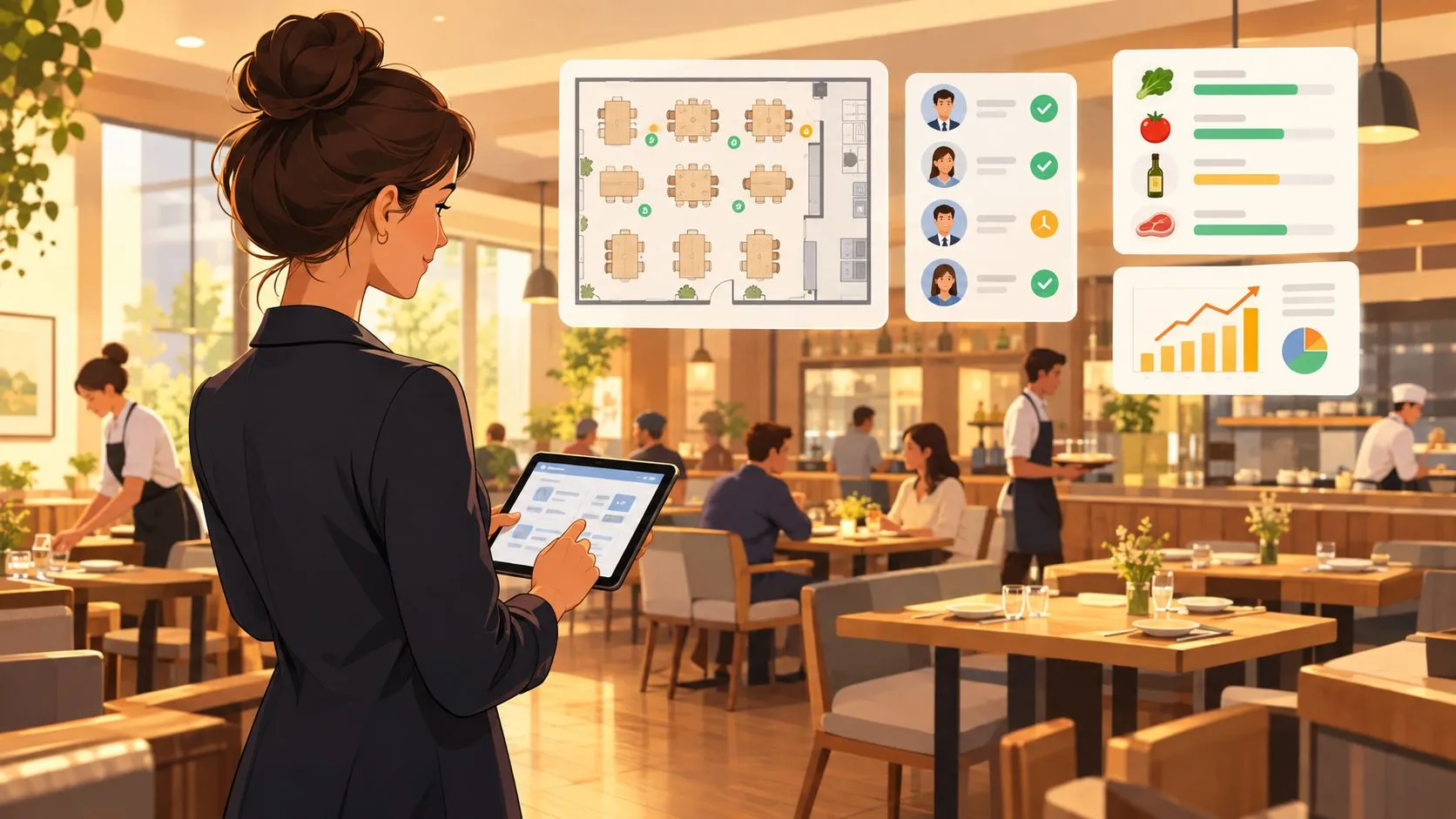
The manager should be able to see which tables are open, which orders are waiting, and which delivery tickets have entered the kitchen queue. That view helps the manager reassign attention when a pickup order is waiting while a dine-in table needs service.
Delivery management also requires operational judgment. If the kitchen is overloaded, the manager may need to adjust availability, prep-time rules, or order acceptance practices. The system should make those changes visible rather than forcing staff to monitor disconnected devices.
Permissions and accountability
Not every employee needs access to every action. A manager-facing POS should support role-based permissions for discounts, refunds, voids, menu changes, and other sensitive operations. When a correction is necessary, the manager can handle it through a defined process instead of sharing a general login.
Reporting that answers operating questions
Reports are useful when they answer questions such as:
- Which channel is active: Compare dine-in, pickup, and marketplace order activity in the same operating view.
- What needs attention: Find unusual voids, delayed orders, unavailable items, or routing exceptions.
- What changed: Review menu, price, modifier, and availability updates instead of relying on memory.
- Where work is concentrated: Use sales and order information to plan staff attention during service.
The point isn’t to collect more dashboards. It’s to give managers a reliable record they can use to coach staff, adjust service flow, and explain results to owners. The technical implementation study published by the International Journal of Advanced Research in Science, Communication and Technology identifies manual processes as sources of order delays, miscommunication, and billing errors, and describes POS integration as a way to reduce redundant transcription and tighten the handoff to kitchen preparation. The restaurant POS implementation study supports that workflow connection.
Managers who want a deeper look at interpreting operational data can use restaurant data analytics guidance as a companion resource.
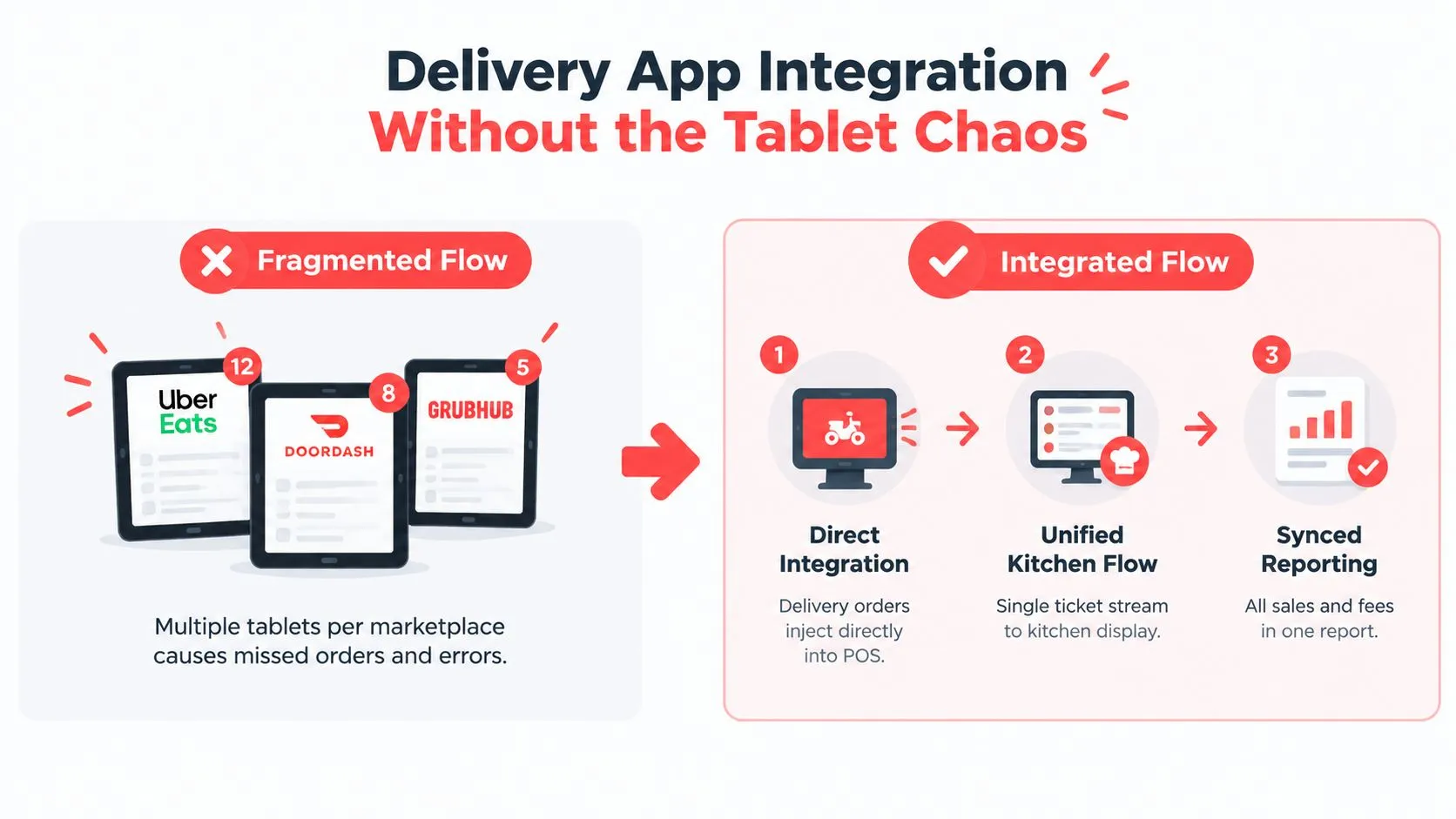
Delivery App Integration Without the Tablet Chaos
The fragmented model is easy to understand. DoorDash has one tablet, Uber Eats has another, and Grubhub has another. A staff member accepts each order, reads the details, and re-enters the sale into Clover or Square. The manager then checks whether the kitchen received the right items and whether the marketplace order appears correctly in reporting.
The direct-injection model removes that duplicate entry. Uber Eats, DoorDash, and Grubhub orders move into the restaurant’s POS, where staff already manage the core order flow. There’s no extra delivery tablet for the connected channels and no need to type each marketplace order again.
Compare the operating models
| Workflow area | Fragmented tablet process | Direct POS integration |
|---|---|---|
| Order capture | Staff monitor separate marketplace devices | Orders enter the POS workflow |
| Menu details | Employees interpret and re-enter items and modifiers | Mapped menu data reaches the POS structure |
| Kitchen handoff | Staff create a second ticket manually | The POS routes the order through its configured flow |
| Manager oversight | Activity is split across systems | The POS remains the operational record |
| Reporting | Managers reconcile separate order sources | Channel activity can be reviewed from the POS context |
DoorDash’s merchant documentation says a POS or middleware integration typically requires an active DoorDash merchant account, administrator access to both systems, menu data containing items, prices, modifiers, and store hours, and a connected workflow in which orders reach the POS without a separate tablet. DoorDash’s POS integration requirements outline those prerequisites.
Decide who owns each rule
Before implementation, assign ownership for the menu, payment handling, order routing, throttling, and prep-time rules. If the marketplace changes an item while the POS still holds an older version, staff may see conflicting instructions. If no system owns throttling, the kitchen can receive more demand than it can execute.
OrderOut’s third-party order engine for restaurant POS workflows maps marketplace menus to a normalized POS schema and injects orders into Clover or Square. Managers should still review item names, modifiers, prices, hours, and availability before going live.
For practical guidance on keeping tickets organized during busy service, Monopack ltd order management tips offers a useful operational reference. Restaurants comparing several channels can also review how to connect multiple delivery apps to one POS.
Benefits and Real ROI for Managers and Owners
The useful return from a restaurant manager POS isn’t a flashy feature count. It’s the operational improvement created when the same order doesn’t need to be accepted, interpreted, retyped, corrected, and reconciled by different people.
Managers usually notice four effects first:
- Fewer entry points: Staff work from Clover or Square instead of switching between delivery devices and the POS.
- Cleaner handoffs: The kitchen receives structured item and modifier information through the configured POS workflow.
- More dependable reporting: Owners and managers can review channel activity against the same operational record.
- Better use of labor: Employees spend less time on repetitive order transcription and more time on service, preparation, and exception handling.
A peer-reviewed study of multiproduct restaurants found that introducing a digital ordering system decreased labor hours while increasing sales per labor hour. The study in National Taiwan University’s repository connects order-capture automation with throughput efficiency, rather than moving the same work from one employee to another.
That doesn’t mean every integration automatically produces the same result. Menu mapping, staff adoption, routing rules, and kitchen capacity still determine whether the workflow works in practice.
Cohesion beats feature accumulation
Operators often ask whether they need another feature. A better question is whether the current stack gives managers one clear operating picture. Recent industry coverage reports that nearly half of surveyed restaurant operators planned to replace or significantly upgrade their POS in 2026, with priorities including cloud exchange, inventory analytics, online ordering, offline reliability, and mobile reporting. The International Food and Beverage Technology Association’s restaurant POS outlook describes that shift toward platform cohesion and interoperability.
For an owner, the business case is therefore qualitative but concrete. Fewer disconnected tools can mean fewer training paths, fewer places for menu changes to break, and less time spent investigating why an order or report doesn’t match.
How to Choose and Implement the Right Restaurant Manager POS
Start with the restaurant’s operating model, not a vendor feature sheet. A single-location counter-service operation may need fast order control and simple permissions. A multi-location group needs consistent menus, shared reporting, dependable integrations, and controls that can scale across stores.
Historical market evidence shows why ecosystem fit matters. A five-city U.S. analysis found NCR/Aloha with 30.18% share, proprietary systems with 20.81%, and Oracle/Micros with 15.60%. The top 10 systems represented 84.24% of installs in that analysis. MarketIntelo’s restaurant POS market report presents those historical figures, which point to the importance of install base, compatibility, and high-volume operating experience.
Test the manager workflow
Ask a vendor to demonstrate the exact tasks your manager performs:
- Open the store: Confirm store hours, channel availability, and device status.
- Update the menu: Change an item, price, modifier, or availability rule and verify where the change appears.
- Receive an order: Send a test order from DoorDash, Uber Eats, or Grubhub into Clover or Square.
- Route the ticket: Confirm that the kitchen receives the complete item and modifier information.
- Handle an exception: Test an unavailable item, a delayed order, a correction, and a manager approval.
- Review the record: Check that the completed order appears in the expected sales and operational reports.
Define the source of truth before launch
Write down which system owns each part of the workflow:
- Menu: Decide where item names, modifiers, prices, and availability are maintained.
- Payments: Confirm which system records payment status and transaction details.
- Fulfillment: Define how dine-in, pickup, and delivery orders reach the kitchen.
- Routing: Establish how orders move to locations, stations, or preparation queues.
- Throttling: Decide who changes capacity and prep-time rules during a rush.
Review restaurant POS system requirements before comparing providers. Then clean the menu, verify store hours, assign permissions, map modifiers, and test order injection before staff rely on the connection in live service.
Best Practices for Integrating Delivery Apps Into Your POS
A reliable delivery-to-POS connection needs maintenance after launch. Start with menu discipline. When a restaurant adds a modifier in Clover or Square, the manager should verify that the connected marketplace menu reflects the same choice, price, and availability. Remove old items instead of leaving staff to guess which version is active.
Prep-time and throttling rules deserve equal attention. A kitchen that can handle normal marketplace demand may need a different setting during a large dine-in rush. Managers should monitor whether orders are entering the right queue, whether the kitchen sees special requests, and whether unavailable items stop appearing for customers.
Use the POS as the operational source of truth. Don’t build a separate spreadsheet to explain what the POS should already show. Review order exceptions, compare channel activity, and investigate mismatches while the shift is still fresh.
OrderOut connects Uber Eats, DoorDash, and Grubhub orders to Clover or Square through a normalized POS menu structure. Restaurants can also evaluate POS integration with Uber Eats when designing a delivery workflow.
Owned channels can complement marketplace operations. A commission-free online ordering page gives the restaurant a branded ordering path, while AI phone ordering can answer calls, capture orders, and send them into the POS. Those channels address different customer entry points, but they follow the same management principle: keep menus, fulfillment, and reporting connected.
For Clover restaurants, OrderOut is free to install on the Clover App Market. Install OrderOut for Clover, or start from the OrderOut Square App Marketplace listing if Square is your POS.
Frequently Asked Questions
Does OrderOut work with Clover?
OrderOut connects delivery marketplaces including Uber Eats, DoorDash, and Grubhub to Clover, so orders can enter the POS without manual re-keying. It maps marketplace menu data to a normalized POS schema for cleaner item and modifier handling.
Does OrderOut work with Square?
Yes, OrderOut supports delivery-to-POS workflows for Square. The connection is designed to send marketplace orders into the Square operating flow instead of requiring staff to copy each order from a separate tablet.
Do restaurants still need delivery tablets?
Connected restaurants don’t need an extra tablet for the delivery channels routed through the integration. Staff manage the incoming orders through the POS workflow, while marketplace account access and menu data still need to be configured correctly.
What menu information needs to be prepared?
Managers should review items, prices, modifiers, and store hours before connecting a marketplace. Clean, consistent menu data helps the integration map orders correctly and reduces confusion when customers place customized orders.
Is OrderOut free to install on Clover?
OrderOut is free to install on the Clover App Market. Restaurant owners can begin onboarding through the OrderOut dashboard.
Visit OrderOut to connect Uber Eats, DoorDash, and Grubhub to Clover or Square, remove manual re-keying, and give managers one operational source of truth. Start onboarding through the dashboard, then test a real menu and order flow before the next rush.