
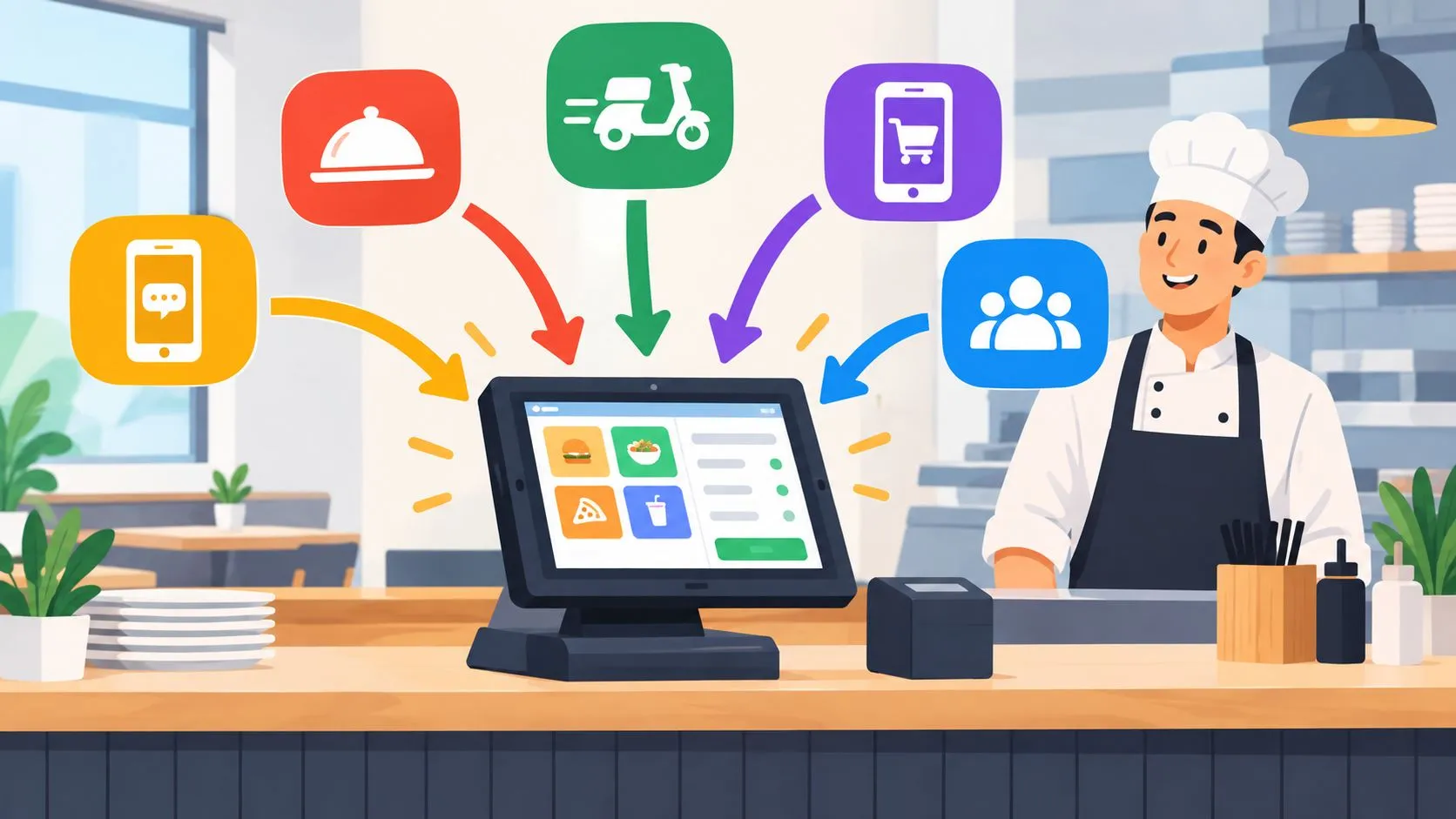
At Friday dinner rush, Uber Eats, DoorDash, and Grubhub tablets can buzz at once while a cashier re-keys each order into Clover or Square. Order management integration sends those delivery orders directly into the POS, without extra tablets or manual re-entry, so the kitchen receives standard tickets and the POS remains the operational source of truth.
That sounds like a connectivity problem, but operators know the cost is operational. A missed modifier becomes a remake, a delayed ticket becomes an angry driver, and a menu change made in one channel but not another creates confusion before the order even reaches the line. The right integration connects the channels, then gives the restaurant a disciplined way to control menus, routing, exceptions, and reporting.
What Order Management Integration Actually Does
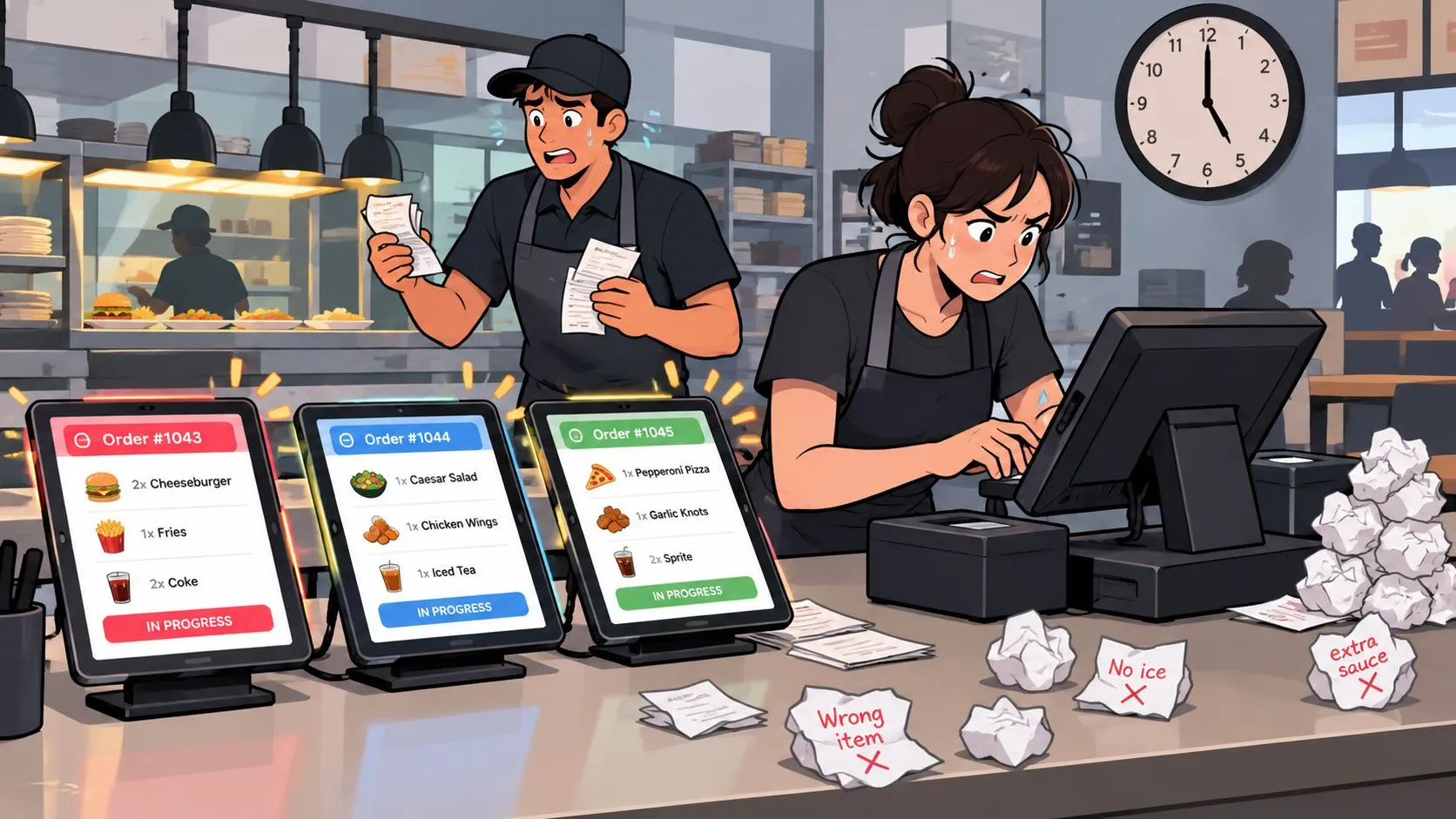
The practical difference appears during service. A DoorDash order arrives with a substitution, an Uber Eats order includes a modifier group, and a Grubhub order contains a special instruction. Without integration, someone reads each tablet, finds the matching items in Clover or Square, and types the order again. The kitchen works from whatever the employee managed to reproduce.
Order management integration removes that duplicate handoff. It takes marketplace orders from platforms such as Uber Eats, DoorDash, and Grubhub, translates their menu data into the restaurant’s POS structure, and injects the order into Clover or Square. The order then follows the same operational path as other tickets, including kitchen preparation and sales attribution.
The hidden work behind tablet re-keying
The issue isn’t only typing speed. Employees must identify the correct menu item, select the right size, rebuild modifiers, capture special instructions, and preserve payment or tip information. Every extra interpretation creates room for an incorrect ticket.
A useful integration doesn’t merely pass text between apps. It maps each marketplace menu to a normalized POS schema, giving equivalent items, modifier groups, pricing, and order fields a consistent structure. That normalization lets Clover or Square create a clean ticket instead of receiving an unstructured message that staff still need to interpret.
Menu hygiene matters. If the POS contains duplicate items, inconsistent modifier names, or outdated pricing, the integration can only work with the underlying data it receives. Operators evaluating broader workflow integration options should apply the same test: does the system create a reliable operational record, or does it move the mess to another screen?
The POS becomes the control point
With a properly configured flow, dine-in, takeout, and delivery orders can be managed from the POS rather than scattered across separate tablet queues. Kitchen staff see the ticket where they already work, managers can review channel attribution in sales reporting, and the restaurant has one place to govern menu structure.
For a deeper foundation, see what an order management system does in restaurant operations. The important distinction is simple: integration isn’t just “connecting apps.” It creates a controlled path from marketplace menu to POS ticket to kitchen workflow.
Why Multi-Channel Ordering Demands Integration
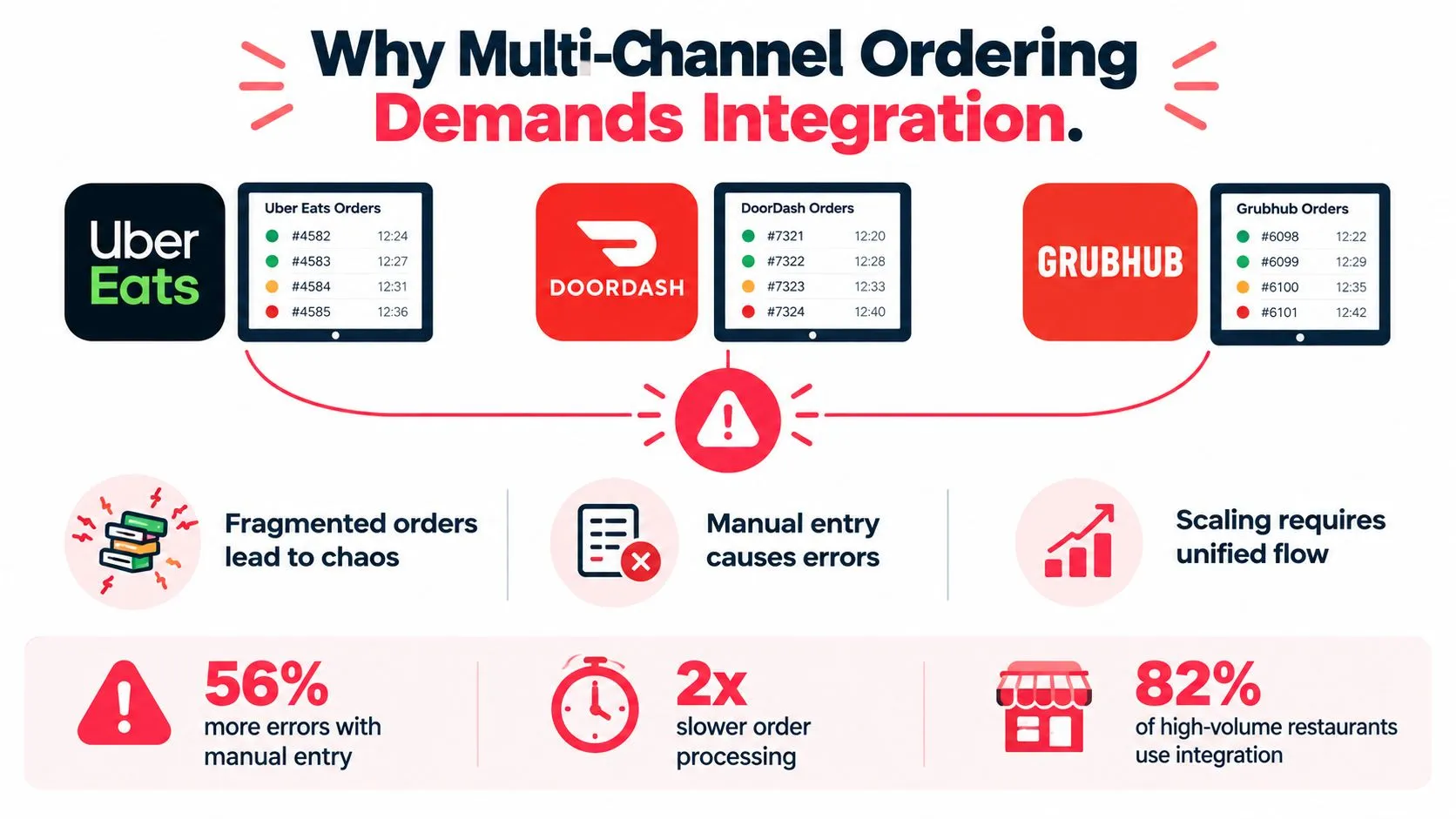
Separate tablets look manageable when order volume is light. During a rush, they create parallel queues that employees must watch, interpret, and reconcile. An order can be accepted on one device while the kitchen waits for someone to re-enter it on another system.
The channel mix is already broad. One industry summary cites that 72% of full-service restaurants and 89% of quick-service restaurants receive orders from at least two third-party platforms, and that the average restaurant receives orders from 3.2 platforms, according to USTech Automations’ restaurant order management summary. The same source reports that manual re-entry can increase order error rates by 35% for every additional delivery platform.
Why errors multiply across channels
The problem isn’t limited to missing an order. Each marketplace can represent the same product differently. One may send a modifier as a required choice, another may send it as an option, and the POS may use a different internal identifier altogether. If the mapping is incomplete, the order may arrive without the selection the guest paid for.
A unified pipeline reduces those interpretation points:
- Menu normalization: Match marketplace items and modifiers to the POS catalog.
- Order injection: Create a structured Clover or Square ticket from the incoming order.
- Kitchen routing: Send products and preparation details to the appropriate station.
- Reconciliation: Preserve channel attribution and align order totals with reporting.
The stages matter because a failure early in the flow can appear later as a kitchen or reporting problem. A missing modifier can become a remake, while an incorrect item mapping can distort channel performance reviews.
Tablet labor is an operating cost
USTech Automations also reports that kitchen staff can spend 45 to 90 minutes per shift managing tablet alerts instead of preparing food, making the issue a labor-efficiency concern as well as an accuracy concern. That time doesn’t always disappear when a restaurant adds another platform. It can move into exception handling, menu corrections, refunds, and customer-service calls.
The practical case for multi-channel order management software is therefore stronger than “fewer screens.” The restaurant needs one order path that can handle several marketplaces without asking the line to become an integration team.
How Delivery Orders Flow Into Your POS
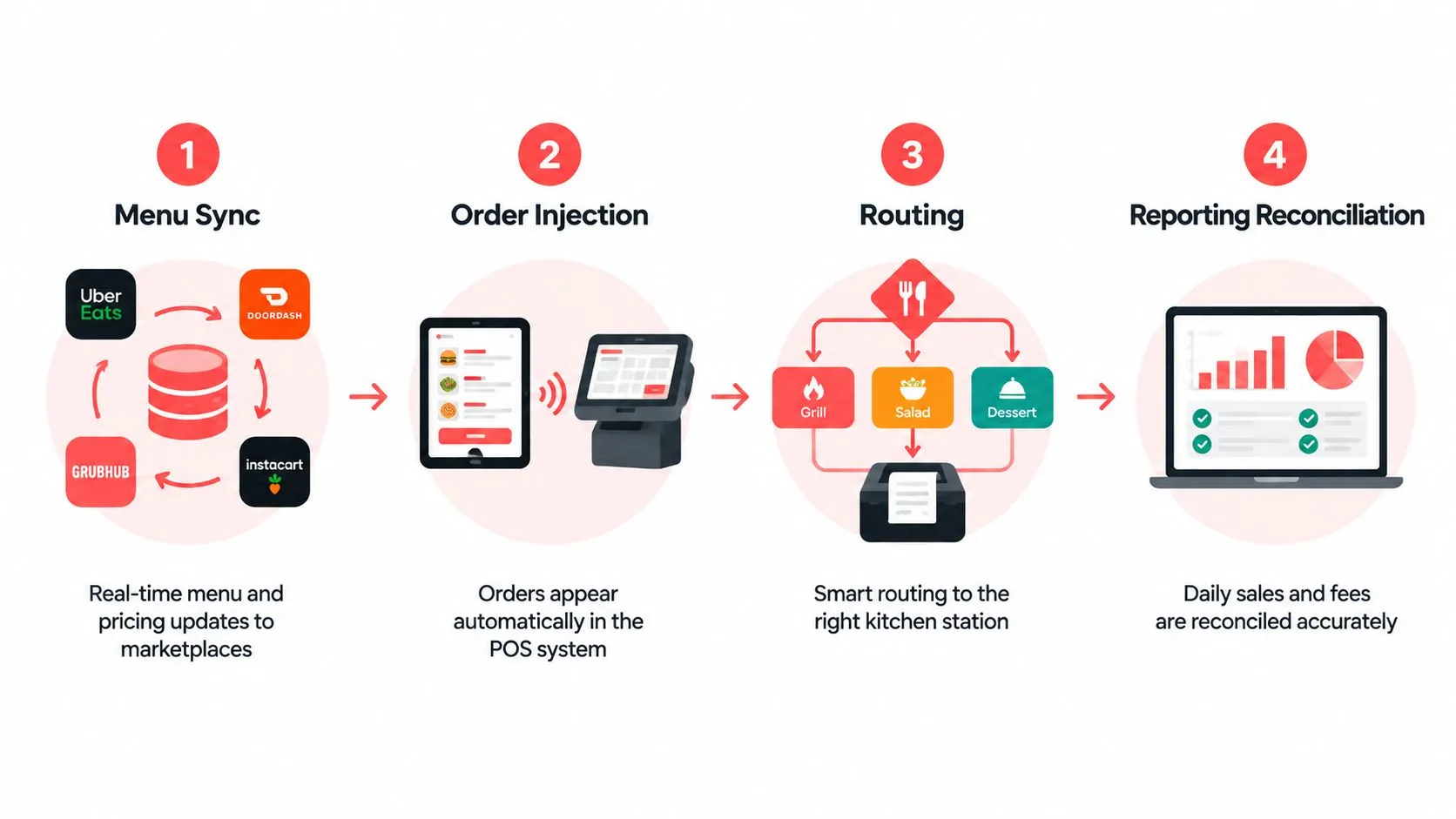
A reliable delivery-to-POS connection should be treated as a pipeline, not a single sync button. The technical model has distinct stages, and each stage deserves its own test.
Four stages operators should verify
Menu sync comes first. The integration retrieves the marketplace menu and matches it to the POS catalog. Item names alone aren’t enough. Modifier groups, required selections, sizes, combos, prices, availability, and tax treatment must resolve to the correct POS records.
Order injection creates the ticket. When a guest orders through Uber Eats, DoorDash, or Grubhub, the system uses the normalized mapping to create an order in Clover or Square. The ticket should retain the information the kitchen needs, including modifiers and special instructions, without requiring a cashier to rebuild it.
Routing determines where work goes. A beverage, side, entrée, or dessert may belong at different preparation stations. Routing rules should reflect the restaurant’s actual kitchen setup, not a generic default that forces staff to sort tickets manually.
Reconciliation closes the loop. Payment, tips, channel attribution, fees, and totals need to remain understandable in reporting. Cloud Restaurant Manager’s POS integration guidance recommends verifying menu sync, structured ticket creation, station routing, payment and tip propagation, and totals reconciliation in sequence because contract mismatches can cascade into kitchen errors or reporting drift.
Middleware and POS connectors solve different problems
A middleware layer can normalize several marketplace formats before sending one consistent structure to the POS. That makes it useful when a restaurant needs broad channel coverage or wants one menu governance layer across locations.
A native connector may have fewer moving parts because it works inside the POS ecosystem. That can simplify onboarding, but the operator should still check channel coverage, modifier handling, routing, reporting, and what happens when an API or marketplace changes.
The consolidated order workflow is valuable only when the data remains intact from the marketplace through the kitchen and into reporting. Test each handoff separately instead of assuming a successful connection proves the whole process works.
Middleware Versus Native POS Connectors
The choice between middleware and a native POS connector depends on the restaurant’s channel mix, menu complexity, and tolerance for maintaining several systems. Neither approach automatically fixes poor menu data or unclear ownership.
| Consideration | Middleware | Native POS connector |
|---|---|---|
| Setup | More configuration across channels and mappings | Often simpler within the POS ecosystem |
| Channel coverage | Can support multiple marketplace formats through one layer | Depends on the connector’s supported channels |
| Menu governance | Centralized normalization can help multi-channel control | May be easier for a simpler catalog |
| Maintenance | Requires monitoring the middleware and marketplace contracts | Fewer layers, but still needs menu and API checks |
| Reporting | Can consolidate channel data when mappings are correct | May provide a direct path into POS reporting |
Choose based on operational complexity
Middleware makes sense when Uber Eats, DoorDash, and Grubhub each send different structures, or when a restaurant operates across Clover and Square environments. It can also provide a common integration layer for partners and multi-location operators.
Native integration can be appropriate when the restaurant has a straightforward menu, a narrow channel mix, and wants the shortest path into its POS. The trade-off is that a simpler setup may offer less flexibility if the business later adds channels, locations, or more complex modifiers.
A useful guide to enterprise application integration can help technology partners think through ownership, interfaces, monitoring, and change management before choosing an architecture.
Run a controlled implementation
Start with the menu rather than the API. Remove duplicate items, standardize modifier groups, confirm prices, and decide which system owns availability. Then map a small set of representative products, including a simple item, a combo, a required modifier, an optional modifier, and an item with special instructions.
Next, send test orders through every marketplace you use. Confirm that Clover or Square receives the expected ticket, that the kitchen printer or station receives the right content, and that reporting attributes the order to the correct channel. For technical teams, the POS integration API documentation provides useful context for evaluating order and menu data flows.
Implementation Steps From Menu Audit to Go-Live
Integration doesn’t automatically improve profit. It can remove tablet work while leaving menu drift, exception handling, and poor channel decisions untouched. The launch should therefore be treated as an operating change, not an app installation.
Audit the source menu
Export or review every relevant marketplace menu beside the Clover or Square catalog. Look for duplicate names, retired items, inconsistent modifier labels, incorrect prices, and options that exist on one channel but not another.
Assign ownership before mapping begins. Someone should be responsible for approving menu changes, someone should verify the POS result, and the store team should know which system controls availability. Without that rule, a manager may fix a marketplace listing directly and create a mismatch in the normalized POS structure.
Map the difficult cases first
Simple items rarely expose integration weaknesses. Test the combinations that create operational risk:
- Required modifiers: Confirm the guest’s selection reaches the ticket and remains attached to the correct item.
- Combos: Check that component items route to the right station.
- Special instructions: Verify that kitchen-facing notes remain visible without replacing structured modifiers.
- Unavailable items: Confirm that the process for disabling an item is understood by the people who update menus.
- Taxes and tips: Review how payment fields and totals appear in the POS and reporting views.
The point isn’t to make every marketplace look identical. The point is to make every incoming order unambiguous to the kitchen.
Go live with monitoring
Keep a defined fallback process for the launch period. Staff should know how to identify an order that failed to inject, where to check its status, and who owns the correction. Don’t retire every tablet until test orders and live exceptions have been reviewed across Uber Eats, DoorDash, and Grubhub.
Restaurantware’s integration guide advises testing sync, menu mapping, inventory deduction, and monitoring. That maintenance emphasis matters because marketplace menus and APIs change after launch. Use OrderOut’s menu management guidance to build a repeatable review process rather than treating go-live as the finish line.
Measuring ROI Beyond Labor Savings
The honest ROI question isn’t “How many tablets did we remove?” It’s whether the restaurant protects more margin after commissions, refunds, remakes, exceptions, and staffing trade-offs.
Third-party delivery fees make workflow quality commercially important. In 2026 reporting, OrderIt’s delivery fee overview described DoorDash marketplace plans at 15% for Basic, 25% for Plus, and 30% for Premier, with pickup listed separately at about 6%. The same source reported Uber Eats plans ranging from 15% to 30%, depending on plan tier. When a restaurant pays a substantial variable fee on an order, a preventable re-keying error consumes more than labor. It can trigger a remake, refund, replacement delivery, or lost guest trust.
Measure the whole workflow
Track the operational signals that sit between the marketplace and the bank deposit:
- Order accuracy: Review missing modifiers, incorrect items, and remake reasons by channel.
- Exception volume: Count orders that require staff to leave the normal POS flow.
- Ticket handling: Compare whether delivery orders enter the kitchen consistently during peak periods.
- Reporting quality: Check whether channel sales and fees can be reconciled without manual reconstruction.
- Menu stability: Record how often a channel requires correction after a POS menu change.
Don’t assume a reduction in tablet activity equals a reduction in labor. Staff may be spending that time fixing failed mappings or answering marketplace disputes. The integration earns its place when it reduces the total exception burden and gives managers dependable channel data.
Build resilience into the business case
Recent industry coverage says operators still struggle with fragmented systems and want better ROI measurement. A report on online ordering also describes data silos as a “personalization ROI killer,” highlighting the need to measure payback by channel, daypart, and store format, according to the 2025 online ordering and catering report.
The broader lesson is that integration is a margin-protection tool only when paired with menu governance, alerting, fallback procedures, and clear ownership. A normalized POS schema gives the restaurant a strong foundation, but disciplined operations preserve its value.
Frequently Asked Questions
Does OrderOut work with Clover?
Yes. The OrderOut website describes automatic routing from marketplaces including Uber Eats, DoorDash, and Grubhub into Clover POS. The service is available to install free on the Clover App Market, with the restaurant using the POS as the central order workflow.
Does OrderOut work with Square?
Yes. OrderOut routes supported third-party delivery orders into Square POS. Its platform description also identifies kitchen ticket printing and order attribution in sales reporting as operational outcomes.
How do delivery orders reach the kitchen?
The marketplace menu is mapped to a normalized POS schema, then the incoming order is injected into Clover or Square as a structured POS ticket. Kitchen staff can receive the order through the restaurant’s configured ticket-printing workflow instead of reading and re-keying it from a separate delivery tablet.
What happens to the marketplace tablets?
OrderOut is designed to remove extra delivery tablets and manual re-keying from the normal workflow. Keep a controlled fallback process during implementation until the restaurant has verified menu mappings, test orders, routing, and exception handling.
How are menu changes managed?
Menu and modifier data must remain clean and consistently mapped between the marketplaces and the POS. Assign an owner for menu changes, test updates before relying on them during service, and monitor for mismatches after launch.
OrderOut maps Uber Eats, DoorDash, and Grubhub menus into a normalized Clover or Square POS structure, then injects orders into the kitchen workflow without manual re-keying. If tablet handoffs and menu drift are creating avoidable exceptions, visit OrderOut to review the integration and start onboarding.