
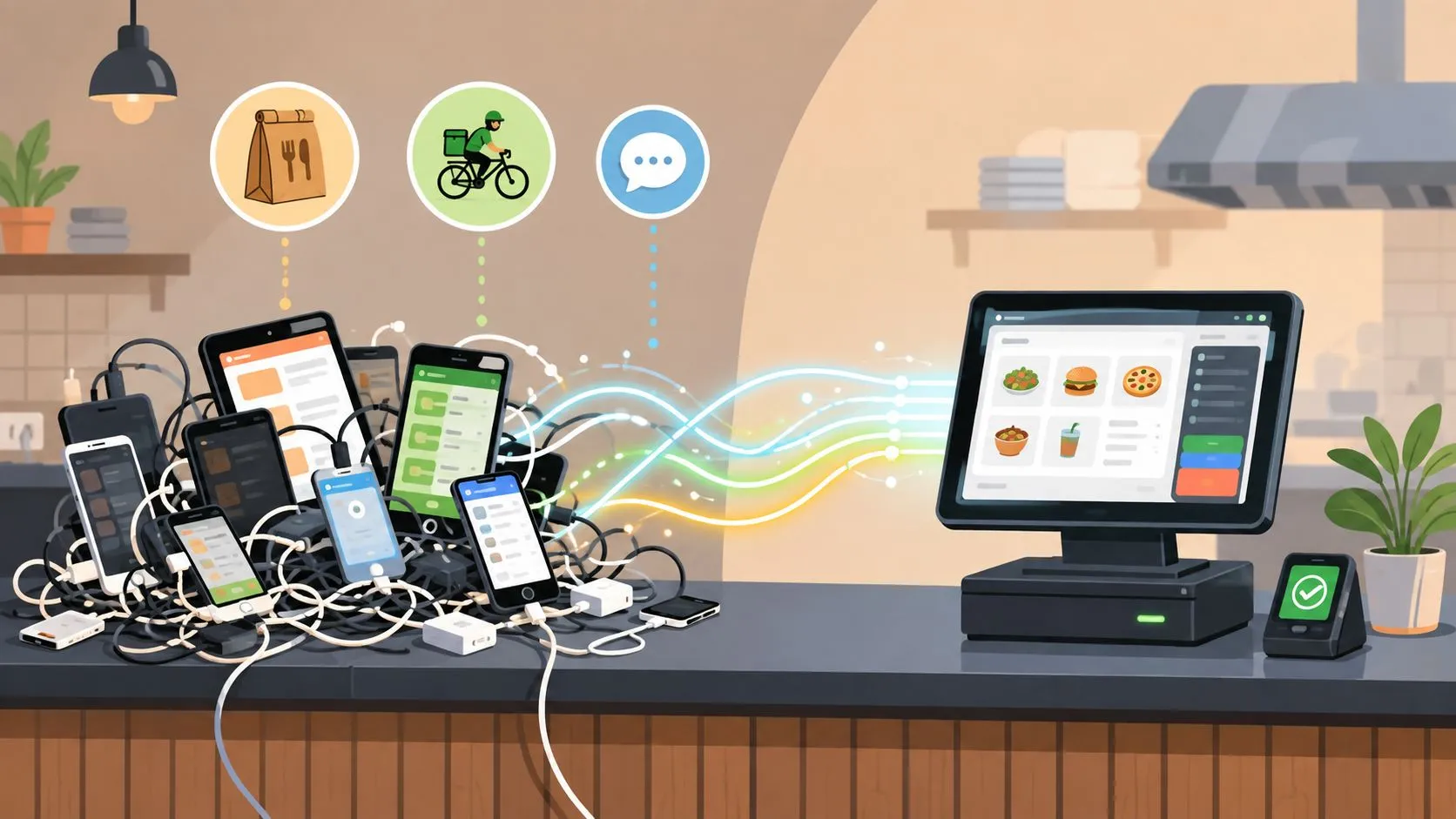
API integration connects delivery platforms such as Uber Eats, DoorDash, and Grubhub with a restaurant POS such as Clover or Square, so orders can enter the system without extra tablets or manual re-keying. The average number of APIs per firm rose from 5 in 2013 to 32 in 2015, while total calls stayed roughly flat at about 2.9 million to 3.2 million, according to a Boston University study summarized by WorldMetrics.
That shift matters at the counter. During a rush, staff may watch multiple delivery tablets, retype orders into the POS, and discover that a modifier or special instruction never made it to the kitchen. Delivery-to-POS integration replaces that fragmented process with a single operational stream, while the POS remains the source of truth for tickets and fulfillment.
What API Integration Means for Restaurants
What is API integration in a restaurant? It’s the technical connection between two or more software systems through standardized interfaces, allowing them to exchange data, align processes, and trigger workflows automatically. In a delivery operation, the connected systems might include Uber Eats, DoorDash, Grubhub, Clover, and Square.
The practical difference is simple. Without integration, a DoorDash order appears on a separate device, and an employee manually enters it into Clover or Square. With integration, the marketplace order travels through a middleware layer, gets matched to the restaurant’s POS menu structure, and creates the ticket without staff re-keying every line.
That workflow addresses more than inconvenience. Manual entry creates opportunities for missed modifiers, incorrect item selections, and delayed kitchen tickets. A restaurant can have accurate menus on each marketplace and still struggle if the order arrives in a format the POS doesn’t understand.
Practical rule: A delivery integration is successful only when the kitchen receives the right item, modifier, price, and order status in the system staff already use.
The broader idea is often called real-time integration for restaurant systems. For operators comparing tools, resources such as integrations for restaurant operators can also help clarify which systems need to exchange information and where manual work remains.
The connection usually includes more than a single request. It must authenticate with each platform, receive or retrieve order data, translate different field names and identifiers, handle failures, and monitor whether orders reached the POS. That’s why restaurant integration is an operations project, not merely an IT checkbox.
For OrderOut’s delivery-to-POS workflow, the relevant use case is direct injection of Uber Eats, DoorDash, and Grubhub orders into Clover or Square. The value is operational: fewer tablets at the service station, less re-keying, and a clearer order path from marketplace to kitchen.
How Delivery to POS Integration Works Technically
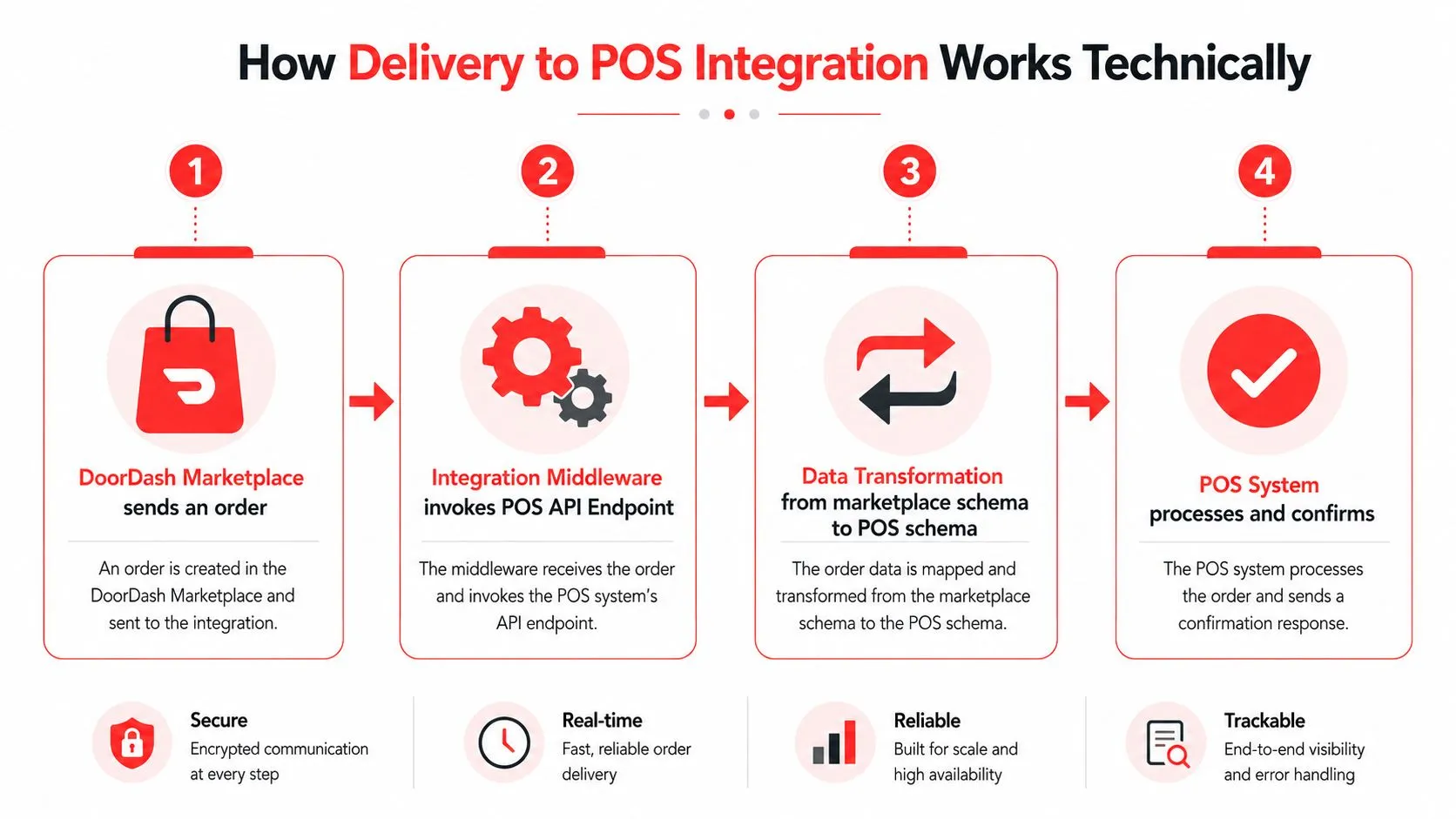
An integration isn’t just “calling an API.” It invokes an endpoint, authenticates the request, transforms data between schemas, handles errors, retries recoverable failures, and monitors the connection. MG Software’s explanation of API integration describes this same combination of communication, transformation, error handling, and monitoring.
Consider a DoorDash order for a sandwich with a size selection, extra toppings, and a side. DoorDash and Clover may represent those choices differently. The integration layer has to identify the external menu item, locate the corresponding POS item, translate each modifier, preserve pricing, and submit a payload Clover can use to create a ticket.
The order payload
The marketplace sends structured data rather than a human-readable ticket. That payload can include the restaurant location, order identifier, customer details, line items, modifiers, taxes, fees, and status. The middleware validates the payload before it attempts to create the POS order.
Validation catches problems early. An unknown item identifier, unavailable modifier, malformed field, or missing location should produce a controlled exception rather than a partial ticket that forces the kitchen to guess.
The mapping layer
Mapping connects marketplace identifiers to POS identifiers. A restaurant might call an item “Large Chicken Bowl” on one channel and store it under a different internal identifier in Clover or Square. The integration needs a stable relationship between those records, including modifier groups and nested choices.
Square’s Orders API documentation shows why order structure matters. Square order objects can include line items, discounts, service charges, taxes, and other details, while its search capability supports retrieving orders across locations. Middleware uses this kind of structured access to normalize marketplace orders into the POS schema.
Failure handling
Network interruptions and temporary platform errors can occur during any service connection. Retry logic gives a recoverable request another opportunity, while idempotency prevents that retry from creating a duplicate ticket.
Monitoring completes the process. The operator needs a way to identify whether an order was accepted, rejected, delayed, or placed into an exception state. For a deeper look at the POS side, see Clover API documentation and integration considerations.
REST APIs Versus Webhooks in Order Routing
REST APIs and webhooks solve different timing problems. A REST API usually follows a request-response model, where one system asks another for information. A webhook pushes an update when a defined event occurs, such as a new DoorDash order or a Grubhub status change.
Polling can work when immediate synchronization isn’t essential, but it requires the receiving system to keep checking. Webhooks reduce that repeated checking and can keep order states synchronized more closely to the event itself. The tradeoff is additional responsibility around duplicate events, ordering, signatures, and replay protection.
For a broader discussion of choosing between webhook and API, the central question is whether the receiving system should ask for updates or be notified when they occur.
| Aspect | REST API, Polling | Webhooks, Event-Driven |
|---|---|---|
| Trigger | The receiving system sends a request | The sending system pushes an event |
| Timing | Depends on the polling interval and response | Begins when the event is emitted |
| Duplicate risk | Repeated retrievals need careful state tracking | Events may arrive more than once |
| Ordering | The receiver controls retrieval sequence | Events can arrive out of order |
| Engineering needs | Scheduling, authentication, pagination, state checks | Signature validation, deduplication, retries, stable IDs |
| Restaurant example | POS middleware checks for new orders | Marketplace notifies middleware of a new order |
The operator’s question
You don’t need to choose the protocol yourself, but you should ask how the vendor protects the kitchen from duplicate or incomplete tickets. A webhook-based system should validate event signatures, retain stable external IDs, and process the same event safely if it is delivered again.
A delivery order may change state quickly from received to accepted to ready. If the integration processes those events out of order, the POS could show an outdated status. Replay-safe processing makes it possible to reprocess an event without creating another order or corrupting the existing ticket.
That’s the operational distinction discussed in POS integration API design. The protocol matters, but the safeguards around it matter more during service.
A Real World DoorDash to Clover Integration
A DoorDash-to-Clover connection starts with the restaurant’s operating details, not with code. DoorDash says the merchant needs an active account, a supported POS or middleware provider, administrative access to both systems, and a menu configured with items, prices, modifiers, and store hours. DoorDash also states that self-serve integrations can be active within 24 to 48 hours, and that connected orders can reach the POS without a separate tablet, as described in its POS integration guidance.
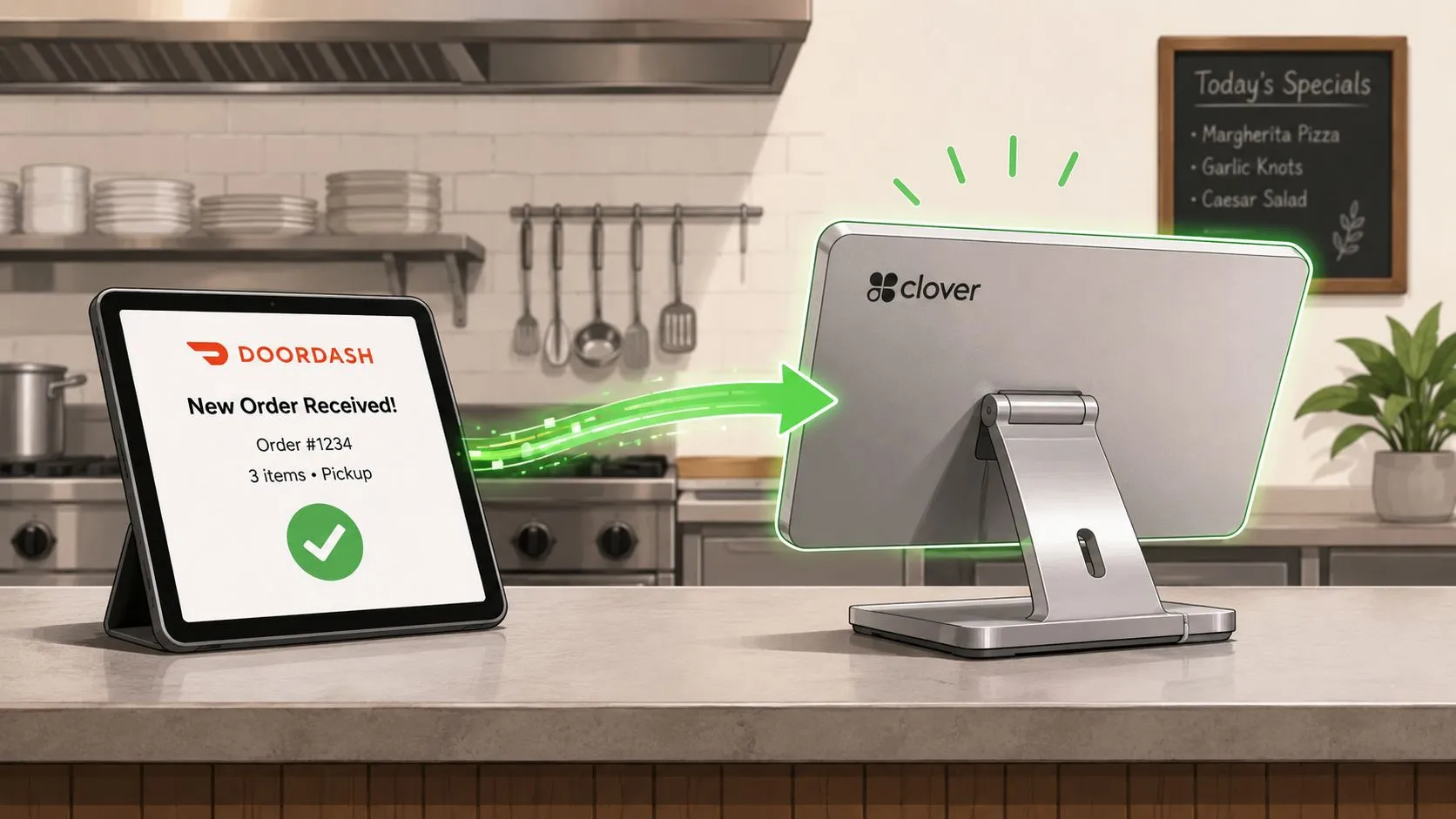
The restaurant first connects its DoorDash account and Clover environment through the supported integration path. The menu then becomes the critical operating record. Item names, prices, availability, modifier groups, and required choices need to correspond closely enough for the middleware to identify the correct Clover records.
Suppose a customer orders a burger, adds two toppings, chooses a side, and selects a drink. OrderOut maps each marketplace menu to a normalized POS schema, so the incoming structure can match Clover’s item and modifier records. Clover receives a usable ticket rather than a loose text message that staff must interpret.
The staff workflow changes immediately. Employees stop watching a DoorDash tablet for the purpose of re-entering the order, and the kitchen works from the Clover ticket already inside the restaurant’s normal process. The marketplace remains the customer-facing ordering channel, while Clover handles the restaurant’s internal order flow.
The same principle applies when the restaurant uses Square or adds Uber Eats and Grubhub. The details of each platform’s connection differ, but the integration still has to preserve item identity, modifiers, pricing, and status. DoorDash and Clover integration details can help operators evaluate the specific workflow before launch.
The operational result depends on menu discipline. If the DoorDash menu contains an item that has no matching POS record, or if a modifier group is configured differently, the integration can’t reliably create the intended ticket. A clean connection starts with a clean menu.
Why Operational Integration Matters More Than Raw Connectivity
A connection can be technically active and still fail the restaurant. The test is whether an order arrives with the right structure, reaches the right location, preserves modifiers, and gives staff a clear path when something goes wrong.
Generic API definitions often stop at automated data exchange. Restaurant operations add business rules that software has to respect:
- Routing: Send each marketplace order to the correct POS location and service workflow.
- Mapping: Match marketplace items, combos, sizes, and modifiers to POS records.
- Availability: Reflect menu changes so customers can’t keep ordering unavailable items.
- Exceptions: Hold or flag an order when a required mapping is missing.
- Recovery: Retry temporary failures without creating duplicate tickets.
- Status control: Keep accepted, rejected, ready, and completed states aligned.
IBM describes the integration category as moving toward event-driven, AI-assisted, and low-code orchestration in its API integration overview. For restaurants, that direction matters only when it solves real service conditions, such as fast menu changes, platform outages, modifiers, and partial failures.
The right question isn’t “Does this API connect?” It’s “What does my staff see when the connection meets a missing modifier or a failed request?”
OrderOut belongs in this operational discussion because its delivery-to-POS workflow maps marketplace menus to a normalized POS schema and routes third-party orders into Clover or Square. That description is more useful to an owner than a broad promise of connectivity. You need to know what happens to an Uber Eats order when the customer selects a modifier, what the POS receives, and how the system handles an exception.
This is also why a single tablet reduction isn’t the whole evaluation. The restaurant should gain a dependable order path, not just remove a screen. A connection that drops modifiers or creates duplicate tickets trades visible clutter for hidden service problems.
Evaluating and Launching Your Delivery POS Integration
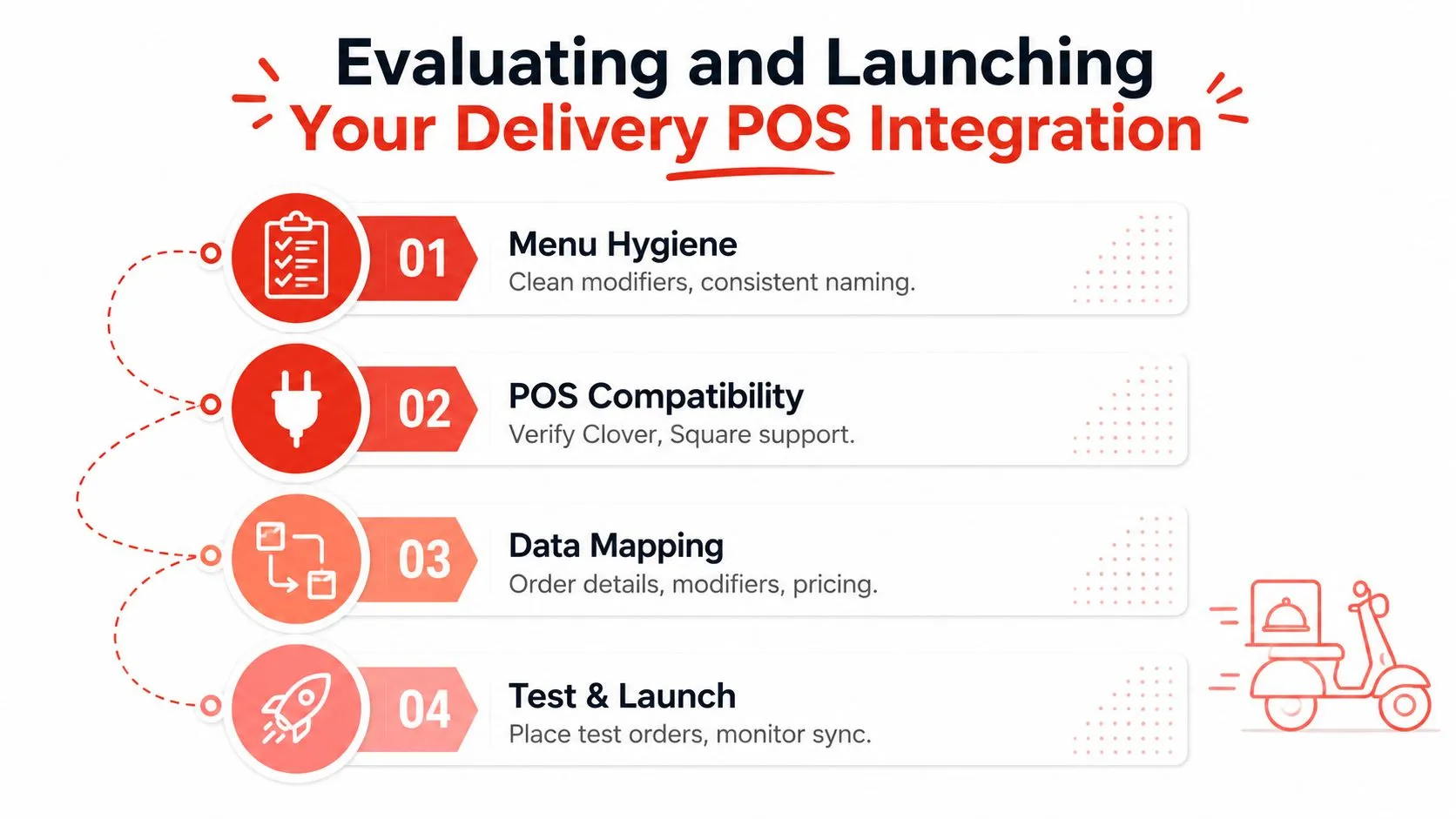
Start with the menu because every later step depends on it. Review item names, prices, modifier groups, required choices, combos, availability, and store hours across Uber Eats, DoorDash, Grubhub, Clover, and Square. Consistent records make mapping easier to maintain.
A practical launch checklist
- Confirm compatibility: Verify that the integration supports your Clover or Square setup and the delivery channels you use.
- Check access: DoorDash says merchants need administrative access to the relevant accounts, along with a supported POS or middleware provider and a configured menu, as outlined in its integration requirements.
- Review data handling: Ask how the provider manages authentication tokens, validates webhook signatures, protects external order IDs, and records failures.
- Test the difficult orders: Place test orders that include modifiers, combinations, special instructions, and unavailable items. A simple item test won’t expose mapping weaknesses.
- Watch the first service period: Confirm that the POS receives the complete ticket, that the kitchen sees the expected details, and that status changes behave correctly.
Clover’s app ecosystem allows free apps and free trials. Clover’s pricing documentation says approved apps may offer trials of 14, 30, 60, or 90 days, and that billing begins when the app is installed or when the trial ends, as explained in its Clover apps and features guide. OrderOut is free to install on the Clover App Market.
Square operators should also examine the order model, not just the marketplace listing. Square’s Orders API requirements describe support for rich order details, including line items, discounts, service charges, and taxes, plus order search across locations.
For a broader onboarding perspective, vendor onboarding for restaurant technology is useful when assigning account access, menu ownership, and testing responsibility. When you’re ready, install OrderOut from the Clover App Market or OrderOut from the Square App Marketplace, then onboard through the dashboard.
Before launch: Decide who owns menu updates. An integration can route data correctly, but someone still needs to maintain item availability, modifiers, and pricing.
Frequently Asked Questions
Does OrderOut work with Clover and Square?
OrderOut connects third-party delivery orders from Uber Eats, DoorDash, and Grubhub with supported POS systems including Clover and Square. It maps marketplace menus to a normalized POS schema so incoming orders can be structured for the POS workflow.
How long does delivery integration take to go live?
The timing depends on account access, POS compatibility, menu readiness, and the marketplace connection. DoorDash says self-serve integrations can be active within 24 to 48 hours in the workflow described in its POS integration guidance.
Do I still need delivery tablets after integration?
The purpose of delivery-to-POS integration is to send orders directly into the POS, removing the need for separate delivery tablets for order entry. Staff still need a reliable process for handling exceptions and managing marketplace accounts.
What happens if a marketplace changes its menu?
Menu changes need to stay aligned with the POS records and the integration’s mappings. Review item identifiers, modifiers, pricing, and availability whenever the menu changes, then test representative orders before relying on the updated structure during service.
OrderOut routes Uber Eats, DoorDash, and Grubhub orders directly into Clover or Square, so your team can work from one POS workflow instead of re-keying orders across multiple tablets. Start the setup through the OrderOut restaurant platform and onboard your location free in a few clicks at the OrderOut dashboard.