
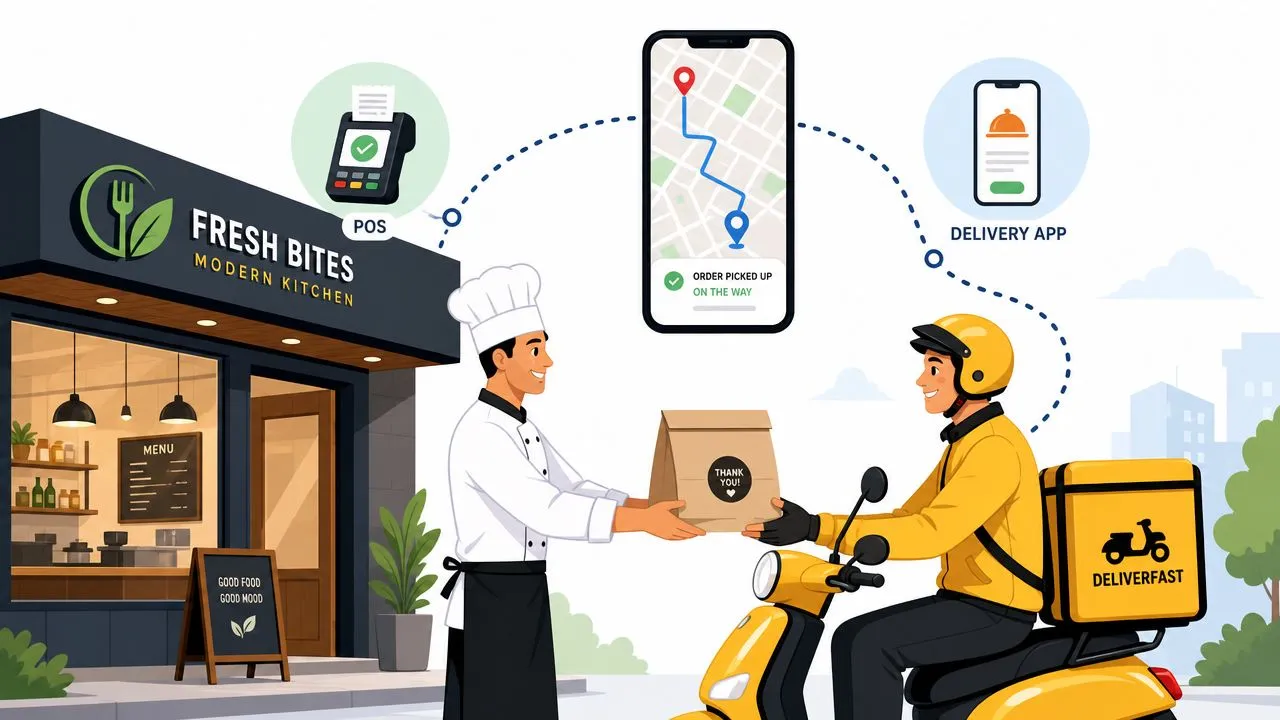
Last mile delivery management software is a system that helps restaurants streamline, track, and optimize the final stage of delivery from the kitchen to the customer’s door through one centralized dashboard. It matters because the last mile accounts for 53% of total shipping costs, so the handoff from order to doorstep is where restaurants win back control, cut avoidable waste, and run a calmer delivery operation.
If you’re managing delivery with a pile of tablets, phone calls, and handwritten driver notes, you already know the problem. The kitchen is making food. Staff are checking Uber Eats, DoorDash, and Grubhub on separate screens. Customers are calling for updates. Drivers are waiting for orders that should already be in motion. That isn’t just annoying. It eats margin and distracts your team from service.
What Is Last Mile Delivery Management Software
Last mile delivery management software is the operating layer that handles what happens after an order is placed and before the customer receives it. For a restaurant, that means dispatching, route planning, driver tracking, customer updates, and delivery confirmation.
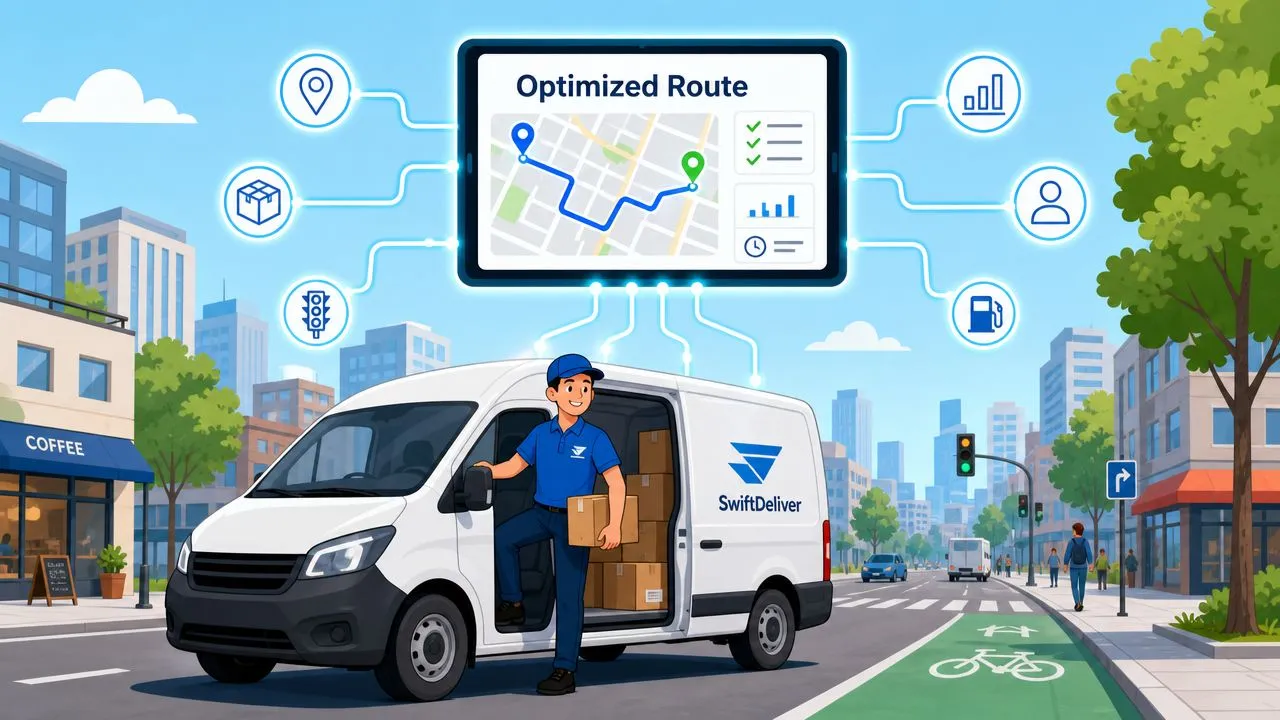
Why restaurants should care
A lot of content about this topic is written for warehouses and parcel carriers. Restaurants need a simpler definition. This software keeps the delivery side of the business from turning into a manual coordination job.
On a busy night, the work usually breaks down in the same places:
- Orders arrive in different places: one in the POS, one on Uber Eats, one on DoorDash
- Staff become human middleware: they re-enter tickets, repeat modifier details, and relay updates between systems
- Drivers run on guesswork: whoever shouts loudest gets assigned first
- Customers call the store: because they can’t see what’s happening
That’s why the economics matter. Locus notes that last-mile delivery accounts for 53% of total shipping costs, making it the single highest-leverage area for logistics cost reduction. For a restaurant, that doesn’t mean you need enterprise fleet software. It means the final handoff is too expensive and too visible to run loosely.
Practical rule: If your team has to manually move order details from one screen to another, you don’t have a delivery system. You have a staffing workaround.
What it looks like in practice
Good restaurant delivery software doesn’t try to impress you with abstract dashboards. It solves concrete problems. It should show which order is ready, which driver is assigned, where that driver is now, and whether the delivery is complete.
If you want a broader restaurant-focused view of how these systems fit into service operations, this guide to food delivery management software for restaurants is a useful companion.
There’s also a bigger transportation lesson here. If you want a plain-English explanation of the broader logistics challenge, Punk Ride’s breakdown of how businesses solve first mile last mile problem is worth reading. Restaurants live inside the “last mile” part of that problem every day, just on a tighter timeline and with hotter products.
How Delivery Management Software Works
The easiest way to understand last mile delivery management software is to follow one order from start to finish.
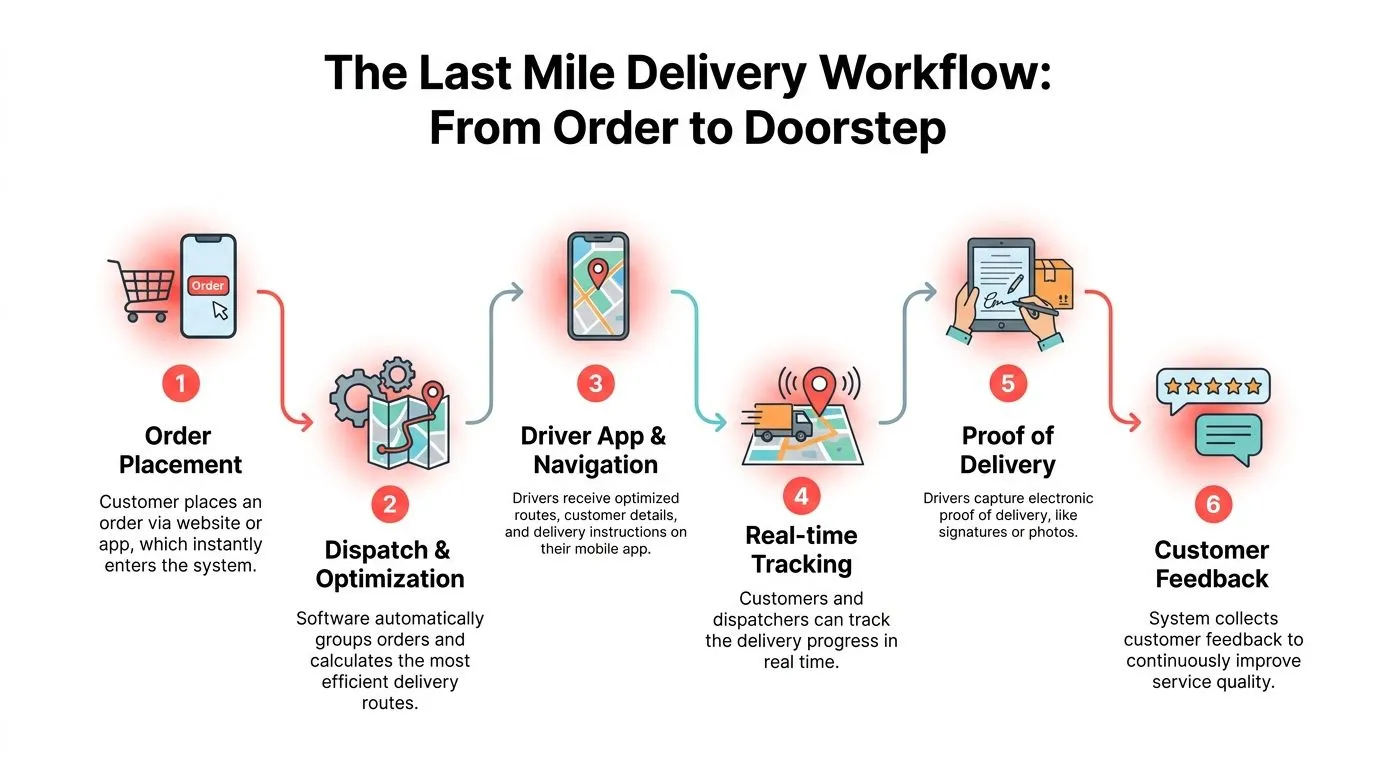
First the order enters the system
A customer places an order through your own website, through Uber Eats, through DoorDash, or through Grubhub. The first job of the system is to capture that order cleanly and send it into the workflow without anyone retyping it.
That sounds basic, but it’s where a lot of restaurants lose control. If someone has to copy the order by hand, every extra touch creates delay and invites mistakes.
Next dispatch turns a ticket into a delivery job
Once the order is accepted and the kitchen starts production, dispatching software decides who should take it. That could be an in-house driver or an outside delivery service, depending on how the restaurant is set up.
The software’s logic is usually simple on the surface. Who is available? Which order is ready first? Which driver is closest? Under the hood, routing systems solve a version of the Vehicle Routing Problem by clustering stops and sequencing them around time windows and capacity limits. Acquaint Soft explains that this approach can reduce fuel consumption by 10% or more through optimized routing paths that avoid redundant travel.
Then the manager and customer can see movement
A strong system doesn’t stop at dispatch. It also shows where the delivery stands in real time. The manager can tell whether a driver is delayed, near the customer, or idle. The customer sees progress instead of calling the store.
If you’re looking at the wider automation layer behind that process, this overview of restaurant order processing automation gives a good picture of how orders move with less manual handling.
When delivery status is visible, the store stops acting like a call center.
Finally the system closes the loop
The last step is proof of delivery. The driver marks the order complete, often with location confirmation, an e-signature, or another digital record. That matters because it gives the restaurant one clean timeline from order placement to delivery confirmation.
The result is a process that feels predictable. Staff don’t have to remember who took what. Managers don’t have to piece together the night from screenshots and verbal updates. And customers get a smoother experience because the delivery flow is visible instead of improvised.
Core Features for Restaurant Delivery
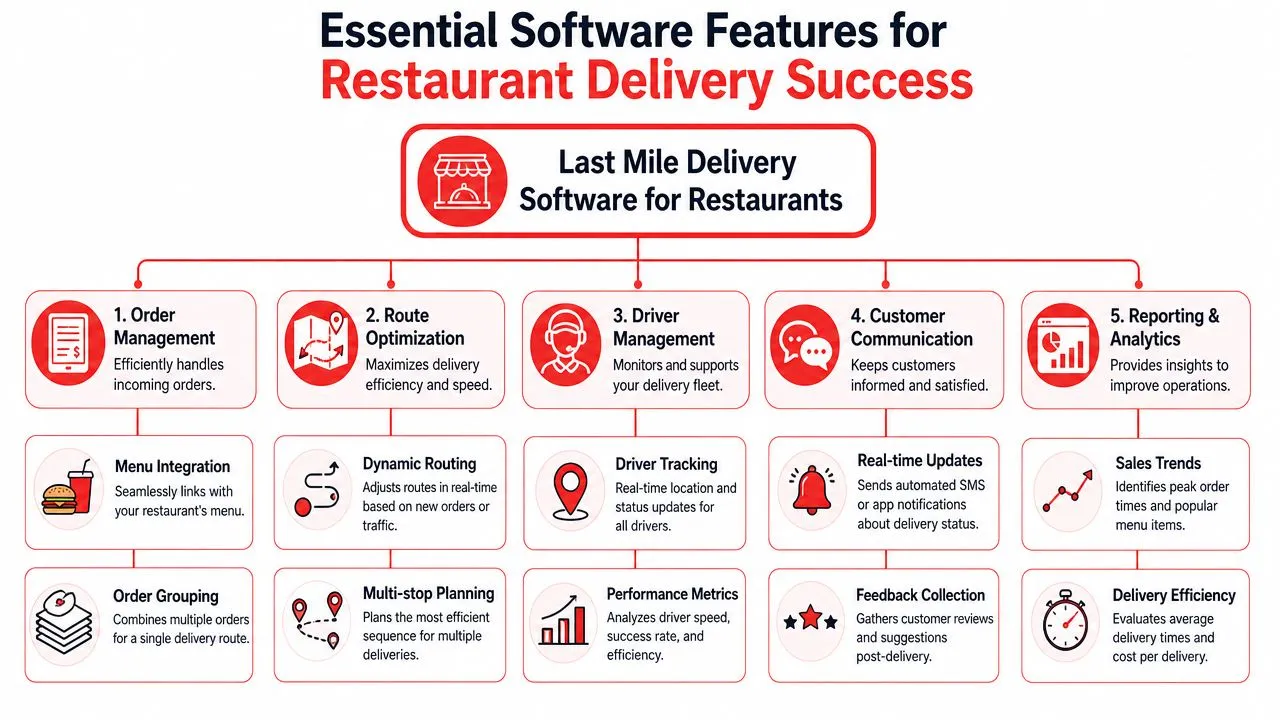
The right feature set shows up during the dinner rush. A driver is late, DoorDash is firing off pickup alerts, Uber Eats has its own timing, and your staff is still trying to keep the kitchen line moving. Good last-mile delivery software gives the shift one place to run that work instead of patching it together from tablets, texts, and memory.
Dispatch dashboard
A dispatch dashboard is the control screen. It shows open orders, assigned drivers, promised times, and delivery status in one view.
For restaurants, that matters more than fancy logistics terminology. If orders are flowing in from your POS, your website, and third-party apps, the manager needs one screen that answers three questions fast. What is waiting to go out, who is taking it, and what is already running late?
This is usually the first feature that calms the shift down.
Route optimization
Route optimization decides which stops belong together and what order the driver should take them in. If you use in-house drivers, this feature protects food quality as much as labor cost. The wrong route means cold fries, late handoffs, and extra miles on every run.
Analysts at Locus note that last-mile delivery accounts for a large share of total shipping cost, making it one of the most impactful areas for cost reduction in delivery operations. For a restaurant, the point is simple. Cleaner routes reduce wasted drive time and make each driver more productive during the busiest hours.
This short video gives a practical look at the kind of delivery workflow operators are trying to control:
Real-time driver tracking
Real-time tracking gives the store live driver location and trip progress. That sounds basic until a customer calls asking where the order is and your cashier no longer has to hunt someone down for an answer.
It also helps managers catch small problems before they spread. If one driver is stuck, the store can reassign the next run, hold a bag a few extra minutes, or update the guest before the complaint starts.
If you want a more restaurant-specific look at live visibility, this guide to a dispatch tracking app for restaurant delivery is useful.
Automated customer updates
Automatic notifications send order confirmations, out-for-delivery alerts, and completion messages without staff touching every order. That matters in restaurants because delivery guests judge the experience the same way dine-in guests do. They want to know the order is moving.
Without updates, the host stand becomes tech support. With them, customers get answers from the system instead of the phone.
Electronic proof of delivery
Proof of delivery records that the order arrived, usually with a timestamp, GPS check, photo, or signature. Restaurants do not need this for every handoff, but it becomes valuable fast when a guest says the food never arrived or a third-party dispute lands a chargeback on your desk.
The practical benefit is accountability. You get a clean record tied to the order instead of relying on a driver’s memory after a busy shift.
| Feature | What it does for the store |
|---|---|
| Dispatch dashboard | Keeps all active delivery decisions in one place |
| Route optimization | Helps drivers take cleaner, more efficient runs |
| Driver tracking | Lets staff answer status questions with confidence |
| Customer notifications | Cuts down on inbound update calls |
| Proof of delivery | Reduces disputes after drop-off |
How This Helps Your Restaurant in Practice
You feel the value of delivery software at 7:15 p.m., not in a demo. The phone is ringing, DoorDash and Uber Eats orders are stacking up, a driver is asking where bag number three went, and someone on the line is trying to confirm whether the order in Square was already sent to the kitchen. Good software cuts that noise down fast.
Fewer interruptions during the rush
The first payoff is fewer status questions hitting your staff at the worst possible time. Customers get updates without calling. Managers can check order progress without chasing a driver down. The host stand stops acting like a call center.
That matters more than it sounds. Every delivery status call pulls someone away from guests in front of them and orders that still need attention.
Cleaner handoffs from kitchen to pickup
Restaurants lose time in the gaps between stations. The food is ready, but nobody is sure which driver is assigned. A bag sits on the counter while staff sort through tablets, printed tickets, and verbal updates. That is where late deliveries start.
A good dispatch setup gives the store one clear handoff process. The kitchen finishes the order. The pickup team knows who it belongs to. The driver gets it without a huddle at the counter. If you want a clearer picture of how those systems connect upstream, this guide to restaurant point-of-sale integrations is a useful reference.
Lower labor drag
Manual delivery coordination creates a lot of tiny decisions, and tiny decisions wear teams out. Staff end up checking multiple screens, repeating the same updates, and fixing mistakes that started with bad order flow.
Software does not remove pressure from a busy shift. It removes avoidable pressure. That is the difference between a team that stays focused and a team that feels behind all night.
Better control over delivery profit
Delivery can look busy on paper and still lose money in practice. Long waits at pickup, bad driver assignment, missed order details, and remake requests all eat margin. Owners usually notice the labor cost first, but the bigger problem is inconsistency.
When orders move through one organized process, stores make fewer expensive mistakes. Fewer remakes. Fewer refunds. Fewer discounts handed out just to calm down an unhappy customer. Over time, that is what turns delivery from a headache into a channel worth growing.
Stronger trust with off-premise customers
Delivery customers judge your restaurant by the full handoff, not just the food. If the order is late, cold, or confusing to track, they blame your brand, even when a third-party app was involved.
Consistent operations protect that relationship. Orders leave on time more often. Staff answer questions with confidence. Customers get a smoother experience whether the order started in Clover, Square, Uber Eats, or DoorDash.
Why POS and Delivery App Integration Is Critical
Standalone delivery software only solves part of the problem. If staff still have to re-enter marketplace orders by hand, the restaurant has in effect added another dashboard to watch.
The POS has to stay the source of truth
The cleanest setup is the one where every order, no matter where it starts, ends up as a normal POS ticket. That includes Uber Eats, DoorDash, and Grubhub orders. It should not matter to the kitchen whether the customer ordered from a marketplace, from your own site, or from the counter.
That’s where integration becomes essential. The dispatch layer can only work well if the order data arrives in a usable format from the start.
A real restaurant example
Take an Uber Eats order going into Clover. In a bad setup, staff hear the tablet chime, tap to accept the order, read the modifier list, and key everything into the POS. If they’re rushed, they miss “no onions,” misread the combo choice, or enter the wrong price adjustment.
In a better setup, the order lands in Clover already normalized. The ticket looks like every other ticket the kitchen knows how to read. Once that happens, delivery management software can dispatch from the same clean record instead of from a second-hand copy.
The same logic applies if you’re evaluating broader point-of-sale integrations for restaurant operations. If the POS and the delivery apps don’t connect cleanly, every downstream tool becomes less reliable.
Why this matters more than another feature list
Restaurants often shop software by comparing checkboxes. Real-time map. Driver app. Notification settings. Those are useful, but they’re secondary. If incoming orders aren’t injected properly, every nice feature sits on top of shaky data.
For operators on Clover, you can start with OrderOut’s Clover delivery integration. For operators on Square, the parallel option is OrderOut’s Square delivery integration. If you want the broader category view first, look at the third-party order engine for restaurant delivery apps, and for a concrete example, see the Uber Eats to Clover integration flow.
If you’re ready to test the first operational step, install from the OrderOut app in the Clover App Market or the OrderOut app in the Square App Marketplace.
Vendor Selection Checklist for Your Restaurant
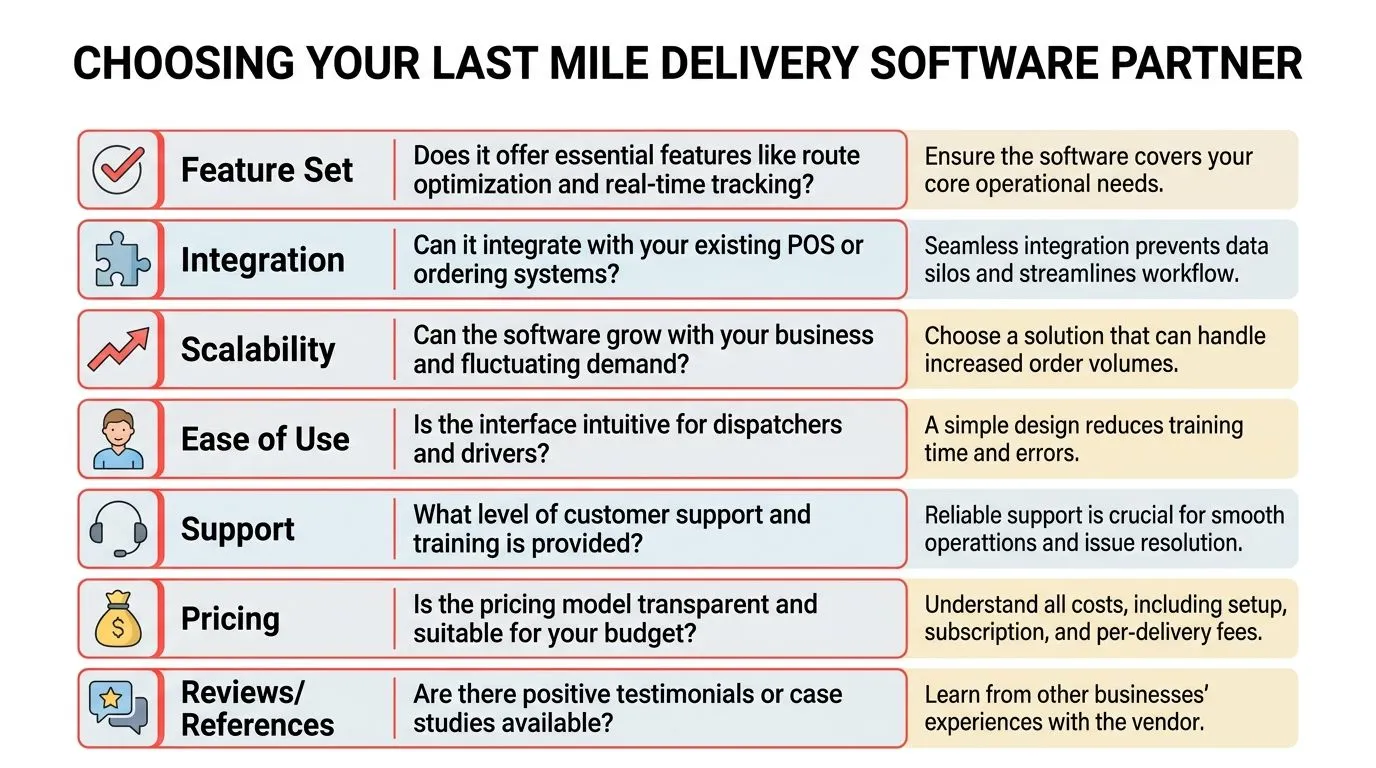
Choosing last mile delivery management software gets easier when you ignore the marketing language and ask practical questions. The right vendor for a restaurant is the one that fits service reality, not the one with the prettiest enterprise demo.
Questions worth asking
- Does it work with your POS out of the box: If you’re on Clover or Square, ask whether orders flow directly into the POS without manual re-entry.
- Can it support your delivery model: Some restaurants use in-house drivers, some rely on third-party delivery, and some mix both. The system should fit that reality.
- Is the workflow simple enough for a shift manager: If a non-technical manager can’t learn it quickly, adoption will stall during the first busy weekend.
- How transparent is pricing: Ask what you pay for setup, monthly access, integrations, and any delivery-related usage.
- What happens during the dinner rush: Support quality matters most when something breaks at peak volume, not at noon on a slow Tuesday.
What good answers sound like
A strong vendor gives direct answers. They don’t bury the setup process in jargon. They don’t make the POS integration sound like a custom science project. They can explain exactly how an order enters the system, how dispatch happens, and how delivery status gets back to the store.
Buy software the shift lead can trust at 7 p.m., not software that only sounds good in a demo.
If you want to compare this category against other restaurant operations tools, this article on the best order management system for restaurants adds helpful context.
For restaurants that need a delivery layer connected to broader systems, it’s also worth reviewing a dedicated delivery management API for restaurant operations, plus the practical details on OrderOut pricing for restaurants and the OrderOut FAQ for common setup questions.
Frequently Asked Questions
Does OrderOut work with Clover?
Yes. OrderOut connects third-party delivery orders into Clover so they arrive as POS tickets instead of living on separate tablets. It’s also free to install on the Clover App Market, which lowers the barrier to testing the workflow in a live restaurant environment.
Do I need extra tablets for Uber Eats, DoorDash, or Grubhub?
The goal is the opposite. OrderOut is built to remove extra delivery tablets by routing marketplace orders into the POS and your existing kitchen workflow. That means staff can work from the systems they already use instead of watching separate screens.
Which delivery apps connect through OrderOut?
OrderOut is positioned around connecting major third-party delivery channels such as Uber Eats, DoorDash, and Grubhub into restaurant POS systems like Clover and Square. The practical benefit is one operational flow instead of one workflow per marketplace.
Why does menu and modifier setup matter so much?
Because clean delivery tickets depend on clean mapping. OrderOut maps each marketplace menu into a normalized POS schema, so modifier hygiene determines whether the kitchen receives a ticket that reads correctly and behaves like a standard POS order.
Where should a restaurant start?
Start with the POS connection first. If your delivery orders enter Clover or Square correctly, the rest of the delivery workflow becomes much easier to control. Restaurants can also review the OrderOut restaurant overview if they want the big-picture fit before onboarding.
If you want to stop re-keying delivery orders and make your POS the operational source of truth, create your free OrderOut account and start onboarding in the OrderOut dashboard.