
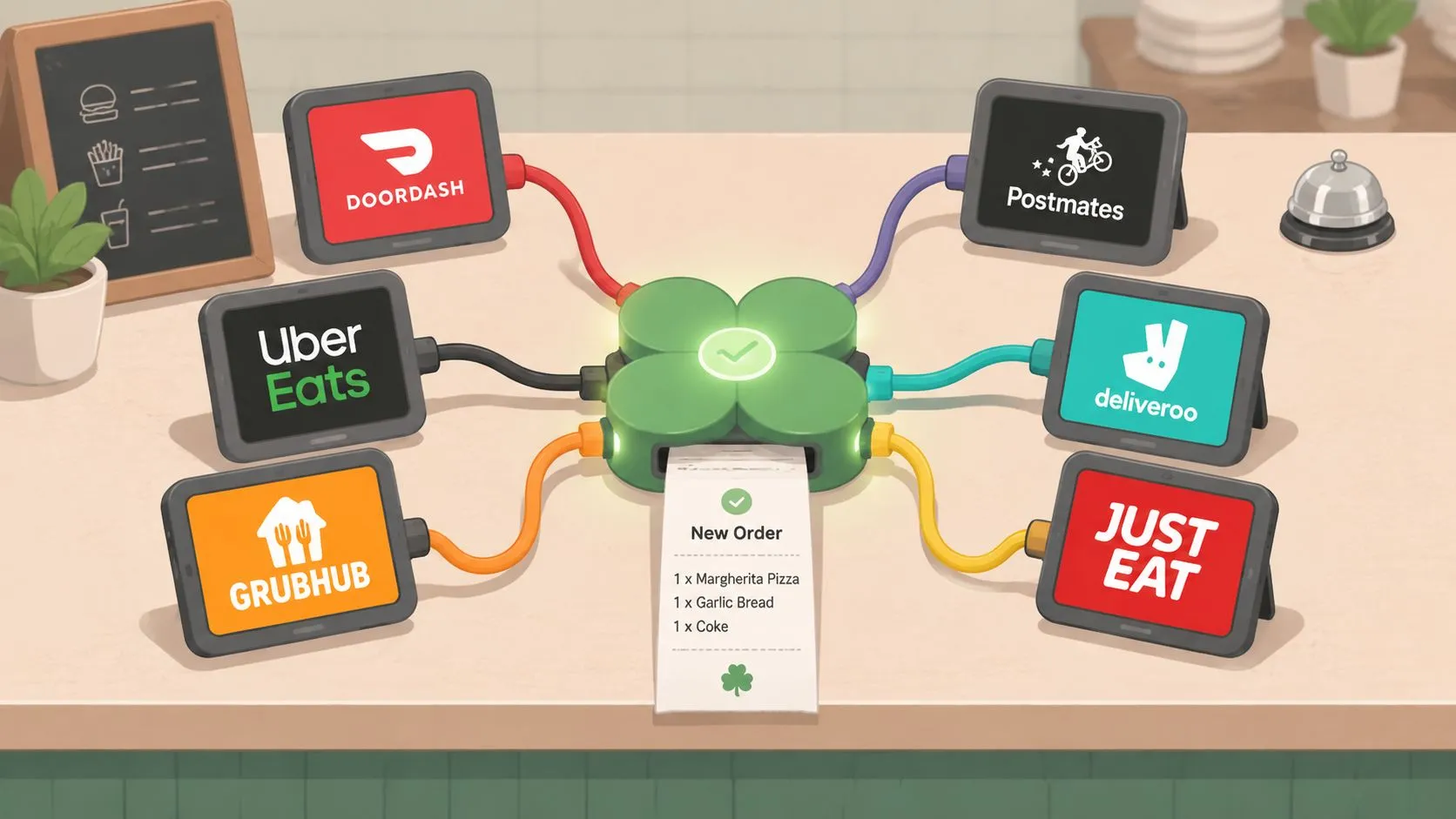
Dinner rush exposes weak systems fast. One tablet buzzes for Uber Eats, another lights up for DoorDash, a third pings for Grubhub, and someone on the line has to stop what they’re doing, read each order, and type it into Clover before the kitchen can move.
That process looks normal in a lot of restaurants. It isn’t efficient, and it definitely isn’t reliable.
A Clover API integration matters because it turns those separate screens into one operational flow. Instead of staff acting as the bridge between delivery apps and the POS, the systems pass order data directly into Clover so the POS stays the source of truth. For operators, that means fewer handoffs, cleaner tickets, and less staff attention wasted on re-keying orders that were already entered once by the customer.
The technical side sounds intimidating, but the business point is simple. If outside ordering channels don’t connect cleanly to your POS, your team becomes the integration.
Ending Tablet Hell with Clover API Integration
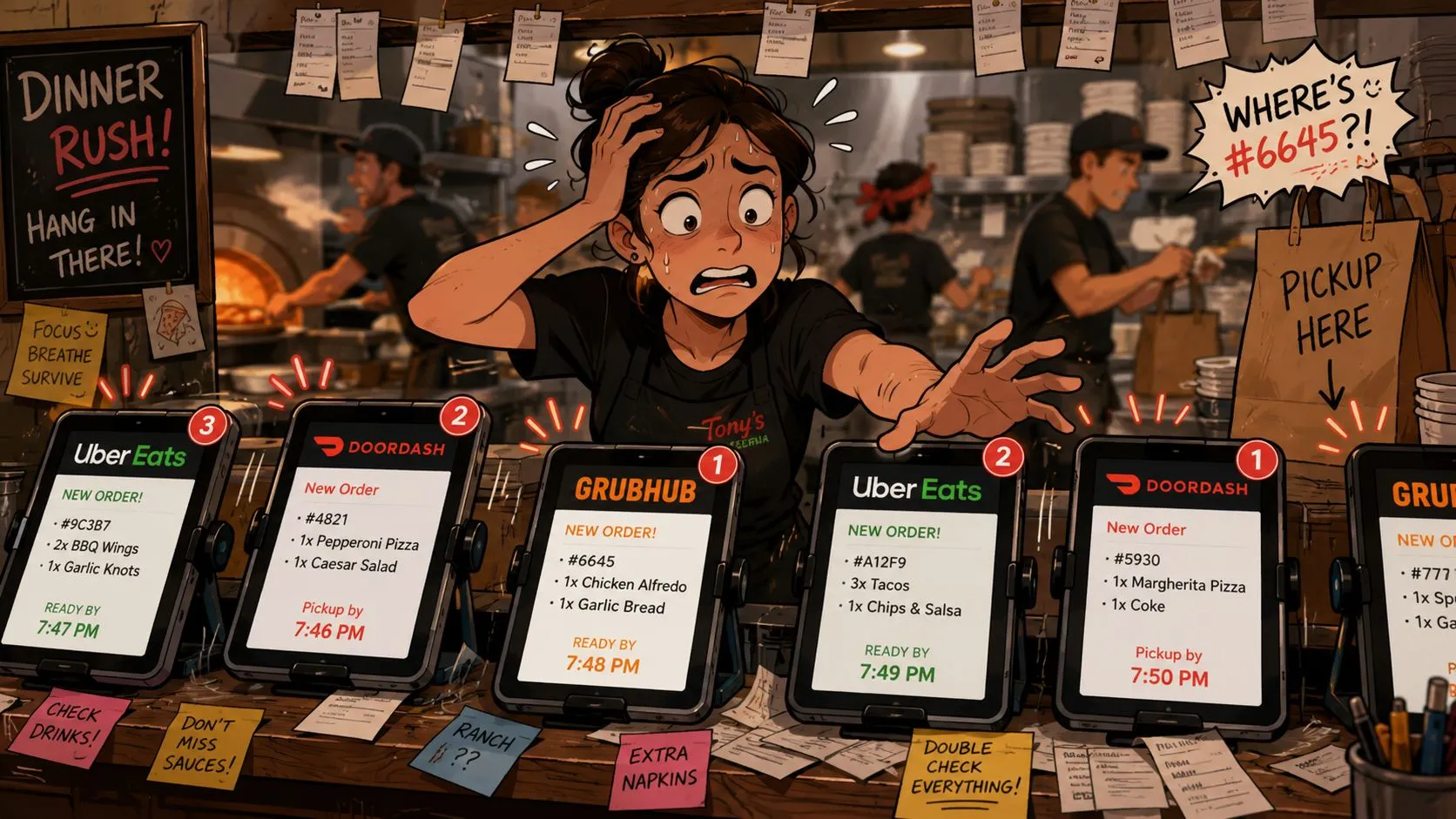
At 7:15 on a Friday, the problem is easy to spot. A delivery order is waiting on one tablet, a cashier is ringing in a walk-in guest, and someone has to stop, read the ticket, and type the same order into Clover before the kitchen can start it.
That workflow costs more than a few extra taps. It slows ticket flow, creates avoidable mistakes, and puts the burden on staff to keep different systems in sync during the busiest part of service. In practical terms, your team becomes the connection between platforms.
What the API Changes
A Clover API integration fixes that by passing order data from delivery channels into Clover automatically. The customer enters the order once. The system carries the items, modifiers, pricing details, and order metadata into your POS in the format the POS expects.
That is the business value. Staff spend less time re-entering orders, the kitchen gets cleaner tickets, and managers spend less of the shift correcting preventable errors.
Practical rule: If employees are copying orders from one screen to another, the process is still manual, even if the order started online.
Restaurants that implement real-time data integration usually see the same operational benefit. Information moves as the transaction happens, instead of waiting for a person to relay it.
Why operators should care about the setup
Owners do not need to memorize API terms. They do need to understand the trade-off.
A direct connection between delivery apps and Clover sounds simple, but the hard part is not just moving an order from point A to point B. The hard part is making sure “no onions” maps correctly, combo items land under the right menu groups, taxes stay aligned, and rejected orders do not disappear unnoticed. That is where DIY projects tend to break down. The connection may work in a test environment, then fail during live service because menu data changed or one platform sent a field Clover did not expect.
A managed solution handles that hidden work for you. It maps menu data, watches for failed transmissions, retries when appropriate, and keeps security and permission handling under control. For a restaurant operator, that means fewer surprises on the line and fewer late-night support calls.
The day-to-day gains are straightforward:
- Less manual order entry: Cashiers and managers stay focused on guests and handoff flow.
- More consistent tickets: Orders arrive in a standard structure instead of depending on who typed them.
- Simpler training: New hires learn one operating process, not a different routine for every tablet.
- Better operational control: Clover stays central for reporting, production flow, and order management.
If manual re-entry is still eating up labor, OrderOut’s guide to restaurant order entry automation explains where the work usually piles up and how operators reduce it.
How an API Works with Your Clover POS
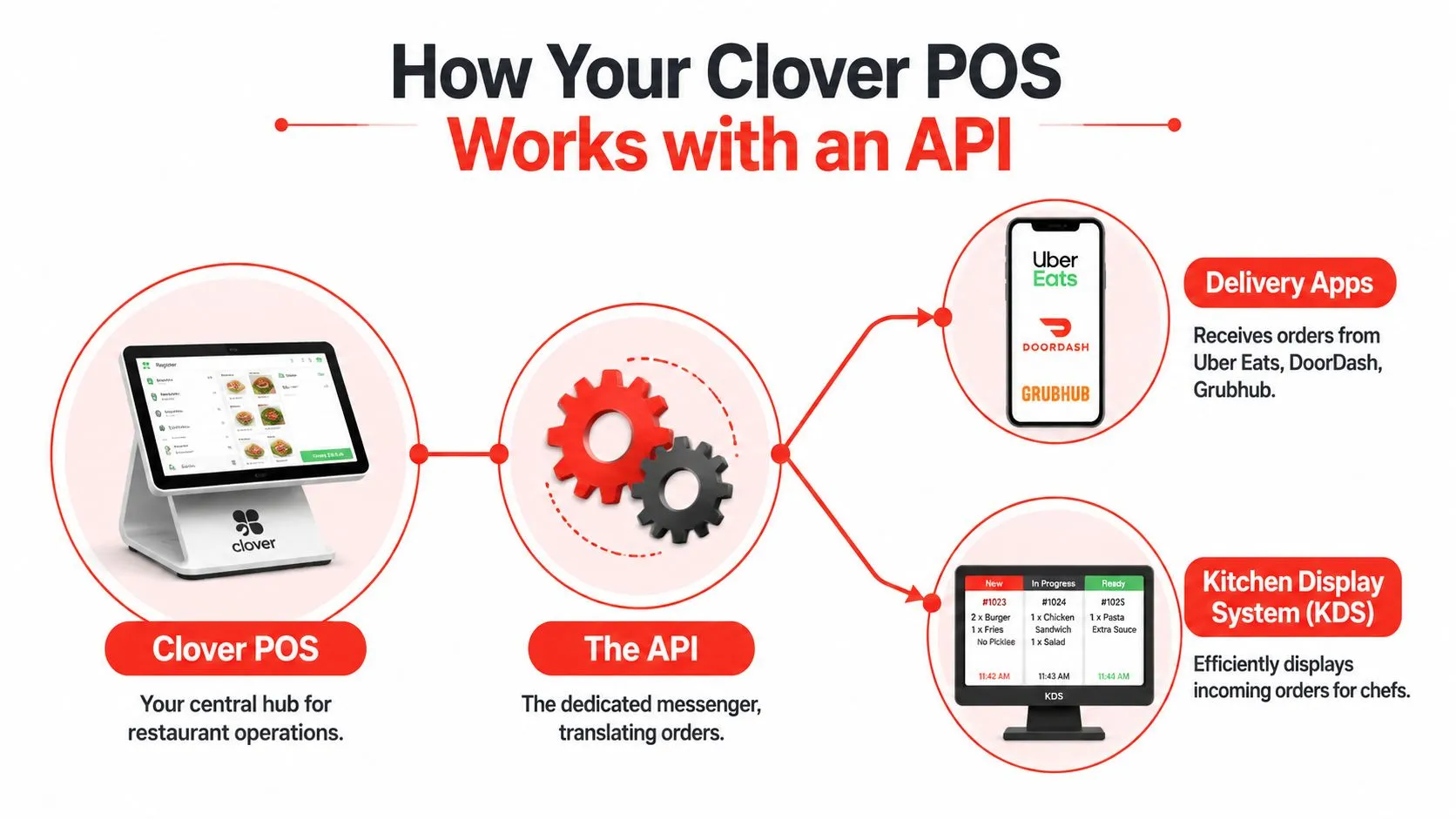
During a busy dinner rush, the practical question is simple. Does an order placed on a delivery app show up in Clover correctly, fast enough for the kitchen to act on it, and in a format your staff already knows how to use?
That is why the API matters.
An API is the set of rules that lets Clover and outside systems exchange information safely. In restaurant terms, it gives a delivery platform a controlled way to send order details into your POS, and it gives the integration a controlled way to read the menu, check item IDs, and confirm the order landed where it should. Without that structure, every marketplace would describe your menu a little differently, and your POS would have no reliable way to interpret the order.
Under the hood, Clover’s integration model relies on a REST API and OAuth 2.0-style authorization. In Clover’s integration documentation, Clover explains that an app must be created, credentials must be issued, and API tokens must be generated before authorized requests can happen. Clover also notes that permission changes can require the app to be reinstalled so a fresh token is issued, and a 401 error usually points to an authentication or permission problem.
For an operator, the important part is what those technical steps protect. Your Clover system should not let any outside app create orders, read customer records, or change settings unless you approved that access.
Authentication in restaurant language
Authentication is the approval process behind the scenes. It answers one question. Is this integration allowed to touch your Clover data?
That usually includes four parts:
- App registration: the connection has to be set up correctly in Clover
- Permission scopes: the app asks for specific access, such as menu data or order creation
- Merchant approval: someone at the restaurant authorizes that access
- Token management: Clover issues a token that works like a time-sensitive digital pass
If any one of those pieces is misconfigured, the integration can fail in ways that are hard to spot at first. Orders may stop importing after a permission change. Menu sync may work while order injection fails. A DIY build often gets stuck here, because the connection looks live until a real-world change exposes a weak spot.
A managed service earns its keep by monitoring those edge cases instead of leaving your staff to discover them in the middle of service.
Webhooks and live order flow
Restaurants also need speed. Polling Clover every few minutes to ask whether something changed is too slow for active delivery operations.
Webhooks solve that problem. They let one system send an immediate event to another system when something happens, such as a new order arriving or an order status changing. That is how an integration reacts in near real time instead of waiting for a manual refresh or a scheduled check.
For day-to-day operations, that matters more than the jargon suggests. Faster event delivery means the kitchen sees tickets sooner, staff do less checking between screens, and managers spend less time asking whether an order made it into the POS.
If you want a broader view of how these connections work across restaurant systems, this guide to point-of-sale integrations for restaurants explains the bigger picture in operator terms.
Why managed Clover integrations outperform DIY setups
The technical connection is only one layer. The harder work is making sure Clover receives data in the exact structure it expects, handling failed requests, retrying safely, and logging what happened so support can fix problems quickly.
That is why API integration is rarely a simple switch. A delivery app may send modifiers one way, while Clover expects them another way. One platform may update a menu item name while Clover still relies on the item ID. If the integration does not account for those differences, your team gets duplicate items, missing modifiers, rejected orders, or tickets that need manual cleanup.
OrderOut and similar managed solutions are built to handle that hidden translation layer. They do not just pass data through. They map it, validate it, monitor it, and secure it so Clover stays the operating system for the restaurant instead of becoming another source of exceptions your staff has to manage by hand.
The Journey of a Delivery Order into Clover
Friday at 7:15 p.m., a delivery order hits DoorDash. The guest expects a confirmation right away, the kitchen needs a usable ticket, and your front counter staff should not have to stop what they are doing to babysit another tablet. That is the business reason Clover API integration matters. A good setup turns that order into a normal Clover ticket fast enough that the team can cook it with the rest of the line, instead of creating a side process that slows service.
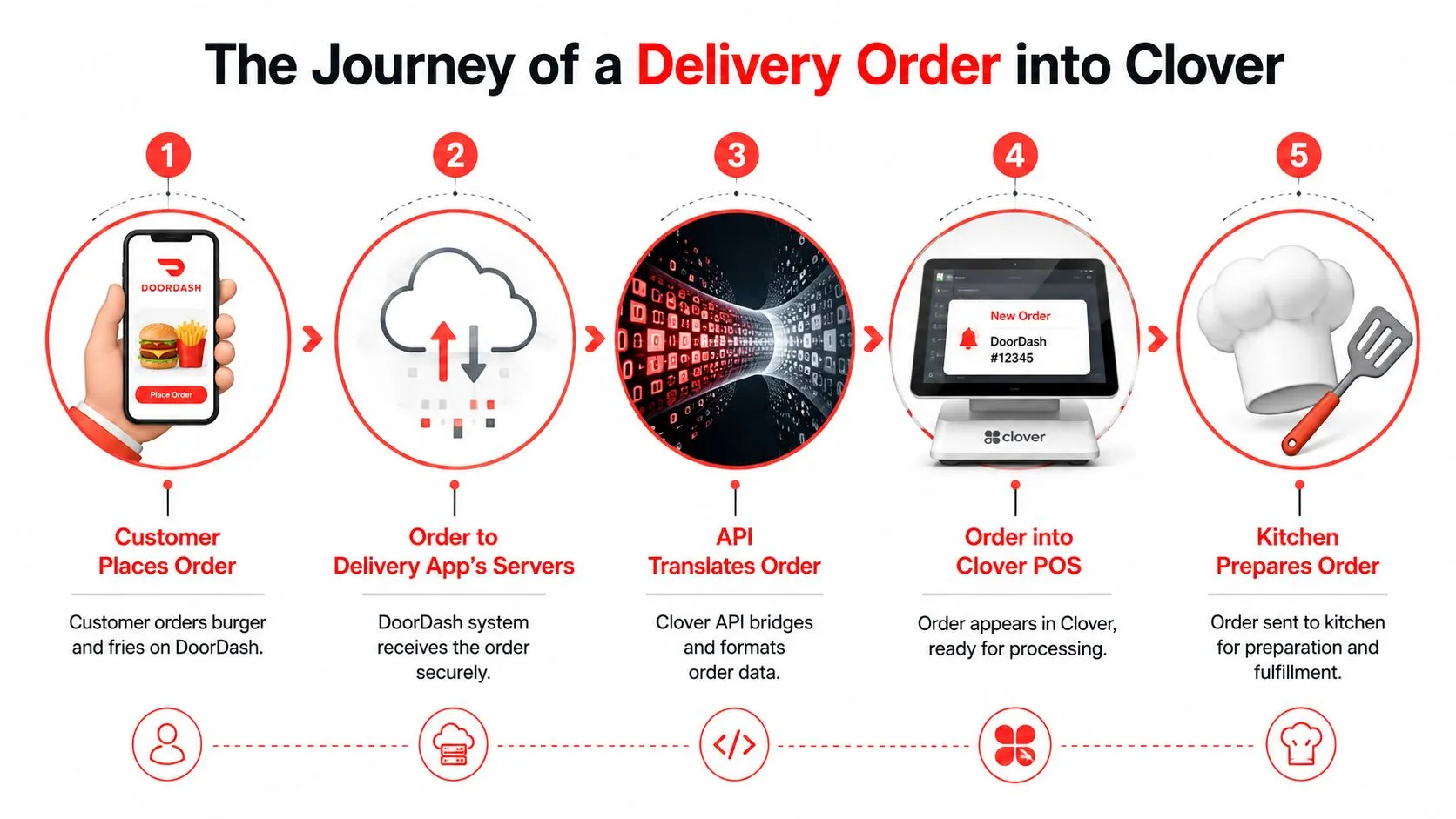
Under the hood, the order moves through a few specific steps.
- The customer places the order in DoorDash. They choose items, modifiers, and any special instructions based on the menu shown in the marketplace.
- DoorDash sends the order data digitally. The integration receives the order details, including items, quantities, modifiers, pricing context, and fulfillment information.
- The order is translated into Clover’s structure. Item names alone are not enough. The integration has to match the marketplace order to the right Clover items, modifier groups, taxes, and order type so Clover accepts it correctly.
- The order is written into Clover. If the payload is valid, Clover creates the order and passes it into the same operational flow your team already uses.
- The kitchen sees a ticket. That can be on a printer, in Clover, or on a KDS connected to the POS workflow.
Step 3 decides whether the whole process works.
A marketplace can describe a burger combo one way, while Clover stores it another way. “No onion, add cheddar, bottled Coke” has to land as the exact item and modifier combination your kitchen expects. If that translation is loose, the order may import with missing modifiers, wrong item selections, or formatting that forces staff to fix it by hand before production starts.
That is the difference between a managed integration and a basic connection. A DIY build can often push an order from point A to point B. The hard part is handling the ugly middle. Menu IDs change. Modifier rules differ by platform. A ticket can fail for one line item while the rest of the order looks valid. Someone has to catch that, log it, retry safely, and keep duplicate orders out of the POS.
OrderOut is built for that delivery-to-POS handoff. Instead of treating Clover as a dumping ground for marketplace data, it normalizes the order before Clover sees it. That matters to operators because the result is fewer re-entered tickets, fewer support calls during a rush, and fewer mystery failures your manager has to sort out after service.
If you want the broader operational view, this guide to restaurant order processing automation shows why labor savings usually come from removing repeated touchpoints, not just removing a device.
If you want to see the concept in a more specific setup, DoorDash to Clover order injection is the exact type of workflow many operators are trying to create when they search for Clover API integration.
Here’s a quick visual walkthrough of the flow in action:
The weak version of this process is familiar in a lot of restaurants. The tablet pings. A cashier glances over when they can. They retype the order into Clover, guess at a modifier if the marketplace wording is unclear, and hope the kitchen gets the right ticket.
That method creates predictable problems:
- Cashiers enter modifiers inconsistently, especially during a rush.
- Orders reach the kitchen late, because a person has to notice and process them.
- Special instructions get lost or shortened, which leads to remakes and refunds.
- Managers spend time checking whether orders imported, instead of running the floor.
Operators should judge a Clover API integration by what happens at 7 p.m. on a busy night. If orders reach Clover accurately, the kitchen works from one system, and staff do not have to intervene every few minutes, the integration is doing its job.
Mapping and Testing Your Delivery Menus
Menu mapping is where many delivery integrations either become reliable or become a constant source of weird tickets.
If Grubhub says “12oz Fountain Drink” but your Clover POS expects “LG SODA,” those two need to be linked correctly. If they aren’t, the kitchen may see the wrong item, the modifier may fail, or the order may need manual cleanup before it can be made.
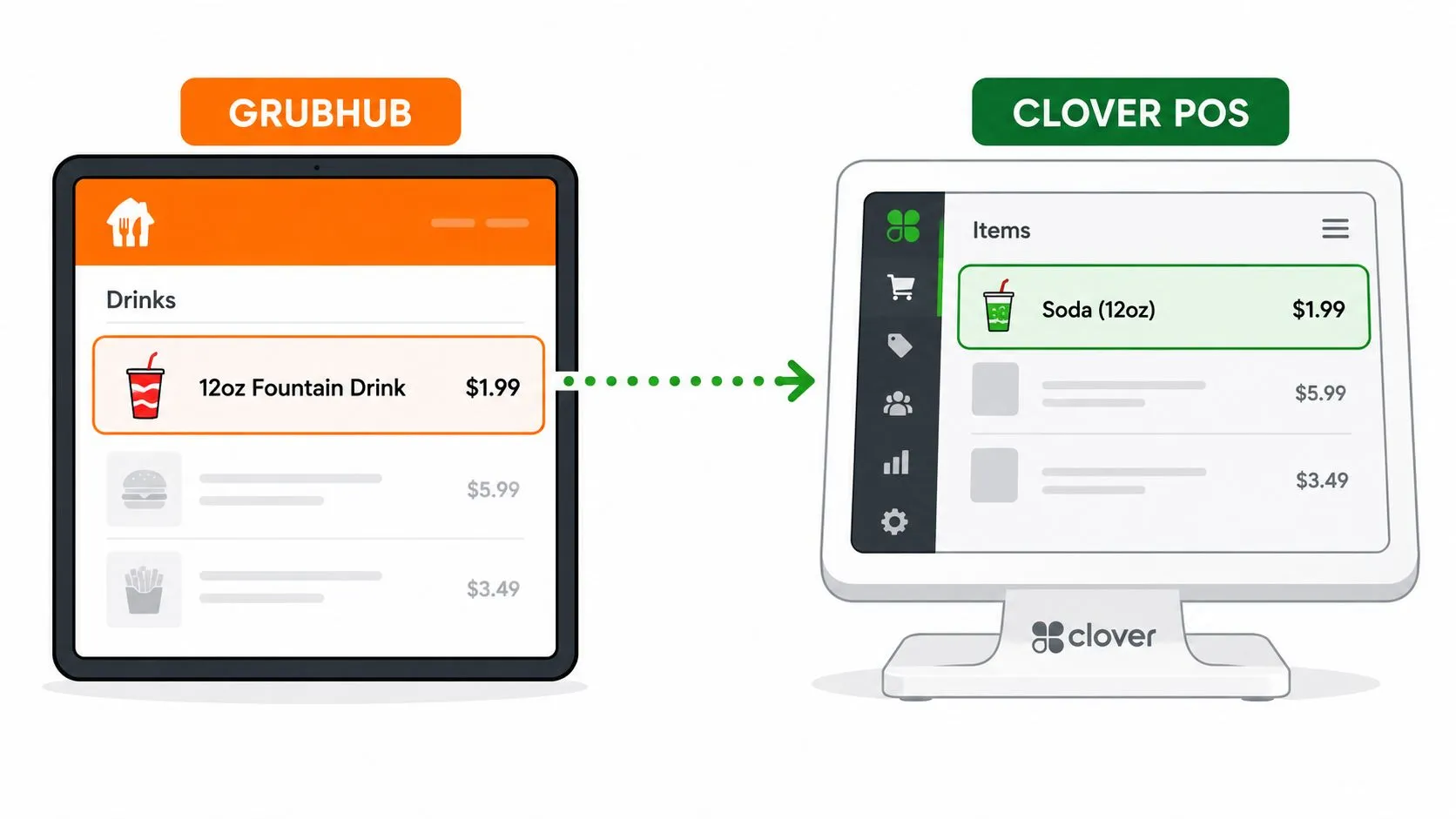
Why menu hygiene matters first
A Clover API integration can’t rescue a chaotic menu forever. If your POS has duplicate items, unclear modifier groups, or inconsistent naming, those problems tend to show up in delivery sync.
Operators usually get better results when they clean up the source menu before going live. That doesn’t mean rebuilding everything from scratch. It means making sure your POS menu reflects how the kitchen produces orders.
The most common pressure points are:
- Duplicate items: Two versions of the same item create mapping confusion.
- Loose modifier rules: If required choices aren’t structured properly, third-party orders can come in incomplete.
- Different naming conventions: Marketplace labels and POS labels don’t need to match exactly, but they do need intentional mapping.
- Retired menu items: Old items left active in Clover can create unnecessary clutter.
For restaurants dealing with that cleanup step, this guide to restaurant menu data and POS structure is useful because it explains why menu architecture affects operations far beyond online ordering.
The sandbox is your practice kitchen
Clover’s workflow supports testing before live deployment. According to Clover’s documentation on test API tokens, developers can create merchant-specific test API tokens for the sandbox environment. Clover says those tokens let teams test things like order creation and webhook events before production, which is exactly what you want before real orders start flowing during service.
Think of the sandbox as a practice kitchen for software. You send fake orders through the line, confirm they land correctly, and catch problems before they hit the live floor.
The worst time to discover a menu mapping problem is when a guest has already paid and the kitchen is waiting on a readable ticket.
What good testing looks like
Restaurants don’t need to perform developer-level QA themselves, but they should expect these checks before launch:
| Check | Why it matters |
|---|---|
| Item mapping review | Confirms marketplace items land on the right Clover products |
| Modifier testing | Makes sure add-ons, removals, and required choices print correctly |
| Order flow testing | Verifies the full path from marketplace to POS to kitchen |
| Exception review | Catches edge cases like unavailable items or unusual combinations |
When this step gets rushed, operators feel it immediately. When it’s done carefully, the delivery channel starts behaving like part of the POS instead of a separate mini-business.
Handling Errors and Securing Your Data
A Clover API integration shouldn’t be judged only by how it works on a calm afternoon. Its true test is what happens when the Wi-Fi stutters, a token expires, a device is offline, or two systems disagree about whether a payment was completed.
That’s where DIY builds get expensive in ways owners don’t see upfront.
The operational risk most demos skip
Most setup guides show a successful order flowing into Clover. They rarely spend enough time on the ugly cases. What happens if the order reaches the marketplace but doesn’t inject into the POS? What happens if the payment record exists in one system but the ticket never reaches the kitchen? What happens if the same event gets processed twice?
Those aren’t edge curiosities. They’re the difference between clean books and nightly reconciliation headaches.
According to Fiserv guidance discussed in this video on Clover and semi-integrated payment design, developers are responsible for handling idempotency and external payment IDs correctly so external orders reconcile with in-store Clover records. In plain English, the system needs rules that prevent duplicate charges, duplicate transactions, and orphaned orders when networks or responses fail.
Why data ownership matters too
A lot of Clover API content focuses on how to connect. Less of it deals with what happens after you’ve connected for months or years.
Operators should ask practical questions:
- Can you export your history cleanly if you change tools later?
- Does the POS remain the main operational record, or is key data trapped elsewhere?
- How do you compare performance across brands or locations if each system stores data differently?
- Who is responsible when an order exists in a delivery channel but not in your daily POS reporting?
Those questions matter more for multi-location groups, but even a single-store operator feels the impact during accounting, chargeback review, and shift close.
Security is not optional
Card-present and semi-integrated payment flows also have a compliance boundary. The app coordinating the order shouldn’t be handling raw card data directly just because it wants to speed up payment orchestration. Restaurants evaluating any integration partner should understand whether the design respects that boundary and what the vendor expects the merchant to own.
If you want a plain-English primer on the broader compliance side, this guide on how organizations achieve PCI DSS compliance is a useful reference before you sign off on any payment-adjacent workflow.
Reliability in restaurant tech isn’t just “orders usually go through.” Reliability means the order, payment, and reporting trail still make sense when something fails.
This is also why support model matters. If an integration issue hits during service, you need a clear path for diagnosis, retry logic, and fallback procedures. Restaurants that rely on connected systems should treat support and monitoring as part of the integration, not as an afterthought. OrderOut’s article on restaurant IT support for connected systems is helpful on that point because it frames technical support as an operations issue, not just a software issue.
Frequently Asked Questions
Does OrderOut work with Clover?
Yes. OrderOut offers Clover delivery integration for restaurants so orders from delivery marketplaces can flow into Clover instead of being re-entered manually. The goal is to keep Clover as the operational source of truth while reducing tablet-driven order entry.
Do I need extra tablets for Uber Eats, DoorDash, and Grubhub?
The point of a delivery POS integration is to remove the need to work orders from separate marketplace tablets. With OrderOut’s delivery order engine, restaurants connect third-party delivery channels to the POS so orders can be managed through the core workflow instead of being manually copied over.
Is OrderOut free on Clover?
Yes. OrderOut is free to install on the Clover App Market. If you run Clover and want to start there, use the OrderOut Clover App Market listing.
Which delivery apps connect to Clover through OrderOut?
OrderOut’s positioning centers on injecting orders from Uber Eats, DoorDash, and Grubhub into supported POS systems such as Clover and Square. If you want to compare setup options across POS platforms, review OrderOut’s Square delivery integration or the broader restaurant technology overview for operators.
What should I do before turning on a Clover API integration?
Clean up your POS menu first, especially item names, modifier groups, and outdated products. Then make sure the integration is tested before going live, because menu mapping and event handling are where most order-flow issues show up first. If you want implementation details, pricing, or common onboarding questions, check OrderOut pricing for restaurants and the OrderOut restaurant FAQ.
If you’re ready to stop re-keying marketplace orders and make Clover the center of your delivery workflow, start with OrderOut and create your free account in the OrderOut onboarding dashboard.