
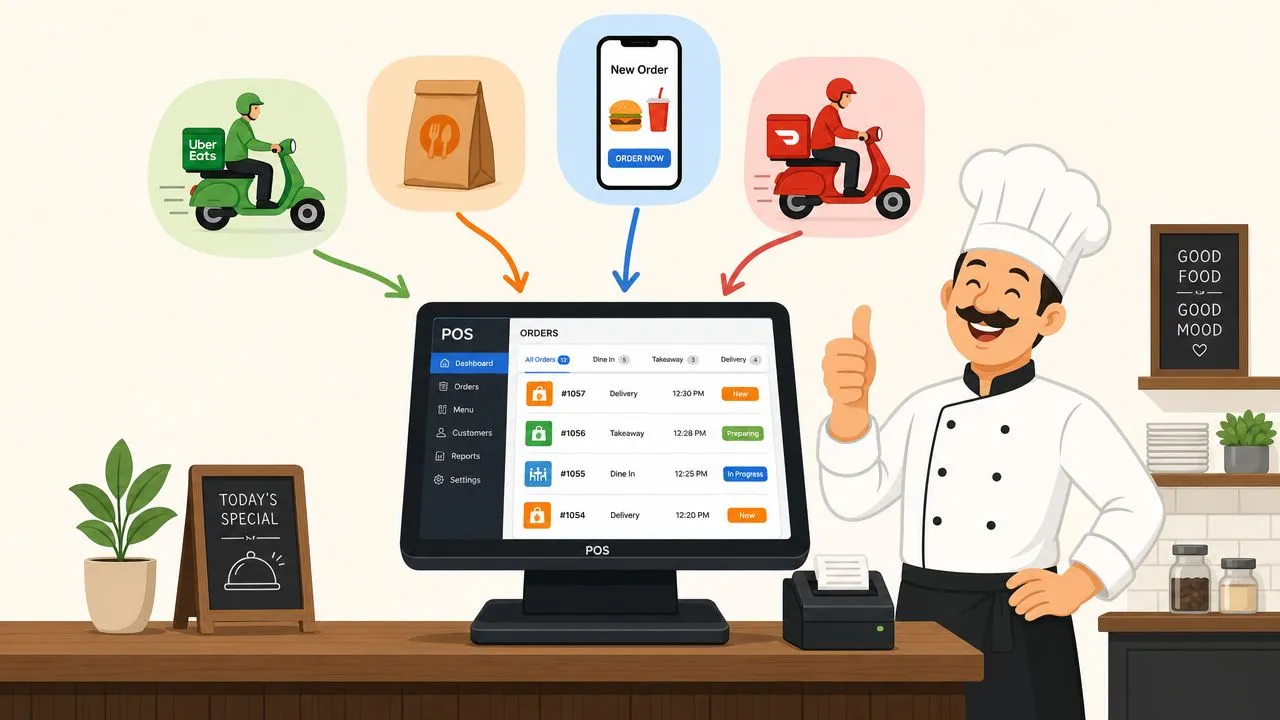
The best order management system for a restaurant is one that sends third-party delivery orders straight into your POS, because multichannel shoppers spend 4 times as much as in-store customers and 10 times more than digital-only customers. In practice, that means the right system isn’t a generic retail OMS. It’s one that injects Uber Eats, DoorDash, and Grubhub orders directly into Clover or Square without extra tablets or manual re-keying.
That sounds narrow, but it’s the blind spot in most OMS roundups. They compare warehouse logic, shipping rules, and enterprise routing while ignoring the daily mess most restaurant operators feel first: multiple delivery tablets chiming, staff retyping tickets during the rush, missed modifiers, and a kitchen that can’t trust the screen in front of it.
For restaurants, the best order management system is really a single operational source of truth. If orders come from several places but land in one workflow, the line moves faster and managers stop spending their shifts reconciling chaos instead of running service.
What Is the Best Restaurant Order Management System
The best restaurant order management system is one that automatically injects third-party delivery orders into your existing POS so every order follows the same workflow from acceptance to the kitchen.
That definition matters because restaurants don’t need abstract “omnichannel orchestration” first. They need fewer moving parts. When Uber Eats lives on one tablet, DoorDash on another, and Grubhub on a third, the staff member at the counter becomes the integration layer. That’s expensive, fragile, and completely avoidable.
A real restaurant OMS should do three things well:
- Capture orders automatically: Delivery orders should arrive in Clover or Square without anyone retyping them.
- Standardize the ticket: The kitchen should see the same modifiers, printer behavior, and workflow it already uses for dine-in and pickup.
- Keep the POS in control: Your POS should stay the source of truth for menus, pricing, and daily operations.
Early in an evaluation, I tell operators to ignore glossy feature grids and ask a simpler question: what happens when three delivery orders hit during a rush and the host is already slammed? If the answer is “someone re-enters them,” that isn’t the best order management system. It’s a patch.
Practical rule: If your staff has to touch an incoming delivery order before the kitchen can make it, the system is still creating labor.
This is also why restaurant OMS buying decisions look different from retail software decisions. Retail tools often prioritize shipping, warehouse locations, and post-purchase logistics. Restaurants need instant order flow, clean modifiers, and confidence that one burger with no onions and extra sauce won’t become the wrong meal because someone keyed it in too fast.
If you want a deeper look at how a single system reduces operational sprawl, this guide to an integrated POS system for restaurants is a useful companion.
What operators actually need
The daily win isn’t “more software.” It’s fewer handoffs.
The best setup takes every delivery order and makes it look ordinary inside the POS. Once that happens, your kitchen doesn’t care whether the order came from the dining room, your online store, or a marketplace app. It just cooks the ticket in front of it.
Why Generic Order Management Systems Fail Restaurants
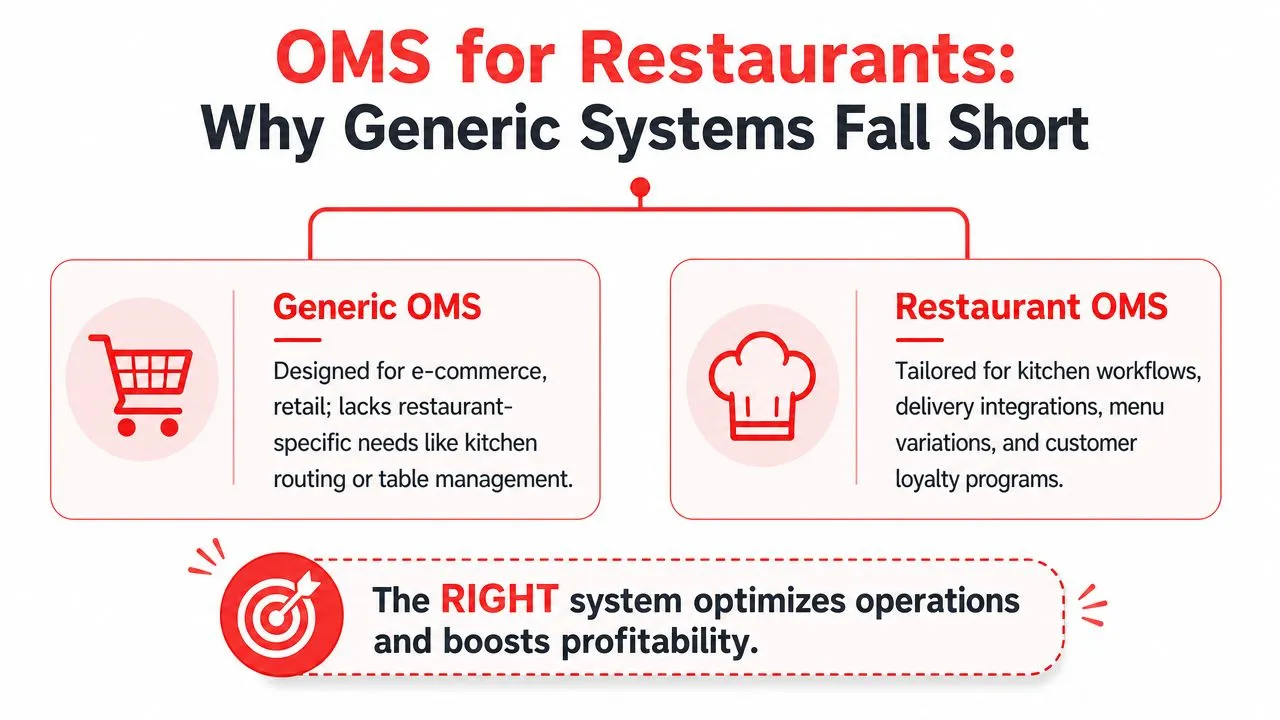
Most generic OMS platforms fail restaurants because they were built to manage products and fulfillment networks, not live kitchen workflows.
In retail, an OMS often focuses on inventory, warehouse routing, shipping status, and returns. In restaurants, the pressure point is different. Orders arrive in real time, modifiers have to be right, prep starts immediately, and the cost of a bad handoff shows up in refunds, remakes, and angry guests before the hour is over.
The core mismatch
A generic OMS usually assumes the order is already clean. Restaurants know that’s the dangerous assumption.
Cin7’s overview of order management software notes that 60% of restaurant order errors stem from manual third-party app entry and that 78% of general OMS platforms evaluated for mid-market use lack the closed-loop POS-to-app synchronization restaurants require. That’s the gap most buying guides miss. They evaluate “integration” as a broad checkbox, not as the specific problem of getting live marketplace orders into a POS without human intervention.
What restaurant operators need instead
A restaurant order management system has to unify channels that behave very differently:
| Need | Generic OMS approach | Restaurant-ready approach |
|---|---|---|
| Incoming delivery orders | Often handled as another sales feed | Injected directly into the POS as live tickets |
| Modifiers | Treated as product options | Must print correctly for the kitchen every time |
| Menu changes | Updated in batches or external systems | Need to flow fast enough to prevent selling unavailable items |
| Operations | Built around fulfillment teams | Built around line cooks, cashiers, and managers |
This is why many operators buy software that looks capable in a demo and then hate it in service. The system may be powerful. It just isn’t solving the right bottleneck.
Restaurants don’t lose control because they lack dashboards. They lose control because orders arrive in too many places at once.
If you’re weighing automation against manual processes, this article on restaurant order processing automation helps clarify where software should remove work instead of adding another screen.
Must-Have Features for Restaurant Order Management
When owners ask me how to evaluate the best order management system, I tell them to stop looking for the longest feature list and start looking for the shortest path from order to kitchen.
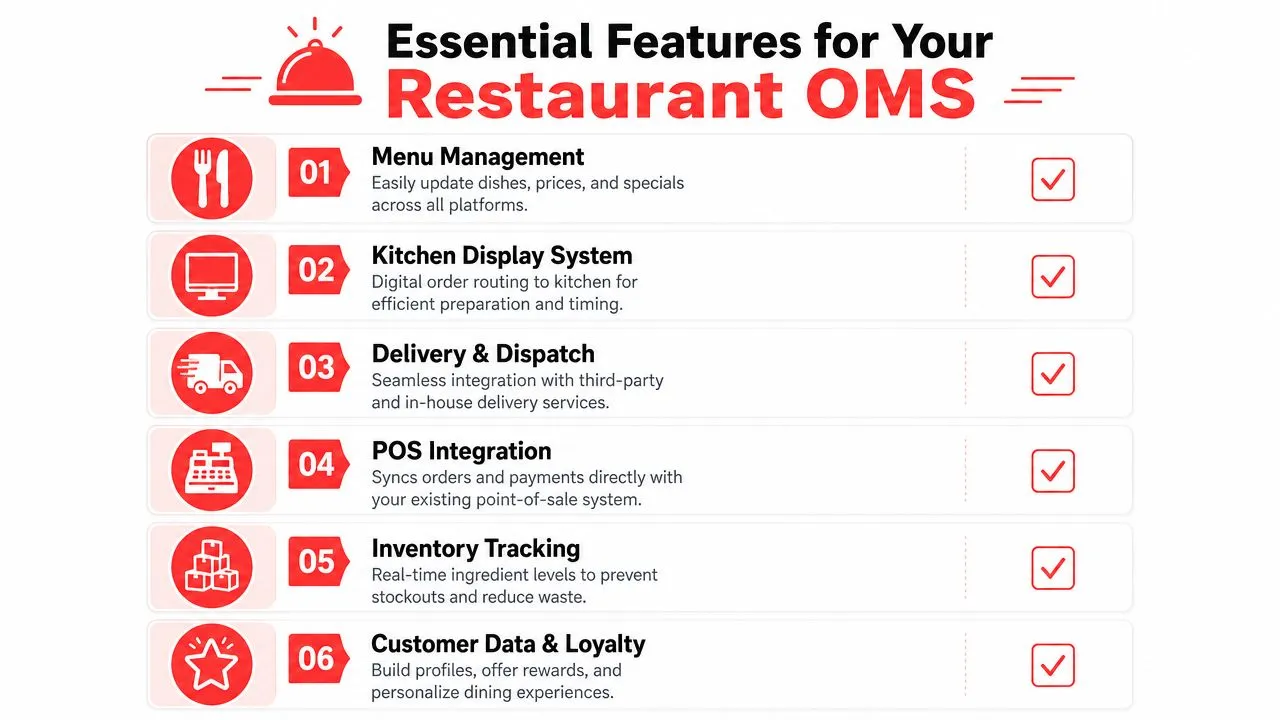
Direct POS injection
This is the first filter. If a system doesn’t push Uber Eats, DoorDash, and Grubhub orders directly into Clover or Square, keep looking.
Order flow should feel invisible to the staff. They shouldn’t have to watch a side tablet, listen for alerts, or manually create a duplicate ticket. The more steps between app order and kitchen printer, the more room for mistakes.
Normalized menu mapping
This sounds technical, but the plain-English version is simple. Every marketplace menu item needs to match the structure your POS already understands.
On OrderOut’s DoorDash and Square delivery order engine page, the practical benefit is spelled out clearly: when delivery orders are normalized into a POS schema like Clover or Square, they appear as standard tickets with the same printer, workflow, modifiers, and money math as dine-in orders. The same page also notes that price, availability, and 86 changes in the POS sync to DoorDash within seconds, which is exactly why menu hygiene matters before you go live.
Clean menu mapping prevents most “the app said one thing, the POS said another” problems before they start.
Menu sync that keeps up with service
A lot of operators focus on order capture and forget menu control. That’s a mistake.
If your POS says an item is out, your delivery channels need to reflect that fast enough to matter. Otherwise staff still ends up calling guests, issuing refunds, or subbing items during the rush. A solid restaurant OMS reduces those avoidable conversations by keeping the menu aligned across channels.
One stream for multiple channels
The best setup doesn’t force your team to mentally merge in-house, pickup, kiosk, and delivery orders. It gives them one operational stream with clear routing.
If you’re interested in how ordering systems scale beyond single-item transactions, Zinc’s look at a Multi Product Ordering API is a useful read. It’s not restaurant-specific, but it does a good job showing why structured order data matters when multiple items and inputs have to move through one workflow cleanly.
Reporting that helps managers act
Restaurant reporting should answer operational questions, not impress you with charts. Can you see which channel creates the most friction? Can you reconcile sales without jumping across apps? Can you spot menu issues quickly?
A system that centralizes incoming order flow makes reporting easier because the data starts cleaner. If you need more context on what to look for after implementation, this guide to restaurant order status software is worth reviewing.
A practical buyer’s checklist
Use this as a fast screen during demos:
- Watch the ticket path: Ask the vendor to show how a DoorDash order lands in Clover or Square.
- Test modifiers: Use a messy real-world example, not a plain cheeseburger.
- Check menu ownership: Confirm whether your POS remains the source of truth.
- Review failure handling: Ask what happens if a mapped item changes.
- Look at manager workflow: End-of-day reconciliation should get simpler, not more fragmented.
The Critical Role of Delivery and POS Integration
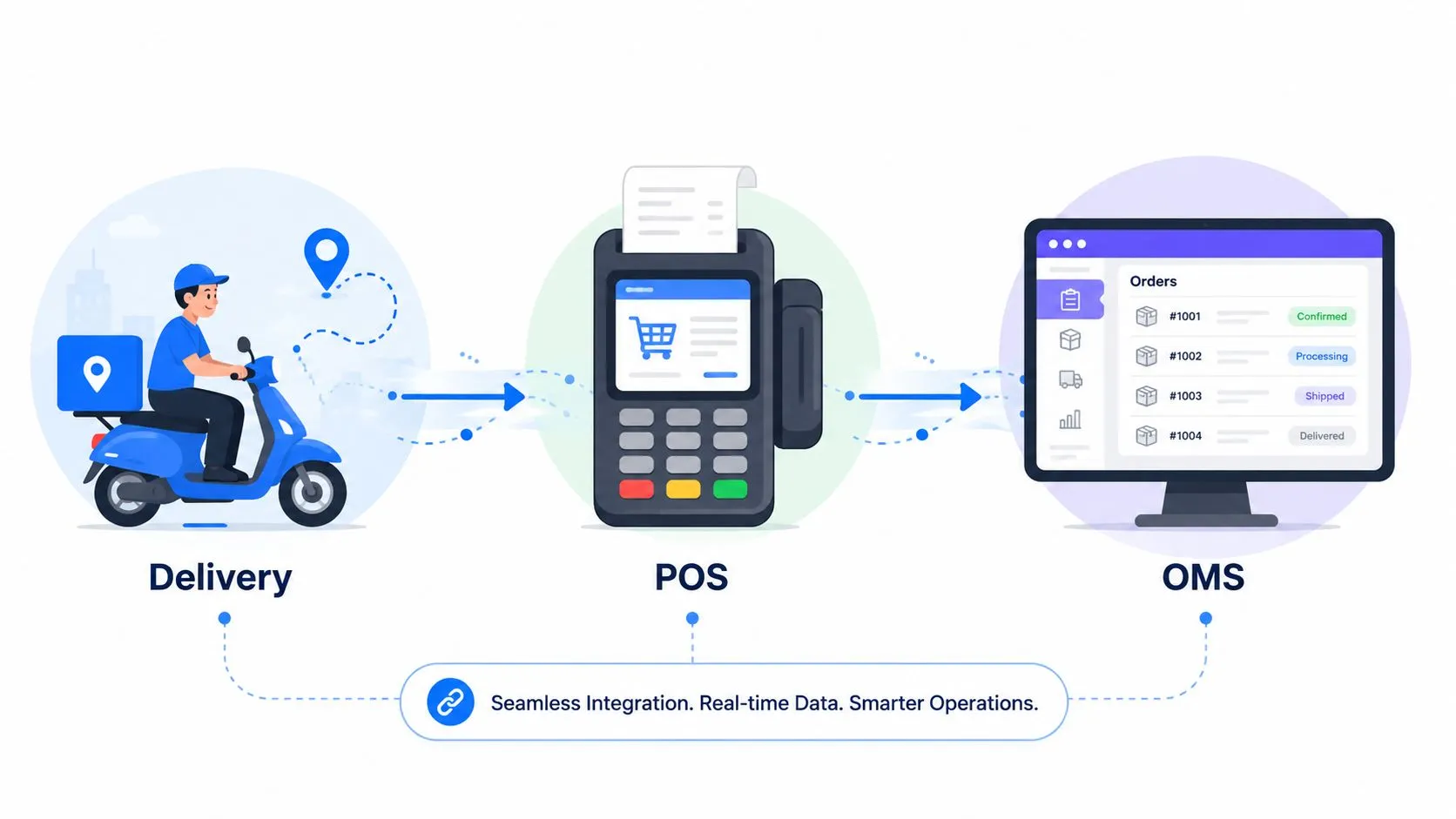
The best restaurant order management system is the one that stops third-party delivery apps from creating a second operation inside your store. If Uber Eats, DoorDash, and Grubhub orders still live on tablets and require staff to re-enter them into Clover or Square, the system is not solving the problem.
What good integration looks like
Good integration means marketplace orders flow straight into the POS in the same format staff already use. An order placed on Uber Eats should appear in Clover or Square with the right items, modifiers, and routing, then print through the existing kitchen setup without anyone touching a tablet.
That matters because restaurants win on consistency. Every extra handoff creates another chance for a missed modifier, delayed fire time, or reconciliation problem at close.
OrderOut is one product built around that use case. Its third-party order engine for restaurants is designed to route orders from delivery channels into Clover and Square so the POS stays at the center of service, rather than turning marketplace tablets into a parallel workflow.
Why this matters during service
A busy shift exposes bad system design fast.
If the host has to watch three tablets, confirm each incoming order, and key it into the POS while guests are waiting at the counter, the problem is not training. The problem is architecture. Staff attention should go to pacing the line, checking ticket accuracy, and getting food out on time.
Restaurants also get more consistent operations across channels when digital orders follow the same path as in-house orders. That operational consistency is the foundation behind building seamless customer journeys, even if the customer never sees the back-end work that makes it happen.
Clover and Square operators should start with workflow, not feature lists
Clover and Square restaurants should evaluate integration by watching a real order move from marketplace to printer. Ask the vendor to show a messy order with modifiers, substitutions, and special instructions. A clean demo order does not tell you much.
If you run Clover, review OrderOut’s Clover delivery integration for restaurant partners and then check the OrderOut app on the Clover App Market.
If you run Square, compare the process on OrderOut’s Square delivery integration page and the OrderOut listing on the Square App Marketplace.
For a broader technical explanation of what to verify before you buy, this guide to point-of-sale integrations for restaurants is a useful reference.
How to Select Your Vendor and Measure ROI
The best vendor is the one that takes third-party delivery chaos off your line. If Uber Eats, DoorDash, and Grubhub orders still need hand entry, the system is adding work, not removing it.
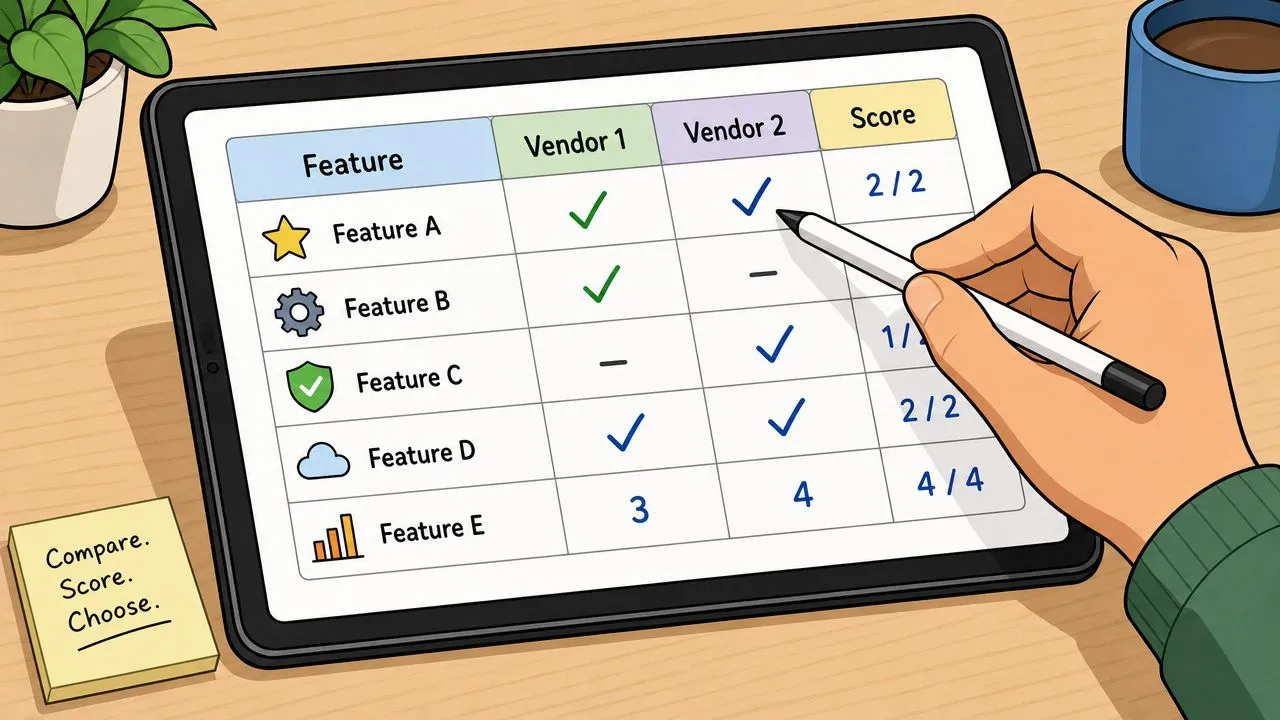
Restaurants get better buying decisions when they score vendors against one real question: what happens during a slammed Friday night? A polished demo matters less than whether delivery orders hit the POS correctly, print the right modifiers, and stop managers from playing traffic cop between tablets and the kitchen.
A simple scoring rubric
Use a pass, caution, or fail rating on the points below:
| Evaluation area | What to ask |
|---|---|
| Marketplace order flow | Do Uber Eats, DoorDash, and Grubhub orders drop straight into Clover or Square without re-entry? |
| Menu sync | Do item, price, and modifier changes stay aligned across the POS and delivery apps? |
| Ticket accuracy | Do substitutions, add-ons, and special instructions reach the kitchen the way staff expect? |
| Setup effort | Can the system be configured in days, or are you buying a long rollout with outside help? |
| Reporting | Can managers review channel sales and missed-order issues without cleaning up exports by hand? |
| Support ownership | Who fixes menu mapping, failed syncs, and broken modifier logic after go-live? |
I tell operators to weight the first three categories the highest. Fancy dashboards do not help if the kitchen gets bad tickets.
How to think about ROI without fake math
Start with the costs you can see every week. Manual order entry burns manager time. Bad modifier mapping leads to remakes, refunds, and angry guests. Tablet juggling slows the expo line and creates avoidable friction between front and back of house.
That is the definitive ROI model.
You are buying back labor, reducing preventable errors, and keeping service steadier during peak hours. OrderOut often comes up in this conversation because its core use case is direct delivery-to-POS injection, not generic retail order routing. The point is not the brand name. The point is to choose a vendor built around restaurant order flow, especially if delivery apps now make up a meaningful share of sales.
For measurement after launch, assign one manager to review order exceptions, voids, refunds, and channel mix every week. A practical review process matters more than a glossy monthly report. This guide to restaurant analytics software for operators is a useful reference if your team needs a tighter reporting cadence.
What to compare on pricing
Monthly software fees are only one line item. Compare the operating burden behind the price.
A lower-cost tool can become expensive fast if staff still babysit menus, fix failed orders, or re-enter marketplace tickets by hand. A higher monthly fee can pencil out if it cuts manager touchpoints and keeps the kitchen on one order stream. That trade-off matters more than the sticker price.
POS fit matters here too. If you are still deciding between platforms, this roundup of top POS solutions is useful context because your POS will shape which delivery integrations are realistic.
Operator lens: ROI shows up first in calmer rushes, cleaner tickets, and fewer refund conversations.
Your Implementation Checklist and Common Pitfalls
A good rollout starts before the software goes live. Most implementation problems come from messy menu data, unclear ownership, or a team that wasn’t told how the new workflow will work.
Your pre-flight checklist
- Clean the POS menu first: Remove duplicate items, old modifiers, and inconsistent naming before you sync anything.
- Map modifiers carefully: Extra sauce, no pickles, combo choices, and add-ons need to land exactly how the kitchen expects.
- Train both front and back of house: Cashiers, managers, and cooks should all know what a marketplace order looks like in the POS.
- Test live scenarios: Run a few realistic Uber Eats or DoorDash orders before peak service.
- Review reporting early: Don’t wait until month-end to see whether channels are reconciling cleanly.
Pitfalls that create avoidable pain
The biggest mistake is treating integration like a one-time switch flip. Restaurants now operate across delivery apps, in-store POS, and often other ordering channels that all need to merge into one workflow. monday.com’s sales order management software article describes this as positional order orchestration and notes that fragmented systems can cost small-to-mid businesses up to $18,000 annually in lost efficiency.
That number gets attention, but the day-to-day issue is simpler. Fragmented systems create small failures all shift long. A menu update doesn’t carry over. A modifier maps wrong. A staff member trusts the wrong screen.
What works better
Assign one person to own menu integrity. Assign another to verify the first week of live orders. And keep the POS as the operational center instead of letting each channel become its own mini-system.
Restaurants that do this well don’t necessarily buy the most complex software. They choose a setup that reduces handoffs and keep the data clean enough for the automation to do its job.
Frequently Asked Questions
Does OrderOut work with Clover?
Yes. OrderOut connects third-party delivery orders into Clover and is free to install on the Clover App Market. For operators evaluating fit, the practical question isn’t just compatibility. It’s whether orders land in Clover cleanly enough for the kitchen to use the normal workflow.
Does OrderOut work with Square?
Yes. OrderOut also connects delivery marketplaces to Square so those orders can flow into the POS instead of being re-entered manually. That’s useful for stores that want Square to remain the operational source of truth.
Do I need extra tablets for Uber Eats, DoorDash, and Grubhub orders?
The goal of this setup is to remove extra delivery tablets from the workflow. When marketplace orders inject directly into the POS, staff doesn’t need to monitor separate devices just to transfer tickets into the kitchen flow.
Is OrderOut free on Clover?
Yes. OrderOut is free to install on the Clover App Market. You can also review current plan details on OrderOut pricing for restaurants and check OrderOut FAQ answers for restaurant operators.
Which delivery apps connect to Clover or Square through OrderOut?
OrderOut’s positioning centers on routing orders from Uber Eats, DoorDash, and Grubhub into Clover or Square. If you want to see the product in a broader restaurant context, the OrderOut restaurant technology overview and the OrderOut integration API for restaurant platforms are good next reads.
If you’re ready to stop re-keying delivery tickets and make your POS the single source of truth, start onboarding with OrderOut for restaurants in the OrderOut dashboard. Restaurant owners can create an account and onboard for free in a few clicks.