
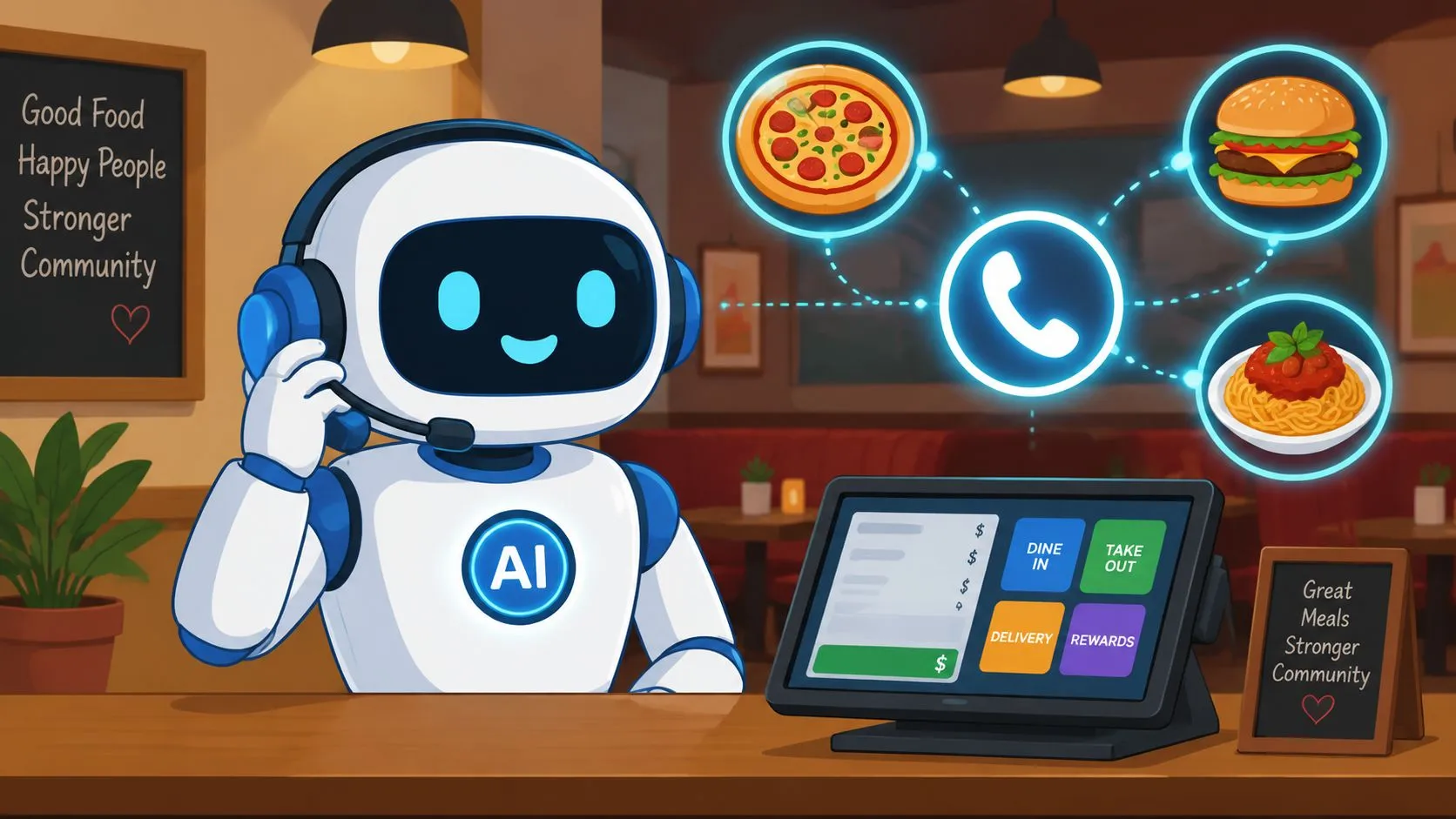
An AI phone answering service is an automated system that uses artificial intelligence to answer calls, understand customer requests, and take actions like booking reservations or taking food orders without human intervention. In restaurant use, it can turn a missed ring into a clean ticket instead of another voicemail to check later.
Dinner rush quickly exposes the problem. The host is seating guests, the line is moving, and the phone keeps ringing while someone is trying to ask about a pickup order, a large party, or whether you’re out of a menu item. That’s where an AI phone answering service stops being a novelty and starts acting like a working part of restaurant order management.
What Is an AI Phone Answering Service
An AI phone answering service is a voice system that answers inbound calls, understands what the caller wants, and takes action instead of just taking a message. For restaurants, that usually means handling orders, answering menu questions, or routing an exception to staff when the call gets too specific.
A generic answering service can log a name and number. A restaurant-focused AI service does more useful work because it listens for order intent and captures the details that matter at the point of sale. OrderOut’s AI phone-ordering solution is built for that workflow, answering inbound restaurant calls, taking the customer’s order by voice, and routing the captured order straight into the restaurant’s POS, including Clover, Square, and Pecan POS, so the phone order lands like a normal ticket instead of a separate task.
A Friday-night call makes the difference clear. If the phone goes to voicemail, the caller may move on to the next restaurant. If the AI answers, understands the request, and places the order into the same operational system your team already uses, you keep the sale without forcing staff to juggle another screen or another tablet.
How AI Phone Ordering Works for Restaurants
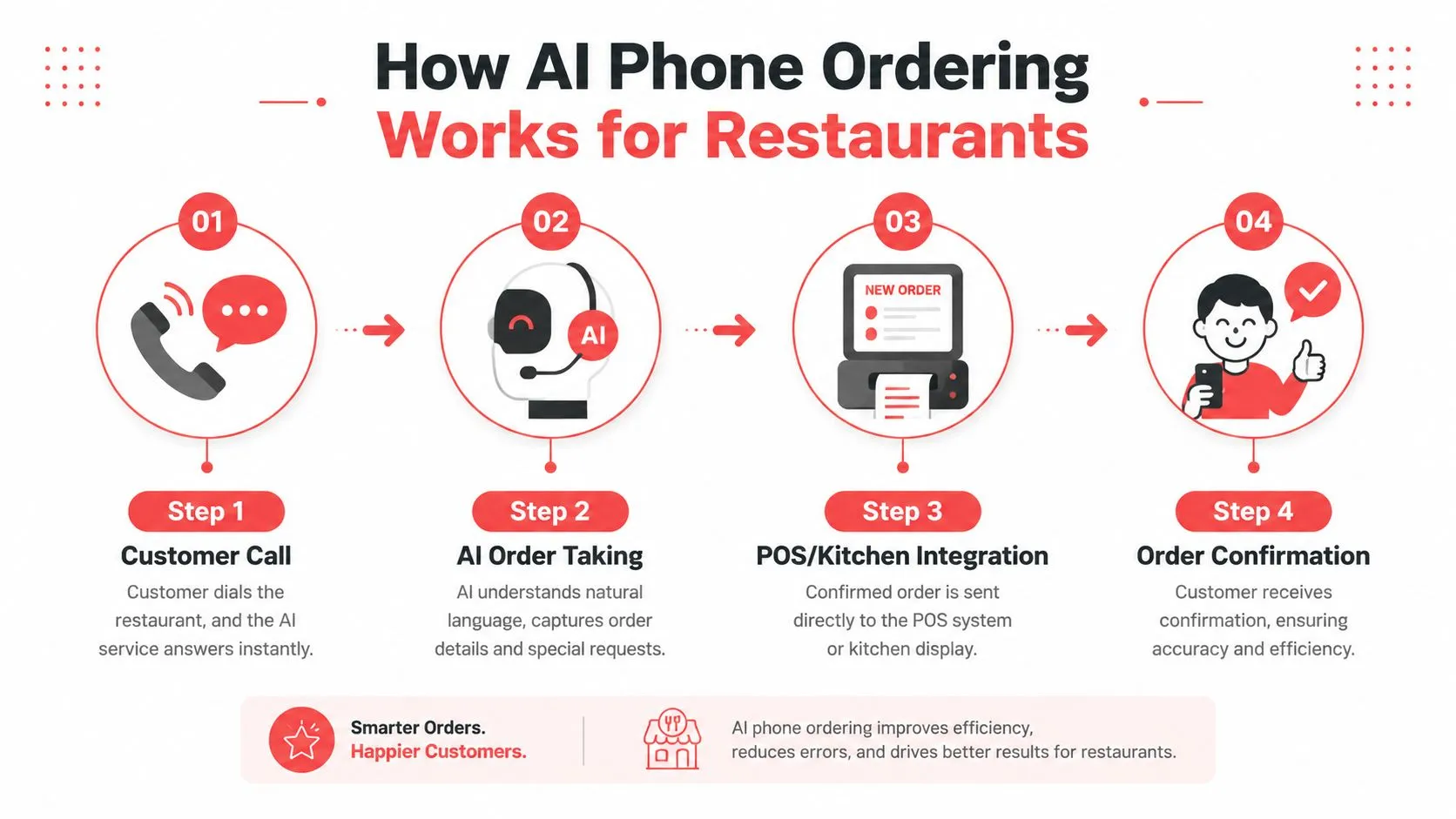
A customer calls your restaurant, and the AI answers right away. It listens for intent, identifies whether the caller wants pickup or delivery, and starts collecting the details needed to turn a spoken request into a usable ticket.
The call becomes a structured order
A restaurant AI has to do more than hear “I want a pizza.” It needs the size, crust, toppings, modifiers, and any special requests before the kitchen can work from the order with confidence. The menu setup in your POS does the heavy lifting here, because the AI has to translate natural speech into a clean structure that matches how your team fulfills tickets.
That only works if the POS connection is tight. Clean item mapping, modifier mapping, and live menu sync let spoken requests like sizes, toppings, add-ons, removals, and combo choices land correctly in Clover or Square. OrderOut’s AI phone ordering system guide
The order needs to land where your staff already works
A system that only records the call still leaves someone to retype the order. The better setup sends the order straight into the POS, so the kitchen and front counter keep working from the same source of truth.
That matters during a dinner rush, when the host stand is moving, the line is full, and the phone keeps ringing. The order should enter the same workflow as an in-person ticket, so staff do not have to juggle a separate device or decode handwritten notes. If you want to see the operational side of that handoff in a live restaurant setup, OrderOut’s AI phone ordering POS integration shows how the call turns into a ticket without manual re-entry.
Practical rule: if the AI cannot map your menu cleanly, it is not saving time, it is creating cleanup work.
What the handoff should feel like
The caller should hear a normal conversation, not a rigid script. The restaurant should receive a complete ticket, not a set of notes that still needs interpretation. When that handoff works, the front counter keeps serving walk-ins while the AI handles repetitive calls that would otherwise pull staff away from guests.
That is the value on a busy shift. The AI keeps taking orders while your team stays focused on the dining room, the pickup shelf, and the food in front of them.
Key Benefits of an Automated Phone System
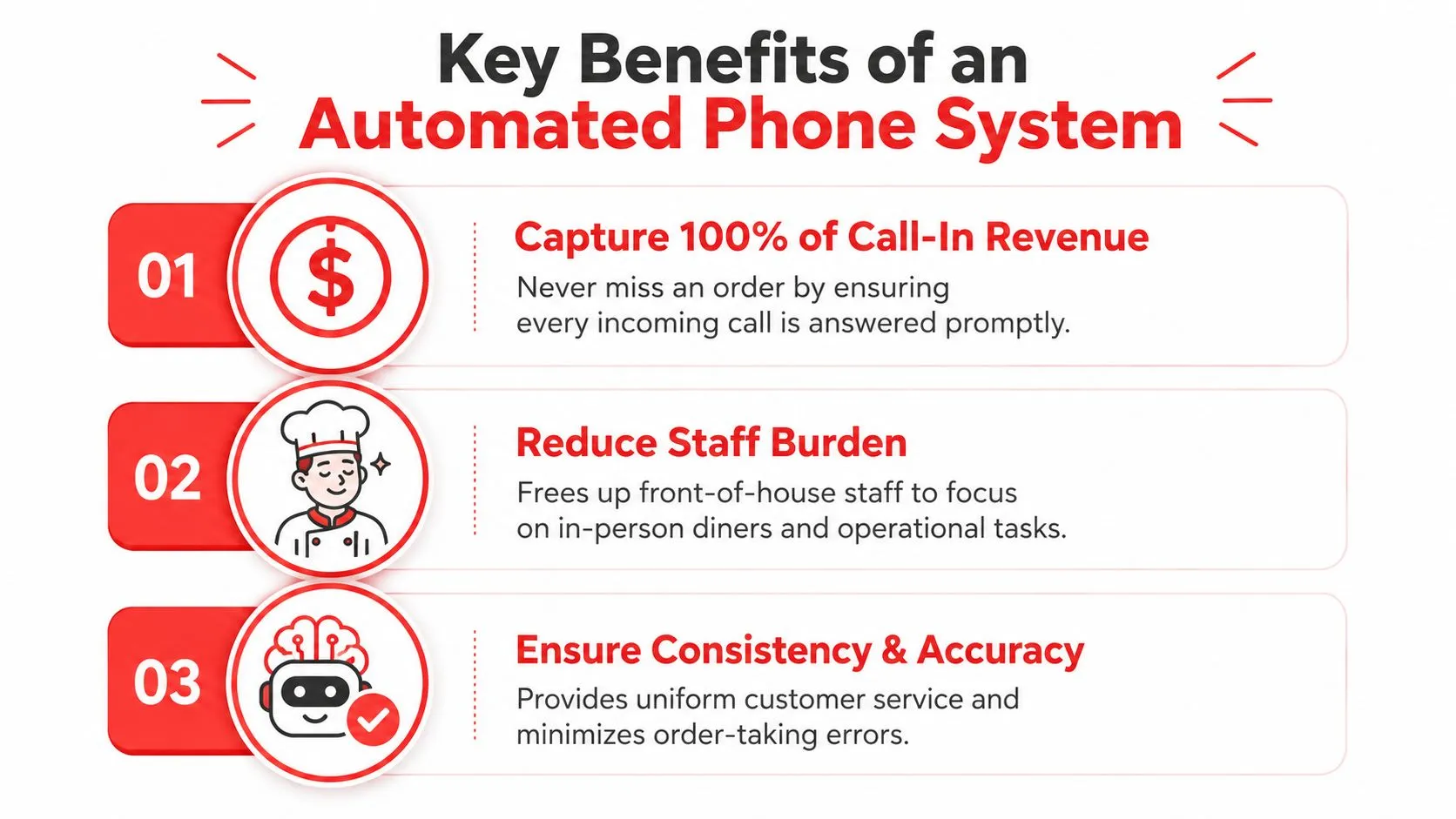
An automated phone system helps restaurants in three direct ways. It captures more call-in revenue, relieves pressure on staff, and reduces mistakes that come from rushed manual order-taking.
It keeps the phone from becoming a bottleneck
Because these systems are cloud-based, they can handle unlimited simultaneous calls and remove hold times, which is a structural advantage over human reception workflows that are constrained by staff concurrency. That matters most when call spikes are common, because the phone doesn’t care whether the dining room is slammed.
A missed ring can become a missed pickup order, especially during the exact hour when the kitchen is already full. An AI receptionist keeps answering while the team handles guests, expo, and prep.
It gives staff back time for in-person service
The strongest operational gain is usually not glamour, it’s focus. When the host stand or counter staff aren’t tied up with routine calls, they can seat tables, hand off food, answer walk-up questions, and keep the room moving.
That’s also why phone automation tends to help morale. Staff are less likely to feel torn between the guest standing in front of them and the call coming in on the line. If you’re thinking through call-in order coverage, OrderOut’s call-in orders overview is a useful reference for the workflow impact.
It cuts re-keying and protects order accuracy
Manual re-entry is where small mistakes become expensive. A hurried employee can mishear a modifier, forget a side, or type the wrong size when they’re already juggling five things at once.
An AI system that captures the order directly reduces that handoff friction. For restaurant operators, this means fewer little errors that show up later as remakes, unhappy guests, or staff time spent fixing preventable problems.
The restaurant use case is especially strong when the system is connected to the POS rather than sitting off to the side. That way the same ticket logic that handles in-person and online orders also handles the phone. For a practical payment and system-integration perspective, secure online payment processing is a useful reference point for how tightly front-end ordering tools need to connect to the back office.
Integrating AI with Your Clover or Square POS
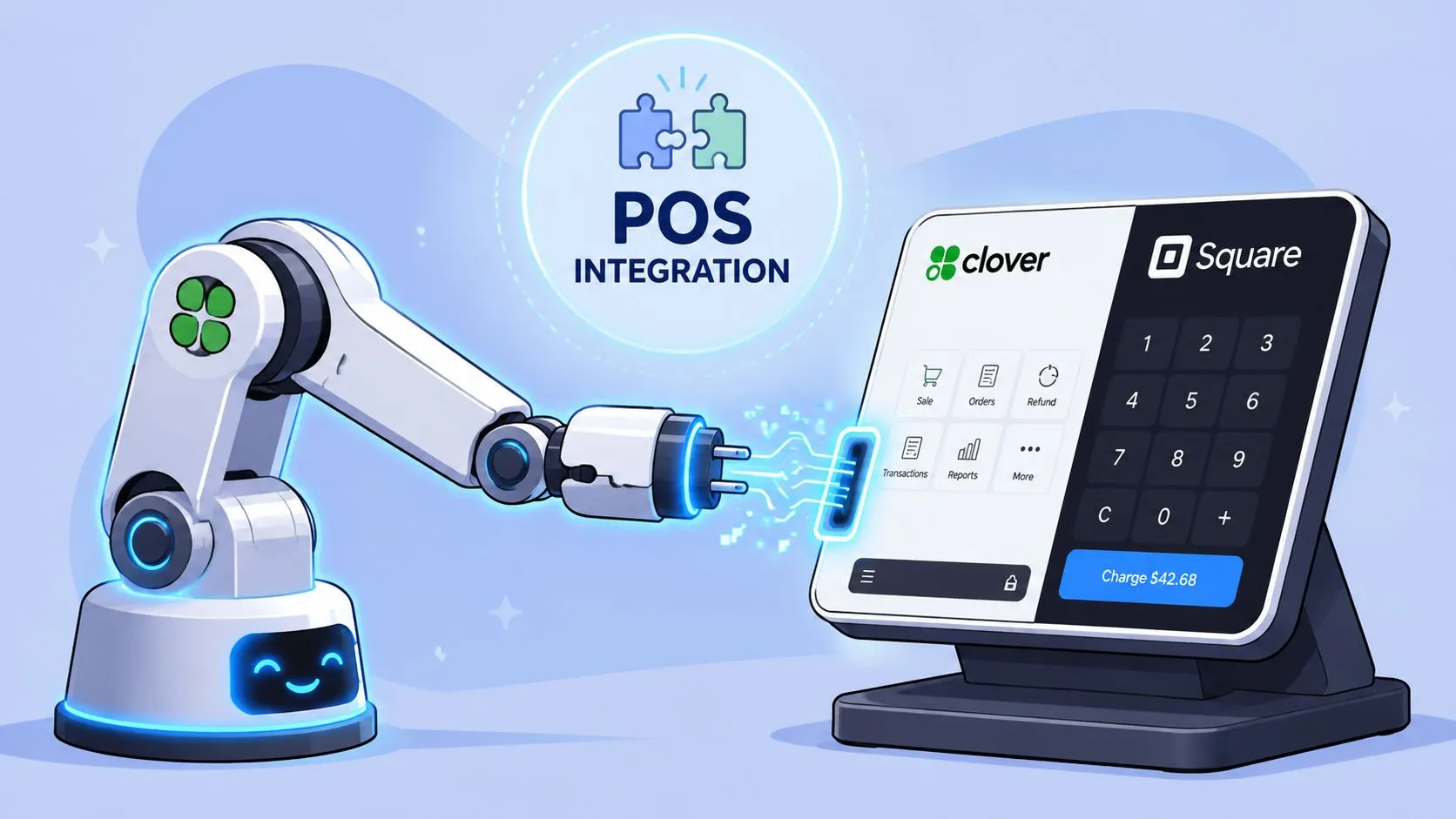
A phone AI only matters operationally when it writes straight into your POS. If it sits outside the order flow, staff still end up doing the same cleanup work, and the restaurant still loses time and accuracy.
The POS is the source of truth
Clover and Square already hold the menu structure, modifiers, prices, and ticket flow your team relies on during service. The AI has to follow that structure instead of creating a separate one. Menu mapping and live sync matter because the phone order has to match the exact items your kitchen can fire.
OrderOut is built around that principle. It maps marketplace or phone input into a normalized POS schema, which keeps tickets consistent instead of asking staff to translate between systems. For a tighter look at the POS side, OrderOut’s Clover POS integration shows how that connection works in a Clover setup.
Why menu hygiene matters more than most owners expect
A messy menu slows the system down. If modifier names change from item to item, the order can come through in a format that forces correction. If items change often and the POS is not kept in sync, the AI has to guess, and guessing creates avoidable mistakes.
That does not mean the technology is fragile. It means the setup has to reflect how the restaurant already sells food. A clean POS menu is easier for the AI to read, easier for the kitchen to trust, and easier for managers to maintain during a busy shift.
Practical rule: the AI is only as good as the menu structure behind it.
What a good handoff looks like in practice
The right handoff is straightforward. A caller places a pickup order, the AI confirms the items, and the ticket appears in Clover or Square the same way a staff member would enter it. No extra tablet. No separate transcription step. No one has to retype the order under pressure.
If you are comparing service options, the restaurant also needs to look at how ordering connects to payment and checkout. For operators who want a broader systems view, OrderOut’s AI phone ordering solution connects the call-taking piece to the POS piece, and that is where the workflow either holds together or falls apart. For a related systems reference, secure online payment processing shows the same need for tight handoff between the front end and the back office.
How to Choose the Right AI Service
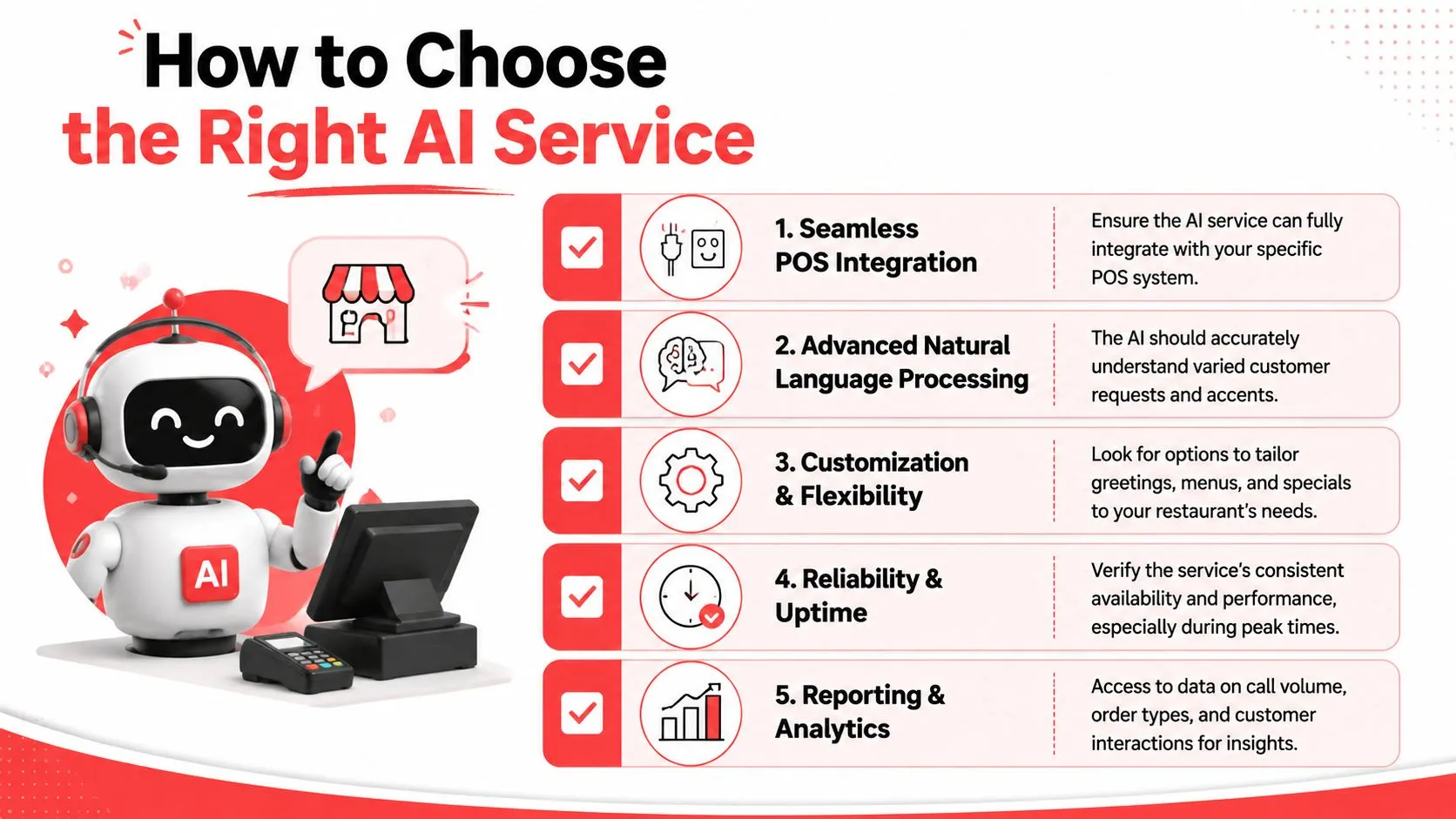
The right vendor is the one that fits your restaurant’s actual call pattern, menu complexity, and escalation needs. A slick demo means little if the system can’t handle a real menu, a noisy caller, or a busy shift.
Ask whether it integrates with your POS
If the answer is no, keep moving. A restaurant AI that doesn’t connect to Clover or Square will leave staff with cleanup work, and cleanup work is where savings disappear.
Operators should look past the marketing language and check the actual handoff. OrderOut’s best order management system guide is a useful reference if you’re comparing how the call-taking layer fits into a broader restaurant workflow.
Ask how it handles exceptions
The important question isn’t just whether the AI can answer calls. It’s whether it can reliably capture intent and hand off exceptions without creating more staff work. That matters for menu changes, large-party inquiries, or out-of-stock items, because those are the calls that can cause the most friction when automation is sloppy. InsightHealth’s AI phone answering assistant guide makes the same broader point about exception handling, and that logic applies to restaurants too.
Ask what happens when the caller is hard to understand
Restaurants deal with background noise, multiple people talking, and callers who are multitasking. A service that sounds great in a quiet demo room can fall apart when the caller is in a car, at a job site, or standing in line somewhere else.
The better vendor should be able to explain how it handles misheard requests, unclear phrasing, and escalation to a human when needed. That’s the difference between useful automation and a polished voicemail replacement.
Ask for restaurant-specific fit, not generic answering
A lot of AI phone tools are built around appointment booking or lead capture. Restaurants need a different workflow. Menu changes, pickup timing, and order modifications are not the same as a standard intake form.
Buyer’s test: if the vendor can’t describe how it handles a real menu and a real exception, it probably wasn’t built for restaurant operations.
Common Pitfalls to Avoid During Setup
The most common setup mistake is treating the AI as if it can fix bad inputs. It can’t. If your menu is messy or outdated, the AI will reflect that mess back at you in the ticket.
The second mistake is under-training staff on what to do when a call gets escalated. Front-of-house teams need to know when to jump in, how to handle a partial order, and where to look when the AI has already captured part of the call. If they don’t, the “automation” becomes another thing the team has to manage under pressure.
A third mistake is expecting perfect outcomes on day one. A restaurant phone system has to handle order questions, allergy concerns, urgent complaints, and caller confusion, and a false sense of confidence can be costly if the AI mishandles any of those. As Zoom’s small-business AI receptionist coverage notes, the question lies in whether replacing voicemail with AI improves customer outcomes or just shifts failure from missed calls to wrong answers.
Frequently Asked Questions
Does an AI phone answering service work with Clover?
Yes, if the service is built for POS integration rather than generic call handling. The important part is that the order lands in Clover as a usable ticket, not as a separate note for staff to retype.
Does it work with Square too?
Yes, the right system can route phone orders into Square as part of the same workflow your team already uses. That keeps phone orders from becoming a separate process.
Do I still need extra tablets?
No, not if the phone ordering system is integrated correctly. The point is to inject the call order into the POS so your team isn’t juggling another screen.
Will it answer menu questions as well as take orders?
It should be able to do both, but restaurant operators should still ask how it handles exceptions and unclear requests. That matters more than a polished demo voice.
What should I check before I install one?
Check the POS connection, menu mapping, and escalation behavior first. If those three pieces aren’t solid, the system can create more work than it removes.
If you’re ready to see whether AI phone ordering fits your restaurant, start the onboarding flow at OrderOut and map it to your Clover or Square setup.