
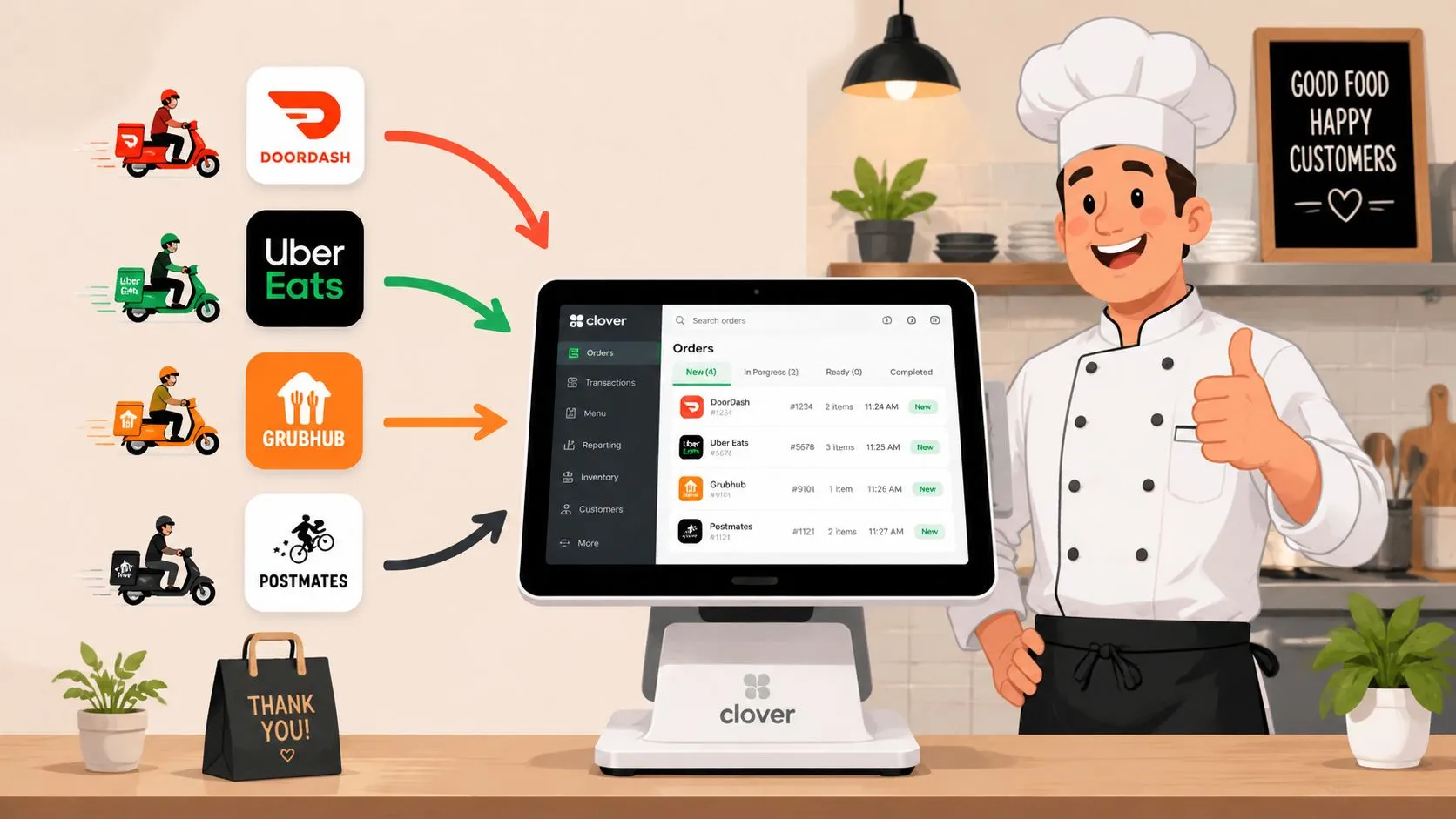
Saturday night exposes every weakness in a restaurant workflow. The dining room is full, the phone won’t stop, and three delivery tablets start chiming at the same time. An Uber Eats order lands, then DoorDash, then Grubhub. Someone at the host stand has to stop what they’re doing, read each screen, re-enter the order into Clover, and hope they don’t miss a modifier.
That’s tablet hell. It looks like a staffing problem, but most of the time it’s really a systems problem.
A proper Clover POS integration fixes that by removing the re-key step. Instead of treating each delivery app like its own island, you connect those channels to the POS so orders arrive in one operational flow. The kitchen gets cleaner tickets. The front counter stops playing dispatcher. Managers get one place to review what sold.
The End of Tablet Hell Why Clover Integration Matters
The most expensive part of manual delivery order handling isn’t the tablet itself. It’s the interruption. Every time a staff member stops to type an Uber Eats or DoorDash order into Clover, they leave something else undone. A guest waits longer. A phone call rings out. A modifier gets entered wrong. The kitchen starts from a bad ticket.
For restaurants running high delivery volume, Clover POS integration changes the job from order transcription to order management. Clover’s platform is built for that kind of connected setup. A POS can run directly on Clover hardware as a native app, and developers can also connect external systems through Clover’s APIs. Clover’s own integration documentation distinguishes those two paths and shows why the platform works as a hub for syncing sales, menu, and item data across connected systems through Clover’s platform integration options.
A manager doesn’t need to think about APIs first. In plain language, the goal is simple. Orders from delivery apps should show up in Clover without anyone typing them in again.
When restaurants say they want fewer tablets, what they usually mean is they want fewer handoffs, fewer mistakes, and fewer screens competing for attention during a rush.
That shift matters because Clover already centers business tracking inside the POS. Its product pages emphasize hourly revenue, top-selling items, and refunds. Once delivery orders are part of that same environment, the operation gets closer to one source of truth instead of a pile of disconnected order feeds.
If you’re trying to understand why this operational model has taken over, it’s worth reading OrderOut’s piece on integrated point-of-sale systems. The short version is straightforward. A disconnected restaurant adds labor every time order volume rises. An integrated one scales with less chaos.
The practical fix for tablet hell is delivery POS integration. Uber Eats, DoorDash, and Grubhub orders flow into Clover. The staff stops copying tickets from one screen to another. The kitchen works from one queue instead of several.
The Business Case for Delivery POS Integration
Owners usually ask the same question first. Does this save money, or is it just another software layer?
If your staff is manually entering third-party delivery orders into Clover, the answer is operational before it’s financial. Manual entry creates avoidable work. It also creates avoidable errors. A pizza shop dealing with DoorDash and Uber Eats at peak hours doesn’t need a consultant to explain this. One wrong crust, one missed topping, one delayed ticket, and the problem becomes a comp, a remake, or an unhappy customer.
Manual work costs more than it looks
The labor drain isn’t only the seconds spent typing. It’s the stop-and-start effect on the whole line. A cashier becomes a data-entry clerk. A shift lead turns into traffic control. Front-of-house attention gets pulled away from in-store guests so someone can move information from one device to another.
Restaurant order management either gets tighter or falls apart at this juncture. If orders move directly into Clover, the team handles exceptions instead of every single ticket.
A good rule is simple.
Practical rule: If a human has to retype an order that already exists digitally, the workflow is unfinished.
Clover’s market footprint also matters for operators with more than one market or a future expansion plan. Clover operates in 11 countries, which shows its integration model is designed for multi-market deployment, but Clover also notes that not every feature is available in every market. For operators, success isn’t just whether orders reach the POS. It’s whether the business keeps manual-keying low and avoids the higher-cost patterns that can come with keyed-in workflows, as noted in this Clover market comparison.
Manual entry vs Clover integrated workflow
| Metric | Manual Workflow (Multiple Tablets) | Integrated Workflow (with OrderOut) |
|---|---|---|
| Order intake | Staff reads each marketplace tablet and re-enters orders into Clover | Orders from delivery channels are injected into Clover automatically |
| Staff focus | Front counter and shift leads get interrupted during rush periods | Staff can stay focused on guests, expediting, and exception handling |
| Order accuracy | Mistakes happen when modifiers, quantities, or notes are typed by hand | Orders arrive in a consistent digital flow based on mapped menu data |
| Ticket speed | Kitchen only starts after someone manually enters the order | Kitchen can start as soon as the order reaches Clover |
| Reporting | Delivery data is split across marketplaces and POS records | Sales activity is consolidated more cleanly inside the POS workflow |
| Multi-location control | Each store often develops its own workaround | Operators can standardize one process across locations |
Why the ROI shows up fast
Restaurants don’t need a dramatic transformation story to justify this. They need fewer avoidable mistakes and less wasted labor during the busiest windows.
A delivery integration earns its keep when it does four things well:
- Removes re-keying: Orders from Uber Eats, DoorDash, and Grubhub don’t need to be typed a second time.
- Protects staff time: Hosts and cashiers can stay on customer-facing work instead of copying tickets.
- Reduces preventable errors: Modifier and quantity mistakes are less likely when the order isn’t manually transcribed.
- Improves throughput: The kitchen sees the order sooner and can move earlier.
For a broader look at where these gains come from, OrderOut’s article on restaurant automation is useful because it frames automation as labor protection, not gadget collecting.
The strongest business case for Clover delivery integration is that it cleans up the part of the workflow that breaks first under pressure. That’s usually enough to justify the change.
Preparing Your Clover System for a Smooth Integration
Restaurants get into trouble when they treat integration like a switch instead of a setup process. The software connection might be quick. The operational prep is what determines whether orders flow cleanly on day one.
The biggest issue is usually the menu. If item names don’t match, modifiers are inconsistent, or one delivery channel has a different structure than the POS, the integration can only automate bad data faster.
Start with a menu audit
Before connecting anything, review the live menu exactly as your customers see it on Uber Eats, DoorDash, Grubhub, and in Clover.
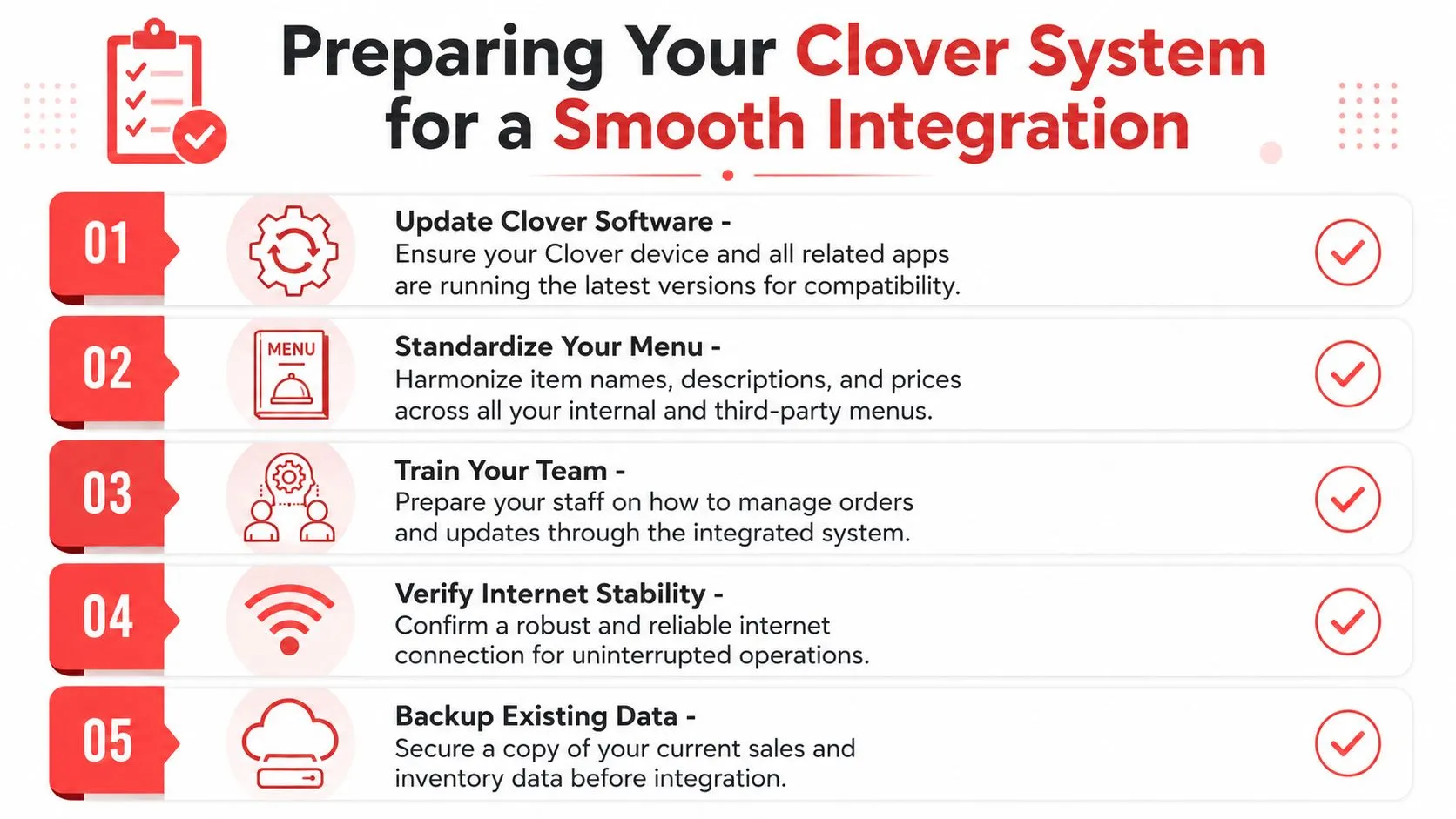
A clean pre-flight checklist usually includes:
- Item names that match: If Clover says “Cheeseburger Combo” and a marketplace says “Burger Meal,” mapping gets harder and support work increases.
- Modifier groups that are structured clearly: Size, add-ons, sides, sauces, and cooking preferences should be separated in a way that mirrors the actual order logic.
- Prices that align: Even if channel pricing differs by strategy, the underlying item structure should still be consistent.
- Staff permissions and device access: The person handling setup should be able to review Clover settings, menu items, and connected apps.
- Internet stability: An integration can’t compensate for a location with unreliable connectivity.
Menu-sync quality is where many failures begin
One of the more important operational warnings comes from middleware support documentation. Unlinked items, modifier groups, or modifiers can cause order injection failures. This is a key reason menu governance matters. It isn’t busywork. It’s what keeps automation from creating a new kind of missed order.
Weak menu hygiene doesn’t stay small. It turns into tickets that don’t inject, modifiers that disappear, and managers hunting through three systems to find out what broke.
If you run a simple menu, you’ll still want discipline here. If you run lots of modifiers, limited-time offers, half-and-half builds, or channel-specific bundles, this becomes a daily operations issue.
Don’t skip the hardware check
Another common mistake is assuming every Clover estate is current and compatible. That assumption breaks quickly in multi-location groups. One store may have newer hardware and a clean setup. Another may still be running older devices that create friction during deployment.
Some integration support teams explicitly tell operators to check for older unsupported Clover devices before setup. That’s a strong signal that hardware compatibility can block or delay rollout, especially across inherited or uneven device fleets. If you’re planning a broader deployment, confirm device compatibility before you begin.
For operators who want the technical side without getting buried in jargon, this overview of Clover API docs gives helpful context on how connected apps pass menu and order data.
A stable integration starts before installation. Audit the menu. Audit the devices. Then connect the systems.
How to Connect Delivery Apps to Your Clover POS
Once the prep work is done, the actual setup should feel simple. For most restaurants, the cleanest model is to use one hub that connects the delivery channels on one side and Clover on the other. That avoids managing separate workflows for Uber Eats, DoorDash, and Grubhub.
In practical terms, that hub is middleware. It receives orders from the marketplaces, maps them to your POS structure, and injects them into Clover so the kitchen can treat them like normal incoming orders.
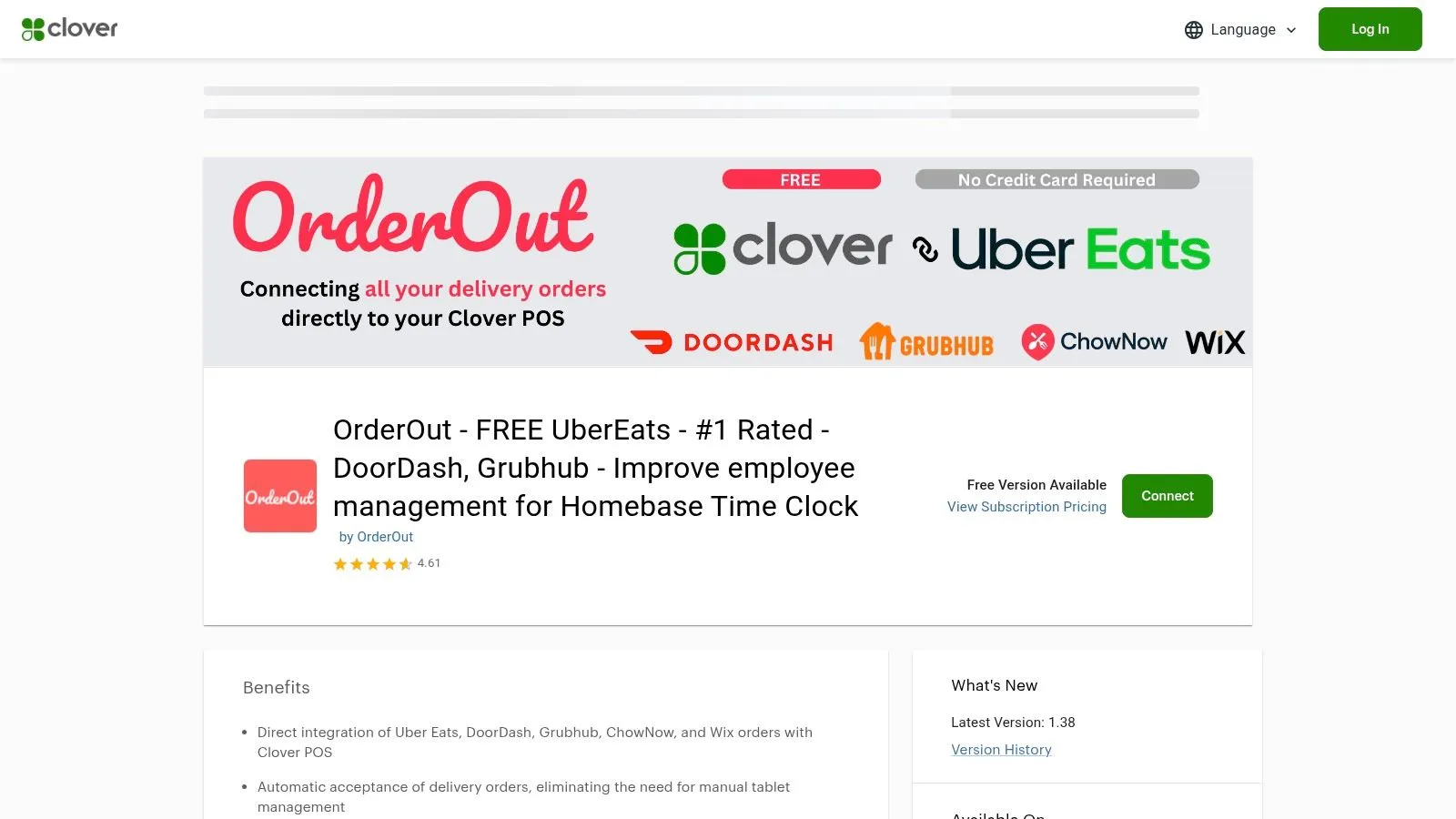
Find the app in Clover first
A straightforward path is to install OrderOut for Clover in the Clover App Market. In this setup, OrderOut acts as the connector between delivery apps and Clover so third-party orders can flow into the POS without manual re-entry.
That matters because most restaurant teams don’t want an IT project. They want a setup they can authorize, map, test, and run.
A practical setup flow
The easiest rollout usually follows this order:
-
Install the Clover app
Start from the Clover App Market listing. Make sure you’re signed into the correct merchant account before authorizing access.
-
Connect your delivery channels
Inside the integration dashboard, connect the marketplaces you use, such as Uber Eats, DoorDash, and Grubhub.
-
Map your menu
The preparation now yields results. Match items and modifier groups carefully so incoming orders land correctly in Clover.
-
Test a controlled order
Submit test orders before going live during service. Check item names, modifiers, taxes, prep routing, and ticket formatting.
-
Train the shift leads
They need to know how to spot failed injections, where to verify order status, and how to handle exceptions without going back to the old tablet process.
Watch for the hardware edge cases
The most common rollout mistake is assuming every store in a group is equally ready. They usually aren’t.
Check the actual device estate, not the spreadsheet. A single older unsupported Clover device can slow down an otherwise clean rollout.
If you run multiple locations, do a location-by-location audit before launch day. Confirm the hardware is current enough, verify app access, and run the same order test in each store. That’s especially important if locations have different internet conditions, different printer setups, or different menu variations.
See the flow before you switch it on
A short walkthrough helps teams understand what changes after setup and what doesn’t. The kitchen still makes food. The POS still acts as the operational center. What disappears is the manual relay work between marketplace tablets and Clover.
Keep the launch narrow, then expand
Don’t go live with every store, every menu edge case, and every channel all at once if you can avoid it. Start with one location or one service window. Watch the tickets. Check the modifiers. Confirm the kitchen sees exactly what it needs.
If DoorDash is your biggest pain point today, this guide to DoorDash integration with Clover is a useful place to compare how one channel fits into the broader Clover delivery workflow.
A good Clover POS integration shouldn’t feel complex once it reaches the shift. It should feel boring. Orders come in. Tickets print. Staff cooks. Managers intervene only when something needs attention.
Optimizing Your New Restaurant Order Management Workflow
Friday night is where a new workflow proves itself. Orders are coming from the dining room, pickup, and delivery at the same time. If managers still have to watch multiple tablets, correct missing modifiers, and explain ticket confusion to the line, the integration is only half finished.
The primary goal is operational control. Once Clover and your delivery channels are connected through a consolidator like OrderOut, delivery stops behaving like a separate business with its own rules. Orders follow one path into the POS, the kitchen works from cleaner tickets, and managers can spend their attention on service instead of order triage.
Centralized menu control cuts preventable mistakes
Menu management is usually the first place the benefits show up after go-live. Price changes, item 86s, modifier edits, and daypart adjustments are easier to control when the POS is treated as the source of truth instead of one system among many.
That does not mean every marketplace menu should match line for line. Delivery channels often need different pricing, item bundles, or availability rules. The point is tighter governance. Core item structure stays consistent, modifier logic is easier to audit, and stores make fewer avoidable mistakes during busy shifts.
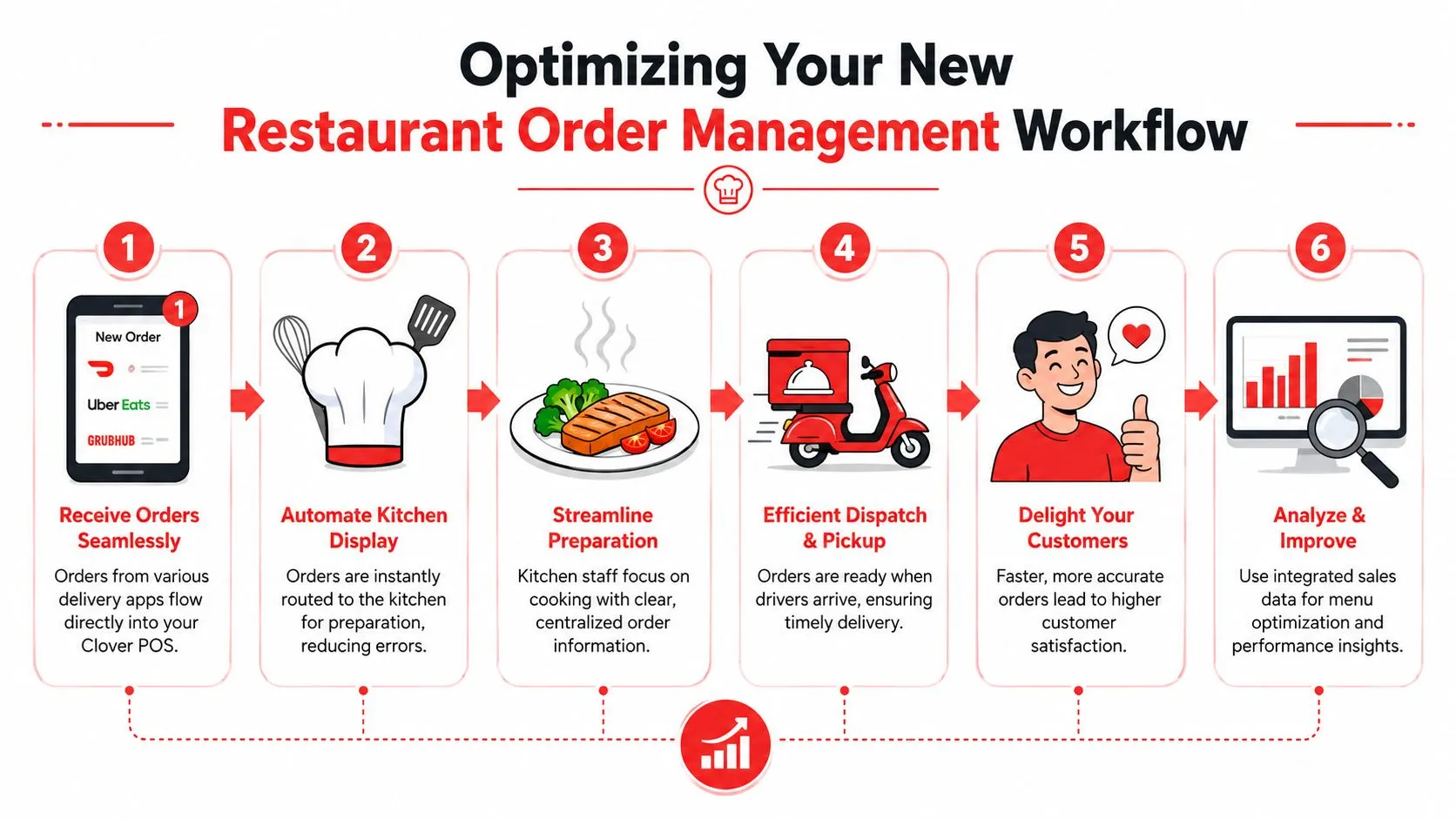
Unified reporting helps managers act faster
Disconnected reporting creates bad management habits. One dashboard says sales are up. Another shows refunds. A tablet app shows canceled orders, but nobody checks it until after the rush. By then, the problem is already in labor cost, remake cost, and guest complaints.
A unified flow gives managers a better question to ask: what happened in the business during that hour, and what should change on the next shift? That is far more useful than comparing disconnected snapshots from separate tools. Teams that work on restaurant systems and process design often make the same point, which is why material like Refact’s expertise in hospitality is useful if you are evaluating workflow design, not just software features.
A restaurant doesn’t need more dashboards. It needs fewer blind spots.
What to tune after go-live
The first week after launch should focus on boring, repeatable checks. That is how you keep the gains.
- Review exception queues every day. Look for failed item mappings, canceled orders, duplicate tickets, and refund patterns before they become routine.
- Clean up routing rules. Confirm each order prints or displays at the right station based on item type, prep flow, and service mode.
- Use sales patterns for staffing and prep. If delivery spikes at specific hours, schedule and prep for that demand instead of reacting to it mid-shift.
- Control menu changes. Give one person ownership of validating major edits so a quick fix does not create ticket errors across channels.
If you want a stronger process around those checks, OrderOut’s guide to restaurant order processing automation lays out how to combine automation with manager oversight.
A strong delivery POS integration changes what the manager’s job looks like during service. Less chasing. More control. Better decisions with less noise.
Your Next Step Toward a Fully Automated Kitchen
Friday dinner rush is when weak systems get exposed. One tablet is beeping, another is out of sync, a third has an item modifier the kitchen never saw, and someone is still retyping orders into Clover while the line backs up. That is the point where delivery stops feeling like added revenue and starts acting like a tax on the shift.
A solid Clover POS integration changes that because it fixes the root problem. Orders from delivery channels flow into one system, tickets reach the right station faster, and managers stop spending service acting as the connection between disconnected tools. That is the essential value of consolidation through OrderOut. It is not just setup. It is fewer manual touches before service, cleaner execution during service, and less cleanup after service.
The market is heading the same way. On Clover UK’s page, Integrating POS Systems with Payment Devices, Clover says the UK POS integration market is projected to grow from £270 million in 2024 to nearly £740 million by 2030. For restaurant operators, the takeaway is straightforward. Connected systems are becoming standard, and manual workarounds get more expensive as order volume grows.
The next step should be practical. Confirm your Clover hardware can support the workflow you want. Standardize your menu before you connect channels. Test order injection, modifiers, routing, and receipts in a slow service window. Then remove the duplicate tablet processes that are still hanging around after go-live. Partial adoption is where a lot of operators lose the return.
Once delivery orders enter the business once and move through the kitchen without re-entry, the same model can support commission-free online ordering, AI phone ordering, and delivery dispatch and tracking. That is how restaurants get out of tablet hell for good.
If you’re ready to clean up delivery operations, connect your channels, and stop retyping orders into the POS, start with OrderOut and create your account in the OrderOut dashboard to onboard for free in a few clicks.