
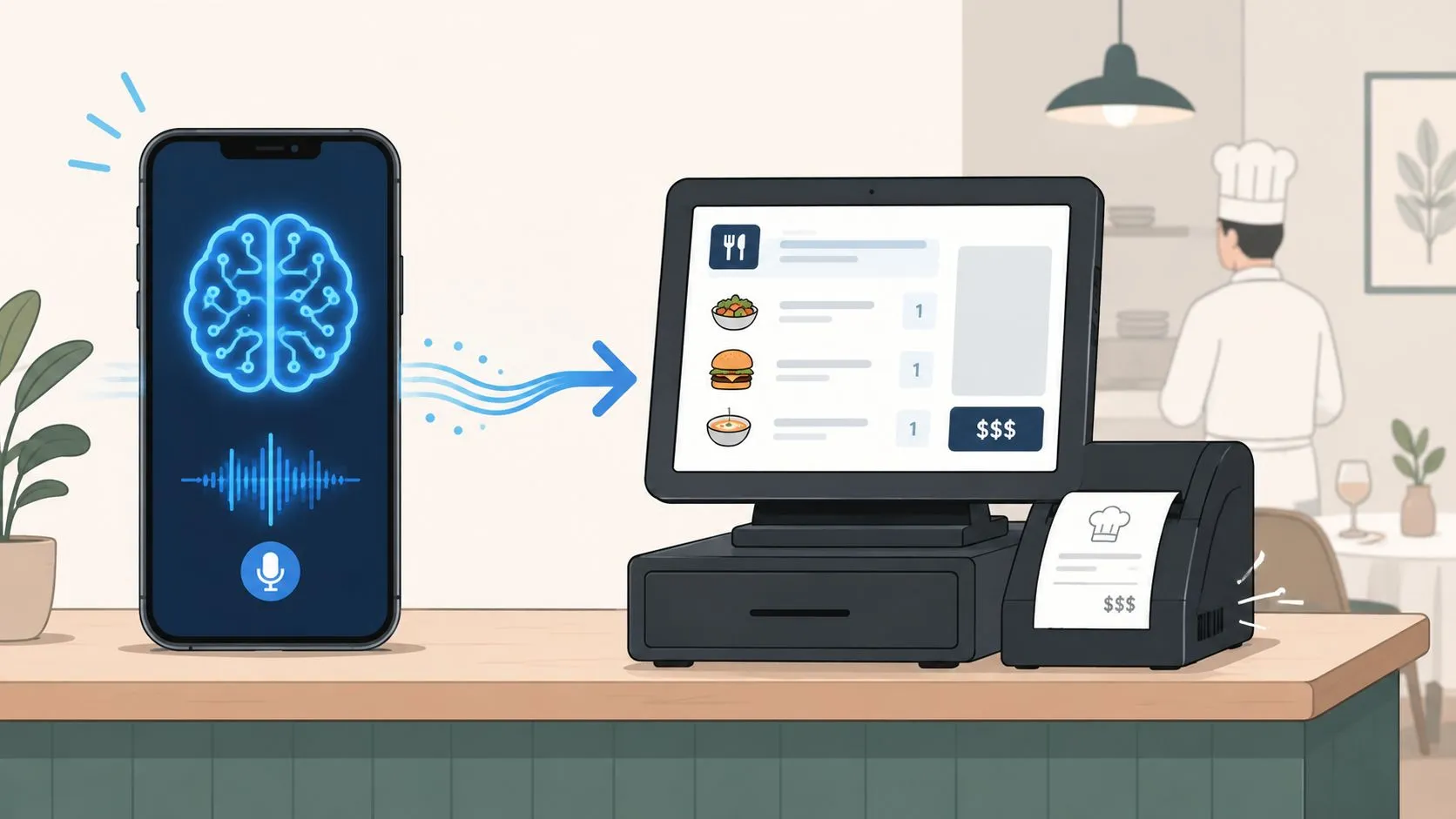
AI phone ordering POS integration connects a voice AI to your restaurant’s point-of-sale system, so the AI can take phone orders automatically and send them straight into the kitchen workflow without staff re-entering anything. When it’s set up well, these systems can reach 95% to 99% order accuracy, compared with 85% to 92% for human-handled calls, while also helping restaurants stop losing orders from missed calls.
Most restaurant owners already understand the front-end promise. The phone gets answered. The customer places an order. The kitchen gets a ticket. What usually gets glossed over is the middle. That middle is the part that decides whether this is a real operational tool or just a talking bot that creates cleanup work.
The hard part isn’t getting an AI voice to talk. The hard part is getting spoken orders, modifiers, substitutions, prices, and out-of-stock items to land in Clover or Square cleanly enough that your line cooks trust the ticket. That’s where the integration layer matters.
What Is AI Phone Ordering POS Integration
How does a phone order become a clean Clover or Square ticket without someone at the counter retyping it?
AI phone ordering POS integration is the setup that makes that handoff happen. The voice AI handles the call, but the integration layer does the operational work. It takes what the customer said, matches it to your menu structure, and pushes it into the POS in a format the kitchen can use.
That middle layer is what restaurant owners should pay attention to. Plenty of tools can answer a phone call. Fewer can turn “large pepperoni, half mushroom, no onions, extra cheese” into the exact item, modifier group, tax treatment, and prep flow your POS expects.
The National Restaurant Association has reported that off-premises ordering continues to be a major part of restaurant sales, which is why phone ordering still matters for many operators (National Restaurant Association off-premises trends). If phone orders are still part of the business, the question is no longer whether calls should be answered. The question is whether those orders enter your system cleanly enough to save labor instead of creating correction work.
Why the definition matters
A lot of owners hear “AI phone ordering” and assume it means an answering service with a nicer voice. In practice, the key distinction is whether the system finishes the transaction inside your operating stack.
If the AI collects the order but sends staff to a dashboard, a text thread, or an email summary, the bottleneck is still there. Someone still has to read, interpret, and enter the order by hand. That usually fails during peak volume, which is exactly when the tool is supposed to help.
Practical rule: If the order does not enter your POS as a usable ticket, you still have a labor problem.
OrderOut earns its keep by sitting between the AI conversation and the POS, acting as the bridge that maps spoken requests into the menu logic Clover and Square require. That includes item matching, modifier handling, and the basic validation that keeps bad tickets from reaching the line.
The routing side matters too. Restaurants using offsite AI should understand how caller ID solutions for AI agents affect customer recognition, location routing, and handoff quality.
For a broader technical view, this guide to point-of-sale integrations shows how these software connections work across restaurant systems.
How Orders Flow From the Phone to Your POS
The cleanest way to think about AI phone ordering POS integration is this: it works like a staff member who only does phone orders, never gets flustered, and always writes in the exact format your POS expects.
That last part matters most. Human staff can usually interpret messy notes. POS systems can’t. If the AI hears “large half pepperoni, half mushroom, no onions, add extra cheese,” that order has to be translated into the exact item and modifier structure your Clover or Square setup already uses.
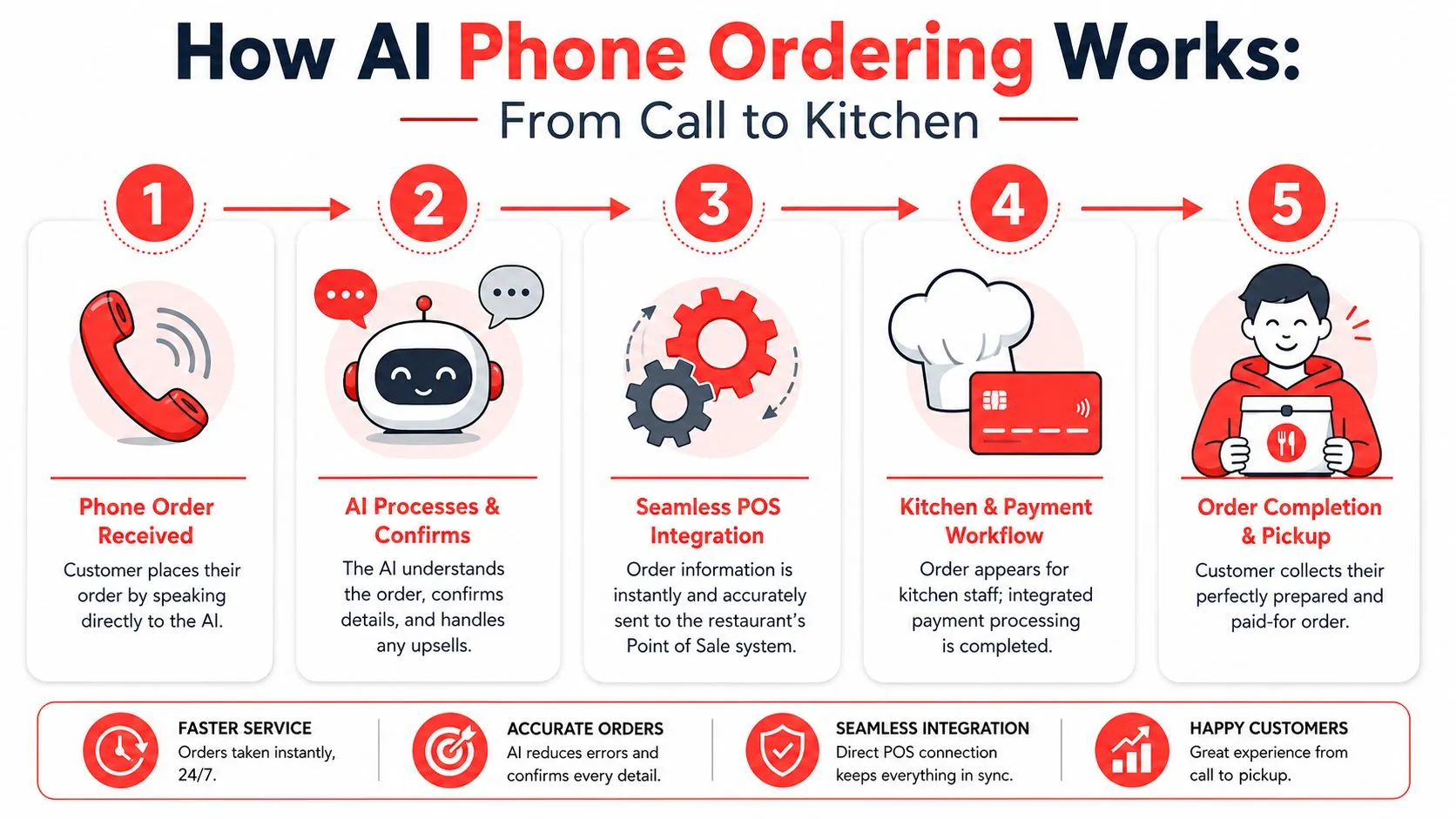
The five-step flow
-
The customer calls your restaurant.
The AI answers the phone instead of a host or cashier. It handles the conversation, gathers the order, and confirms the details back to the customer. -
The AI captures order details.
This includes menu items, sizes, toppings, allergy notes, substitutions, and pickup timing. Strong systems also handle upsell prompts without sounding like a script. -
The order gets normalized.
This is the hidden bridge most articles skip. The voice transcript has to be converted into a standard order structure. That means matching spoken words to the right menu item, the right modifier group, and the right POS IDs. -
The normalized order is injected into the POS.
The integration becomes operationally useful at this stage. According to OrderOut’s AI phone ordering solution, AI phone ordering agents can route every captured voice order directly into the POS as a real ticket in Clover, Square, or Pecan POS, instead of sending an SMS link or relying on a separate printer. -
The kitchen works from the POS ticket.
Once the POS accepts the order, it lands where your team already works. Kitchen printers and kitchen display workflows stay consistent.
Why the middleware layer is the real work
Restaurant owners usually focus on the AI voice. Integrators focus on the order schema. The integrators are right.
A phone AI might understand the customer perfectly and still fail operationally if it doesn’t map modifiers cleanly. “No jalapeños” has to remove the right modifier. “Extra ranch” has to attach to the right item. “Lunch combo” has to follow the right daypart menu. That’s why the normalization layer is so important.
OrderOut already uses a normalized menu schema across channels like Uber Eats, DoorDash, and Grubhub, then routes those orders into Clover or Square in the POS’s structure rather than creating a separate order silo. You can see the same principle in its order entry automation explanation. The phone channel works when it follows that same discipline.
If your menu data is messy, voice AI doesn’t magically fix it. It exposes it.
What solid architecture looks like
On the technical side, the safest pattern is to keep the voice logic separate from the POS-specific logic. Tirnav explains this well: use a POS adapter or webhook middleware layer that translates orders into the provider’s required format, validates modifier groups before submission, and only confirms the order after the POS has accepted it (Tirnav on building AI voice assistants with POS integration).
That protects you from one of the ugliest failure modes in restaurant tech. The caller hears “your order is confirmed,” but the POS never really got it.
The Top Operational Benefits for Your Restaurant
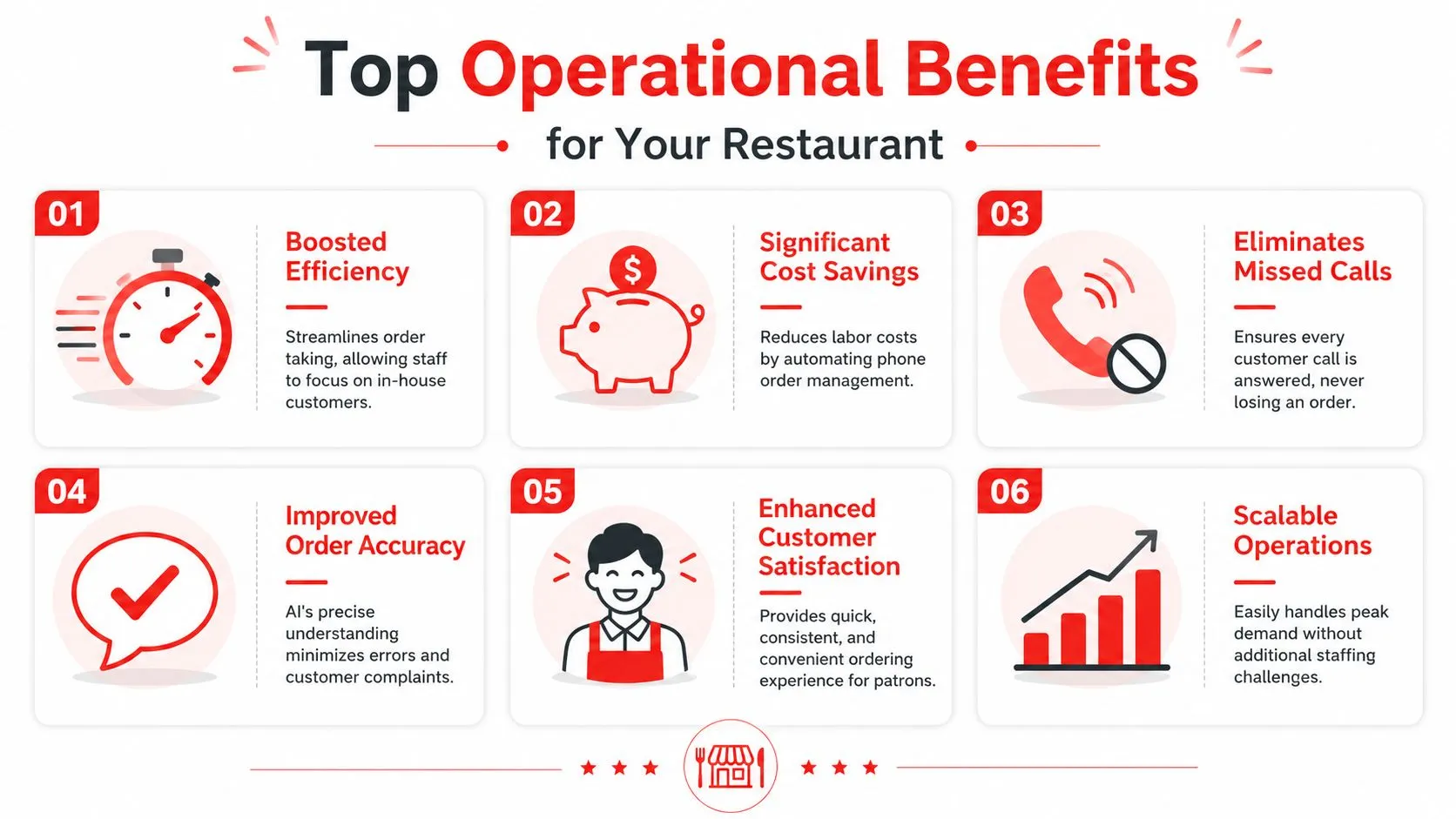
The business case for AI phone ordering POS integration comes down to three things: captured orders, cleaner tickets, and less interruption for your staff.
The biggest shift isn’t futuristic. It’s practical. Your team stops bouncing between the counter, the expo line, and a ringing phone.
More orders get captured
If you miss calls during lunch or dinner, you already know the problem. Customers don’t wait around forever. They hang up and order somewhere else.
Hostie reports that restaurants implementing POS-integrated AI phone ordering see a 26% increase in phone order revenue overall, and some locations have documented $800 per hour in phone order revenue during peak periods. The same analysis says these systems can also save an average of $9,051 monthly on operational costs while capturing calls that previously went unanswered (Hostie analysis of more than 500,000 calls).
A busy independent pizza shop using Clover is a good example. If staff are already juggling walk-ins and delivery prep, phone calls are the first thing to get delayed. An AI layer that takes those calls and drops them straight into the POS removes that choke point.
Tickets get larger without relying on staff memory
Human cashiers are inconsistent at upselling. Not because they don’t care, but because they’re moving fast and prioritizing speed.
Hostie also reports a 15% to 25% increase in average ticket sizes from POS-integrated AI phone ordering, with AI attempting upsells on 95% to 98% of calls compared with 45% to 60% by human staff. Successful upsell rates were reported at 35% to 45% for AI versus 15% to 25% for humans. On a typical $35 average order, that translated to an added $3.50 to $7.00 per transaction in the cited analysis.
A good phone AI doesn’t hard-sell. It remembers to ask the question every time.
That consistency matters more than charisma. A calm, repeatable prompt for extra drinks, sides, or desserts usually beats a rushed cashier who forgets half the time.
Here’s a quick operator view:
| Operational area | What changes in practice |
|---|---|
| Call handling | Staff stop dropping what they’re doing to answer routine takeout calls |
| Upselling | The system asks for add-ons consistently instead of relying on memory |
| Order entry | Tickets hit the POS directly instead of being scribbled on paper or typed twice |
| Guest experience | In-store guests get more attention because staff aren’t tethered to the phone |
Later in the evaluation process, it can help to watch a live workflow example:
Staff focus improves
The labor story is about attention, not just payroll. When the person at the front counter is also the phone operator, accuracy drops everywhere.
Voiceplug says POS-integrated AI phone ordering can support a 17% reduction in labor costs, along with 95%+ call answer rates, 95%+ call-to-order conversion rates, and up to 22% revenue improvement from recaptured calls in some deployments. The same source also notes that real-time POS syncing removes manual re-entry errors and supports automated upselling (Voiceplug on POS features for restaurants).
For the floor team, the practical benefit is less context-switching. For the manager, it’s fewer moments where someone says, “I wrote that phone order down, but I haven’t entered it yet.”
Key Technical and Security Considerations
Most implementation problems come from two places: bad menu sync and unclear responsibility for payments and order acceptance.
Restaurant owners don’t need to become developers here. They do need to know which technical details affect service.
Out-of-stock sync is not a minor feature
If the AI sells food you no longer have, trust drops fast. This is one of the biggest failure points in restaurant voice ordering.
Kea notes that 34% of AI voice errors come from the AI offering items that are already marked out of stock in the POS. Their analysis also highlights a latency window where menu changes can lag behind the AI, which creates “ghost inventory” problems during high-volume periods (Kea on AI phone answering and POS integration).
For operators, the takeaway is simple. Don’t settle for “real-time sync” as a vague promise. Ask exactly how 86’d items, price changes, and daypart menus update.
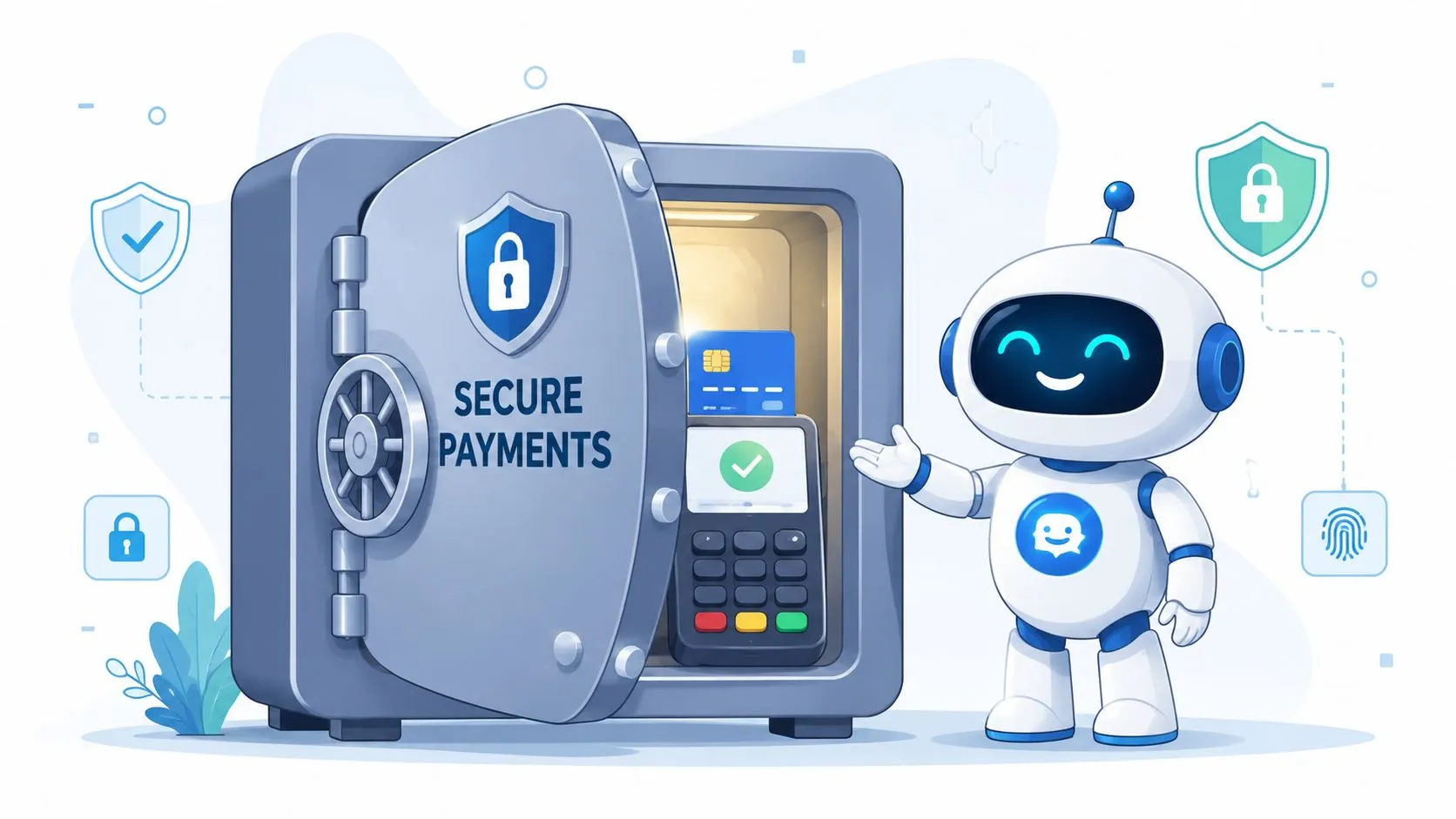
Security should stay inside your existing payment rails
The safest setups don’t invent a parallel payment world. They use your existing POS and payment processor workflows.
That matters because payment handling already lives inside systems built for restaurant transactions. Voiceplug specifically notes that integrations require PCI-compliant payment processing, stable internet, and SSL-secured transmission. In plain language, the AI should work with secure payment flows you already trust, not create a side process that staff have to patch manually.
Operator check: Ask who holds the payment data, when the order is marked confirmed, and what happens if the network drops mid-order.
The boring plumbing matters
A stable internet connection isn’t exciting, but it’s part of the job. So is clean menu structure. If your Clover or Square menu is full of duplicate items, old modifiers, or branch-specific workarounds, the AI layer will inherit that confusion.
For teams that want the technical version, this overview of a POS integration API is worth reading. The practical lesson is that a good integration validates the order before it hits the POS, isolates each call session, and avoids duplicate transactions if a network retry happens.
Multilingual orders are still a real edge case
One area many high-level guides skip is mixed-language ordering. Serviio reports that 22% of phone orders in major markets involve mixed-language commands, and that 1 in 5 complex orders requires manual correction post-AI processing in these multilingual contexts. Their write-up points to a specific issue: the AI may understand the words but map the wrong modifier ID in the POS (Serviio guide to restaurant AI phone ordering and POS).
That doesn’t mean multilingual voice ordering is a bad idea. It means restaurants in diverse markets should test real modifier-heavy calls before launch, not just basic entrée orders.
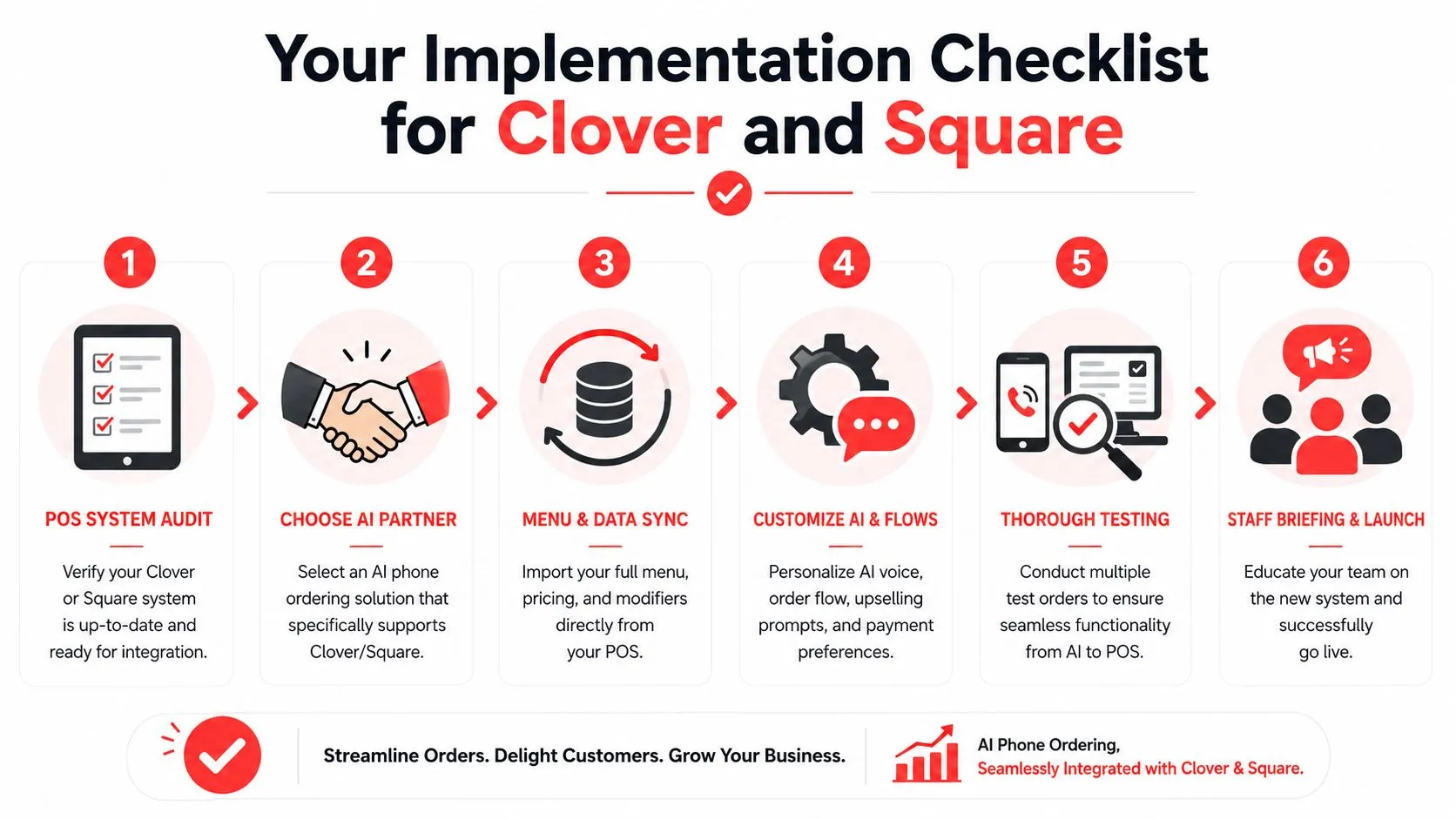
Your Implementation Checklist for Clover and Square
This part should feel manageable. For most restaurants, the rollout is less about installing software and more about getting the menu and workflows clean enough for the AI to behave like a reliable order taker.
Start with the POS side
If you’re on Clover, the setup starts in a familiar place. OrderOut’s write-up says restaurants using Clover install the app directly from the Clover App Market, and it’s free to install. The system then performs a live menu sync that updates 86’d items and price changes automatically (OrderOut on AI phone answering system setup).
If you want the Clover-specific background first, this guide to Clover POS integration lays out the setup logic clearly.
Use a practical launch checklist
- Clean the menu first. Remove duplicate items, retired modifiers, and placeholder buttons that staff understand but the AI won’t.
- Confirm your channel path. Make sure the phone AI is sending orders into the POS itself, not into a side dashboard or text link flow.
- Test modifier-heavy orders. Pizza halves, combo meals, allergy notes, sauces, side swaps, and special instructions are where integrations usually break.
- Check out-of-stock behavior. Mark an item 86’d in Clover or Square and verify that the AI stops offering it.
- Train staff on the new workflow. They don’t need to learn a whole new system. They need to know where the ticket appears and what to do if a customer calls back with a change.
Install and test before peak hours
This is the point in the process where it makes sense to start the setup. Clover users can begin from the OrderOut app in the Clover App Market, and Square users can review the OrderOut app for Square.
One product worth considering here is OrderOut itself. It routes marketplace and AI-captured orders into Clover or Square using a normalized schema, which is why menu and modifier hygiene matter so much before you go live.
Launch with a limited test window first. A quiet afternoon will teach you more than a sales demo.
For pricing and plan fit, operators can compare options on OrderOut pricing for restaurants.
How to Measure Success and ROI
How do you know whether AI phone ordering is helping your restaurant or just adding another layer of software?
Start with the part owners feel first. Fewer phone interruptions at the counter. Fewer remake conversations. Fewer orders that have to be translated from a scribbled note into Clover or Square. If the integration is working the way it should, the call ends with a real POS ticket, and OrderOut is doing the bridge work between the AI voice layer and your POS so staff are not re-entering anything by hand.
That last point matters for ROI because labor savings and accuracy do not come from “AI” in the abstract. They come from the order path. The AI takes the call, OrderOut maps the order into the POS structure, and the kitchen receives the ticket in the same system it already uses. Every place that handoff fails creates hidden cost.
What to track weekly
Use a short scorecard your GM can review in five minutes:
- Order accuracy: Track remakes, refunds, voids, and callback corrections tied to phone orders.
- Missed call rate: Compare how many callers reached the restaurant before and after launch, especially during lunch and dinner rush.
- Average phone order value: Check whether guided upsells are lifting ticket size without creating more order edits.
- Labor interruption: Ask shift leads how often staff still stop what they are doing to answer, clarify, or manually enter phone orders.
- Time to ticket: Measure how quickly a phone order shows up in Clover or Square after the customer confirms it.
The last metric gets overlooked. It is also one of the clearest signs that the integration is configured well. If tickets appear late, arrive with missing modifiers, or require staff cleanup, the problem is usually in the bridge between the voice AI and the POS, not in the phone conversation itself.
What good looks like
A strong rollout shows up in operations before it shows up in a spreadsheet. Staff stay on the line less. The kitchen gets cleaner tickets. Managers spend less time fixing avoidable mistakes.
For a cleaner ROI review, compare two to four weeks before launch against two to four weeks after launch. Keep the comparison simple. Phone order volume, correction rate, missed calls, average ticket, and labor interruptions will tell you whether the system is paying for itself.
Toast makes a similar point in its overview of restaurant data analytics and KPIs. The operators who improve margins are usually the ones measuring a few operational numbers consistently, not the ones collecting the most reports.
If you want a practical framework for building that reporting habit, this guide to restaurant data analytics and reporting workflows is a useful next step.
Frequently Asked Questions
Does AI phone ordering work with Clover and Square?
Yes, it can. The key is whether the setup creates a real POS ticket inside Clover or Square instead of sending orders to a separate inbox or text link. That’s the difference between true integration and extra admin work dressed up as automation.
Do I need extra tablets or a separate printer?
Not if the integration is done properly. The cleaner model is to send the order directly into the POS your kitchen already uses, so staff aren’t babysitting another device just for phone orders.
Is OrderOut free on Clover?
Yes. OrderOut is free to install on the Clover App Market, which lowers the barrier to testing the setup with your existing Clover environment. You can also review common setup questions in the OrderOut FAQ for restaurants.
Which apps and systems does this approach resemble operationally?
The easiest mental model is how Uber Eats, DoorDash, and Grubhub orders should flow into Clover or Square without staff re-keying them. If you want that same clean operational path for marketplace orders too, the parent hub for third-party order engine integrations shows the broader pattern, and a channel-specific example like Grubhub to Clover order injection makes it concrete.
What should I do first if I want to roll this out?
Start with your menu. Clean up modifiers, verify current prices, and make sure out-of-stock handling is disciplined. Then choose the install path that matches your POS and test real-world orders before putting the system into a full dinner rush.
If you want to put AI phone ordering into a real restaurant workflow instead of another disconnected dashboard, start with OrderOut and create your free onboarding account in the OrderOut dashboard.