
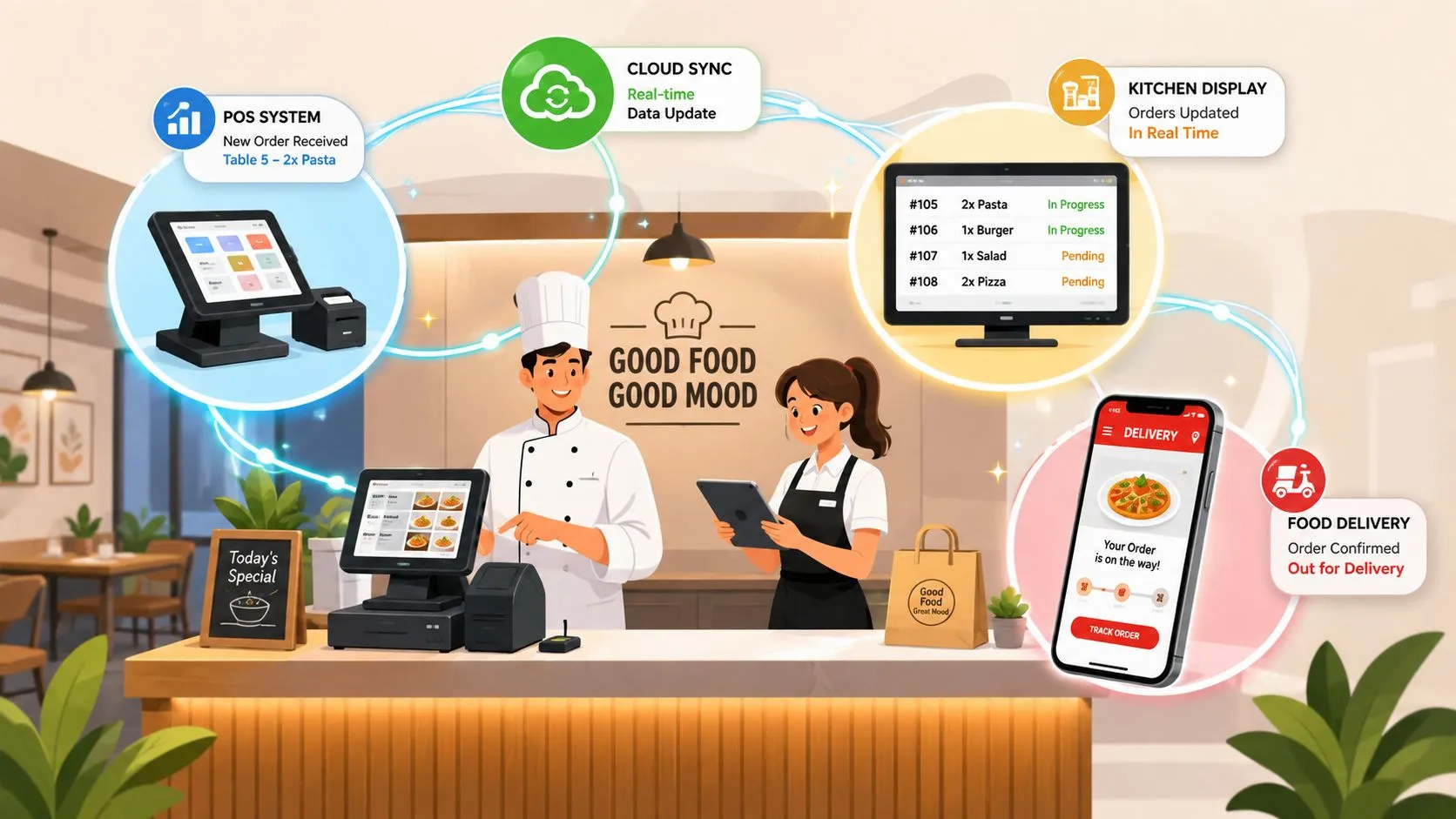
Real-time integration is the continuous, low-latency synchronization of data between systems. For restaurants, it means delivery orders from apps like Uber Eats and DoorDash flow directly into your POS within seconds, eliminating manual re-keying and extra tablets.
That sounds straightforward, but “real time” isn’t a single speed or a magic label. A restaurant may need an order to reach the kitchen before preparation starts, while inventory availability may tolerate a slightly longer delay. The practical question isn’t whether a system sounds fast. It’s whether the right event reaches the right workflow reliably when staff need it.
A 2023 survey of 1,950 technology executives found that 97% of organizations were actively using real-time data streams, while more than 80% said those streams were critical to responsive processes and richer customer experiences, according to RTInsights’ analysis of the survey. Restaurant delivery is one of the clearest operational examples because a customer order must move through marketplace, POS, kitchen, inventory, and fulfillment workflows without creating another manual task.
What Real Time Integration Actually Means for Restaurants
What is real time integration? In restaurant operations, it’s a continuous flow of order and status changes between connected systems. A customer places an order on Uber Eats, DoorDash, or Grubhub, and the order is transmitted to the restaurant’s Clover or Square POS, where it can enter the normal kitchen workflow.
That differs from batch synchronization. A batch process collects changes and transfers them periodically. During the gap, the marketplace may show an item as available even though the restaurant has sold out, or a manager may still be checking a tablet for an order that hasn’t reached the POS.
The old workflow versus the integrated workflow
Without delivery POS integration, a team member typically has to:
- Watch multiple tablets: Staff monitor separate devices for incoming orders.
- Re-key the ticket: Someone manually enters the marketplace order into the POS.
- Interpret modifiers: Special instructions and options must be copied accurately.
- Update availability separately: A sold-out item may remain visible on another channel.
- Resolve mismatches: Managers investigate duplicate, missing, or incorrect tickets.
With an integrated workflow, the marketplace order becomes a POS event. The POS remains the operational source of truth, and the kitchen receives the ticket through the restaurant’s established process rather than through another screen.
OrderOut’s point-of-sale integrations overview is useful for comparing how connected systems replace disconnected order handling. For a broader explanation of how continuously updated inventory works across business systems, see this real time inventory management system explained.
The key distinction is continuous synchronization, not merely fast copying. A real-time integration carries changes as they happen, while a near-real-time process may check for new information regularly. Both can be useful, but restaurant owners should judge them by the workflow. An order that arrives before prep begins is operationally real time, even if it isn’t delivered in the same millisecond it was created.
How Real Time Integration Works Behind the Scenes
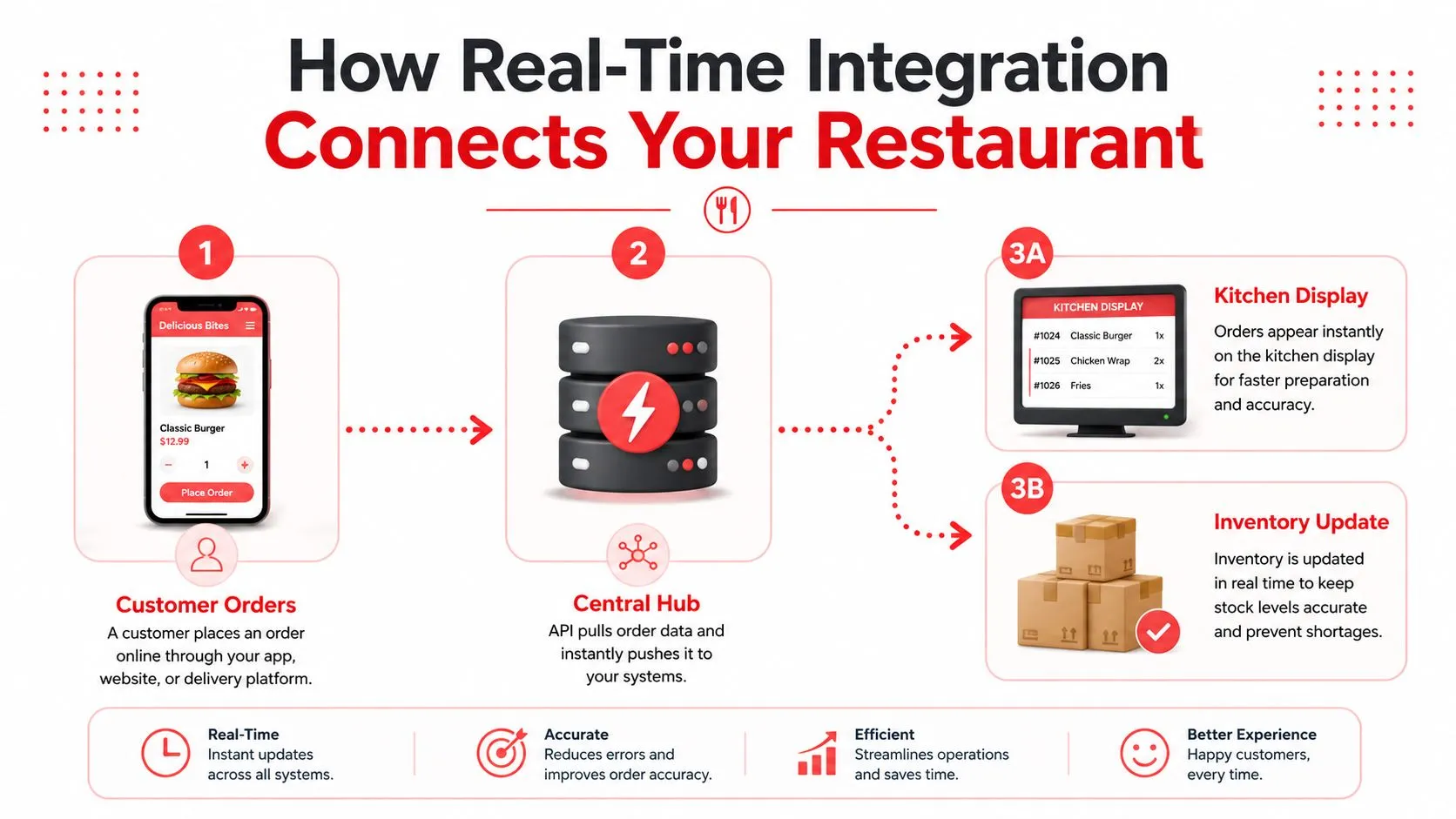
The simplest way to understand the technology is to follow the order event. A delivery marketplace creates an order, an API makes that data available, and an integration layer translates the marketplace’s menu structure into the POS format. The POS then accepts the order and sends it into the kitchen workflow.
A webhook works differently from repeated checking. Instead of the integration asking whether a new order exists, the marketplace sends a notification when an event occurs. Polling can be near real time, but its delay depends on how often the system checks and whether a backlog develops.
The moving parts operators should understand
- API connection: Transfers order, menu, price, modifier, and availability data between systems.
- Webhook event: Pushes a notification when an order is placed, changed, or canceled.
- Mapping layer: Matches marketplace items and modifiers to the POS schema.
- Message handling: Queues and routes events so temporary congestion doesn’t drop them.
- Exception handling: Identifies malformed, duplicated, or incomplete data for correction.
Technically, real-time integration uses continuous synchronization through event streams, change data capture, or message queuing. The architecture reference from the Journal of Emerging Technologies and Applications explains why each additional network hop, synchronous transformation, or queued backlog can increase end-to-end delay, while asynchronous processing and fewer hops can reduce it.
Practical rule: A fast integration that loses modifiers or duplicates tickets is not operationally fast. Reliability is part of speed.
The correct latency target depends on the event. An order injection needs to happen before staff begin preparation. Inventory updates need to prevent the next customer from ordering an unavailable item. Accounting synchronization may have a different tolerance. For readers comparing monitoring concepts, real-time compliance for cross-border sales provides useful context on why event timing and dependable event handling matter beyond restaurant technology.
For a deeper technical view of the interfaces behind these connections, see OrderOut’s POS integration API guide.
Comparing Integration Architectures for Restaurant Operations
Restaurant operators usually encounter three architecture choices. A direct connection links a marketplace to a POS. Middleware sits between systems and handles translation. A unified integration hub connects several marketplaces to the POS through one normalized model.
Square’s official restaurant delivery documentation explains that third-party delivery and pickup orders can be pushed directly to Square POS, with sellers choosing a partner through the Square App Marketplace and selecting which devices accept orders. DoorDash also identifies Square as a Preferred Integration partner, and says eligible merchants can accept DoorDash Marketplace, Online Ordering, and Caviar orders directly from Square POS through the New Menus Experience. These are named examples of marketplace-to-POS order injection, but a restaurant operating across several channels still needs to consider menu mapping and maintenance.
| Approach | Setup Complexity | Multi-Channel Support | Maintenance Burden | Best For |
|---|---|---|---|---|
| Direct API connection | Lower for one supported channel | Limited to the connected relationship | Shared between operator and provider | A restaurant with one primary marketplace |
| Middleware platform | Moderate to high | Flexible, depending on connectors | Ongoing mapping and troubleshooting | Operators with technical support |
| Unified integration hub | Designed to centralize connections | Built for multiple marketplaces | Provider manages much of the integration layer | Restaurants using Uber Eats, DoorDash, and Grubhub |
A direct connection can be clean when the restaurant has a simple stack. Complexity appears when each additional marketplace introduces another menu format, modifier structure, status model, and failure process.
Middleware provides flexibility, but flexibility often shifts work to the operator or their technology partner. Someone still has to maintain mappings, investigate rejected orders, and confirm that a menu change didn’t break an option group.
A unified platform such as OrderOut maps each marketplace menu to a normalized POS schema. That approach matters because the POS can remain the restaurant’s operating center while the integration layer handles differences between delivery partners. Restaurants comparing several channels can use OrderOut’s third-party order engine as a reference point, and operators managing multiple apps may also benefit from guidance on connecting multiple delivery apps to one POS.
Following an Order from Marketplace to Kitchen Display
Consider a DoorDash order for a meal with a required modifier, a side choice, and a special instruction. The customer taps the order button, DoorDash creates the order event, and the integration receives the data through the marketplace connection.
The integration layer then checks the order structure against the restaurant’s POS mapping. The meal must match the correct POS item, the side must map to the correct modifier group, and the instruction must remain attached to the ticket. If any of those relationships fail, the restaurant may receive an incomplete order or a ticket that requires manual interpretation.
Where the workflow can fail
- The event doesn’t arrive: A connection issue leaves the marketplace order waiting while the restaurant assumes there’s nothing new.
- The item doesn’t map: A renamed menu item or deleted modifier creates a rejected or incomplete ticket.
- The order duplicates: A retry after a temporary interruption can create a second ticket unless the integration handles duplicate events safely.
- The status diverges: The POS, kitchen, and marketplace show different stages of the same order.
- The customer changes the order: A cancellation or modification arrives after the first event and needs to update the existing workflow.
A sound integration treats each event as part of an order lifecycle, not as an isolated copy operation. It needs identifiers, delivery guarantees, retry behavior, and visibility into exceptions. The restaurant doesn’t need to manage those technical mechanisms manually, but it does need a clear way to see when something requires attention.
That’s why menu hygiene is operational infrastructure. When a manager changes an item name, price, modifier, or availability rule in one system but not the mapped structure, the integration has less reliable information to work with.
The kitchen display is where the technical quality becomes visible. A well-formed ticket appears through the same process as other POS orders, making it easier for cooks to follow modifiers and for managers to track progress. Operators evaluating that final step can use this guide to restaurant kitchen display systems.
The Operational Benefits That Actually Matter
The strongest argument for real-time integration isn’t that the underlying architecture sounds modern. It’s that restaurant staff stop performing work that software can handle more consistently.
The first visible improvement is the removal of tablet juggling. Staff don’t need to watch separate delivery devices while also answering customers, managing dine-in tickets, and coordinating the kitchen. Incoming orders enter the POS workflow, which gives the team one place to confirm what was accepted and what needs preparation.
Less manual entry, fewer opportunities for mistakes
Manual re-keying creates predictable risks:
- Wrong item selection: A similarly named menu item can be entered incorrectly.
- Lost modifiers: Add-ons, substitutions, and exclusions can disappear during transcription.
- Incorrect totals: Prices, fees, or discounts can be copied inconsistently.
- Delayed preparation: Staff may not see the ticket until someone finishes entering it.
- Duplicate production: A retry or a second manual entry can send the kitchen two tickets.
Direct injection doesn’t remove every possible failure. A bad menu mapping or stale availability setting can still create an incorrect order. It does, however, remove an entire class of transcription errors and gives the operator a more controlled workflow.
Staff productivity improves because team members can spend more time on food production, handoff accuracy, guest support, and exception resolution instead of copying data between screens. Managers also gain more current visibility into channel demand and operational pressure, which supports better decisions during a rush.
The restaurant order processing automation guide offers additional context on reducing repetitive handling. For operators using Clover, the Clover App Market listing for OrderOut provides a practical starting point. OrderOut is free to install on the Clover App Market, and it supports delivery-to-POS workflows for marketplaces such as Uber Eats, DoorDash, and Grubhub.
The goal isn’t to promise perfect automation. The goal is a calmer, more repeatable operation with fewer preventable corrections.
Common Misconceptions About Real Time Integration
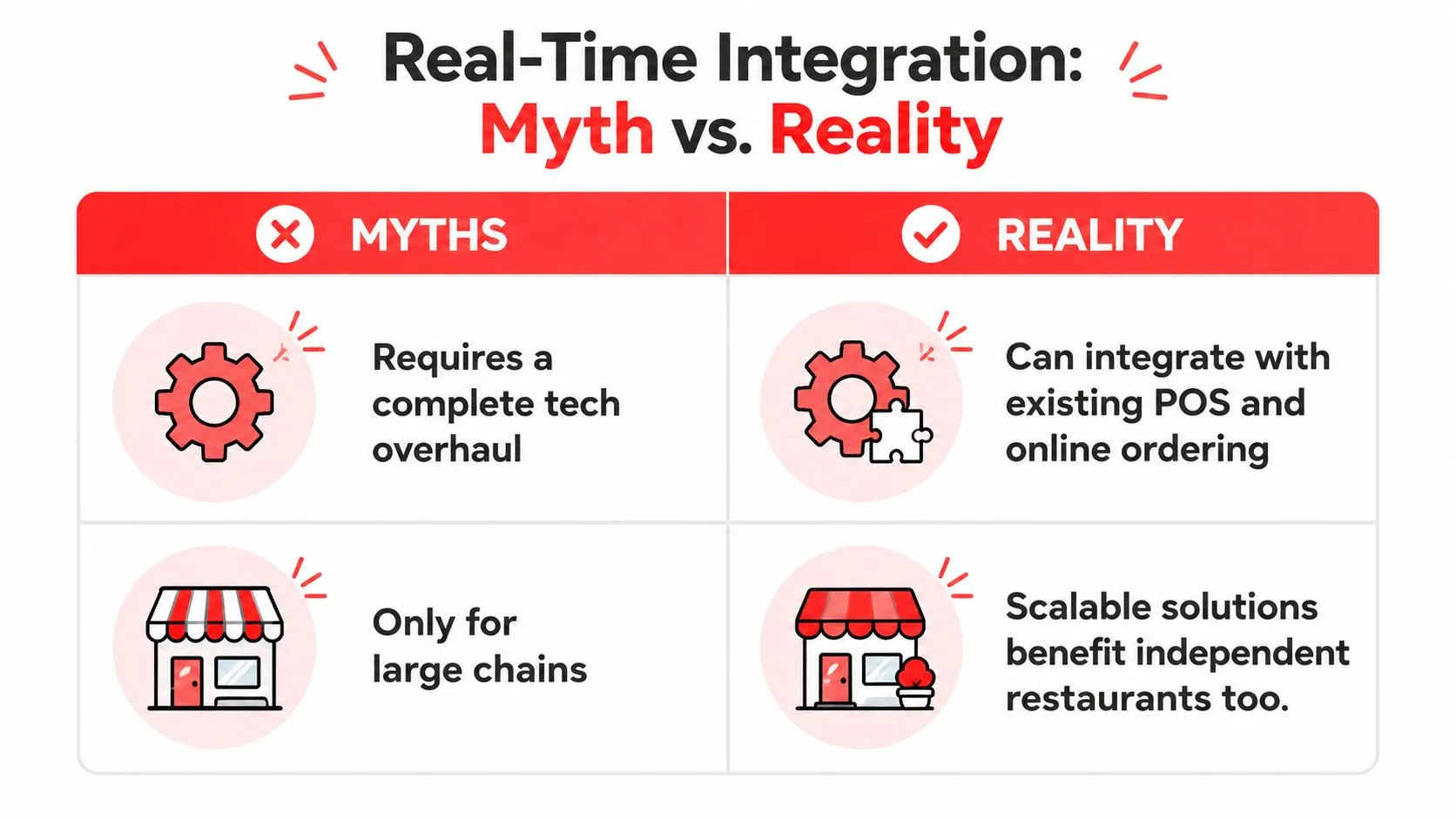
The first misconception is that real time always means millisecond-level delivery. In restaurant operations, the right threshold is relative to the task. An order needs to reach the POS before the kitchen starts preparing it. An inventory update needs to happen quickly enough to reduce the chance of an oversell. A financial report may tolerate a different synchronization window.
Technical references describe real-time integration as continuous data movement that may occur in milliseconds or seconds rather than batch intervals. One event-driven architecture study reported approximately 180 milliseconds average latency at moderate load and under 400 milliseconds under heavy load, while another reported sub-80-millisecond response times at 12,500 transactions per second in an event-driven setup, as summarized in this event-driven architecture study. Those figures illustrate architecture behavior in specific study conditions, not a promise for every restaurant integration.
Speed doesn’t replace data quality
Another misconception is that real-time integration is plug and play forever. The connection may be quick to activate, but menu changes, modifier edits, marketplace updates, and availability rules still require attention.
A third misconception is that integration removes every operational failure. Networks go down. APIs change. A marketplace may send an unexpected data structure. The important question is what happens next:
- Does the system detect the failure?
- Can staff identify the affected order?
- Does it retry safely without duplicating the ticket?
- Can the restaurant use a documented fallback process?
- Are menu and modifier mapping errors visible?
Independent coverage of integration challenges highlights latency, throughput bottlenecks, and inconsistent or duplicate data as recurring risks. The practical lesson is simple: observability and recovery matter as much as delivery speed. A slower event that is tracked and recoverable is safer than a fast event that disappears without explanation.
How to Evaluate and Adopt Real Time Integration
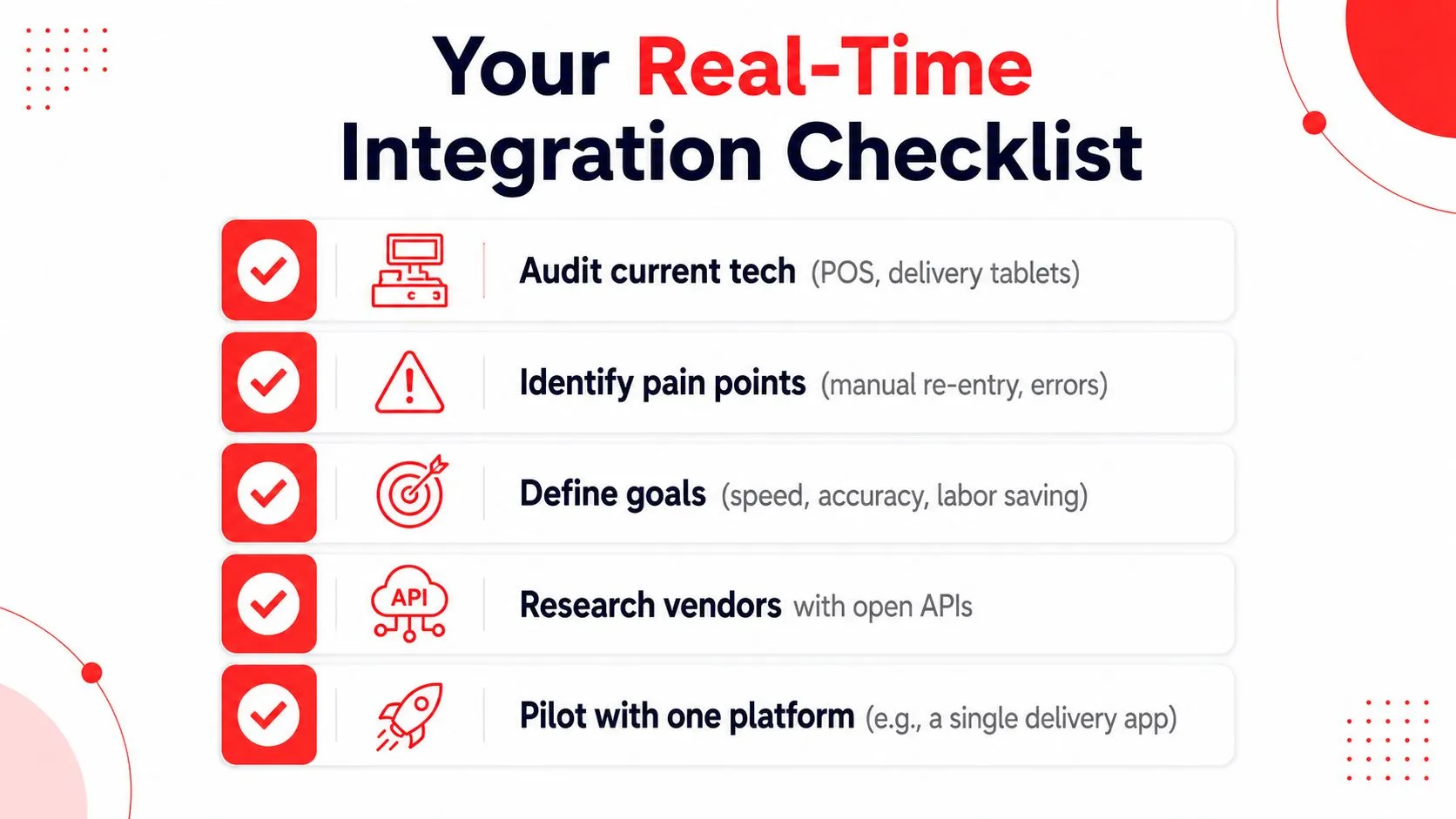
Start with the workflow, not the vendor demo. Write down every delivery channel, the POS where staff work, the devices they monitor, and the steps required between receiving an order and sending it to the kitchen.
A useful audit should answer:
- Where does the order first appear? Is it on a marketplace tablet, in the POS, or in both?
- Who re-enters it? Identify the role responsible during normal service and peak periods.
- Which data gets lost? Check modifiers, special instructions, discounts, fees, and availability.
- What happens during an outage? Document the fallback process before you need it.
- Which system owns the menu? Assign responsibility for item and modifier changes.
Questions to ask before adoption
Ask whether the solution supports every delivery partner you use, how it handles menu and modifier mapping, and how it reports rejected or duplicated orders. Request a test with real menu combinations, not just a simple item with no modifiers.
Pilot with one marketplace first. Confirm that the order reaches the POS, the kitchen sees the correct details, inventory behavior makes sense, and cancellations or changes follow the expected path. Then expand only after managers and staff can explain the fallback process.
OrderOut’s restaurant workflow connects third-party delivery orders to Clover and Square, with marketplace menus mapped to a normalized POS schema. For Clover operators, installation is available without an upfront software fee through the Clover App Market. Square users can start from the OrderOut Square App Marketplace listing.
Before you go live: Test the messy orders. Modifiers, substitutions, unavailable items, cancellations, and special instructions reveal more than a clean sample ticket.
The adoption decision should also account for adjacent customer channels. A restaurant may evaluate AI chatbot for Santiago restaurants separately from delivery POS integration, but both examples reinforce the same operational principle: automation only helps when incoming customer information reaches the system staff already use.
Frequently Asked Questions
Does OrderOut work with Clover?
OrderOut is available on the Clover App Market and is free to install there. It connects third-party delivery orders from marketplaces such as Uber Eats, DoorDash, and Grubhub to the Clover POS workflow, reducing the need for extra tablets and manual re-keying.
Does OrderOut work with Square?
OrderOut supports delivery-to-POS integration for Square. Eligible marketplace orders can be routed into Square so staff can manage incoming tickets through the POS rather than copying each order manually.
Is real-time integration the same as instant synchronization?
Not always. Real time is relative to the business task, and restaurant operators should focus on whether orders arrive reliably before preparation, whether changes are reflected correctly, and whether exceptions are visible.
What happens when a delivery app changes its system?
Marketplace APIs and menu structures can change, so integrations need ongoing maintenance. Operators should ask how the provider handles mapping updates, rejected events, retries, cancellations, and duplicate prevention.
Does a restaurant need technical expertise?
Restaurant staff shouldn’t need to build APIs or manage event queues. They do need to maintain clean menus, verify modifier mappings, monitor exceptions, and know the fallback process if a connection is interrupted.
OrderOut connects Uber Eats, DoorDash, and Grubhub orders directly to Clover or Square, so your team can work from the POS instead of juggling delivery tablets and re-keying tickets. Visit OrderOut to review the delivery POS integration and start onboarding free in a few clicks at the OrderOut dashboard.