
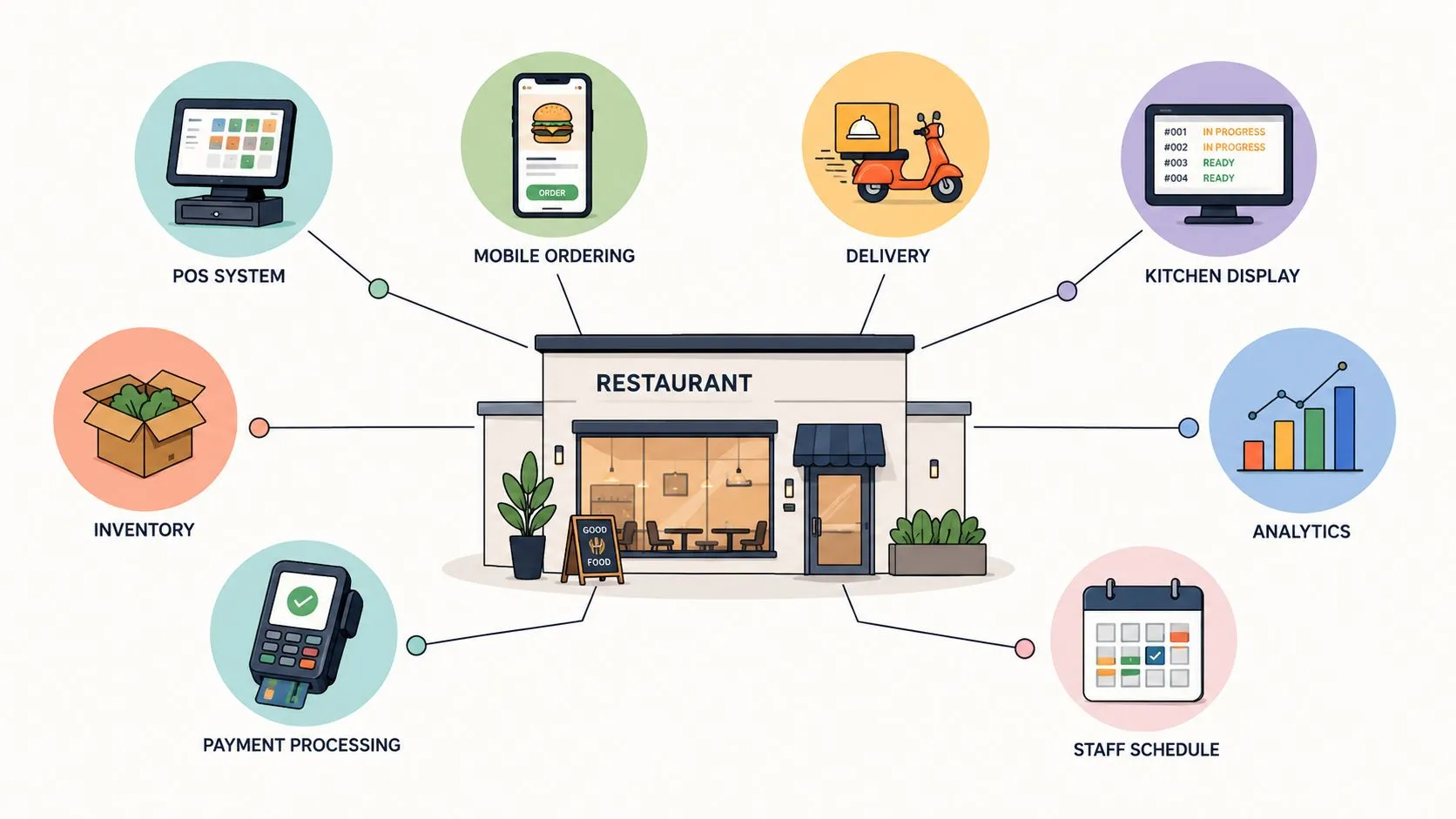
Systems for restaurants work best when they give the POS one clean source of truth for orders, menus, modifiers, and fulfillment. For a restaurant using Clover or Square, that means sending Uber Eats, DoorDash, and Grubhub orders directly into the POS instead of making staff watch extra tablets and re-key tickets. The practical question isn’t whether integration sounds efficient. It’s whether the complexity you add will remove more operational friction than it creates.
That decision depends on order volume, platform mix, menu discipline, kitchen capacity, and how much staff time disappears into manual reconciliation. A small operator shouldn’t buy an elaborate stack just because automation is fashionable. A busy multi-channel restaurant, however, may already be paying for disconnected workflows through missed orders, modifier mistakes, menu drift, and overloaded employees.
The Tablet Chaos Problem and Why Integration Matters
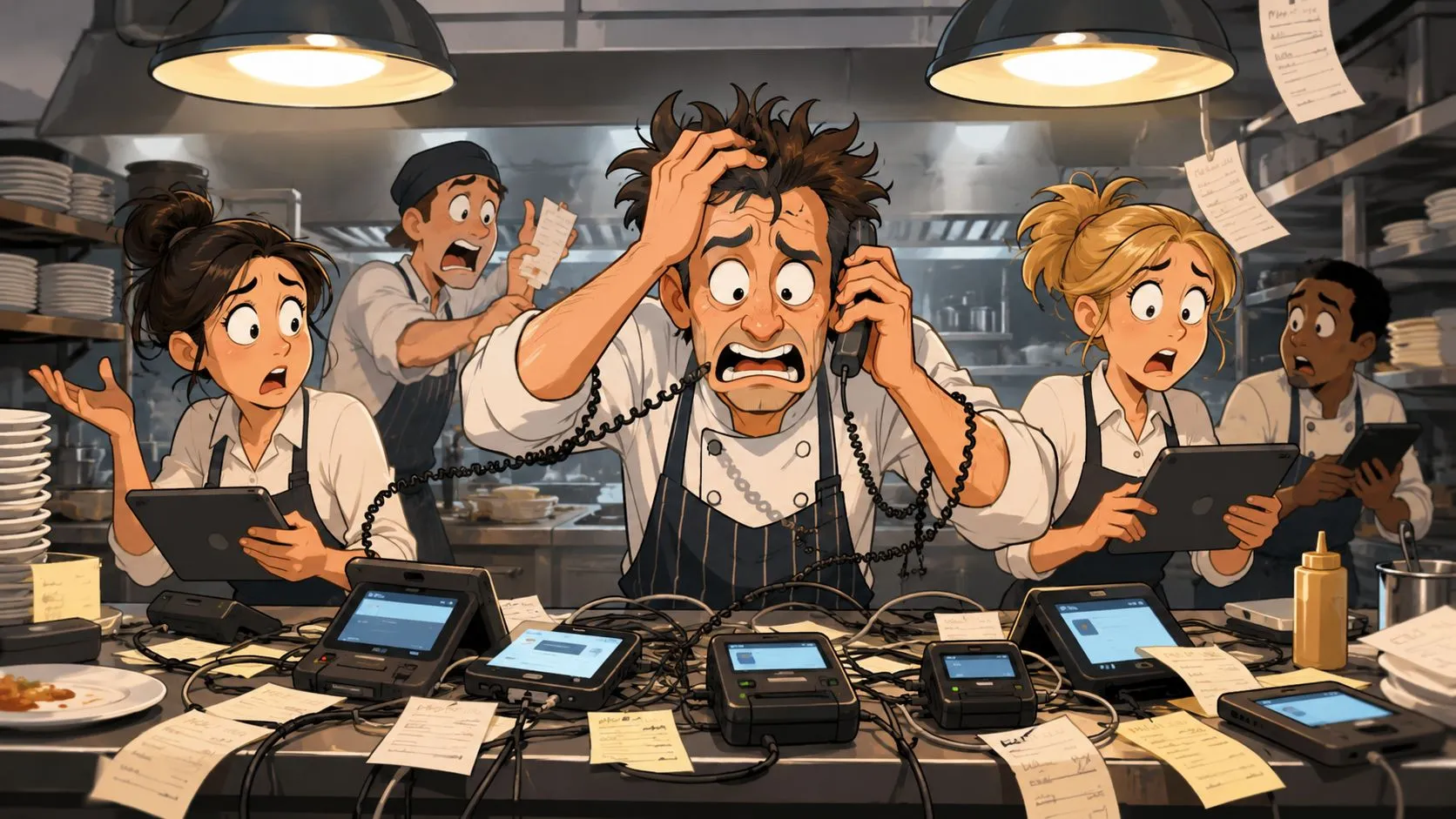
At dinner rush, the first tablet chimes. A counter employee accepts the DoorDash order, reads the ticket, and types it into Clover. Before that entry is complete, Uber Eats rings. Grubhub follows with a substitution request. A customer calls to change a side, the kitchen printer produces a ticket with an unclear modifier, and someone notices that an unavailable item is still active on one marketplace.
The problem isn’t the tablets themselves. The problem is that each channel creates another place where employees must monitor, interpret, confirm, and re-enter information. Every handoff competes with food preparation, guest service, and dispatch coordination. If the same item or modifier is represented differently across platforms, the kitchen receives ambiguity instead of a structured order.
What disconnected ordering costs
Independent restaurant guidance from NovaTab’s order accuracy guidance cites average order accuracy of 86% to 89% across major chains, which means roughly one in seven to one in eight orders contains a mistake even in heavily audited environments. Manual delivery-tablet entry adds another opportunity for missed modifiers, incorrect quantities, and kitchen misfires.
An operator usually sees the symptoms before identifying the system cause:
- Missed acceptance: A ticket sits on a quiet-looking tablet while the line is busy.
- Duplicate work: Staff enter the same order into a marketplace and then into the POS.
- Modifier confusion: Free-text notes replace structured choices the kitchen understands.
- Menu drift: A sold-out item remains available on one channel.
- Reconciliation burden: Managers compare platform orders against POS records after service.
A unified workflow changes the employee’s job. Instead of acting as a human bridge between Uber Eats, DoorDash, Grubhub, and the POS, staff can manage exceptions while the system routes normal orders into the operational queue.
Practical rule: If a delivery order has to be read from one screen and typed into another, the restaurant is using labor to compensate for an integration gap.
Why the POS should remain central
Clover or Square should remain the place where the restaurant maintains the menu structure, receives the order, and coordinates downstream preparation. An integration layer should translate marketplace data into the POS’s expected format, not create a second operational truth that staff must maintain.
That architecture matters as delivery grows. Lightspeed’s online ordering statistics reports that 60% of U.S. consumers order delivery or takeout once a week, while 31% use third-party delivery services at least twice a week. The same source reports that digital ordering and delivery have grown 300% faster than dine-in traffic since 2014. Those figures make disconnected workflows harder to justify because off-premise orders are recurring operating work, not an occasional interruption.
For a closer look at why multiple restaurant tablets create avoidable friction, see this guide to tablets in restaurants. The right system doesn’t eliminate every exception, but it can remove the repetitive entry that causes the rush-hour pileup.
Understanding the Restaurant Systems Ecosystem
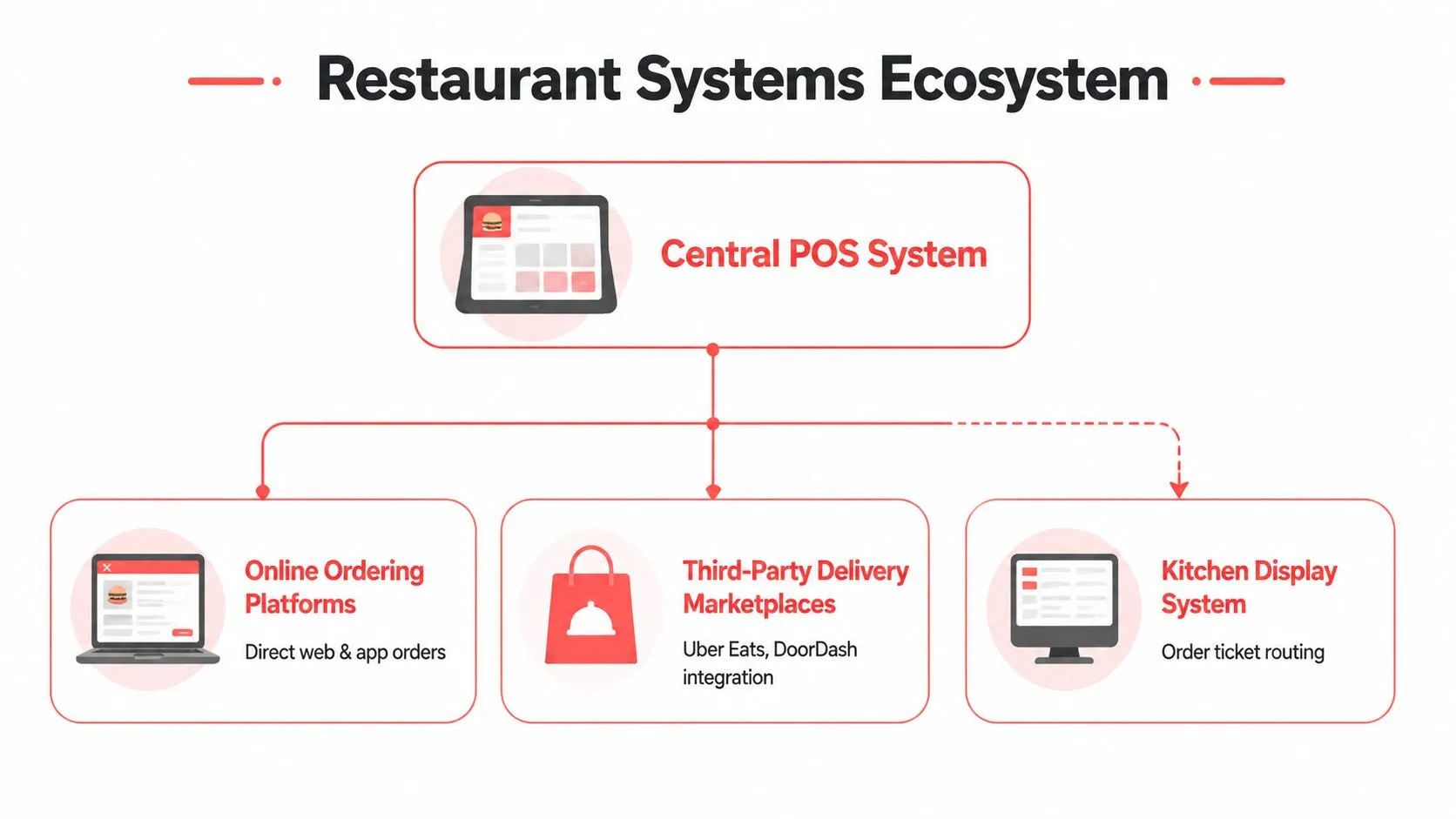
A restaurant technology stack is a chain of responsibilities. The POS holds the sale and menu structure. Online ordering creates a direct digital storefront. Marketplaces bring demand from Uber Eats, DoorDash, and Grubhub. Kitchen displays and printers turn accepted orders into production work. Payment services authorize transactions, while reporting tools help managers understand what happened.
Each component can function independently, but independence creates handoff risk. A marketplace may know that a customer selected a modifier. The POS needs that modifier attached to the correct item. The kitchen needs the instruction in a readable format. The customer needs status information, and the manager needs the transaction represented consistently in reporting.
The main components
Think of the POS as the restaurant’s traffic junction. It doesn’t need to own every function, but connected systems should agree on the data that passes through it.
| Component | Operational role | Integration question |
|---|---|---|
| Clover or Square POS | Central order, menu, payment, and reporting record | Can external orders enter with the correct items and modifiers? |
| Delivery marketplaces | Customer acquisition and delivery-order intake | Can orders, status, and menu availability exchange data reliably? |
| Direct online ordering | Restaurant-controlled pickup or delivery ordering | Does the channel use the same menu logic as the POS? |
| Kitchen display or printer | Routes tickets to preparation stations | Does the kitchen receive structured, usable instructions? |
| Inventory and availability tools | Helps control item status and operational availability | Can sold-out items be reflected across channels? |
| Analytics dashboards | Combines operational and channel information | Are orders represented consistently enough to compare? |
| Payment services | Processes and records customer payments | Does the payment state match the order state? |
Clover and Square act as practical hubs because they sit close to the transaction, menu, and payment workflow. A delivery connection that bypasses the POS may still produce an order, but it can leave staff with duplicate tickets, incomplete reporting, or a separate menu-maintenance obligation.
The value of integration is therefore more than adding features together. A normalized item structure lets one menu change travel through several channels without forcing a manager to rebuild the same logic repeatedly. A shared order state helps the kitchen and marketplace understand whether an order is accepted, prepared, or ready.
Physical infrastructure still matters
Digital order flow depends on the restaurant’s physical operation. Printers, displays, network access, payment devices, and even utilities can affect service continuity. Operators reviewing their broader setup may find this Melbourne restaurant filtration guide useful when evaluating water-dependent equipment and back-of-house infrastructure.
For a broader view of connected restaurant technology, review cutting-edge restaurant technologies. The useful principle is simple: add a tool only when its data can enter the workflow without creating another manual control point.
When to Integrate and When to Stay Simple
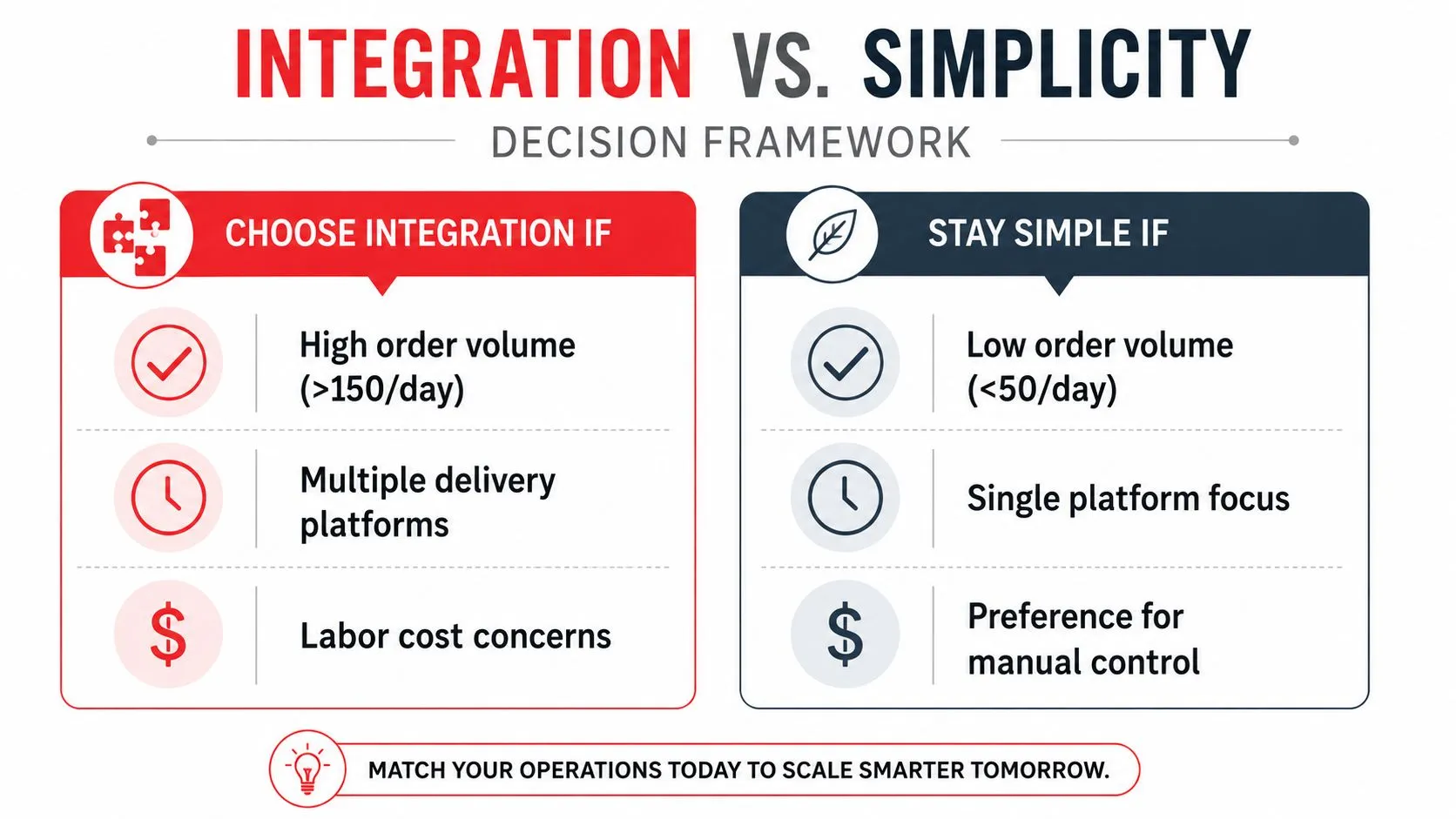
The right question isn’t, “How many systems can this restaurant connect?” It’s, “Where does the next connection remove enough work and risk to justify its cost and maintenance?” A restaurant with light delivery demand may tolerate a carefully managed manual workflow. A restaurant receiving orders across several marketplaces during every peak period may need automation to keep the POS and kitchen aligned.
The break-even point is operational, not just financial. Compare the recurring cost of a middleware connection with the time spent monitoring tablets, re-keying tickets, fixing mistakes, updating menus, and reconciling sales. Then consider the cost of disruption when an employee misses an order or a kitchen prepares the wrong build. You don’t need to assign an artificial dollar value to every incident. You do need to observe how often the workflow interrupts service.
Compare the three operating models
Manual workflows can make sense when one platform supplies limited orders, the menu rarely changes, and one trained person can monitor the channel without neglecting guests or production. The drawback is that the process depends on attention. It becomes fragile when the same employee must answer phones, watch multiple devices, and manage exceptions.
Native POS modules reduce the number of vendors and may simplify support. They work well when the restaurant’s ordering channels fit the POS’s menu model and fulfillment requirements. The trade-off is flexibility. A native feature may not cover every marketplace, routing rule, or operational policy the restaurant needs.
Third-party middleware earns its place when multiple platforms must exchange structured data and the POS remains the preferred source of truth. It adds another dependency, so the restaurant should demand clear ownership of menu mapping, error handling, status updates, and support. Integration isn’t automatically better if the connector introduces opaque rules that staff can’t troubleshoot.
Use these signals as a practical test:
- Escalating re-keying: Staff regularly copy orders from tablets into Clover or Square.
- Recurring menu repairs: Managers update the same item, price, or modifier in several places.
- Kitchen interruptions: Cooks stop production to clarify marketplace notes.
- Unclear channel performance: Sales records don’t cleanly distinguish where orders originated.
- Peak-hour overload: Employees miss calls or acceptance alerts while handling other channels.
A low-volume restaurant may choose simplicity deliberately, with documented checks and one accountable owner. A busier operation should pilot integration on one location or one channel, measure exceptions, and expand only after the workflow proves stable. The goal isn’t maximum automation. It’s the least fragile system that keeps orders accurate and visible.
Technical Requirements for Delivery-to-POS Integration
Delivery-to-POS integration is an API and data-contract problem disguised as a restaurant workflow. Uber Eats, DoorDash, and Grubhub each represent menus, modifiers, order states, and fulfillment information in their own systems. Clover and Square expect data in formats their POS environments can accept. The connector must translate those structures without losing meaning.
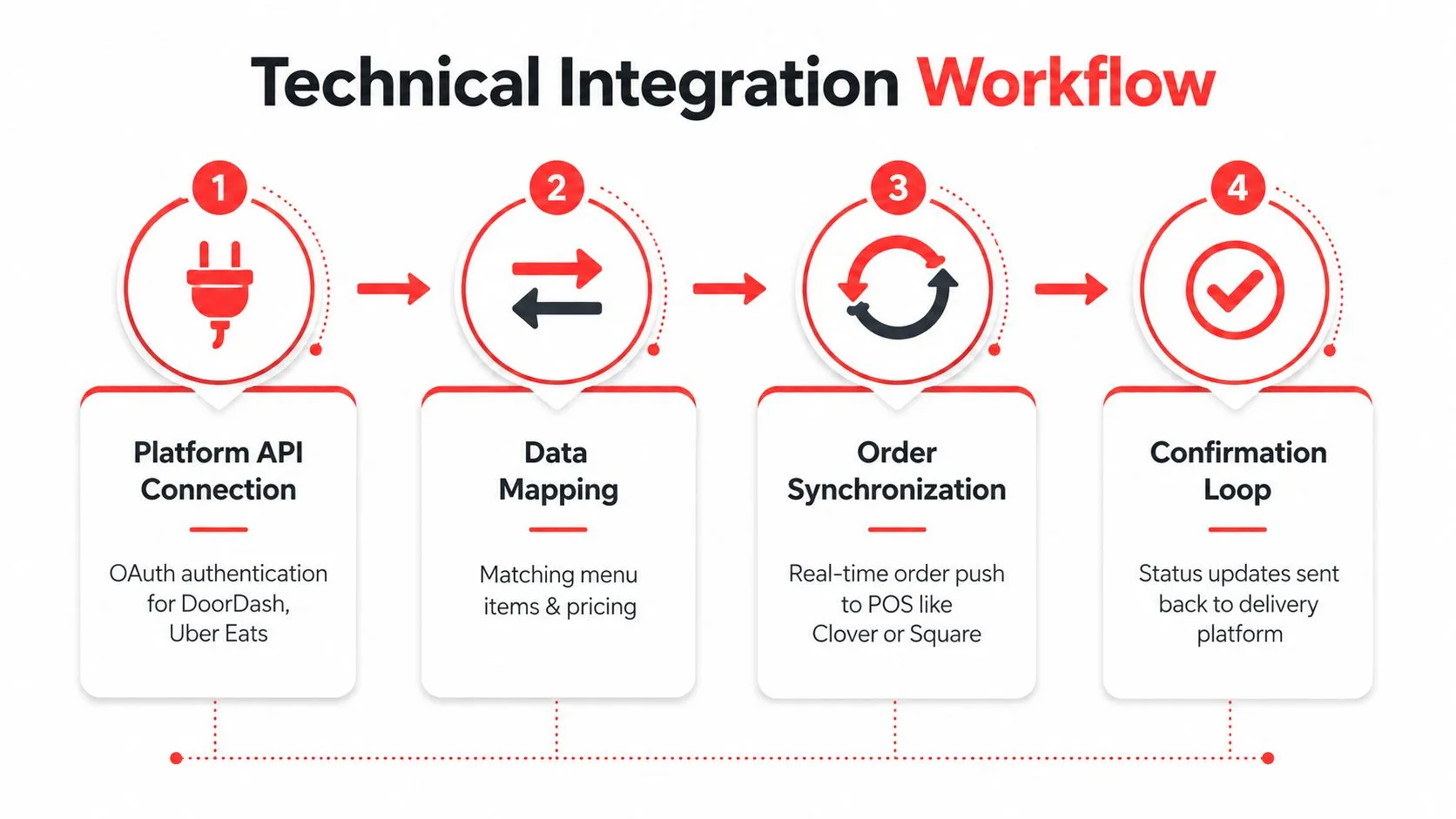
The process usually has four practical layers:
- Platform authorization: The integration establishes an approved connection between the marketplace and the restaurant’s POS environment.
- Menu mapping: Marketplace items, option groups, prices, and availability are matched to POS records.
- Order injection: A new order enters Clover or Square as structured data instead of a staff member retyping it.
- Status exchange: Acceptance, preparation, and related order states can move between the connected systems where supported.
Mapping matters more than the connection
A connection can be technically active and operationally poor if the menu mapping is wrong. “Add chicken” might be a required modifier in one platform, an option group in another, and a free-text instruction somewhere else. The integration needs to preserve the intended choice, pricing, quantity, and kitchen presentation.
OrderOut maps each marketplace menu to a normalized POS schema, so Uber Eats, DoorDash, and Grubhub orders can enter Clover or Square in a consistent structure. That removes extra delivery tablets and manual re-keying, while keeping the POS as the operational source of truth. The restaurant still has to maintain clean item names, modifier groups, prices, and availability. No connector can reliably interpret a menu that lacks consistent structure.
Square’s developer discussion on delivery integration and courier fulfillment makes an important distinction: orders created through the Orders API don’t automatically push to courier fulfillment. A separate delivery integration layer is required. Operators should therefore ask not only, “Will the order reach my POS?” but also, “What happens after it arrives?”
Clover’s developer platform includes an Orders API, but an API connection alone doesn’t guarantee that every restaurant-specific menu rule or fulfillment status will behave correctly. Before approving an integration, verify which system owns each state, how failures appear to staff, and whether an unavailable item can be reflected across channels.
For a practical hardware and software checklist, review POS system requirements. The technical details matter because a weak contract can turn one bad field mapping into repeated exceptions across locations.
Protecting Margins Through Strategic Integration
Integration is not automatically a margin improvement. It can make orders move faster while allowing the restaurant to accept work that the kitchen can’t execute profitably. The operator still needs policies for menu availability, preparation capacity, channel priorities, and direct ordering.
Unified visibility gives managers better control over those policies. If the same item is unavailable for pickup but active on a marketplace, the restaurant may continue accepting orders that require substitutions or refunds. If a kitchen is overloaded, accepting every new delivery request can damage service across dine-in, pickup, and delivery at the same time.
Control the menu by channel
A connected system should support deliberate menu decisions, not just broad synchronization. Consider:
- Item throttling: Temporarily pause items that create excessive preparation complexity during a rush.
- Channel availability: Keep a high-friction item off a marketplace while preserving it for direct ordering or dine-in.
- Operational pricing: Review whether marketplace pricing reflects commissions, packaging, and added handling.
- Simplified builds: Use an off-premise menu that removes fragile customizations when execution matters more than variety.
- Direct-order emphasis: Present a branded ordering page for customers who prefer ordering from the restaurant directly.
Commission-free first-party ordering uses a flat platform cost instead of a per-order percentage, eliminating the commission fee on direct orders, as described by Eatsy Orders’ explanation of commission-free online ordering. That structure can protect margin as direct-order volume grows, but only if the restaurant can attract customers to the owned channel and operate it reliably.
The operator should compare channels by contribution to the workflow, not gross sales alone. A marketplace can provide demand while consuming more kitchen attention and carrying percentage-based commission costs. A direct channel may preserve more control but require the restaurant to own the customer-facing experience and fulfillment process.
Use order visibility to protect capacity
The best integration policy may be to stop accepting a category of orders temporarily. That isn’t failure. It’s a capacity decision. A system that lets the manager pause availability, adjust item status, and keep the POS aligned is more useful than one that funnels every order into the kitchen.
Read this analysis of delivery app fees before assuming that faster routing alone improves profitability. Speed protects margin only when the restaurant controls what it accepts and how it fulfills it.
Implementation Best Practices and Common Pitfalls
A stable rollout starts with the menu, not the authorization screen. Before connecting a marketplace, clean up duplicate items, inconsistent modifier names, outdated prices, and options that the kitchen no longer supports. If Clover or Square contains the authoritative menu, treat it as the record to reconcile against rather than copying defects into every channel.
Build a controlled launch
Use a phased deployment when the restaurant has multiple locations, complex modifiers, or several delivery platforms. Begin with a limited operating scope, confirm that the right items and options reach the POS, and observe how staff handle exceptions. A simpler menu and single location may support a faster launch, but it still deserves a controlled test before peak service.
Test the cases that usually break first:
- Required modifiers: Confirm that the order cannot bypass a necessary choice.
- Optional modifiers: Check that omitted options remain omitted rather than defaulting incorrectly.
- Quantity changes: Verify that repeated items carry the correct quantity and preparation detail.
- Unavailable items: Test how an item is paused and how that state reaches each channel.
- Special instructions: Decide which notes should reach the kitchen and which require human review.
- Cancellations and edits: Confirm who owns the order state after the kitchen starts work.
- Payment and fulfillment: Verify that the POS record and delivery workflow don’t diverge.
Design for failure, not just success
Large-chain integration failures commonly arise from brittle dependencies, inconsistent data contracts, timing assumptions, and weak isolation between systems, according to Silverware’s explanation of restaurant POS data ownership and exports. A bad field mapping can create menu drift, delayed fire times, and exception work across many locations.
Validate orders, menu states, and modifier schemas at the interface layer. Use strict versioning where available, define fail-safe behavior, and make errors visible enough for a manager to act. Staff training should focus on the small number of exceptions they must handle, not on memorizing technical architecture.
After launch, review error rate weekly and segment it by channel and menu item, following the operational guidance in the order management best practices guide. If one modifier or marketplace generates most exceptions, fix that handoff before expanding the integration. More connections won’t repair an unstable contract.
Your Next Steps for Restaurant Systems Integration
Start with the bottleneck that costs the most attention. If Uber Eats, DoorDash, and Grubhub orders are being re-keyed into Clover or Square, evaluate OrderOut’s third-party order engine, then review the relevant Grubhub to Clover integration if that channel and POS match your operation.
For Clover operators, the Clover delivery integration is available to install free from the Clover App Market. Square operators can review the Square delivery integration and install through the Square App Marketplace. Owners can onboard free in a few clicks, then validate menu mapping and order flow before relying on the connection during a rush.
Choose the solution according to the operational problem. Third-party delivery integration fits restaurants trying to remove tablet entry. Commission-free online ordering fits operators who want a branded channel they own instead of renting customer access from a marketplace. AI phone ordering fits a restaurant where missed calls and phone interruptions are the main constraint.
When you need help finding hospitality vendors beyond software, Simply Hospitality’s trade connection tool offers another practical resource. For the technology decision itself, start small, document the current workflow, and expand only when the first connection proves dependable.
Frequently Asked Questions
Does OrderOut work with Clover?
OrderOut connects third-party delivery orders from services such as Uber Eats, DoorDash, and Grubhub directly into supported Clover workflows. It maps marketplace menus to a normalized POS schema, which helps remove extra tablets and manual re-keying.
Does OrderOut work with Square?
OrderOut supports delivery-to-POS workflows for Square. Operators should verify menu structure, modifier behavior, order status handling, and fulfillment responsibilities during setup.
Do I need a separate delivery tablet?
The OrderOut delivery-to-POS workflow is designed to remove extra delivery tablets from the normal order-entry process. Staff may still need access to marketplace tools for platform-specific administration or exceptions, but routine order re-keying isn’t the intended workflow.
Is OrderOut free to install?
OrderOut is free to install on the Clover App Market. Owners can begin onboarding through the OrderOut dashboard and validate whether the integration fits their menu and channel setup.
Should a small restaurant integrate every delivery platform?
No. Start with the platform that creates the most manual work or order risk. A smaller restaurant may benefit from one dependable connection, while adding more channels can be counterproductive if menu maintenance and exception handling exceed the labor they remove.
OrderOut connects Uber Eats, DoorDash, and Grubhub orders directly to Clover or Square, with normalized menu mapping that removes tablet entry and re-keying. Visit OrderOut to review the delivery-to-POS options, then onboard free through the dashboard and test the workflow against your real menu.