
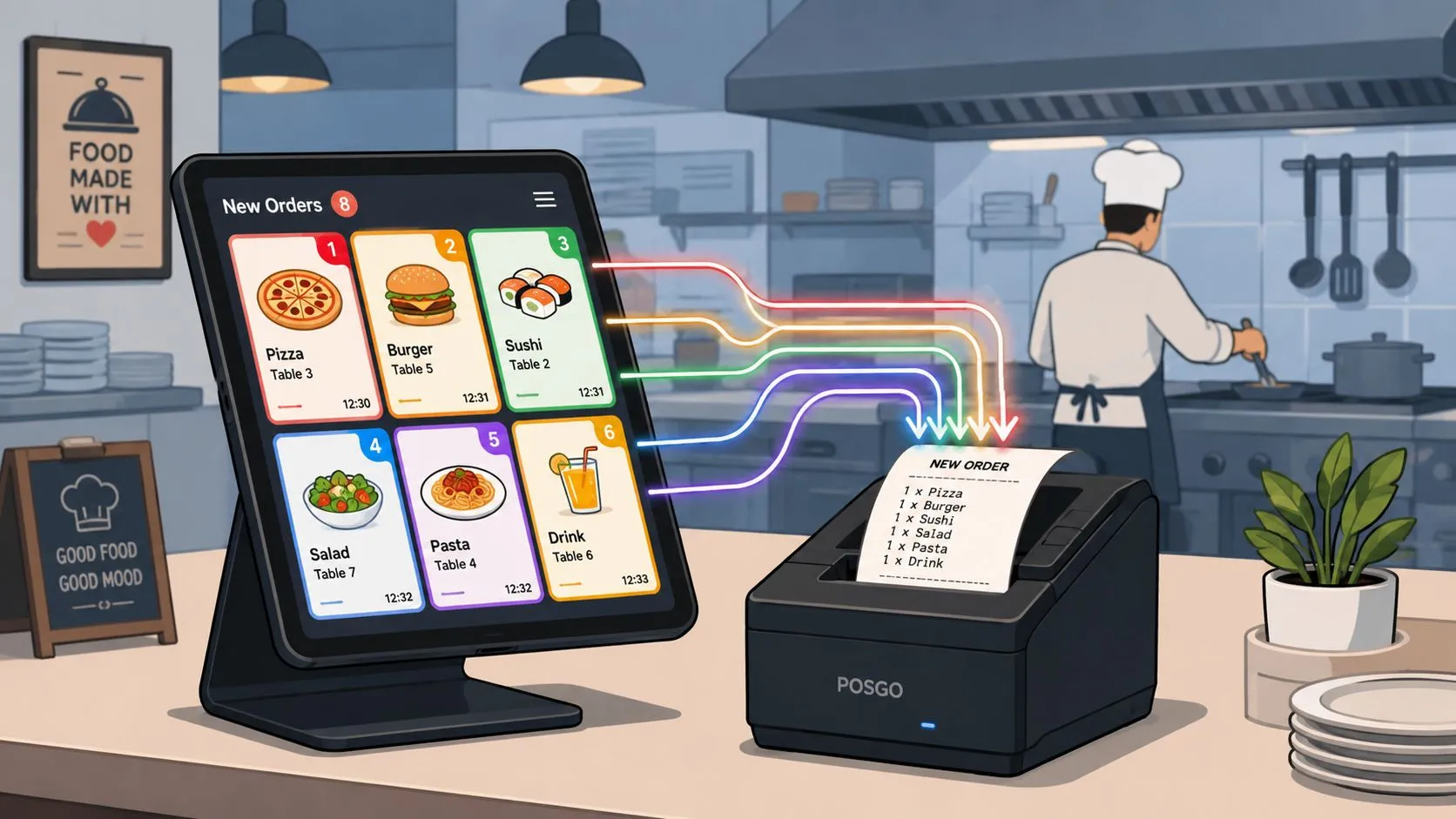
Restaurant delivery management software is a tool that automatically injects third-party delivery orders from apps like Uber Eats, DoorDash, and Grubhub into a POS like Clover or Square, so staff don’t need extra tablets or manual re-keying. The category is already large and growing, with the global food delivery management software market valued at US$ 14.10 billion in 2025 and projected to reach US$ 35.25 billion by 2034.
If your counter is crowded with delivery tablets, this is the fix you’re looking for. The goal isn’t another dashboard. It’s getting marketplace orders into the same place your team already works, so the POS stays the source of truth and the kitchen sees clean tickets without someone playing copy-and-paste during the rush.
What Is Restaurant Delivery Management Software
Restaurant delivery management software automatically injects third-party delivery orders from apps like Uber Eats and DoorDash directly into a restaurant’s point-of-sale system like Clover or Square, eliminating the need for extra tablets and manual data entry.
On a busy Friday, the problem is easy to spot. One tablet pings for DoorDash. Another lights up for Uber Eats. A Grubhub order comes in with a modifier, and someone at the front has to stop what they’re doing, read the screen, and punch the same order into the POS by hand. That workflow looks normal in a lot of restaurants, but it creates a second operating system on top of the one you already pay for.
What the software actually does
In plain terms, this software acts like a traffic controller for delivery orders. Instead of staff bouncing between marketplace tablets and the register, the system receives the order, translates it into the POS format, and fires it straight into Clover or Square.
That matters because the kitchen doesn’t care which app the customer used. The kitchen needs one accurate ticket, in one workflow, with modifiers, prices, and items lined up correctly.
A useful way to think about it is this:
- Marketplaces capture demand: Uber Eats, DoorDash, and Grubhub bring in the order.
- The POS runs the restaurant: Clover or Square handles the actual transaction flow.
- Delivery POS integration connects the two: Orders move from marketplace to POS without a staff handoff.
If you want a broader view of how this fits into restaurant operations, this explanation of an order management system for restaurants is a helpful companion.
The best delivery workflow is the one your staff barely has to think about.
Why more operators are moving this way
This isn’t a niche add-on anymore. According to The Insight Partners’ food delivery management software market report, the global market was valued at US$ 14.10 billion in 2025 and is projected to reach US$ 35.25 billion by 2034.
That growth tells you something practical. Restaurants are getting tired of stitching together tablets, paper notes, and manual entry. They’re replacing that patchwork with software that keeps delivery inside the same operating flow as the rest of the business.
The Hidden Costs of Managing Delivery Tablets
The tablet setup feels cheap because most restaurants start with what the marketplaces hand them. Then service gets busy, and the hidden costs show up in labor, mistakes, and pure distraction.
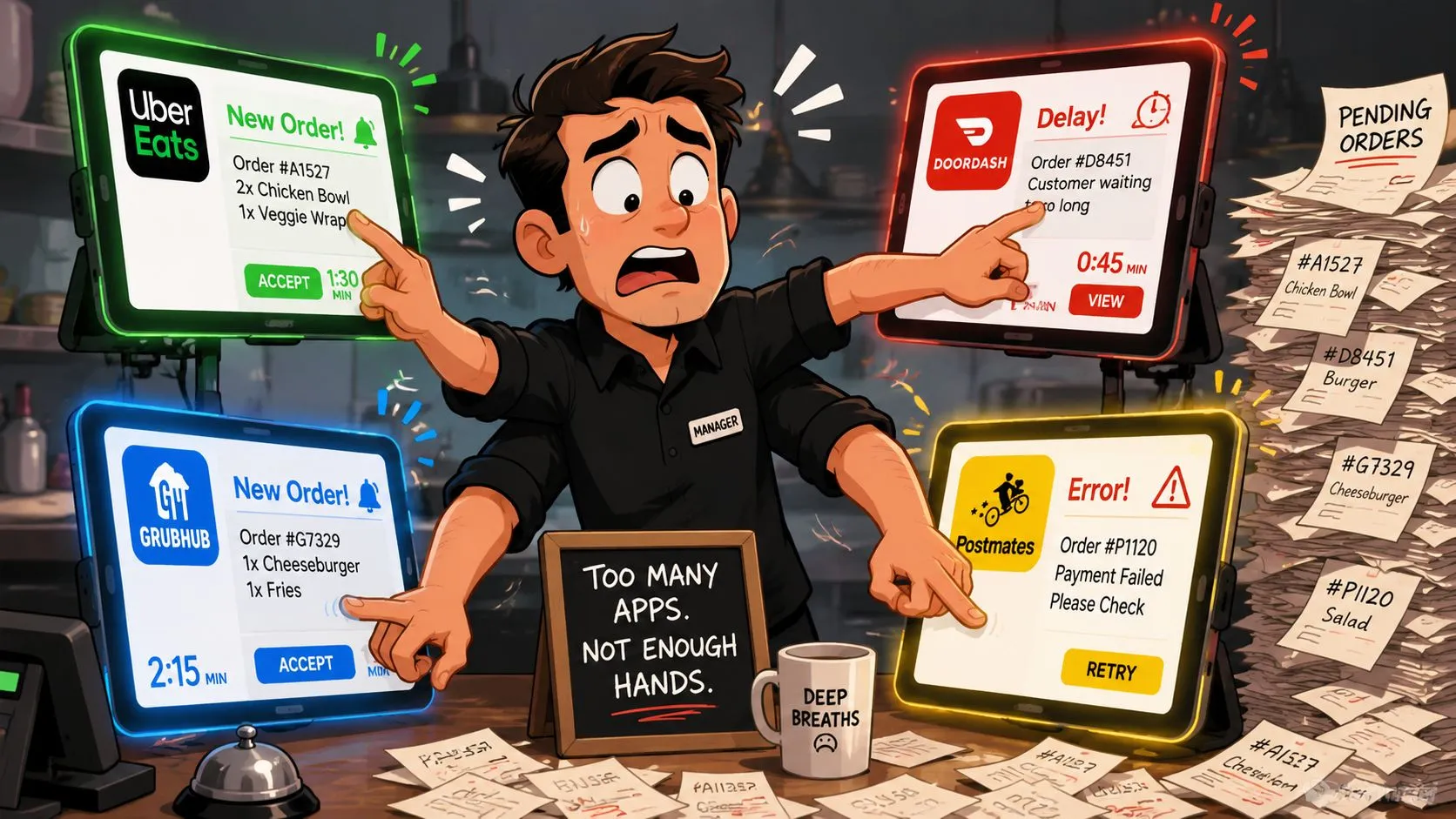
One manager is trying to answer the phone. A cashier is ringing in a walk-in order. At the same time, someone has to read an Uber Eats ticket, re-enter it into Clover, and hope they didn’t miss “no onions” or the upcharge on extra cheese. Then DoorDash chimes. Then Grubhub. The tablet farm becomes its own station, except it doesn’t generate clean work. It generates interruption.
Where the errors start
The biggest problem isn’t just that manual entry takes time. It’s that people make mistakes when they repeat work under pressure. According to OrderOut’s write-up on third-party delivery orders into Clover, manual re-keying of third-party delivery orders into POS systems like Clover or Square introduces order-entry errors at a rate of 15–20% per shift in high-volume restaurants.
That’s exactly why owners feel like delivery problems come in clusters. One bad ticket turns into a remake. A remake slows the line. A slower line backs up pickup times. Then staff start rushing, and more small mistakes slip through.
If you’ve lived through this, you’ll probably recognize the pattern described in this piece on why tablets pile up in restaurants.
What tablet chaos costs in practice
The damage usually lands in four places:
- Staff attention gets split: Front-of-house employees stop serving the guest in front of them because they’re babysitting tablets.
- Kitchen flow gets noisier: Orders arrive through side channels instead of one clean POS workflow.
- Customers see inconsistency: Missing modifiers, wrong pricing, and delayed pickup times show up fast in delivery.
- Managers lose visibility: It’s harder to know whether the bottleneck is the kitchen, the order source, or the handoff.
Practical rule: If your team has to read an order on one screen and type it into another, the process is already too fragile for a rush.
Tablet-based aggregation often promises convenience. In practice, it usually just centralizes the chaos on a different screen if it still relies on manual acceptance or re-entry. The better model is direct POS injection, where the order lands where the restaurant already works.
Key Software Features Your Restaurant Needs
A lot of delivery software looks similar in a demo. The difference shows up at 7:15 on a Friday, when orders are stacking up and the kitchen needs one clean queue, not another screen to monitor.
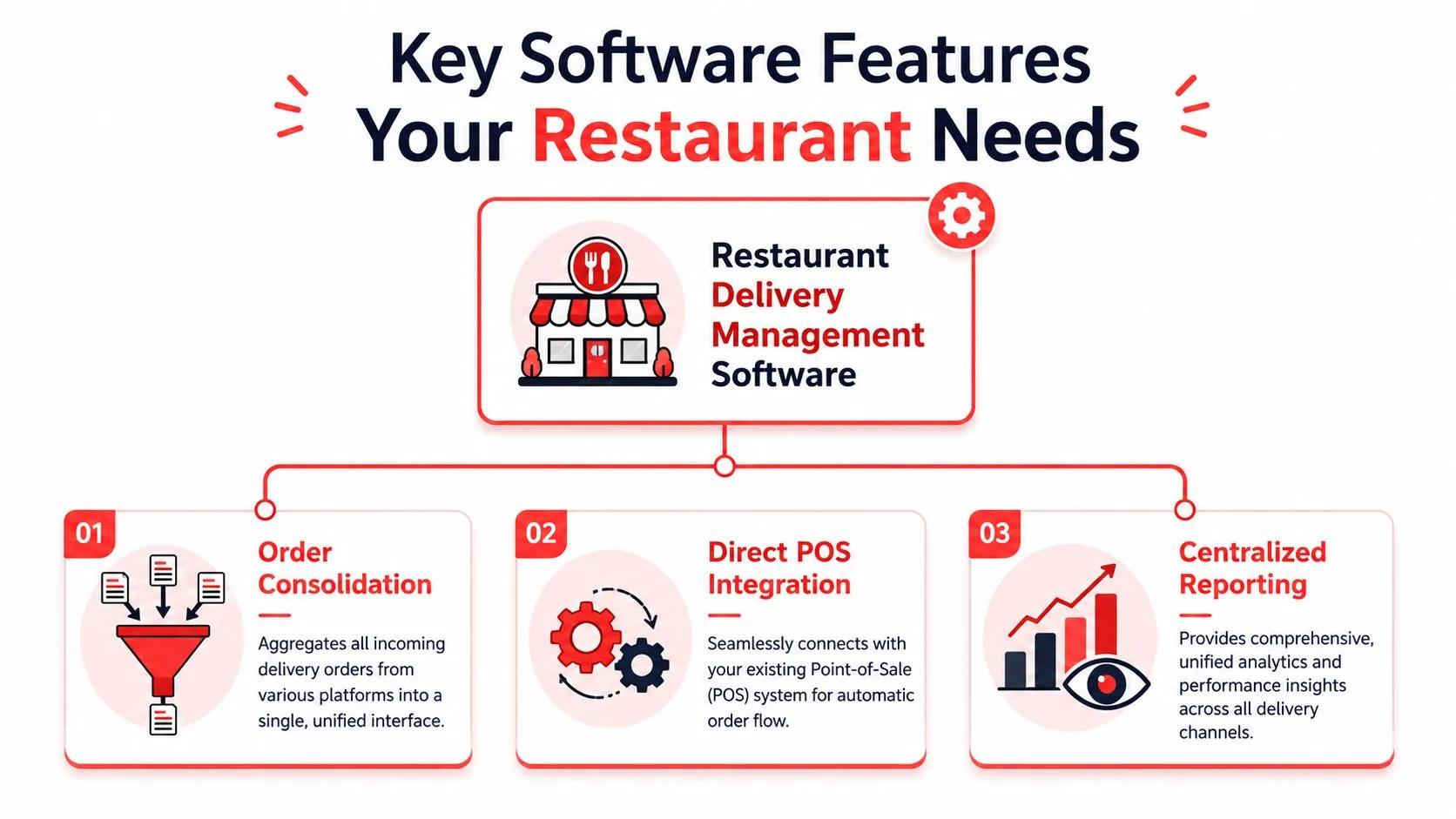
The features that matter most are the ones that remove manual work. For most restaurants, that comes down to three requirements: consolidated order intake, direct POS injection into Clover or Square, and reporting that helps a manager spot problems without reconciling three separate systems.
Order consolidation
Order consolidation means delivery orders from Uber Eats, DoorDash, and Grubhub feed into one operating flow instead of becoming separate tasks for the front counter.
That matters because staff performance drops when every marketplace has its own alert, timing rules, and menu quirks. A good system gives the team one place to monitor incoming delivery volume and one process for handling it. The benefit is practical. Less screen-switching, fewer missed tickets, and less time spent figuring out which tablet needs attention.
Direct POS integration
This is the feature that changes the economics.
If the software only pulls orders onto a shared dashboard, your staff still has to babysit a screen, confirm details, or fix mismatched items before the kitchen can work. Direct POS integration sends the order into Clover or Square in the same structure your team already uses during service. That removes a handoff, and every removed handoff cuts the chance of an error.
Menu mapping is the part owners should press on during a demo. Items, sizes, add-ons, and modifiers need to land in the POS correctly or the staff becomes the backup system. A customer who orders a burger with no onions and a paid extra should produce a clean ticket with the right modifier and price attached to the right item. If that translation fails, the savings from “consolidation” disappear at the expo line.
That is also why direct POS integration beats tablet-based aggregators for busy stores. Tablet aggregators may reduce device clutter, but if they still rely on manual acceptance or correction, they leave labor cost and order risk in the workflow. A platform built around restaurant order management software that injects orders directly into the POS solves the operational problem at the source.
If a delivery order does not enter Clover or Square cleanly, your staff is still doing integration work by hand.
A quick visual walkthrough can help if you’re comparing options:
Centralized reporting
Reporting matters after service, when you need to know whether delivery is producing margin or just noise.
Managers should be able to review sales by channel, order timing, and recurring exceptions without logging into each marketplace and then comparing those numbers against the POS. Good reporting helps answer simple operating questions fast. Which channel creates the most corrections. Whether certain dayparts create pickup bottlenecks. Whether delivery volume is profitable after refunds, remakes, and labor tied to exceptions.
| Feature | What it means on the floor | Why it matters |
|---|---|---|
| Order consolidation | One queue instead of multiple tablets | Less staff distraction |
| Direct POS integration | Orders fire into Clover or Square | Fewer hand-entry mistakes |
| Centralized reporting | Delivery activity is easier to review | Faster manager follow-up |
How Delivery Integration Connects Your Systems
A busy Friday shift makes the difference clear. One restaurant is still watching three delivery tablets, calling out missed modifiers, and re-entering orders into the POS. Another has DoorDash, Uber Eats, and Grubhub orders drop straight into Clover or Square as standard tickets. The second setup gives the line one queue to work from, and it gives the manager fewer errors to clean up after service.
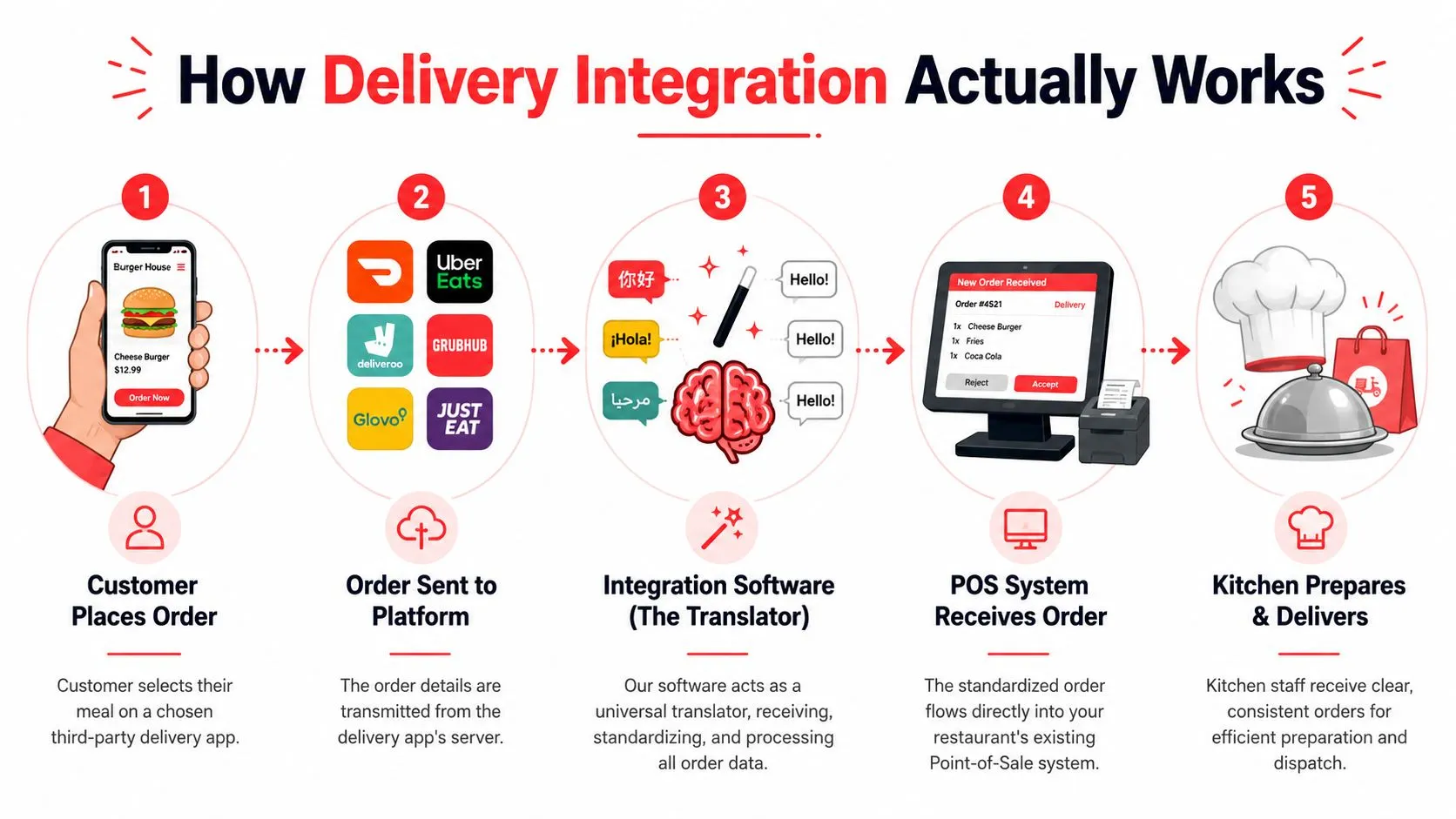
The order flow in plain English
A customer places an order on Uber Eats. The marketplace sends the order details. The integration layer reads the items and modifiers, matches them to your POS menu, and sends the order into Clover or Square so the kitchen receives a normal ticket instead of waiting on someone to type it in.
That mapping step decides whether the system reduces labor or just rearranges it. If menu data is not translated correctly, staff still have to compare screens, fix modifiers, and babysit exceptions. Earlier, I covered the basics of order-entry automation for restaurant delivery orders. What matters on the floor is simpler. The POS should receive a clean order without manual intervention.
Where integrations fail
Marketplace menus and POS menus rarely match one-to-one. Item names differ. Modifier groups are structured differently. Combos, size choices, add-ons, and special instructions can break if the integration is shallow.
Good delivery integration handles that upfront. It maps marketplace items to the exact POS items, prices, and modifier rules your kitchen already uses. That is why direct POS integration is a better operating model than tablet-based aggregator workflows. Tablets still leave your team doing translation work during service.
The workflow usually looks like this:
- The customer orders on a marketplace. The order includes items, quantities, modifiers, and notes.
- The integration captures the order data. It receives the marketplace format in real time.
- Menu mapping converts that data to your POS structure. Items and modifiers are matched to the menu built in Clover or Square.
- The POS creates the ticket. The order enters the same system your team already uses for in-store and pickup orders.
- The kitchen works from one queue. Staff focus on prep and handoff instead of re-keying orders from a separate device.
One factual example is OrderOut, which routes third-party delivery orders into Clover and Square through mapped POS integration rather than forcing staff to manage marketplace tablets by hand. For owners, that is the practical win. Fewer devices on the counter. Fewer order-entry mistakes. Less training overhead for new hires.
Calculating Your Return on Investment
ROI on delivery software isn’t just about one line item. It’s a stack of operational improvements. Some are easy to price. Others show up as fewer remakes, calmer shifts, and less manager cleanup after service.
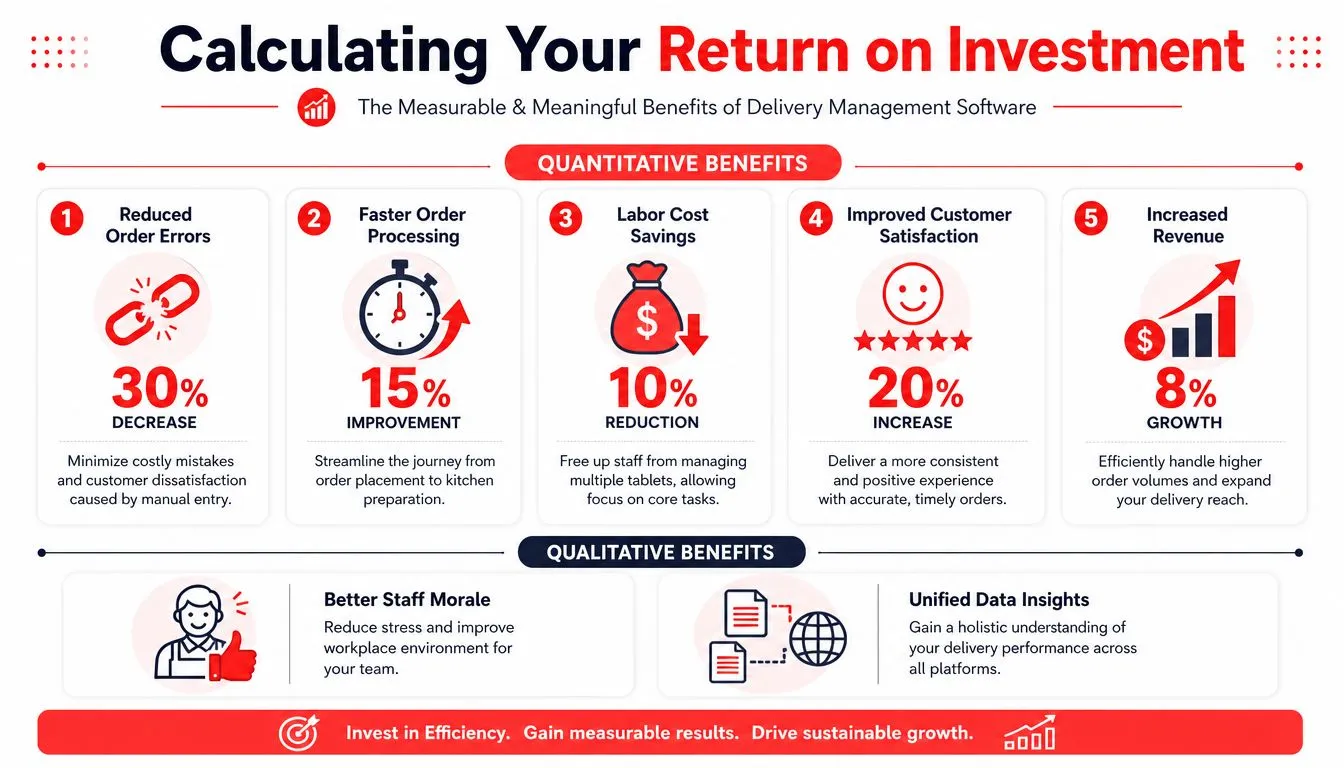
The cleanest hard-dollar example is tablet cost. According to OrderOut’s page on DoorDash and Square POS integration, third-party delivery tablet rental fees cost restaurants $40–$70 per month per device, and integrating delivery apps directly into Square can eliminate that recurring hardware cost.
The savings owners notice first
Most operators feel the labor relief before they calculate it. When staff stop re-keying orders, they get time back for actual restaurant work. They can run the line, greet guests, check pickups, and solve exceptions instead of typing what a customer already typed once.
The other immediate return is fewer preventable mistakes. Every remake consumes food, labor, and attention. Even when the dollar cost of each mistake varies by menu item, the operational drain is consistent.
If you’re comparing software costs against current friction, this guide to restaurant software cost considerations is worth reviewing.
A simple operator lens for ROI
Think about the decision in these buckets:
- Hard costs you can point to: Tablet rentals, duplicate hardware, and scattered operational tools.
- Soft costs that still hurt margins: Staff frustration, ticket cleanup, remakes, and customer complaints.
- Control benefits: The POS becomes the main operating system again instead of one system among many.
If delivery volume is meaningful to your business, the expensive option is usually the one that keeps your team re-entering orders by hand.
For Square restaurants in particular, it helps to look at Square delivery integration for third-party apps, because direct POS injection changes the economics of the workflow before you even get to broader reporting or menu management.
Your Implementation Checklist
Friday at 6:30 p.m. is a bad time to discover your Uber Eats modifier does not match the item in Clover, or that Square is missing a delivery-only combo. Implementation succeeds or fails on setup discipline, not on the demo.
Start with the POS. If Clover or Square is messy, direct integration will push that mess faster.
Before you switch on delivery POS integration
Use this checklist before launch:
- Audit item names and categories: Marketplace items should map clearly to the POS so staff are not guessing which burger, combo, or size the order is supposed to become.
- Clean up modifiers: Extra toppings, removed ingredients, combo choices, and paid add-ons need consistent rules in the POS before you connect delivery channels.
- Separate delivery-only and in-store items: Hide anything that should not appear on Uber Eats, DoorDash, or Grubhub before the first order hits the kitchen.
- Verify pricing, taxes, and prep settings: Check each marketplace against the POS so totals, routing, and production timing behave the way your team expects.
- Assign an owner for menu mapping: One manager should approve the final structure. Shared ownership usually leads to duplicate items, broken modifiers, and missed exceptions.
- Train the staff on the new source of truth: Orders should be worked from Clover or Square, not from a side tablet sitting by the expo station.
That last point matters more than owners expect. If the team still glances at old tablets out of habit, the operation has not been simplified.
What to avoid during setup
Implementation problems usually come from operating habits, not from the connector itself.
A few mistakes show up again and again:
- Keeping old tablets active “just in case”: Staff start checking two systems, then no one is sure which order was accepted, fired, or delayed.
- Skipping live test orders: Run test orders through each marketplace before a busy shift and confirm items, modifiers, taxes, and printer routing.
- Leaving exception handling undefined: Decide who owns cancellations, item outages, substituted items, and refund disputes before they happen.
- Treating menu mapping like a one-time task: Revisit mappings whenever you add seasonal items, bundles, virtual brands, or new modifier groups.
If you want a clean rollout, keep the first week boring. Freeze unnecessary menu changes, test during slower dayparts, and review every exception with a manager. That is how direct POS integration with Clover or Square delivers the payoff. Fewer order errors, less staff confusion, and no tablet pileup at the counter.
For setup, Clover operators can start with OrderOut in the Clover App Market. Square operators can start from the OrderOut app in the Square App Marketplace.
Frequently Asked Questions
Does OrderOut work with Clover?
Yes. OrderOut connects third-party delivery apps to Clover so orders can inject into the POS instead of being re-entered manually. For operators evaluating fit, the Clover delivery integration page gives the clearest view of the setup.
Do I need extra tablets?
No. The point of direct delivery POS integration is to remove extra tablets from daily operations. Your team works from Clover or Square as the operational source of truth instead of managing separate marketplace devices.
Is OrderOut free on Clover?
Yes. OrderOut is free to install on the Clover App Market. You can review installation details, setup expectations, and general questions on the OrderOut FAQ for restaurants and the restaurant overview page.
Which delivery apps connect through this kind of setup?
The practical use case here is third-party delivery to POS for Uber Eats, DoorDash, and Grubhub. The key is not just connecting the apps, but mapping each marketplace menu so the order lands cleanly in Clover or Square.
Where do I start if I want to onboard?
Start with your POS and your menu. Make sure your item structure and modifiers are clean, then create an account and go through onboarding. If you want to review pricing before setup, the OrderOut pricing page for restaurants is the right place to check.
Take Control of Your Delivery Operations
Tablet-based delivery management creates side work. Direct POS integration removes it. When Uber Eats, DoorDash, and Grubhub orders flow into Clover or Square automatically, your staff spends less time translating orders and more time running service.
That’s why restaurant delivery management software matters. It gives you one operating flow, cleaner tickets, fewer avoidable errors, and less hardware clutter at the counter. For busy operators, that isn’t a nice extra. It’s how delivery stops disrupting the restaurant.
The next practical step is simple. Clean up your menu, pick your POS path, and move delivery into the system your team already uses every day.
Start with OrderOut by creating your free onboarding account at the OrderOut dashboard for restaurant onboarding. It only takes a few clicks to connect your setup and start moving third-party delivery orders into your POS.