
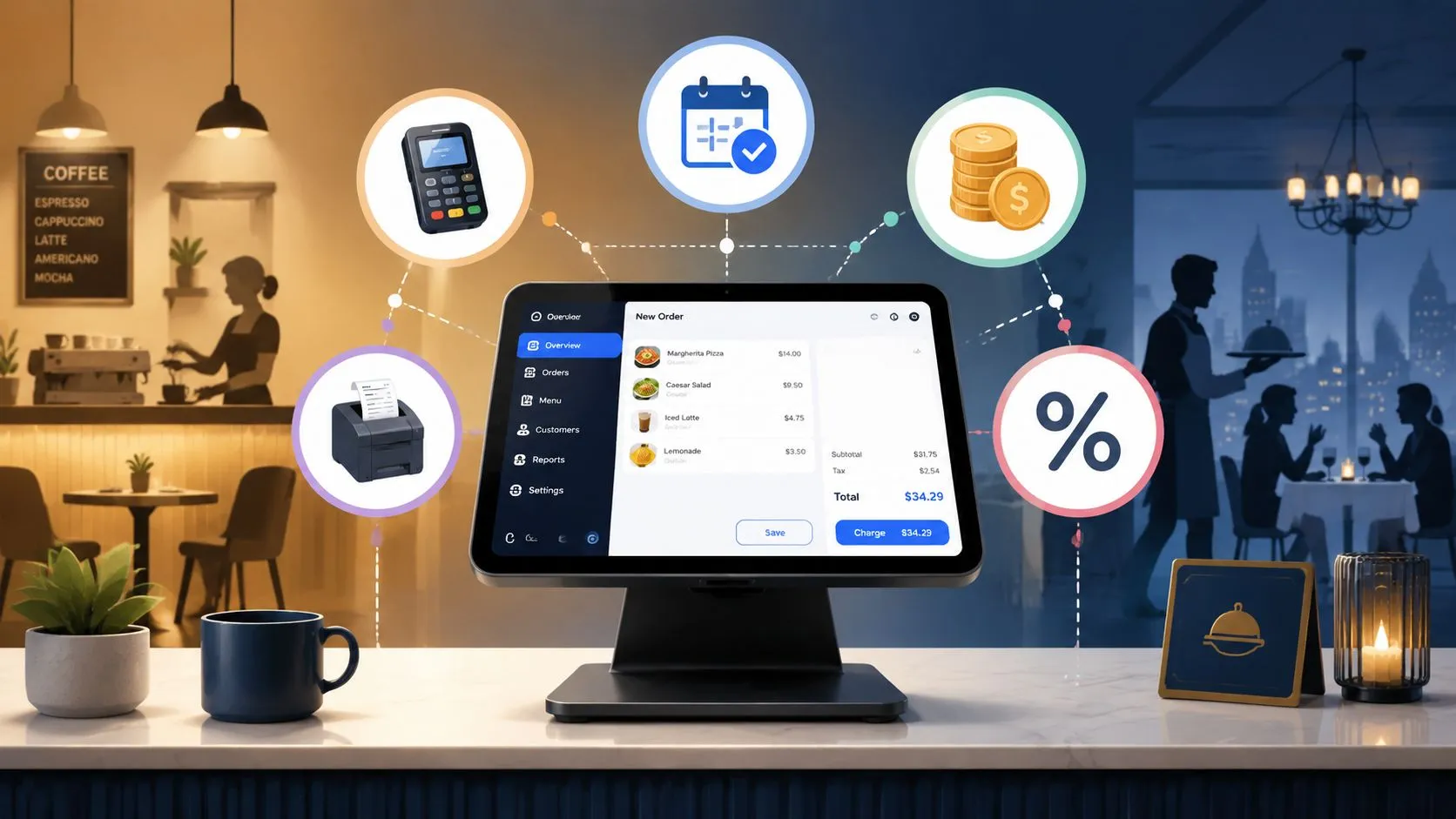
Restaurant software cost in 2026 typically ranges from $4,600 to $7,600 for a small café and $21,000 to $35,800 for a full-service restaurant in the first year. That total includes hardware, software, and payment processing fees, not just the monthly subscription you see in a sales pitch.
Most operators get tripped up by the same mistake. They compare software subscriptions, then ignore the parts of the bill that keep hitting every day once service starts. In practice, the monthly POS fee is often the least important number in the stack.
What matters is total cost of ownership. That means every cost tied to running the system, every workflow the software creates, and every extra labor step your team has to absorb. If a setup looks cheap but forces staff to bounce between delivery tablets and your POS, the software didn’t save money. It just moved the cost into labor, errors, and slower operations.
This matters even more because the category is growing fast. The global restaurant management software market is projected to grow from $6.6 billion in 2025 to $24.1 billion by 2033 at a 18.0% CAGR, according to the market data in the verified research above. Restaurants are buying more software, not less. This decision isn’t whether to invest in tech. It’s whether you’ll invest in systems that reduce work or systems that create more of it.
If you want a broader primer on modern POS and EPOS setups before you price vendors, Splash Access on EPOS solutions is a useful overview. For a restaurant-specific angle on recurring subscriptions and hosted systems, OrderOut also has a solid explainer on cloud-based restaurant software.
Your Guide to Restaurant Software Cost in 2026
The useful way to budget restaurant software is to stop asking, “What’s the monthly fee?” and start asking, “What does this system cost me to run in actual use?”
A restaurant owner usually pays for technology in layers. There’s the hardware up front. There’s the software subscription or license. Then there are the costs that don’t look like software at all, such as payment processing, onboarding time, support, and operational friction when tools don’t talk to each other.
Practical rule: If a vendor quote centers on software price and barely discusses processing, integrations, or workflow impact, the quote is incomplete.
The reason operators misread restaurant software cost is simple. Software is visible. Hidden operating drag isn’t. You see the monthly invoice. You don’t always see the extra minutes spent re-entering a DoorDash order into Clover, fixing a wrong modifier, or explaining to the kitchen why one order printed twice and another never fired.
Why the sticker price misleads
Cheap software can still be expensive to run. Expensive software can still be the better buy if it cuts manual work and keeps your POS as the source of truth.
That distinction matters most in busy environments where orders come from several channels at once. A single disconnected workflow can create a chain reaction:
- Front counter disruption: Staff stop serving in-store guests to manage delivery tablets.
- Kitchen confusion: Tickets arrive in different places or in different formats.
- Manager cleanup: Someone has to reconcile mismatched orders and missed items later.
What smart operators budget first
Experienced operators usually pressure-test a system around three questions:
- What are the unavoidable hard costs? Hardware, subscription, and processing.
- What are the workflow costs? Manual entry, duplicate devices, retraining, and support burden.
- What happens at peak volume? A system that works at 2 p.m. but breaks at 7 p.m. is the wrong system.
That’s the lens to use for every quote you review.
Breaking Down the Total Cost of Ownership
A restaurant software bill is easier to manage when you separate it into buckets. That lets you compare vendors on the actual cost structure instead of on marketing language.
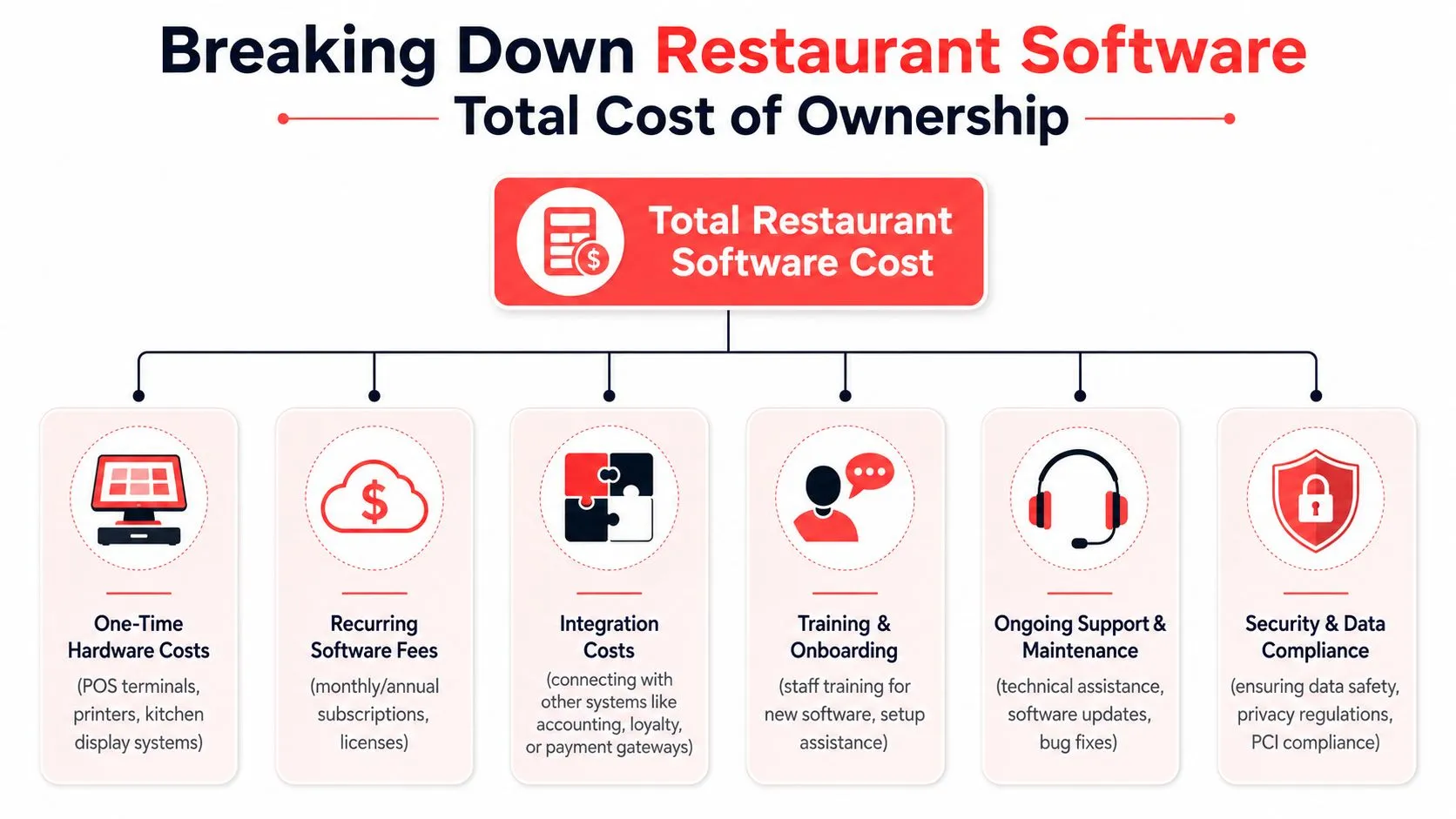
According to the verified industry pricing data above, a small café typically lands between $4,600 and $7,600 in first-year total cost, while a full-service restaurant can land between $21,000 and $35,800. In both cases, payment processing fees are often the biggest long-term variable.
The main cost buckets
| Cost bucket | What it includes | Why it matters |
|---|---|---|
| Hardware | POS terminal, printer, kitchen display equipment, accessories | Usually paid early, easy to compare, often not the largest long-term cost |
| Software | POS subscription, add-on modules, support plans | Looks small in the quote, but scales with terminals and locations |
| Processing | Card transaction fees | Often becomes the biggest ongoing cost |
| Setup and training | Menu setup, onboarding, staff training | Small on paper, large if rollout is messy |
| Integration overhead | Connecting delivery, back office, or other tools | Low if native and clean, high if manual work fills the gaps |
What the ranges look like in practice
For the small café profile in the verified data, one-time hardware is $800 to $1,200, annual software is $828 to $1,188, and estimated processing fees are $3,000 to $5,200. For the full-service profile, hardware rises to $4,200 to $7,200, and estimated processing fees rise to $15,000 to $25,000.
That’s why operators who obsess over software line items alone usually miss the point. Even when annual software is modest, processing can dominate the economics.
Payment fees are the line item too many owners treat as background noise. They aren’t background. They shape the whole deal.
The verified data also notes that a 0.5 percentage point difference in processing rates can add $1,000 to $2,500 in annual costs for restaurants doing $200,000 to $500,000 in card revenue. That’s not a software feature issue. It’s a procurement issue.
Where disconnected systems raise ownership cost
The total cost of ownership also includes operational friction. If your POS, delivery channels, and back-office tools don’t share clean data, your team becomes the integration layer. That means more training, more correction, and more management time.
For a practical look at why system connection matters operationally, this guide to an integrated POS system is worth reading before you sign any long-term agreement.
Decoding Common Software Pricing Models
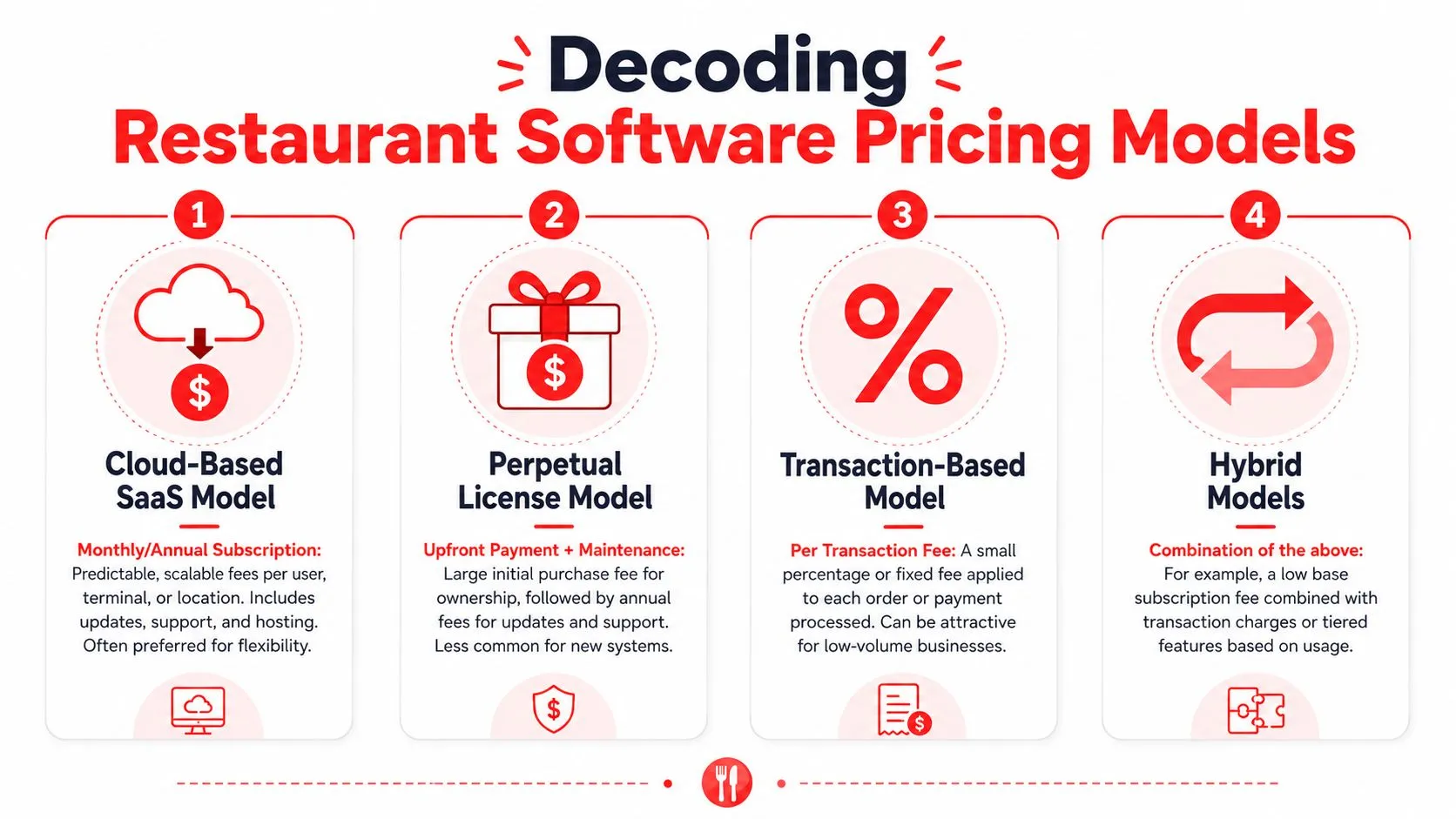
The pricing model changes how restaurant software cost behaves over time. Two systems can look similar on day one and cost very differently once you add terminals, locations, or order channels.
Per-terminal subscriptions
Cloud POS pricing commonly follows a per-terminal subscription model. Per Agilysys’ breakdown of restaurant POS costs, cloud-based systems often run $50 to $300 per month per terminal, while on-premise licenses can require $500 to $2,000 per terminal as a one-time fee plus ongoing support.
Software cost scales linearly. One terminal can look affordable. Add stations for the host stand, bar, counter, expo, or mobile service, and the recurring bill moves with them.
One-time licenses versus recurring SaaS
Older systems often used the “buy once, maintain later” model. That can feel appealing if you want to avoid recurring software bills. The trade-off is usually less flexibility, more dependence on manual updates, and a separate support burden.
Cloud software shifts the spend into operating expense. That’s easier for cash flow, but only if you model it accurately. Monthly fees feel smaller because they’re spread out, not because they’re insignificant.
If you’re comparing software categories more broadly, it helps to compare Tagada platform costs and see how SaaS vendors in other business categories structure pricing around usage, seats, and feature tiers. The lesson carries over well to restaurants.
Why proposals need a scaling test
When reviewing a vendor proposal, check these points:
- Terminal growth: What happens to monthly cost when you add another station?
- Feature tiers: Are reporting, loyalty, or support held behind higher plans?
- Processor tie-ins: Does the software push you toward one payment setup?
- Contract lock-in: Can you change course if the workflow turns out to be a poor fit?
A pricing model isn’t just billing. It’s the vendor’s opinion about how your operation should grow.
For operators thinking in recurring revenue terms, this article on SaaS for restaurants gives a useful framework for separating fixed tech spend from variable operating costs.
The Hidden Costs of Disconnected Delivery Apps
The most expensive part of restaurant software often isn’t the software. It’s the labor and error cost that shows up when systems don’t connect.
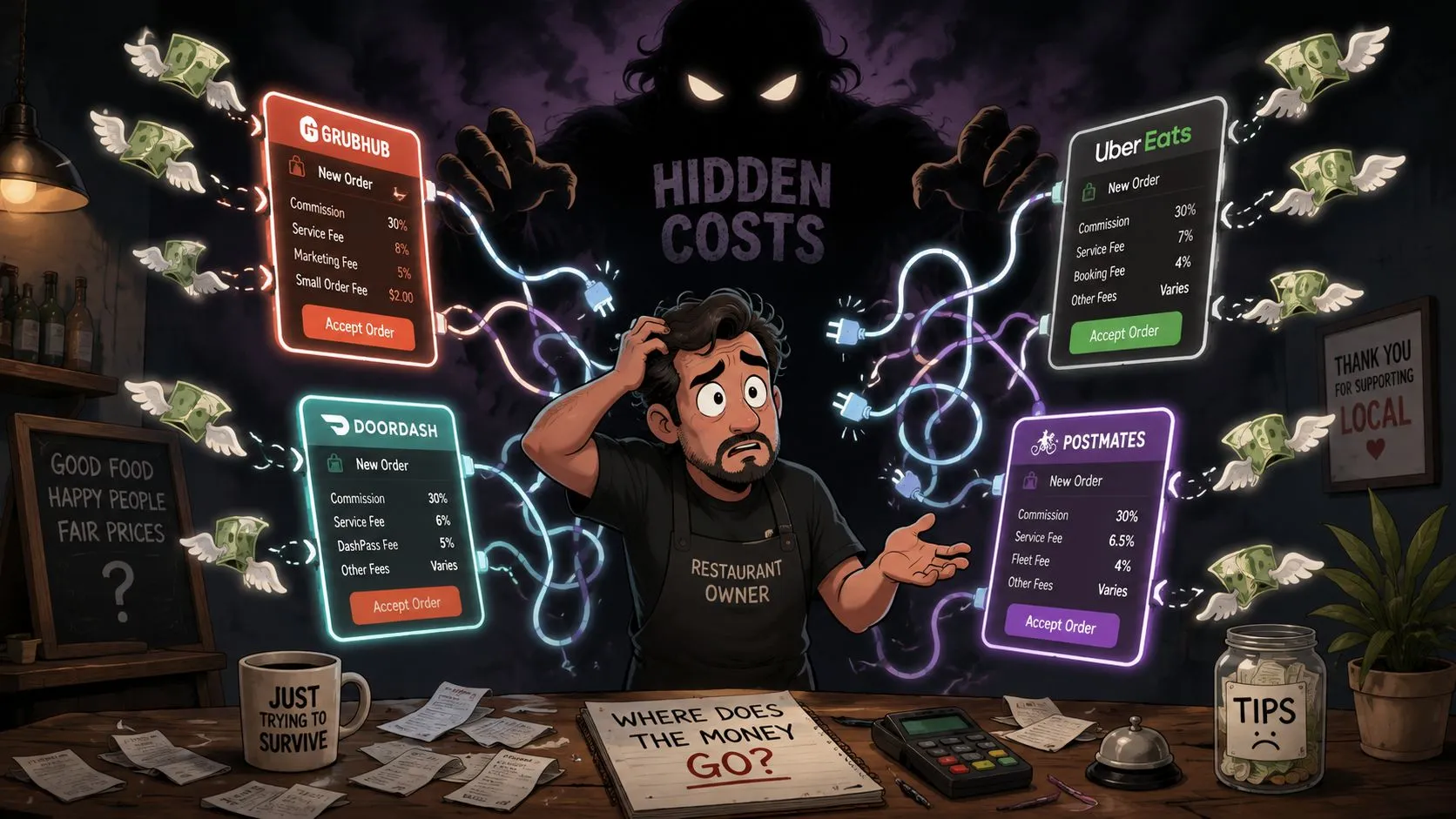
The main burden often comes from disconnected systems, manual workflows, order entry errors, and extra labor. That’s the issue many operators feel every night but never see clearly in the quote.
What tablet hell actually costs
A restaurant using Uber Eats, DoorDash, and Grubhub without direct POS flow usually ends up with multiple tablets, multiple alert sounds, and one staff member who becomes the human bridge between systems. In a Clover or Square environment, that often means reading the tablet, re-entering the order into the POS, checking modifiers, then hoping nothing was missed.
That workflow creates several problems at once:
- Staff get pulled off guest-facing work: The person who should be serving, expediting, or managing the line is now typing.
- Errors become more likely: Missed modifiers, wrong items, and duplicate entry show up when the rush hits.
- Kitchen pacing gets worse: Delivery orders don’t always enter the same operational queue as the rest of the business.
- Reconciliation gets harder: Managers spend time tracking what happened instead of running service.
A direct example is a Clover setup where DoorDash orders are re-keyed by hand. On paper, the restaurant avoided another software line item. In practice, it bought itself a fragile process.
Why direct injection matters
The cleaner model is to let third-party delivery orders flow directly into the POS so the POS stays the source of truth. That removes extra tablets from the counter and stops staff from retyping marketplace orders one by one.
That’s the practical value of OrderOut’s Clover delivery integration, along with the broader third-party order engine for restaurants and a canonical example like Grubhub to Clover delivery POS integration. The system maps each marketplace menu into a normalized POS structure so orders can inject cleanly. That’s why menu and modifier hygiene matter so much.
For operators evaluating this kind of workflow change, this explainer on restaurant order entry automation shows where savings usually come from.
A short product walkthrough helps make that operational shift concrete:
If you run Clover and want to test the workflow directly, install from the OrderOut app in the Clover App Market. It’s free to install, which makes it easier to evaluate the operational fit before you build more manual workarounds around disconnected tablets.
How to Estimate Your Restaurant Tech Budget and ROI
A realistic budget starts with the base stack, then adds the operational effect of the workflow you’re choosing.
Per GoSnappy’s restaurant POS cost guide, a single-terminal setup often lands around $1,800 to $4,700 in the first year, with hardware around $800 to $1,200 upfront, software at $69 to $300 per month per terminal, and payment processing around 2% to 3% plus $0.10 to $0.30 per transaction. That gives you a starting frame, not a final answer.
Build the budget in layers
Start with the hard costs you can price directly. Then force yourself to add the labor and error costs that usually get left out.
-
List your fixed stack Include terminal hardware, software subscriptions, printers, and any implementation support.
-
Estimate processing exposure If card volume is high, this can outweigh the software line quickly.
-
Audit manual workflows Write down every place your staff has to copy data from one screen to another.
-
Price mistakes qualitatively Wrong orders don’t just cost food. They cost staff time, remake effort, and guest trust.
Think about ROI as removed work
Owners often ask whether a tool “pays for itself.” The better question is whether it removes enough recurring work to justify itself.
A simple framework works well:
- Labor saved: How much staff attention is tied up re-entering orders or managing disconnected devices?
- Errors avoided: How often do item, modifier, or pacing mistakes come from manual handling?
- Service flow protected: Does the setup keep your kitchen and front counter focused during the rush?
This is similar to how marketers evaluate service spend outside hospitality. If you’ve ever looked at understanding Instagram growth agency pricing, the useful lesson is the same. Sticker price means very little without understanding what work is being outsourced, automated, or prevented.
The best ROI in restaurant software often comes from eliminating repeated small tasks that managers stopped noticing months ago.
For margin planning, pair your tech budget with a simple profit model. OrderOut’s restaurant profit margin calculator guide is a practical way to tie software decisions back to operating reality.
If third-party delivery volume is meaningful in your business, OrderOut’s Square delivery integration is the kind of workflow change worth modeling as part of ROI, especially when manual marketplace entry is still part of the day.
Real-World Examples of Smart Software Spending
The easiest way to understand restaurant software cost is to look at what happens on the floor when the setup matches the operation.
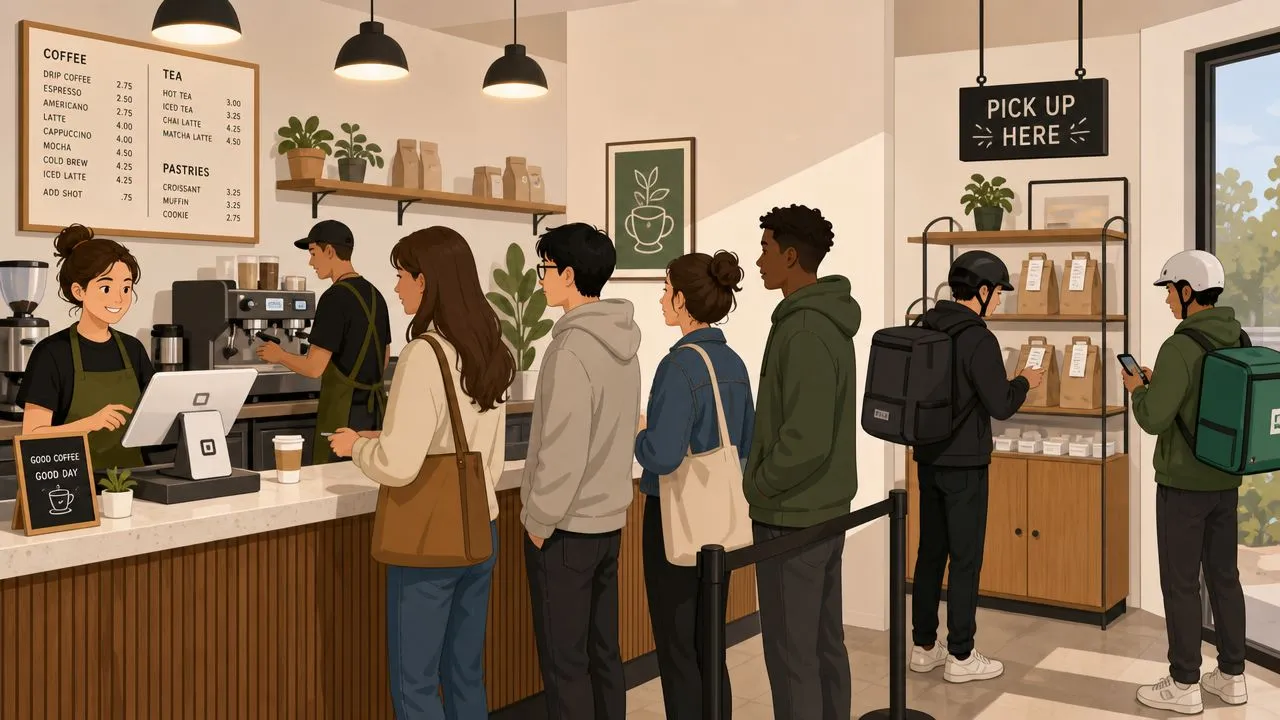
A Square coffee shop during the morning rush
A small coffee shop using Square can handle a surprising amount of traffic pressure from small-ticket orders. Add DoorDash into the mix, and the problem usually isn’t software licensing. It’s interruption.
If the barista has to glance at a tablet, confirm modifiers, and re-key the order while a line forms at the counter, speed of service drops for everyone. A direct delivery-to-POS flow keeps the order path cleaner. The team works one queue instead of juggling multiple devices.
That’s why many operators prefer a setup where the POS remains central and delivery just arrives as another order stream. For a Square-based restaurant, that can be the difference between a manageable rush and a front counter bottleneck.
A Clover bistro balancing dine-in and takeout
A mid-sized bistro using Clover has a different problem. The challenge isn’t only order entry. It’s pacing.
Uber Eats and Grubhub orders need to enter the same operating rhythm as dine-in and takeout, or the kitchen gets pulled in competing directions. If a host stand or cashier is manually relaying delivery orders from tablets, the restaurant creates an extra handoff and more room for mismatch.
Smart software spending in this case means paying attention to flow, not just fees. A cleaner integrated setup lets the manager see one operational picture, pace the kitchen more consistently, and avoid building a side process for delivery.
What these examples have in common
Both examples point to the same lesson:
- The wrong cheap tool creates labor
- The right integration removes process steps
- The savings show up in smoother service, not just in invoices
If you want the broader operator overview, OrderOut for restaurants and the company’s pricing information for restaurant integrations are the practical next places to compare fit and setup expectations.
Frequently Asked Questions
Does OrderOut work with Clover?
Yes. OrderOut connects third-party delivery orders into Clover so orders can flow into the POS instead of being re-entered by hand. If you want to check setup paths and common onboarding questions, the OrderOut FAQ for restaurants is the best starting point.
Do I need extra tablets for Uber Eats, DoorDash, and Grubhub orders?
The goal of this setup is to remove the operational need for extra delivery tablets as the working order entry system. Instead of treating tablets as the source of truth, orders can be routed into the POS so staff work from one operating system.
Is OrderOut free on Clover?
Yes. OrderOut is free to install on the Clover App Market. That makes it practical for operators who want to test the workflow improvement without adding another upfront installation hurdle.
Which delivery apps connect through OrderOut?
OrderOut is positioned around injecting orders from Uber Eats, DoorDash, and Grubhub directly into supported POS systems such as Clover and Square. The core value is straightforward: fewer separate devices, less manual re-keying, and cleaner restaurant order management.
What should I ask before buying any restaurant software?
Ask how the system handles payment processing, how pricing scales when you add terminals, what happens during onboarding, and whether delivery orders flow directly into the POS or require manual handling. If the answer still leaves your team retyping orders, the quote probably understates the true cost.
If you want to reduce the hidden operating cost of disconnected delivery workflows, start with OrderOut and create your free onboarding account in the OrderOut dashboard for restaurants.