
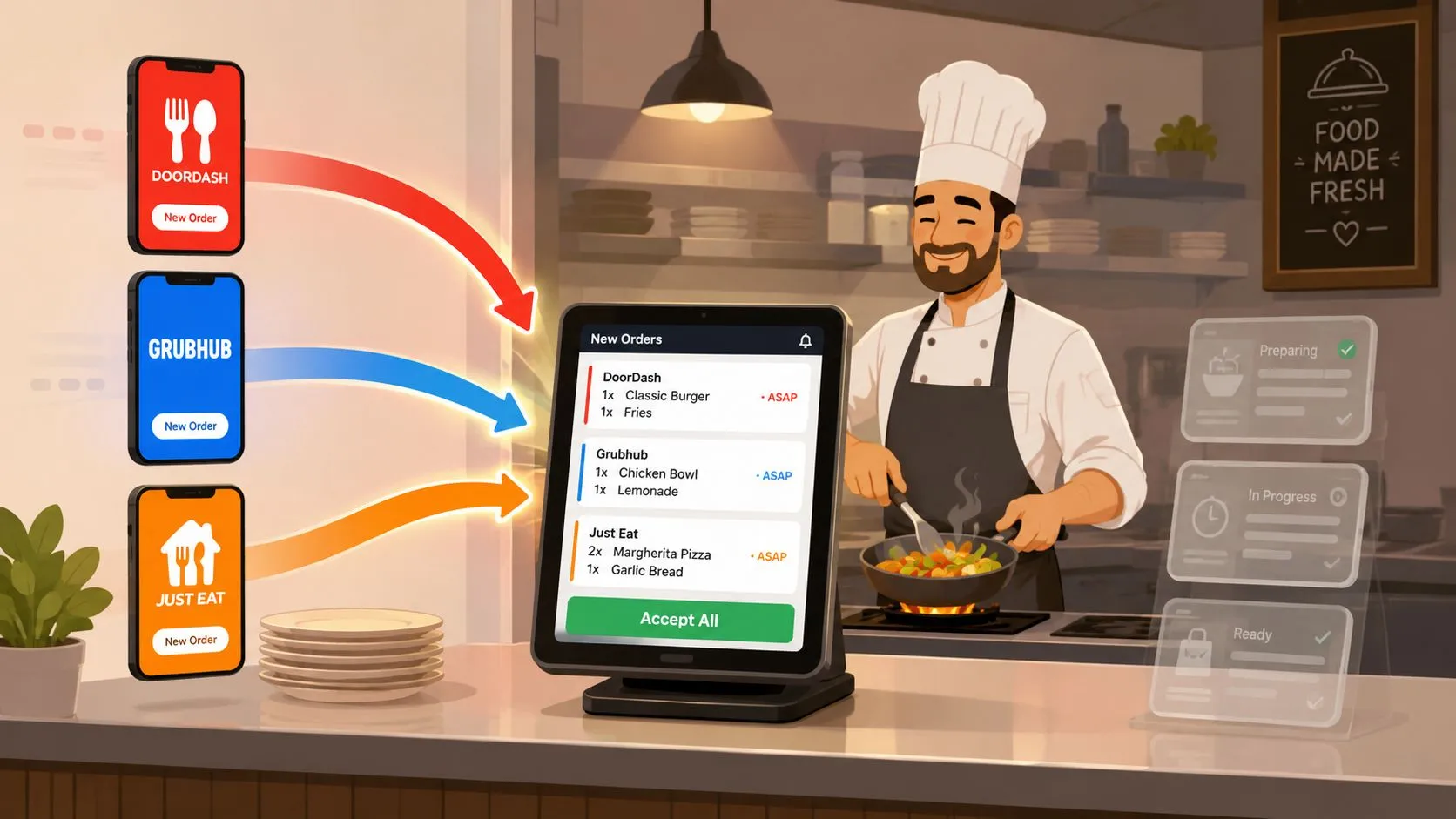
Order routing software automatically sends third-party delivery orders from apps like Uber Eats, DoorDash, and Grubhub straight into your POS, so staff stop re-keying tickets and stop juggling extra tablets. For restaurants using Clover or Square, that usually means fewer front-of-house handoffs and a cleaner path from the marketplace to the kitchen.
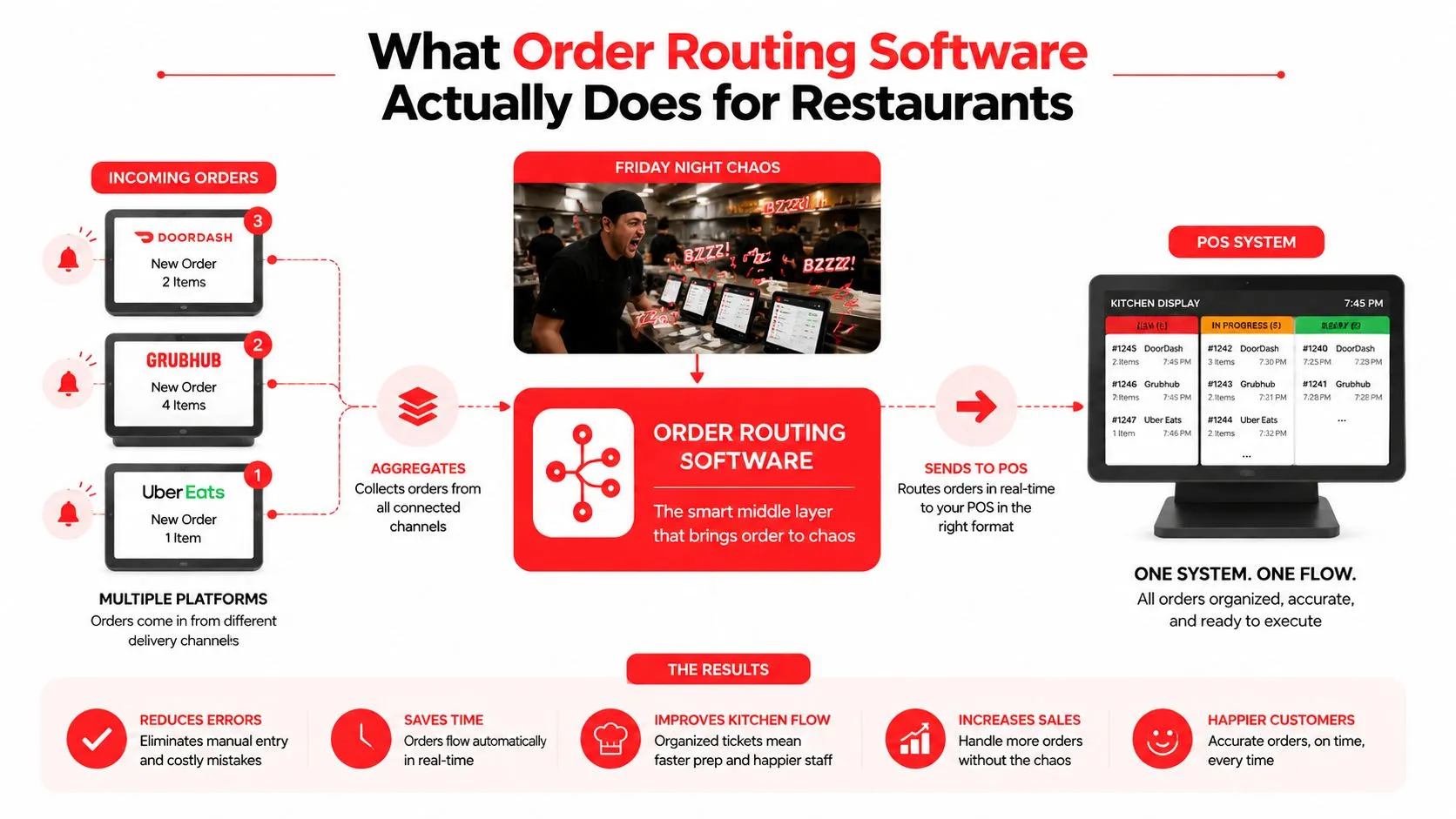
If you’ve ever watched a Friday rush turn into tablet chaos, you already know why this matters. One screen blares with DoorDash, another with Grubhub, a line cook is calling out modifiers, and somebody at the pass is typing the same order a second time. The software sits in the middle, listens for the order, translates the menu, and drops it into the POS as if a cashier had entered it.
That routing idea isn’t new. In financial markets, smart order routing became recognizable in the 1990s, and by 1988 NYSE’s SuperDOT system already had roughly 700 communications lines carrying buy and sell orders, a sign of how fast routing infrastructure had to scale before modern automation took over (A-Team Insight). Restaurant operators don’t need the market jargon, but they do need the same basic logic, a system that chooses the right destination quickly and keeps state when orders change.
For a plain-English primer on the plumbing behind this, the router basics for business owners piece is a useful companion. If you want the restaurant-specific version, OrderOut’s restaurant order management software breaks down how routing fits into day-to-day operations without the fintech vocabulary.
What Order Routing Software Does for Restaurants
The easiest way to understand order routing software is to look at the pain it removes at the front of house. A host, cashier, or expo does not have to read a delivery tablet and type the same ticket into Clover or Square by hand. The routing layer handles that translation, the marketplace sends the order, and the POS receives it as a native ticket.
For restaurant staff, that means fewer tablet checks, fewer re-keying errors, and fewer moments where a busy cashier mishears a modifier or forgets a side. It also keeps delivery apps from feeling like separate islands. The POS becomes the place where orders live, and the kitchen gets one cleaner workflow instead of a stack of different interfaces.
The routing layer in plain English
Under the hood, the router has to do more than forward a message. It needs to normalize each marketplace menu into the POS schema, map item names and modifiers, check whether the item is still available, and then place the order into the kitchen workflow. That is the part most staff never see, but it is why menu hygiene matters so much.
Practical rule: if the POS menu is messy, the router inherits the mess.
That is the whole game. A clean routing setup depends on a clean source catalog, because the system can only push what it can match. When operators keep the POS organized, the delivery flow feels like a normal part of service instead of a patchwork of disconnected tablets.
For a broader software context, OrderOut’s restaurant order management software article is a helpful companion. For a plain-English primer on the plumbing behind this, the router basics for business owners piece is a useful companion.
How Orders Flow From DoorDash, Uber Eats, and Grubhub Into Your POS
A customer taps Buy on Uber Eats, DoorDash, or Grubhub, and the order shouldn’t need a human re-entry step before it hits the kitchen. In a routed setup, the marketplace sends the order data to the routing engine, the engine authenticates it, matches it to the restaurant’s mapped menu, and injects it into Clover or Square as a clean ticket.
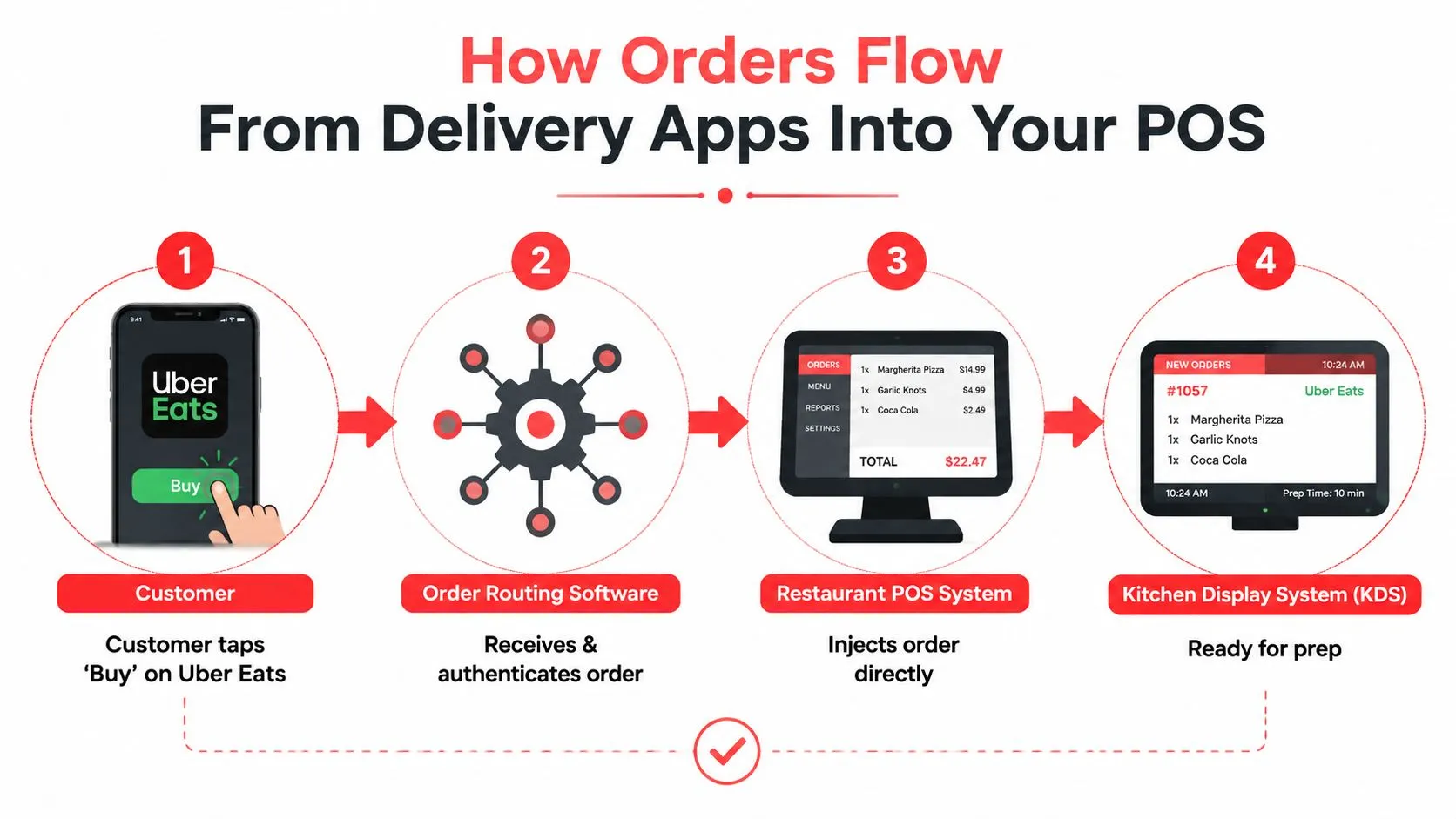
That flow matters because every translation step has a failure mode. If the modifier mapping is off, the kitchen sees the wrong topping. If the item is sold out, the router needs to respect the live POS catalog rather than blindly pushing a ticket. If the customer edits the order after submission, the system has to keep state so the cancellation or change lands in the same place the original order went.
What happens between the app and the ticket
OrderOut’s 3rd-party order engine is built around that translation layer, and the channel-specific engine cells make the mapping concrete, including DoorDash to Clover routing and GrubHub to Square routing. That’s the useful mental model for operators, one marketplace menu on the outside, one normalized POS schema on the inside.
The hard part is keeping the state consistent when real life gets messy. A ticket can be modified, canceled, or held when the kitchen is slammed, and the router has to preserve that relationship so the restaurant doesn’t end up with orphaned orders or duplicate fills. That’s why the POS becomes the operational source of truth, not the marketplace tablet.
A routing system is only as clean as the menu and state it’s reading.
For a technical companion on integration flow, OrderOut’s Uber Eats, DoorDash, and Grubhub POS integration guide is the right next stop.
Tablet Chaos Versus a Single POS Workflow
The old setup is easy to spot. There’s a DoorDash tablet near the pass, a Grubhub tablet on the shelf, maybe an Uber Eats screen tucked beside the register, and someone on staff is manually re-keying every order into the POS while the kitchen is already in motion. That workflow creates friction before the food even starts cooking.
The routed model removes that clutter. Third-party orders appear as native Clover or Square tickets alongside in-house orders, modifiers stay intact, and the team isn’t tied to a pile of charging cables and login screens. The kitchen still gets work, but the front of house doesn’t waste attention on transcription.
Why the routed model works better in practice
The biggest gain is not mystical, it’s operational. When the router injects the order directly into the POS, you cut down on re-keying errors, reduce the chances that a tablet freeze turns into a missed order, and give staff fewer reasons to context-switch in the middle of service. The pass gets cleaner too, because delivery tablets stop competing with actual service work.
For Clover operators, the relevant money page is OrderOut’s Clover delivery integration. For Square shops, OrderOut’s Square delivery integration shows the same model on a different POS. If your restaurant is still running a tablet wall, OrderOut’s multi-delivery-to-one-POS workflow is the clearest picture of what changes when the POS becomes the center.
The goal isn’t more software on the counter. It’s fewer decisions on the line.
Core Features That Matter in a Restaurant Routing Layer
A routing layer earns its keep at the host stand, the expo line, and the manager’s phone. If it does not fit the way your restaurant already works, it just adds another place for orders to go wrong. For operators on Clover or Square, POS coverage comes first because the POS still has to be the place where orders land, print, and reconcile without extra cleanup later.
Marketplace coverage comes next. A restaurant should be able to route orders from Uber Eats, DoorDash, and Grubhub without leaving one channel to be handled by hand. If one marketplace still needs manual re-entry, the routing layer has not removed the friction, it has only moved it around.
The features that keep service steady
Menu and modifier mapping is what keeps the tickets readable for the kitchen. Marketplace names rarely match POS names, so the router has to translate items, sizes, add-ons, and special instructions into a clean structure that the line can trust. If that mapping is sloppy, the team spends time correcting edge cases and remaking food that should have been right the first time.
Real-time item availability matters because sold-out items should stop showing up everywhere at once. The router needs to respect live inventory or availability rules and push those changes back cleanly, so the front of house is not explaining missing items during service. That is where a routing layer pays off in day-to-day operations, the team spends less time answering avoidable customer complaints.
Order state handling is easy to overlook until a guest edits or cancels something. The router has to keep that order attached to the same lifecycle path so the record stays clean, the kitchen sees the right status, and reconciliation does not turn into a mess.
Operators also need the routing layer to fit with the rest of their delivery stack. A practical overview is OrderOut’s restaurant delivery management software, which helps frame routing alongside broader dispatch work. OrderOut’s AI phone ordering can sit beside routed delivery orders, and OrderOut’s commission-free online ordering gives the restaurant a direct channel that is not tied to a marketplace fee structure.
Choosing and Implementing Routing Software Step by Step
Selection starts with compatibility, not promises. Confirm that the software supports Clover or Square, confirm the exact marketplace list, and check how it handles modifier-heavy items like pizza toppings, combo meals, and build-your-own bowls. If the vendor can’t explain how it treats those tickets, the rollout will feel fragile.
Then look at implementation with a kitchen manager’s eye. Clean up the POS menu first, because the router mirrors the POS. Connect one marketplace first, usually the busiest one, and let the team watch the first couple of service periods before turning on the rest.
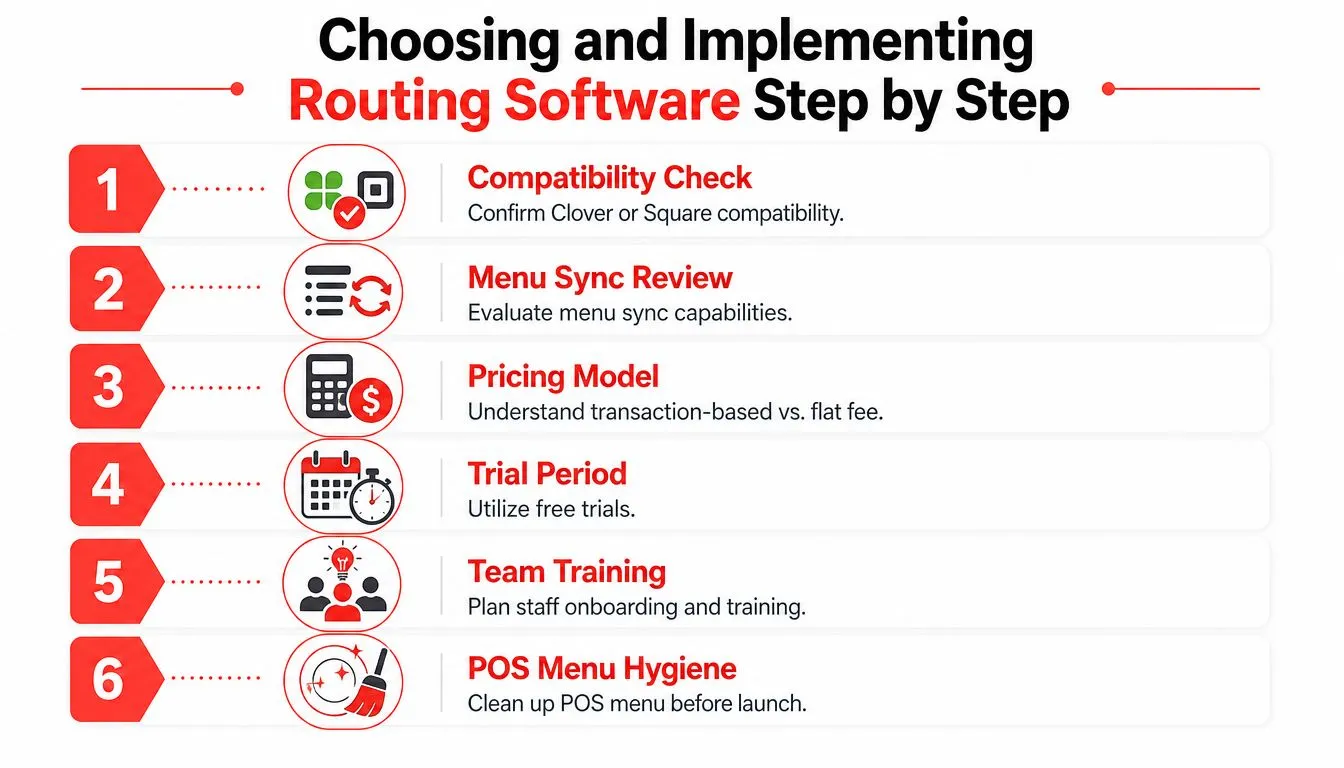
A rollout checklist operators can actually use
- Compatibility check: verify Clover or Square support before anything else.
- Menu sync review: compare marketplace items against POS items and modifiers.
- Pricing model review: understand how the platform charges and what’s included.
- Trial period: if there’s a safe test path, use it with one channel first.
- Team training: show staff where the order appears and who handles exceptions.
- POS menu hygiene: clean the POS first so the routing layer doesn’t inherit bad data.
OrderOut’s order entry automation article is a good companion if you’re deciding how much manual work you’re still willing to tolerate. For operators who want a direct install path, the Clover App Market listing is free to install, and the OrderOut dashboard is where onboarding starts.
Metrics and ROI Signals to Watch After You Go Live
Don’t try to force restaurant math into a spreadsheet fantasy. The right signals are usually obvious in the daily grind, and they show up as fewer mistakes, smoother handoffs, and less interruption at the pass. If those things improve, the routing layer is doing its job.
What to watch week by week
The first bucket is accuracy. Watch for fewer re-keying errors, fewer missing modifiers, and fewer customer complaints about the wrong item showing up in the bag. That’s the clearest sign the routing layer is preserving the order instead of mutating it.
The second bucket is speed. Compare how quickly third-party tickets reach the kitchen versus the old tablet-to-POS routine, and listen for fewer “Did that order come through?” moments during the rush. Faster ticket flow usually shows up as a calmer pass, not a flashy dashboard.
The third bucket is labor. Pay attention to how much staff time disappears from typing orders, answering delivery-tablet questions, and correcting avoidable mistakes. If a server can stay on the floor instead of babysitting tablets, that’s real operational relief.
The last bucket is customer signal. Watch complaint volume tied to wrong items and pay attention to repeat-order behavior from the same guests. If the experience gets cleaner, guests usually stop calling about the same problems.
For cost context, OrderOut pricing gives you the commercial side of the decision without changing the operational logic.
Common Pitfalls and How to Avoid Them
The first mistake is dirty menu data. If the POS has duplicate items, stale modifiers, or inconsistent names, the routing layer inherits that mess and turns it into bad tickets. The fix is boring but necessary, clean the POS before you connect the channels.
The second mistake is leaving old tablets powered on as a “backup.” That creates split-brain behavior, because staff don’t know whether the POS or the tablet is the definitive source of truth. The fix is to make the POS the only active operational screen and retire the extra devices.
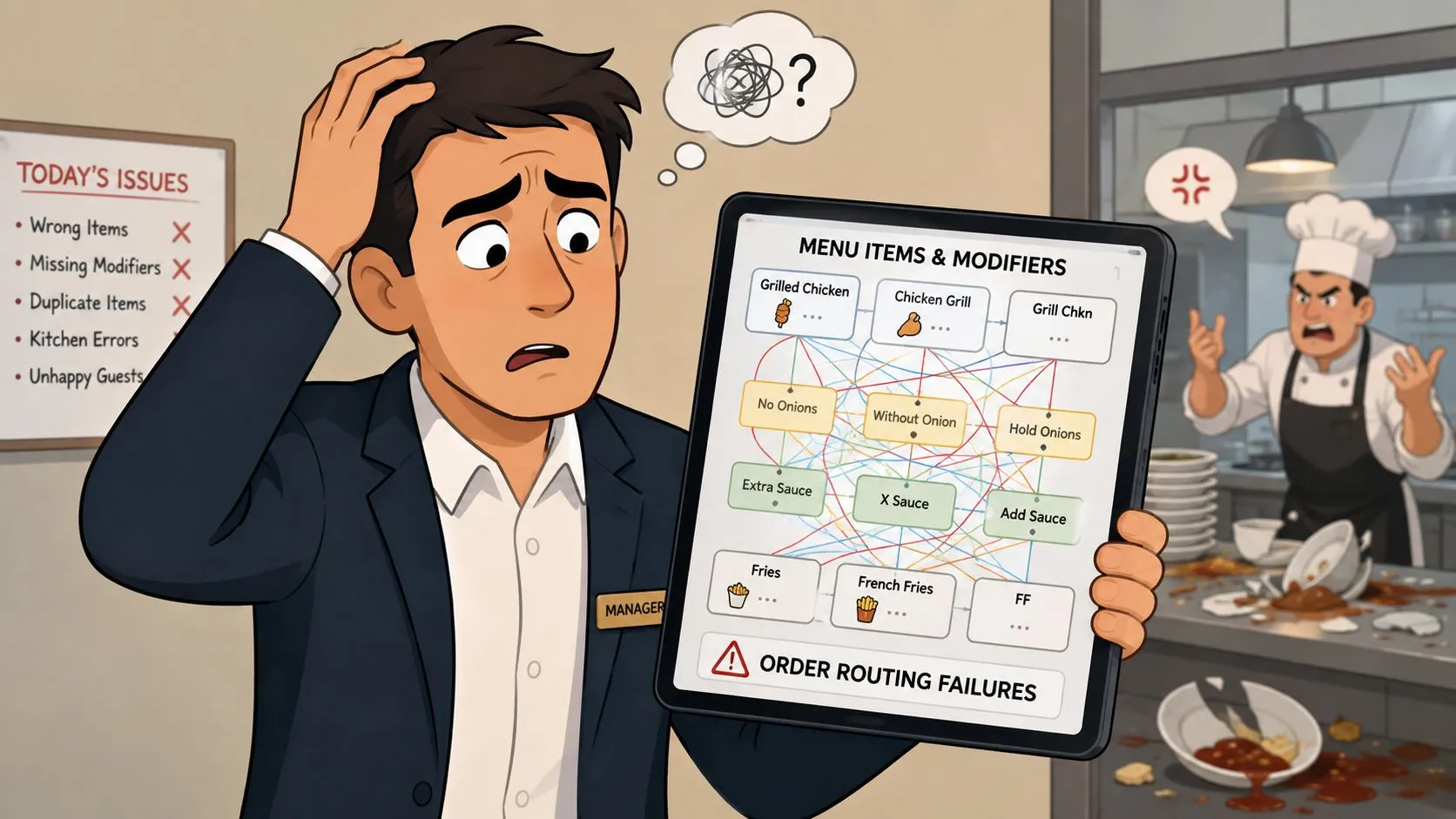
The third mistake is skipping modifier mapping. Pizza shops and build-your-own concepts feel this immediately, because one missed topping turns into a remake or a refund. The fourth is forgetting to train the team that the marketplace order now arrives as a POS ticket, not a separate task on another tablet.
The longer-term mistake is treating the marketplace like the business model instead of using routing to support a direct channel too. A commission-free ordering path helps the restaurant own more of the customer relationship over time, while the POS keeps the day-to-day workflow grounded. Clover or Square should remain the operational source of truth, not the tablets.
Frequently Asked Questions
Does OrderOut work with Clover and Square?
Yes. OrderOut is positioned to connect delivery app orders into Clover and Square so staff don’t have to re-key tickets. If your operation runs on one of those POS systems, that’s the first compatibility check to make.
Does routing software get rid of delivery tablets?
That’s the point for most operators. When the setup is done right, Uber Eats, DoorDash, and Grubhub orders land in the POS, so the restaurant isn’t relying on a row of extra screens at the counter.
What happens to modifiers like no onions or extra sauce?
They should come through as part of the mapped order, not as a separate note someone has to decipher. Clean menu mapping is what keeps those instructions readable in the kitchen.
Can orders still be edited or canceled after they fire?
They can, but only if the routing layer keeps order state tied together properly. That’s why the system has to preserve the same lifecycle path from the marketplace to the POS.
Does the restaurant still owe marketplace commissions?
Yes, the marketplace relationship still exists for those third-party orders. Routing software changes how the order reaches your POS, not the marketplace’s underlying fee structure.
Can AI phone ordering and direct online ordering sit on the same system?
Yes, that’s a sensible stack when you want one workflow instead of three disconnected ones. OrderOut also provides a detailed FAQ if you’re sorting out how the pieces fit together.
If you’re tired of tablet clutter, re-keying mistakes, and orders that arrive in pieces, OrderOut gives you a direct path from delivery apps into Clover or Square. Install it, clean up the menu, and let the POS become the place where the order starts moving.