
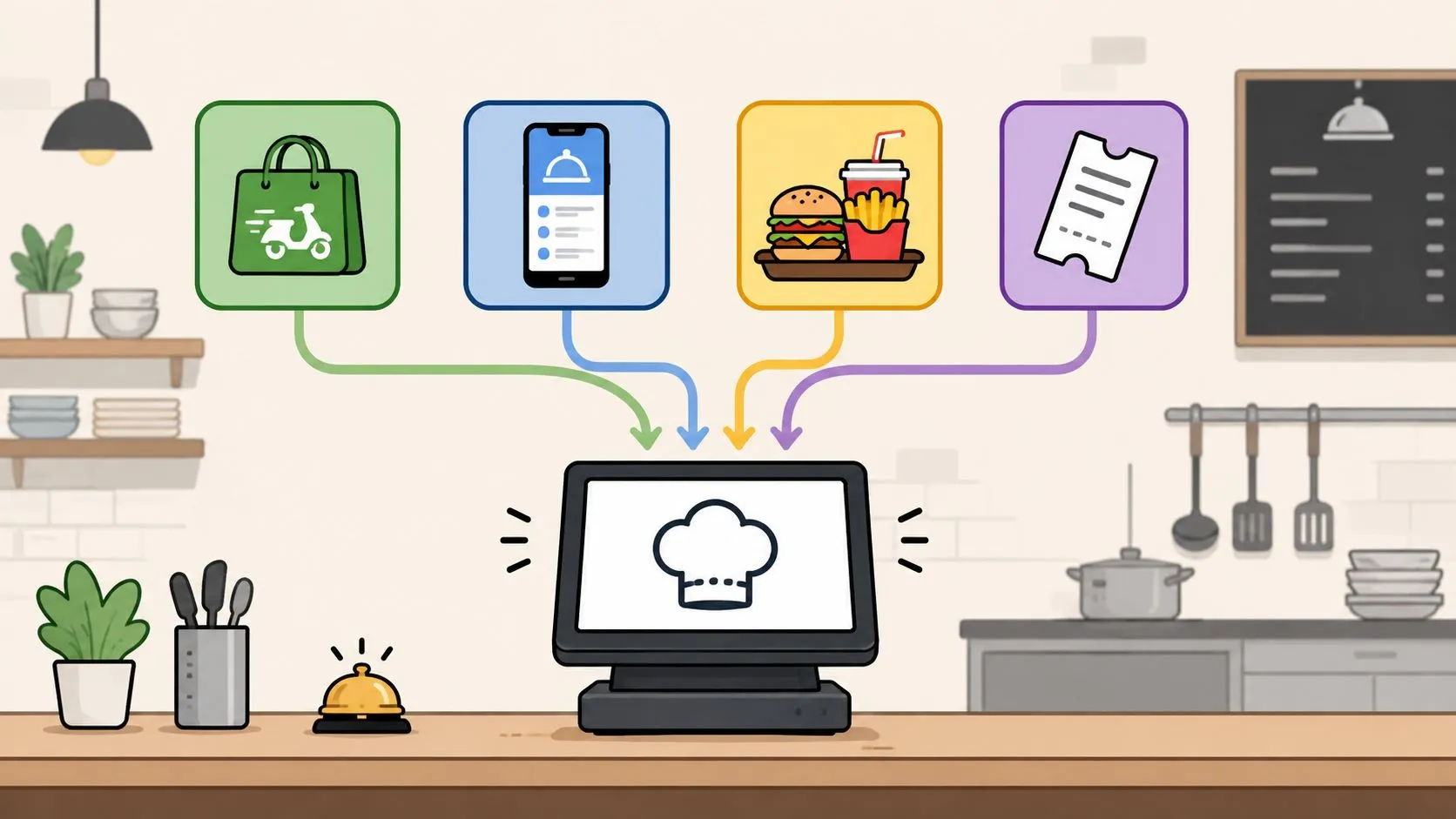
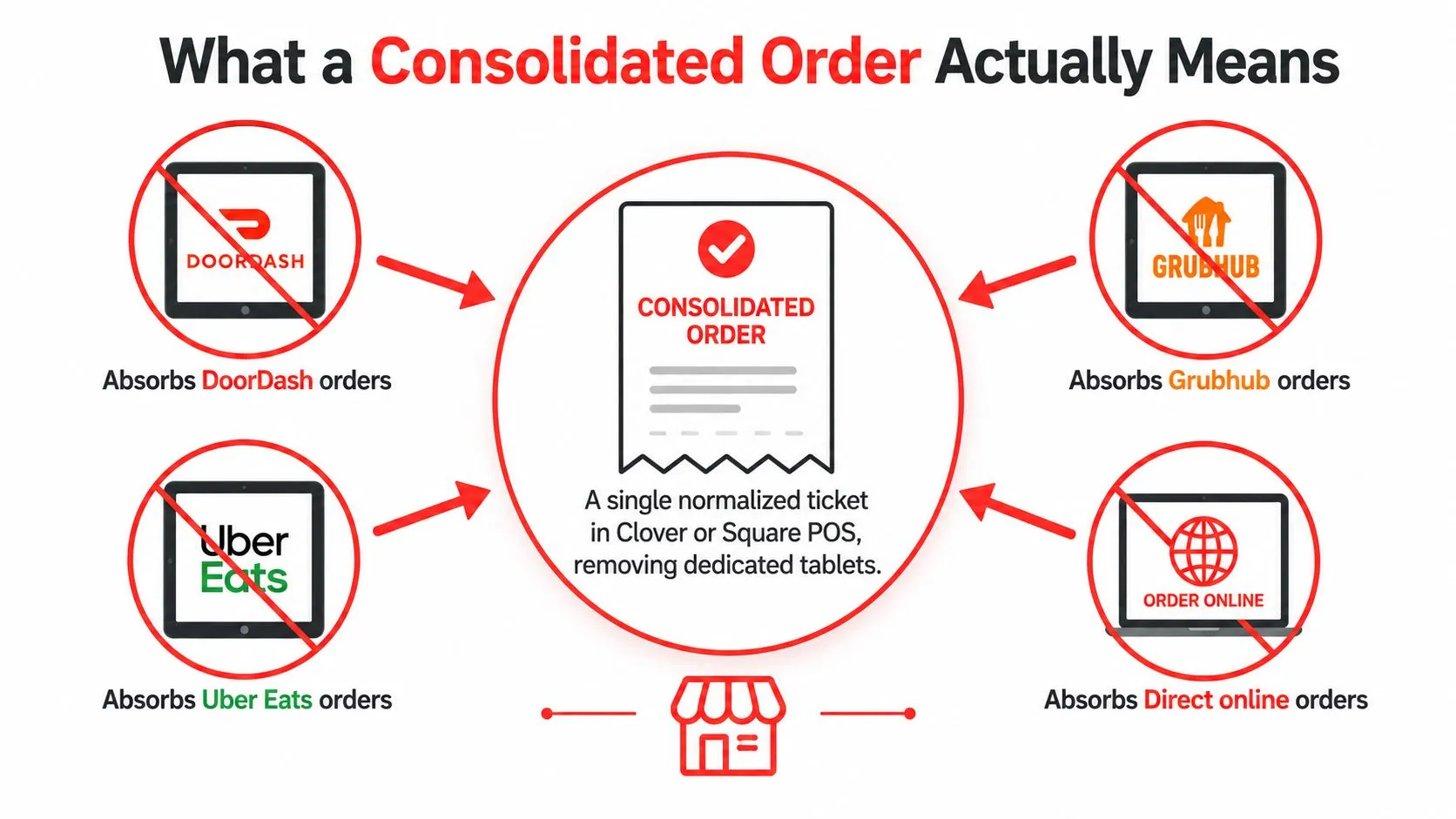
A consolidated order is a single normalized ticket that routes DoorDash, Uber Eats, Grubhub, and direct online orders into one Clover or Square POS view, removing extra tablets and re-keying. The point isn’t merely to collect orders in one inbox, but to make every item and modifier readable to the POS and kitchen in the same format.
That distinction matters during a Friday rush. Four tablets buzz while the host seats a walk-in, the expediter asks for a reprint, and the manager retypes a modifier the customer already paid for. A consolidated order replaces that relay race with one inbox, one kitchen printer, and one operational source of truth.
What a Consolidated Order Actually Means
A consolidated order takes orders from separate channels and turns them into one POS-ready ticket. DoorDash, Uber Eats, Grubhub, and a direct ordering page may use different item names, option labels, modifier identifiers, and pricing rules. Before the order reaches Clover or Square, those differences need to be translated into the restaurant’s canonical POS menu.
That makes consolidation different from simple aggregation. Aggregation collects tickets. Normalization maps each ticket to the POS schema, so a marketplace item connects to the correct menu item, recipe group, modifier, upcharge, and kitchen routing rule.
A mailroom. DoorDash, Uber Eats, Grubhub, and direct ordering are different delivery services, but the restaurant doesn’t want four mailrooms. It wants one receiving desk that identifies every package, applies the right label, and sends it to the correct department.
The ticket has to match the kitchen
Suppose Uber Eats sends “Large Pepperoni” while Clover stores “Pepperoni Pizza, Large.” A basic collector might display the marketplace wording without solving the menu relationship. A normalized integration maps the marketplace product to the correct Clover or Square catalog entry, then carries the selected modifiers into the ticket.
That mapping is why menu and modifier hygiene matters. If a restaurant changes a size, removes an option, or renames a modifier in one channel but not the POS schema, the integration has less certainty about where the order belongs.
The broader discipline is closely related to what an order management system does, but restaurant delivery-to-POS integration adds a critical kitchen requirement. The ticket must not only be captured. It must be usable by the POS, printer, prep station, cashier, and reporting workflow.
Why Restaurants End Up With Tablet Chaos
Fragmented ordering creates work at every handoff. A staff member watches a marketplace tablet, accepts the order, reads the ticket, and enters it again into the POS. Each transfer creates another opportunity to miss a modifier, duplicate a ticket, or send an item to the wrong station.
Industry guidance places average restaurant order accuracy around 85% to 90%, with top-performing restaurants reaching 99% to 99.5%, according to Kwick2Go’s restaurant order accuracy guidance. At 200 orders per day, an 85% to 90% accuracy rate implies roughly 20 to 30 wrong orders daily, using the same source’s calculation.
Manual work also consumes meaningful staff time. The Kwick2Go analysis estimates internal manual ordering labor at $14,300 to $22,100 per year, while Lunchbox’s order aggregation analysis reports an average of 8.6 hours per week spent on ordering-related tasks. Complex full-service operations can reach 10 to 14 hours weekly, according to that analysis.
Four failure points operators recognize
| Failure Point | Operational Impact | Labor Cost |
|---|---|---|
| Tablet app failure or missed alert | A customer order sits unseen, delaying preparation and driver pickup | Staff spend time checking devices and recovering the ticket |
| Modifier mistranslation | The kitchen makes the wrong item or leaves out a paid option | Remakes, refunds, comps, and manager intervention |
| Duplicate acceptance | Two employees enter or accept the same ticket | Duplicate production, voids, and reconciliation work |
| Separate marketplace reporting | Sales and payout information stay split across systems | End-of-day review takes longer and exceptions are harder to trace |
The cost isn’t limited to an incorrect entrée. A missed modifier can waste ingredients, slow the line, trigger a remake, and force a manager to contact the guest or courier. ChowNow’s explanation of order aggregation identifies manual re-entry as a major error source because every extra transfer creates room for missed items, incorrect modifiers, and duplicate tickets.
Channel menus drift for the same reason. A restaurant may update its POS catalog but forget a marketplace option, leaving staff to interpret a ticket that doesn’t match the recipe screen. A normalized workflow addresses the structural problem by mapping channel data before it reaches production.
How a Consolidated Order Reaches Your POS
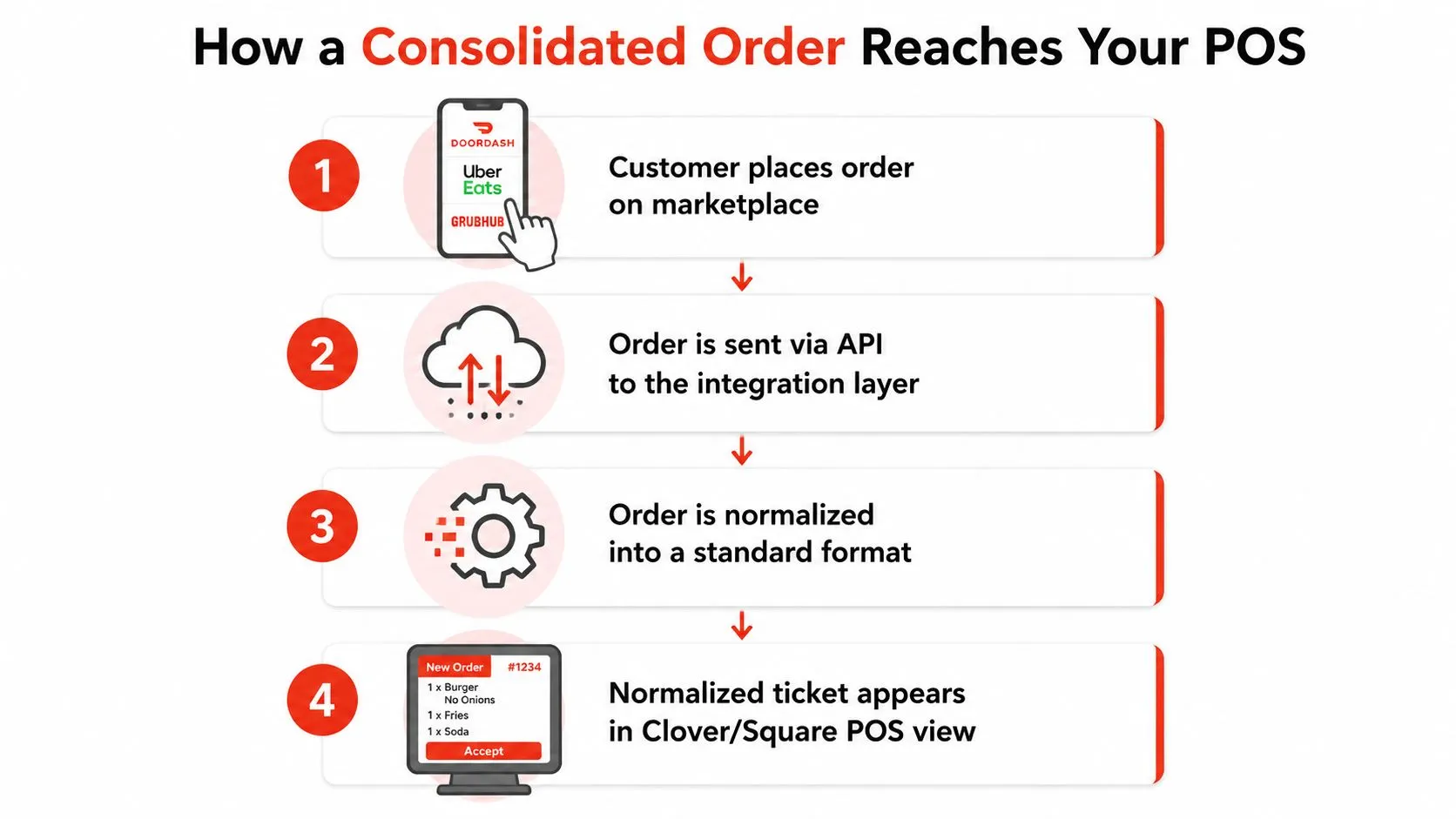
The workflow begins when a customer places an order through DoorDash, Uber Eats, Grubhub, or a direct ordering channel. The marketplace sends the order payload through its available connection, and the integration layer authenticates the request, retrieves the order details, and prepares the data for the POS.
The useful way to understand the process is as a sequence of translations.
- Customer order: The customer selects products, modifiers, fulfillment details, and payment information in the ordering channel.
- Payload retrieval: The integration receives the marketplace’s structured order data rather than asking a staff member to read it from a tablet.
- Menu mapping: The mapping engine matches item and modifier identifiers to the canonical Clover or Square catalog. Combos, upcharges, special instructions, and unavailable items need explicit handling.
- POS creation: The normalized ticket is sent to the POS through its order-creation interface, where it becomes part of the restaurant’s normal order flow.
- Kitchen routing: The ticket appears on the POS or prints for the kitchen, with a source-channel indicator that helps staff understand whether it came from a marketplace or direct ordering.
Where the technical decisions sit
Clover’s Orders API supports in-store and online orders and can create an order containing line items, modifiers, discounts, and service charges in one API call. Clover’s order documentation also explains that totals and taxes are calculated in real time, which is important when external orders must conform to a POS order schema.
Square’s workflow makes integration a device-level operating decision. Operators select an integration through the Square App Marketplace or Square Dashboard, then enable it under the device setting for accepting pickup and delivery orders, as explained in Square’s delivery integration instructions.
Operators should also distinguish marketplace order injection from delivery-only dispatch. Square’s online ordering guidance separates partners that send customer orders from delivery apps into the POS from workflows where Square holds the order and DoorDash or Uber Eats handles fulfillment.
Availability and pricing rules can live in the POS catalog, the integration layer, or both. The important requirement is ownership. Someone must decide which system controls 86ing, which price is authoritative, and how a removed modifier is handled.
Teams also choose between real-time streaming and polling. Streaming can make the workflow more immediate, while polling checks for new orders at intervals. The right choice depends on the channel connection, POS behavior, failure handling, and how the restaurant wants to recover an order if a service becomes unavailable.
For broader technical context, Square integration features can help operators and developers compare the building blocks involved in POS connectivity. The operational goal remains simple, as the principles behind order routing software suggest: every ticket should arrive in the right format, at the right destination, without asking a busy employee to type it again.
Simple Aggregation vs Capacity-Aware Orchestration
Removing tablets solves a visibility problem, but it doesn’t automatically solve a capacity problem. If every DoorDash, Uber Eats, Grubhub, and direct order enters one shared queue without pacing or station rules, the restaurant may replace device clutter with a crowded printer.
Simple aggregation is often enough for a compact operation. A single-station kitchen with a manageable mix of delivery orders may benefit from one queue, consistent ticket formatting, and fewer manual transfers. The staff can see what arrived, accept it, and prepare it through the normal Clover or Square workflow.
Capacity-aware orchestration adds operational judgment. It can apply item-routing rules, prep-time thresholds, station assignments, and pacing logic so orders don’t all hit the same production point at once. The normalized ticket remains the foundation, but the system also considers whether the grill, salad, expo, or packing station can absorb the next demand wave.
| Dimension | Simple Aggregation | Capacity-Aware Orchestration |
|---|---|---|
| Primary job | Collect orders in one POS or print queue | Collect, prioritize, pace, and route orders |
| Best fit | Low-volume or single-station operations | Multi-station kitchens and peak service |
| Main risk | The shared queue becomes a bottleneck | More rules require careful menu and station setup |
| Modifier handling | Depends on mapping quality | Depends on mapping quality plus routing rules |
| Peak-period behavior | Tickets arrive as they are received | Tickets can be sequenced around prep capacity |
| Operator control | Visibility and fewer handoffs | Visibility plus production control |
When one queue isn’t enough
A multi-concept kitchen may run several brands through the same production area. A ghost kitchen may need to route different products to different stations. A busy restaurant may also face a courier cluster at the pass even when the order data is perfectly clean.
That is where delivery management best practices become relevant. The operator needs to ask more than “Did the order reach the POS?” The better questions are whether the kitchen can prepare it on time, whether the ticket is routed to the correct station, and whether accepting another order will create a service failure.
Simple aggregation is the starting layer. Orchestration earns its place when the restaurant’s constraint is no longer data entry, but prep capacity and sequencing.
What Operators Actually Gain From Consolidation
The first gain is attention. Staff can work from one Clover or Square view instead of checking separate marketplace tablets, confirming an order, and re-keying the details. The POS becomes the place where the team sees the ticket, while the integration handles the translation that used to fall to the cashier or manager.
The second gain is consistency. One modifier map gives the kitchen a common language for orders from DoorDash, Uber Eats, Grubhub, and direct online ordering. Fewer handoffs mean fewer opportunities for a missing item, an incorrect option, or a duplicate void.
Practical rule: If the POS catalog can’t represent the marketplace item clearly, consolidation will expose the menu problem instead of hiding it.
A normalized ticket also creates a more useful operating record. The restaurant can review channel mix, item demand, timestamps, prep activity, and dispatch information from a shared POS workflow rather than reconstructing the night from several tablet histories.
| Outcome | What Changes for the Operator |
|---|---|
| Labor relief | Staff spend less time monitoring devices and retyping tickets |
| Fewer entry mistakes | Item names and modifiers arrive in the POS’s expected structure |
| Clearer kitchen flow | Tickets can follow the same printer and station rules as other orders |
| Better channel visibility | Managers can compare demand from DoorDash, Uber Eats, Grubhub, and direct ordering in one operational record |
| Cleaner service review | Timestamps help teams examine when orders arrived, were prepared, and moved toward dispatch |
| Stronger owned-channel insight | Direct orders that use the same POS workflow can support an in-house guest record, while marketplace customer ownership remains subject to the marketplace relationship |
The data value goes beyond fewer keystrokes. Centralized orders can support menu engineering, demand forecasting, and labor planning because the operator sees basket mix and timing across channels. That doesn’t make the POS a complete profitability system by itself, but it gives the manager a more coherent operational dataset.
Delivery order management is the practical extension of this idea. The restaurant isn’t just capturing orders. It’s creating a shared record that helps the team decide what to prepare, when to prepare it, and which channel is creating pressure.
A Consolidated Order Flow in Practice
A multi-concept restaurant runs Clover as its POS. During the dinner rush, it accepts DoorDash, Uber Eats, Grubhub, and orders from a direct Square online ordering page through a consolidated order layer.
A DoorDash customer orders a burger with a modified side. The integration receives the ticket, matches the burger and side modifier to the Clover menu, and sends the normalized order to the grill station. The kitchen doesn’t need to interpret a marketplace-specific label or copy the order from a tablet.
An Uber Eats bowl follows a different station path. Its ingredients and add-ons map to the salad station, while a Grubhub family meal is routed according to its package components. A direct dessert order arrives at nearly the same time. The system can present the related work in a coordinated queue rather than leaving three courier arrivals to compete for the same handoff point.
| Step | Where It Happens | What Changes |
|---|---|---|
| Customer selects a burger | DoorDash | The channel records the requested item and modifiers |
| Order is received | Integration layer | Marketplace data is collected without manual re-entry |
| Menu is matched | Clover schema | The burger and side option become recognizable POS items |
| Ticket is routed | Grill station | The kitchen receives the work where it belongs |
| Bowl is submitted | Uber Eats | Salad items follow their mapped station rules |
| Family meal and dessert arrive | Grubhub and direct ordering | The team sees related production and handoff needs in one workflow |
| Shift closes | Clover | Sales activity is available in one operational ledger |
Normalization can also catch a modifier conflict before production. If a marketplace sends an option that no longer exists in the Clover catalog, the integration needs a defined exception path, such as flagging the mismatch for review rather than creating an incomplete ticket.
During peak service, capacity-aware routing can stagger printer activity or sequence tickets around station load. That doesn’t eliminate the need for a manager to watch the pass. It gives the manager a cleaner queue and better information for deciding when to pause, pace, or adjust availability.
At close, the manager reviews one Clover workflow instead of manually transferring tabs from several devices. Channel mix remains visible, and the team can investigate exceptions against the same ticket record that reached the kitchen.
Frequently Asked Questions
What does a consolidated order mean for a restaurant?
It means orders from DoorDash, Uber Eats, Grubhub, and direct online ordering are converted into a shared, normalized ticket that enters Clover or Square. The restaurant can use one POS workflow instead of reading each marketplace order and typing it again.
Does OrderOut work with Clover?
OrderOut connects third-party delivery orders from Uber Eats, DoorDash, and Grubhub to Clover and maps marketplace menus to a normalized POS schema. It’s free to install on the Clover App Market, and operators can review customer support FAQ structure when designing their own internal answers for setup and exception handling.
What happens if the integration or marketplace is offline?
The answer depends on which service is unavailable and what recovery tools the integration and marketplace provide. Staff should have an exception procedure for checking the source channel, avoiding duplicate entry, and confirming whether a ticket already reached Clover or Square before recreating it.
Who owns customer data in a consolidated order flow?
A consolidated POS record can centralize operational details such as the item mix and order timestamps. Marketplace customer relationships remain connected to the marketplace, while direct ordering data is handled through the direct ordering channel’s terms and configuration.
How much effort does a consolidated POS integration require?
The effort depends on the menu, modifier structure, station routing, POS configuration, and marketplace connections. A clean catalog makes mapping easier, while duplicate items, outdated modifiers, and inconsistent pricing create more review work. Start by auditing the Clover or Square menu, then confirm how exceptions, availability, taxes, and fulfillment status should be handled.
OrderOut injects Uber Eats, DoorDash, and Grubhub orders into Clover or Square without extra delivery tablets or manual re-keying, using normalized menu mapping to keep tickets readable at the POS. Visit OrderOut to connect your delivery channels, then start onboarding at the dashboard for free in a few clicks.