
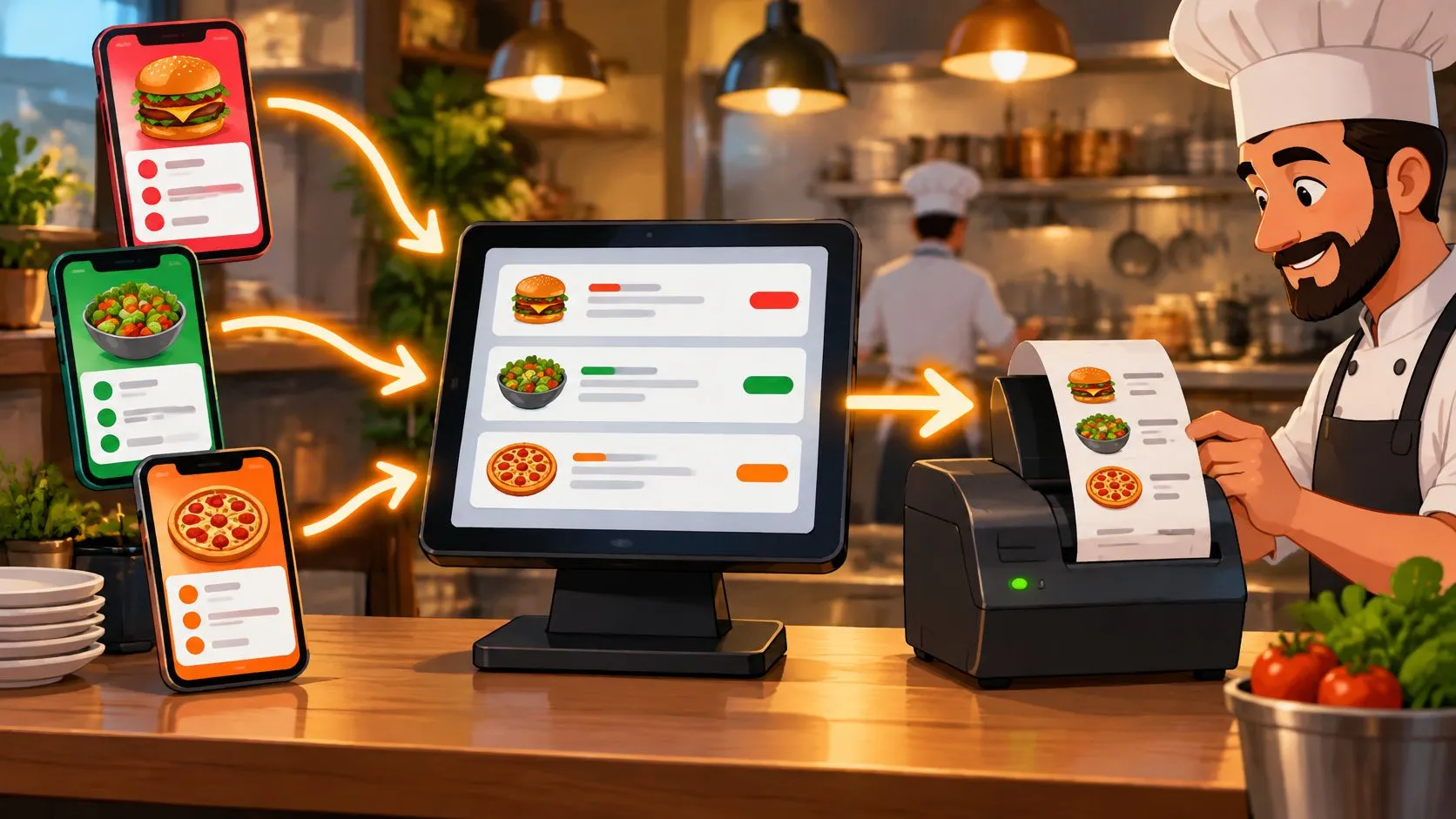
Marketplace order management is the practice of taking every Uber Eats, DoorDash and Grubhub order and landing it in your POS, your kitchen and your end-of-day numbers as one correct order, with nothing retyped and nothing reconciled by hand afterward.
The connection is not the hard part. Accuracy is. Customers judged more than 1 in 10 third-party delivery orders inaccurate in 2025, according to Intouch Insight’s third-party delivery report, even as two-thirds of third-party delivery brands improved year over year. Every one of those misses crossed at least two companies before it happened: the marketplace, the courier, the integration layer, your kitchen.
That’s why I’d frame the whole discipline as exception control. A connection tells you an order arrived. The controls around it decide whether your cook gets the right ticket, the guest gets the right food and the refund lands against the right sale.
What Marketplace Order Management Means for Your Restaurant
Marketplace order management starts at menu mapping and keeps running after the ticket is already in the POS. A connection that only proves the order arrived still leaves the cook, the guest and the payout exposed.
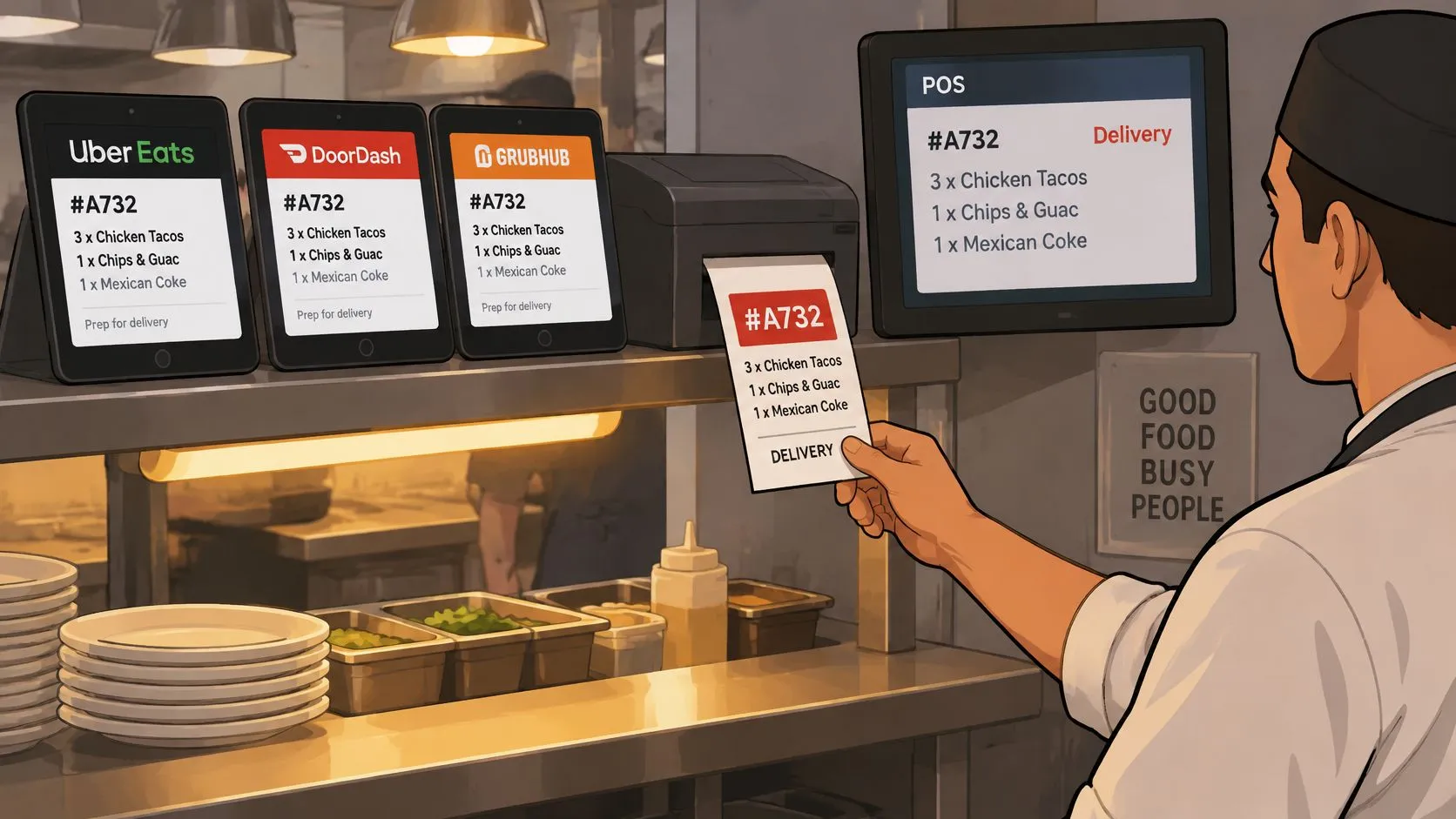
One queue for every delivery app works like one inbox. A tablet per app is a separate mailbox down the hall, and someone retypes the letter before the kitchen reads it. Many multi-platform restaurants still run it that way, a manager on a tablet or a second printer at the pass.
That retyping hides three jobs the restaurant is already doing, software or not.
Receive. Each marketplace sends its own item names, modifier language, tax treatment and fee structure. Those dialects have to become one ticket the cook can trust. The first miss is usually a bad menu map, not a dropped connection. The wrong POS dish still prints cleanly, and the food leaves wrong.
Route. The order has to hit the right location and the right fulfillment type, pickup or delivery, with the right payment state attached. A marketplace order already paid, then written as unpaid, gets charged again at the counter. A pickup written as delivery calls a courier who was never needed.
Track to close. Status, payment and the report line have to match what the POS recorded. If they don’t, sales and payouts drift apart within a week. The exception is not finished when the ticket fires. A refund, a cancel or a payout that does not match the sale is still the same order.
The volume makes this a daily operating problem, not a side chore. Marketplace delivery accounted for 58.0% of the U.S. online food-delivery market’s value in 2025, according to Credence Research’s U.S. online food delivery market report. App orders are past the point where a clipboard can hold them.
Delivery volume also grew fast enough that menu maintenance, payment reconciliation and kitchen communication duplicated across platforms at once. Online ordering used to be the smaller share of traditional delivery. The habit of treating each app as its own register is older than the tools most kitchens use to close the gap, and younger than the POS terminal on the counter.
A test worth running tonight: count the devices, apps and people one delivery order touches between the guest tapping order and the ticket printing. If the number is higher than one, you don’t have order management. You have a relay race with no baton.
How Delivery POS Integration Maps Menus and Routes Orders
A bad ticket usually starts as a menu match that never held, not as a printer problem. Delivery POS integration is a four-stage pipeline, and the exceptions you will chase later are already sitting in one of those stages.
Each marketplace item is matched to a normalized POS schema. A dish listed one way on Uber Eats and another way on Grubhub has to land as the same item in Clover or Square. That mapping is the dictionary the rest of the pipeline reads. I treat a fuzzy match as an open exception: if two names point at one POS item, or one name points at the wrong item, every order after that inherits the error.
Modifiers are where accuracy is won or lost. An unmatched modifier does not fail loudly. It prints a ticket with the wrong sauce and no note for the cook. Cleaning the menu and modifier catalog before launch is the cheapest accuracy work available to you, and the menu sync process behind clean delivery orders covers what has to line up.
Location and fulfillment type then decide the destination queue: the right kitchen, the right pickup or delivery path, the right tax treatment. A pickup routed as a delivery order is a courier request that never needed to exist. When the marketplace has already taken payment, the ticket goes to the kitchen and the order is written into the POS as paid, so nobody rebuilds it at the counter. The handoff is not finished at the printer. A paid ticket can still carry the wrong modifier, and the cook has nothing on the chit that says the map was the source.
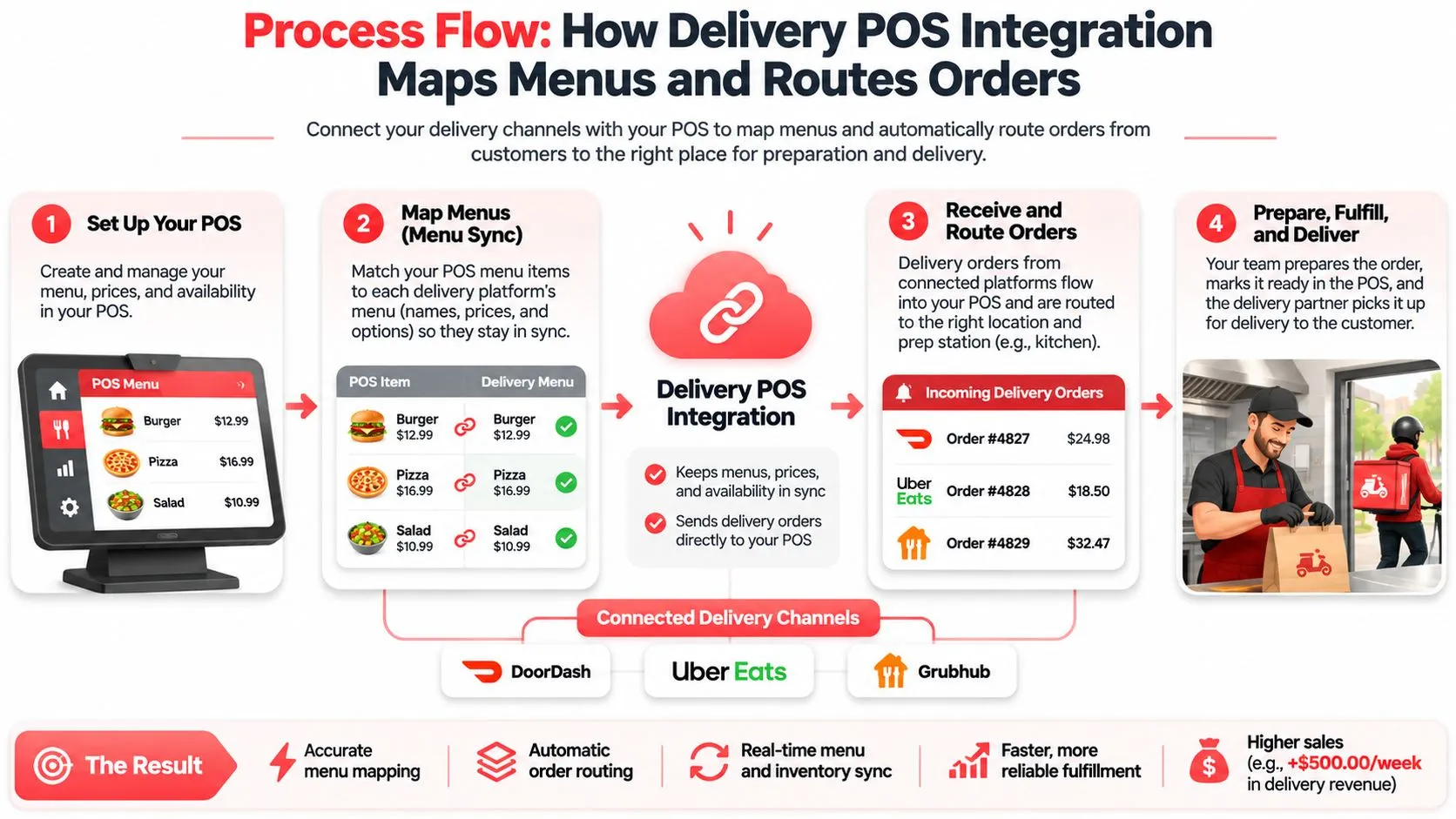
Clover’s developer documentation describes that last write. An authorized app creates an order programmatically in a merchant’s Clover account, and once an external system has already collected payment, the app adds a payment record to that order through a dedicated endpoint (Clover Orders API documentation). Staff never rebuild the order by hand because the paid record is written, not typed.
The same normalized mapping runs on Square. A Grubhub to Clover integration shows how narrow the setup work is: map the menu once, set the fulfillment rules, and the channel feeds the same queue as everything else. Connections age, though, because marketplaces revise their APIs and break assumptions on their own schedule. With OrderOut’s Integration API you integrate once, and OrderOut maintains the connection to each marketplace, updating it when a marketplace changes its API.
To see the mapping step on your own menu rather than a demo menu, connect your Clover or Square account to OrderOut and review the menu items it matches.
The Six Stages Every Marketplace Order Passes Through
Every marketplace order walks the same six steps from the app’s send button to the moment the books balance. This is the table I’d keep taped inside the office door, because it names the failure before it costs you a remade dish.
| Stage | What Happens | Typical Failure |
|---|---|---|
| Receive | Marketplace sends the order to the integration | Order never arrives, or arrives twice |
| Map | Items and modifiers match the POS menu | Unmapped item or wrong modifier |
| Route | Order lands in the right POS queue with the right fulfillment type | Pickup sent as delivery, or wrong location |
| Fire | Ticket prints at the kitchen | Ticket delayed or missing |
| Track | Status updates reach the marketplace | Order accepted but status stale |
| Reconcile | Payment, tax, discounts and refunds match the POS | Refund or cancellation not reflected |
Receive is the stage everyone assumes is solved, and it’s the one where a repeated webhook creates two tickets for one guest. Map is the stage that decides your remake rate, because a modifier that never matched will pass through every later stage looking perfectly valid. Route and fire are where the kitchen feels the problem: a pickup pushed onto the delivery path shows up as a courier waiting at the counter for food that’s already bagged.
Track is the quietest stage and the most public. A stale status means the guest’s app says “preparing” while the bag sits on the shelf, and the complaint arrives before the order closes. Reconcile is where finance lives: if a refund never reaches the POS, your sales report and your payout report disagree and somebody spends Friday afternoon hunting the difference.
The sequence matters more than any single row. A mapping error doesn’t announce itself at the map stage; it surfaces two stages later as a wrong ticket, or a day later as a refund with no explanation attached.
Each platform you add is another full pass through all six stages for every single order, which is why multi-platform operators feel the failure rate climb faster than the order count.
That’s also the argument for consolidation rather than more tablets. OrderOut routes orders from Uber Eats, DoorDash, Grubhub, ChowNow and Wix into Clover and Square, so each of those channels runs the same six-step path into one queue instead of its own private workflow. When a stage stalls, how order status updates flow back to the marketplace is usually where the fix begins, because tracking failures hide in plain sight far longer than ticket failures do.
Fix the earliest broken stage first. A perfect kitchen cannot rescue a bad mapping, but a clean mapping makes everything downstream boring.
Order Exception Controls for Accuracy and Reconciliation
A green checkmark in an integration dashboard means a payload was accepted. It tells you nothing about whether the cook got the right ticket.
That gap is measurable. A 2026 restaurant technology benchmark found third-party ordering had the highest reported system instability among major digital channels, affecting 35% of brands, while 62% of brands named improving order flow across all channels as their top technology priority (2026 restaurant technology benchmark from Qu). The same benchmark points at the missing layer: without idempotent retries, acknowledgments, and exception queues, a transient API failure produces a double ticket, a missing modifier, or an order that looks accepted to the marketplace but never reaches the POS.
| Exception | Likely Cause | Control to Put in Place |
|---|---|---|
| Item unavailable on the marketplace | Menu out of sync with the POS | Push availability changes from the POS to each marketplace |
| Modifier mismatch | Menu version drift between POS and marketplace | Reject or quarantine unmapped modifiers before the ticket fires |
| Duplicate order | Repeated webhook or retried request | Idempotent retries that check the order ID before creating an order |
| Order accepted but missing from POS | Failed write to the POS | Acknowledgment check and an exception queue for review |
| Cancel or refund after acceptance | Customer or marketplace action | Reconcile the accepted order, payment and status in the POS |
Validate before the ticket fires
Check the incoming order against the POS menu and modifier catalog before anything prints. If an item or modifier does not exist, quarantine it and flag it. Do not guess a substitution.
A held order costs a phone call. A guessed order costs a remake, a refund, and a review. Most of those misses start in menu mapping, then show up again after the ticket has already fired.
Retry without creating duplicates
Retries are necessary, and they are also how one order becomes two. Every retry should carry the marketplace order ID and check for that ID before creating anything in the POS. Otherwise a network hiccup becomes two tickets and two payouts.
Acknowledgment matters just as much. If the POS write fails, the order belongs in an exception queue a human can see, not in a log file nobody opens. Acceptance on the marketplace is not proof the kitchen has the order.
Segment accuracy instead of averaging it
The 2026 ACSI Food Delivery Study scored order accuracy at 87 out of 100 (ACSI Food Delivery Study). One store-wide score still hides which channel, which fulfillment mode, and which stage is failing.
Five counts are worth watching weekly: how many orders ingest successfully, how many duplicates appear, how long a webhook takes to reach the POS, how often menu sync fails, and how many orders need manual intervention. The data reconciliation tools that close the loop matter here, because reconciliation is where an accuracy problem becomes a money problem.
OrderOut’s Clover delivery integration is the setup these controls sit on top of. Accepted marketplace orders are routed into Clover, so the restaurant has one order record to reconcile against instead of a marketplace statement to reverse engineer.
Channel Economics for Marketplace Order Routing
Order count is the wrong scoreboard. A restaurant can double marketplace volume and lose money on every additional order, and the commission structure explains how.
| Plan | Delivery Commission | Pickup Commission |
|---|---|---|
| Basic | 15% | 6% |
| Plus | 25% | 6% |
| Premier | 30% | 6% |
Those are the published DoorDash restaurant tiers: 15%, 25% and 30% on delivery, with 6% on pickup across all three plans (DoorDash’s restaurant pricing guide). Read the table as a routing decision rather than a complaint. Pickup carries a lower commission than delivery on every plan, so fulfillment type and plan tier both move the margin before a single dish is cooked.
Then look at how operators respond to fees. In 2025, 83% of limited-service and 66% of full-service operators reported charging higher menu prices for third-party orders, and fees paid to delivery providers plus complaint-related charges ranked among their leading concerns (NCRLA 2025 off-premises report). The same report found 58% of customers preferred ordering directly through a restaurant app or website, while marketplaces kept earning their place as a discovery engine.
That combination argues for a hybrid, not a migration. Keep the marketplaces where they bring you new guests, and give your regulars a direct path where you own the customer relationship and order history. A commission-free online ordering page does that job without renting your repeat customers back from an app.
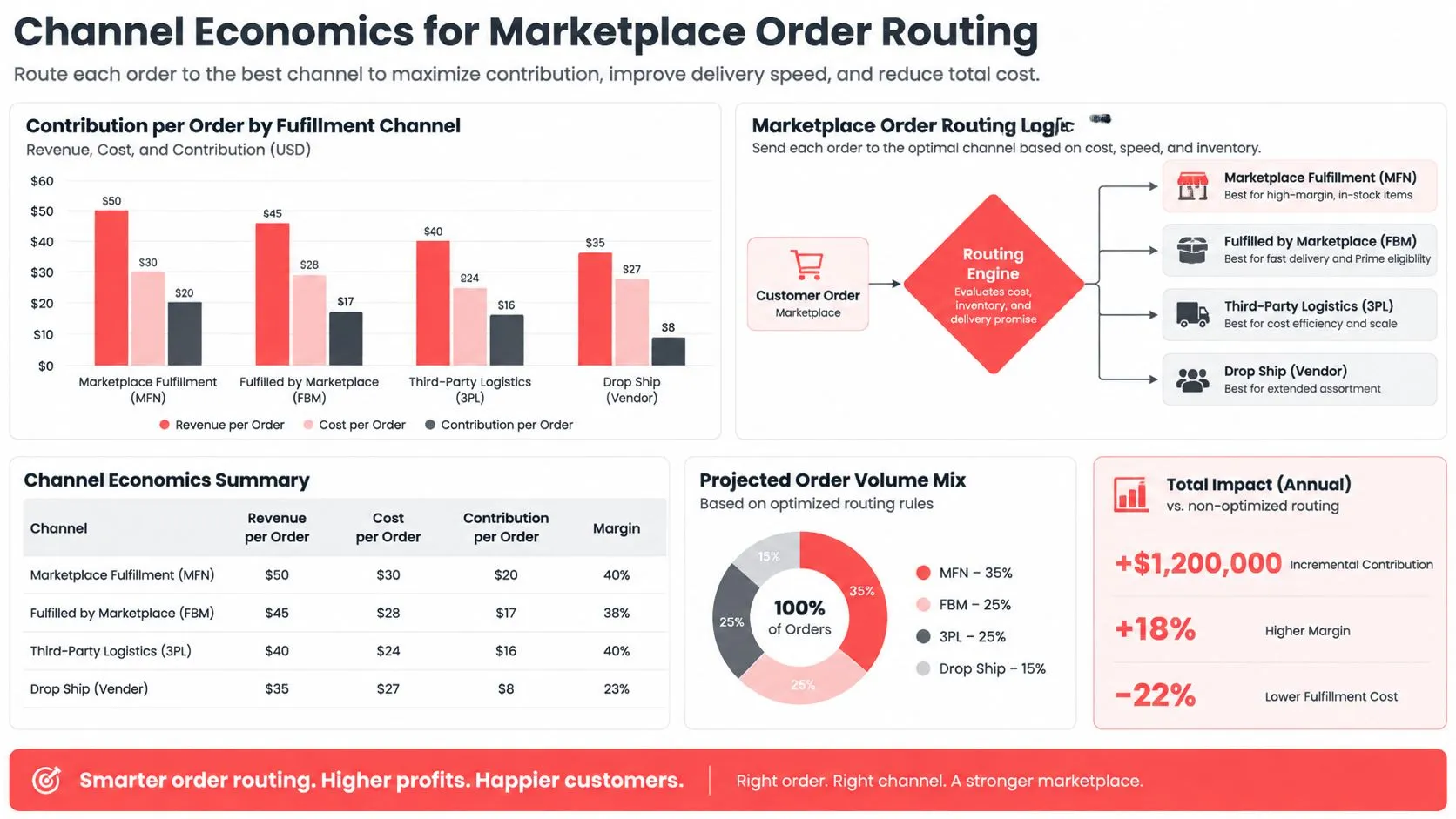
Measure contribution, not revenue: after commissions, discounts, refunds, labor, packaging and the cost of errors. That last one is the figure most owners never calculate, and it’s the one that decides whether a marketplace order is worth taking at 8pm on a Friday. Our breakdown of delivery app fees is a reasonable place to build the model.
One habit makes the whole analysis possible: preserve marketplace source, fulfillment type and the applicable fee on every order you write into the POS. Without those three fields, channel-level profit reporting never reconciles, and you end up arguing about margin from memory.
Connect Your Clover or Square POS to Every Marketplace
Your Clover or Square POS has to be the single queue for every delivery order before the first marketplace goes live. Build the connection in that order. Adding channels as they show up is how a ticket lands twice, or lands with the wrong modifiers.
- Create the account. Start at your OrderOut dashboard to set up the connection your staff will use. The account begins at dashboard.orderout.co/start.
- Connect the POS. Authorize Clover or Square so marketplace tickets write into the system the kitchen already works from.
- Connect the marketplaces. Turn on one or more of Uber Eats, DoorDash, Grubhub, ChowNow and Wix. Let each channel finish its own review before you staff around it.
Marketplace channels activate on their own review timeline. One app can be live while another is still pending. A pending channel is not a live channel. Connect them a week before a menu launch or a holiday rush, not the morning of.
Practical rule: judge the setup by whether each order appears once, with the right modifiers, in the right queue, and with a payment record you can reconcile.
Menu mapping is where exceptions start, and they do not stop when the ticket hits the POS. Before the next rush, take one real marketplace order and walk it through all six stages: receive, map, route, fire, track and reconcile. Check the item mapping and the modifier mapping as you go, and write down the stage where anything stalled. That single order shows the handoff that will break under volume, and the guide to connecting multiple delivery apps to one POS covers the decisions that come up while you do it.
One queue removes the extra tablets and the re-keying. Every order stays inside the POS, so the ticket, the payment and the report share one record, and staff have one place to look when a modifier does not match. Review OrderOut’s 3rd-party order engine before you sign up, so you know what the setup will write into your POS and what it will not.
Frequently Asked Questions
Does OrderOut work with Clover and Square?
Yes. OrderOut routes orders from Uber Eats, DoorDash, Grubhub, ChowNow and Wix into Clover and Square, so those tickets land in the POS queue staff already work from.
The route is only as good as the menu map in front of it. If a marketplace item or modifier does not match the POS item, the ticket can still arrive and still be wrong. Check that match before you treat the injection as finished.
Do I still need a tablet for each delivery app?
A tablet can stay on the pass as a second view of the marketplace. It should not stay the place where the order is accepted, paid, or reported. Once the order is in the POS, that ticket, its payment, and the report are what you close against. Staff then have one screen to open when a modifier looks off, instead of hunting across app tablets for which one fired the wrong item.
What happens when a marketplace order doesn’t match my menu?
Hold the unmatched item or modifier. Do not send it to the kitchen. Fix the mismatch once in the menu map, so the next order carrying that modifier does not repeat the same error on every ticket. A manager should see the hold before the guest does. Catching a bad modifier at the pass costs less than a remake after the driver has already left.
Is OrderOut free to install?
Pricing is separate from setup. You start by creating a dashboard account, connecting your POS, and then connecting one or more marketplaces. Read more answers on OrderOut’s FAQ page before you connect the first marketplace.
OrderOut sends Uber Eats, DoorDash and Grubhub orders into Clover and Square after each marketplace item is mapped to the POS item it should fire. If a modifier fails that match, fix the map before you chase the ticket. Create the account at the OrderOut dashboard, connect the POS, then the marketplaces. The product overview is at OrderOut.