
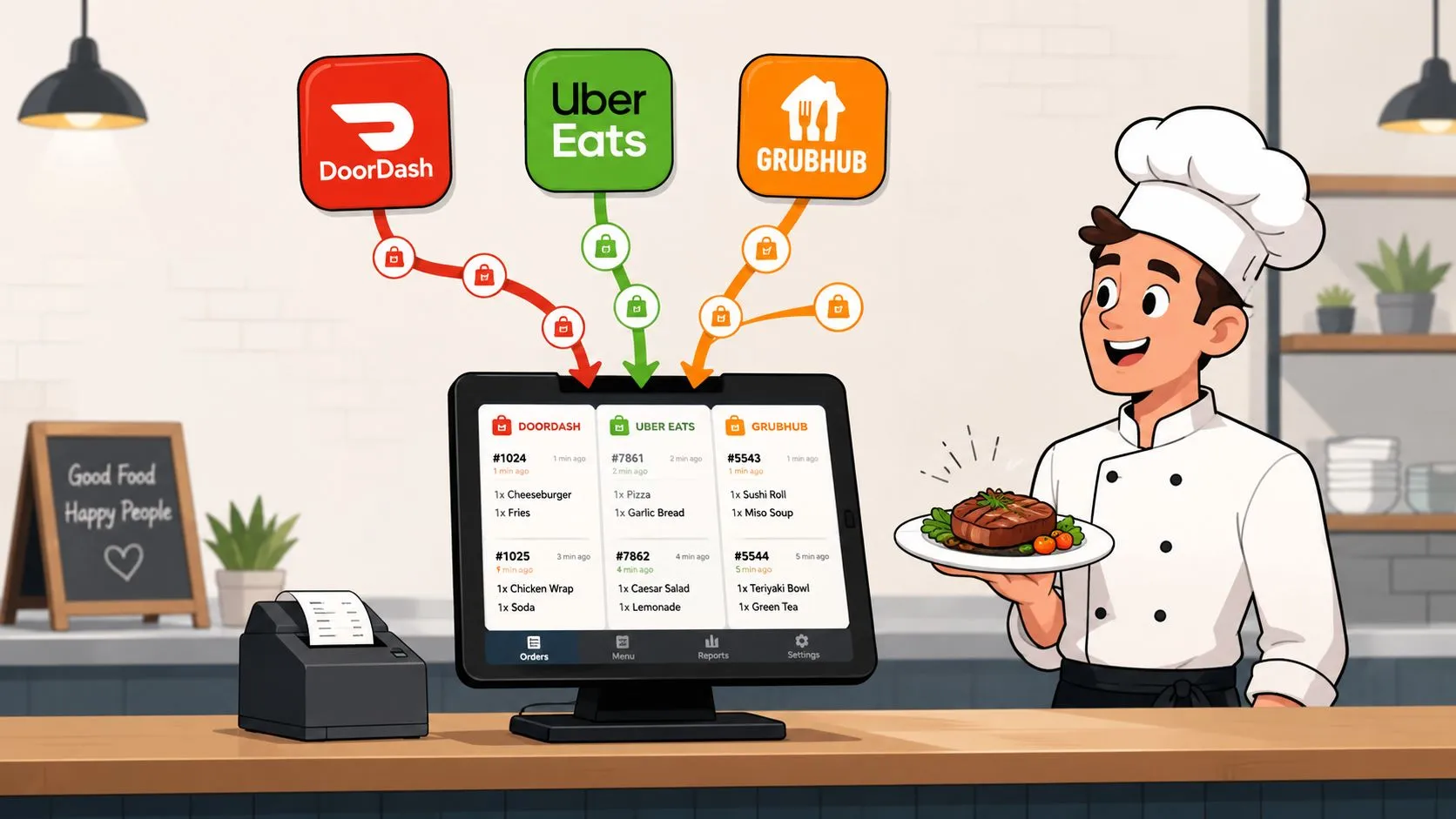
On a Friday night, delivery order management means getting Uber Eats, DoorDash, and Grubhub orders into your Clover or Square POS without extra tablets or manual re-keying. That keeps the kitchen working from one operational source of truth instead of asking a host to watch three screens while service is already under pressure.
The market is far beyond a side channel. One estimate places worldwide online food delivery revenue at US$1,195.4 billion in 2024, with a projection of US$1,854.5 billion by 2029, while another view puts the market above US$1 trillion in 2023. Statista’s online food delivery market data also records global revenue rising from US$90 billion in 2018 to US$294 billion in 2021. Delivery is now a core restaurant workflow, and fragmented operations create costs long after the customer taps checkout.
What Delivery Order Management Actually Means for Restaurants
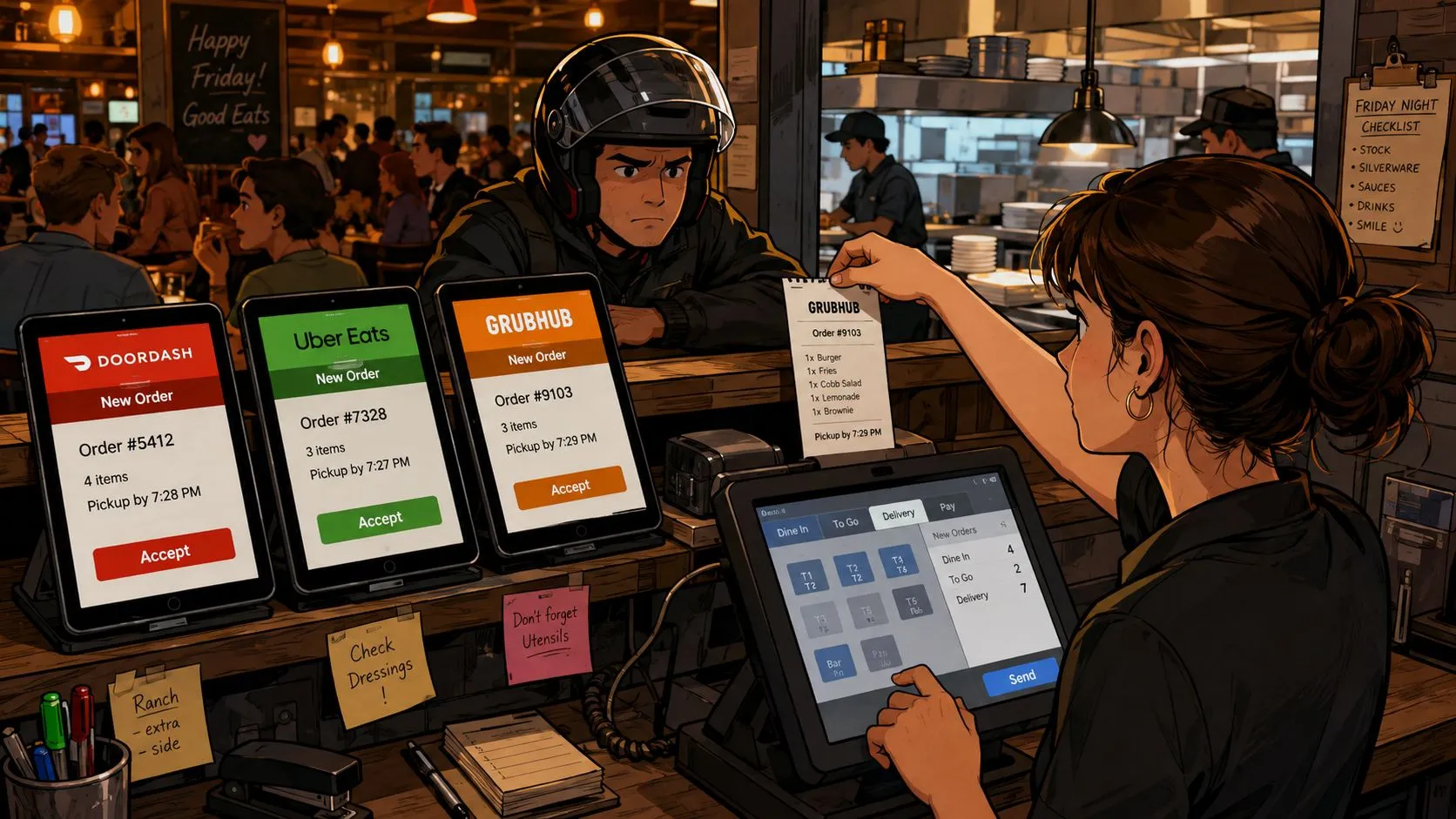
At 7 p.m., the DoorDash tablet buzzes. Before anyone accepts it, Uber Eats rings on another device. A Grubhub ticket prints with a missing modifier, a driver is waiting at the counter, and the host is typing a marketplace order into the POS while answering a dine-in question. Nobody is idle, yet the restaurant is losing time to coordination rather than cooking or serving.
That situation explains delivery order management better than a glossary definition. It’s the combination of systems, routing rules, menu controls, kitchen workflows, fulfillment visibility, and reconciliation processes that move an order from digital checkout to handoff. Receiving an order is only the first step. The restaurant also has to send the right items and modifiers to the right kitchen station, keep availability aligned across channels, track fulfillment, and make the resulting sales visible in the POS.
Practical rule: If staff must copy information from one screen to another, the process still has a manual handoff.
A POS-native integration changes that handoff. OrderOut is designed to ingest third-party orders from Uber Eats, DoorDash, and Grubhub, normalize each marketplace menu to the POS schema, and inject the order into Clover or Square as a standard POS ticket. The kitchen can then work from familiar ticket routing instead of a separate tablet queue.
That distinction matters during a rush. A delivery order should enter the same operating rhythm as an in-house order, with modifiers, item details, and sales attribution preserved where the integration supports them. Operators looking for the broader workflow can also review what delivery management covers in a restaurant operation.
The operational backbone is simple to describe: one menu source, one order path, one kitchen workflow. It doesn’t eliminate every marketplace issue, but it removes the unnecessary work between the marketplace and the POS.
The Hidden Costs of Managing Delivery Orders Without Integration
Fragmented delivery management creates more than order-entry frustration. It consumes attention, duplicates menu maintenance, and makes end-of-shift reconciliation harder to trust.
Published restaurant-industry benchmarks place average order accuracy around 85% to 90%, meaning roughly one in seven to one in ten orders contains an error, according to Kwick2Go’s restaurant order accuracy coverage. The same source cites a 2025 major-chain drive-thru accuracy result of 87%, compared with 89% in 2024, and reports that manual re-entry and tablet mistakes are among the causes of delivery errors. Delivery-specific reporting cited there places errors or disputes at 3.5% of delivery orders in 2026, while another operational estimate attributes approximately 4% of total restaurant sales losses to incorrect order entry.
The exact loss varies by menu, refund policy, and labor model. The mechanism is consistent: a staff member re-keys an order, misses a modifier, the kitchen makes the wrong item, and the restaurant pays in remake labor, wasted product, refunds, or a dissatisfied customer.
Where the labor disappears
The labor drain is usually scattered across small actions:
- Watching devices: Someone must notice each incoming alert, accept the order, and check whether the ticket reached the kitchen.
- Re-entering orders: A host or cashier types marketplace items, modifiers, names, and special instructions into the POS.
- Updating availability: Staff remove sold-out items separately from each marketplace when menus aren’t synchronized.
- Reconciling sales: Managers compare marketplace dashboards with POS tickets and settlement information after service.
- Fixing exceptions: Voids, refunds, missing modifiers, and failed prints require a second pass when systems disagree.
Those actions may not appear as a separate payroll line, but they take attention away from guests and production. The operational cost of fragmentation is often higher than the visible cost of a tablet subscription because it interrupts several roles at once.
| Cost Category | Monthly Impact | Root Cause |
|---|---|---|
| Order corrections | Variable remake, refund, and comp expense | Manual re-entry and missed modifiers |
| Tablet monitoring | Repeated staff interruptions | Separate alerts and acceptance workflows |
| Menu maintenance | Ongoing administrative work | Duplicate menus across marketplaces |
| Reconciliation | Manager time after service | Sales and order records split across systems |
| Availability errors | Cancellations and customer dissatisfaction | Sold-out items remaining active online |
Restaurants also need to evaluate the technology decision in context. A useful overview of the benefits of custom logistics software can help operators think about workflow design, integration effort, and long-term process control rather than treating software as a simple tablet replacement.
Marketplace commissions add another pressure point, but they aren’t the only one. Restaurant delivery app fees and their operational implications deserve a separate review. The immediate integration question is more practical: how many paid staff actions occur because orders don’t arrive in the POS cleanly?
How POS Delivery Integration Works Under the Hood
A reliable delivery-to-POS connection has three jobs: translate the menu, transport the order, and preserve the kitchen logic. The operator doesn’t need to write the integration, but understanding those jobs makes setup and troubleshooting much easier.
Menu mapping comes first
The POS menu becomes the operational reference point. The integration maps marketplace categories, item names, prices, sizes, and modifiers to the corresponding Clover or Square records. DoorDash’s merchant guidance explains that operators need to check compatibility, link the account, map the menu, configure routing, and keep item names, pricing, modifiers, and store hours aligned between DoorDash and the POS. DoorDash’s POS integration guidance makes the reason clear: mismatched catalog data can create errors before the order ever reaches the kitchen.
OrderOut’s stated mechanic is to normalize each marketplace menu into the POS schema. That means “extra sauce” or a size choice must correspond to a recognized POS option, rather than arriving as an ambiguous note that staff must interpret.
Order injection follows the map
When a customer submits an Uber Eats order, the integration receives the marketplace payload, matches its items and modifiers to the mapped POS records, and sends the result to Clover or Square as a standard ticket. The ticket can then follow the restaurant’s configured printer or kitchen display routing. DoorDash orders landing in Square are described as standard tickets that count toward daily sales, inventory, and reporting in the vendor’s workflow materials. OrderOut’s vendor hub description also describes modifier preservation, kitchen ticket printing, and sales-report attribution for Uber Eats orders entering Clover.
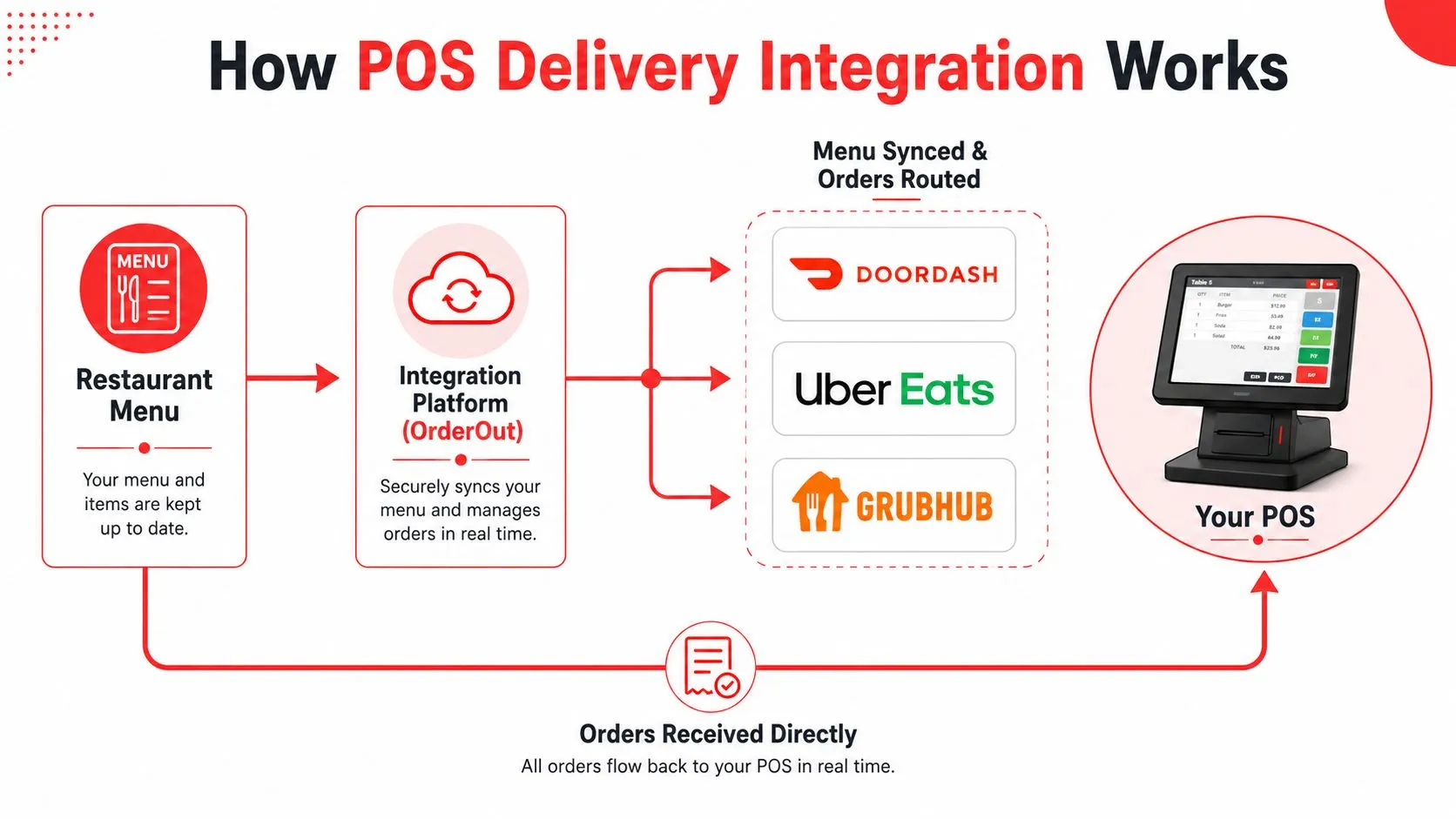
Availability changes are just as important as initial synchronization. When an item is unavailable in the POS, the integration should communicate that state to connected channels according to the supported marketplace workflow. Failed transmissions also need visible error handling and retry behavior, so a temporary connection problem doesn’t result in a missed order.
For a plain-language explanation of systems exchanging updates as events occur, see what real-time integration means for restaurant workflows. The buying decision isn’t about technical vocabulary. It’s about whether the restaurant can trust the path from marketplace checkout to kitchen ticket.
Tablet Workflow vs Integrated POS Workflow
The difference is easiest to see during a busy service. With standalone tablets, a host accepts a DoorDash order, reads it from the screen, enters it into Clover, and checks that the kitchen printer produced the right ticket. With an integrated workflow, the order enters the POS directly, and staff focus on verifying exceptions rather than copying every line.
| Operational Dimension | Tablet-Based Workflow | Integrated POS Workflow |
|---|---|---|
| Order accuracy | Staff read and re-key marketplace details | Orders inject into the POS using mapped items and modifiers |
| Labor allocation | Someone monitors multiple devices | Staff manage exceptions within the existing POS workflow |
| Reporting visibility | Sales information is split across dashboards | POS tickets provide a unified operational record |
| Scalability | Each added channel can add another device or process | Additional supported channels can use the integration layer |
| Customer experience | Status and corrections depend on disconnected steps | A consistent kitchen and fulfillment workflow reduces avoidable delays |
The tablet model can work for a low-volume operation with a small menu and one marketplace. It becomes fragile when channels multiply, modifiers get complicated, or the same employee has to host guests and manage incoming delivery orders.
Accuracy is only one dimension
The cost isn’t limited to incorrect food. A missed order can delay a driver, a missing modifier can trigger a remake, and an item that remains live after selling out can create a cancellation. Managers then spend time tracing which system contains the correct record.
Independent mystery-shopping data from Intouch Insight’s Future of Restaurants study reports 92% mobile order accuracy and notes that mobile ordering can reduce mistakes because customers review and customize orders before submitting them. That finding supports a broader operational principle: every clear review point helps, but the restaurant still needs accurate menu mapping and reliable POS routing after submission.
The strongest workflow is the one that asks staff to verify exceptions, not reproduce information.
For an operator evaluating the tablet burden itself, the operational case against multiple restaurant tablets is a useful companion. Integration doesn’t remove the need for staff judgment. It puts that judgment where it belongs, on unusual orders and real service decisions.
Setting Up Delivery Integration on Clover and Square
A clean setup starts in the POS, not in the delivery apps. Build the authoritative menu in Clover or Square, review item names and modifiers, and identify any size, add-on, substitution, or special-instruction logic that needs deliberate mapping.
Clover’s documentation describes marketplace configuration through the Clover Dashboard and shows that a Clover inventory can serve as the source for a Grubhub marketplace menu. Clover’s delivery setup documentation supports a POS-centered approach, where operators maintain core menu data in one place instead of rebuilding every change separately.
A practical launch sequence
- Verify the connection. Confirm the Clover or Square environment and the selected integration path support the required API connection.
- Clean the POS menu. Remove duplicate items, clarify modifier names, and check prices, tax behavior, store hours, and kitchen routing.
- Create the integration account. Open the integration dashboard and connect the restaurant location.
- Link the marketplaces. Connect Uber Eats, DoorDash, and Grubhub accounts that should send orders to the location.
- Map and review. Match marketplace items to POS records, then inspect sizes, add-ons, substitutions, and special instructions.
- Test before launch. Send a controlled order and verify the POS ticket, kitchen printer or display, receipt details, sales attribution, and refund or void handling.
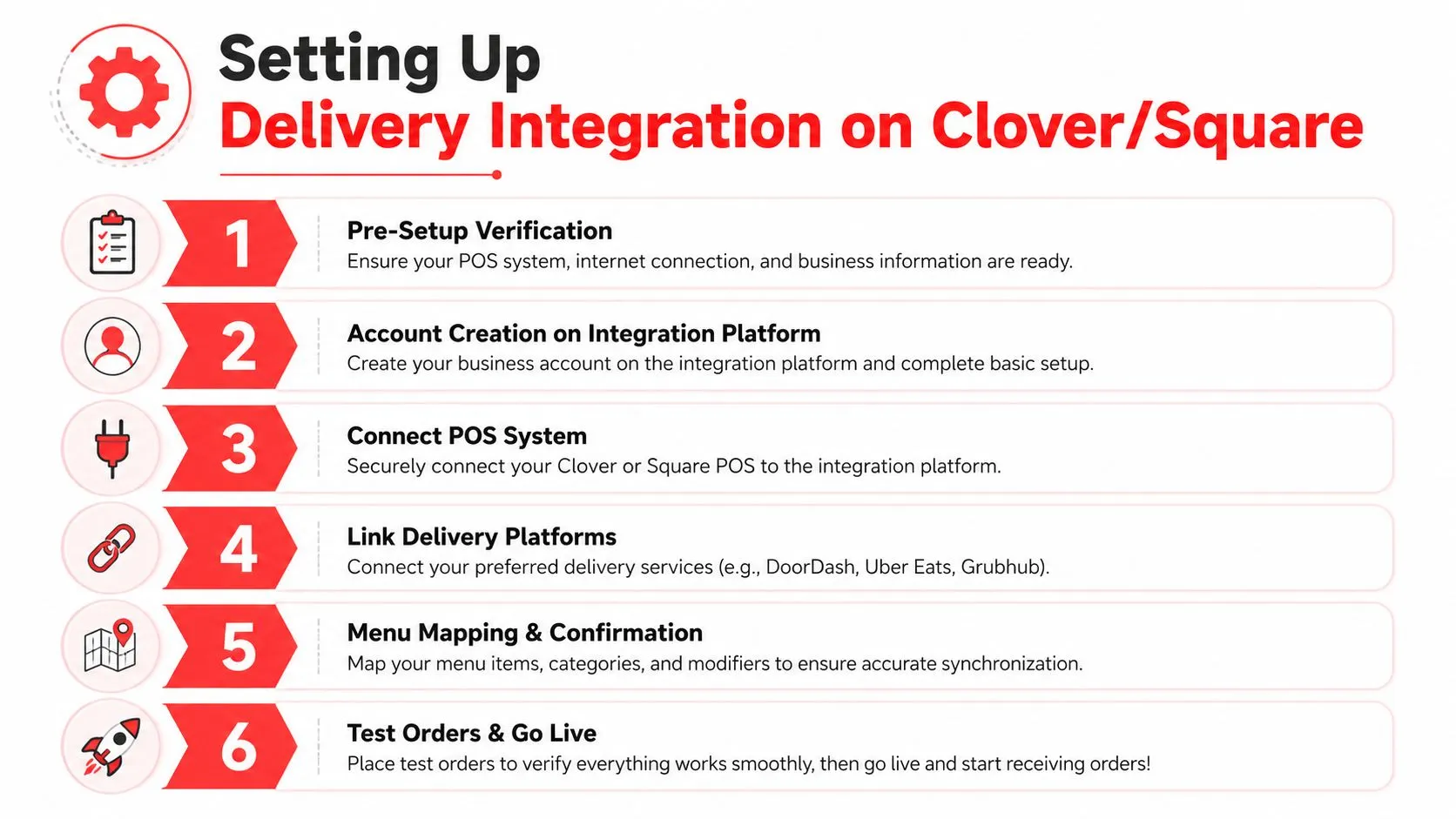
OrderOut is described as free to install on the Clover App Market, and Square operators can access it through the Square App Marketplace. The stated workflow is to install the app, open the integration dashboard, link marketplace accounts, connect the POS, confirm the store location and menu source, and test one order before adding more channels.
Clover operators can install OrderOut from the Clover App Market. Square operators can start with OrderOut in the Square App Marketplace.
Before going live, check three things manually: the ticket reaches the intended station, the kitchen sees every modifier, and staff know where to process a marketplace refund or void. For Clover-specific connection considerations, review Clover POS integration for delivery workflows.
Building a Unified Ordering Strategy Beyond Third-Party Apps
Delivery order management shouldn’t end with removing extra tablets. Once Uber Eats, DoorDash, and Grubhub orders enter the POS, the restaurant has a foundation for bringing other channels into the same operating model.
Third-party marketplaces can help customers discover the restaurant. Direct ordering can give repeat customers a branded path that the restaurant controls. AI phone ordering can capture calls during the rush and send the order into the POS, while in-person orders continue through the same core system. The point isn’t to force every customer into one channel. It’s to give each channel a dependable route into one operational record.
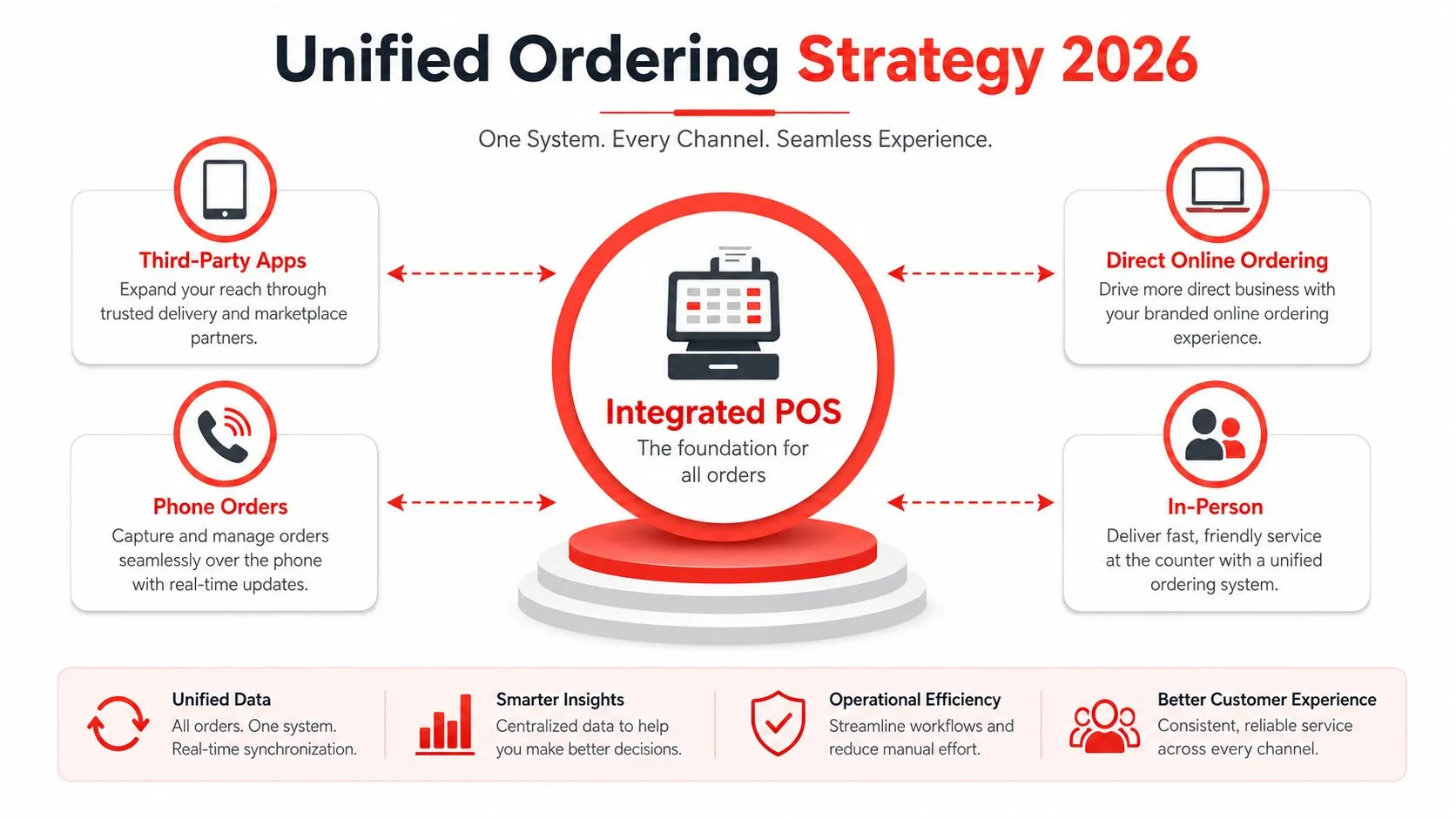
HungerRush’s 2026 restaurant trends coverage says 64% of consumers prefer one app for delivery, pickup, and reservations. The restaurant dining trends report points to a customer expectation that feels familiar operationally: people want a unified experience, while restaurants need a unified workflow behind it.
A practical channel strategy has three parts:
- Use marketplaces for reach. Keep the channels that bring meaningful demand, but don’t let each one dictate a separate back-of-house process.
- Build a direct path. A branded ordering page can support repeat business without making the restaurant dependent on a marketplace interface.
- Add automation selectively. AI phone ordering or capacity-aware routing can help when missed calls, order volume, or service interruptions justify the change.
The right sequence is operational first. Normalize menus, stabilize routing, and make the POS record trustworthy before adding more channels. Then review which customers and orders should move toward direct ordering, phone automation, or other supported workflows.
Frequently Asked Questions
Does OrderOut work with Clover?
OrderOut is described as a Clover integration that brings Uber Eats, DoorDash, and Grubhub orders into Clover as standard POS tickets. It maps marketplace menus to a normalized POS schema and can preserve modifiers and kitchen ticket details according to its vendor materials.
Does OrderOut work with Square?
Square operators can access OrderOut through the Square App Marketplace. The stated workflow connects marketplace accounts to Square so delivery orders arrive as POS tickets rather than requiring manual re-entry.
Do restaurants need to rebuild their menus?
They shouldn’t start by rebuilding menus separately in every marketplace. The practical approach is to make Clover or Square the menu source, then map marketplace items, modifiers, prices, and hours to the corresponding POS records.
How should operators handle refunds and voids?
Confirm the workflow before launch and test it with a controlled order. Marketplace refunds and POS voids can involve different systems, so staff should know which platform owns the customer-facing adjustment and how the POS record is updated.
Can the setup support multiple locations?
A multi-location operator should validate location matching, menu ownership, routing, reporting, and exception handling for each site. Start with one location and one test order, then expand only after the kitchen and manager workflows are reliable.
OrderOut connects Uber Eats, DoorDash, and Grubhub to Clover or Square so your team can manage delivery orders from the POS instead of juggling tablets and re-keying tickets. Visit OrderOut to review the delivery-to-POS workflow, then onboard free through the dashboard in a few clicks.