
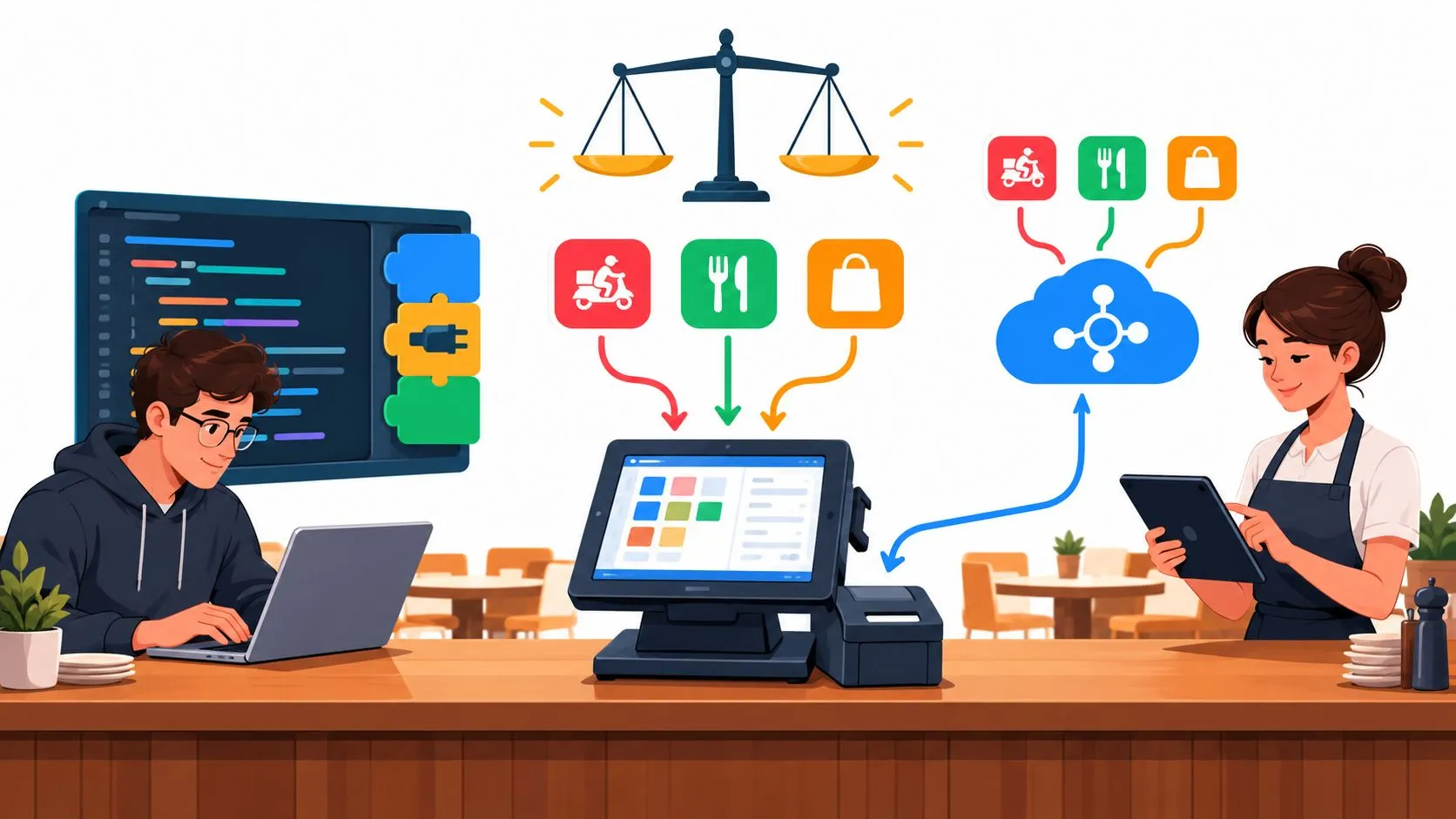
For restaurants, the build-versus-buy software decision usually comes down to whether a capability is commodity infrastructure or a differentiated workflow. If you’re weighing delivery orders flowing into Clover or Square, buying a maintained integration is usually the practical choice unless owning the connector itself gives your business a clear advantage.
A multi-location operator can easily end up comparing an in-house project with a vendor platform while trying to keep Uber Eats, DoorDash, and Grubhub orders moving during service. The useful question isn’t whether building is more ambitious or buying is less risky. It’s who should own each part of the system, and whether your team can reliably maintain it.
The Build vs Buy Decision for Restaurant Operators
Building means your team develops and operates the software. Buying means you pay for an existing product and rely on its provider to maintain the product and the capabilities it includes. For restaurant operators, build versus buy software isn’t a philosophy test. It’s a decision about who owns each layer of the technology stack.
Delivery-to-POS integration belongs in that decision because a working connection has to do more than pass order details along. It must account for marketplace events, menu and modifier information, destination POS requirements, and the operational work of keeping a connection usable as systems change. A restaurant can build that layer, purchase it, or use a hybrid approach that buys the connection and builds only the specific workflows that matter to the business.
| Approach | What the restaurant owns | Where it tends to fit |
|---|---|---|
| Build in-house | Development, marketplace and POS connections, monitoring, updates, support | A differentiated workflow that the team can maintain |
| Buy a platform | The vendor relationship and setup, while the provider maintains its product | A standard operational need where reliable deployment matters |
| Buy and extend | A vendor-managed foundation plus selected in-house workflows | A restaurant that needs a dependable connection and specific custom capabilities |
For example, a restaurant using Clover might have Uber Eats, DoorDash, and Grubhub orders injected into the POS without extra delivery tablets or manual re-keying. OrderOut connects those marketplaces to Clover or Square, mapping marketplace menus to a normalized POS schema so incoming orders can be handled in the POS. Its solution is third-party delivery-to-POS integration, not a custom software development service.
A practical decision weighs total cost of ownership, time to market, maintenance, and operational risk. It also asks whether the integration itself differentiates the restaurant, or whether differentiation comes from the workflows built around it. For background on restaurant software as a buying category, see this guide to SaaS for restaurants.
Total Cost of Ownership Over Five Years
The first invoice rarely tells you what a software decision will cost to own. A useful total cost of ownership, or TCO, view separates initial delivery, ongoing operation, and the value of the engineering time assigned to the system.
Initial build cost can include discovery, development, design, testing, deployment, and training. For a delivery integration, a working first release is only part of the job: the system also needs to handle the marketplace and POS requirements it depends on. Buying may reduce the amount of work required before deployment, but setup, customization, integrations, and training still belong in the comparison.
Ongoing cost includes hosting, security review, monitoring, support, and changes when connected systems evolve. For custom software, annual maintenance is commonly estimated at 15%–25% of the original development cost, in addition to infrastructure and other ownership work, according to Neontri’s enterprise software development analysis. For purchased software, subscriptions, per-user charges, integration middleware, and workarounds can add to the cost over time.
Opportunity cost is the work your engineers can’t do while they maintain the connector. A team that owns the integration also needs to make time for investigating failures and keeping its knowledge of marketplace and POS behavior current. For restaurants without spare engineering capacity, that responsibility can be more important than the original build estimate.
One illustrative five-year model compared packaged software at about $70,000 in year one, rising to $102,000 in year five and $433,000 cumulatively, with a custom system costing about $150,000 initially and $260,000 over five years. In that example, buying cost less during the first two years, while the cumulative costs crossed around year three. These are scenario figures, not universal benchmarks; see the custom versus packaged software comparison for the model and its assumptions.
Practical rule: Compare the cost of keeping the connection dependable, not just the cost of getting its first version live.
For a restaurant-specific estimate, list the channels, POS systems, locations, expected changes, testing, support, and staff time that each option requires. This restaurant software cost guide can help frame the wider technology budget, but your own assumptions should drive the decision.
Speed, Control, Maintenance, and Risk Compared
Speed and control pull in different directions. Buying a maintained platform can give a restaurant a faster route to a working connection. Building provides more control over the design, but it also makes the restaurant responsible for what happens after launch.
| Criterion | Build In-House | Buy a Platform |
|---|---|---|
| Time to first order | The team must build and validate the connection before relying on it | An existing product can provide a faster starting point |
| Control | The restaurant controls the code, workflow, and product direction | The vendor controls the product roadmap and core implementation |
| Maintenance | The restaurant owns updates, testing, monitoring, and support | The vendor maintains its product; the restaurant still manages setup and vendor coordination |
| Operational risk | The restaurant must plan how to detect and recover from integration issues | The provider manages its integration product, but the restaurant should confirm support and failure-handling expectations |
| Scalability | The design can match specific needs, but the team must maintain it as requirements grow | A platform may cover multiple channels and POS connections, subject to its actual capabilities |
Build tends to suit restaurants with a distinctive process, capable engineering support, and a long-term reason to own the integration. Buy tends to suit operators who value time to deployment, broad ecosystem coverage, and not assigning internal staff to maintain marketplace connections.
That distinction matters because marketplace APIs require recurring technical work. An integration may need authorization, event handling, retries, state updates, and marketplace validation. New locations can also introduce menu and configuration differences that complicate a connector the restaurant once considered finished.
A restaurant shouldn’t assume that a vendor automatically removes every operational risk. Before buying, ask how the provider handles failures, support escalation, menu changes, and connection compatibility. Before building, name the people who will own monitoring and recovery when something breaks during service.
For an operator using Clover, the practical test is whether a custom connection offers a meaningful operational advantage over a maintained solution. The OrderOut Clover delivery integration is one purchase option to evaluate against the restaurant’s actual channels, workflow, and support needs.
What an In-House Build Actually Requires
A delivery-to-POS build is a collection of connected workflows, not a one-time order import. Uber Eats’ documented process includes receiving an order notification, extracting the order ID, retrieving the full order, processing it for fulfillment, and acknowledging receipt with an HTTP 200 response. The integration also needs flows for accepting or denying orders, cancellation, cart updates, and restaurant-delivery status, as described in Uber Eats’ order integration guide.
Authorization is part of the work, too. Uber’s POS provisioning flow uses OAuth 2.0 and requires a merchant to grant the eats.pos_provisioning scope. It also involves store and order endpoints, test-store provisioning, and production validation, according to Uber Eats’ POS provisioning documentation.
Then the integration must translate marketplace data into the destination POS’s structure. That means mapping item identities, modifier IDs and quantities, required and optional choices, parent-child modifier relationships, taxes, and order totals. A direct delivery-to-POS integration has to handle those details consistently enough to create usable tickets, rather than forwarding marketplace text.
The continuing work behind the connection
After launch, the build still needs monitoring, alerting, testing, and someone responsible for failures and updates. Restaurants should also account for menu synchronization, store-level configuration, API changes, and the process for validating changes before they affect live orders.
Hiring developers can fill a skills gap, but it doesn’t transfer ownership of the finished system. Teams evaluating that route can explore hiring developers from Latin America as one staffing option, while separately planning who will maintain and support the integration after delivery.
The broader food delivery application development guide provides additional context on the work behind delivery software. For a restaurant, the key is to estimate the entire operating responsibility, not just the initial coding effort.
The Hybrid Path Most Comparisons Miss
Most restaurants don’t need to choose between owning every line of integration code and accepting a vendor’s product without any customization. The more useful approach is to buy the commodity layer and build the exception layer.
A restaurant can purchase the common connectivity and authentication work, then reserve internal effort for reporting, automation, or exception handling that reflects its distinctive operation. The connector itself may be operationally important without being a source of competitive differentiation. In that case, a maintained platform can be more strategic than an in-house build because ecosystem coverage and recovery processes matter more than owning the code.
Restaurant technology investment intentions support the importance of this layer. Spending intentions for integrations and APIs rose from 14% to 20% year over year, while back-office technology increased from 28% to 33%, according to the Restaurant Business Digital Technology Report. Those figures show growing attention to integration and back-office technology, but they don’t determine whether a particular restaurant should build or buy.
AI-assisted development doesn’t remove the ownership question. It may help with routine implementation work, but production code still needs testing, security review, monitoring, documentation, and maintenance. A quicker first version is useful only if the team can keep that version dependable.
The right question is therefore, “Can we build it?” It’s, “Which part of this system creates an advantage that we need to own?” For a restaurant integration, that answer might be a unique reporting layer or workflow, while marketplace connectivity remains vendor-managed. See this POS integration API guide for more on the technical role of the integration layer.
A Decision Framework Operators Can Actually Use
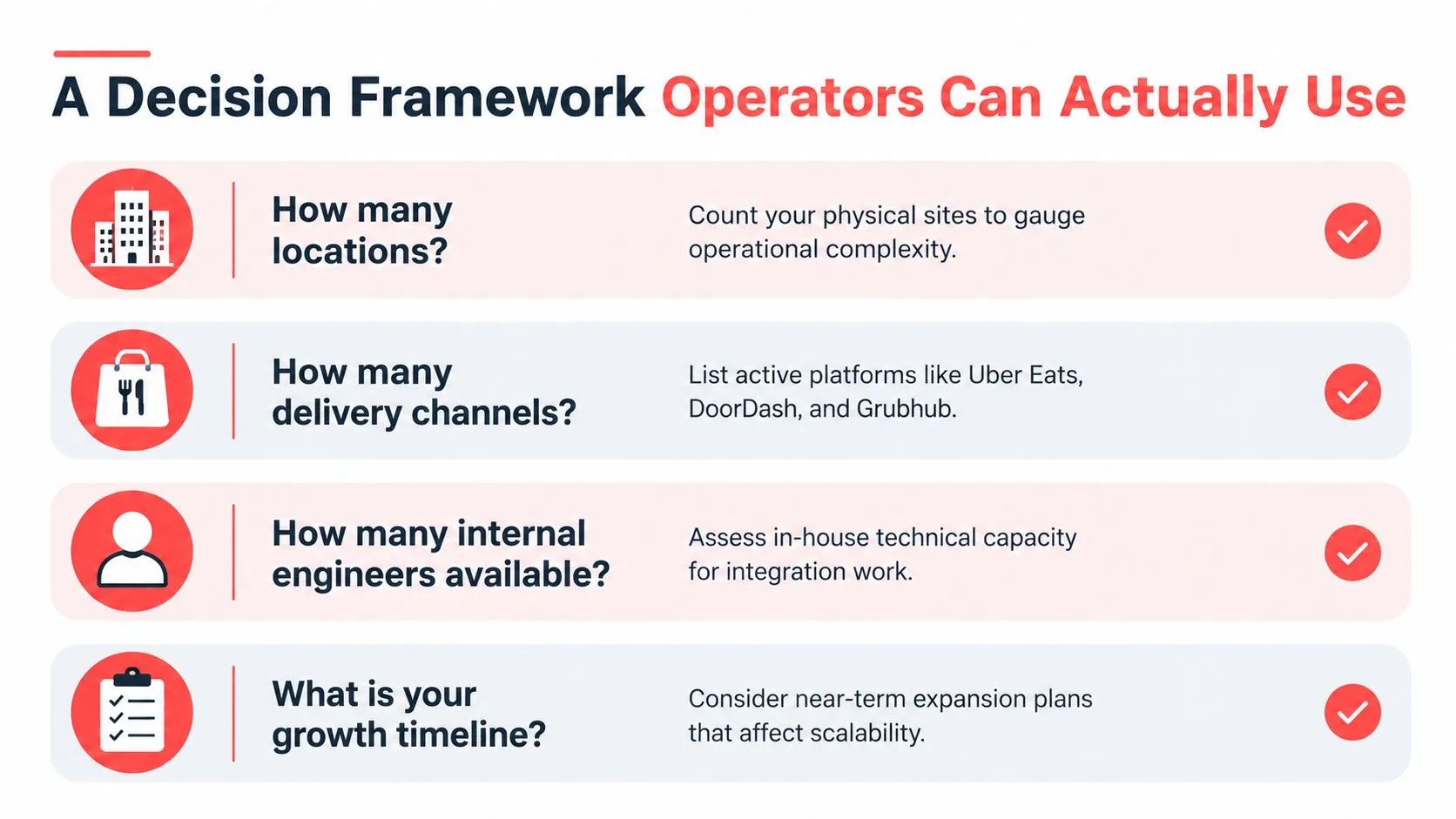
Start with the operation, not the software quote. The number of locations, active delivery channels, available engineering support, and uniqueness of the workflow will quickly narrow the options.
Match the choice to your operating reality
A single-location restaurant with an unusual order workflow and capable engineering support might explore a narrow custom build. A restaurant running several marketplaces across multiple locations, without staff to own software maintenance, should usually buy the integration layer. Many operators will land between those cases: buy the connection, then customize only the internal workflows that create clear value.
Use these questions in a planning meeting:
- How many locations must the system support? More locations mean more configurations and more opportunities for a change at one site to affect the operation.
- How many delivery channels are active? Each channel brings its own requirements for orders, menus, and status updates.
- Who will maintain an in-house build? Count engineers who can support it, not staff who might be available in theory.
- Is the workflow distinctive? If the requirement is common across restaurants, ownership of the software may not be an advantage.
Then test each capability against its change frequency, failure impact, integration complexity, and switching cost. A capability that changes often and affects order fulfillment deserves clear ownership and a credible recovery plan, whether the owner is your team or a provider.
A POS system requirements document guide can help operators describe what a potential integration must do before comparing options. Make requirements specific: which channels and POS are involved, how menu changes are handled, and who responds when an order fails to appear.
Putting the Framework Into Practice
Consider a three-location restaurant using Clover and taking delivery orders through Uber Eats, DoorDash, and Grubhub, with no in-house engineering team. The owner could commission a custom project, but an honest comparison must include both initial development and the continuing work of authorization, marketplace changes, testing, menu mapping, and support. The owner also needs to decide who will investigate a missed or incorrectly mapped order during service.
For that operation, buying the connection is the clearer choice. OrderOut routes third-party delivery orders into Clover and maps marketplace menus to a normalized POS schema. That removes extra delivery tablets and manual re-keying, while Clover remains the operational source of truth for the incoming tickets.
The setup is available through the OrderOut listing in the Clover App Market. Owners can also review OrderOut’s delivery-to-POS integration options and the specific Grubhub-to-Clover integration when comparing fit.
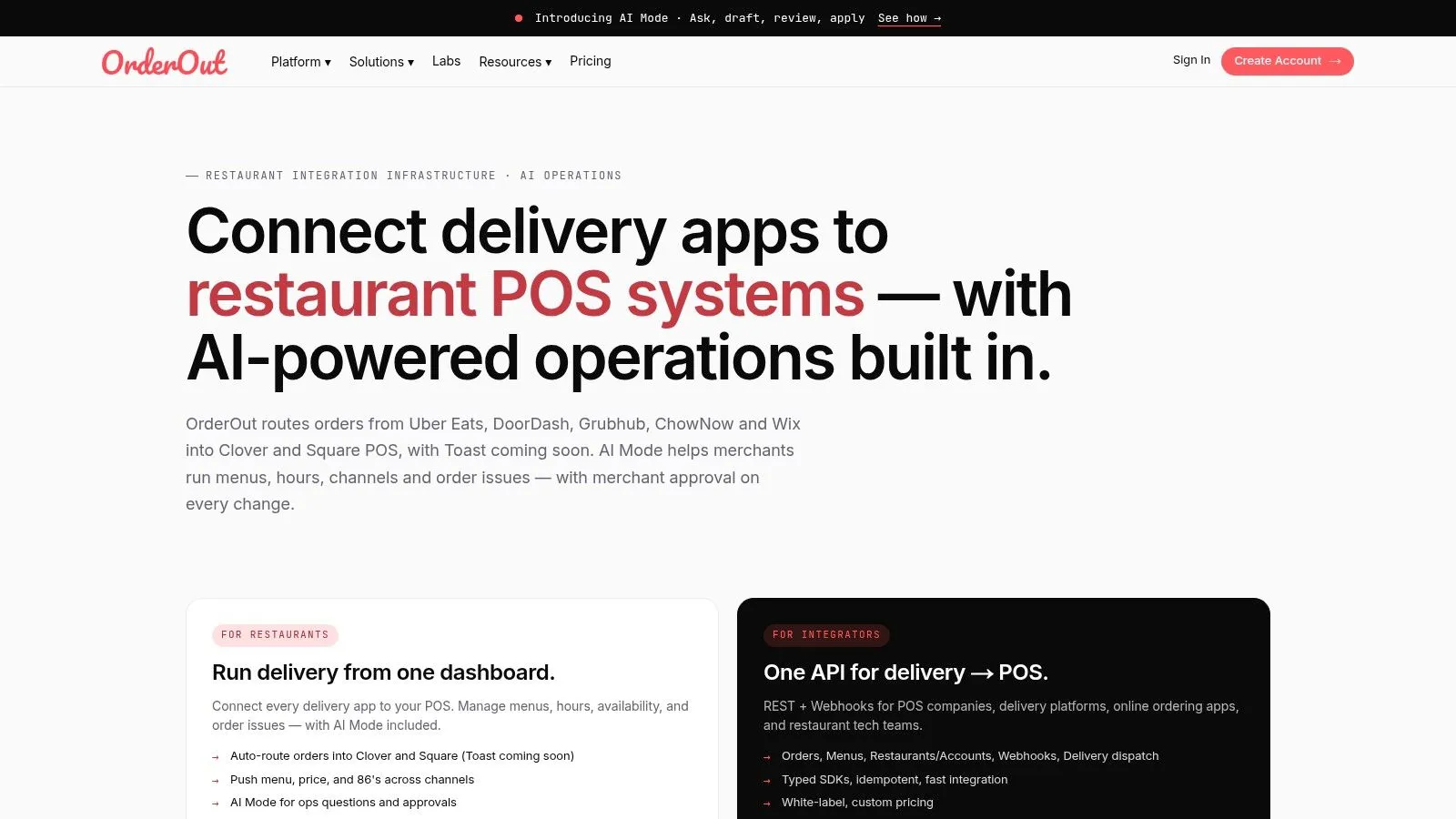
A working integration depends on clean menu and modifier mapping, so the operator should review item setup and test the order flow before relying on it in service. The OrderOut overview video offers another way to see how the platform fits into a restaurant’s ordering setup.
Frequently Asked Questions
Does OrderOut work with Clover?
Yes. OrderOut connects third-party delivery orders with Clover and maps marketplace menu information to a normalized POS schema. Restaurants can review the Clover App Market listing before getting started.
Is delivery-to-POS integration difficult to install?
The work depends on the systems and setup involved. A restaurant owner can start through the product’s available installation flow, then review its menu and order routing as part of setup.
Does OrderOut handle Uber Eats, DoorDash, and Grubhub?
OrderOut connects delivery marketplaces including Uber Eats, DoorDash, and Grubhub with restaurant POS systems such as Clover and Square. Operators should confirm the relevant channel and POS combination for their setup.
What happens when a marketplace changes its API?
Marketplace changes can require integration updates and validation. Ask any provider how it manages compatibility and support, or, if building in-house, assign a clear owner for updates and testing.
OrderOut connects Uber Eats, DoorDash, and Grubhub orders to Clover or Square without extra delivery tablets or manual re-keying. If buying the delivery-to-POS layer fits your operation better than maintaining it in-house, start onboarding through OrderOut and review the setup for your POS.