
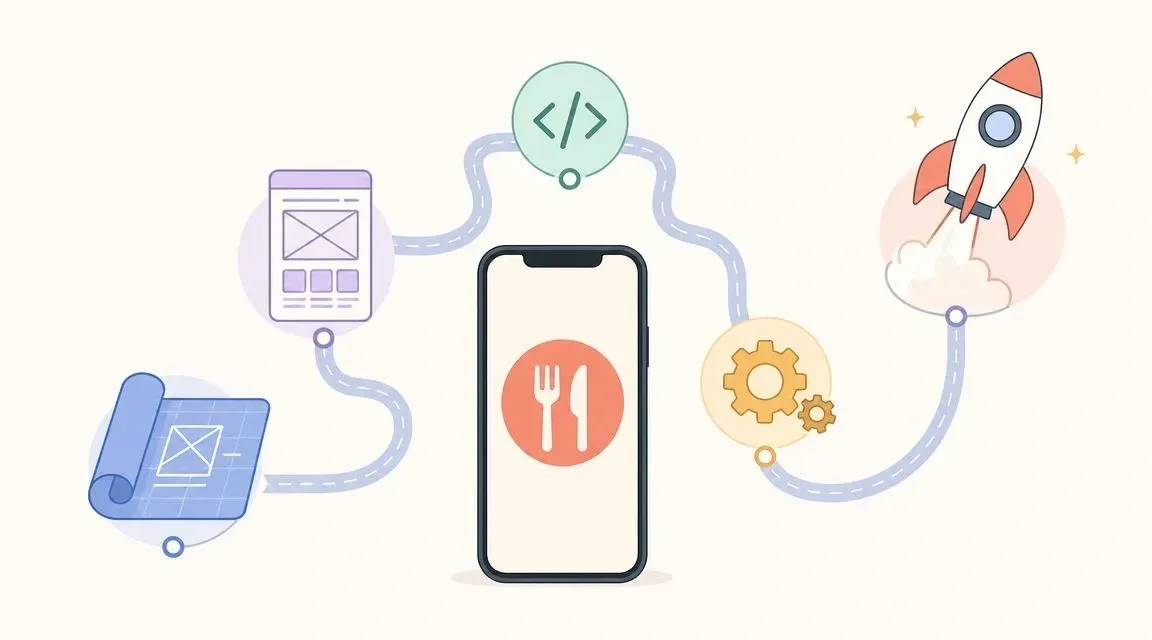
Friday night delivery rush usually looks the same in a lot of restaurants. One tablet pings for Uber Eats. Another lights up for DoorDash. A staff member glances at a custom online ordering screen, then turns back to the POS and starts retyping. The kitchen is already behind. One modifier gets missed. A drink doesn’t make it onto the ticket. A driver shows up before the order is ready, and now the front counter is handling damage control instead of service.
That’s the fundamental problem with food delivery application development. Most owners think about the customer app first. Colors, photos, coupons, tracking. Those matter. But the part that determines whether the app helps or hurts your business is the operational backbone behind it. If orders don’t flow cleanly into the systems your staff already uses, the app becomes one more source of friction.
The restaurants that get this right don’t just add another ordering channel. They reduce re-entry, tighten order accuracy, protect kitchen throughput, and make delivery easier to manage during peak volume.
Why Build a Custom App in a World of Delivery Giants
If you already sell through Uber Eats or DoorDash, the obvious question is why build anything of your own at all.
The short answer is control. A marketplace app gives you reach. Your own app gives you a direct relationship with the customer, a branded ordering experience, and more freedom over how menu items, offers, upsells, pickup windows, and delivery expectations are presented. It also gives your team a chance to simplify how orders enter the store.
That matters because online ordering isn’t fading. Statista-based reporting puts global online food delivery revenue at about US$1.20 trillion in 2024, rising to US$1.40 trillion in 2025, with a projection of US$2.03 trillion by 2030 and 7.79% CAGR for 2025 to 2029.
The real reason owners make this move
Most restaurants don’t start by saying, “We need a custom app.” They start by saying something closer to this:
- Our staff is re-entering too many orders
- We keep managing separate menus in separate places
- Customers know us, but they order through someone else’s app
- We want delivery to feel like part of our restaurant operations, not a side system
A custom app is worth it when it reduces operational drag. If it only adds branding and doesn’t improve order flow, it’s usually not worth the effort.
A branded app without deep integration often creates more work than it removes.
Where marketplaces still fit
This isn’t an either-or decision. For most operators, marketplace apps remain part of the mix because that’s where demand already exists. A custom app works best as your direct channel, while aggregators remain acquisition channels and overflow demand channels.
If you’re weighing that balance, OrderOut’s guide for merchants using Uber-style delivery platforms is a useful reference for thinking through what should stay on marketplaces and what should move into your own ecosystem.
A restaurant that builds its own app for repeat customers, while keeping aggregator exposure for discovery, usually ends up with a healthier operating model than a restaurant that bets on only one side.
Planning Your App Blueprint and Core Features
Before anyone designs screens or writes code, you need a simple rule. Build for workflows, not wish lists.
Restaurant owners often get sold a long feature list. Loyalty. AI recommendations. Group ordering. Driver chat. Heat maps. Referral programs. Most of those can wait. Your first blueprint should answer one practical question: what must happen for an order to move from customer tap to kitchen execution without creating extra labor?
The four panels that matter
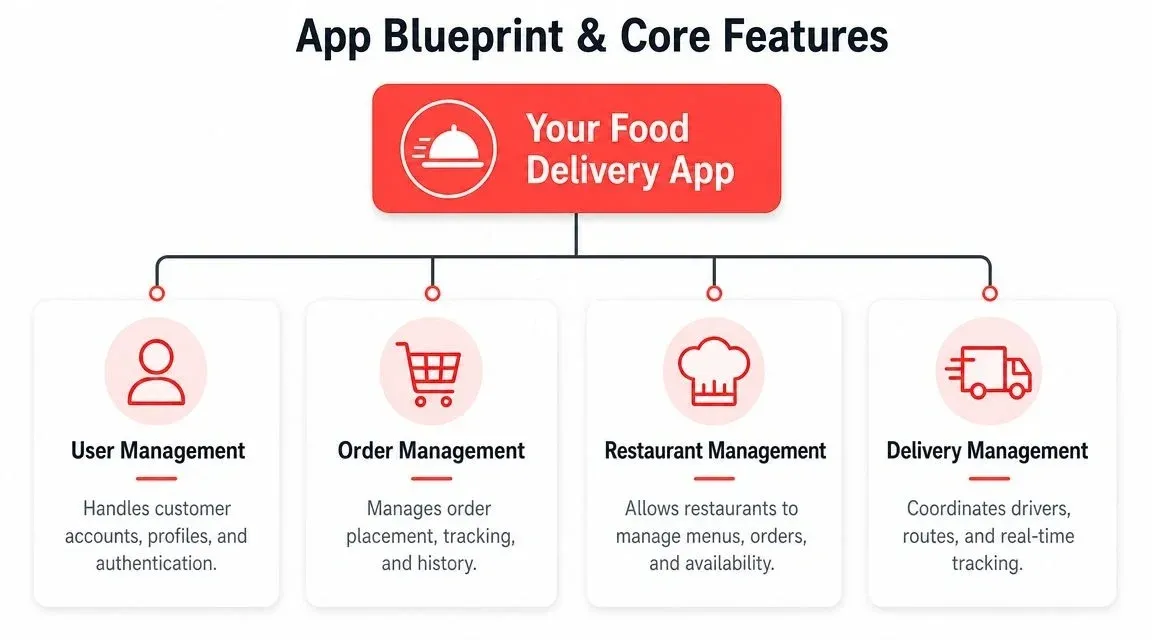
A workable delivery system usually has four operating views.
-
Customer app
Guests browse, order, pay, and track status. For the restaurant, the value is simple. Fewer ordering errors, smoother repeat orders, and clearer expectations. -
Restaurant dashboard
This controls menu availability, order acceptance, prep timing, store hours, and exception handling. If this panel is weak, managers end up improvising with phone calls and handwritten notes. -
Driver view
If you run your own drivers or a hybrid delivery model, drivers need clear assignment, navigation, and status updates. If you outsource delivery, this layer may be lighter but still matters for handoff visibility. -
Admin panel The Admin panel allows ownership, operations, or multi-unit managers to control locations, users, reports, permissions, and platform settings.
Build the MVP around restaurant operations
The MVP should be boring in the best way. It should handle ordering cleanly, push accurate tickets into operations, and give staff enough visibility to avoid confusion.
Feature Panel Must-Have Feature Why It Matters for Your Restaurant Customer App Menu browsing with modifiers Prevents wrong item selection and reduces clarification calls Customer App Secure checkout Removes payment friction before the order reaches the kitchen Customer App Order status updates Cuts “Where’s my order?” calls to the store Restaurant Dashboard Menu and availability controls Stops staff from selling items that are out or temporarily paused Restaurant Dashboard Order accept and delay controls Lets the kitchen manage realistic prep timing during rushes Driver View Pickup and delivery status Improves handoff visibility and reduces front counter confusion Admin Panel Role permissions Keeps menu, pricing, and refund actions limited to the right staff Admin Panel Store and channel settings Helps operators manage multiple channels without separate workarounds
Differentiation beats generic feature bloat
The strongest new apps usually don’t try to copy every marketplace feature. They focus on a narrower use case and do it well. Digisoft’s industry guidance points to underserved niches such as healthy food, scheduled meals, and corporate use cases as more defensible paths than generic marketplace cloning. That’s discussed in Digisoft’s food delivery app development guide.
For a restaurant owner, that has a practical implication. If your app serves office lunch preorders, recurring family meal bundles, or scheduled healthier meal plans, your operations can become more predictable than impulse-driven on-demand traffic.
Practical rule: Every feature in your MVP should either reduce staff work, improve order accuracy, or make repeat ordering easier.
If you’re reviewing vendors or internal plans, it helps to look at how teams develop modern food delivery apps with the product structure tied to user roles rather than a random stack of features.
For restaurants considering a branded direct channel, OrderOut’s white-label mobile applications overview is also useful for comparing a custom build against a white-label starting point.
Designing Your Food Tech Architecture and Stack
Most owners don’t need to memorize programming languages. They do need to understand what each technical layer does, because bad architecture always shows up as an operational problem later.
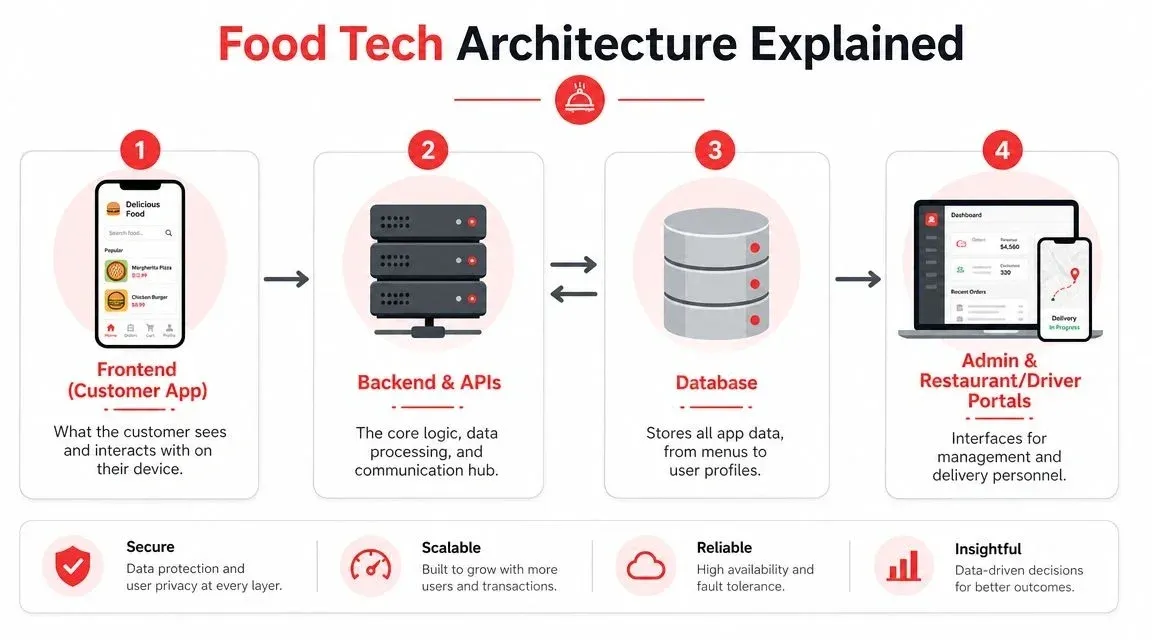
Think of the app like a restaurant itself.
The frontend is the dining room and printed menu. It’s what customers see and touch. The backend is the kitchen line and expeditor. It receives orders, applies business rules, pushes updates, and coordinates timing. The database is the storeroom. It holds menu data, customer accounts, store settings, hours, modifiers, and order history.
What restaurant owners should ask about the frontend
The frontend has one job. Make ordering easy.
If customers can’t quickly find items, customize them correctly, and check out without confusion, your app loses orders before the kitchen sees anything. That sounds obvious, but a lot of food tech projects overinvest in visual polish and underinvest in clear modifier flows, pickup versus delivery logic, and reorder convenience.
Ask your development team:
- How will menu modifiers be handled on small screens
- How many taps does reorder take
- How will item availability be shown in real time
- What happens if a customer loses connection during checkout
Those questions sound simple. They expose whether the team is designing for real restaurant delivery behavior or just for demo screens.
What the backend must do under pressure
The backend matters more than most owners realize. It validates store hours, applies fees and taxes, sends payment results, creates the order, triggers notifications, and starts downstream integration.
When backend logic is weak, staff end up handling avoidable failures:
- paid orders that don’t print
- accepted orders without driver assignment
- duplicate submissions
- stale menus across channels
- store-closed orders that still slip through
The technical label for this is architecture. The business label is fewer headaches.
If your backend can’t handle exceptions cleanly, your staff becomes the exception handler.
Stack choices are business choices
You’ll hear terms like native, cross-platform, API-first, cloud-hosted, and microservices. Don’t treat them as developer-only jargon. They affect speed, flexibility, and maintenance.
A practical way to evaluate the stack:
Decision Faster to launch Easier to customize later Operational note Cross-platform mobile app Often yes Depends on code quality Good when you need one app across iOS and Android quickly Native mobile apps Usually slower Often stronger for platform-specific behavior Can make sense for larger brands with long product roadmaps Monolithic backend Simpler early on Harder as complexity grows Fine for smaller scope if integrations are modest API-first backend More planning upfront Better for POS and aggregator connections Usually the safer choice when integration is central
If your app needs to connect to POS systems, dispatch services, loyalty tools, and aggregator middleware, ask for an API-first architecture. That choice tends to age better because you’re building a communication layer, not just a customer screen.
Restaurants evaluating cloud-based infrastructure can also review OrderOut’s perspective on cloud-based restaurant software to understand how hosted systems affect uptime, flexibility, and day-to-day operations.
The Critical Path for Restaurant POS Integration
A food delivery app can look polished, load quickly, and still fail the restaurant on day one.
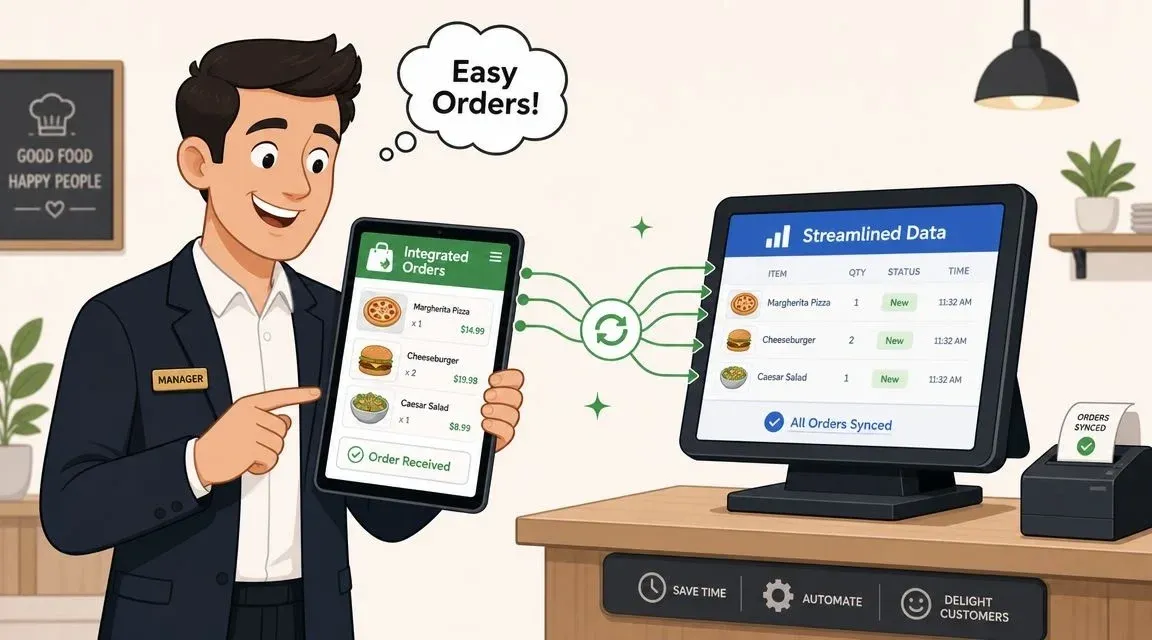
The failure point is usually the last mile between the app and the store’s real operating systems. If a guest places an order in your app, but your cashier still has to read it off a tablet and re-enter it into the POS, you haven’t built a solution. You’ve built a prettier source of manual work.
Manual entry is where good ideas break
This is the pattern I see most often in failed projects. The owner funds a customer-facing app. It launches. Orders start coming in. Then the restaurant realizes the app doesn’t fully connect to the systems that run the store.
Now staff have to:
- Monitor another device instead of one consolidated queue
- Re-key every order into the POS during peak periods
- Translate modifiers manually when ticket structures don’t match
- Manage menu changes twice or more across multiple systems
- Handle refunds and voids in separate places with no clean audit trail
That isn’t a software problem in the abstract. It directly affects ticket accuracy, kitchen pacing, and labor pressure.
What good POS integration actually looks like
A strong integration does more than “send orders over.” It should align menu structure, item mapping, modifiers, taxes, store hours, and order states across systems.
In plain language, that means:
- the menu in your app mirrors what the POS can sell
- an incoming order lands in the POS without staff retyping it
- the kitchen sees it in the same operational flow as in-store orders
- status changes can flow back to the customer or delivery layer
- refunds, cancellations, and item pauses don’t require separate spreadsheets or memory
This is where API-driven integration matters. APIs let systems exchange structured data directly. Without that, restaurants rely on brittle workarounds that usually break during a rush.
Clover and Square are practical examples
If you use Clover or Square, the integration question isn’t theoretical. You need to know whether your delivery app can connect in a way that fits real store operations.
For Clover users, the relevant reference point is the OrderOut listing in the Clover App Market. For Square users, there’s a corresponding OrderOut listing in the Square App Marketplace. These examples matter because they show the operational layer many restaurants actually need, not just a consumer app shell.
Aggregator integration is not optional
A lot of owners say they want to “stop depending on the apps,” but most still need those channels. The smarter move is to make them easier to manage.
Business of Apps reports that DoorDash holds over 65% market share in the U.S.. Their market breakdown is in the food delivery app market report from Business of Apps. That concentration has a clear operational implication. If you ignore major aggregators, you ignore a large share of active delivery demand.
So the architecture has to do both:
- support your direct branded ordering channel
- connect aggregator orders into the same restaurant workflow
That’s where middleware becomes valuable. Middleware sits between your ordering sources and your POS, normalizing orders so staff don’t have to babysit separate systems. OrderOut is one example of that approach. It connects delivery apps such as Uber Eats, DoorDash, and Grubhub into POS systems so restaurants can avoid manual re-entry and consolidate order flow.
The restaurant doesn’t need more order sources. It needs fewer places where staff have to think about them.
If you’re evaluating how these order paths should be mapped, OrderOut’s article on Change Order integration is a useful example of the kind of integration detail owners should ask about before signing any build agreement.
Navigating Your Development and Testing Roadmap
Once the blueprint and integration plan are clear, the next question is timing. Most restaurant owners get two bad versions of this conversation. One vendor promises speed without enough testing. Another delivers a giant multi-phase plan that never gets to launch.
The practical middle ground is to build in short cycles, test constantly, and keep the first release tight.
Use short build cycles, not one giant project
Agile development sounds technical, but the idea is simple. Don’t disappear for months and come back with a full platform. Build a usable slice, test it, fix it, then expand.
For a restaurant app, a sprint-based roadmap usually works better because you can validate real workflows early:
- Sprint one might cover menu structure, login, and basic checkout
- Sprint two can add payment handling and order confirmation
- Sprint three can focus on POS routing and kitchen workflows
- Sprint four can handle driver coordination or delivery handoff logic
- Later sprints add loyalty, promotions, scheduled orders, or reporting depth
This protects you from a common mistake. Overbuilding the customer app before the restaurant workflow is stable.
Scope controls the timeline
Galaxy Weblinks estimates that a production-ready food delivery app typically takes 4 to 9 months, while an MVP with core ordering and dispatch can be ready in 3 to 4 months. That development guidance appears in Galaxy Weblinks’ food delivery app development guide.
For restaurant owners, the important lesson isn’t the date range by itself. It’s the reason behind it. Timeline mostly depends on scope discipline.
A slim first version often includes:
Launch Phase What to include What to wait on MVP Menu, checkout, payments, store hours, order routing, basic status updates Deep loyalty, advanced analytics, complex promotions Production release Hardened integrations, edge-case handling, stronger admin controls, monitoring Nice-to-have personalization features Phase two Catering logic, subscriptions, account wallets, advanced segmentation Experimental features that don’t affect throughput
Testing has to start early
Most failed food delivery projects don’t fail because the feature list was too short. They fail because the app wasn’t tested under real conditions.
You need continuous testing across the entire build, not one final QA pass.
Focus on these categories:
-
Functional testing
Does checkout work? Do modifiers save correctly? Does the restaurant receive the right order data? -
Performance testing
What happens when many users order around the same time? Does the app slow down? Do orders queue correctly? -
Usability testing
Can a regular customer complete an order without confusion? Can a shift lead manage menu pauses without calling support? -
Security testing
Are payment and customer data flows protected? Are permissions restricted for managers versus staff? -
Integration testing
Does the POS receive exactly what the app sends? What happens if an item is unavailable, a payment fails, or the network drops?
Test the failure path as hard as the happy path. Restaurants live in edge cases.
The pre-launch checklist that actually matters
Before launch, I want operators to verify five things:
- Every item and modifier maps correctly from the app into the POS.
- Store hours and holiday rules behave the same way across channels.
- Refund and cancellation flows are documented, not guessed.
- Staff know what they’ll see on their existing screens and printers.
- Someone owns launch-day monitoring for issues, menu edits, and customer support.
That last point gets ignored all the time. Software doesn’t launch itself. Someone needs to watch the first real orders closely.
Launching and Marketing Your New Delivery App
A new app doesn’t need a flashy launch. It needs a controlled one.
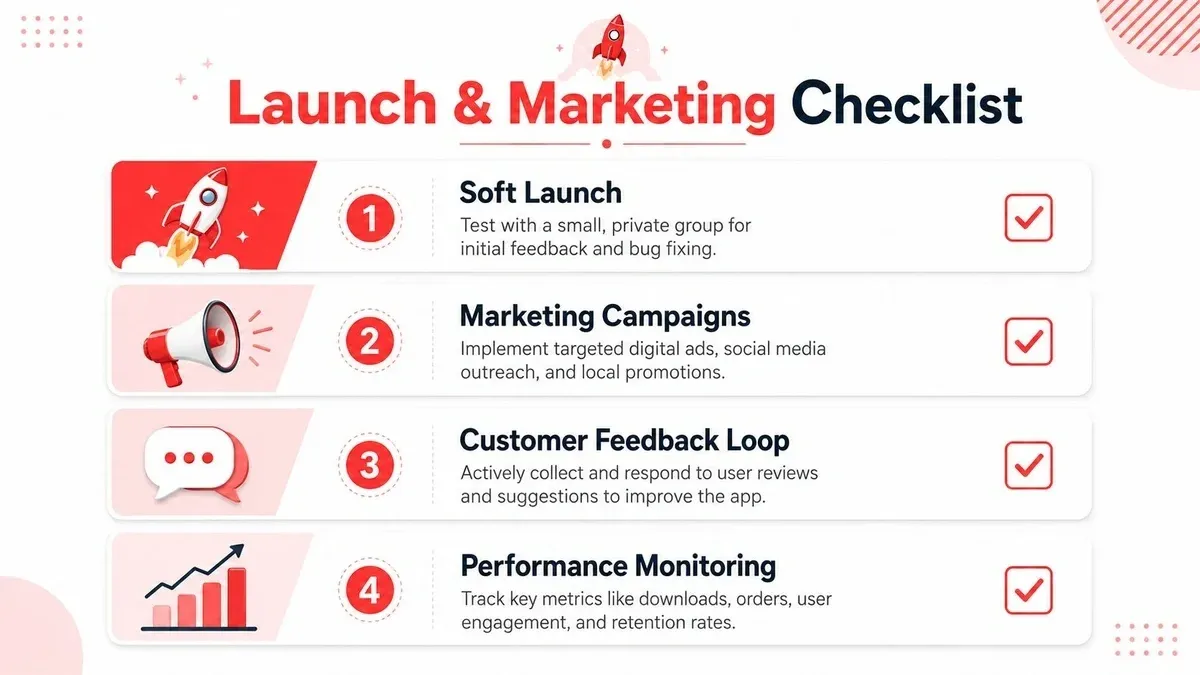
Restaurants usually get better results from a soft launch than a broad public push. That means inviting a smaller group of loyal customers first, watching how orders flow through operations, and fixing rough edges before you advertise heavily. A hard launch makes more sense when your ordering, staffing, menu sync, and support process are already proven.
Soft launch versus hard launch
A simple comparison helps.
Launch Style Best for Risk level What to watch Soft launch Independent restaurants, first-time app rollouts, stores with new integrations Lower Menu sync, staff adoption, payment edge cases, real customer confusion Hard launch Established brands with tested operations and marketing support Higher Order spikes, support load, delivery timing, app reviews
The reason soft launch wins for many operators is operational learning. Your first customers will expose issues your internal team missed. A missing modifier, unclear pickup instructions, confusing order status language, or a payment retry bug can all show up quickly once real guests use the app.
Riseup Labs notes that common failures come from execution gaps like incomplete QA and poor handling of edge cases, and recommends continuous testing for workflows, performance under load, and security. That guidance appears in Riseup Labs’ food delivery app development guidelines.
The first marketing push should come from inside the store
Most restaurants already have the best audience for a new direct-ordering app. Existing customers.
Start with low-friction tactics:
-
Counter signage with a QR code
Put the app in front of people who already trust your food. -
Bag inserts on delivery and pickup orders
Use every completed order as an invitation to reorder direct. -
Email and SMS to your house list
Focus on convenience, ordering speed, and direct ordering, not vague brand language. -
A clear first-order incentive
Keep the offer simple enough that staff can explain it in one sentence. -
Staff scripts at pickup
Cashiers and hosts should know how to tell customers where to download and why it helps.
A lot of owners overestimate paid ads and underestimate front-counter promotion. If your in-store team isn’t mentioning the app, adoption usually stays slow.
A short video can help owners think through launch messaging and app positioning:
Monitor operations, not just downloads
Downloads matter less than whether the app creates clean orders and repeat usage.
Your launch dashboard should answer practical questions:
- Are customers completing checkout without support?
- Are store staff handling app orders smoothly?
- Are menu updates staying synced?
- Are customers reordering after the first experience?
- Are your reviews mentioning speed, missing items, or confusion?
If you need ideas for getting the first wave of awareness without overspending, OrderOut’s list of restaurant marketing ideas is a useful place to pull from.
Launch day isn’t the finish line. It’s the first live service shift for a new operating system.
The Final Step From App Launch to Operational Excellence
Once the app is live, the work shifts from building to operating. That’s where the actual return shows up.
A restaurant doesn’t win because it has an app icon in the App Store. It wins when online orders land accurately, the kitchen handles them without confusion, staff stop retyping, and customers can order again without friction. That’s why the integration layer matters more than most owners expect. It’s the piece that turns digital ordering into usable restaurant operations.
What good looks like after launch
A healthy setup usually shows a few operational signs:
- Managers trust the order flow because they aren’t checking multiple devices all shift
- Staff spend less time on transcription work and more time on prep and handoff
- Customers get consistent menus and status updates instead of mixed signals
- Delivery channels feel unified rather than stitched together with workarounds
That’s also why many restaurants don’t need a fully custom build from scratch. If your main bottleneck is the last mile between delivery sources, the POS, and your staff workflow, a proven integration layer is often the faster path.
For perspective on how a restaurant app can come together as a product experience, AppStarter’s work with the Eateasy restaurant app is a useful example to review. The takeaway isn’t that every restaurant needs the same product shape. It’s that app success depends on how well the product and operations support each other.
The strongest food delivery application development decisions are usually the least flashy ones. Clean menu mapping. Stable order routing. Reliable status handling. Fewer manual touches. Better visibility for the team on the line.
Those are the choices that protect service when the rush hits.
If you want a faster path to connected delivery operations, OrderOut helps restaurants route orders from delivery apps directly into POS systems and reduce manual entry. You can start onboarding in a few clicks at the OrderOut dashboard.