
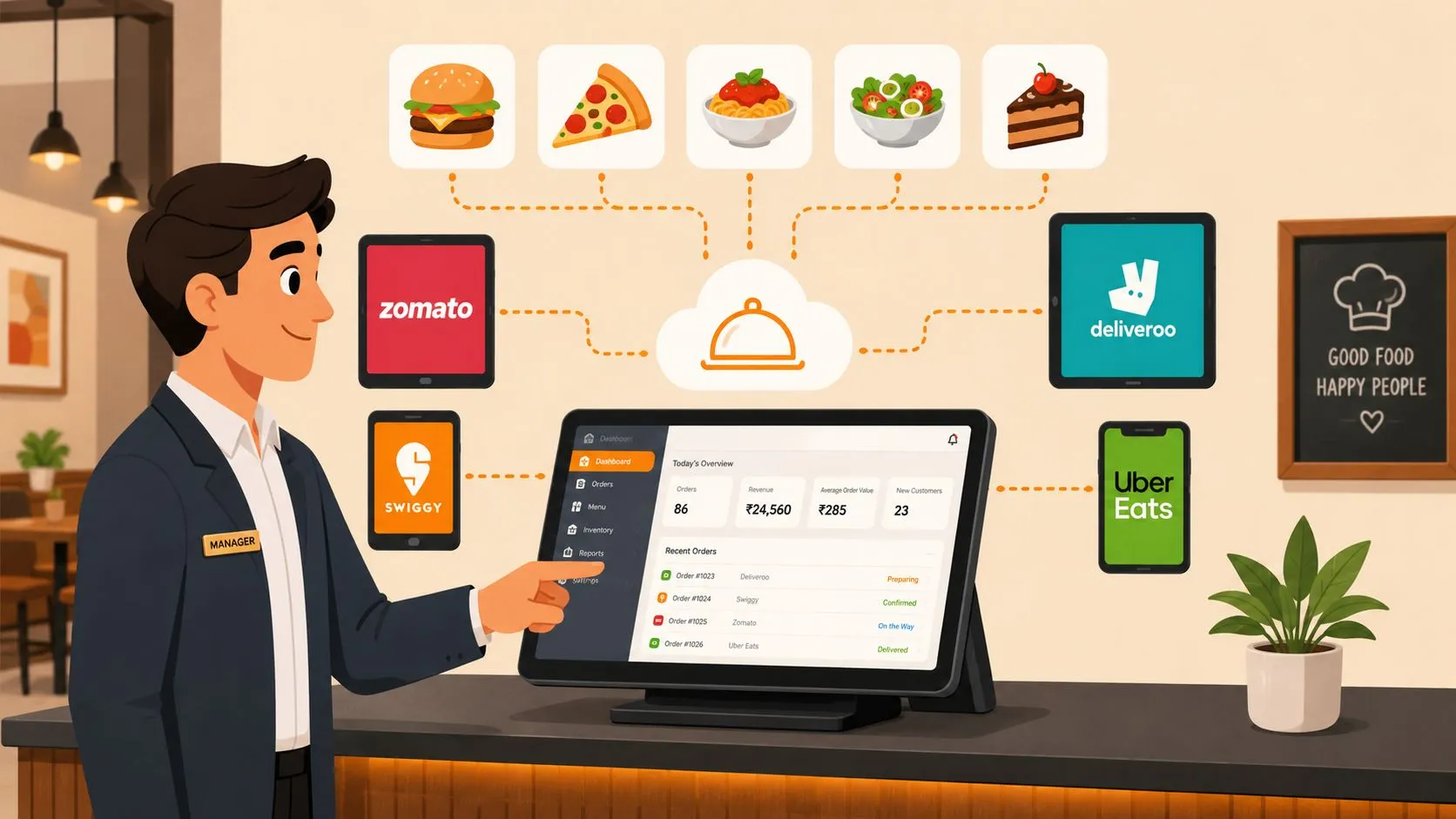
Restaurant menu management software is a tool that lets restaurants create, update, and publish menus across delivery apps, online ordering, and the in-store POS from one dashboard. It sits inside a large and growing category, with the global restaurant management software market projected to reach USD 14.73 billion by 2031 at a 14.52% CAGR.
A manager updates a price in the POS, but DoorDash still shows the old one. Uber Eats still has an item you 86’d yesterday. Grubhub has the right entrée but the wrong modifiers. That’s the core problem menu management software has to solve.
What Is Restaurant Menu Management Software
Restaurant menu management software is the system restaurants use to centrally control item names, prices, availability, modifiers, and publishing across channels.
In practice, that means one place to manage what guests can order whether they’re standing at the counter, ordering from your own site, or buying through Uber Eats, DoorDash, or Grubhub. Without that central control, staff end up babysitting separate menus, comparing tablets, and fixing mistakes after the fact.
The reason this matters now is simple. Restaurants are running more channels than ever, and every extra channel creates another chance for a mismatch. According to Mordor Intelligence’s restaurant management software market analysis, the global market is projected to reach USD 14.73 billion by 2031, growing at 14.52% CAGR, driven by digitalization and demand for workflow automation.
Why operators feel the pain first
When menu control breaks, the fallout lands on operations first.
- Cashiers get stuck troubleshooting instead of serving guests
- Kitchen staff remake orders because modifiers don’t match
- Managers issue refunds when app menus don’t reflect reality
- Owners lose trust in reporting because the same item appears differently by channel
This is why I treat menu management as an operations issue before I treat it as a marketing or ecommerce feature. If the POS isn’t the source of truth, the restaurant starts managing copies of the same menu instead of managing one real menu.
A clean menu process doesn’t start with prettier item cards. It starts with deciding which system owns the truth.
For restaurants also trying to keep local search listings accurate, tools that support AI-powered GBP management can help keep your public presence aligned with your actual operation. But menu control still has to begin inside the ordering stack.
If you’re also thinking about how the menu itself is structured, priced, and presented, this guide to restaurant menu design software is a useful companion to the operational side.
Ending Menu Drift and Tablet Hell
Menu drift is what happens when third-party apps keep their own separate version of your menu and that version slowly stops matching your POS. It shows up as wrong prices, missing modifiers, old combos, sold-out items that still look available, and staff who no longer trust what’s on the screen.
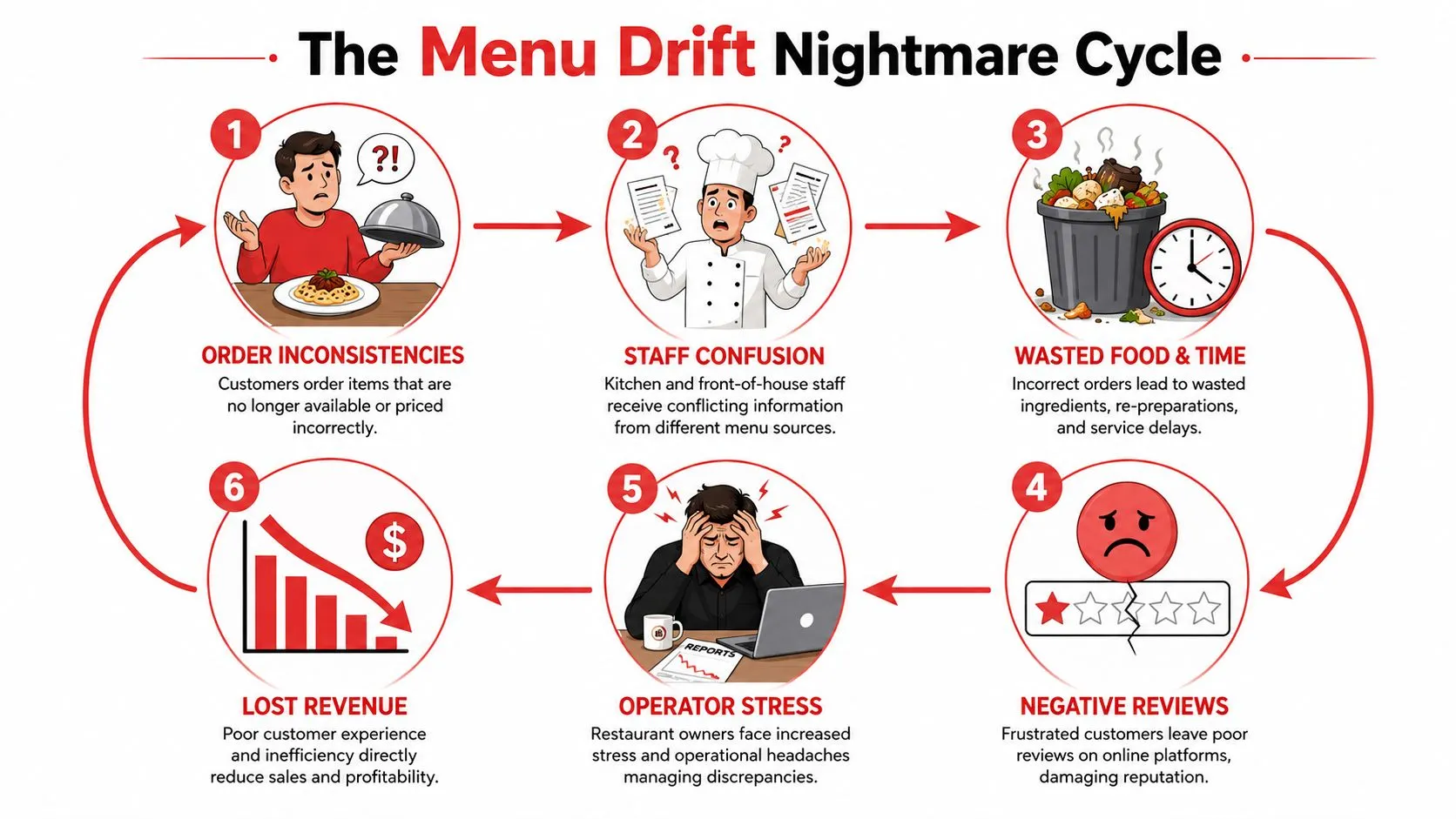
The clean fix isn’t “better tablet management.” It’s making the POS the single source of truth and mapping marketplace menus back to that structure. As explained in OrderOut’s write-up on DoorDash Clover integration and menu mapping, menu drift happens because delivery platforms can maintain separate, unnormalized versions of a restaurant’s menu, while POS-integrated solutions sync marketplace items to a normalized POS schema.
Why separate tablets create operational drag
Every extra tablet creates a side workflow. Someone has to watch it, accept orders, re-enter tickets, compare modifiers, and remember which menu was updated where. That doesn’t sound terrible in a quiet hour. It breaks down during a rush.
Uber Eats might call a modifier one thing. Clover may store it another way. DoorDash may group combo options differently. If those aren’t mapped correctly, staff become the integration layer.
That is the core difference between basic menu editing and real restaurant order management. Real menu management translates each marketplace order into the POS’s native structure so the kitchen sees one clean ticket format.
What a single source of truth actually looks like
A restaurant with Clover or Square shouldn’t have to maintain one menu for the POS and separate shadow menus for DoorDash, Uber Eats, and Grubhub. The operational model that works is simpler:
| Channel | What staff should manage |
|---|---|
| Clover or Square | The master menu |
| Uber Eats | A mapped version of the POS menu |
| DoorDash | A mapped version of the POS menu |
| Grubhub | A mapped version of the POS menu |
That setup does two things well. First, it reduces the number of places where someone can make a mistake. Second, it makes reporting and troubleshooting easier because the POS remains the reference point.
Practical rule: If your staff has to remember which tablet has the “real” price, you don’t have menu management. You have menu duplication.
A strong explanation of the downstream labor problem appears in this piece on order entry automation for restaurants. It’s worth reading because menu drift and manual order entry usually show up together. One creates bad data. The other turns bad data into bad tickets.
Core Features That Streamline Operations
The features that matter most are the ones that reduce handoffs. Good restaurant menu management software should help a manager change something once and trust that the rest of the stack follows it.
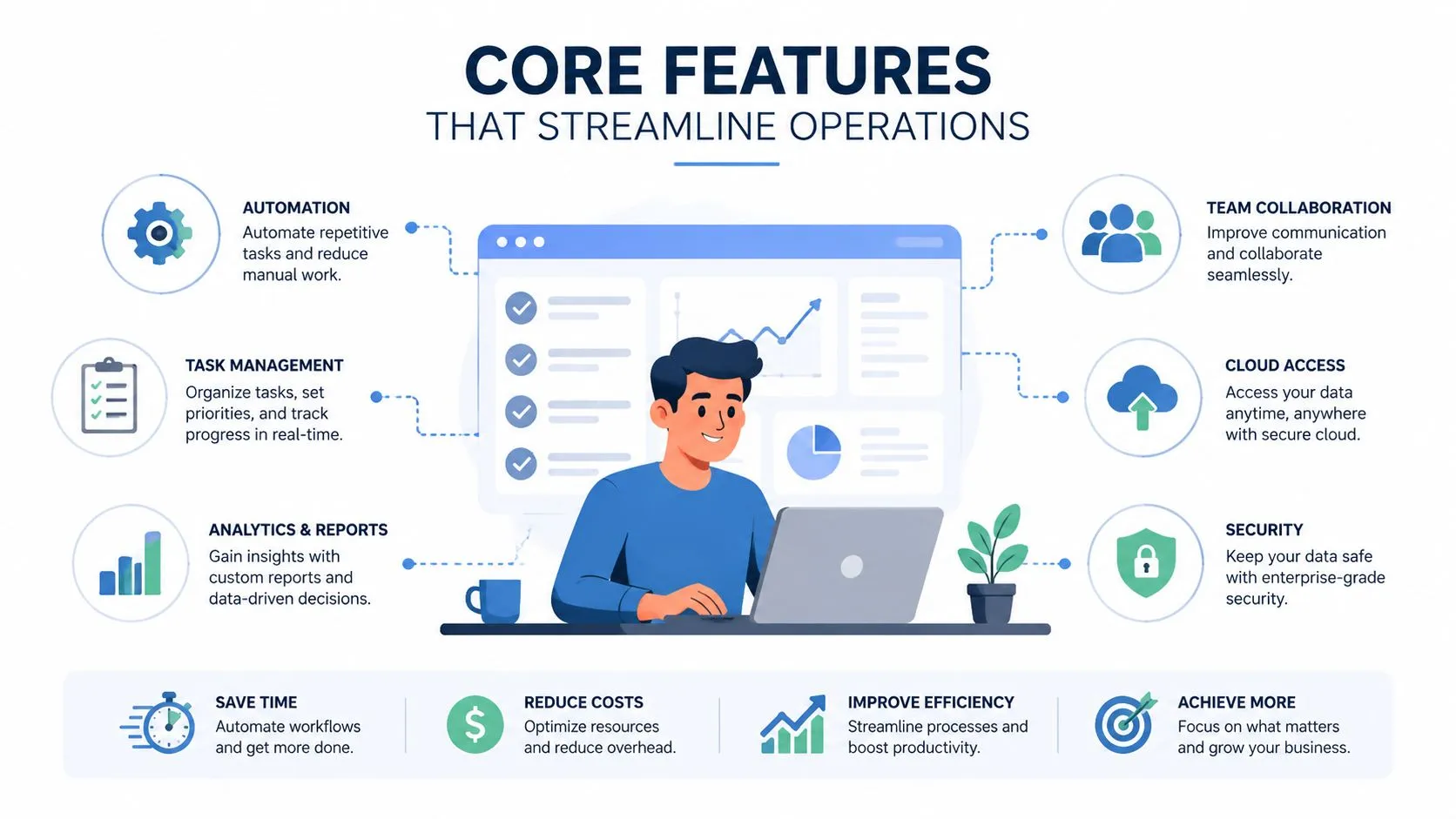
According to BlueCart’s overview of restaurant menu management software, restaurants using integrated menu management with delivery platforms see a 25% increase in online order volume and a 15% reduction in operational errors. The reason is straightforward: orders route through connected systems instead of being patched together by staff.
Centralized menu editing
This is the baseline feature. A manager changes an item name, price, or description once instead of repeating the same task in multiple apps.
That matters most in multi-channel operations. If a burger price changes in Clover, staff shouldn’t still be editing DoorDash after lunch service starts. Centralized editing reduces those late fixes that usually happen at the worst possible time.
Real-time availability sync
If an item is out, it needs to disappear or become unavailable everywhere that customers can still buy it. Good software saves stress in these situations, not just clicks.
Think about a common example. You 86 a dessert in Square because the kitchen is out. If DoorDash and Uber Eats keep selling it, your team either has to call the customer, substitute something, or refund the order. None of those is a good use of staff time.
The best availability workflow is the one the staff doesn’t have to think about during the rush.
Modifier mapping that matches the POS
This is the feature operators often underestimate until orders start coming in wrong. Modifiers are where delivery tickets fall apart. No onions, extra cheese, side choice, protein swap, combo drink selection. If those don’t map correctly, the kitchen gets a ticket that looks valid but isn’t what the guest ordered.
That is why menu hygiene matters. The software has to understand that the marketplace menu is a storefront, but the POS is the operational record.
One route restaurants use is OrderOut’s 3rd-party order engine for delivery POS integration, which maps marketplace menus to a normalized POS schema so orders from Uber Eats, DoorDash, and Grubhub inject into Clover or Square without manual re-entry. That’s the operational piece that turns menu management into cleaner service.
If you’re comparing approaches, this article on integrated point-of-sale systems is a good technical primer on why native connections matter more than patchwork workflows.
For operators trying to reduce front-desk interruptions too, tools that automate restaurant bookings can complement menu automation by taking another repetitive task off the staff’s plate.
If you run Clover and want to start from the app marketplace, install from the OrderOut Clover App Market listing for delivery-to-POS order injection.
How to Choose the Right Menu Software
Most buying mistakes happen because restaurants evaluate menu software as a publishing tool when they should evaluate it as an operations tool. A nice dashboard isn’t enough. The important question is whether the software keeps the POS in control when delivery channels get messy.
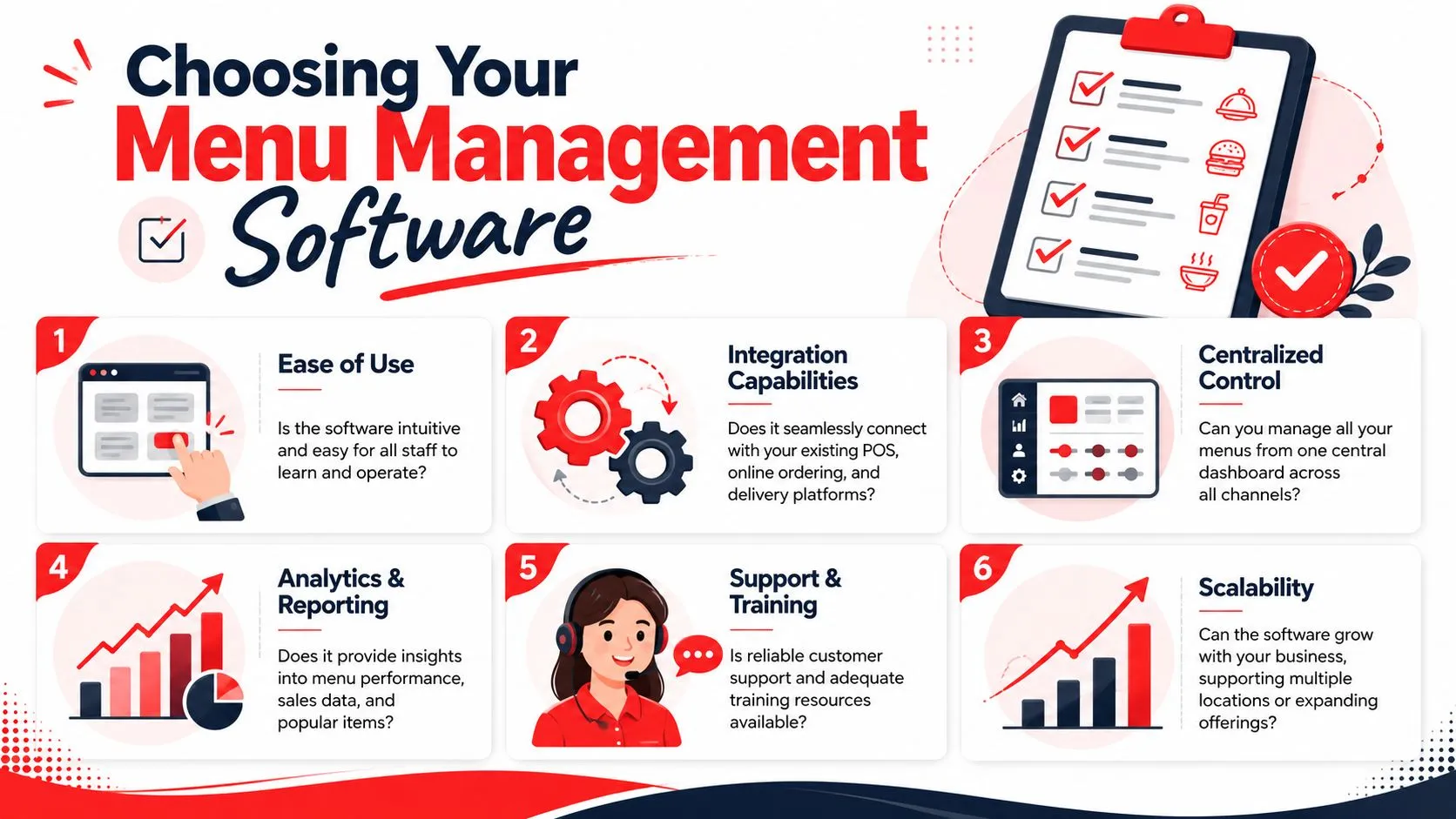
The hidden cost of bad synchronization is larger than many operators expect. Grubhub’s discussion of menu management software notes that 30% of menu errors come from manual re-entry delays between the POS and third-party apps, and 42% of restaurants experienced at least one order error per week due to sync failures.
The non-negotiables
Use this shortlist when you’re evaluating vendors or integrations.
- Deep POS integration: If you use Clover or Square, the software should work with your existing menu structure instead of forcing staff into a parallel system.
- Direct marketplace support: It should handle Uber Eats, DoorDash, and Grubhub without making your team copy updates manually.
- Clear menu mapping: Ask how modifiers, combos, and nested options are normalized before they hit the POS.
- Simple pricing: Hidden fees usually show up as add-ons for channels, locations, or support.
- Usable setup: If mapping basic items feels like a developer project, the rollout will stall.
A concrete example helps. If you run Clover and rely on Grubhub, this is the kind of page worth checking during evaluation: Grubhub and Clover delivery integration with direct POS injection. It shows the exact channel and POS combination rather than speaking in broad promises.
What to watch during demos
Before you commit, ask the vendor to show an actual menu change and an actual order flow.
Look for these signs:
- A price change flows cleanly: You should see how a POS update affects the delivery menu.
- A modifier-heavy order lands correctly: Ask for a combo or customization example, not a simple single-item ticket.
- The POS remains the operational source: Staff shouldn’t need an extra acceptance step on a separate tablet.
- Support materials are practical: Documentation should sound like restaurant operations, not API documentation for engineers.
For broader context on the app environment, this overview of restaurant menu apps is useful when you’re narrowing the field.
A Simple Path to Implementation
Most restaurants don’t need a long IT project to clean up delivery menu operations. They need a short setup process and a clear owner on the team.
The implementation path is usually straightforward. Install the app in your POS marketplace, connect your delivery accounts, and map marketplace items to the matching POS items. That last step matters because it’s what lets the system translate Uber Eats, DoorDash, and Grubhub orders into the item and modifier structure your kitchen already uses.
Step 1
Start where your staff already works. Clover users can install from the marketplace, and Square users can start from the OrderOut Square App Marketplace listing for delivery POS integration.
Step 2
Connect the delivery channels you use. Don’t overcomplicate the first pass. If most of your volume comes through DoorDash and Uber Eats, get those stable first, then expand.
Step 3
Map the menu carefully. This is the part that determines whether combo meals, add-ons, and substitutions land correctly in the POS. Clean names and consistent modifier groups make setup much easier.
According to OrderOut’s write-up on POS system integration for delivery orders, manual order entry introduces human error, while integrated POS systems like Clover or Square automatically inject orders with 100% accuracy, so the kitchen receives exactly what the customer ordered.
Good onboarding isn’t about speed alone. It’s about making sure the first busy shift feels normal to the staff.
If you want a walkthrough before you connect live channels, this OrderOut integration onboarding tutorial shows the setup flow in practical terms. You can also review OrderOut pricing for restaurant integrations before rollout so there aren’t surprises later.
Frequently Asked Questions
Does OrderOut work with Clover?
Yes. OrderOut connects third-party delivery orders into Clover so staff don’t have to re-key tickets from separate delivery tablets. Restaurants that want a Clover-specific path can review OrderOut’s Clover delivery integration for reseller and POS channel use, and operators can also install it from the Clover App Market.
Does OrderOut work with Square?
Yes. OrderOut also supports Square for delivery-to-POS order injection. If Square is your main system, the OrderOut Square delivery integration page shows the channel fit, and restaurants can start from the Square App Marketplace listing.
Do I need extra tablets?
No. The point of delivery-to-POS integration is to remove extra delivery tablets from the ordering workflow. Orders from Uber Eats, DoorDash, and Grubhub inject into Clover or Square so the POS stays the operational source of truth.
Is OrderOut free on Clover?
Yes. OrderOut is free to install on the Clover App Market. If you want the broader operator view first, the OrderOut restaurant overview explains how the platform fits into day-to-day service.
Which delivery apps connect through OrderOut?
OrderOut is positioned around direct delivery order injection from Uber Eats, DoorDash, and Grubhub into supported POS systems such as Clover and Square. For implementation details, restaurants can review the OrderOut FAQ for delivery POS integration.
Restaurant menu management software works when your POS controls the menu and delivery apps follow it. If you want to stop re-keying orders, reduce menu drift, and onboard for free in a few clicks, start with OrderOut onboarding for restaurants.