
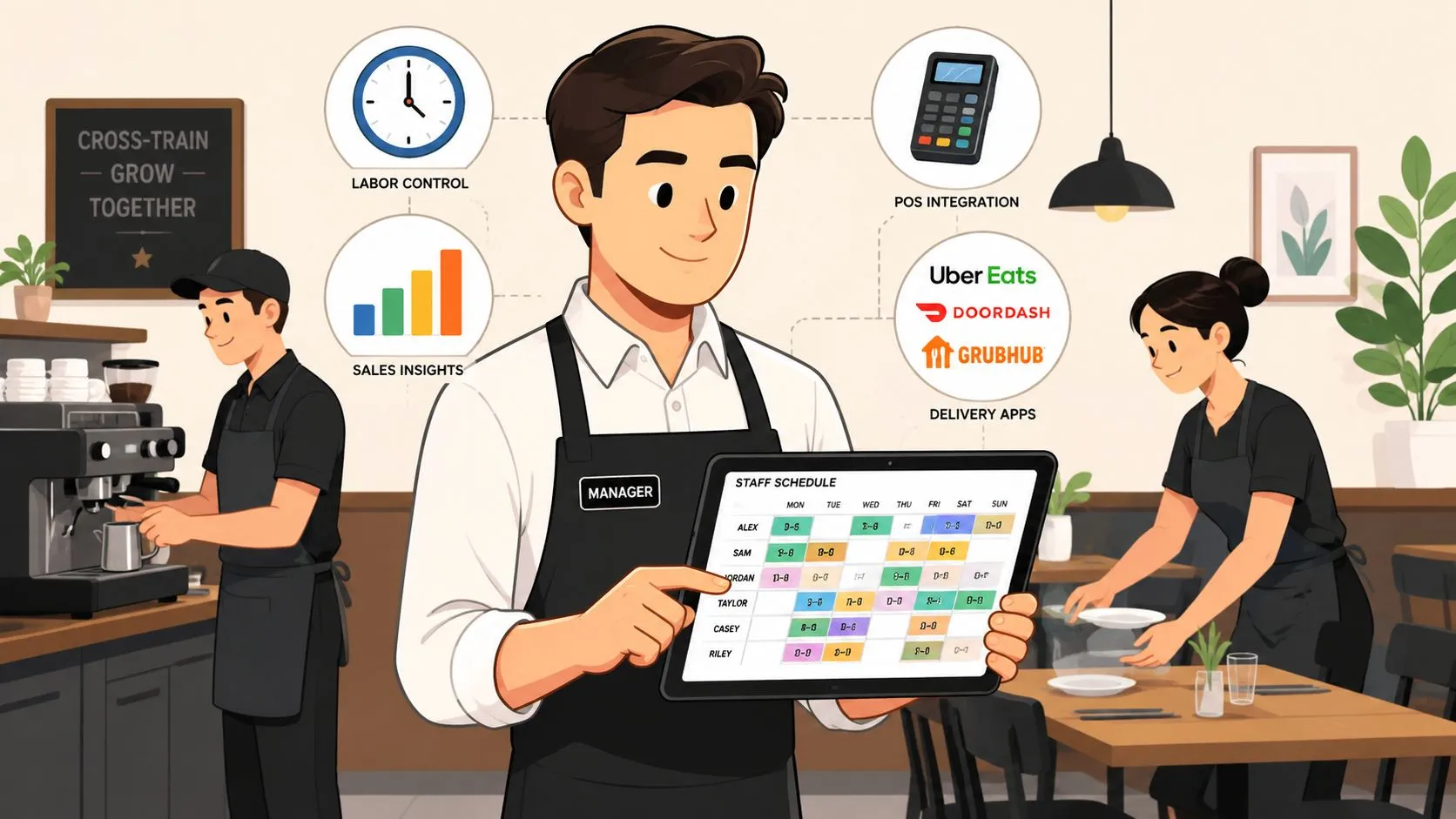
Restaurant labor management is the strategic process of forecasting, scheduling, and optimizing staff so you can control costs and still deliver great service. In 2024, salaries and wages reached 36.5% of sales for full-service restaurants, which is why labor has become a financial lever, not just an HR task.
That pressure changes how operators should think about every shift. When labor is this large a share of sales, the goal isn’t to squeeze people harder, it’s to make every paid hour work harder by improving forecasting, scheduling, and real-time execution.
What Is Restaurant Labor Management
Restaurant labor management is the day-to-day discipline of matching the right people to the right demand, at the right time, without letting service slip. It covers the full flow, forecasting demand, building the schedule, tracking hours, adjusting coverage, and reviewing results against sales. For operators, that means labor isn’t managed at the end of the pay period. It’s managed before the shift starts and again while service is happening.
The financial reason is simple. The National Restaurant Association reported that in 2024, salaries and wages made up a median of 36.5% of sales for full-service restaurants and 31.7% for limited-service restaurants, both above earlier benchmark averages. That gap matters because labor sits near the top of the controllable cost stack, and a few bad scheduling decisions can wipe out an otherwise solid week. The same analysis shows that the upward move wasn’t a one-off. It reflects a long-term shift in operating pressure (National Restaurant Association).
Labor only looks like a staffing problem until it shows up on the P&L.
A practical labor system has four pillars. First, forecast demand from sales patterns and local drivers. Second, build schedules around actual traffic, not habit. Third, monitor labor in real time so overtime doesn’t sneak up. Fourth, review performance by daypart and role so you can spot where the waste is coming from.
That’s also where technology starts to matter. When delivery orders live on separate tablets, managers lose a clean view of demand. When those orders flow into the POS, the team gets a better read on sales, labor, and service pressure in one place. For a broader operations framework, see OrderOut’s restaurant management and operations guide.
Forecasting Your Staffing Needs Accurately
Good forecasts start with the data your restaurant already has. Historical POS sales tell you what happened on similar days in the past, while weather, holidays, and local events explain why a day might run hotter or slower than usual. A practical labor workflow begins by combining those inputs, then turning them into staffing templates and publishing schedules in advance, ideally 1 to 2 weeks out, with real-time monitoring after that (Netchex).
Build forecasts from the sources that actually move traffic
A manager doesn’t need a complex model to make better staffing calls. Start with the POS, then add anything that changes guest behavior, such as a concert nearby, a rainstorm, or a local school event. If your house is busy on Friday nights but soft on Tuesday lunches, your forecast should reflect that pattern instead of using a static weekly template.
Delivery demand complicates this because it can spike differently from dine-in traffic. If Uber Eats, DoorDash, and Grubhub orders sit on separate tablets, the sales picture gets fragmented and the forecast gets noisier. A single POS view makes it easier to tell whether you need more prep, more expo support, or just a tighter runner plan.
Forecasting gets sharper when the sales data isn’t split across three tablets and a register screen.
That’s why integrated order flow matters even before service starts. If delivery orders land in Clover or Square alongside in-store sales, managers can see total demand in one place and staff accordingly. For a practical breakdown of how that works, use OrderOut’s restaurant demand forecasting guide.
The fastest wins usually come from consistency. Use the same forecast inputs every week, compare the forecast to actual sales, and adjust the next schedule based on what changed. Over time, that gives managers a better read on when to schedule prep support, when to hold a shift back, and when to bring in backup coverage.
Building Smarter and More Flexible Schedules
A smart schedule isn’t just lighter on labor, it’s better aligned with what your team does during service. If a shift is buried under manual order entry, the restaurant usually needs more labor than it should. If the team is freed from that busywork, the same shift can often cover more ground without making service feel rushed.
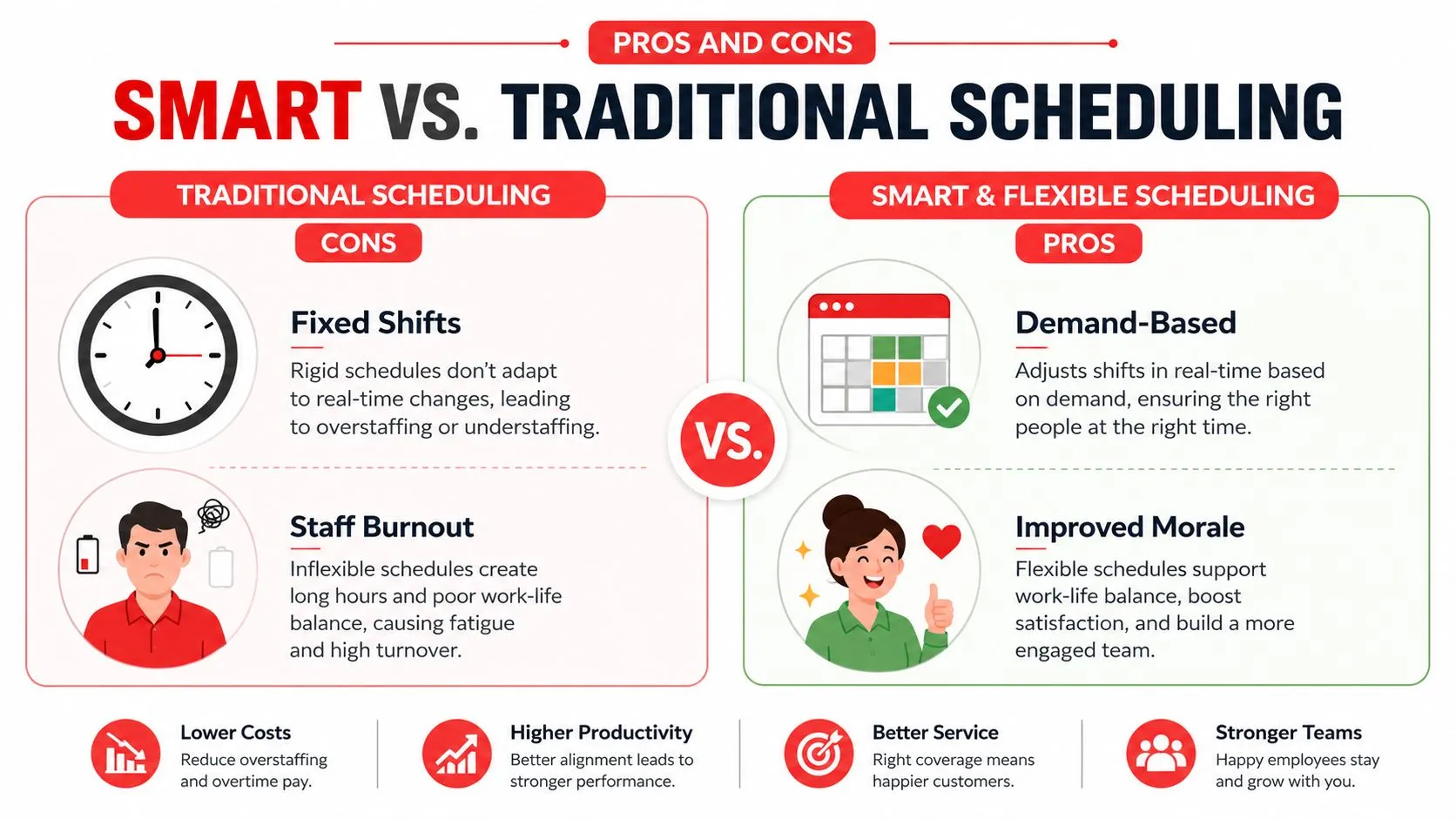
Cross-training helps because it gives managers more room to move people where the pressure is. A host can support takeout, a prep cook can jump to line support, and a server can cover a rush if the floor gets slammed. That flexibility matters when the schedule has to adapt mid-shift instead of waiting for the next day’s lineup.
The other side of smarter scheduling is retention. Replacing a single restaurant employee costs an estimated $5,864 on average, so the cheapest schedule isn’t always the one that cuts the most hours. When employees spend less time fighting with delivery tablets or manually keying in orders, the shift feels more manageable, morale holds up better, and the team is more likely to stay (Factura AI).
Practical rule: A schedule that looks lean on paper but burns people out will usually get more expensive later.
For that reason, don’t treat flexibility as a nice-to-have. It’s one of the easiest ways to protect labor efficiency without beating up service. If you want a scheduling framework that matches labor to demand more cleanly, review OrderOut’s restaurant staff scheduling guide.
At this point, the next step is operational, not theoretical. If your team is still juggling delivery tablets during peak hours, install the Clover app listing at OrderOut on the Clover App Market and see how much time gets freed up from order handling alone.
Optimizing On-the-Floor Workflows
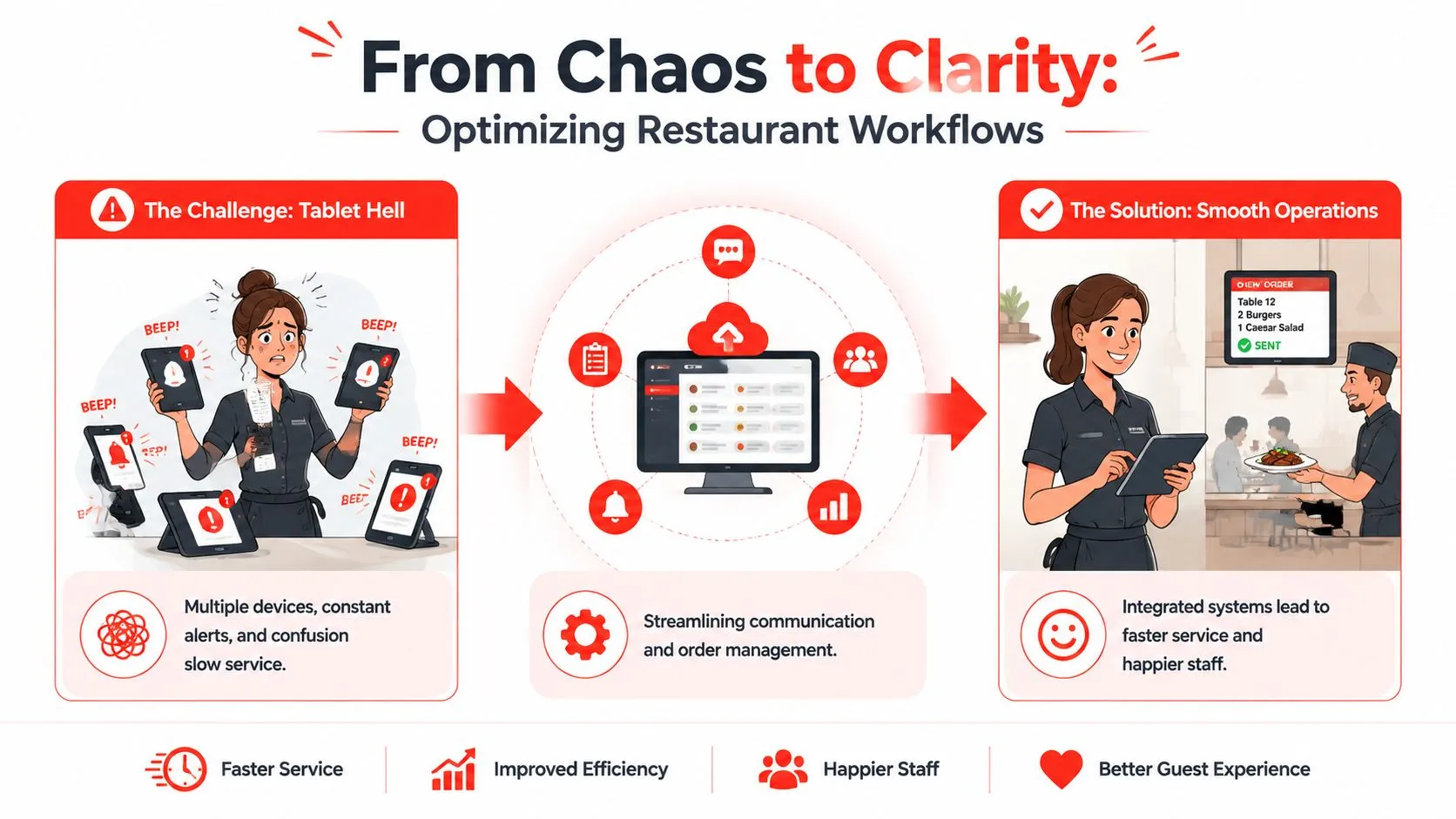
The worst labor leak in a busy restaurant is often small and repetitive. A tablet beeps, someone stops what they’re doing, the order gets retyped, and a detail gets missed because the floor is already moving too fast. That’s the kind of work that doesn’t look expensive in the moment, but it imperceptibly consumes paid time all shift long.
Why delivery chaos becomes a labor problem
When Uber Eats, DoorDash, and Grubhub orders arrive on separate devices, the restaurant has created a second front door for the same guest demand. Someone has to watch the tablets, someone has to re-enter the order, and someone has to catch mistakes before the kitchen starts firing. That’s labor that could’ve gone to dine-in hospitality, speed of service, or upselling.
OrderOut addresses that workflow by injecting third-party delivery orders directly into the POS, including Clover and Square, so the POS stays the source of truth. In a restaurant using Uber Eats with a Clover POS, the operator doesn’t need a separate tablet station or manual re-keying during the rush. The point isn’t just convenience, it’s removing a bottleneck that steals attention from the floor.
A cleaner workflow also helps the kitchen. When the order lands in the same system the team already trusts, there’s less chance of duplicate entry, fewer interruptions, and fewer moments where a manager has to stop and fix something that should’ve been automatic. That’s how labor gets used for guest service instead of device babysitting.
If a task doesn’t improve the guest experience, it should be the first thing automation removes.
The ripple effect is real. Less time spent on repetitive order entry means managers can schedule people around service, not around device handling. If you want to see the workflow side of the business in more detail, read OrderOut’s SOP in restaurant guide. For restaurant operators who want to connect this directly to delivery-to-POS automation, OrderOut’s 3rd-party order engine and its Clover delivery integration are the relevant starting points.
Tracking KPIs to Measure Labor Efficiency
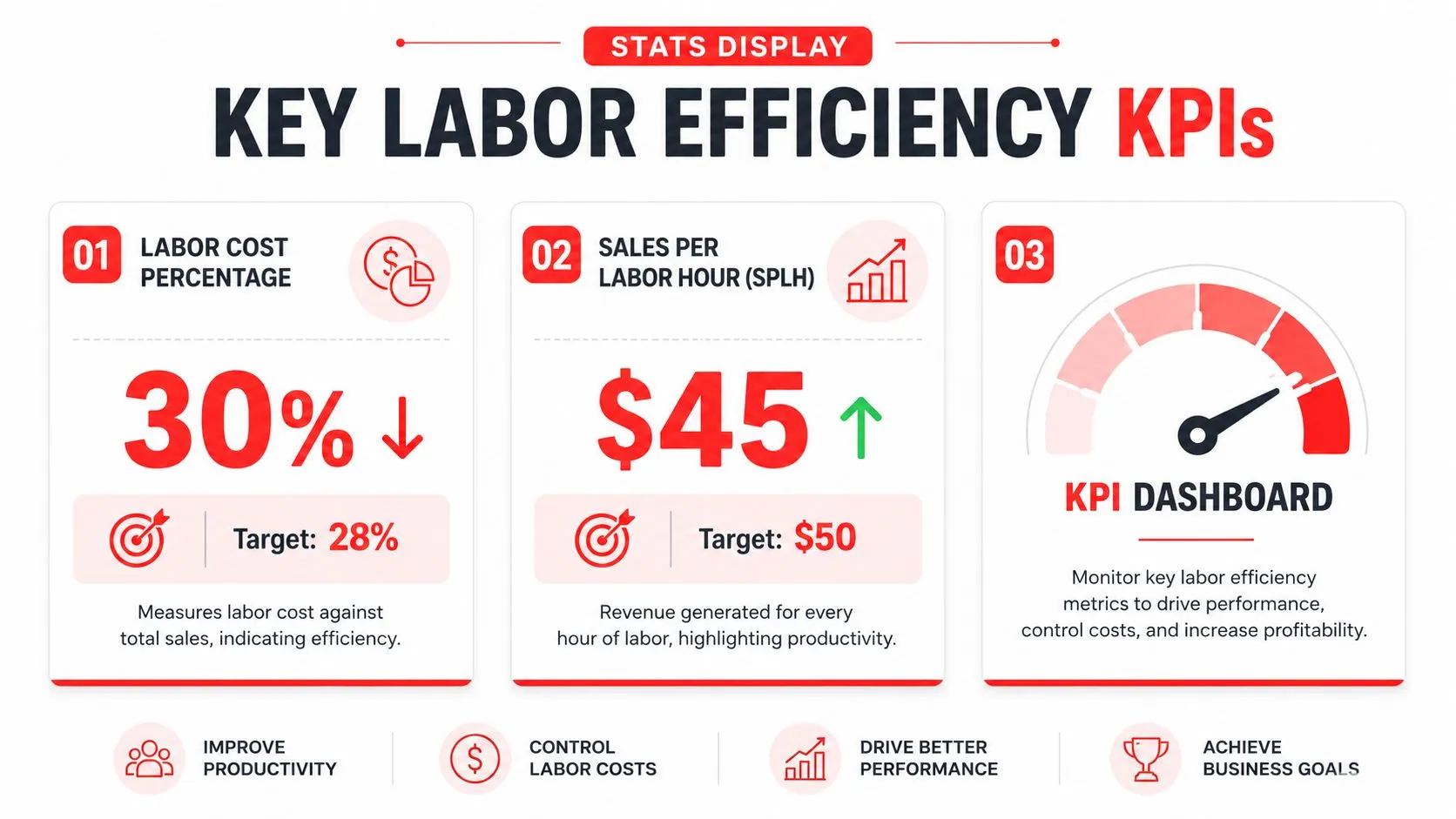
If you don’t measure labor accurately, you end up arguing about feelings instead of fixing operations. The two most useful KPIs are labor cost percentage and Sales Per Labor Hour, or SPLH. Labor cost percentage is total labor expense divided by total sales, while SPLH tells you how much revenue each labor hour is producing.
Use the metric that matches the decision
Labor benchmarks vary by concept. Paytronix notes broad labor cost ranges of 20% to 30% for QSR and 30% to 38% for full-service dining, and it points to SPLH as a way to identify overstaffing during slow periods (Paytronix). Those ranges are useful as guardrails, but their true utility comes from checking whether the restaurant is overbuilt on a slow lunch or undercovered on a high-volume night.
A full-service operator should also keep context in mind. The National Restaurant Association reported that full-service restaurants with profits in 2024 had a median labor cost of 34.2% of sales, while full-service restaurants overall were at 36.5% of sales. That gap suggests that small labor improvements can move profitability meaningfully when the schedule and workflow are tight (National Restaurant Association).
The key is data integrity. If delivery sales are scattered across marketplaces and don’t feed cleanly into the POS, the labor report is incomplete. Once all orders flow through one system, managers can see labor against sales in real time and make better same-shift decisions, like tightening a server section or holding off on a call-in.
Manager’s shortcut: If the sales number isn’t complete, the labor decision won’t be right.
For a deeper look at tracking the right metrics, use OrderOut’s restaurant KPI guide. If you’re comparing systems, OrderOut’s Square delivery integration is the commercial path for Square operators who need third-party orders to land directly in the POS.
Frequently Asked Questions
What is restaurant labor management in simple terms?
It’s the process of planning labor around demand so the restaurant doesn’t overstaff slow periods or understaff busy ones. Good labor management keeps service steady, protects margins, and makes the team’s work more predictable. It also helps managers react before overtime or service issues get out of hand.
Why does delivery order handling affect labor efficiency?
Because someone has to manage those orders if they aren’t flowing into the POS. Separate tablets create extra touches, extra interruptions, and extra room for mistakes, which pulls staff away from guest-facing work. When delivery orders inject directly into Clover or Square, the team can spend that time on the floor instead of re-entering tickets.
Does OrderOut work with Clover and Square?
Yes. OrderOut connects delivery apps like Uber Eats, DoorDash, and Grubhub into POS systems including Clover and Square. That setup removes extra tablets and manual re-keying, which is exactly the kind of workflow cleanup labor managers need.
What should I track first if labor costs feel too high?
Start with labor cost percentage and SPLH, then compare those numbers by daypart rather than looking at the whole week as one block. That’s usually where specific problems show up, such as slow lunches, overbuilt prep, or an underused closing shift. Once you know where the leak is, you can decide whether the fix is scheduling, forecasting, or workflow automation.
Is labor management only about cutting hours?
No. Cutting hours without changing the workflow usually just shifts the pain to the team and hurts retention. Better labor management improves how time gets used, which can mean fewer mistakes, faster service, and a more stable staff.
OrderOut helps restaurants get third-party delivery orders straight into the POS, so teams spend less time retyping tickets and more time serving guests. If labor control is getting harder because delivery is fragmenting your workflow, review OrderOut and see how much cleaner your shifts can run when everything lands in one place. Start onboarding at dashboard.orderout.co when you’re ready to move from manual re-entry to a cleaner labor workflow.