
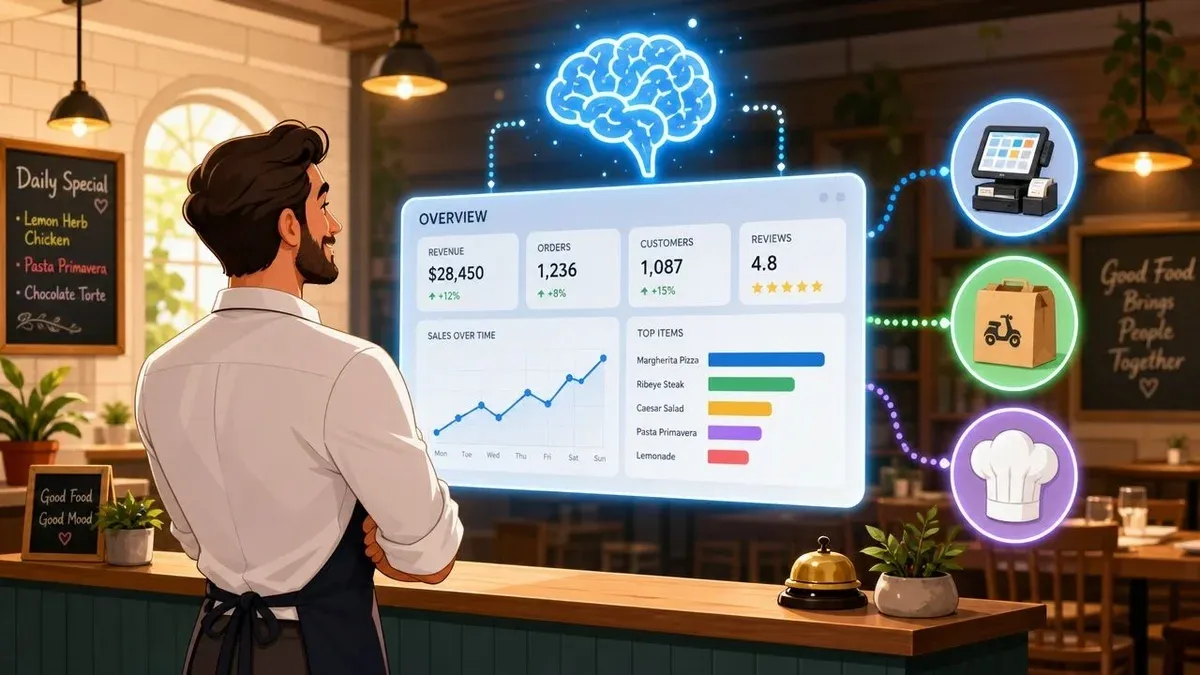
Friday dinner service is building, the host stand is backed up, and three delivery tablets are lighting up at once. Someone is still keying Uber Eats and DoorDash orders into the POS by hand. At the same time, the manager is trying to figure out why labor felt heavy all afternoon and why the fry station burned through more product than expected.
That’s the point where most operators realize they don’t have a sales problem. They have a visibility problem.
A lot of restaurants already have plenty of data. The POS has transaction details. Delivery apps have order flow. Scheduling tools show hours. Inventory systems show usage. The issue is that the information sits in separate places, and the team only tries to reconcile it after the shift. By then, the mistakes are already paid for in comps, overtime, remakes, and waste.
Restaurant analytics software matters because it turns disconnected systems into one operating view. Instead of asking, “What happened yesterday?” you can start asking better questions during service. Which channel is driving profitable orders? Which shift is overstaffed? Which menu item sells well but drags margin down? Which delivery workflow is creating avoidable re-entry work at the POS?
When owners use it well, restaurant analytics software isn’t some abstract food tech layer sitting above the business. It becomes the practical link between the dining room, the kitchen line, the POS, and the off-premise order stream. That’s where the savings are. That’s also where staffing gets tighter, food costs get cleaner, and delivery stops feeling like a separate business you happen to be running on the side.
From Kitchen Chaos to Clear Insights
Friday at 7:15 p.m., the dining room is full, DoorDash is stacking up, and someone is still keying tablet orders into the POS by hand. Ten minutes later, the line is blaming the host stand for ticket times, the manager is guessing whether labor is too high, and nobody can see which orders are worth the rush.
That is not a reporting problem. It is an operating problem caused by disconnected systems.
Restaurants already collect plenty of information during a shift. The POS records what sold. Delivery apps record what was ordered off-premise. Scheduling, inventory, and payment tools each hold another piece of the picture. Trouble starts when managers have to stitch those pieces together after the fact. The National Restaurant Association has pointed to technology integration and real-time operational visibility as a priority for restaurant performance in its restaurant technology outlook.
Where the breakdown hits profit
The first signs usually show up in the same places:
- Orders get touched twice: Staff re-enter delivery orders instead of working the line or helping guests.
- Channel reporting gets muddy: Sales look fine in total, but nobody can separate profitable pickup demand from high-fee delivery volume.
- Managers miss the window to act: Overstaffing, product waste, and remake patterns only become obvious after close.
If the POS and delivery flow are disconnected, every shift carries hidden costs.
That is why restaurant analytics software matters. Its job is to connect on-premise execution with off-premise demand fast enough for managers to act during service, not just explain the damage later. A useful system shows whether a busy hour came from dine-in, pickup, or third-party delivery, how that mix affected labor pressure, and where order handling started to slow down. For operators working through this gap, this guide to data analytics for restaurants covers the basics well.
What clear insight looks like in practice
Once those systems connect, the conversation changes. Managers stop arguing over mismatched totals and start checking ticket times, voids, menu mix, and staffing against live order flow. That is where substantial savings become apparent. Fewer duplicate entries. Faster course correction on labor. Cleaner visibility into whether delivery is adding margin or just adding work.
The best operators do not need more dashboards. They need one reliable view of what the POS, the kitchen, and delivery channels are doing together while the shift is still running.
What Is Restaurant Analytics Software Really
At 5:15 p.m., the dining room starts filling, third-party tablets light up, and the POS says sales are strong. An hour later, labor is stretched, ticket times are slipping, and a popular modifier-heavy item is eating margin faster than anyone expected. Restaurant analytics software is the system that connects those signals early enough for a manager to respond before the shift gets away from them.
In practice, it pulls operating data into one place so the team is not comparing exports from separate tools at the end of the night. The useful setups combine POS transactions, labor, inventory, menu mix, and delivery channel activity into a single reporting layer. That matters because restaurants do not lose profit in one system at a time. They lose it in the handoff between systems, especially when off-premise demand hits the kitchen faster than the floor team or prep plan can adjust.
It’s more than reporting
Reporting gives totals. Analytics connects those totals to operating causes.
A Friday lunch report might show strong sales. Add labor data, and you can see whether the rush was covered well or handled with too few hands on the line. Add inventory and channel mix, and a clearer picture appears. Delivery bundles may have driven the spike, the expo station may have become the bottleneck, and a high-cost item may have sold in a way that looked good at the top line but hurt contribution margin.
That is the difference operators should care about. Better analytics shortens the gap between what happened and what the manager changes next, whether that means throttling a delivery promotion, shifting prep, adjusting staffing, or pushing a higher-margin item during the next rush.
The software earns its keep between the POS and delivery apps
For restaurants with meaningful off-premise volume, analytics software works as the operating layer between the POS and delivery platforms. The POS records the transaction. Delivery apps generate demand and fees. Analytics ties the two together so operators can see whether that demand produced profit, kitchen strain, longer waits, or avoidable remakes.
This is the core value. Integration is not a nice feature on a vendor checklist. It is what lets a restaurant measure the actual cost of an order after marketplace commissions, promo discounts, packaging, labor pressure, and item-level food cost are all in the picture.
A useful system helps managers answer practical questions fast. Which channel filled the 7 p.m. rush. Which menu items sold well but slowed production. Whether delivery volume added net margin or just pushed the kitchen into missed quote times and refund risk.
For operators who want a practical baseline, this guide to data analytics for restaurants gives a solid overview of how teams use this data day to day.
The goal isn’t to collect more data. The goal is to remove delay between activity in the POS, pressure from delivery channels, and the decision that protects margin.
For this reason, restaurant analytics software now sits in the center of day-to-day restaurant operations, not just in monthly reporting.
Core Features and KPIs for Restaurant Operations
A busy Friday can look profitable from the top line and still lose money by midnight. The dining room stays full, third-party orders keep printing, labor runs long, and a few high-volume items burn through prep faster than expected. By close, sales look strong in the POS, but margin slipped through food waste, remake risk, and a schedule that did not match the order mix.
That is why the feature list matters less than the operating problem behind it. Good restaurant analytics software helps managers catch margin leaks while service is still in motion, especially when dine-in, pickup, and delivery are all hitting the same kitchen.
Features that actually earn their keep
The strongest systems usually solve five day-to-day problems.
- Sales forecasting: Helps managers prep and staff against expected volume instead of last week’s guess.
- Menu performance analysis: Shows which items drive sales, which lower check average, and which create production drag during peak periods.
- Labor tracking by shift or role: Shows whether the schedule matched actual demand by hour, station, and channel.
- Inventory variance reporting: Flags gaps between theoretical and actual usage so teams can catch waste, over-portioning, or poor receiving controls.
- Channel-level visibility: Separates dine-in, pickup, and delivery sales so operators can see whether off-premise volume added contribution margin or just added tickets, fees, and kitchen pressure.

The practical test is simple. If a feature does not help the restaurant buy better, schedule better, price better, or control channel mix, it does not belong in the core stack.
The KPIs worth watching every week
Operators often drown in reports and still miss the few numbers that change decisions. A tighter KPI set works better, especially when those KPIs connect POS sales to labor, inventory, and delivery channel performance.
Prime cost belongs at the top of the list because it combines food and labor, the two expenses that usually move fastest when operations slip. This restaurant analytics benchmark guide gives a useful reference point for how operators commonly evaluate prime cost in practice.
Here’s a short list of KPIs that earn attention every week:
KPI Why it matters What it helps you fix Prime cost Shows whether food and labor are consuming too much revenue Pricing, purchasing, staffing Labor productivity Connects hours worked to sales output and order volume Schedule quality, role mix, deployment by daypart Actual versus theoretical food usage Exposes waste, over-portioning, prep loss, or theft Recipe control, inventory discipline Average transaction value Shows whether check growth is coming from mix, add-ons, or discounting Bundles, upsell, menu engineering Sales versus forecast Shows how far actual demand moved from plan Prep, staffing, reorder timing
Why monthly reporting misses the real problem
Monthly reporting is too late for most restaurant mistakes. If a delivery-heavy Tuesday night consistently pushes labor up, quote times out, and modifier errors higher, a month-end summary will confirm the loss after the schedule has already repeated four times.
Shift-level measurement gives managers a chance to correct the next service, not explain the last one. The National Restaurant Association’s restaurant operations data guidance supports closer tracking of labor, sales, and operating performance because conditions change fast across shifts, dayparts, and service channels.
That matters even more when off-premise sales run through the same line as dine-in tickets. A useful analytics platform should let managers compare a lunch shift with modest dining room traffic against a dinner shift loaded with app orders, then see the impact on ticket times, labor deployment, food usage, and net sales quality.
If you want a tighter framework for what to review each week, this restaurant performance metrics guide is a strong operational checklist.
Watch fewer KPIs more often. A shift report helps a manager change labor, prep, or channel settings before margin disappears.
The Power of POS and Restaurant Delivery Integration
The highest-value move in modern food tech isn’t adding another dashboard. It’s connecting your POS integration to your delivery workflow so one order only needs to exist once.

When restaurants don’t connect these systems, staff end up doing translation work. A DoorDash order arrives on a tablet. Someone retypes it into the POS. Modifiers get missed. Timing gets delayed. The order lands in sales reporting as if it were just another manually entered ticket. That hurts the guest experience and muddies the data.
Why integration changes profitability
A core advantage of analytics platforms is automated data collection from multiple systems, which reduces manual reporting errors and makes trend detection near real time. It also lets managers connect sales spikes, labour scheduling, and waste patterns without waiting for spreadsheet reconciliation, as described in this guide to restaurant analytics software.
That matters most in the gap between on-premise and off-premise operations. Delivery demand can hit hard and fast. If those orders aren’t flowing into the POS automatically, managers lose both labor time and decision quality.
The practical gains usually show up in four areas:
- Fewer order entry mistakes: Staff aren’t copying modifiers and item counts by hand.
- Cleaner sales data: Delivery, pickup, and in-house transactions can be compared in one place.
- Better labor use: Front-of-house staff spend less time acting like data-entry clerks.
- Faster service decisions: Managers can see channel pressure as it happens, not after close.
What this looks like with real tools
A restaurant running Clover or Square doesn’t need a separate manual workflow for third-party delivery just because Uber Eats and DoorDash live outside the four walls. With the right setup, orders can flow from delivery apps into the POS and then into the reporting layer that the operator uses.
For example, a restaurant using Clover with OrderOut or Square with OrderOut can connect delivery channels into the POS workflow instead of relying on staff re-entry. In practice, that means one consistent order trail from app to kitchen to reporting.
If you want a deeper operational look at this workflow, this order processing automation guide breaks down where manual handoffs create friction.
A quick walkthrough helps show the difference in live service:
The old workflow versus the workable one
The old workflow asks humans to bridge systems that should already be connected. That usually fails under pressure.
The workable workflow looks more like this:
Workflow What staff do What managers get Manual tablet entry Re-enter third-party orders into the POS Delayed and less reliable reporting Integrated POS and delivery flow Confirm and produce orders already in system One sales picture across channels
Integration isn’t just an IT feature. In restaurant operations, it’s the point where faster order flow turns into cleaner labor use and more trustworthy analytics.
From Data to Decisions Actionable Use Cases
Saturday night exposes bad reporting fast. The dining room is full, third-party orders start stacking, and a manager has to decide in real time whether the problem is labor, prep, or a menu item that keeps slowing the line. Restaurant analytics software earns its place when it connects POS sales, delivery demand, and kitchen output well enough for that manager to make the right call before the shift is lost.

Menu engineering that protects margin
A menu item can sell well and still drag profit down. I see this often with delivery-heavy items that pick up too many modifiers, create remake risk, or use ingredients with weak portion control. The POS shows volume. The delivery feed shows channel mix. Combined with recipe and waste tracking, that gives operators a clearer view of which items deserve a price change, a recipe fix, or a delivery-only version built for speed and consistency.
The right move is rarely to cut the item on the spot. More often, the fix is operational. Tighten the build, swap a side, reduce modifier sprawl, or move a problem item off certain delivery channels during peak periods.
Staffing changes that improve service
Shift-level reporting matters because labor mistakes happen in live service, not in month-end summaries. A manager who can see sales by channel, labor against sales, and ticket patterns by hour has a better shot at correcting the next schedule before margin slips again.
A common example is a Tuesday breakfast schedule built for traffic that no longer exists. Another is a Friday lunch where dine-in looks manageable on paper, but delivery orders hit the kitchen in the same 20-minute window and overwhelm the line. Good analytics helps managers spot whether they need another expo, fewer front counter hours, or a prep adjustment before the next rush.
Prime cost is more useful when managers can review it by shift, alongside sales mix and labor use, instead of waiting for an end-of-week average that hides the problem.
Delivery performance by channel
Many operators know which app feels busiest. Fewer know which app fits their kitchen. That distinction matters.
One delivery marketplace may send higher volume but produce more modifiers, more late pickups, and more disruption at the make line. Another may bring fewer orders but better average tickets and cleaner execution once those orders land in the POS. The profitable choice depends on contribution margin, remake risk, and how each channel affects dine-in service during peak periods.
For restaurants also tracking local website traffic and online conversion paths, this GA4 guide for local businesses is useful context. It helps operators connect digital demand signals with what converts into orders.
Multi-location control without guesswork
In multi-unit groups, the same menu can produce very different results by store. One location handles app orders cleanly because prep is tighter and scheduling matches channel demand. Another location runs the same promotions and still ends up with higher waste, slower ticket times, and more labor strain.
A shared reporting layer helps operators compare stores on the factors that change profit. Sales alone is not enough. Managers need to see inventory movement, order mix, labor use, and delivery performance together. Teams working on both store-to-store consistency and stock control should review this multi-location inventory management article.
The practical win is speed. If a manager can catch the issue by Wednesday and change the weekend schedule, prep list, or delivery settings, the software is doing the job it was bought to do.
How to Choose the Right Software and Measure ROI
A lot of restaurant software demos look impressive because the dashboards are clean. That’s not the hard part. The hard part is whether the system helps someone on your team act before the damage is already done.
A frequently overlooked question is whether analytics software helps operators act faster. If the insight arrives after the shift, it can’t change staffing or prevent waste in time. The value isn’t analytics by itself. The value is whether it prevents missed revenue or avoidable costs during live service, as explained in this restaurant analytics timing guide.
Questions worth asking before you buy
Use vendor calls to pressure-test how the product works in restaurant operations, not just how it looks.
Ask questions like these:
- How fast does data become usable after a POS sale, labor update, or delivery order?
- What systems does it connect to natively and where will staff still need manual workarounds?
- Can managers see channel-level performance for dine-in, pickup, and third-party delivery?
- Does it support shift-level reporting or mostly end-of-day summaries?
- How easy is it to train store managers who aren’t technical?
- What happens when numbers don’t match between systems?
That last question matters more than most operators think. Reconciliation is where many reporting setups start to break. This guide on how to reconcile the difference is useful because it focuses on the operational reasons data doesn’t line up cleanly across systems.
A simple ROI model that owners can use
You don’t need a finance team to evaluate return. Start with the practical levers the software should affect:
ROI input What to look for Reduced waste Fewer over-orders, better prep alignment, less usage variance Optimized labor Less manual order entry, tighter schedules, fewer mismatched shifts Revenue protection Fewer missed orders, cleaner menu/channel decisions, better service flow Software cost Subscription, setup, training, and support
A workable formula is:
(Savings from reduced waste + savings from optimized labor + increased revenue) - software cost = ROI
What works and what usually disappoints
What works is software that plugs into the systems already running the restaurant, especially the POS and restaurant delivery stack. What disappoints is software that requires managers to export files, clean spreadsheets, and assemble insight manually.
The test is blunt. If a product creates another reporting chore, it isn’t solving the problem you bought it to solve.
Your Next Step Toward a Data-Driven Restaurant
Restaurant analytics software only matters when it changes what the team does during the week. Better prep. Better schedules. Cleaner ordering. Fewer mistakes between delivery apps and the POS. That’s the practical standard.
For most restaurants, the first move isn’t buying the most advanced platform on the market. It’s connecting the systems already shaping daily performance. The POS, labor tools, inventory process, and delivery channels need to feed one view of the business. Once that happens, the patterns become easier to trust and a lot easier to act on.
That matters whether you’re running one location or several. It also matters whether you’re trying to control costs, improve service, or make the economics of off-premise ordering less messy. If you’re planning a broader upgrade, expansion, or financing strategy alongside operational improvements, this restaurant lender guide from GoSBA Loans is a useful reference point.
A practical first move this week
Keep it simple:
- List every system that touches an order from app to POS to kitchen to reporting.
- Mark every manual handoff where staff re-enter data or fix mismatches.
- Choose one reporting view that combines on-premise and off-premise performance.
- Review one shift at a time instead of waiting for the month-end packet.
The operators who get the most from restaurant analytics software don’t start with theory. They start by removing friction where orders, labor, and reporting collide. That’s usually the fastest path to clearer numbers and better decisions.
Start by connecting the systems you already use. OrderOut helps restaurants route delivery app orders into the POS so operators can reduce manual entry and create a cleaner view of sales across channels. You can start onboarding for free in a few clicks at the OrderOut dashboard.