
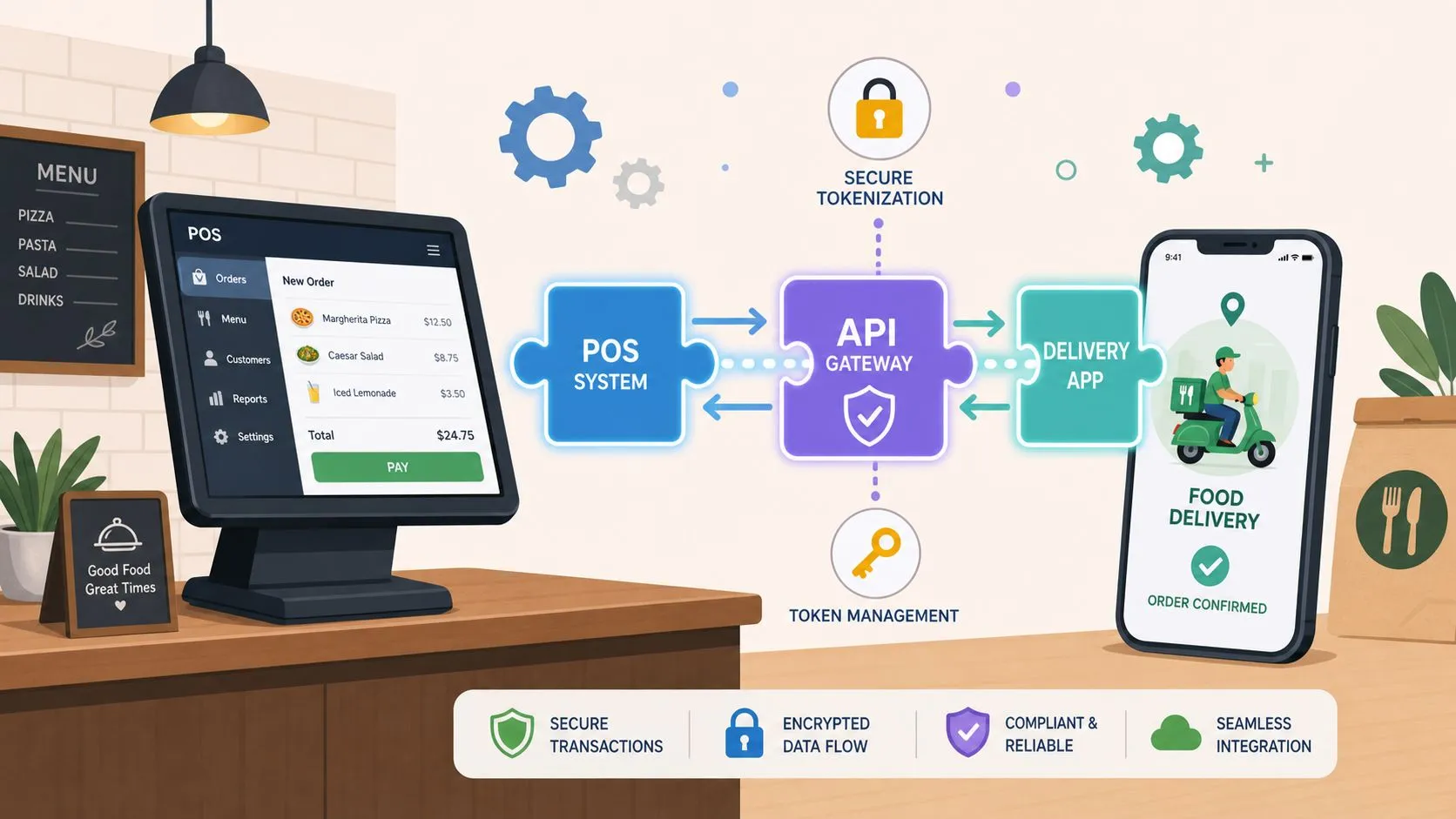
Payment processing integration connects your payment system to business software so sales, inventory, and reporting update automatically, instead of getting retyped by hand. In restaurants, that same wiring is what already lets a DoorDash order land in Clover without someone juggling extra tablets, and it’s also what should happen when a card is tapped, swiped, or entered online.
The biggest mistake operators make is treating payments like a separate island. In reality, the terminal, the POS, the accounting stack, and the delivery channels all need to agree on one version of the sale, or the back office turns into cleanup work after every rush.
What Payment Processing Integration Actually Means
A restaurant can take a card payment, send an online order, and update the back office all from the same sale if the systems are connected correctly. Payment processing integration is that connection. The POS receives the order, inventory changes, accounting gets the transaction record, and staff do not have to clean up duplicate entries or missing totals after service.
Restaurant operators already see this pattern in delivery. When Uber Eats, DoorDash, or Grubhub orders flow into Clover or Square, the important part is not just that a card was accepted. The order arrives as usable data inside the POS. The same setup should work for counter payments, online checkout, and accounting records. OrderOut’s point-of-sale integration overview describes the same general pattern, where payment systems connect through software so a transaction updates other systems instead of being typed in again.
How the wiring works
The connection usually runs through APIs, SDKs, or plugins. The payment software sends data to the POS and the other business tools, then those systems send back status changes, totals, and settlement details. Integrated payments also keep the operator inside one workflow, which reduces the need to bounce between separate software and terminals and lowers the chance of human error.
That is why the question is not whether to add integration. The question is how to wire the stack so one sale becomes one clean record.
Practical rule: if the same sale can exist in two places with two different numbers, the integration is not finished.
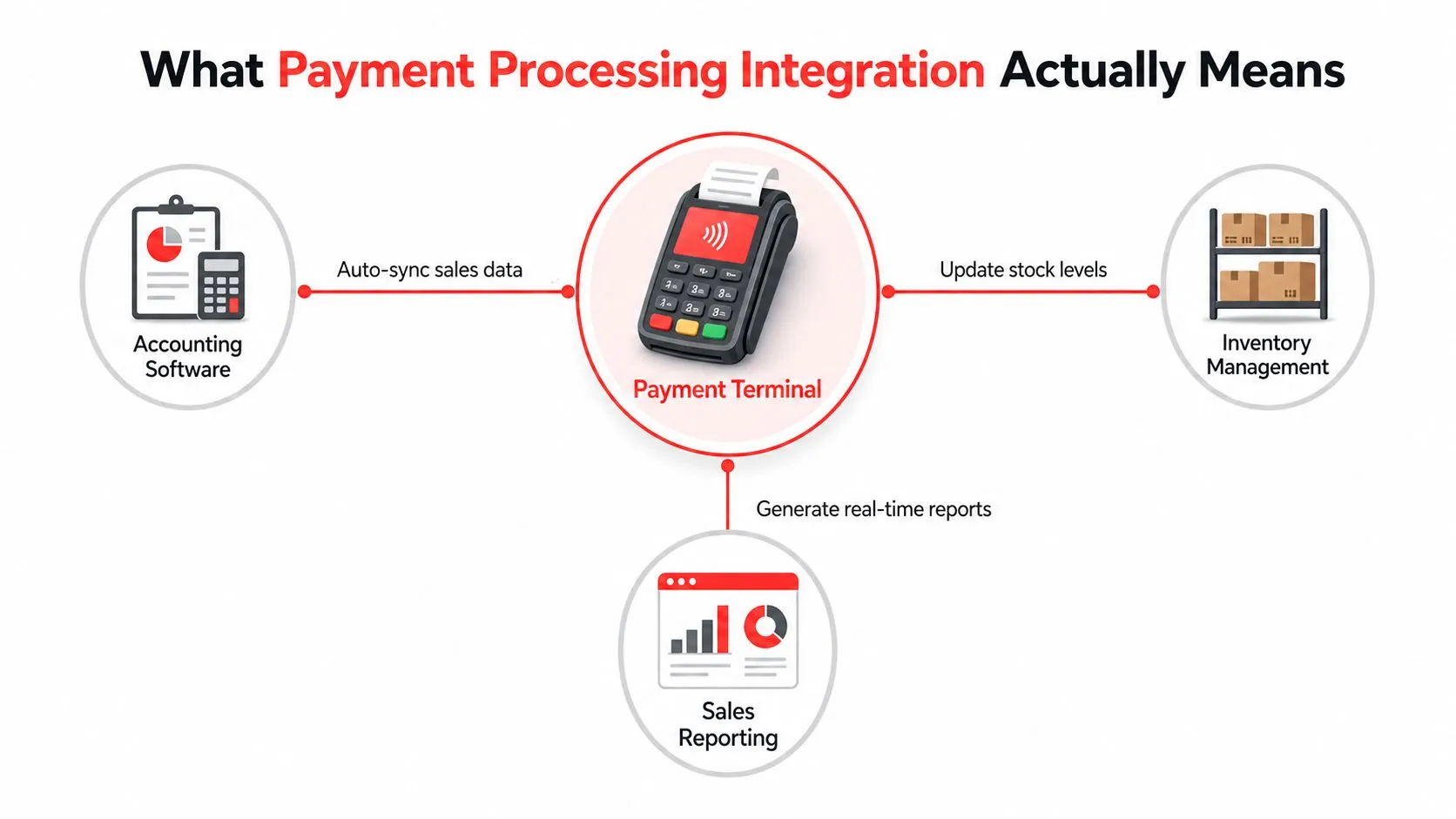
Restaurants also need the data to arrive in a form the POS can use. Modifiers, taxes, discounts, tips, and reporting fields should line up the same way across every channel, or the back office ends up translating between systems by hand. That is the same clean-data pattern that lets a third-party delivery order fit into a restaurant system without re-keying every detail.
The Architecture and Data Flow Behind Every Payment
A payment follows a path, and it helps to name each handoff in plain English before looking at the technical side. A customer taps a card, places an online order, or submits a pickup order through an app. That request moves through a payment gateway, then a processor, then the card or bank network, then the acquiring bank, and finally the money lands in the restaurant account while the POS or accounting system receives the transaction record.
A common mistake is treating the POS as the whole system. It is one stop in a wider chain, and if the data at any handoff arrives late, malformed, or duplicated, the restaurant feels it as missing sales, mismatched deposits, or broken reconciliation.
Where the data moves
The technical version follows the same path, just with more structure. Each hop passes data through APIs or webhooks, and the POS should treat its own database as the source of truth for payment state. In practice, provider-controlled card-entry components reduce the amount of sensitive data your team ever touches, and webhook events give you a cleaner signal than browser redirects when a checkout gets interrupted or a customer closes the tab.
Restaurants also need to stage the data flow before full launch. A practical implementation guide recommends documenting transaction volume by channel, setting up webhooks and accounting links, and running a small slice of transactions through the new path during testing while checking refunds, partial payments, failed charges, and reconciliation to the penny. CompleteController’s integration guide lays out that kind of rollout discipline in a way operators can map to their own stack.
The same pattern shows up in restaurant software beyond payments. A clean handoff is what lets a delivery order land in Clover or Square without someone re-keying every field, and the same idea applies to card acceptance, status updates, and settlement records. OrderOut’s POS integration API guide is a useful companion if you want to see how structured data moves through a restaurant stack.
Here’s the operator takeaway, start with the flow, not the code. Map every place payment data can enter or leave your stack, then make sure each handoff has one clear owner.
The cleanest integration is the one where the customer never notices the handoffs, and the manager never has to guess where a payment went.
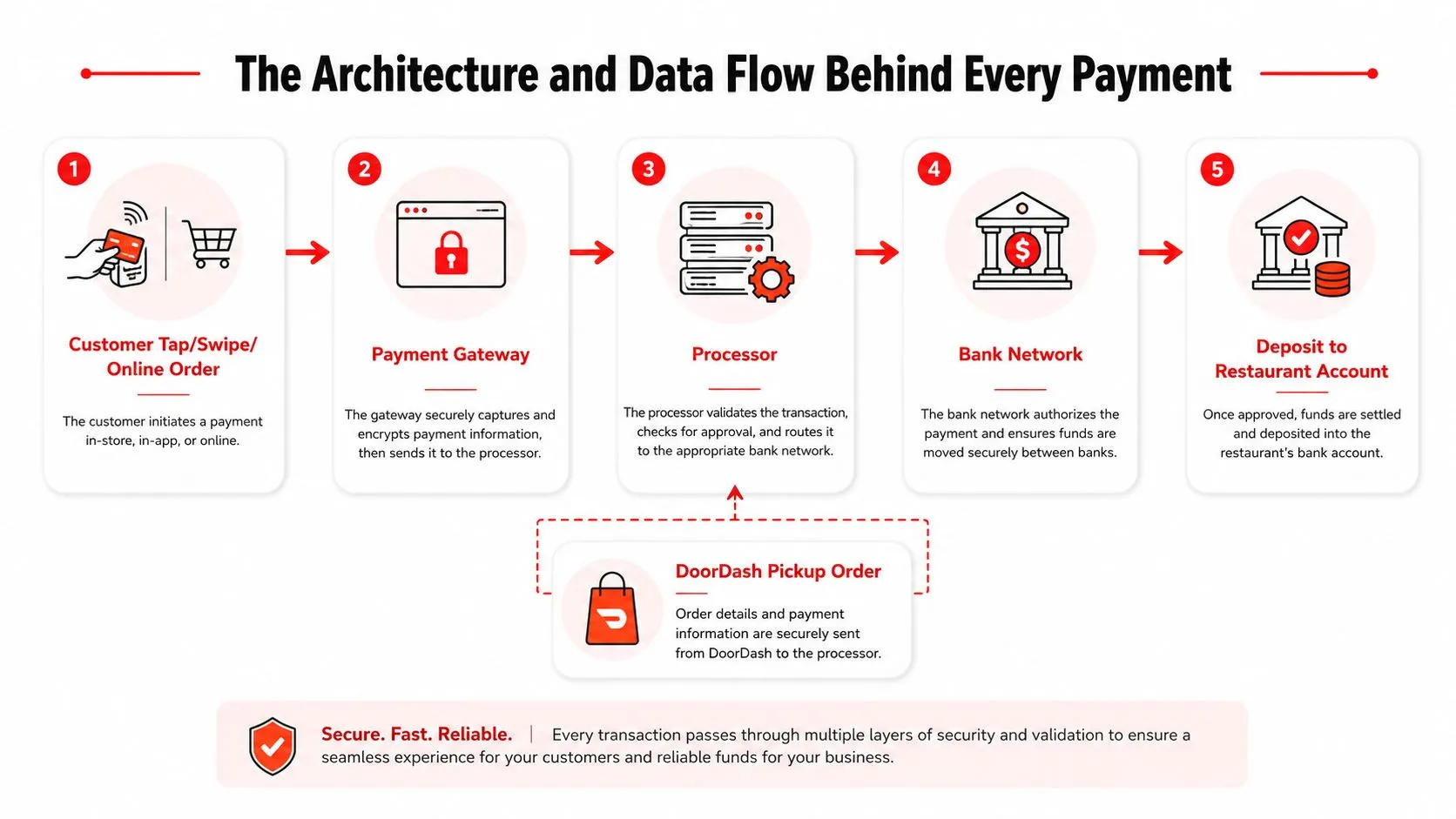
Once you trace the path, the moving parts are easier to judge. A gateway starts the request, the processor routes it to the network, the issuer approves or declines it, and the settlement record comes back to the restaurant’s systems. That is the same architectural pattern that keeps card payments and POS updates from drifting apart.
Choosing the Right Gateway and Processor for Your Restaurant
A restaurant usually feels the pain of a bad payment setup at the counter first. Orders slow down, refunds take extra clicks, and staff end up guessing which system owns which part of the transaction. The better choice is the one that fits your POS cleanly, keeps those handoffs simple, and does not create a second job for the front desk.
Start with native compatibility with Clover or Square. Then check the fee structure, support for both card-present and card-not-present payments, and whether the provider can handle refunds, partial payments, and chargebacks without someone building a workaround on the fly.
A good restaurant setup often looks plain. That is a strength, not a flaw. If your POS already gives you a clear path for payment data, that is usually better than a more complicated setup with extra configuration and extra support calls. Operators with lighter volume should pay close attention to the simplest working option first, because a steady process matters more than feature hunting when the line is moving.
Questions to ask before you sign
- Does it fit your POS first? Clover and Square narrow the field quickly, and that is useful. If the processor does not fit the POS, the rest of the feature list matters less.
- Can it handle restaurant reality? Partial payments, split checks, refunds, and chargebacks should work without manual patching.
- How clear is the documentation? If the provider cannot explain webhooks, sandbox testing, and error handling in plain language, the integration usually becomes harder than it needs to be.
- Can your team test before launch? A sandbox and reliable SDKs reduce guesswork and shorten implementation cycles.
OrderOut’s banking services overview is a useful reference if you want to see how payment flows sit alongside the rest of the restaurant stack instead of being treated as a separate system.
The broader market helps explain why this decision gets so much attention. Airwallex industry statistics shows that payment processing is now a large, active category, with estimates that vary depending on how the market is defined. For restaurant operators, that means payment software is no longer a side feature. It is part of the core architecture that decides how money, orders, and reporting stay aligned.
Operator shortcut: if your POS already has a stable path, use it first, then add complexity only when the workflow truly needs it.
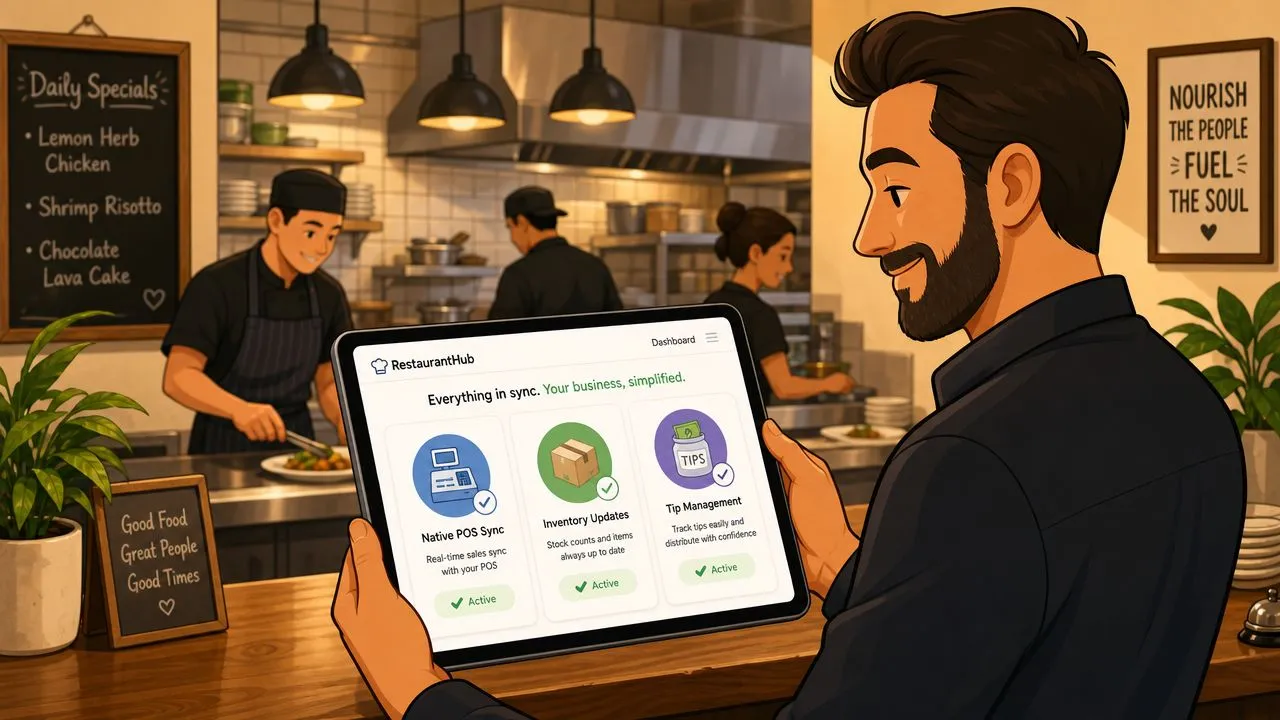
If you want to test the Clover path, install directly from the Clover App Market listing for OrderOut. If you run Square, the equivalent starting point is the OrderOut app in the Square App Marketplace.
Security, Tokenization, and PCI Requirements Without the Jargon
A restaurant payment system should keep raw card data out of your own apps, terminals, and back office wherever possible. That is the cleanest way to reduce PCI scope and limit the number of places a card number could be copied, stored, or exposed.
Tokenization is the basic mechanism behind that setup. The card number is replaced with a token that can travel through your system for payment actions without revealing the original details. Provider-controlled card entry components help because the sensitive input stays inside the payment provider’s controlled flow, not inside every restaurant app or browser form.
Why the server has to be the source of truth
The flow only stays reliable if the server, not the browser, records what happened. Webhooks should carry the payment event back to your system, while the browser should be treated as a user interface, not the final record. That pattern matches the same architecture restaurants already use to keep delivery orders and POS updates aligned, and it is explained well in the OrderOut Clover API integration guide.
That distinction matters because browser behavior is messy. Customers reload pages, devices lose connectivity, and redirects do not always tell you whether a charge was authorized, captured, or failed.
For a restaurant, this is more than compliance language. Clean records make it easier to spot unusual gaps, and those gaps are often the first clue that something is wrong. They also make chargeback response less painful, because your records show what was authorized, what was captured, and what was refunded.
Practical rule: if the payment state only lives in the browser, it is not reliable enough to run a restaurant on.
Secure integration and clean reconciliation belong together. If the POS, processor, and accounting system all show the same payment story, you reduce errors and make it harder for a breach, duplicate charge, or bad refund to hide.
Implementing the Integration Step by Step
A restaurant rollout should start before anyone opens production traffic. First, confirm that the POS can work with the gateway you want, then map every place payment data will move, including the terminal, online ordering, accounting, and delivery channels. After that, create the processor accounts and API credentials, because a flow cannot be tested until each system can authenticate.
Configuration comes next, not launch. Set up webhooks, connect accounting, and decide how refunds, partial payments, and failed charges should behave before live orders start passing through the system. A controlled pilot is the safer pattern here, one that routes only a small slice of transactions through the new setup first, then checks refunds, partial payments, failed charges, and reconciliation against the penny. That is the same kind of handoff logic restaurants already use when orders move cleanly into Clover through the Clover API integration pattern.
A practical deployment checklist
| Stage | Key Action | What to Verify |
|---|---|---|
| Discovery | Map every system that touches payment data | No hidden payment path is left out |
| Setup | Create processor accounts and API credentials | Access works in the sandbox and the POS |
| Configuration | Connect webhooks and accounting links | Events arrive in the right order |
| Testing | Route a small slice of live-like traffic | Refunds, partial payments, and failures behave correctly |
| Validation | Reconcile processor, POS, and accounting records | Totals match across systems |
| Cutover | Move normal volume to the new path | Staff can use it without manual workarounds |
The checklist helps, but the order matters more than the format. If the system cannot authenticate, webhooks cannot fire in the right place, and accounting cannot receive a reliable payment record. If the refund path is undefined, staff will invent a workaround under pressure, and that is usually where reconciliation starts to drift.
One more layer deserves attention before production release. Test declines, chargebacks, and 3D Secure flows while the rollout is still controlled. Those cases show whether the integration behaves like part of the restaurant stack or like a separate tool that needs manual cleanup. A payment processing integration overview is useful here because it reinforces the same point, payments have to move through the system with the same discipline as order data.
When the rollout is finished, the team should be able to explain one thing clearly. Where a payment starts, where it gets verified, and where the final record lives.
Troubleshooting Tips and Common Pitfalls
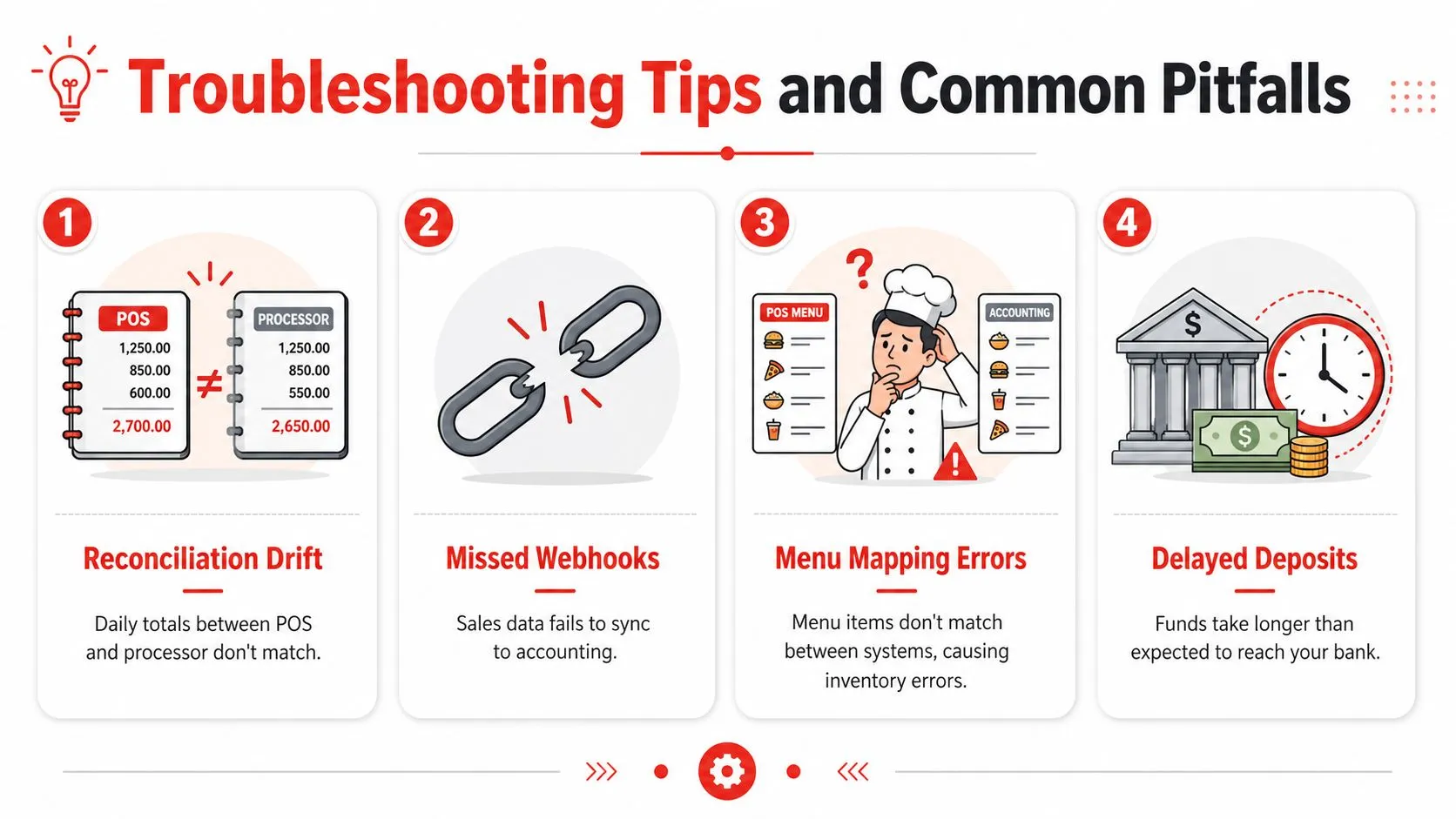
The first sign of trouble is often a busy Friday night, not a dashboard alert. The manager sees the POS total, the processor shows a different number, and the deposit doesn’t match what the shift report says. That’s reconciliation drift, and it usually means the systems are no longer sharing the same version of the sale.
Missed webhooks create a different kind of pain. The order might succeed, but accounting never gets the update, so a sale looks invisible after the fact. In a restaurant, that can feel like a random missing ticket, but under the hood it’s usually a failed event delivery, a timeout, or a retry that never got handled correctly.
Common failures and what they usually mean
- Reconciliation Drift: Daily totals between POS and processor don’t match, often because one side missed a refund or partial payment update.
- Missed Webhooks: Sales data fails to sync to accounting, usually because the event listener wasn’t reliable enough.
- Menu Mapping Errors: Items don’t line up between systems, so modifier pricing or inventory updates break.
- Delayed Deposits: Funds take longer than expected to reach the bank, which can be a bank-side timing issue or a mismatch in expected settlement behavior.
OrderOut’s reconciliation guide is a good internal reference if you’re diagnosing why two systems disagree.
The menu-mapping problem is easy to underestimate. If the restaurant’s item structure doesn’t match the POS schema, modifiers can land in the wrong place, and that creates bad counts and messy reporting. That’s why the earlier sections kept coming back to normalized data, because the data shape is what makes the whole flow usable.
Test declines, chargebacks, and 3D Secure before go-live. The painful bugs show up there first, not after the easy transactions.
If an integration feels brittle, check the retry logic and event handling before you blame the terminal. Most of the pain comes from state mismatch, not from the payment itself.
Frequently Asked Questions
Does OrderOut work with Clover?
Yes, OrderOut is built to inject third-party delivery orders into Clover so restaurants don’t have to re-key tickets or juggle extra tablets. It’s also free to install on the Clover App Market, which makes it easy to test in a real workflow.
Does OrderOut work with Square?
Yes, OrderOut also supports Square for delivery-to-POS flow. The restaurant can use it to push Uber Eats, DoorDash, and Grubhub orders into the POS instead of managing separate delivery devices.
Why does menu mapping matter so much?
Because the POS needs one normalized version of each item, modifier, and price. If the mapping is off, inventory, reporting, and order accuracy all start to drift.
Is payment processing integration only for online orders?
No, it applies to in-person payments, online checkouts, and the data flow behind restaurant operations. The key idea is that one payment should update the POS, accounting, and reporting without manual re-entry.
What should I test before going live?
Test refunds, partial payments, failed charges, declines, chargebacks, and 3D Secure flows. Those edge cases tell you whether the integration is stable enough for real restaurant traffic.
A CTA for OrderOut. Start onboarding free in a few clicks at dashboard.orderout.co.