
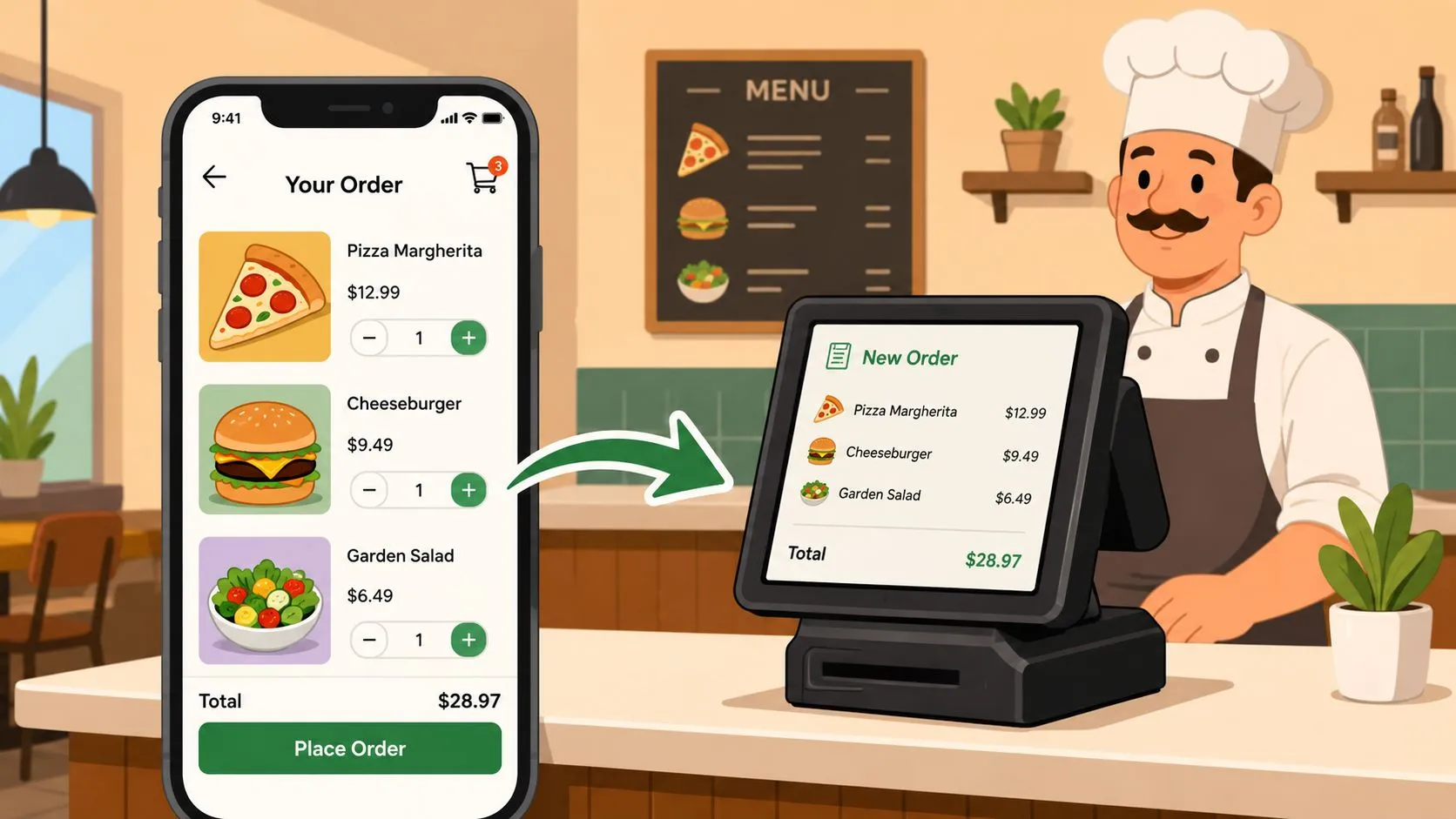
Mobile ordering apps are digital tools that allow customers to browse a restaurant’s menu, place an order, and pay for it directly from their smartphone or computer, either for pickup or delivery. In practice, the choice that matters most isn’t just which app you use. It’s whether that app creates a clean workflow or adds more operational chaos during service.
If you’re running a restaurant today, you’re probably already dealing with some form of mobile ordering. Maybe it’s Uber Eats on one tablet, DoorDash on another, Grubhub on a third, plus phone calls and walk-in traffic on top of that. The problem usually isn’t getting orders. It’s what happens after the order arrives.
What Are Mobile Ordering Apps?
Mobile ordering apps let customers order food without calling the restaurant or waiting at the counter. They open an app or ordering page, browse the menu, choose modifiers, pay, and wait for pickup or delivery.
That sounds simple on the customer side. On the restaurant side, it can either make life easier or create a mess.
A customer ordering from their phone expects a few basic things. They want the menu to be current, the payment to work, and the order status to make sense. Benchmark data cited by Coaxsoft’s food delivery app development guide notes that real-time database tools such as Firebase can keep order tracking synchronized across customer, restaurant, and courier screens, and that instant status updates can reduce customer anxiety and support inquiries by up to 30%. That matters because a smooth digital ordering experience doesn’t just affect one sale. It affects whether that guest trusts you enough to order again.
If you’re thinking beyond the next rush, it’s worth looking at how digital ordering connects to broader restaurant customer retention. The easier it is for guests to order accurately and predictably, the easier it is to turn one-time convenience into repeat business.
Why operators get stuck
Most owners don’t struggle with the idea of mobile ordering. They struggle with the setup behind it. The app may work fine for the customer while the staff still has to babysit tablets, re-enter tickets, and fix modifier mistakes.
That’s why mobile ordering shouldn’t be treated as a marketing feature first. It’s an operations system first.
Practical rule: If an ordering tool brings in sales but creates confusion in the kitchen, it isn’t finished. It still needs an operational path into your POS.
For restaurants exploring what a branded experience looks like, OrderOut also has a useful primer on white-label mobile applications for restaurants. It’s a good contrast to marketplace-driven ordering because it shows how ownership and workflow aren’t the same decision.
Understanding Your Mobile Ordering Options
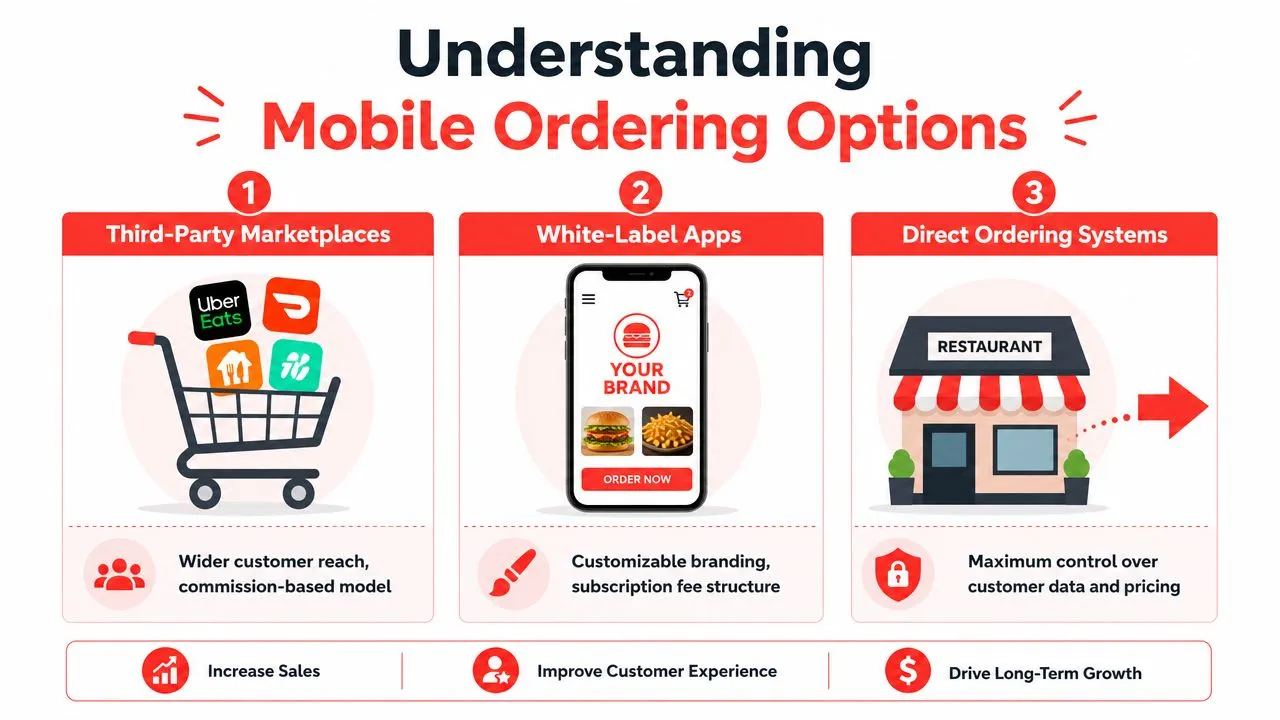
There are three common ways restaurants use mobile ordering apps. Each one solves a different problem. Each one also creates a different kind of tradeoff.
Third-party marketplaces
This is the version most operators know first. Your restaurant appears on apps like Uber Eats, DoorDash, or Grubhub, and customers place delivery or pickup orders through those platforms.
The main upside is reach. People already have those apps on their phones, so discovery is built in. If your goal is customer acquisition, marketplaces can put you in front of diners who weren’t planning to visit your website.
The downside is workflow. If those orders land on separate tablets and your team has to re-key them into Clover or Square, you’ve added work at the exact moment your staff is busiest.
A less discussed issue is the pickup side. According to Foodservice Equipment & Supplies, 92% of users report glitch-free app performance, but 50% of establishments lack proper lane separation for mobile ordering pickup, which creates confusion and delays. That’s a good reminder that mobile ordering success isn’t only about software. It also depends on how the order is handed off physically.
Direct web ordering pages
A direct ordering page is your own online storefront. Customers order from your site or a branded page instead of browsing a marketplace full of competitors.
This option gives you more control over menu presentation, pricing strategy, and the guest relationship. It’s often a better fit if you already have a local customer base and want repeat orders to come through your own channel.
What to watch for is integration quality. If your direct ordering page still sits outside your POS workflow, your team may still be managing two systems.
The channel isn’t the whole decision. The order path matters just as much as the order source.
If you’re comparing direct-ordering setups more closely, this guide to the best online ordering system for restaurants helps frame the difference between owning the order flow and just adding another ordering surface.
Native branded apps
A native app is a fully branded app customers download onto their phones. This gives you the strongest brand presence because your restaurant lives on their home screen, not inside a marketplace.
For some operators, that makes sense. It can be useful when you have strong repeat traffic, a well-defined customer base, and a plan to promote app downloads consistently.
The tradeoff is adoption. Customers have to decide your restaurant is worth downloading, keeping, and using. For a single-location restaurant, that’s a much higher bar than opening a marketplace app they already use every week.
A simple comparison
| Option | Main benefit | Main tradeoff |
|---|---|---|
| Third-party marketplaces | Wider customer reach | Can create tablet clutter and manual entry |
| Direct web ordering | More control over customer experience | Still needs strong POS integration |
| Native branded apps | Strong brand ownership | Harder to get customers to download and keep using |
For many operators, the winning setup isn’t choosing one app type and rejecting the others. It’s using the channels that bring demand while making sure every order flows into one system cleanly.
Why Manual Order Entry Is Hurting Your Restaurant
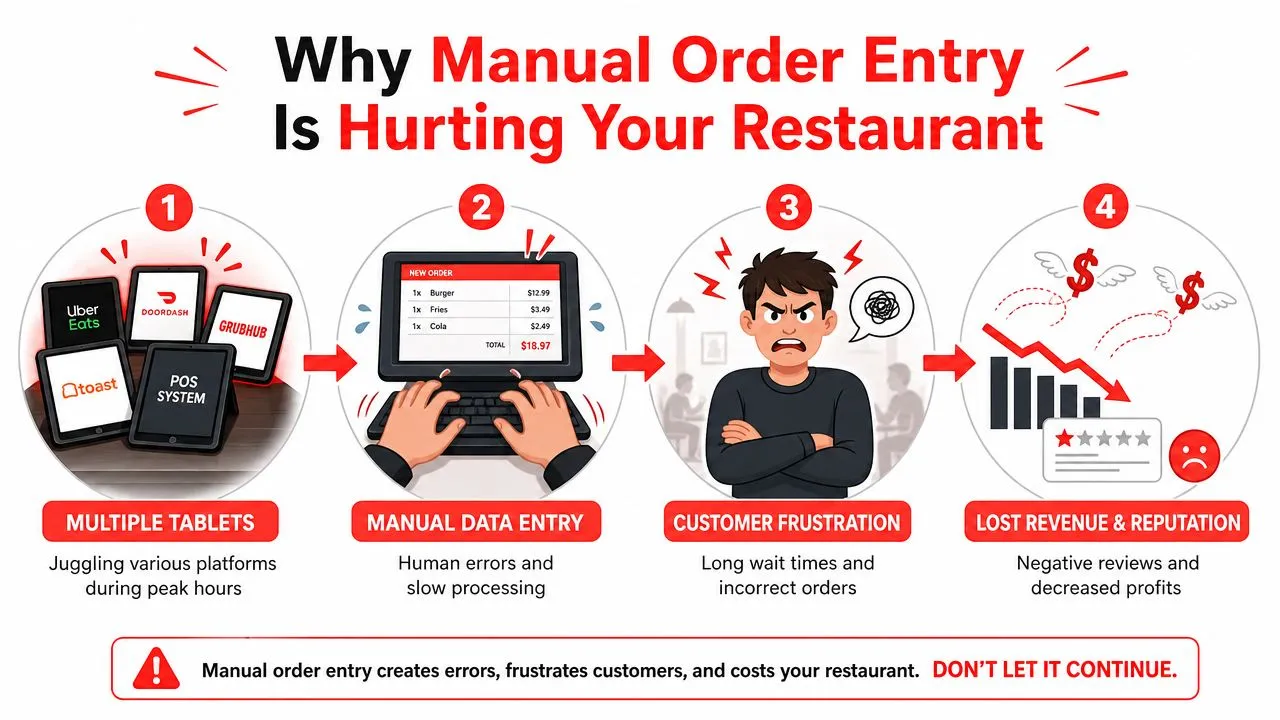
You hear the tablet. A staff member glances over, finishes helping a counter customer, then turns back to manually type an order from Uber Eats into the POS. While they’re doing that, another tablet lights up. Someone in the kitchen asks whether the fries on the last ticket were plain or loaded. The line at the front gets longer.
That’s the true cost of non-integrated mobile ordering apps. Not the app itself. The interruption.
What tablet hell looks like
Manual entry turns every incoming delivery order into a second task. Staff have to stop what they’re doing, read the marketplace ticket, translate modifiers, enter the items correctly, and send it to the kitchen. That may sound manageable during a slow hour. It falls apart during the rush.
The mistakes are familiar:
- Missed modifiers: A guest asked for no onions, extra sauce, or a side substitution, but the detail gets dropped during re-entry.
- Delayed tickets: The kitchen doesn’t start the order until someone notices the tablet and types it in.
- Split attention: Staff spend more time monitoring devices and less time serving in-house guests.
- Training drift: Every employee develops their own workaround, which means the process changes by shift.
OrderOut’s Clover integration overview for DoorDash and other marketplaces describes the operational difference clearly: installing it on an existing Clover POS system eliminates separate food delivery tablets by routing DoorDash, Uber Eats, GrubHub, and Postmates orders directly into the POS as standard dine-in orders, so kitchen printers receive tickets instantly without staff listening for chimes or manually re-entering orders.
The hidden cost isn’t just wrong orders
Owners often think about manual entry as an annoyance. It’s more than that. It changes what your team does with its time.
Instead of assigning staff to hospitality, expo, or handoff, you end up assigning someone to device management. Instead of one source of truth, you create multiple places where information can go wrong. That can lead to remakes, refunds, slower service, and stress that builds across the whole shift.
When staff become order translators, service quality drops on both sides of the business. Delivery suffers, and the dining room feels it too.
If this sounds familiar, this breakdown on how to eliminate restaurant order entry errors is worth reading. The core issue isn’t that your team is careless. It’s that the system asks humans to do repetitive transfer work under pressure.
How Direct POS Integration Creates a Single Workflow
Direct POS integration means a delivery order flows straight into your restaurant’s POS instead of stopping on a tablet for someone to re-enter it. To the kitchen, it behaves like a normal order. To the staff, it removes a handoff.
That single change is what turns mobile ordering from extra noise into a usable system.
How the order flow works
Let’s say a customer places a Grubhub order. With direct integration, that order doesn’t wait on a side device for someone to notice it. It enters your POS, matches against your mapped menu, and prints to the kitchen as part of the normal production flow.
OrderOut’s third-party order engine for restaurants is built around that model, and the canonical GrubHub Clover delivery POS integration shows the specific channel-plus-POS path many operators are trying to solve.
Under the hood, the system matters because marketplace menus don’t always match a POS menu cleanly. A normalized menu schema gives the software a consistent structure to map items, modifiers, and pricing into Clover or Square. That’s why menu cleanup matters so much before you connect anything.
For a simpler overview of the mechanics, this article on POS system integration for restaurant ordering workflows explains how the pieces connect.
Why the operational impact is so big
According to OrderOut’s POS system integration article, direct POS integration with Clover or Square ensures 100% order accuracy by eliminating manual data entry, and kitchen tickets print immediately upon order placement on the app. For an operator, the plain-English takeaway is simple. If no one has to manually copy the order, there are fewer chances to misread, mistype, or miss a modifier.
This also changes staffing pressure. Your host doesn’t have to become a tablet monitor. Your cashier doesn’t have to bounce between a line of guests and a stack of devices. Your kitchen gets cleaner tickets faster.
One practical example is OrderOut’s Clover delivery integration for restaurant operators, which routes marketplace orders into Clover without extra tablets or manual re-keying. If your store runs on Clover and you’re trying to simplify the rush, you can start from the Clover App Market listing for OrderOut and see whether your current setup is a fit.
Operator takeaway: The best ordering system isn’t the one with the most channels. It’s the one your team can actually run during a rush without extra device babysitting.
Your Mobile Ordering Implementation Checklist
The software decision matters. The prep work matters just as much. If your menu is messy or your team isn’t clear on the workflow, even a good integration will feel harder than it should.
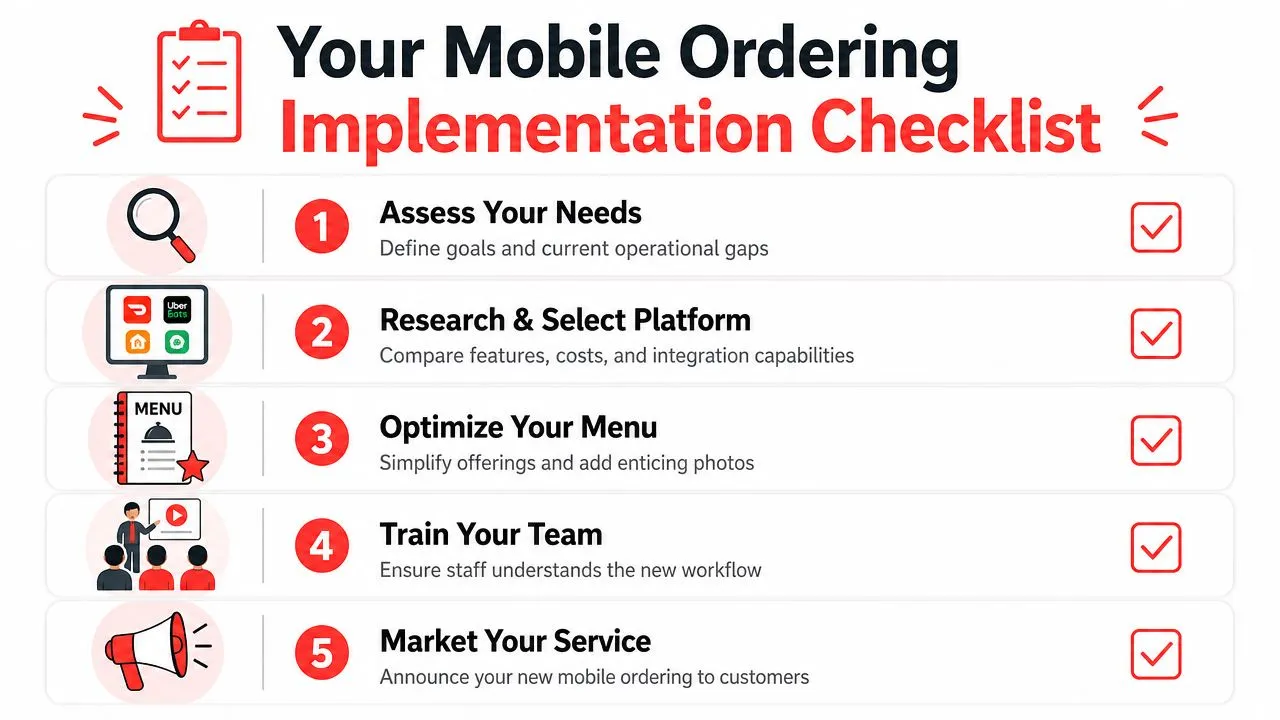
Start with your current bottleneck
Before you install anything, decide what problem you’re solving.
- If you’re missing marketplace orders: Focus on delivery-to-POS integration first.
- If your team is buried in tablets: Prioritize a single workflow inside Clover or Square.
- If customers are confused at pickup: Look at your handoff area, signage, and lane setup too.
A tool should match the pain point. Don’t buy a broad platform when your real issue is one broken handoff between a tablet and the POS.
Clean up the POS menu
This is the part owners skip, then regret later. Your POS menu needs clear item names, clean modifier groups, and consistent pricing logic. If your Clover or Square menu is full of duplicate items, outdated buttons, or vague modifier names, the integration has to guess too much.
OrderOut’s restaurant order management system guide is helpful here because it frames menu and order flow as one connected process, not separate software tasks.
A strong menu structure should answer these questions:
- Are item names consistent? “Burger Combo” shouldn’t also appear elsewhere as “Combo Burger.”
- Do modifiers reflect kitchen reality? Staff should see exactly how the item needs to be made.
- Are unavailable items easy to manage? A clean menu is easier to maintain during service.
Confirm the workflow inside the POS
If you run on Square, the goal is the same as it is on Clover. The POS should stay your operational source of truth. OrderOut’s Square Grubhub integration article explains that routing Grubhub, Uber Eats, and DoorDash orders into Square through a normalized menu schema reduces operational friction, cuts down on tablet clutter, and lowers the risk of missing modifiers or special instructions.
That should shape your checklist before launch:
- Test modifiers: Run sample orders with common customizations.
- Check printers or KDS routing: Make sure tickets go to the right station.
- Train the team on exceptions: Staff should know what to do if an item is paused or a marketplace menu needs updating.
- Review pickup flow: A clean digital order still needs a clean handoff at the counter, shelf, or lane.
If your restaurant uses Square, it’s also smart to review OrderOut’s Square delivery integration options before rollout so you understand how the channel-to-POS path works in practice.
Frequently Asked Questions
What are mobile ordering apps for restaurants?
They are digital ordering tools that let customers browse your menu, customize items, pay, and place pickup or delivery orders from a phone or computer. For operators, the important distinction is whether those orders arrive in a way the staff can use without extra manual work.
Do I need extra tablets for third-party delivery orders?
Not if your delivery apps connect directly into your POS. When the integration is set up properly, orders from marketplaces such as Uber Eats, DoorDash, and Grubhub can flow into Clover or Square instead of living on separate tablets. That gives the kitchen one operational workflow instead of several.
Does OrderOut work with Clover?
Yes. OrderOut offers a free, commitment-free plan for Uber Eats and Clover POS integration that requires no payment information or credit card, supports multiple printers, flexible menu pricing, and Clover KDS compatibility without extra tablets, as described in OrderOut’s announcement about its free Clover integration plan. If you run Clover, that lowers the friction to test an integrated setup.
Which delivery apps connect into the POS through OrderOut?
OrderOut’s positioning centers on injecting Uber Eats, DoorDash, and Grubhub orders directly into supported POS systems such as Clover and Square. The practical benefit is that staff don’t have to re-key those marketplace orders by hand.
Is mobile ordering only about software?
No. The software matters, but the handoff matters too. Pickup zones, signage, menu hygiene, printer routing, and staff training all affect whether mobile ordering feels smooth or chaotic during service.
Your Next Step Toward a Calmer Kitchen
Most restaurants don’t need more ordering channels. They need fewer broken handoffs.
That’s the central lesson with mobile ordering apps. A marketplace can bring demand. A direct ordering page can give you more control. A branded app can strengthen your identity. But if each order still depends on a person to copy it from one screen to another, the technology is only solving half the problem.
A calmer kitchen usually comes from one operational decision. Keep the POS at the center, make it the source of truth, and remove the manual transfer work that slows everyone down. When orders flow straight into Clover or Square, your team can focus on production, pickup, and service instead of screen-watching.
If you want to compare setup details, pricing, or common implementation questions before you move, the OrderOut pricing page for restaurant integrations, the OrderOut FAQ for restaurant operators, and the OrderOut restaurant technology overview are good places to review the workflow in plain language.
If you’re ready to reduce tablet clutter and move third-party delivery orders into one cleaner workflow, start with OrderOut and create your free account through the OrderOut onboarding dashboard. It takes only a few clicks to begin onboarding, connect your restaurant, and see whether a direct POS setup fits your operation.