
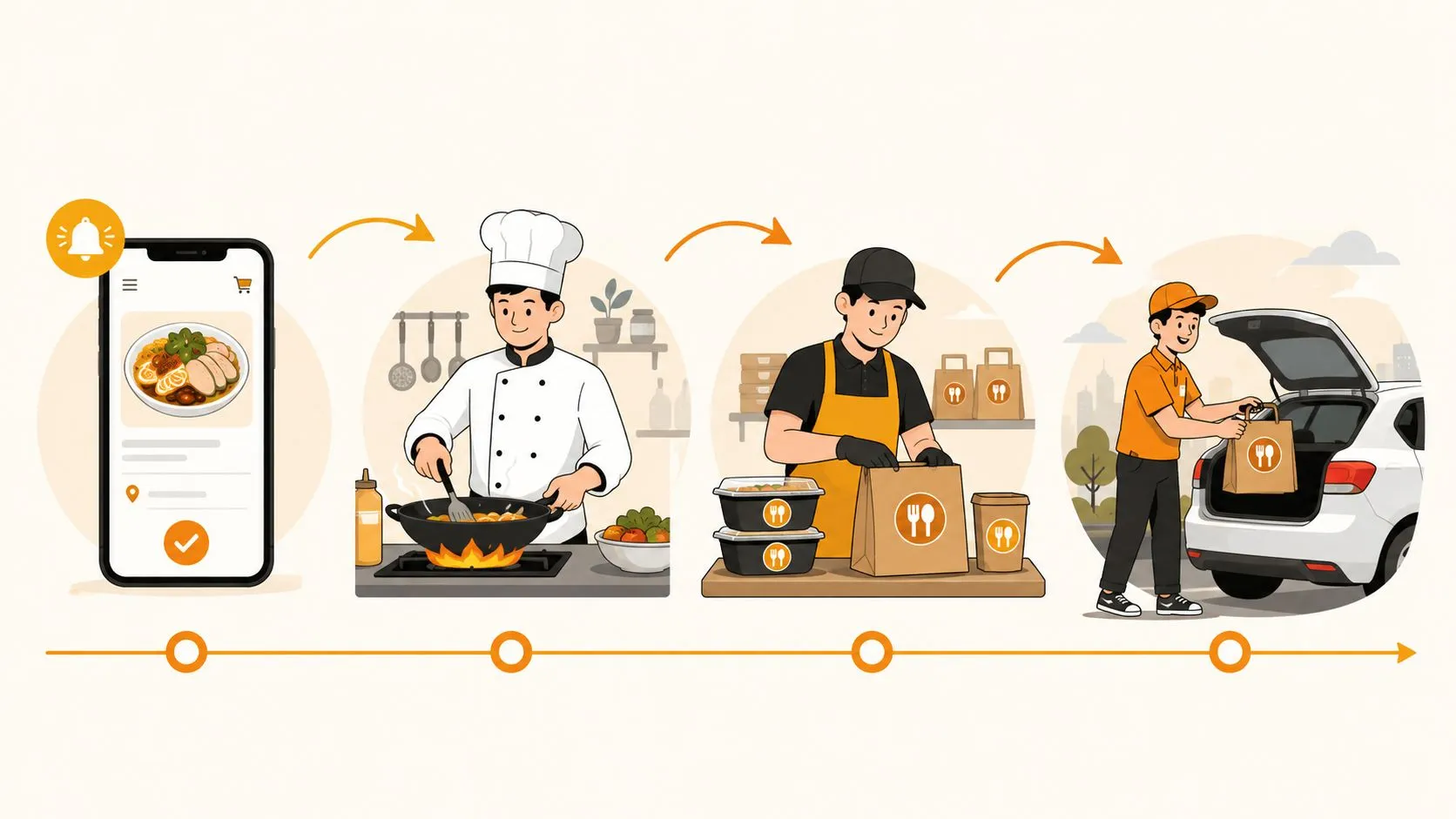
If your delivery line feels busy but still leaks money in the rush, the problem usually isn’t driver speed, it’s the handoff chain before the driver ever leaves. How to improve delivery performance starts with fixing the order flow, the bottlenecks, and the manual re-entry that turn a normal ticket into a late one.
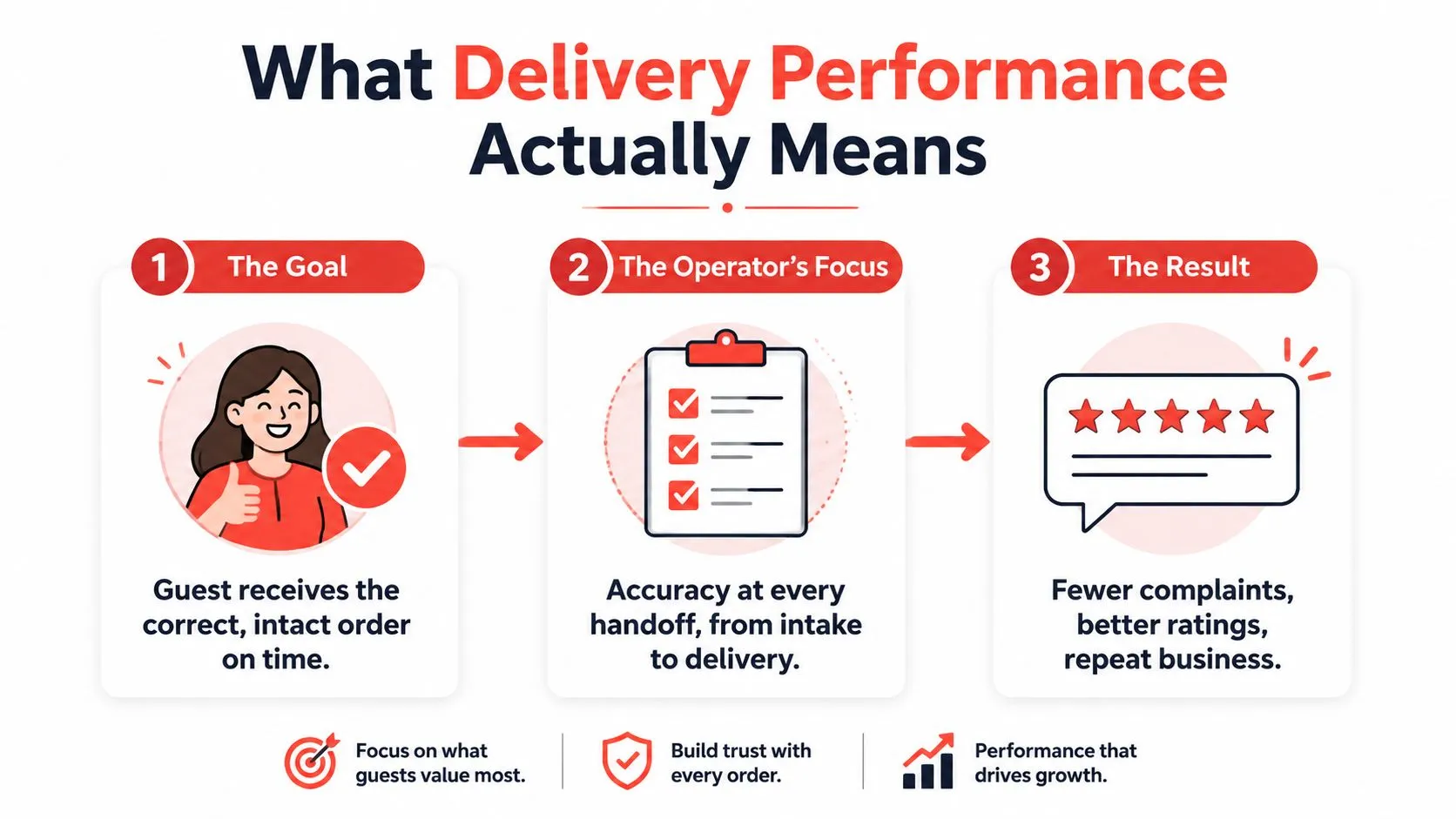
Restaurant delivery performance is the guest’s experience from tap to doorstep, not how fast one driver can move. When orders move cleanly from marketplace to POS to kitchen to driver, the guest gets the right food on time and your staff spends less time chasing mistakes.
What Delivery Performance Actually Means for a Restaurant
A delivery order can be late for reasons that have nothing to do with the road. A DoorDash ticket might land on a tablet, get typed into Clover by a server in the middle of a rush, and sit behind dine-in tickets before the kitchen even starts it. That’s why operators who focus only on driver speed usually miss the leak.
The practical definition is simpler. Delivery performance means the guest gets the correct order, in good shape, at the promised time, without a call to the store. That depends on the full chain, not a single driver handoff.
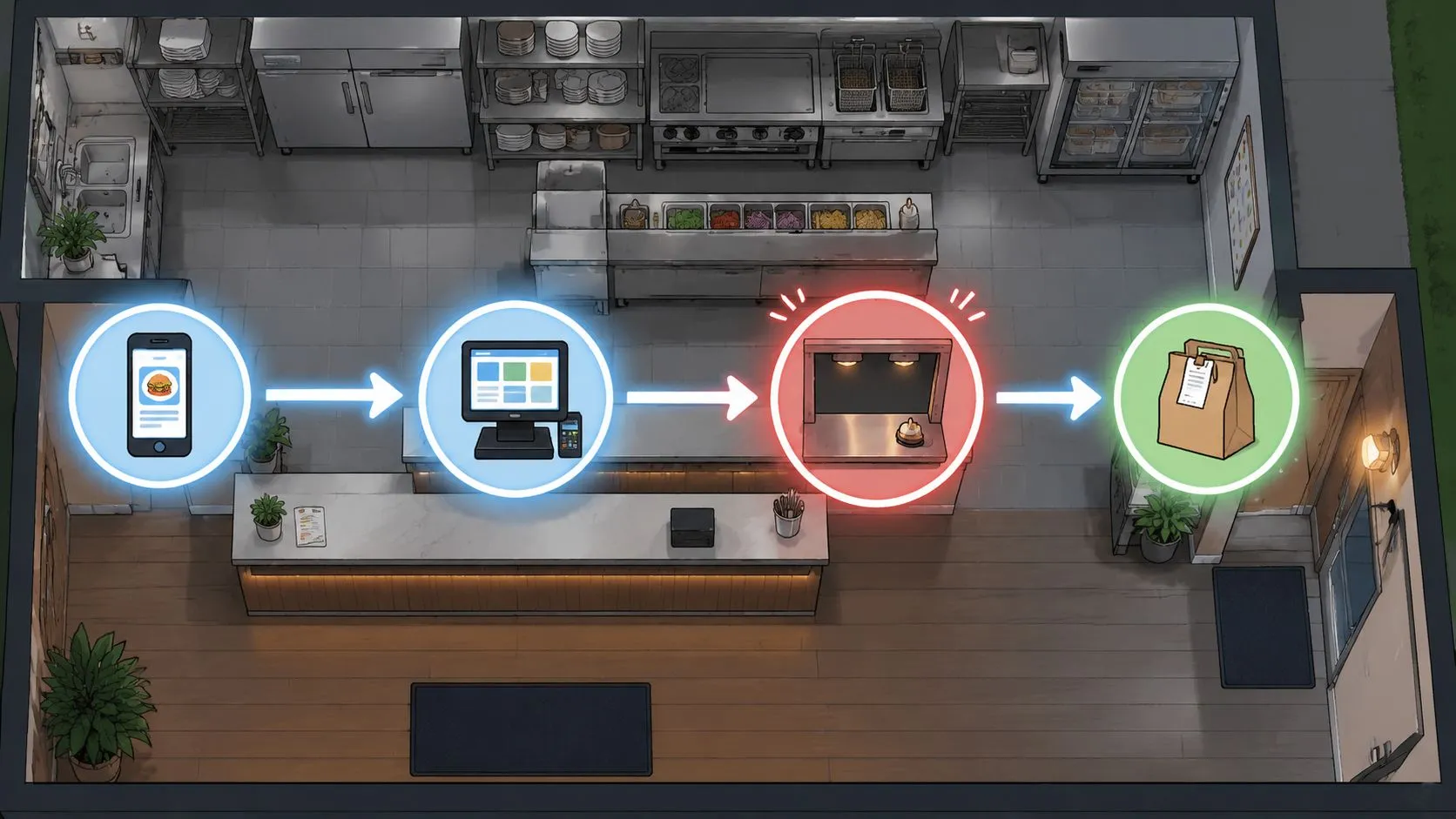
The four handoffs that usually break first
The first break is third-party intake. If the tablet is noisy, ignored, or inconsistently watched, the order starts behind before the kitchen knows it exists.
The second break is POS entry. Manual re-keying creates delay and opens the door to modifier mistakes, missing items, and duplicate work. That’s where a lot of “late” orders really begin.
The third break is kitchen throughput. If prep, firing, or staging gets backed up, every downstream promise gets shaky. The fourth is packaging to driver handoff, where missing utensils, leaky containers, or a bag that waits too long can turn a good ticket into a bad review.
For a useful primer on the operational side of this, the delivery management overview from OrderOut is worth a look, and the mechanics of connected inventory and handoffs are nicely illustrated in Rite NRG’s piece on IoT in logistics.
Practical rule: if the order is late before it reaches the driver, the driver isn’t the root cause.
The right sequence is measurement first, bottleneck second, technology third. That order matters because the fix changes depending on whether the delay starts at intake, entry, prep, or handoff.
The Five KPIs That Tell You Where Delivery Is Breaking
Most operators either track too little or track too much of the wrong thing. The useful KPI set is small, and it should point directly at a handoff you can fix. Start with two or three, not a wall of dashboards.
A good starting stack is on-time delivery rate, first-attempt success rate, exception rate, dwell time, and cost per delivery. Burq recommends starting with just 2–3 starter KPIs and reviewing them on a daily exception recap plus weekly performance review cadence, while SmartRoutes advises comparing against a baseline built from 6–12 months of historical data and then testing changes against that baseline. That’s the right discipline because a bad Friday night can fool you if you judge by feel alone. The operational note from both sources is simple, measurement needs a history, not a mood. You can see that thinking in Burq’s delivery performance tracking guidance and SmartRoutes’ delivery efficiency guidance.
What each KPI tells you
On-time delivery rate shows whether the store is keeping its promise. If this slips while order volume stays steady, the issue is usually somewhere upstream, not in the final mile.
First-attempt success rate tells you whether the order reaches the guest on the first try. If it’s weak, look at packaging quality, address handling, or route discipline before you blame speed.
Exception rate captures the orders that need remakes, redos, or manual intervention. A high exception rate usually means the process is inconsistent, not just busy.
Dwell time measures how long orders sit at a stage before moving. In restaurant operations, long dwell time often points to kitchen backlog, staging delays, or a missed handoff.
Cost per delivery matters because a process that feels smoother can still be too expensive to run. If cost goes up while service stays flat, the operation is adding effort without removing friction.
Operator’s edge: watch the worst days, not the average day. Averages hide the spikes that create angry calls.
The deeper value is that the KPI mix separates speed, reliability, and capacity. Once that’s clear, the bottleneck stops being fuzzy, and the team can stop arguing about anecdotes.
Diagnosing the Four Handoffs Where Orders Break Down
A lot of delivery problems look like “driver issues” until you trace them backwards. The right way to diagnose them is to walk the order through each handoff and ask where it lost time, accuracy, or visibility. That keeps you from fixing the wrong layer first.
Order intake and POS entry
If orders appear on a tablet but don’t show up cleanly in the kitchen flow, intake is the first suspect. If the modifier rows don’t match what the guest selected, the re-entry step is probably corrupting the order. That’s where the error starts, and the rest of the system just inherits it.
The giveaway for POS entry problems is busy staff plus a busy printer plus more corrections than usual. When a server has to stop, retype, and confirm marketplace items during the rush, the kitchen gets a delayed and sometimes distorted ticket stream.
Kitchen throughput and staging
If the order is entered correctly but still lands late, look at the kitchen. Ticket times, line balance, and items that consistently slow during the rush tell you more than the driver does. High dwell time is usually the sign that food is waiting on production or staging.
Once the kitchen is backed up, route changes won’t save much. That’s why Order management challenges at OrderOut are often best understood as flow problems, not isolated service failures.
Packaging and driver handoff
If the bag leaves the store but still arrives wrong, cold, or incomplete, the final handoff is the issue. That can show up as missing items, unclear labeling, or drivers waiting while staff hunt for the right order.
The mistake many operators make is trying to optimize dispatch before they fix upstream release and prep delays. Route work helps, but it won’t cure a store that’s consistently handing drivers an order that isn’t ready.
For a broader operations lens, the restaurant performance metrics guide from OrderOut is useful because it keeps the focus on the measures that map to root cause, not the vanity numbers that look good on a screen.
What to check first: if the order is late before it leaves the store, don’t start with the driver app. Start with intake, entry, and kitchen release.
Targeted Fixes for Process, Staffing, Packaging, and Menu
Once you know where the delay lives, the fix should be narrow. Broad “improvement initiatives” usually just move the same delay to another station. The point is to remove one constraint at a time and then re-measure.
Process and staffing fixes
Standardize the marketplace-to-kitchen handoff so one screen, one owner, and one clear queue handle every incoming order. If three people can see the same ticket and no one owns it, the order can disappear in the noise. That’s where a simple ownership rule beats a complicated policy.
Staffing should follow the order-entry curve, not the dining-room curve. If the rush starts in the app before it starts at the host stand, labor has to move earlier too. Cross-training helps here, because an expo or floor lead can step into intake when tablets spike.
For deeper scheduling context, OrderOut’s restaurant staff scheduling guidance is a good companion read because the best schedule is the one that matches order pressure, not just seats filled.
Packaging and menu fixes
Packaging matters more than most operators want to admit. Hot and cold items should travel separately when possible, sauce-heavy items need tighter containers, and bags should be staged where drivers can grab them without waiting. For operators comparing supplies, pick the right takeaway products is a useful reminder that the container is part of delivery performance, not an afterthought.
Menu engineering is the last lever and sometimes the easiest one. If a dish regularly slows the line or collapses in transit, it belongs under review. Marketplace descriptions should match what the kitchen can execute, because a promise the line can’t keep becomes an exception later.
The best sourcing and menu note in operations is usually the same one. Fix the upstream constraint first, then measure the change, then move to the next bottleneck. If you change four things at once, you’ll never know which fix mattered.
Why Automating Order Flow Into the POS Is the Highest-Leverage Fix
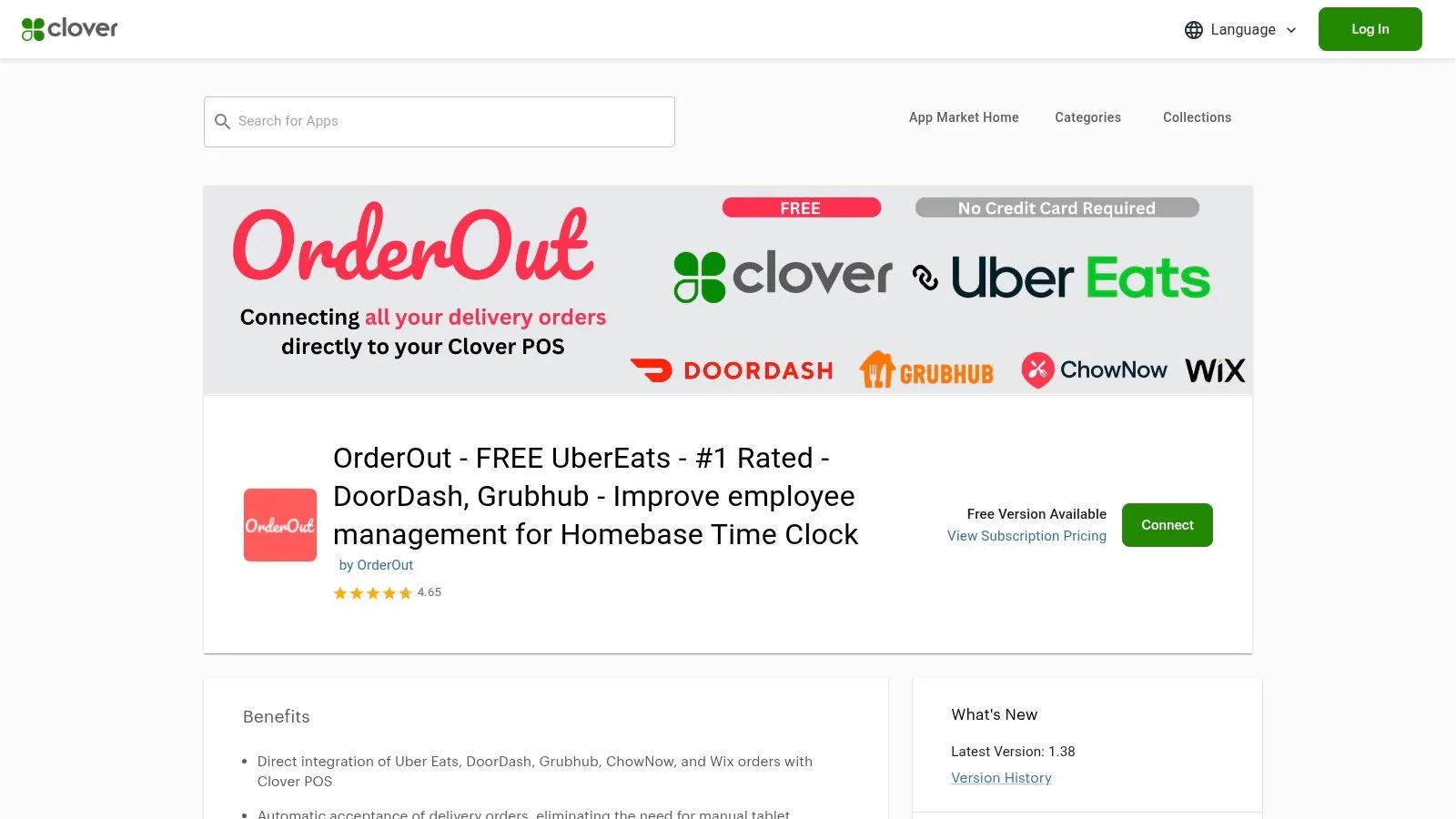
For most restaurants, the single biggest gain comes from removing the manual handoff between delivery apps and the POS. OrderOut injects Uber Eats, DoorDash, and Grubhub orders directly into Clover or Square, so the restaurant isn’t juggling extra tablets or re-keying tickets by hand. That matters because the POS stays the source of truth, and the kitchen sees one clean ticket stream instead of three separate app feeds.
The technical part is important, but the operator version is simpler. OrderOut maps each marketplace menu to a normalized POS schema, which helps modifiers and prices arrive in the right place instead of getting rebuilt by hand. If you’ve ever had a server stop in the middle of a rush to translate a DoorDash order into Clover, you already know why that step is expensive in time and attention.
Here’s a version from practice. A DoorDash order comes in at 6:47 PM, hits the Clover ticket flow as soon as it’s accepted, and the kitchen starts cooking without someone typing it again. The order follows the same clock as in-house tickets, and front-of-house staff can stay on guests instead of babysitting tablets. That’s the kind of workflow that reduces entry errors and gives the team back working attention, which is why OrderOut’s order entry automation guide belongs in any operator’s reading stack.
If you run Clover, the OrderOut Clover delivery integration is the most direct place to start. For a broader view of the engine behind it, the 3rd-party order engine hub shows how marketplace orders are normalized before they reach the POS. OrderOut is also free to install on the Clover App Market.
Bottom line: when order flow is automated into the POS, the team stops fighting intake chaos and starts seeing the real bottleneck.
That’s why this fix opens the rest of the playbook. Once the manual handoff is gone, dwell time, exceptions, and prep delays become visible enough to manage.
Building Dashboards and a Weekly Improvement Loop
A dashboard only helps if it drives one decision. The cleanest weekly format is simple enough to read during a shift change and specific enough to show where the team should act next. Fancy charts matter less than a clear score and a clear owner.
A practical layout has three blocks. First, a one-line score for on-time delivery rate and first-attempt success rate. Second, a short list of the top reasons for exceptions. Third, a single bottleneck the team is attacking that week. That structure is easy to maintain, and it keeps attention on one fix instead of ten half-fixes.
If you want a visual style worth borrowing, client dashboard UI patterns to borrow can help shape a cleaner operator screen without turning it into a design project. The goal is clarity, not decoration.
Here’s how it plays out in practice. Run one change for a week, then compare it to the baseline. Move packaging staging closer to the door, trim one slow menu item from the marketplace, or tighten the order-release ownership rule. If the problem gets better, keep it. If not, revert and try the next constraint.
The part that matters most is ownership. One person should run the weekly loop, document what changed, and decide which handoff gets focus next. That keeps the system from drifting when staffing changes, and it stops the team from fighting intake chaos while it finds the actual bottleneck.
Frequently Asked Questions
Does OrderOut work with Clover and Square?
Yes. OrderOut is built to inject third-party delivery orders into Clover and Square, so the restaurant can keep one operational source of truth in the POS. That’s especially useful when the same store is taking orders from Uber Eats, DoorDash, and Grubhub at the same time.
Does OrderOut remove the need for extra delivery tablets?
It’s designed to reduce that tablet pileup by pushing marketplace orders into the POS. In practical terms, that means staff don’t have to watch multiple screens and re-key the same ticket by hand. The POS becomes the place where the order is seen and processed.
Do I need to be on Clover or Square to use OrderOut for delivery automation?
For the delivery-to-POS workflow covered in this article, Clover and Square are the core systems OrderOut supports. If your restaurant runs one of those POS platforms, that’s the cleanest fit for automating third-party order flow. If you’re unsure, it’s best to confirm compatibility before you plan the rollout.
What does onboarding look like for a single-location restaurant?
For a single store, the simplest path is to start with one marketplace and one POS, then expand after the team is comfortable with the new flow. That keeps the change manageable and lets you confirm that order intake, modifiers, and ticket routing are behaving the way you want. It’s a good way to prove the process before you add more volume.
Can I use OrderOut if my delivery issue is mostly staffing?
Yes, because staffing issues and order-flow issues usually overlap. When the tablets are noisy and re-entry is manual, labor gets pulled away from guests and the line. Automating delivery flow into the POS gives the team back time and attention, which makes the schedule easier to manage.
If your delivery line keeps breaking at the same handoff, fix that handoff first. OrderOut connects delivery apps like Uber Eats, DoorDash, and Grubhub directly into your POS so the team can stop re-keying orders and start running a cleaner service flow. Visit OrderOut and get your delivery-to-POS setup moving today, then start onboarding free at dashboard.orderout.co.