
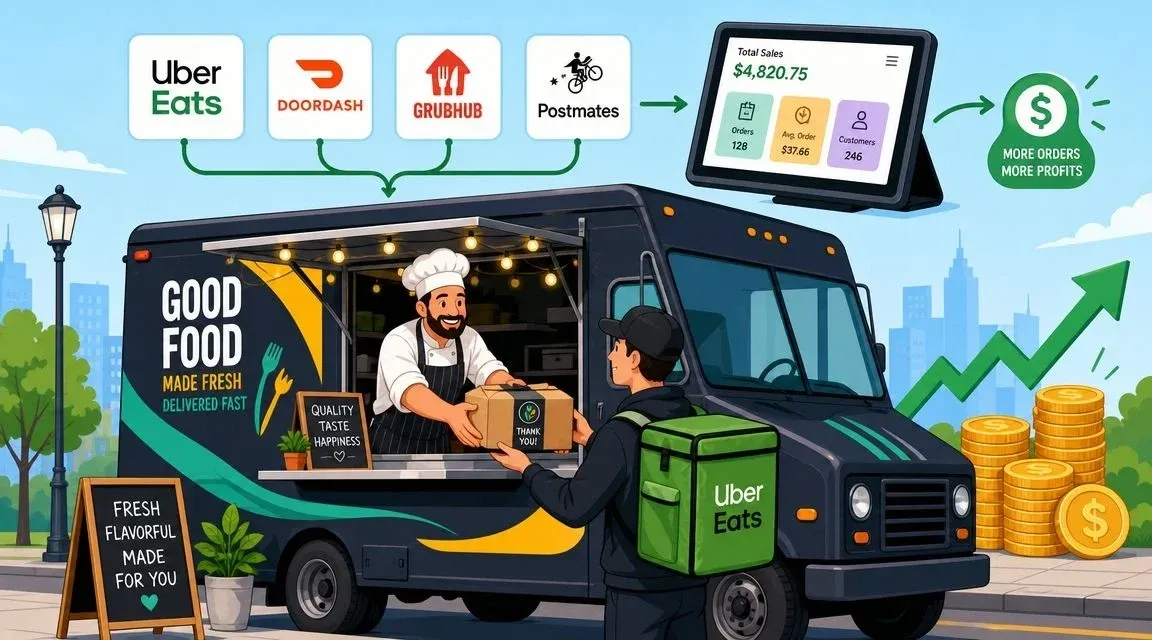
The rush usually breaks a food truck in the same place. Not at the grill, and not at the window. It breaks at the handoff between orders, people, and systems.
A customer is waiting outside. An Uber Eats driver wants a pickup that no one can find. A DoorDash tablet is flashing. Someone manually keyed an order into the POS with the wrong modifiers. The food is already in the bag, but it’s the wrong bag. That’s how good food truck food turns into refunds, remakes, and a stressed crew.
Food trucks aren’t a side format anymore. The U.S. food truck sector includes 92,257 businesses, and industry revenue is projected to reach $2.8 billion in 2026 after growing at an annualized 13.2% from 2020 to 2025, according to IBISWorld’s food truck industry data. That matters because the category is crowded enough now that speed, order accuracy, and clean restaurant operations decide who keeps margins and who bleeds them away.
Owners who are still building their foundation should also review the operational basics in this guide to opening a food truck. And if you’re trying to tighten the demand side at the same time, these expert local marketing strategies are worth studying because mobile food lives and dies by discoverability, timing, and local intent.
From Street Food Chaos to Streamlined Success
The romantic version of food truck life leaves out the tablets.
It leaves out the driver who arrives before your line cook has seen the ticket. It leaves out the owner trying to reconcile in-person sales with app orders while also checking prep, watching parking compliance, and answering customer questions through a service window the size of a microwave.

What actually causes the chaos
Most trucks don’t have a food problem first. They have a workflow problem.
When food truck food is built only around what sells at the window, the operation gets fragile fast. Items take too long to assemble, customizations pile up, sauces leak in transit, and staff bounce between cooking and data entry. The result is predictable:
- Manual order entry creates errors because modifiers get missed or typed wrong
- Wide menus slow production because staff switch tasks and ingredients constantly
- Delivery orders interrupt the line because they arrive outside the rhythm of window traffic
- Packaging gets treated as an afterthought even though it controls whether the guest receives a great meal or a soggy one
Practical rule: If your crew has to stop cooking to copy app orders into another system, your process is already too expensive.
What streamlined success looks like
A strong truck runs on one simple idea. Every menu item, every package, and every screen should reduce decisions during service.
That means your food truck food has to work in three environments at once: at the window, in a delivery bag, and inside your POS workflow. If it only works in one, the truck feels busy but the business stays messy.
The operators who stay sane usually do the same things well. They trim menus, standardize builds, set clear packaging rules, and connect restaurant delivery channels to the same order flow. They don’t rely on staff memory during a rush. They build a system that protects the staff from the rush.
Designing Delivery-First Food Truck Food
Delivery-first menu design starts with a blunt question. Will this item still eat well after the ride?
A lot of food truck food tastes fantastic in the first thirty seconds and disappoints by the time the customer opens the bag. Fries steam themselves soft. Fried coatings lose structure. Sauced buns collapse. Cold toppings warm up. That’s not just a food issue. It becomes a review issue, a refund issue, and a repeat-order issue.

Public discussion around food truck food often swings toward “healthy” or “fresh,” but the more useful operating question is how to balance affordability, ingredient quality, and compliance while serving demand for portable meals, as noted in this piece on why food trucks are discussed in the healthy eating conversation. In practice, that means designing dishes that travel well without turning the truck into a prep-heavy science project.
Build around travel, not just taste
Start with your core items and test them like a delivery customer would. Box them up. Let them sit. Open them later. If the food degrades fast, either change the build or remove it from app menus.
Good delivery candidates usually share a few traits:
- They hold temperature reasonably well. Rice bowls, tacos with controlled moisture, grilled wraps, grain bowls, and composed platters usually travel better than delicate fried stacks.
- They survive movement. Think about braking, stacking, and driver handling.
- They finish cleanly. If the customer can still see what the dish is supposed to be after transit, that item has a future on delivery apps.
Items that struggle usually need one of three fixes. Sauce goes on the side. Crunch gets packed separately. Or the item becomes window-only.
If an item needs perfect timing, a level plate, and immediate consumption, keep it at the truck window.
Cut menu width before you chase more sales
New owners often assume more items mean more opportunities. In a truck, more items usually mean more inventory, more spoilage, more training, and more opportunities to make the wrong thing.
A tighter menu does the opposite. It makes line training easier, keeps prep cleaner, and helps restaurant operations stay consistent across lunch rushes, festivals, and app spikes.
Use this decision filter:
Menu question Keep it if… Drop or revise it if… Does it travel well? Texture and temperature stay acceptable It arrives soggy, broken, or messy Is it fast to assemble? The build is straightforward during rush Staff must stop and think through every order Does it share ingredients? It cross-utilizes core prep It needs special ingredients that move slowly Does it create mistakes? Modifiers are easy to manage Customizations regularly cause remakes
For owners refining concept and item mix, this food truck menu template guide is a useful planning tool.
Design modular dishes that your crew can repeat
The strongest truck menus use the same base ingredients in multiple ways without making customers feel like they’re ordering the same meal repeatedly.
That might look like:
- a protein used in tacos, bowls, and loaded fries
- one slaw that works in sandwiches and combo plates
- two sauces, not seven
- a base structure where modifiers are limited and intentional
Food tech and menu design converge. Every modifier you add has to flow cleanly through your ordering channels and kitchen workflow. If “extra sauce,” “no onion,” and “swap protein” create confusion on app orders, the menu is too loose for your system.
Strategic Pricing and Packaging for Profitability
Many trucks lose money on delivery even when sales look strong. The reason is simple. Owners price food truck food based on ingredient cost and ignore the rest of the order.
That’s dangerous in a category where margins are already tight. Industry reporting based on IBISWorld data puts U.S. food truck profit margins at about 6.8% in 2024, which is discussed in this analysis of why food trucks matter to the restaurant industry. A thin margin doesn’t leave much room for underpriced packaging, waste, or remake orders.

Know the real cost of each delivery item
A delivery item is not just food cost. It includes packaging, labor pressure, and the operational drag of handling remote orders during service.
When pricing delivery, calculate the full burden of the dish:
- Food cost. Ingredients and waste exposure.
- Packaging cost. Container, lid, bag, stickers, cutlery if offered, sauce cups.
- Platform cost. Whatever the third-party arrangement takes out of the order.
- Operational strain. If a dish slows the line or causes remakes, it is more expensive than it looks.
A practical method is to maintain a separate delivery menu price instead of forcing one universal price across all channels. That protects your in-person value perception while keeping restaurant delivery from causing an insidious drain on your margins.
This is also where dynamic decision-making helps. If you want a framework for adjusting pricing by channel, time, and demand, this guide to dynamic pricing strategies is useful.
Packaging is part of the product
Cheap packaging often creates expensive outcomes.
A flimsy clamshell can crush presentation, leak sauce into the bag, and turn a good order into a support problem. On the other hand, packaging that’s too expensive can erase profit on lower-ticket items. The right choice depends on what you sell and how it travels.
Use packaging to solve specific problems:
- For fried food choose vented packaging when possible so steam doesn’t wreck texture
- For bowls and saucy dishes use secure lids and stable bases that don’t tip in transit
- For mixed-temperature meals separate hot and cold components instead of forcing one container to do everything
- For branded experience use labels and bag organization so drivers and staff can identify orders quickly
This short video is a useful reminder that pricing and packaging decisions have to be operational, not emotional.
A simple pricing check before you list any item
Before you publish a dish on Uber Eats or DoorDash, ask:
- Can it survive the trip?
- Can the crew build it fast during a rush?
- Can the packaging protect it?
- Does the selling price still make sense after channel-specific costs?
- If the order is wrong, is the remake pain acceptable?
Don’t put an item on delivery because it’s popular at the window. Put it on delivery because it stays profitable after the handoff.
Your Hub for Modern Restaurant Operations POS Integration
If your truck uses separate tablets for every app and staff manually re-enter orders into the POS, you don’t have a delivery system. You have a copying job.
That setup feels normal because it’s common. It’s also one of the fastest ways to lose time in a small space where every second matters. The fix is POS integration. In plain language, that means your delivery orders flow directly into the same system your team already uses for in-person orders.

Food truck owners don’t need more admin friction. The U.S. Chamber Foundation’s Food Truck Nation analysis found that starting and maintaining a truck for one year requires an average of 45 government-mandated procedures, 37 business days, and $28,276 in permits, licenses, and ongoing legal compliance, according to the Food Truck Nation report. When operators are already carrying that burden, restaurant operations need to get simpler everywhere else.
For a plain-language primer, this overview of what POS means in a restaurant is worth reading.
What POS integration actually changes
Without integration, the workflow usually looks like this:
Without integration With integration App order lands on a tablet App order flows into the POS automatically Staff member reads and retypes it Staff member keeps working Modifiers can be mistyped Modifiers carry into the system as ordered Kitchen waits on human handoff Kitchen sees the order faster Reporting lives in multiple places Sales data is easier to review in one system
That’s the operational reason owners move to connected systems. It’s not about fancy tech language. It’s about removing the manual step that causes preventable mistakes.
Real examples with Square and Clover
Most owners understand this fastest when they picture tools they already know. A truck might run in-person transactions on Square or Clover while taking marketplace orders from Uber Eats and DoorDash. If those systems aren’t connected, someone becomes the bridge.
That bridge is expensive because it ties up labor and invites errors.
If you’re using Square, a delivery integration option can connect into the Square App Marketplace. If your truck runs Clover, there’s also a Clover App Market option. In both cases, the idea is the same: reduce the number of places where orders have to be touched by hand.
One option in this category is OrderOut, which connects delivery apps like Uber Eats, DoorDash, and Grubhub into supported POS systems so orders don’t have to be manually entered again. That matters because the fewer times an order changes hands, the fewer chances there are to lose modifiers, miss an item, or stall the line.
The most valuable “employee” in a busy truck is often the system that quietly removes repetitive tasks.
Why this matters more in a truck than in a dining room
A truck doesn’t have spare room for bad process.
In a restaurant, a messy order flow can get absorbed by a larger kitchen, a host stand, or additional labor. In a truck, one person retyping tickets can block production, customer service, and driver handoff all at once. Physical space is tight, labor is tight, and the menu has to move.
That’s why POS integration has such a direct effect on food tech ROI for trucks. It saves time, lowers error exposure, and makes training easier because the workflow becomes obvious. Orders arrive in one place. The kitchen acts on one feed. The owner reviews one set of operational records instead of hunting through screens and printed slips.
Building Your Streamlined Restaurant Delivery Workflow
An efficiently run truck has a calmer rhythm. Not because it’s slow, but because every person knows where the next order appears and what happens next.
That matters even more in a labor market that has changed fast. The U.S. Bureau of Labor Statistics reported that employment in mobile food services reached 44,119 workers in 2024, about 10 times its level in 2000, representing a 907% increase, as shown in this BLS review of food truck employment growth. When staffing grows that quickly, easy-to-learn systems matter because new team members can’t be expected to decode a chaotic process on day one.
The before and after of a delivery order
Before an efficient workflow, a DoorDash order lands on a tablet. Someone hears the sound, reads the ticket, enters it into the POS, writes or prints instructions, tells the kitchen, and then checks back when the driver arrives. Every handoff is another chance to slow down or get the order wrong.
After an efficient setup, the order appears where the team already works. The kitchen sees the item details. The cashier doesn’t retype anything. The handoff area gets labeled correctly. The driver gets the right bag faster.
The practical improvements show up in a few places right away:
- Fewer remakes because modifiers pass through more cleanly
- Less confusion at pickup because completed orders are easier to stage
- Faster training because the process is visible and repeatable
- Better staff focus because cooks cook and cashiers handle guests
What the daily workflow should look like
A strong restaurant delivery workflow inside a truck usually follows this sequence:
- Order enters one system from the window or a third-party app.
- Kitchen receives clear production info without anyone translating it.
- Packaging follows a standard by item type, not by whoever is available.
- Pickup staging stays organized so drivers don’t crowd the service path.
- Completed orders are easy to verify before handoff.
If you also handle catering drops, office lunches, or event batches, the thinking overlaps with broader on-demand fulfillment workflows. The key is consistency. Each order should take the same route through the truck every time.
Standardized workflow doesn’t make your truck less personal. It keeps the personal part from being swallowed by avoidable mistakes.
Keep the line moving with role clarity
Even a tiny truck needs role boundaries during a rush.
One person owns guest communication. One person owns production. One person owns bagging and final check when staffing allows. If you don’t have enough people for dedicated roles, then the system has to carry even more of the burden through printed prep detail, item naming consistency, and simple packaging rules.
The worst setup is when everyone is responsible for everything. That feels flexible until the orders stack up. Then nobody is clearly responsible for the missing drink, the unlabeled bag, or the app order that never reached the grill.
The Payoff Measuring and Scaling Your Success
A cleaner system should change what you watch.
If you only track top-line sales, you can miss the fact that delivery is creating remakes, slowing the line, or pushing staff into constant recovery mode. Good restaurant operations get measured where friction shows up first.
The most useful scorecard is practical:
- Order accuracy. Are app orders reaching the kitchen correctly?
- Ticket speed. Are your common items moving faster during rushes?
- Labor focus. Are staff spending less time on tablets and re-entry?
- Menu performance by channel. Which items hold up on delivery and which belong at the window only?
- Packaging complaints. Are problems tied to specific containers or specific dishes?
Square and Clover reporting can help owners review item performance and channel mix more clearly when the order flow is connected cleanly. For a broader framework, this guide to restaurant performance metrics is a solid reference point.
Scaling without recreating chaos
Growth only helps if the system scales with it.
That might mean adding another delivery app, extending hours, working more events, or tightening your lunch menu so throughput improves. But the rule stays the same. Don’t add complexity until the current flow is stable. A truck with a disciplined menu and integrated ordering process can absorb more demand without burning out the crew.
Marketing matters here too, especially once your operations can support the demand you generate. For ideas on that side of the business, these Adwave restaurant marketing insights are useful because they connect promotion with operational readiness instead of treating marketing like a separate world.
The owners who get the payoff aren’t always the ones with the most creative food truck food. They’re often the ones who package smarter, simplify harder, and make the order path so clear that staff can execute under pressure without improvising every ticket.
If your truck is juggling delivery tablets, manual POS entry, and inconsistent order flow, the next step is simple. Consolidate orders, reduce re-entry, and build a cleaner workflow from the start with OrderOut. Restaurant owners can also start onboarding in a few clicks for free through the OrderOut dashboard.