
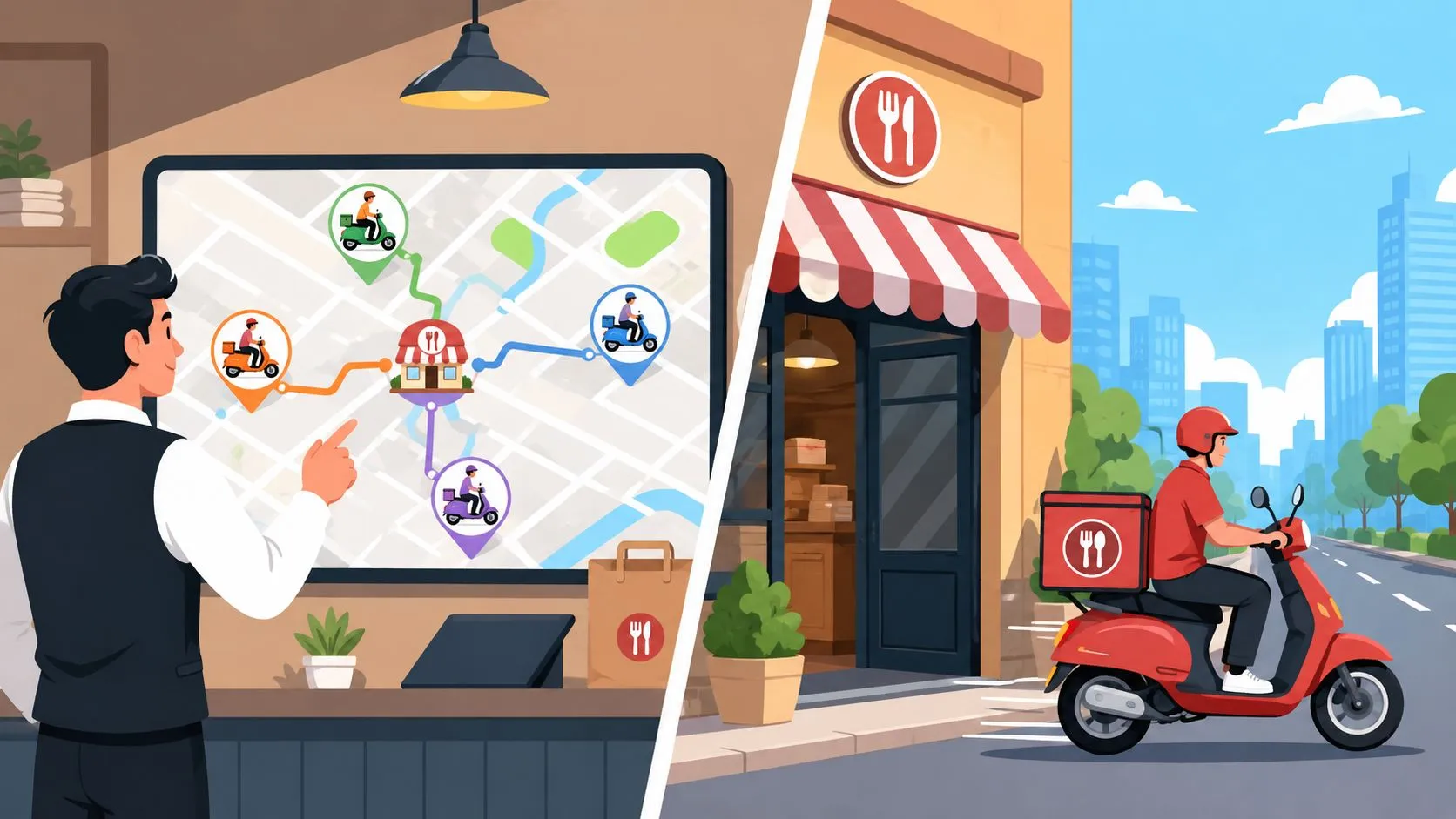
Dispatch is the process of assigning orders to drivers and coordinating routes, while delivery is the physical act of getting food to the customer. In modern restaurants, both need to flow through a single POS system to prevent avoidable errors and delays.
That distinction matters because delivery has already become a mature restaurant channel. McKinsey estimated the global food delivery market at €83 billion in 2016, representing about 1% of the total food market and 4% of food sold through restaurants and fast-food chains. Its projected annual growth of 3.5% over the following five years showed that delivery was no longer a niche add-on, but an established operating channel (DispatchIt’s reporting summary).
The hidden problem today often isn’t a driver shortage. It’s fragmented order handling. A manager may be trying to coordinate Uber Eats, DoorDash, Grubhub, phone orders, kitchen timing, and driver availability across separate screens. The result is a dispatch process that feels slow because the workflow is disconnected before the driver ever leaves the restaurant.
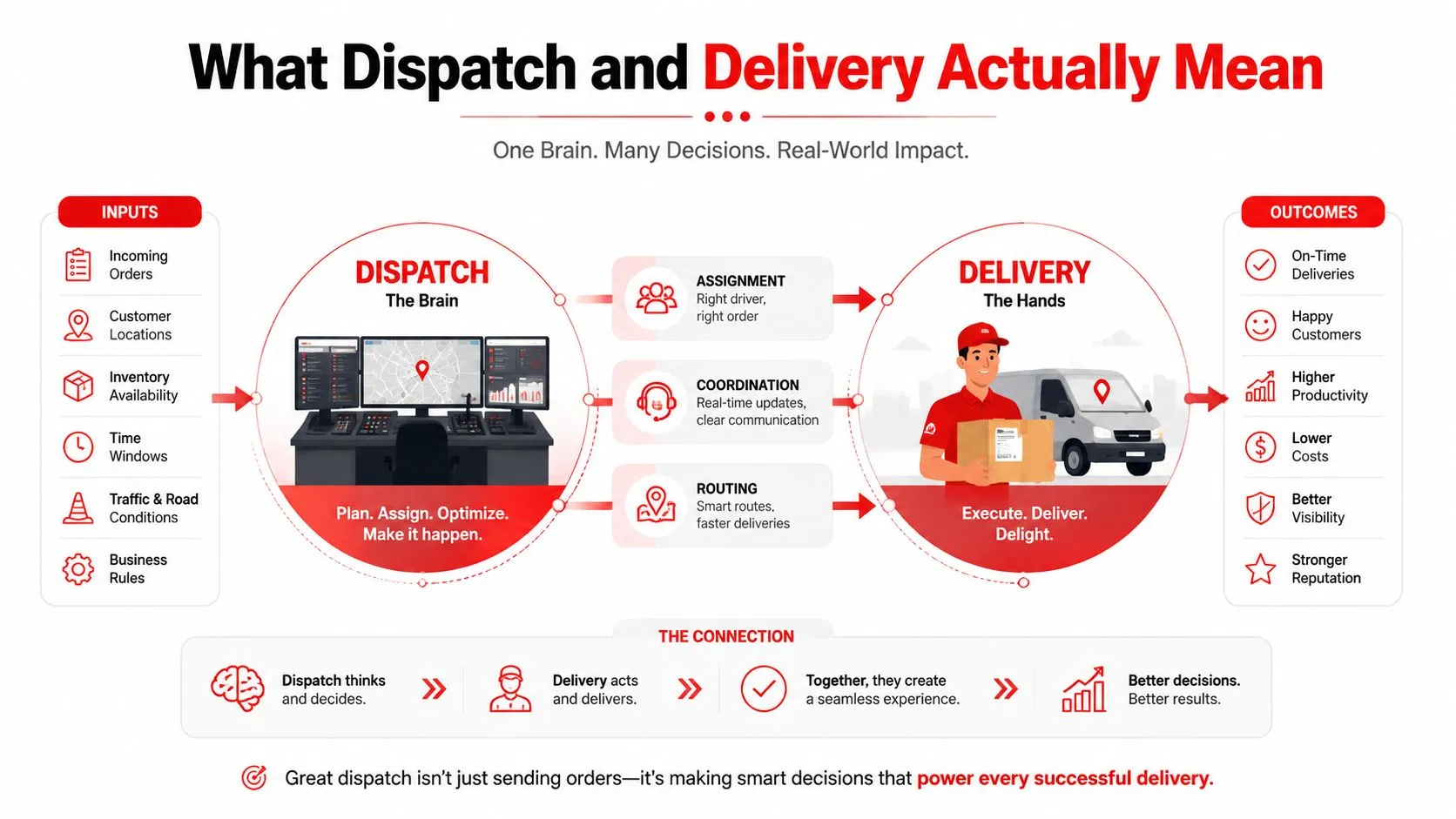
What Dispatch and Delivery Actually Mean
Dispatch is the coordination layer. It decides which driver takes which order, when that driver should leave, whether orders can be grouped, and how the route should be sequenced. Delivery is the execution layer. The driver picks up the prepared food, travels to the customer, and completes the handoff.
Those functions are connected, but they aren’t interchangeable. If an Uber Eats order comes in, dispatch determines whether it should go to a DoorDash driver, an in-house courier, or a driver already heading toward the same neighborhood. Delivery begins after that decision, when someone physically collects and transports the order.
Practical rule: Fix the assignment decision before trying to squeeze more speed from the driver.
A restaurant can have capable drivers and still deliver poorly if orders sit unassigned, if a driver arrives before the kitchen finishes, or if a batched route includes one order that isn’t ready. Improving delivery speed without improving dispatch logic is like tuning an engine with a broken transmission. The vehicle may run better, but power still isn’t reaching the wheels efficiently.
For restaurant operators, delivery management includes more than driver movement. It also includes order intake, preparation status, assignment, route decisions, customer updates, and completion tracking. The restaurant delivery management guide provides a broader explanation of how those pieces fit together.
A single POS can connect the two layers. When every order appears in the same operational system, the manager can make assignment decisions using one reliable order queue instead of reconciling several tablets and handwritten notes.
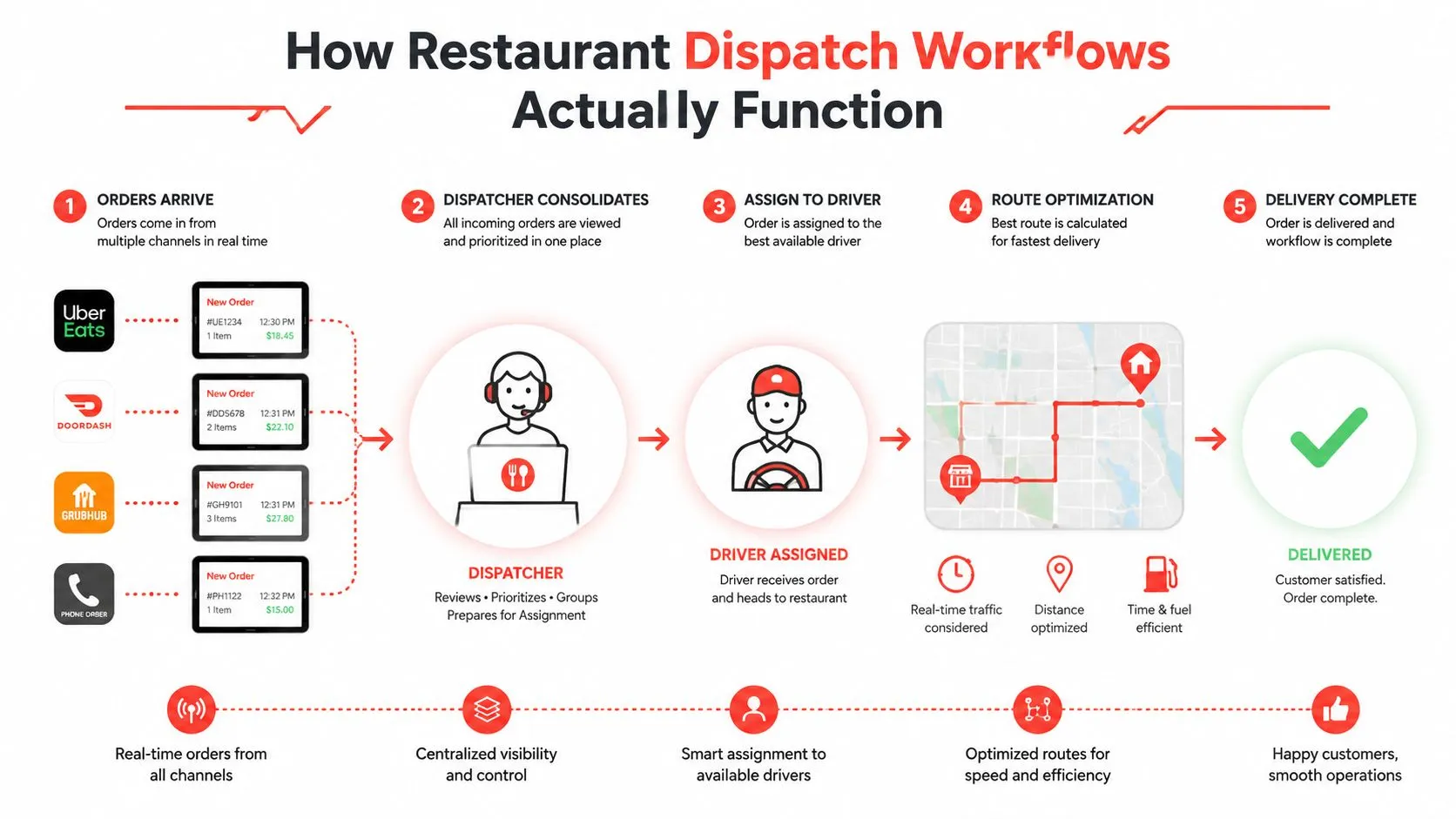
How Restaurant Dispatch Workflows Actually Function
A typical Friday rush starts with multiple order streams arriving at different points. An Uber Eats order appears on one tablet, a DoorDash order on another, and a Grubhub order on a third. Phone orders may enter through the POS, while an in-house driver waits for the manager to decide which order is ready to leave first.
The human workflow usually looks like this:
- Orders arrive. Staff accept orders from marketplaces, phone calls, and the POS.
- Someone consolidates the information. A manager checks addresses, promised times, order size, and preparation progress.
- The manager assigns a driver. That may be a marketplace courier, an in-house driver, or a hybrid option.
- The kitchen and dispatch desk coordinate. Staff decide whether the food is ready now or should wait.
- The driver completes the route. The manager monitors exceptions through calls, messages, or platform updates.
The weakness appears between those steps. Suppose three orders arrive for the same neighborhood within a short period. A manager may notice the geographic overlap, but only after checking multiple devices and comparing preparation times manually. If one order includes a delayed item, grouping all three can make the route look efficient while causing the first customer to wait.
Where manual dispatch breaks down
A driver calling in sick creates a similar chain reaction. The manager has to identify every order assigned to that driver, reassign each one, contact the kitchen if priorities change, and update customers or marketplaces. During the same period, new orders continue arriving. Manual reassignment doesn’t just consume time. It interrupts other decisions and increases the chance that an order remains accepted but unassigned.
Research in Transportation Science treats meal-delivery dispatch as a combined assignment and routing optimization problem under perfect order-arrival information (INFORMS research on meal-delivery routing). The practical lesson is straightforward. Assignment shouldn’t depend entirely on a manager repeatedly moving information between systems.
A dynamic dispatch study in Manufacturing & Service Operations Management found that its framework outperformed an existing company policy by 36.53% on average in delivery time (INFORMS dynamic dispatch study). That result supports continuously updating assignments as demand changes, rather than relying on fixed or first-come-first-served rules.
For a deeper look at the software layer behind assignment decisions, see this guide to restaurant order routing software.
Third-Party vs In-House Dispatch Models
Third-party dispatch gives the restaurant reach and operational relief. Uber Eats, DoorDash, and Grubhub generally handle courier allocation and much of the driver-side routing. The restaurant prepares the order and hands it over, but it has less control over which driver arrives, how the route is sequenced, and how exceptions are handled.
In-house dispatch reverses that trade-off. The restaurant manages drivers, schedules, assignments, zones, and customer communication. That can support a more controlled brand experience, but it also creates responsibility for coverage, absences, vehicle issues, wage obligations, and local labor compliance.
| Dispatch model | What the restaurant controls | Main operational trade-off |
|---|---|---|
| Third-party | Food preparation and handoff readiness | Less control over driver assignment and delivery experience |
| In-house | Driver selection, routing, and customer handoff | More responsibility for staffing, compliance, and exceptions |
| Hybrid | Different channels, zones, or order types | More flexibility, but more coordination between systems |
A hybrid model can work well when the rules are clear. For example, a restaurant might use marketplace couriers for broad geographic reach while reserving in-house drivers for nearby customers, high-value orders, or areas where the team knows the roads well. The problem starts when the same order can move between models without a shared status or assignment record.
The real cost of control
Third-party delivery reduces the restaurant’s direct fleet-management burden, but marketplace fees and limited customer visibility affect the economics and relationship. In-house delivery keeps more of the experience under restaurant control, yet the operator must manage labor, scheduling, vehicle readiness, and service recovery.
Compliance can’t be treated as an afterthought. In a 2025 enforcement notice, California’s Department of Industrial Relations described violations affecting 58 drivers in delivery-related companies (California Department of Industrial Relations). The specific legal exposure depends on the operating model and jurisdiction, but the operational principle is broader: decide who bears responsibility before mixing employee, contractor, and platform workflows.
The guide to using a third-party delivery service profitably is useful when comparing reach, control, customer ownership, and internal labor requirements.
Why Speed Isn’t Your Real Dispatch Problem
Restaurants often describe dispatch trouble as a speed issue. The driver is late, so the proposed fix is usually faster routing, more couriers, or tighter delivery zones. Those changes can help, but they won’t solve a process where staff still copy orders from one system into another.
The more revealing question is: where does the order become unreliable? It may happen when a marketplace order is read from a tablet, re-entered into the POS, interpreted by the kitchen, and then matched to a driver through a separate conversation. Every handoff creates an opportunity for a missing modifier, wrong address, duplicated ticket, or delayed assignment.
Independent 2025 delivery research found that third-party platform accuracy improved overall, while restaurants continued to lag. The gap between restaurants and convenience stores narrowed from 13 points in 2024 to 7 in 2025 (InTouch Insight’s third-party delivery report). That finding points operators toward accuracy and workflow consolidation, not speed alone.
Fragmentation creates hidden labor
Separate tablets don’t merely clutter the counter. They force employees to monitor multiple queues, confirm whether each order reached the kitchen, reconcile cancellations, and answer driver questions from incomplete information. The labor is easy to miss because it appears as interruptions rather than a line item.
Order accuracy matters more as off-premises dining becomes a larger part of restaurant operations. The same 2025 research places off-premises dining at nearly 75% of restaurant traffic (InTouch Insight’s third-party delivery report). When most customer interactions happen away from the dining room, a wrong side, missing modifier, or late status update can damage the brand without a manager seeing the customer’s reaction.
A fragmented dispatch process also makes refunds and remakes harder to diagnose. If the order was altered during manual re-entry, the operator may blame the kitchen. If the kitchen prepared the correct ticket but the courier received incomplete instructions, the marketplace may appear responsible. Without one order record, every team works from a different version of what happened.
How POS Integration Solves Dispatch Fragmentation
POS integration reduces dispatch failures by removing handoffs between marketplace tablets, kitchen tickets, and driver instructions. Instead of asking staff to watch Uber Eats, DoorDash, and Grubhub separately, it brings those orders into Clover or Square, where the kitchen and front-of-house team can work from the same record. Operators deciding how to connect multiple delivery apps to one POS should assess the full workflow, not just whether orders appear on one screen.
The operational flow is direct:
- A marketplace sends the order.
- The integration matches each marketplace item to the POS menu.
- Modifiers, quantities, and selections are translated into the POS structure.
- The order enters the POS and kitchen display workflow.
- Staff prepare it, update its status, and manage dispatch without typing the ticket again.
That removes several failure points during a Friday rush. Staff no longer re-enter customer details, copy modifiers between devices, or decide which tablet contains the current version of an order. The system also gives managers one place to check whether an order was accepted, sent to the kitchen, and prepared for pickup.
Clover and Square in daily operations
Menu normalization supports the integration. OrderOut maps each marketplace menu to a normalized POS schema, giving the system a consistent way to interpret items, modifiers, quantities, and selections. Menu hygiene still matters. If a modifier exists on Uber Eats but is mapped incorrectly, automation will carry the error into the kitchen ticket rather than prevent it.
Square’s help documentation says sellers can choose delivery and pickup partners through Square App Marketplace or the Square Dashboard, then select the devices that should accept those orders. It also describes direct integrations that send online and mobile orders into the POS and KDS (Square’s restaurant delivery integration documentation).
Industry reporting describes Square for Restaurants integrations as a way to reduce multiple tablets and manual re-entry, with orders routed directly to the kitchen (PaymentsJournal’s report on Square restaurant integrations). The practical gain is fewer coordination checks, not just a cleaner counter.
OrderOut provides a third-party delivery-to-POS workflow for Uber Eats, DoorDash, and Grubhub, primarily across Clover and Square. Restaurants can review its 3rd-party delivery order engine and OrderOut Clover delivery integration when deciding how marketplace orders should enter the operation.
For Clover users, OrderOut is free to install on the Clover App Market, allowing teams to test the order flow without adding another tablet to the counter.
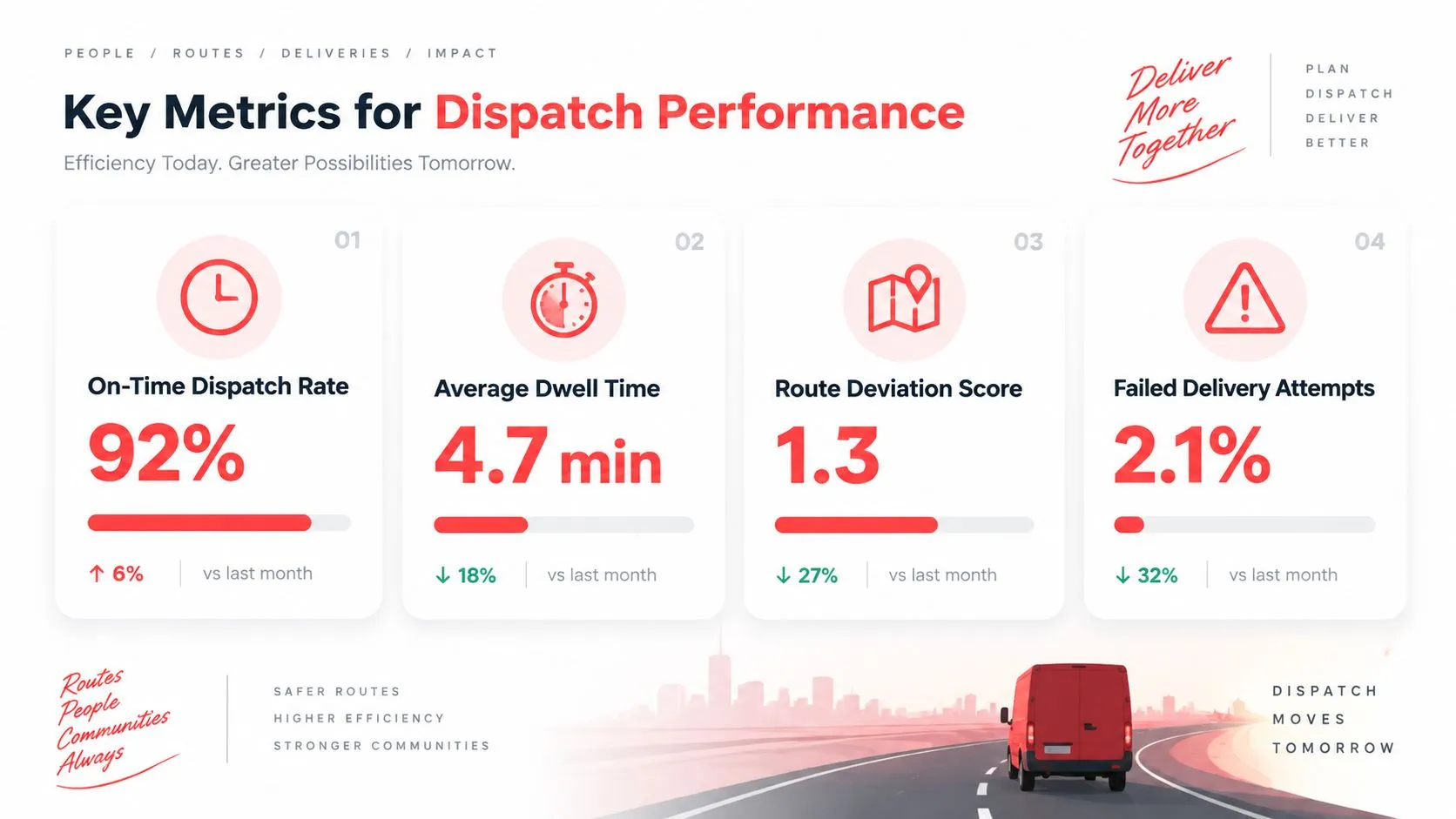
Key Metrics for Dispatch Performance
“Delivery feels slow” does not identify the failure. A useful review separates kitchen delay, assignment delay, driver travel, and order accuracy, because each points to a different fix. Track the handoffs between platforms, staff, kitchen, and drivers, not only the final delivery time.
Track these measures consistently:
- Order-to-dispatch latency: Measure the time from order receipt to driver assignment. A long interval can indicate poor queue visibility, understaffing, or manual coordination across platforms.
- First-assignment accuracy: Record whether the correct driver and route were selected initially. Reassignments expose decision friction that an average delivery time can hide.
- Driver utilization: Compare active delivery work with idle periods during peak service. Low utilization may reflect weak batching, uneven zones, or food not being ready.
- Error rate by source: Separate Uber Eats, DoorDash, Grubhub, phone, and direct orders. A higher error rate on one channel can point to mapping, device, or order-entry problems.
- Kitchen-to-driver readiness: Compare the time food is marked ready with driver arrival. Driver waiting and food waiting for a driver require different operational responses.
Establish a usable baseline
Use a consistent observation period and the same definitions each day. Do not change what “assigned,” “ready,” or “delivered” means during the review. A simple record is enough if it shows where orders pause and which platform or handoff is involved.
Look for patterns before changing driver coverage. If Grubhub orders reach the kitchen later than DoorDash orders, inspect the intake path. If every channel shows assignment delays during dinner, examine shared work such as tablet monitoring, order confirmation, or manager approval. Those coordination costs often explain dispatch failures better than driver availability alone.
Use the restaurant performance metrics guide to connect dispatch measures with broader operating decisions. The useful metric is one a manager can understand, verify, and act on during the next shift.
Troubleshooting Common Dispatch Failures
Most dispatch failures have a visible symptom and a less obvious cause. Work backward from the point where the order stopped moving.
Orders accepted but not assigned
Check whether the order reached the shared operational queue or only the marketplace tablet. Confirm that a staff member can see its status, address, preparation time, and assignment state without switching systems. If the order is visible but remains unassigned, define who owns that exception during the rush.
Drivers arrive before food is ready
This usually means dispatch is based on order acceptance rather than kitchen readiness. Add a clear ready-status handoff between the kitchen and driver workflow, and review preparation estimates for items that regularly hold an entire order.
One item delays a batched route
Batching can reduce travel, but one late item can make every customer on the route wait. Separate orders by readiness and promised timing, not geography alone. If the delayed item can’t be completed promptly, release the ready order rather than protecting a batch that no longer fits the kitchen’s timing.
A delay triggers a cascade
A late pickup consumes the driver’s next assignment window. The manager should identify the affected orders immediately, reassign only the work that needs intervention, and update the kitchen queue so staff don’t prepare tickets according to an outdated sequence.
The right response isn’t always adding a driver. First find the broken handoff, then decide whether capacity is actually the constraint.
Status discipline matters here. Every team member should know what “accepted,” “ready,” “assigned,” “picked up,” and “completed” mean. Ambiguous statuses create phone calls, duplicate work, and decisions based on stale information.
Building Your Dispatch Optimization Strategy
Your first dispatch project should remove handoffs, not add routing complexity. Consolidate marketplace orders into the POS so staff are not watching several tablets, copying tickets, or correcting missing modifiers during a Friday rush. OrderOut supports this workflow across Clover and Square, including the OrderOut Square App Marketplace listing.
Then audit the information dispatch uses: marketplace menus, modifiers, item availability, preparation estimates, delivery zones, and assignment rules. A shared order stream only helps when those inputs match the kitchen’s real capacity. If an item regularly delays complete orders, its availability and prep-time rules need attention before route changes will help.
Measure coordination failures by source and handoff. Record assignment delays, first-attempt corrections, source-specific errors, driver waiting, and food waiting. Compare those patterns during peak periods. The result should guide the next change, whether that is kitchen timing, dispatch rules, staffing, or delivery coverage.
Plan for labor and compliance
First-party and hybrid fleets add responsibilities beyond routing. Define who employs or contracts drivers, who schedules them, how absences are covered, and who handles a failed delivery. Availability changes during peak periods, while an improvised contractor arrangement can create labor-law exposure and unexpected cost.
Operators can review these ways to improve dispatch efficiency for broader route-planning practices. Keep implementation narrow: remove fragmented intake, standardize statuses, then improve assignment decisions with the information the POS captures.
OrderOut brings Uber Eats, DoorDash, and Grubhub orders into Clover or Square, reducing tablet switching and manual re-entry. Visit OrderOut to review how a unified POS order stream can reduce coordination work and avoidable dispatch errors.
Frequently Asked Questions
What is the difference between dispatch and delivery?
Dispatch assigns orders to drivers and coordinates timing, batching, and routes. Delivery is the physical movement of prepared food from the restaurant to the customer.
Does OrderOut work with Clover?
Yes. OrderOut is available on the Clover App Market and brings supported third-party delivery orders into the Clover POS workflow. It maps marketplace menus and modifiers to the POS structure so staff don’t have to re-enter each order manually.
Does OrderOut work with Square?
Yes. OrderOut supports third-party delivery order flows into Square. Restaurants should review their menu mapping and device configuration so marketplace items and modifiers appear correctly in the POS and kitchen workflow.
Can POS integration replace a delivery driver?
No. POS integration organizes order intake and reduces fragmented handling, but the restaurant still needs an appropriate third-party, in-house, or hybrid delivery model. The integration helps staff make dispatch decisions from a cleaner operational record.
What should restaurants measure first?
Start with order-to-dispatch latency, first-assignment accuracy, driver utilization, and error rate by order source. These measures help distinguish a driver-capacity problem from a workflow or order-entry problem.
Start onboarding at dashboard.orderout.co. Restaurant owners can onboard free in a few clicks and begin replacing fragmented marketplace order handling with a cleaner Clover or Square workflow.