
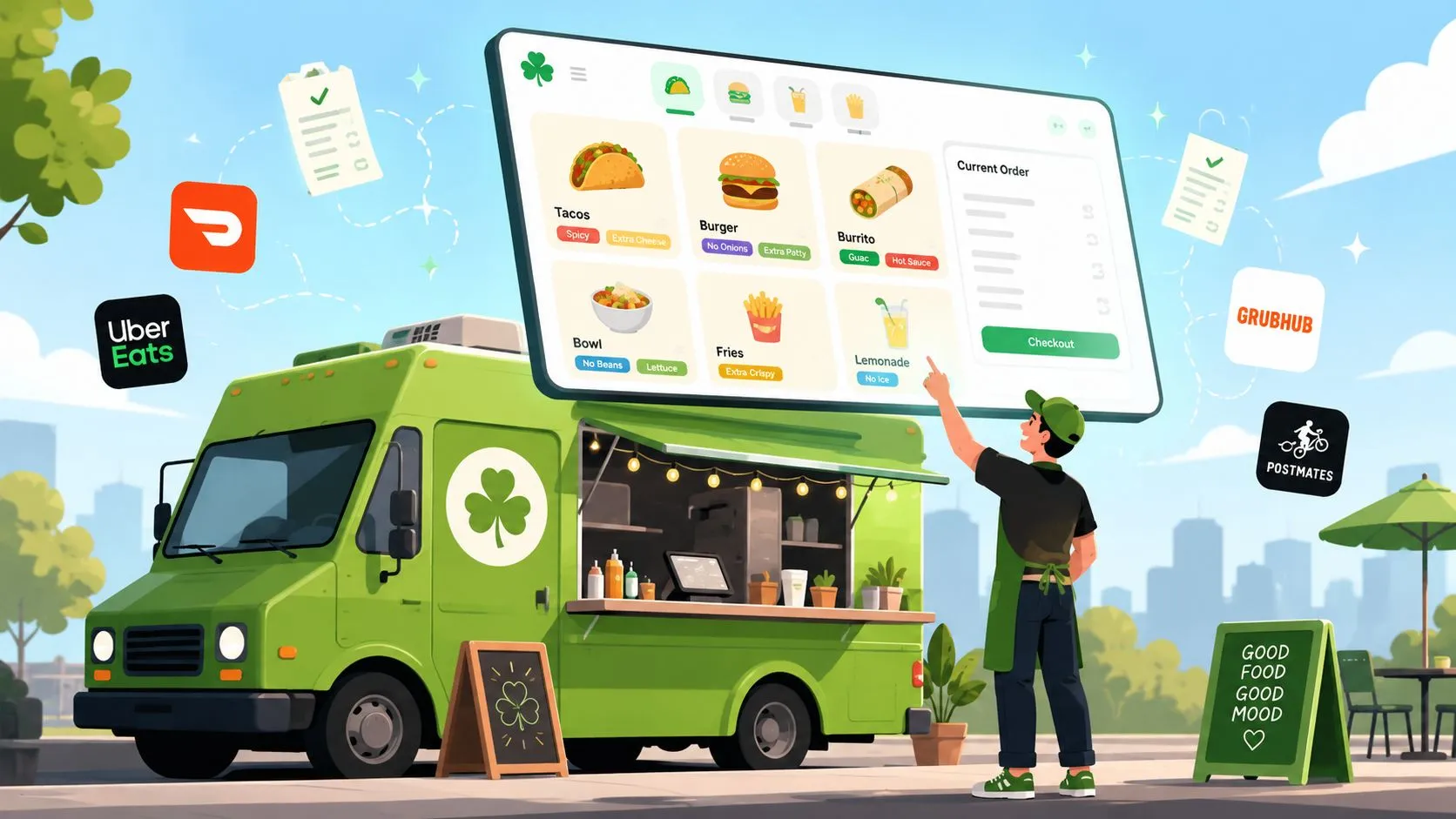
A Clover food truck menu is the set of items, modifiers, combos, and pricing rules built inside Clover POS to run both on-site and delivery orders. It can also be configured to sync with delivery apps so Uber Eats, DoorDash, and Grubhub orders flow into the same system.
That matters most when the truck is six tickets deep, a customer is asking for substitutions at the window, and a delivery order arrives with three modifiers. A menu that looks tidy on a laptop can still slow the line, misprint kitchen tickets, or leave sold-out items available online. Treat the menu as a living operating document, not a one-time list of food.
Planning Your Menu Structure Before You Build
Start with the way your truck serves food. Before opening Clover, write down the items that move fastest during your busiest lunch rush, then group them into categories that match the crew’s workflow. Mains, sides, drinks, and desserts are usually easier to understand than categories based on ingredients or marketing language.
Keep the first version narrow. Clover Food Lab’s original truck concept began at MIT in fall 2008, officially opened on the MIT food lot in September 2008, and closed seven weeks later as planned. Customer demand brought it back in March 2009, when it expanded to two trucks, a useful reminder that a focused test menu can become a durable operating model when customers understand it quickly. MIT’s account of Clover’s early food-truck operation provides the operating context.
Clover’s early menu was intentionally small, vegetarian, seasonal, and affordable. Reporting described chickpea fritters, BBQ wheat protein sandwiches, fresh-cut fries, and daily specials, with no item above $5. By 2010, Clover was still highlighting a $5 sandwich and $3 soup or side salad. MIT News’ report on Clover’s menu approach shows why a limited menu can support both speed and a clear value proposition.
Build the worksheet first
Create this worksheet before entering items into Clover. It gives you one reference point for the on-site menu, delivery channels, and future edits.
| Item Name | Category | Base Price | Modifiers Needed | Available On |
|---|---|---|---|---|
| Chickpea fritter sandwich | Mains | $5 | Sauce, toppings | Window, delivery |
| Fresh-cut fries | Sides | Add your price | Seasoning, sauce | Window, delivery |
| Seasonal special | Mains | Add your price | As needed | Window only or all channels |
| Bottled drink | Drinks | Add your price | None | Window, delivery |
Use this sheet to decide which items need choices and which should ring as flat-price buttons. If you want to build from a broader starting point, this food truck menu template can help organize the first draft.
Rewards can also support repeat visits without complicating the ordering screen. A tool such as QR rewards for restaurants may fit trucks that want customers to scan after purchase, but keep the reward action separate from the core rush workflow.
Creating Items and Modifiers in Clover
Create each item in Clover’s Inventory area, then open Items and enter the menu one record at a time. This takes longer than importing a messy list, but it keeps categories, tax settings, pricing, and availability easier to audit.
Use short names that fit the POS button and kitchen ticket. “Fritter Sandwich” is more useful during service than a long promotional description. Put the detail in the customer-facing description where it helps online ordering, while keeping the kitchen-facing name direct.
Assign every item to a category and review the applicable tax treatment for your operation. Grab-and-go products, prepared food, and packaged drinks may require different handling depending on your location, so confirm the correct settings with your tax professional or local authority. Don’t turn on stock tracking for items you don’t count, such as routine condiment requests. False stock alerts create just as much confusion as missing inventory.
Keep modifier groups readable
Build required groups first, such as size or protein choice, then add optional groups for sauces, extras, or toppings. Required selections prevent a cashier from skipping a choice that the kitchen needs. Optional groups should stay limited to decisions customers make often.
The more modifier groups a cashier must scan, the more opportunities there are for a wrong tap. Keep the screen readable and use consistent spelling across Clover and every delivery marketplace. “Sriracha” and “Siracha” may look close to a manager editing a menu, but they can become separate values during mapping.
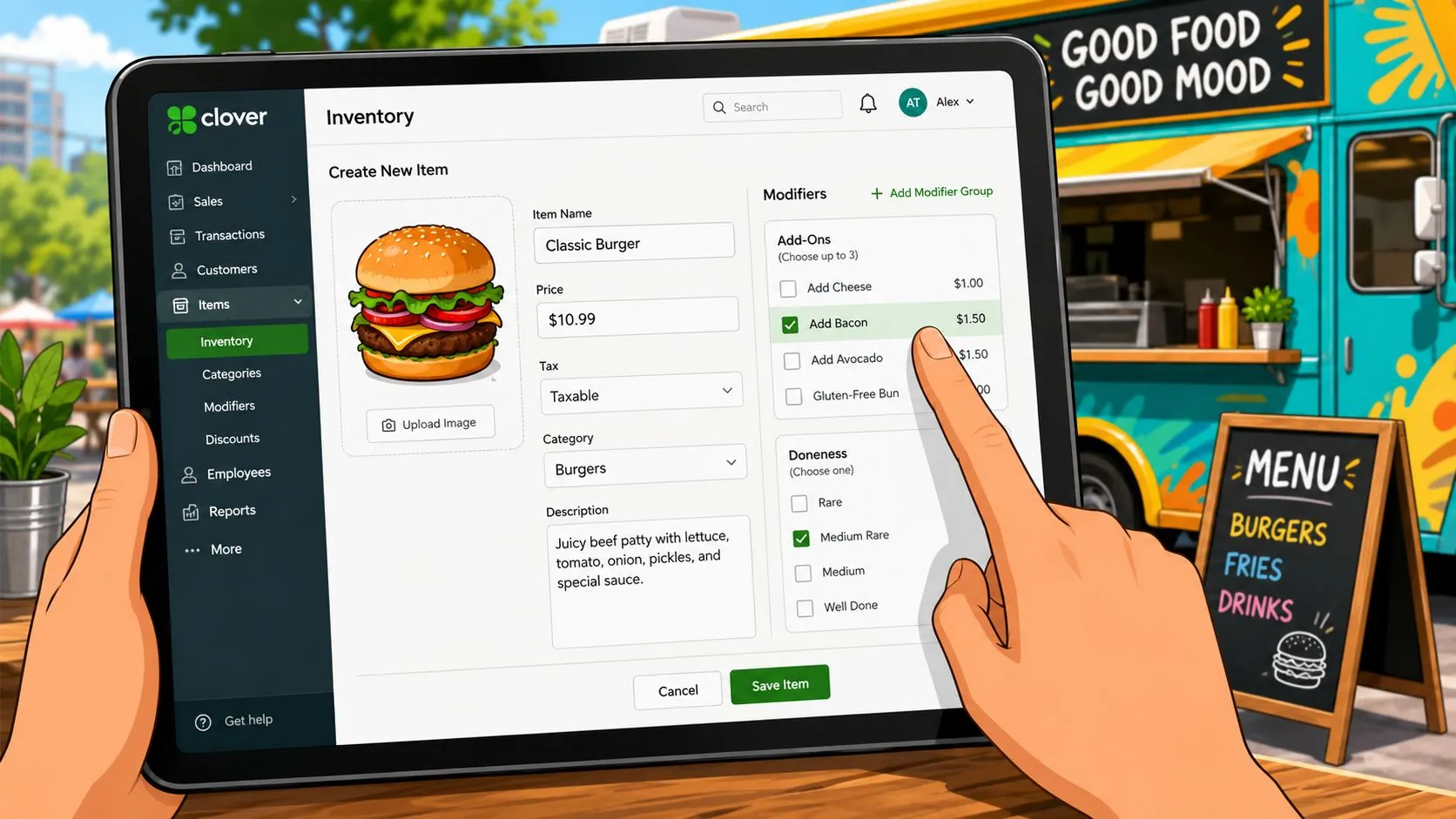
Before publishing, ring representative orders and print the receipt or kitchen ticket. Check the item name, modifier text, quantity, tax, and routing. Clover’s food truck tools are designed to track sales and ingredients as orders come in, which can help the crew plan prep around actual demand. Clover’s food truck POS overview explains that operational focus.
If you’re working with a developer or integration consultant, keep the menu structure documented rather than relying on dashboard screenshots. Clover’s API documentation resource is a useful reference for understanding how item and modifier data may be handled in connected systems.
Building Combos and Bundles That Match Real Orders
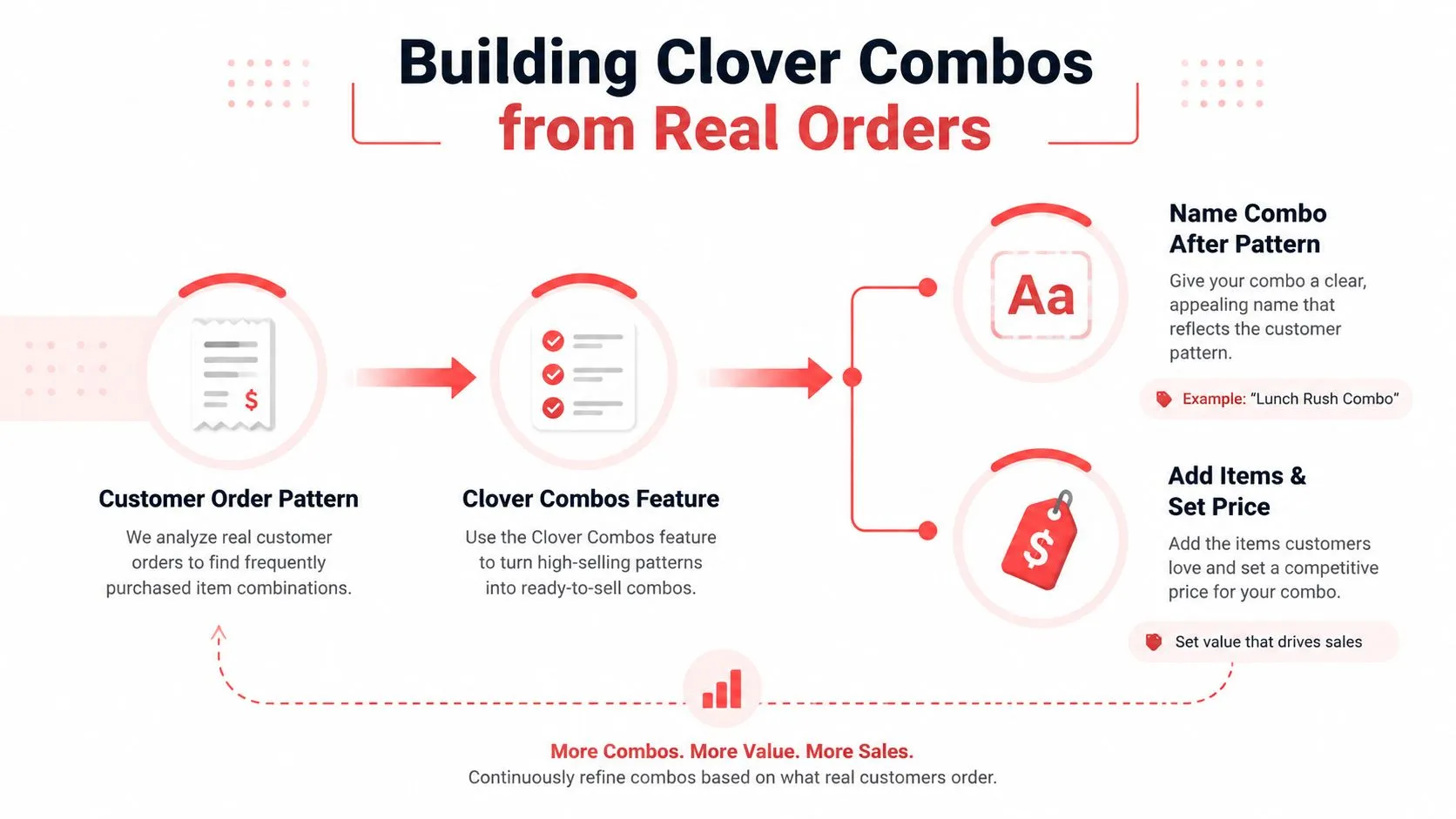
Build combos from orders customers already place. If the same main, side, and drink appear together repeatedly, that pattern deserves a button. A theoretical bundle with too many choices usually creates more taps, more substitutions, and more ticket confusion than it creates sales.
Name the combo after the customer behavior it represents. “Taco Trio,” “Family Box,” or “Lunch Rush Combo” tells the cashier what the button does without forcing them to remember an internal code. Add the required main and side first, then make the drink optional if customers regularly skip it.
Clover’s combo feature should reflect the truck’s physical limitations. A delivery bundle might use bottled drinks because they travel better, while a window bundle can use fountain drinks. Don’t offer a component through delivery if it routinely leaks, melts, spills, or requires a separate handoff.
Price the bundle for visibility
The bundle discount should be clear on the receipt and still leave room for packaging and labor. The exact discount depends on your costs, but the customer should understand what they saved without the cashier explaining the math.
Create separate availability rules for service conditions, not just the truck’s opening hours. If the grill can’t support a family bundle during a compressed lunch period, remove it for that window. An item that stays available after the kitchen has run out becomes an order problem, not a marketing win.
For a broader operating framework, restaurant menu management guidance can help connect item setup, availability, and channel maintenance.
Pricing Strategy for On-Site and Delivery
On-site and delivery pricing serve different economics. A walk-up customer buys from the truck with minimal packaging and no marketplace deduction. A delivery order may require stronger packaging, extra handling, and a marketplace commission, so identical prices can weaken the delivery margin.
Start with the full plate cost. Include ingredients, packaging, and the labor attached to the order. Then compare the contribution from the window with the contribution from each delivery channel. Do this by item, not by the menu as a whole. A popular sandwich can still be a weak delivery item if packaging and marketplace deductions consume the remaining margin.
The comparison below is a decision tool, not a universal price formula.
| Line Item | On-Site Sale | Delivery Sale, 30% Commission |
|---|---|---|
| Customer price | Base window price | Adjusted channel price |
| Food and packaging | Lower packaging burden | Include delivery-grade packaging |
| Marketplace deduction | None from a delivery marketplace | 30% of the applicable sale, as modeled |
| Customer experience | Immediate handoff | Must survive transport |
| Pricing decision | Protect speed and value | Protect contribution after deductions |
The 30% commission scenario above is an example from the requested pricing model, not a claim that every marketplace agreement uses the same rate. Review your actual contract and channel economics before publishing prices.
Practical rule: Never decide delivery pricing from the menu board alone. Decide it from the money left after food, packaging, labor, and channel deductions.
Clover’s original food-truck model kept the menu small and price-capped, which helped customers make quick decisions. That doesn’t mean every modern truck should copy its prices. It means affordability works best when the menu makes the value obvious and the operation can produce the item consistently.
Connecting Your Menu to Uber Eats, DoorDash, and Grubhub
A lunch rush exposes menu-sync problems quickly. Set Clover as the operating source for item names, modifiers, prices, and availability, then connect Uber Eats, DoorDash, and Grubhub through one compatible workflow. Staff can receive walk-up and delivery orders without re-keying them between separate tablets.
Clover says its quick-service tools can import and sync menus across devices while adding pickup and dine-in orders. Clover’s quick-service POS page explains the menu controls that matter when a food truck is serving quickly.
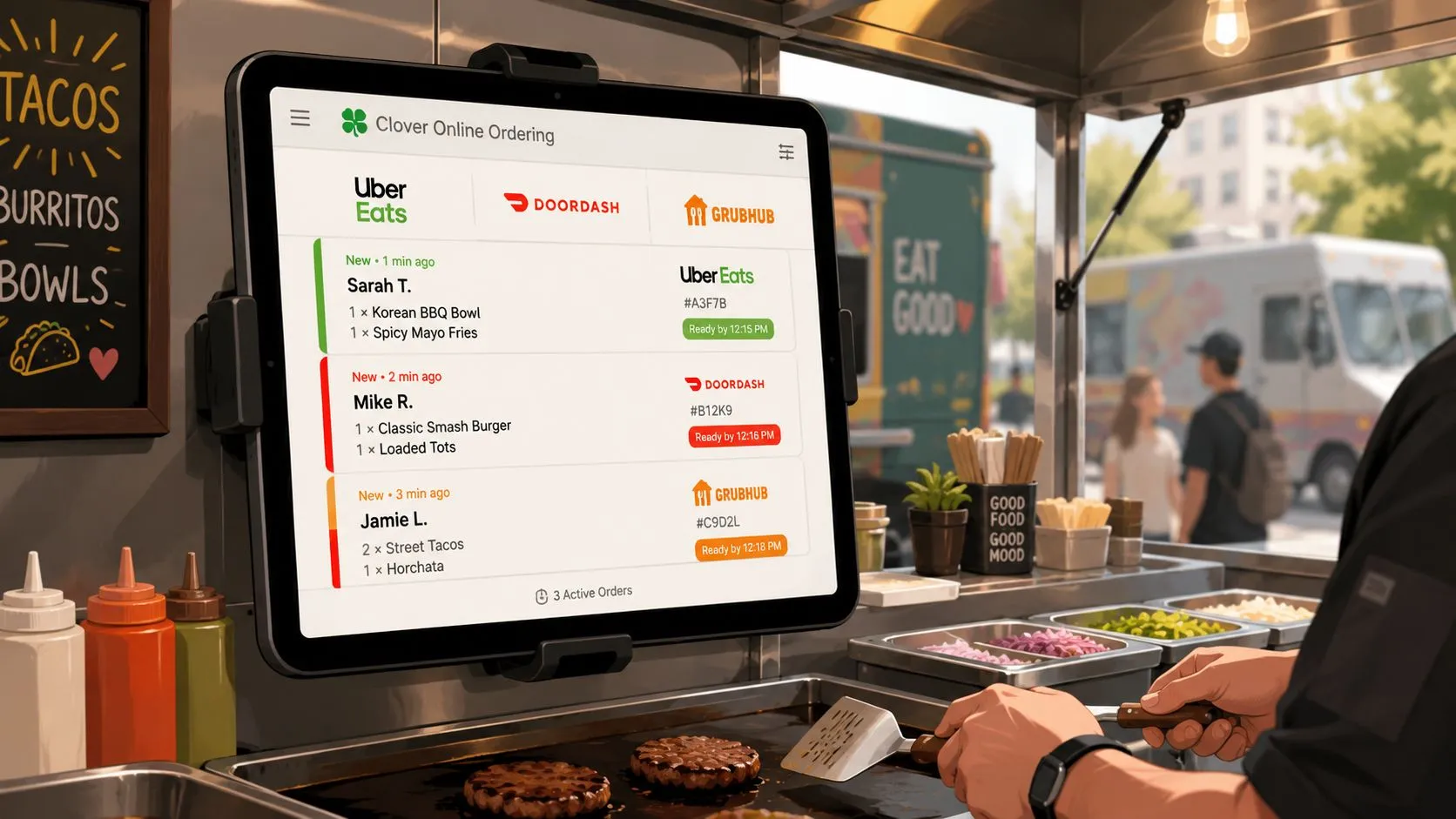
OrderOut can send Uber Eats, DoorDash, and Grubhub orders into Clover, reducing manual entry during service. It maps each marketplace menu to a shared POS structure, allowing delivery and window orders to follow the same item and modifier logic. A customer choosing “no onions,” adding sauce, or selecting a size should produce a familiar kitchen ticket, not a second format the crew has to interpret.
Build the mapping deliberately. Match marketplace items to Clover items using stable names and prices, then compare modifier groups one choice at a time. “Choose a sauce” on a marketplace must connect to the same operational choice in Clover. Any marketplace item missing from Clover needs resolution before activation.
A menu change is complete only when the item, modifier, price, and availability agree across every ordering channel.
When the truck sells out, mark the item unavailable in the controlling system and confirm that each connected marketplace updates. Clover’s food-truck tools address changing inventory, on-the-fly menu updates, and unreliable connectivity as normal operating conditions. Clover’s food-truck restaurant tools describe that flexible approach.
Menu drift after edits, mismatched modifier names, and inconsistent prep-time settings create the most common failures. Use OrderOut’s guide to connecting multiple delivery apps to one POS when consolidating channels.
For this workflow, review OrderOut’s Clover delivery integration. OrderOut is available to install from the Clover App Market listing. Install it first, review the menu connection, and turn on live orders only after the mapped items and modifiers match the truck’s operating menu.
Testing, QA, and Common Pitfalls
A menu isn’t ready because the buttons look correct. Test it like a piece of equipment that can fail under pressure. Place a $0 test order on each connected marketplace, then compare the marketplace confirmation, Clover order, kitchen ticket, receipt, tax, tip, and modifier output.
Use difficult orders, not just the easiest sandwich. Test the most customized item, a combo containing a sold-out component, and a delivery order while simulating an 86. You’re looking for translation errors that won’t appear in a simple order.
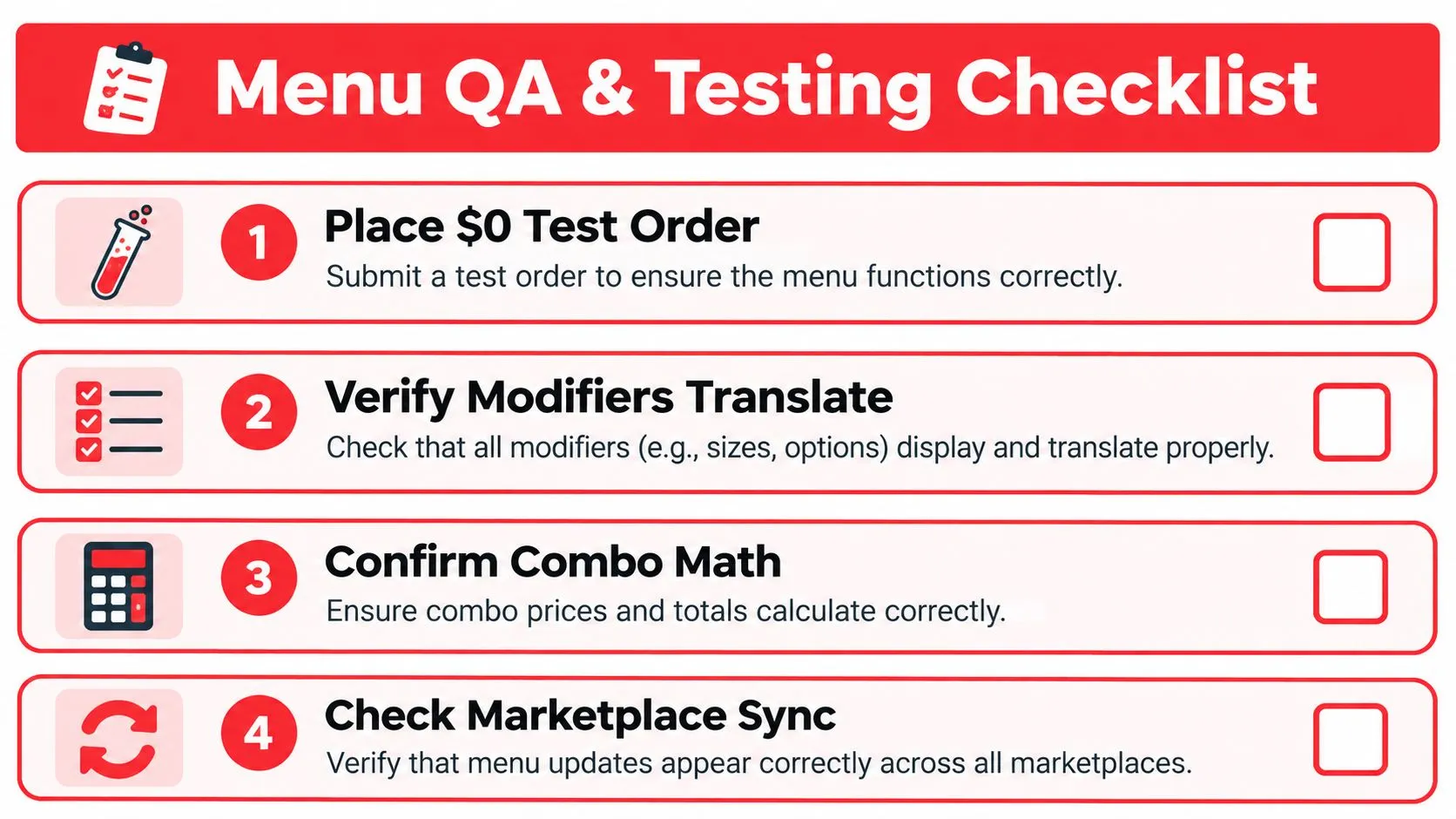
Test the failure modes
- Modifier translation: Confirm that “no onions,” extra sauce, size changes, and required selections print as the kitchen expects.
- Combo construction: Check that the main, side, drink, and price appear as separate usable components where the crew needs them.
- Availability updates: Mark an item unavailable and verify that each connected marketplace stops presenting it.
- Price consistency: Compare the window price, Clover price, and delivery price after every cost or packaging change.
- Ticket routing: Confirm that the right printer or prep station receives each component without duplicate tickets.
The most common mistakes are small. A modifier spelled two different ways can create duplicate choices. A side with a forgotten default quantity can produce an incomplete order. A delivery price that wasn’t updated after an ingredient change can make a popular item look successful while contributing little.
Clover’s menu changes can be dynamic rather than tied to a static printed list. Its food-lab model emphasizes seasonal availability and live menu updates, so a truck should assign someone to own those edits rather than letting every shift manager improvise.
Rollback rule: If a live edit changes prices, modifiers, or ticket routing unexpectedly, restore the last known-good version and investigate after service. Mid-rush patches create more risk than a controlled temporary item removal.
Document who owns QA, when the menu gets checked, and what triggers a rollback. Order entry best practices for restaurant teams can support the staff training side, but your final test should always use your own menu and equipment.
Pre-Launch Checklist and Next Steps
Before launch, walk through the menu as a customer, cashier, expediter, and cook. Each role catches a different problem.
- Menu accuracy: Confirm names, descriptions, categories, prices, taxes, and channel availability.
- Modifier logic: Test required groups, optional extras, default quantities, and substitutions.
- Receipt format: Print representative orders and verify that kitchen instructions remain readable.
- Offline behavior: Check what the crew can still ring and how connectivity interruptions affect order handling.
- Marketplace mapping: Match Uber Eats, DoorDash, and Grubhub items to the correct Clover items and modifiers.
- Stock controls: Verify that 86’d items disappear from connected channels when inventory changes.
- Combo readiness: Confirm that on-site and delivery bundles use the right components and pricing.
- Crew speed: Run a full service simulation and ask staff which buttons take too many taps.
- Equipment backup: Check printer redundancy, stock counts, and prep pars before the first live shift.
Clover’s food-truck POS positioning centers on tracking sales and ingredients as orders arrive, which gives managers a practical base for reviewing what sold, what went unavailable, and what needs prep attention. After launch, review the sales mix, modifier attachment patterns, and 86 list each day during the first week. Use those observations to simplify the menu rather than adding more choices.
Then connect the configured Clover menu to Uber Eats, DoorDash, and Grubhub through OrderOut. The benefit is operational: marketplace orders enter the same POS workflow, reducing tablet switching and manual reconciliation while keeping the menu structure under one system.
Visit OrderOut to review the Clover delivery workflow and connect your marketplace menus to the POS. Start with the menu mapping, test representative orders before service, and make one person responsible for live availability updates.
Frequently Asked Questions
Does OrderOut work with Clover?
Yes. OrderOut connects third-party delivery orders from Uber Eats, DoorDash, and Grubhub to Clover so staff don’t have to re-key each order manually. The integration uses menu and modifier mapping so the order can enter the existing Clover workflow.
Can a Clover food truck menu support delivery and walk-up orders?
Yes. Build the core menu in Clover, then decide which items, modifiers, combos, and availability rules should appear on each channel. Delivery may need a trimmed menu when packaging, travel, or prep capacity makes an on-site item impractical.
Is OrderOut free to install on Clover?
OrderOut is free to install from the Clover App Market. Operators should still review their OrderOut and marketplace arrangements before activating live delivery orders.
What should I test before connecting delivery apps?
Test item mapping, modifiers, combos, prices, taxes, availability, receipts, and kitchen routing. Include a highly customized order and an item marked unavailable, because simple orders won’t expose every mapping problem.
Does menu hygiene matter for delivery-to-POS integration?
Yes. Consistent item names, modifier groups, prices, and availability make mapping more reliable. A menu that contains duplicate spellings or outdated options creates extra work for staff and can produce incorrect tickets.
Start onboarding your Clover food truck menu with OrderOut at dashboard.orderout.co. Owners can onboard free in a few clicks, then connect the delivery channels and test the menu before the next rush.