
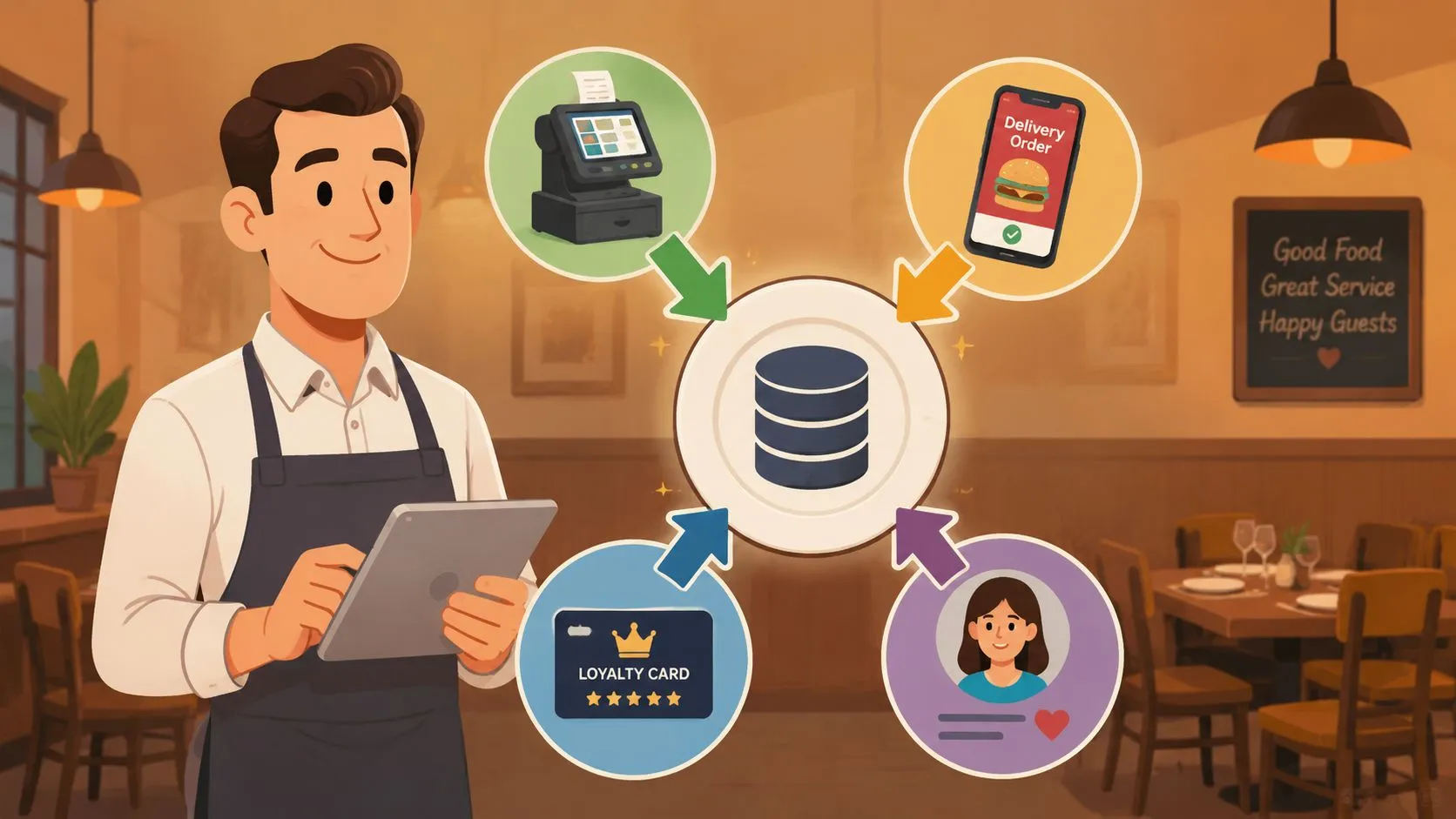
Customer data collection for restaurants is the process of gathering information about your diners, like their contact details and order history, from sources such as your POS, delivery apps, and loyalty programs to personalize marketing and improve service. It matters more than ever because the global Customer Data Platform market reached USD 7.8 billion in 2024 and is projected to reach USD 63.71 billion by 2031, with small and medium businesses growing at a 35.8% compound annual rate.
Most restaurant owners already have more customer data than they think. The problem isn’t usually collection. It’s that the data sits in different places, gets trapped in delivery apps, or never makes it back to the POS where the team runs the business.
That creates a very practical problem. Your staff is busy, your managers are juggling labor and inventory, and nobody has time to export spreadsheets from five systems just to answer simple questions like who orders every week, which channel drives repeat guests, or which menu items deserve a targeted promotion.
The good news is that you don’t need a separate enterprise marketing stack to start. In many restaurants, the fastest path is to clean up the data already flowing through your operation and make sure your POS becomes the place where that information lands consistently.
Why Customer Data Is Your Restaurant’s Secret Ingredient
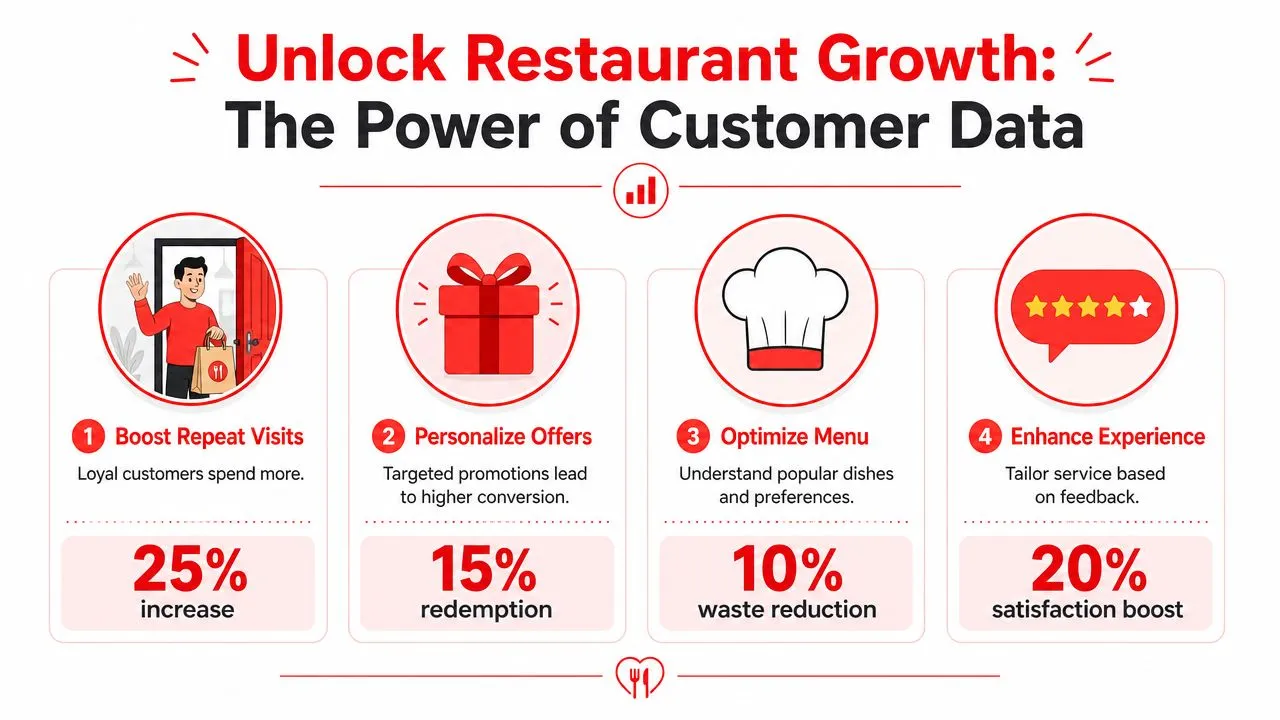
Restaurants that treat customer data collection as an operational asset usually make better decisions faster. They don’t rely only on gut feel for promotions, menu changes, or staffing patterns. They can see what guests order, when they order it, and which channels keep bringing them back.
Data is no longer optional
A lot of operators still think customer data is something big chains obsess over. That view is outdated. According to VWO’s review of customer data platform statistics, the global CDP market reached USD 7.8 billion in 2024 and is expected to hit USD 63.71 billion by 2031. For small and medium businesses, the sector is growing at a 35.8% compound annual rate.
That doesn’t mean every independent restaurant needs a CDP. It means the market is signaling something important. Restaurants that can collect, organize, and use customer information have an advantage.
Practical rule: If you know who ordered, what they ordered, and how often they come back, you can market with less guesswork.
The most useful data is usually simple:
- Order history: What each guest buys most often
- Visit frequency: Who comes back regularly and who has gone quiet
- Channel mix: Whether orders come from dine-in, pickup, direct online ordering, or marketplaces
- Modifier behavior: Which add-ons and substitutions show real preferences
Better data creates better decisions
A restaurant doesn’t need a data science team to benefit from customer data collection. A manager can use it to spot regulars who deserve a loyalty offer. An owner can use it to see whether a high-margin item is getting enough repeat traction. A marketing lead can build a campaign around actual ordering behavior instead of broad discounts.
There’s also a direct operations angle. When customer and order data live in one place, weekly reviews become easier. Patterns show up faster. Teams can compare sales trends, order frequency, and item movement without stitching together reports manually. That’s one reason operators spend time on restaurant data analytics workflows. The value isn’t abstract. It helps decide what to promote, what to cut, and where staff time is being wasted.
Revenue follows relevance
The restaurants that get the most value from customer data collection usually aren’t the ones collecting the most fields. They’re the ones collecting the right details and using them well.
If a guest always orders family meals on Thursdays, that pattern is more useful than a long intake form. If another guest orders late-night delivery twice a week, that’s enough to build a relevant offer around convenience, not broad discounting.
Data works best when it helps a restaurant answer one simple question: what should we do differently this week?
That’s the secret ingredient. Not more dashboards. Better visibility into customer behavior, tied to daily decisions that save time and help the restaurant earn more from the guests it already has.
Finding Your Data Goldmines
Most restaurants don’t need to go hunting for brand-new data sources. They need to identify the systems already generating customer information and start treating them like assets instead of background noise.
Start with the systems you already use
Your POS is usually the first data goldmine. Clover and Square can tell you what sold, when it sold, and which items travel together. If customer profiles are attached, that same system can also show purchase history, visit patterns, and average ordering habits.
Delivery channels are another major source, but they’re often messy. Uber Eats, DoorDash, and Grubhub generate useful behavioral signals around order timing, menu preferences, and delivery demand. The challenge is that this information often stays tied to each platform unless your setup pushes it back into your operational system cleanly.
Then there are the quieter sources that many operators underuse:
- Guest WiFi sign-ins: Useful for basic contact capture and visit timing
- Reservations and waitlists: Good for group size patterns and visit preferences
- Feedback forms: Helpful for pairing guest sentiment with actual order behavior
- Loyalty enrollment: Valuable because guests voluntarily identify themselves
Use low-friction collection methods
One of the easiest ways to improve customer data collection is to add a simple digital sign-up path inside the guest experience. Black Box Intelligence describes a proven method that uses QR codes on menus and receipts linking to a web form, paired with a small incentive like a free item on the next visit. When connected to a loyalty program and automated CRM, it helps capture verified contact details and track visit frequency without feeling intrusive.
That works because it respects the pace of a restaurant visit. Guests scan when they’re ready. Staff doesn’t need to interrupt the transaction. The restaurant gets cleaner first-party information.
If you want examples of how operators use these touchpoints well, this guide to QR codes in restaurants is worth reviewing.
Keep the form short. Name, email or phone, and one clear value exchange is usually stronger than a long questionnaire nobody finishes.
Know what each source is best for
Not every source should collect everything. A simple way to think about it is to match each source to its natural job.
| Data source | Best use |
|---|---|
| POS | Order history, item trends, repeat behavior |
| Delivery apps | Channel demand, off-premise ordering patterns |
| Loyalty program | Identified repeat guests and offer response |
| WiFi login | Basic contact capture and visit timing |
| Surveys | Preferences and qualitative feedback |
Restaurants get into trouble when they try to make one tool do every job. Your POS should be the operational record. Your sign-up forms should capture permission-based contact info. Your loyalty flow should deepen what you know over time.
The win isn’t collecting more data everywhere. It’s knowing where each useful signal starts and making sure it doesn’t get lost.
Unifying Your Data with POS Integration
Friday dinner rush is underway. A DoorDash order hits one tablet, Uber Eats pings on another, and someone at the counter has to stop what they’re doing to re-enter both into Clover. That setup does more than slow the line. It breaks the customer record before the order even reaches the kitchen.
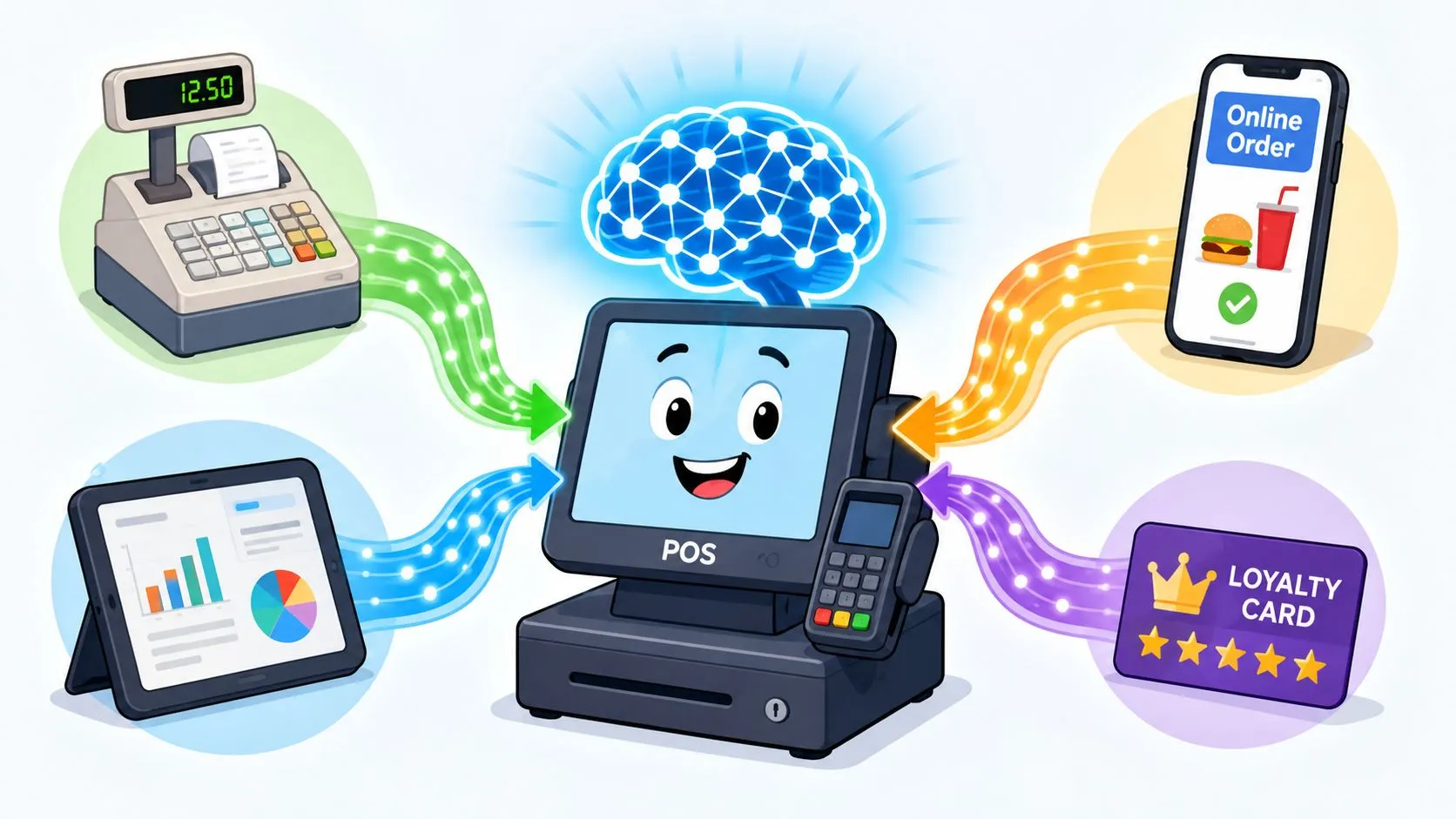
Restaurants often assume data collection starts with a new CRM or marketing platform. In practice, it usually starts with cleaner order routing. If delivery orders already pass through your POS correctly, you get better sales reporting, cleaner item history, and a stronger base for customer tracking without adding another expensive system.
Separate tablets break the record
The operational problem is familiar. Orders come in through Uber Eats, DoorDash, and Grubhub. Staff re-types them into Square or Clover. The kitchen still gets the ticket, but the system behind it is messy.
That creates four practical problems at once:
- Staff loses time: Someone has to monitor tablets and key orders in by hand
- Tickets get messy: Re-entry causes missed modifiers, wrong quantities, and avoidable errors
- Reports stay incomplete: Marketplace sales do not always map cleanly back to the POS
- Customer history stays fragmented: Order patterns live in different systems instead of one usable record
According to OrderOut’s overview of POS system integrators, automating order entry can reduce data-entry errors by up to 30%. For operators, that matters because cleaner tickets produce cleaner data. If modifiers, item counts, and order timestamps are wrong at the point of entry, every report built on top of them becomes less useful.
Integration makes the POS usable again
A good delivery POS integration sends marketplace orders straight into the POS you already run. That gives the restaurant one operating record for in-house, pickup, and third-party delivery sales. It also cuts out the duplicate work that usually causes data gaps in the first place.
OrderOut’s third-party order engine is built around that workflow. It maps each delivery menu to a normalized POS schema so orders arrive in the right categories, with the right modifiers, under the right items. That is why menu cleanup matters. If the menu structure is sloppy, the reporting will be sloppy too.
For a concrete example, a restaurant running Uber Eats, DoorDash, and Grubhub on Clover can use OrderOut’s Grubhub to Clover delivery POS integration as part of a single operational flow instead of managing each channel separately.
Better customer data collection often starts with better operations. When orders enter the POS correctly the first time, the restaurant gets more accurate reporting without asking staff to do extra admin work.
Here’s a short overview of how that kind of setup works in practice:
What changes on the floor
Once delivery orders flow directly into Clover or Square, teams feel the difference quickly. Staff can stay on production and guest service. Managers can review one set of sales numbers instead of comparing tablet totals against POS totals at the end of the night.
The bigger win is hidden in the routine. The POS becomes a more complete record of what sold, when it sold, which channel drove it, and how often certain items repeat. That gives owners a practical base for later promotions, menu decisions, staffing adjustments, and retention work without buying a separate marketing stack first.
A stronger setup usually leads to:
- Fewer manual handoffs: Orders move into the POS without re-keying
- Cleaner item and modifier data: Sales reports reflect what guests ordered
- Simpler staff training: New hires do not need a separate tablet process
- Better channel visibility: Managers can compare delivery performance inside one system
Restaurants do not need more software before they need cleaner plumbing. In many cases, the customer data they want is already sitting inside the POS. The job is getting delivery channels to feed it properly.
If you’re running Clover, the simplest next step is to install OrderOut on the Clover App Market. If you’re on Square, you can start from the OrderOut app listing in the Square App Marketplace. If you want guests to understand how we handle your data, make that language visible anywhere you collect contact details or order-linked information.
Building Trust Through Consent and Security
Customer data collection only works if guests believe the restaurant will handle their information responsibly. That’s not a legal footnote. It’s a business requirement.
Trust drives participation
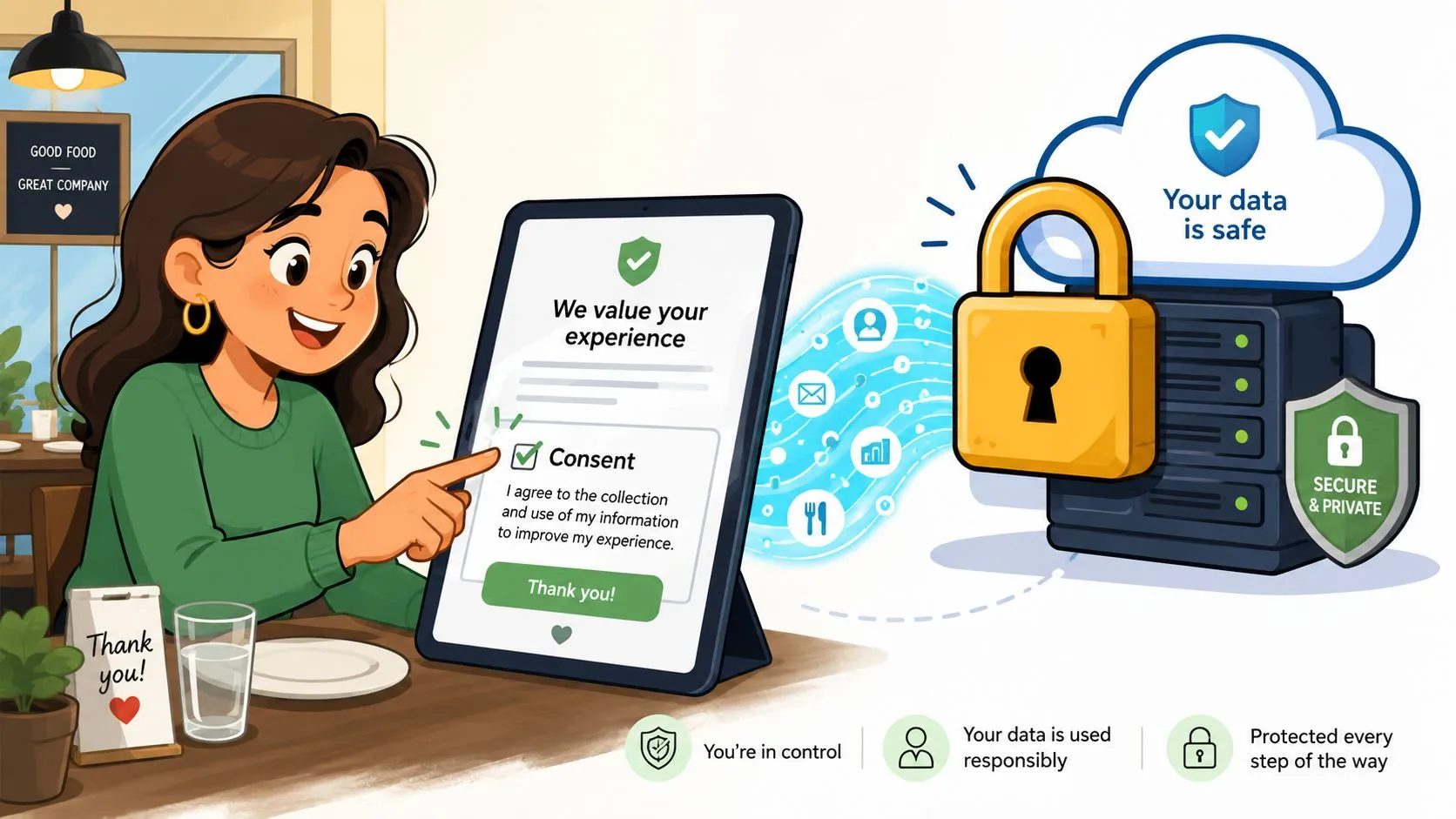
According to SQ Magazine’s customer data privacy statistics roundup, 75% of consumers won’t buy from companies they don’t trust with their data, and 58% are only comfortable with data collection when it’s done transparently. Those two numbers should shape how a restaurant asks for information.
In practice, that means being plain about three things:
- What you’re collecting: Email, phone number, order history, or loyalty activity
- Why you’re collecting it: Rewards, order updates, offers, and service improvement
- What control the guest has: Whether they can opt out or change preferences later
A short, readable privacy statement does more for trust than a dense policy link buried in the footer. The point is to remove uncertainty.
Keep the system simple and secure
Restaurants don’t need to overcomplicate this. They need to avoid obvious risks and tighten basic controls.
One critical example from the same SQ Magazine source is that POS systems should not sit on the same network as public guest WiFi because that creates hacking risks. That’s a practical fix owners can act on quickly. If your guest network and transaction system are mixed together, separate them.
Clear consent beats clever wording. Guests should understand the value exchange without having to decode it.
A few habits go a long way:
- Collect only what you need: If a birthday field won’t be used, don’t ask for it
- Review access regularly: Limit who can export or edit guest information
- Document your practices: Staff should know how sign-ups, opt-outs, and deletion requests are handled
- Use one policy as the operational reference: Your team needs one version, not five conflicting explanations
If you want a plain-language example of privacy disclosure structure, how DigiVisi Ltd handles your data is useful as a reference point for what transparent communication can look like. Restaurants should also make their own customer-facing policy easy to find, and operators evaluating platforms should review an app’s terms directly, including OrderOut’s privacy policy.
Consent should follow the guest
One practical challenge for restaurants is that guests move across channels. They may order direct one day and through a marketplace the next. Your internal process needs to respect that reality. If someone opts out, the team should know where that preference is recorded and how it gets honored.
That discipline matters because bad data practices aren’t just risky. They damage repeat business. Restaurants earn trust when they ask clearly, store responsibly, and use customer data in ways the guest can recognize as helpful.
Activating Your Data for Real-World Results
Once the data is in one place, the next move isn’t a giant campaign. It’s a small set of repeatable actions tied to real customer behavior.
Start with inactivity. A customer who used to order every week and then disappears is a better audience than a giant untargeted list. If your POS history shows that pattern, send a simple re-engagement message tied to what they usually buy. That’s more useful than blasting the same discount to everyone.
Another easy win is frequency-based outreach. If a guest orders often, treat them differently from someone who tried you once. A VIP offer, early access to a new special, or a loyalty nudge feels earned when it’s based on actual behavior. For ideas on cadence and message structure, this guide to email marketing for restaurants is a practical starting point.
Use operational signals, not just marketing signals
Customer data collection also improves decisions that don’t look like marketing at first.
If delivery orders for one item cluster on certain nights, feature that item more prominently on those days. If a high-margin dish gets ordered often in-house but rarely through off-premise channels, review its marketplace placement, naming, or modifier structure. If a guest repeatedly customizes an order the same way, that may point to a menu improvement.
Small experiments beat big overhauls. Run one offer, one segment, one menu tweak, then review what happened.
Some multi-unit groups already use this kind of discipline in broader growth planning. If you’re looking at expansion and customer acquisition from a system level, resources from a franchise lead generation company can be useful for seeing how location growth and customer capture strategies connect. The same mindset applies inside a single restaurant. Better data helps you target effort where it matters.
The key is to stop thinking of customer data as a report you might look at later. Use it as a weekly operating input. That’s when it starts producing real results.
Frequently Asked Questions
What is customer data collection in a restaurant?
Customer data collection is the practice of capturing the guest information your systems already generate. That usually includes contact details, order history, visit patterns, channel source, and basic preference signals from your POS, online ordering, loyalty program, delivery integrations, and sign-up forms.
The useful part is not volume. It is having enough accurate data in one place to make faster decisions, follow up with the right guests, and spot revenue opportunities you would otherwise miss.
Do I need a separate marketing platform to start collecting customer data?
No. Many restaurants can make real progress with the tools already in place.
Start with the systems that touch every order: your POS, online ordering flow, loyalty prompts, and delivery integrations. In practice, the bigger problem is rarely data capture. It is fragmented data. If guest activity sits in separate dashboards, staff and managers cannot use it without extra manual work.
Does OrderOut work with Clover?
Yes. OrderOut connects third-party delivery orders into Clover so orders enter the POS directly instead of being typed in from separate tablets. It is also free to install on the Clover App Market, which makes it a practical starting point for operators who want cleaner order flow and more usable order data.
Do I need extra tablets for Uber Eats, DoorDash, and Grubhub?
No. OrderOut sends Uber Eats, DoorDash, and Grubhub orders directly into Clover or Square, so the POS stays your main record of what was ordered, when it came in, and which channel produced it.
That matters for more than labor. It cuts re-entry mistakes, reduces missed tickets, and keeps delivery activity inside the same reporting workflow your team already checks.
Which delivery apps connect through OrderOut?
OrderOut is built around direct delivery-to-POS order injection for Uber Eats, DoorDash, and Grubhub into systems such as Clover and Square. For exact compatibility, check the app marketplace listing, onboarding details, or support documentation for your current setup.
If you want to turn customer data collection into something your team can effectively use, start by fixing the order flow. OrderOut helps restaurants send Uber Eats, DoorDash, and Grubhub orders straight into Clover or Square so the POS becomes the source of truth again, with no extra tablets and no manual re-keying. For the easiest next step, create your free account and start onboarding in a few clicks through the OrderOut dashboard for restaurant onboarding.