
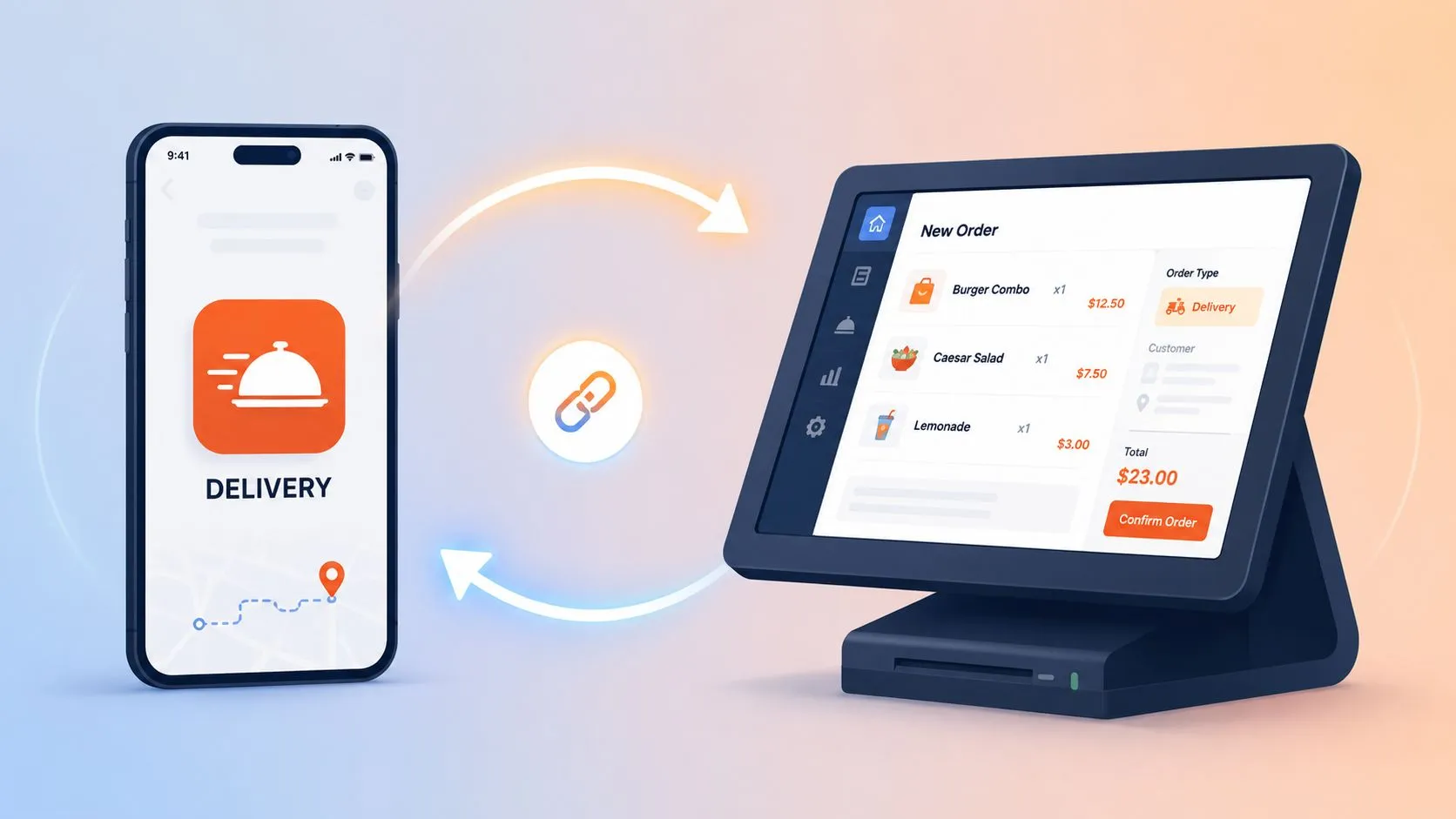
Grubhub POS integration connects Grubhub orders directly into your restaurant POS, such as Clover or Square, so orders appear automatically without a separate tablet workflow or manual re-entry. At scale, that model has already been used across more than 12,000 restaurants in 30 markets, which tells you this is operational infrastructure, not a niche add-on.
Most owners still think about Grubhub as a sales channel. The more useful way to think about it is as part of your production system. If Grubhub orders land outside your normal order flow, staff create a second workflow, a second source of truth, and a second chance to make mistakes.
That’s the essential gap in conventional thinking. The problem usually isn’t “How do I get listed on Grubhub?” It’s “Why does delivery still feel messy even when orders are coming in?”
What Is Grubhub POS Integration?
Grubhub POS integration means a Grubhub order drops straight into your point-of-sale system so your team can handle it inside the same operational flow as other orders. In practical terms, that means the kitchen sees the order where it already works, managers don’t have to watch another device, and staff don’t have to stop and type the order again.
That sounds simple, but the operational difference is big. A tablet-based setup asks your team to translate one system into another during service. An integrated setup removes that handoff.
What the workflow change looks like
Without integration, the process usually looks like this:
- Order arrives on a tablet: Someone has to notice it quickly.
- Staff re-enter the ticket: Items, modifiers, and notes get typed into the POS by hand.
- Kitchen waits on a person: The order doesn’t move until someone finishes the entry.
- Managers reconcile later: Sales and operational reporting live in different places.
With integration, that extra layer disappears. The order enters the POS directly, then follows your normal kitchen and fulfillment flow.
Practical rule: If staff are copying delivery orders from one screen into another, you don’t have a delivery system. You have an order transcription process.
Grubhub’s push toward this model has been visible for years. Restaurant Dive reported on a 2021 effort built to connect orders directly into restaurant POS systems for more than 12,000 restaurants across 30 markets, with the goal of syncing orders and menus from the POS instead of forcing operators to switch between tablets and apps (Restaurant Dive on Grubhub’s POS integration push).
If you run Clover, the cleanest way to think about this is as a delivery order feed into your existing register and kitchen process. For a channel-specific example, see the canonical Grubhub Clover integration. If you want a broader background on how these connections work, this guide to point-of-sale integrations is useful context.
The Business Case for Integrating Your POS
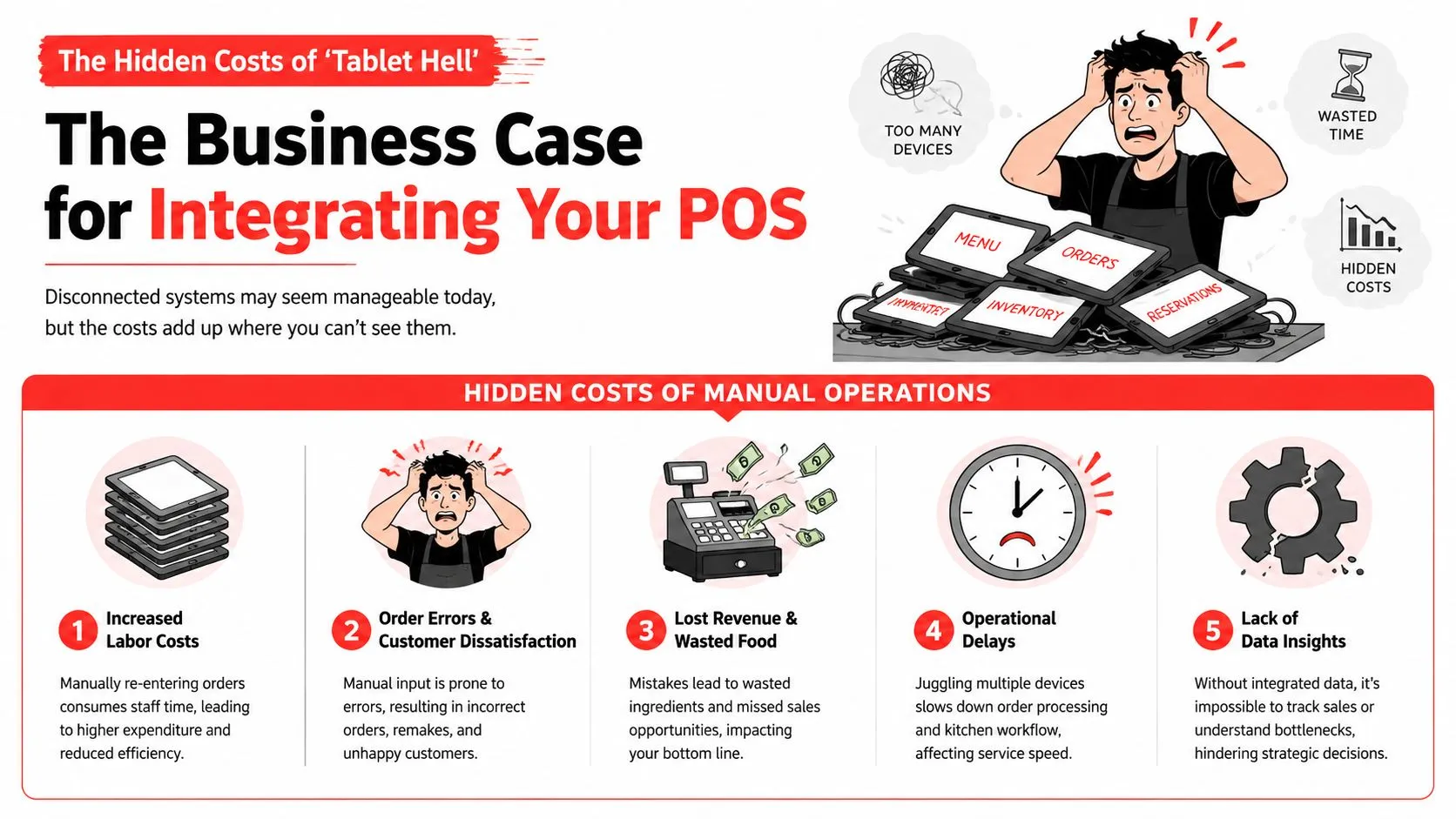
“Tablet hell” isn’t a technology problem first. It’s a labor problem, an accuracy problem, and a pace-of-service problem.
When delivery volume rises, every extra screen creates friction. One person monitors the tablet. Another punches the order into the POS. Someone else double-checks modifiers because the first pass might be wrong. None of that work creates a better guest experience. It just compensates for disconnected systems.
Why manual order handling hurts operations
According to Toast’s Grubhub integration overview, orders placed on the Grubhub app can be received directly on the POS, removing the need to manually enter orders from a tablet. That’s the core value. Remove re-entry, and you remove a common failure point.
In the field, the problems usually show up in three places:
- Staff attention gets split: A cashier or shift lead keeps checking for incoming app orders instead of staying focused on guests, expo, or the line.
- Modifiers get lost: Extra sauces, no-onion requests, side swaps, and combo choices are where hand entry breaks down fastest.
- Kitchen timing gets distorted: Orders sit until someone notices them and manually posts them into the POS.
This isn’t theoretical. It changes the feel of a shift. Staff get pulled into clerical work right when they should be managing throughput.
Why the gains are bigger than “saving time”
The obvious gain is less typing. The more important gain is cleaner flow. Once the POS becomes the operational source of truth again, your kitchen doesn’t have to wonder whether a ticket came from the front counter, your own online ordering, or Grubhub. It’s all just production.
That matters in every concept type, from pizza and fast casual to bakeries and cafes. If you’re looking at broader production discipline, this piece on how to make your bakery more productive is a good reminder that small process bottlenecks compound fast in food service.
A disconnected tablet setup often looks manageable during a slow hour. It falls apart during a rush, which is exactly when the system should help you most.
Where owners usually see the difference first
Owners tend to notice a few changes quickly after integration:
| Operational area | Tablet workflow | Integrated workflow |
|---|---|---|
| Order entry | Staff re-key tickets | Orders flow into the POS |
| Error control | Depends on staff accuracy | Depends more on menu mapping |
| Shift management | Team watches extra devices | Team works mainly inside the POS |
| Kitchen flow | Delayed by human handoff | Faster handoff to production |
The business case is simple. Integration reduces unnecessary touches. Fewer touches usually means fewer mistakes, calmer staff, and cleaner service execution.
If you want a channel-specific view of how restaurants approach this from the marketplace side, partnering with Grubhub gives useful background.
Two Paths to Integration Native vs Middleware
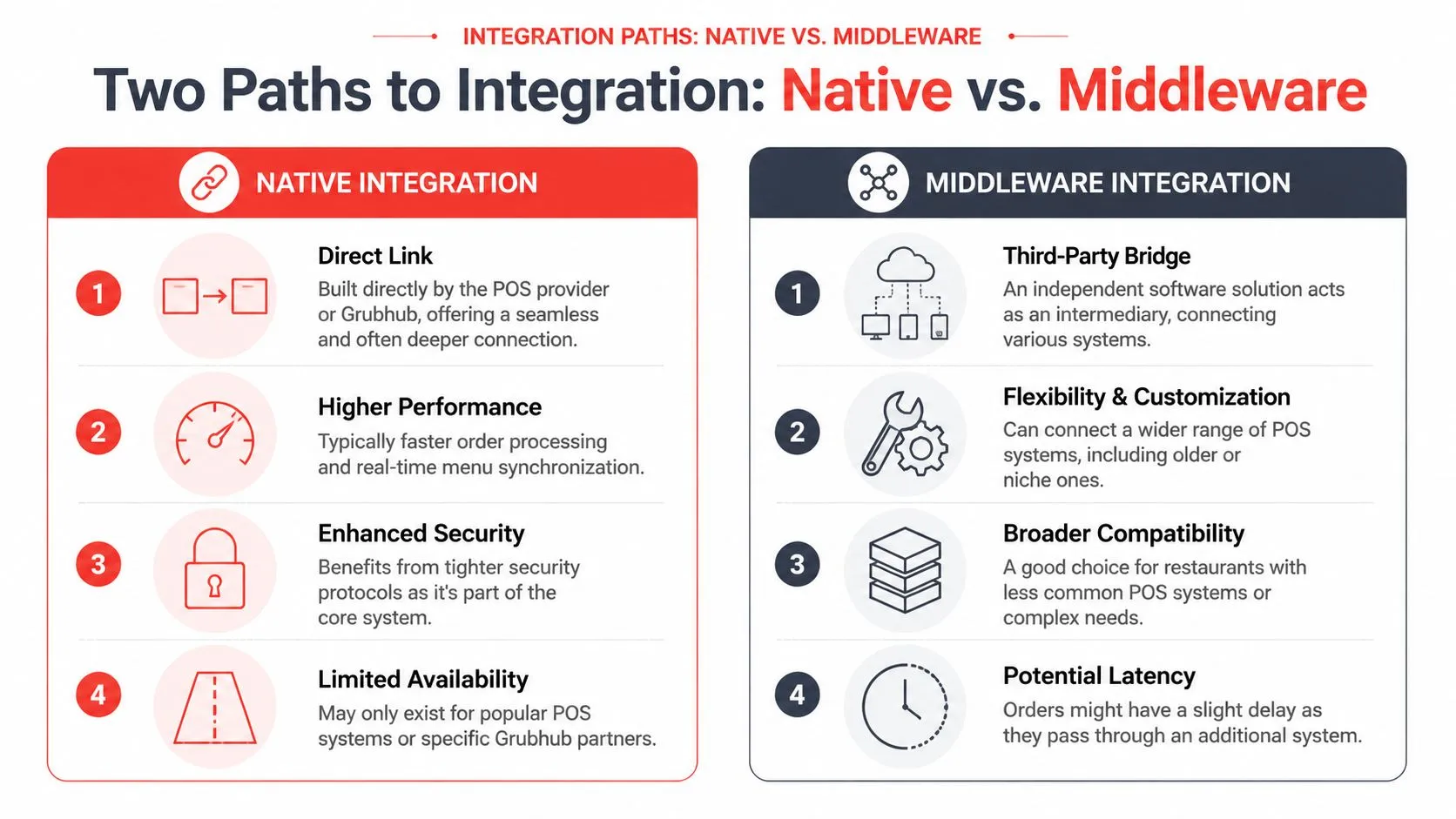
There are two common ways restaurants connect Grubhub to a POS. The first is a native integration. The second is middleware.
A native integration is a direct connection built by the POS company, the marketplace, or both. Middleware sits in the middle and translates the data so different systems can work together.
When native integration makes sense
Native connections can be a good fit when your setup is simple. If one POS supports one marketplace well, and your menu structure is straightforward, native can work fine.
The trade-off is flexibility. Restaurants rarely stay simple for long. They add another delivery app, another location, another menu variation, another prep rule. A direct one-to-one connection can become limiting when the business gets more complex.
Why middleware became standard
Middleware is the universal adapter model. Instead of needing a separate connection style for each marketplace and POS pairing, middleware translates order data into a normalized structure the POS can accept consistently.
That’s why this approach became so important. As Restaurant Dive noted in its 2021 reporting, this kind of integration was designed for more than 12,000 restaurants across 30 markets. That kind of rollout shows middleware is not a workaround. It’s a standard operating model for syncing menus and orders at scale.
Here’s the practical difference:
- Native: Good when your environment is narrow and stable.
- Middleware: Better when you need flexibility across channels, locations, and menu complexity.
If you use more than one marketplace, you usually don’t need more tablets. You need one translation layer that keeps the POS clean.
What actually matters in the technical layer
The important technical question isn’t whether the connection is “advanced.” It’s whether orders map cleanly into the POS you already run.
That means:
- Items must match: Marketplace menu names have to resolve correctly in the POS.
- Modifiers must behave properly: Size choices, add-ons, removals, and combo logic need structure.
- The POS must stay authoritative: Staff shouldn’t have to decide which system is correct mid-shift.
That’s the role of a third-party order engine. OrderOut’s Clover delivery integration is one example of a middleware-style approach built for marketplace orders flowing into Clover. For broader context on mixed POS environments, this article on Square Grubhub integration is also worth reviewing, along with the parent third-party order engine for restaurants.
Your Grubhub Integration Implementation Plan
Most integration problems are not install problems. They’re prep problems.
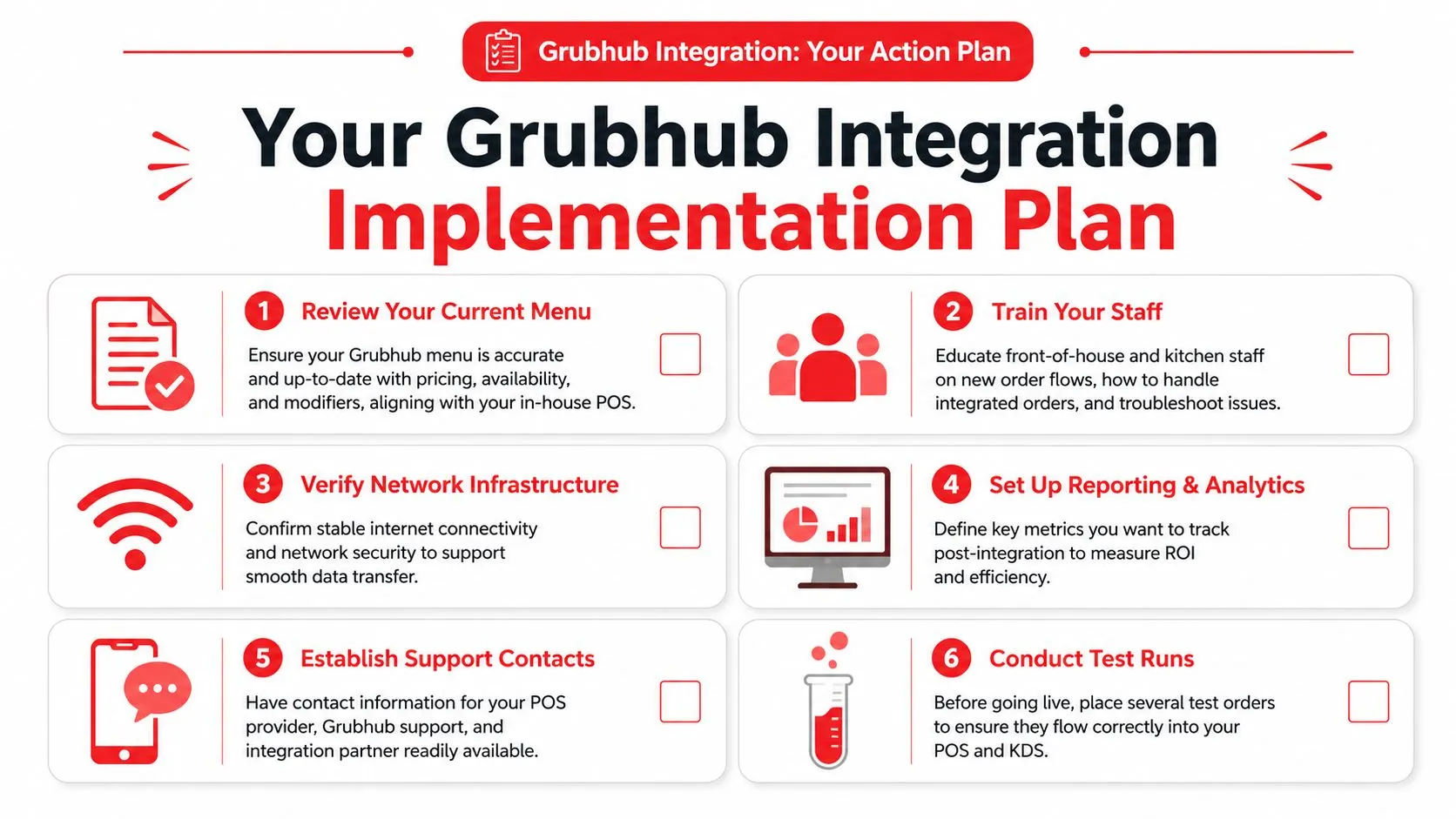
Restaurants usually assume the hard part is turning the integration on. In reality, the hard part is making sure your menu, staff workflow, and go-live process are ready for the new order path.
Start with menu hygiene
Experienced operators devote their attention to these details. If your Grubhub menu is full of duplicate items, messy modifier names, or option groups that don’t match the POS, the integration will faithfully move bad structure faster.
Clean menus have a few traits:
- Clear item naming: The same product should not exist under slightly different names across systems.
- Tight modifier groups: Required choices and optional add-ons should be obvious and intentional.
- Consistent availability rules: If an item is off, staff shouldn’t be managing that manually in multiple places.
A lot of delivery automation succeeds or fails here. If you want a good companion read on the workflow side, order entry automation for restaurants is directly relevant.
Roll out like an operator, not like a hobbyist
Square’s own documentation shows that Grubhub integration is a gated workflow, not a casual account link. Merchants activate the channel, map each location to a Grubhub store, choose the menus to publish, configure settings such as prep time, holiday hours, and courier instructions, then explicitly activate the integration. Square also recommends testing one location first before rolling out system-wide (Square’s Grubhub integration setup guide).
That guidance is solid even if you aren’t on Square.
Use a pre-flight checklist:
- Assign one owner: One manager should own setup, testing, and escalation.
- Verify printers and kitchen flow: Make sure integrated orders print or display where the kitchen expects them.
- Train front and back of house: Staff need to know that delivery orders should no longer be re-entered by hand.
- Test live scenarios: Run orders with modifiers, substitutions, and edge cases.
- Launch one store first: Prove the workflow before expanding.
For restaurants that rely heavily on stable connectivity and clean traffic handling across systems, even non-restaurant IT guidance can be useful. This primer on integrating QoS for video in office fit-outs is a good reminder that network quality affects how digital tools behave under pressure.
What to watch during go-live
Don’t watch only whether orders arrive. Watch whether they arrive correctly.
Watch the first live orders like a closing checklist. Confirm items, modifiers, routing, prep timing, and staff behavior, not just transmission.
If staff keep glancing back at the old tablet, the process hasn’t fully changed. The goal is not “orders came through.” The goal is “the team trusts the new flow enough to stop using the old one.”
Choosing a Partner and Understanding ROI
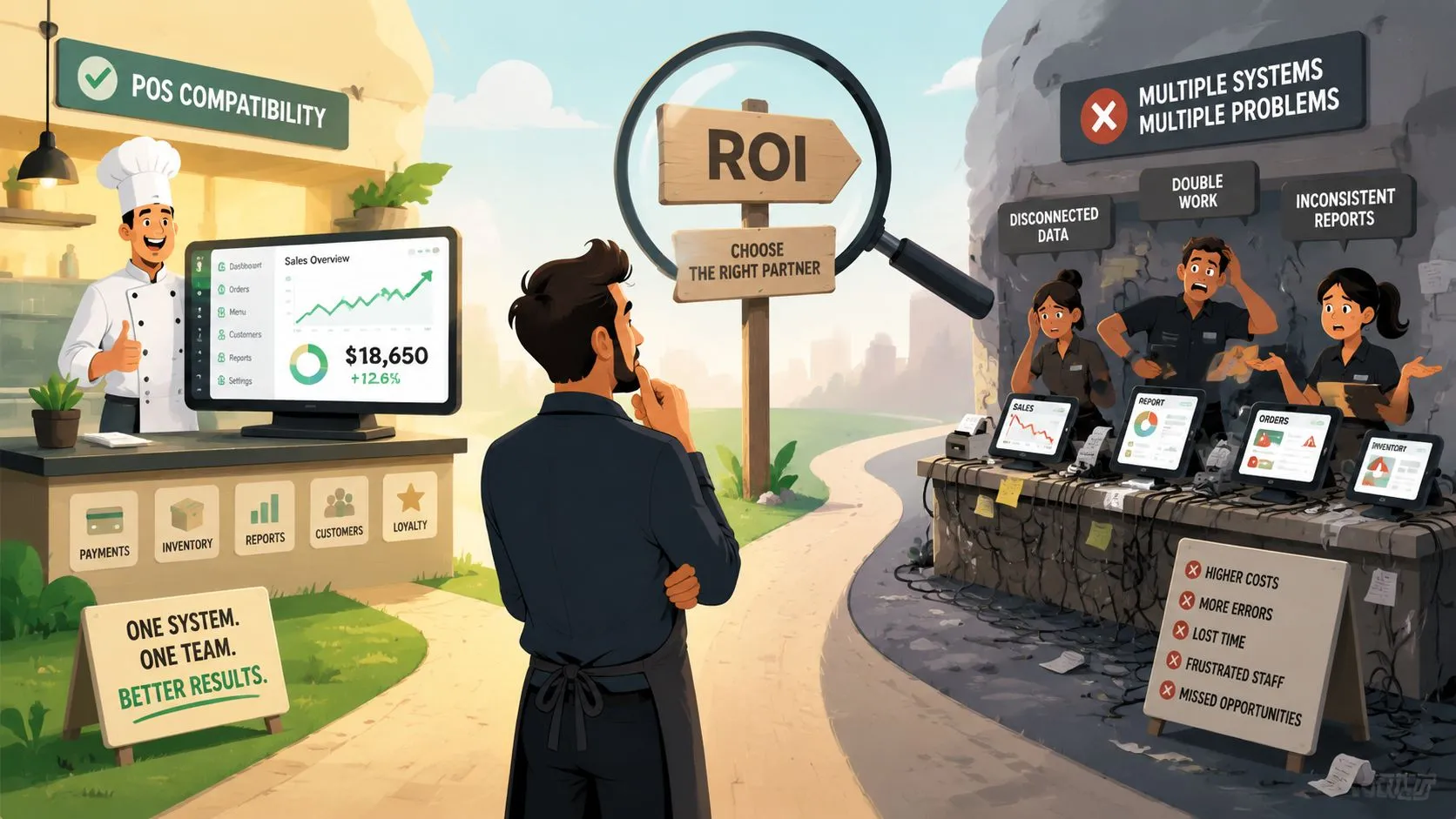
The wrong integration partner creates a new form of chaos. Orders may technically arrive, but menus break, modifiers come through oddly, support is slow, or the POS stops feeling like the source of truth.
The right partner usually gets judged on four things. Compatibility. Menu mapping. Support. Cost clarity.
What to evaluate before you commit
Use this short scorecard when comparing options:
- POS fit: Does it support the Clover or Square setup you run today?
- Menu handling: Can it manage real modifiers, not just basic item names?
- Operational support: When an item maps incorrectly on a Friday night, who helps and how?
- Pricing transparency: Can you understand the cost model without decoding a sales pitch?
This is also where marketplace reach matters. Grubhub says its network includes 33 million+ customers and that it integrates with systems such as Clover POS, while Business of Apps reports 24.6 million active users in 2023, $2.1 billion in revenue, relationships with roughly 300,000+ restaurants, and presence in 4,000 cities. That’s why integration matters strategically. You’re not just automating data entry. You’re connecting store operations to a marketplace with national scale (Grubhub’s POS integration overview).
For operators comparing vendors more broadly, this guide on POS system integrators can help frame the decision.
How to think about ROI without fake math
You don’t need a spreadsheet full of invented percentages to judge ROI. Look at the friction you already know exists.
Ask:
- How often does someone stop to re-enter a delivery order?
- How often do modifiers get missed and trigger a remake or refund conversation?
- How often does a manager have to reconcile what the tablet says versus what the POS says?
- How much mental load does the extra device create during a rush?
If those problems are happening every week, there’s already a cost.
One practical option is OrderOut’s Square delivery integration or its Clover counterpart through the Clover App Market install for OrderOut. OrderOut is free to install on Clover and routes third-party delivery orders into the POS by mapping marketplace menus into a normalized POS schema. That matters because clean mapping is what keeps injected orders usable instead of messy.
You can also compare platform costs directly on OrderOut pricing for restaurant delivery POS integration and review the broader restaurant technology overview.
Frequently Asked Questions
What does Grubhub POS integration actually do?
It sends Grubhub orders into your POS so the order can move through your normal kitchen and store workflow instead of living on a separate tablet. The practical benefit is less manual re-entry and less switching between systems during service.
Do I need extra tablets if I integrate Grubhub with my POS?
The goal of a proper delivery POS integration is to remove the need to manage extra delivery tablets as part of daily operations. Your team should be able to work mainly from the POS, as long as the menu mapping and setup are done correctly.
Does this work with Clover and Square?
Yes. Grubhub integrations are commonly discussed in the context of Clover and Square, and Grubhub’s own restaurant materials mention integration with Clover POS. If you’re evaluating setup options, look at a provider that supports your exact POS environment rather than assuming every version behaves the same way.
Is menu setup really that important?
Yes. Integration only works as cleanly as the menu structure behind it. If items, modifiers, and option groups are inconsistent, the order may arrive, but the staff experience will still be rough.
What else should I add after delivery POS integration?
Once delivery orders are flowing into the POS correctly, many restaurants look at owning more of their digital order mix. That’s where commission-free online ordering for restaurants, AI phone ordering for restaurants, the developer and integration API for restaurant partners, and the OrderOut FAQ for restaurant operators usually enter the conversation.
If you’re ready to stop treating Grubhub like a separate tablet workflow and start treating it like part of your operating system, start with a clean onboarding path through OrderOut. Restaurant owners can create an account and onboard for free in a few clicks at the OrderOut onboarding dashboard.