
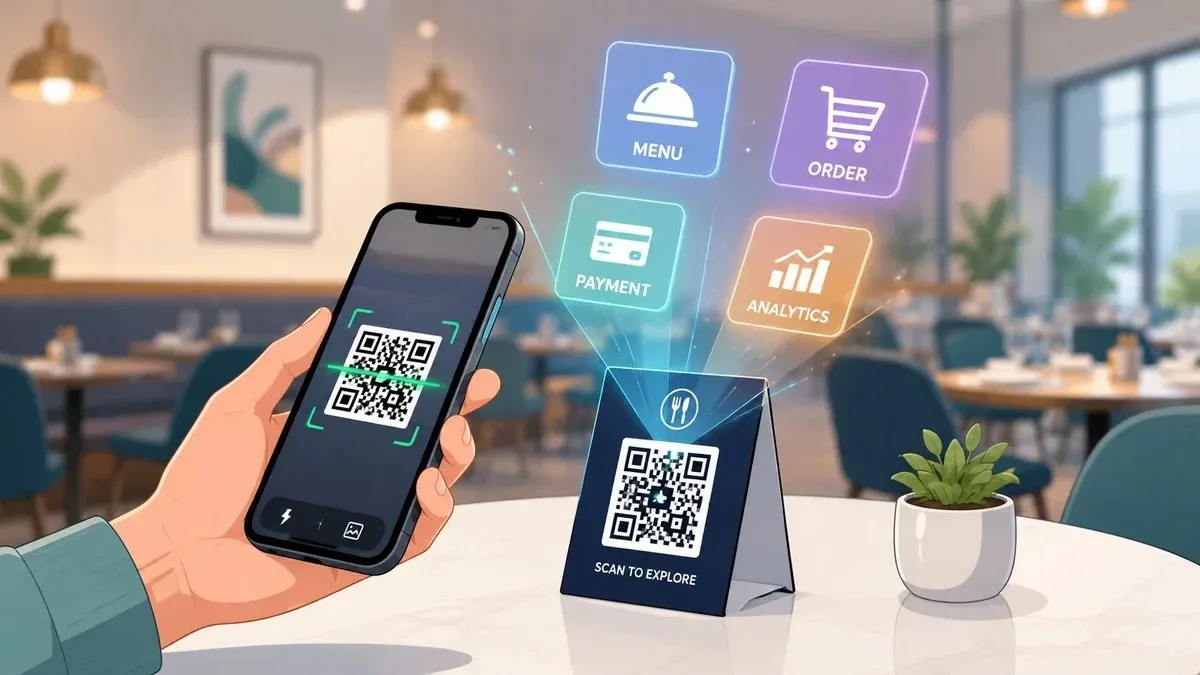
Friday dinner service is full, the host stand is backed up, and two servers are spending their best minutes answering the same questions. What’s in the risotto. What changed on the cocktail list. Can we split the check. One table is ready to order, another wants another round, and a third is waiting for the bill.
That’s where most owners start thinking about QR codes in restaurants. Not as a trend, but as a pressure valve.
Used well, QR codes remove repetitive front-of-house work, tighten order flow, and give guests more control without forcing your staff to sprint between tables for routine tasks. Used badly, they create friction, confuse guests, and add one more disconnected system to manage. The difference usually comes down to workflow design, menu usability, and POS integration.
From Pandemic Stopgap to Essential Food Tech
On a busy night, the problem usually isn’t demand. It’s bottlenecks. Guests are seated but haven’t seen the menu yet. Servers are walking instead of selling. A cashier is stuck handling payments while the line grows.
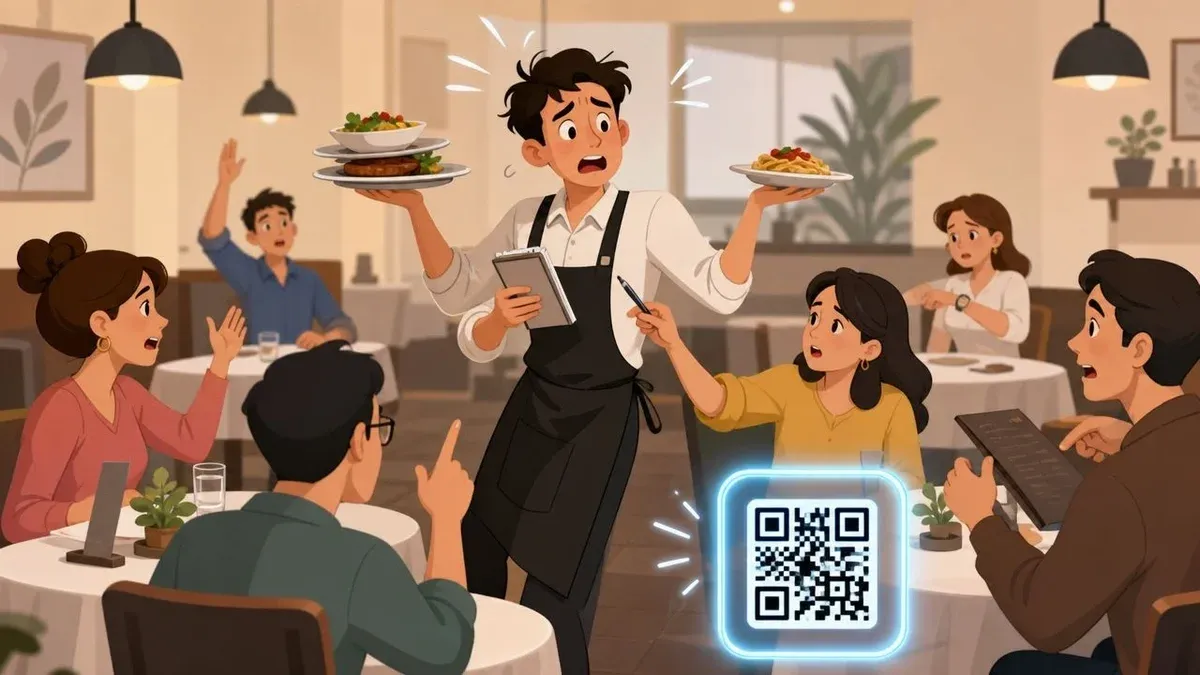
QR codes first spread fast because restaurants needed a contactless option. What matters now is that they stayed. A 2026 restaurant QR adoption roundup from Supercode estimates that 75% of restaurants worldwide now use QR codes for digital menus, and the same source says 57% of companies are increasing QR code investments in 2026. That’s a projection from an industry roundup, but it fits what operators are seeing on the ground. QR codes are no longer a temporary patch.
Why the shift stuck
The restaurants getting value from QR aren’t using them as a novelty. They’re using them to move simple actions off the staff’s plate. Open the menu. Place a repeat drink order. Pay without waiting. Ask for a loyalty sign-up after the meal instead of during a rushed handoff at the register.
Supercode’s writeup also describes QR codes as having evolved from a “pandemic stopgap” into “an essential part of the modern restaurant toolkit.” That’s the useful framing. The question isn’t whether diners have seen a QR code before. They have. The question is whether your setup reduces steps or adds them.
Practical rule: If scanning a code creates more taps, more waiting, or more manual entry for staff, the system isn’t helping your restaurant operations.
Owners making broader digital changes often run into the same challenge. The tool itself isn’t the hard part. The hard part is fitting it into service, training, and daily habits. If you’re working through that bigger picture, this guide to navigating hospitality technology adoption is useful because it focuses on rollout discipline instead of shiny features.
The Many Roles of QR Codes in Your Restaurant
A lot of operators still think QR codes in restaurants mean one thing: a menu on a phone. That’s the most visible use case, but it’s not the most important one. Its primary value is that one scan can support several guest actions without forcing a staff handoff each time.
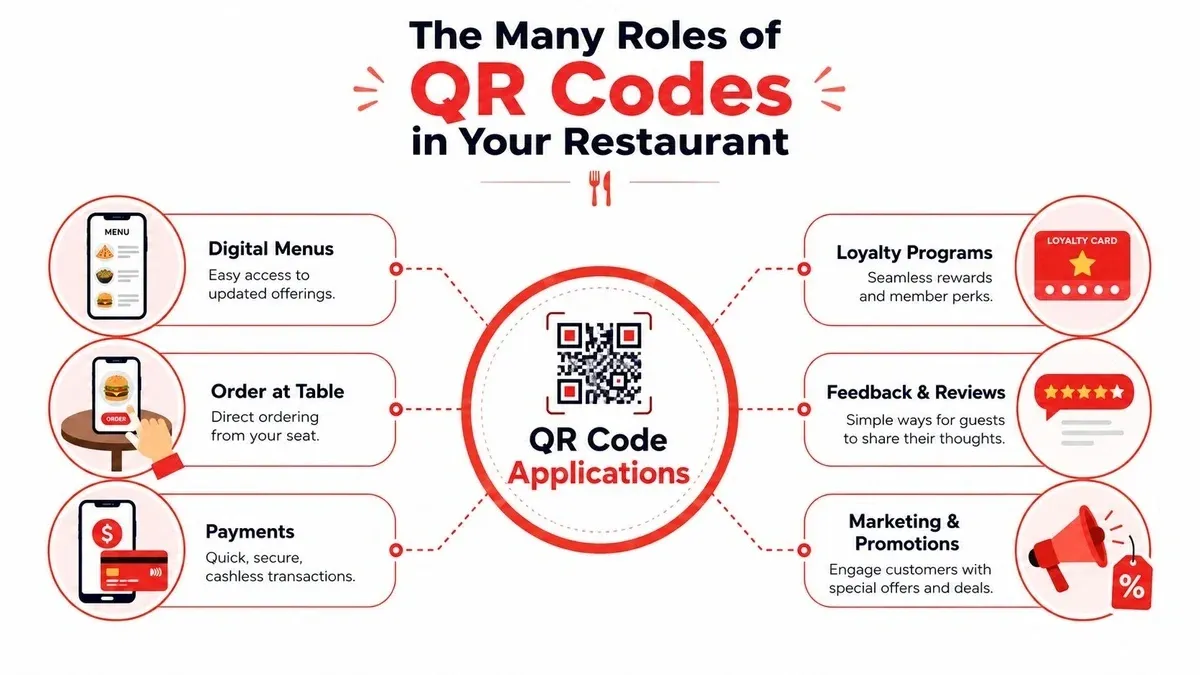
A restaurant technology article from OneHub POS reports that 58% of customers prefer using a QR code to settle payments at a restaurant, 70% report having had a positive experience, and 52% of restaurants have switched to QR codes. That same article connects the preference to shorter waits for guests because QR ordering and payment reduce the need to wait for servers or cashiers. Here’s the OneHub POS breakdown on QR use in restaurants.
Digital menus that stay current
The basic version is simple. A guest scans, the menu opens, and your team avoids reprinting every time a price changes or an item sells out. That matters most when you run specials, seasonal dishes, limited inventory, or frequent beverage updates.
A PDF can technically do this, but it’s a weak version of the idea. A mobile-friendly menu is better because guests can read it, search it, and move through categories without pinching and zooming.
Order at table without waiting for a pass
QR codes start changing labor flow. Guests don’t need to wait for a server to come back just to add fries, reorder drinks, or start dessert. In quick service and casual dining, that can smooth peak periods. In full service, it works best when it supplements service instead of replacing hospitality.
What works:
- Repeatable items: Drinks, sides, desserts, and reorder-heavy items are ideal for QR ordering.
- Busy periods: When your floor is slammed, self-serve ordering protects speed.
- Hybrid service: Staff still greet, guide, and check in. Guests just don’t have to wait for routine actions.
What doesn’t:
- A confusing menu path: Too many modifiers or buried categories kill momentum.
- QR as the only human touchpoint: Guests still want someone accountable for the experience.
Faster payments and less checkout drag
Payment is often the cleanest win. The meal is done, the guest is ready to leave, and nobody wants the final step to take the longest. Scan-to-pay cuts the “can I get the check?” delay and helps turn the table faster without making the restaurant feel rushed.
When QR works at the end of service, guests leave feeling efficient, not ignored.
Reviews, loyalty, and restaurant delivery follow-up
QR codes can also connect the in-store visit to your next transaction. A receipt insert can send guests to a loyalty program. A tabletop code can collect feedback before a bad experience turns into a public review. A takeout bag can route the guest to your direct reorder page.
Platforms like Uber Eats and DoorDash trained customers to expect phone-based ordering and status updates. That matters because many guests already understand digital ordering behavior. The opportunity for dine-in restaurants is to bring that same familiarity into on-premise service without adding delivery-app style chaos to the floor.
Maximizing ROI A Look at Benefits and Drawbacks
The financial case for QR codes in restaurants isn’t as simple as “go paperless and save money.” The stronger question is whether QR changes your labor mix, order flow, and guest behavior in a way that improves the P&L after setup and support costs.
Restaurant Business points to the under-discussed issue directly: QR menus can shift labor from servers to guests, but the financial upside depends on whether reduced table-touch labor outweighs possible losses from upsell, slower guest adoption, and the cost of integrating QR with POS and kitchen workflows. That’s the heart of the decision, and it’s why this Restaurant Business view on QR profitability is worth reading.
Where operators usually gain
The upside tends to be operational before it becomes financial. Staff spend less time on repetitive tasks. Managers can update menus faster. Guests can move at their own pace for low-complexity actions.
Benefit Potential Drawback Faster menu access at the table Some guests still prefer paper Less staff time spent on routine order-taking Staff may lose natural upsell moments Quicker payment flow Split-payment handling can get messy if the flow is poorly designed Fewer handoffs between guest and staff A clunky interface creates new friction Easier menu updates POS and kitchen integration adds setup work Better fit for mobile-first diners QR-only service can feel impersonal in some concepts
Where owners get disappointed
The biggest mistake is counting soft savings before the workflow is proven. If your team still has to re-enter QR orders manually, fix payment exceptions by hand, and explain the process table by table, you haven’t removed labor. You’ve relocated it.
The second mistake is assuming every concept benefits equally. A quick-service brand with high repetition can gain speed fast. A date-night bistro may need a softer hybrid model. The right question isn’t “Do QR codes work?” It’s “Which part of service should guests handle themselves, and which part should still feel personal?”
For owners who want to tie these decisions back to measurable menu and sales patterns, restaurant data analytics for restaurants becomes useful. It helps you see whether guest behavior improved after rollout instead of relying on impressions from one busy weekend.
QR should remove friction from your operation. It shouldn’t remove the parts of service your guests actually value.
Designing QR Codes for a Seamless Guest Experience
A QR code can fail before the guest even scans it. It’s too small. It’s under a candle. The print is warped from spills. The call to action is missing, so people don’t know whether it opens a menu, payment screen, or promo page.
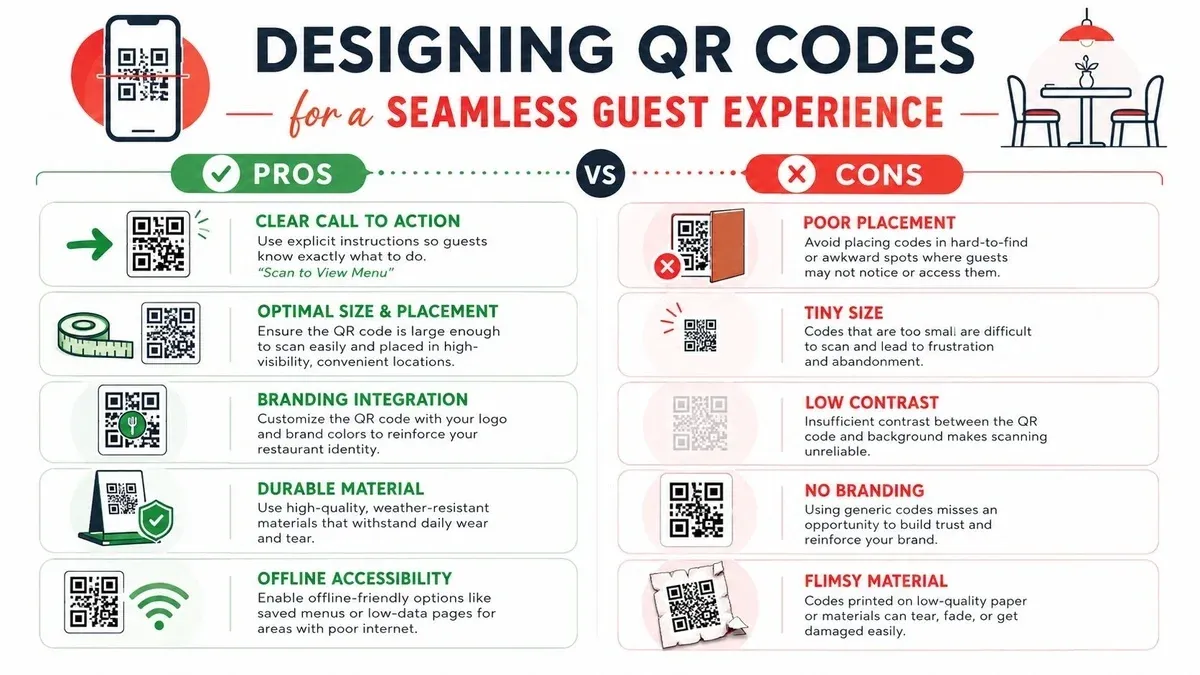
Independent guidance from QR Code Kit highlights a point many operators miss: restaurants still lack solid playbooks for fallback options and non-phone pathways, and QR codes need to be easy to see, easy to scan, placed at eye level, and tested in low light and on older phones. That’s all operational work, not visual polish. Their guidance on how QR codes work for restaurants is useful for this reason.
The design choices that actually matter
Start with plain usability.
- Clear instruction: Tell guests what happens after the scan. “Scan to view menu and order” is better than showing a code with no context.
- Visible placement: Put the code where a seated diner can find it without lifting condiments or moving plates.
- High contrast: Dark code, light background. Decorative styling should never reduce scan reliability.
- Durable print: Lamination, coated stock, acrylic stands, or other spill-resistant formats help more than fancy branding.
Branding still matters, but only after the code works. Your logo, color palette, and tabletop presentation should support trust, not interfere with scannability.
Accessibility is part of restaurant operations
Some guests won’t scan. Others can’t. Some phones are old, some cameras are cracked, and some diners prefer a paper menu. That doesn’t make them difficult customers. It means your process needs a fallback.
The minimum standard is simple:
- Keep printed menus available on request
- Train staff to place an order manually without making the guest feel awkward
- Offer a non-phone payment path
- Test your pages on more than the newest iPhone
If you’re reworking your digital menu at the same time, a tool choice matters less than clarity. Category structure, modifier logic, and visual readability carry more weight than flashy layout. Good menu design software can prove beneficial, as the menu itself often creates more friction than the QR code.
A good QR experience feels invisible. The guest gets what they need quickly and never thinks about the technology again.
The Critical Link QR Workflows and POS Integration
A QR code by itself is just a doorway. It becomes operationally valuable only when what happens after the scan flows cleanly into the systems your staff already use.
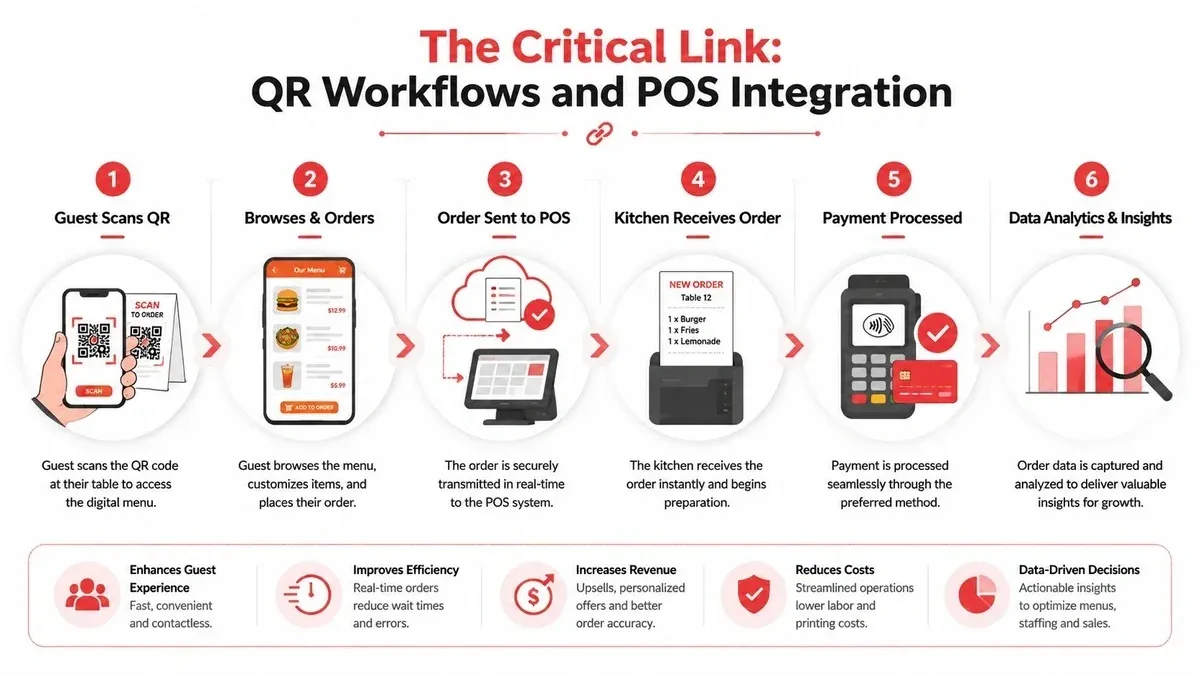
Here’s the simple version. A guest scans the code, the menu opens in their phone’s browser, they place an order, and that order lands in the POS and kitchen workflow without anyone retyping it. That’s the model that tends to hold up best in real service. Jamezz notes that the most reliable setup is a browser-based, POS-integrated order path rather than an app download flow, because the order is sent to the POS and kitchen in real time and guests don’t need to install an app or join guest Wi-Fi. Their article on QR ordering implementation and POS integration explains that architecture well.
The weak workflow versus the strong workflow
A weak workflow looks modern from the guest side but old-fashioned behind the scenes. The QR opens a menu. The guest calls over a server. The server keys the order into the POS. A manager fixes a modifier issue later. Nothing important changed.
A strong workflow removes manual relay points:
- Guest scans and orders in browser
- Order routes into the POS automatically
- Kitchen receives the same item and modifier data
- Payment status matches the order state
- Staff focus on service exceptions, not transcription
That’s where time savings and error reduction usually come from. Not from the QR itself, but from eliminating duplicate handling.
A short walkthrough helps make the flow concrete:
Why browser-first usually wins
App-based ordering sounds attractive until you watch a table try to use it. Download friction kills adoption. Password resets kill momentum. Guests don’t want to install a restaurant app for one meal.
Browser-first flows remove those barriers. The camera opens the page, the page loads, and the guest acts immediately. For most restaurants, that’s the right tradeoff between convenience and control.
POS integration is where restaurant operations improve
This matters even more if you already handle restaurant delivery through multiple channels. Most operators have lived through the pain of fragmented order sources: one on a tablet, one in email, one in the POS, one called in by staff. QR shouldn’t become another disconnected lane.
If you’re evaluating integrations, look for these specifics:
- Modifier mapping: The kitchen should receive the exact customization the guest selected.
- Menu sync: Item availability and pricing need to match the POS, not a separate stale menu.
- Payment reconciliation: Paid and unpaid states can’t be ambiguous at close.
- Exception handling: Staff need a clean way to help with edits, voids, and guest questions.
- Reporting visibility: QR orders should appear in the same operational view as other order channels.
For operators already using systems like Clover or Square, the practical question isn’t whether QR is possible. It’s whether the ordering flow plugs into the same source of truth your team uses every shift. If you want a deeper look at what breaks when orders don’t sync properly, this piece on change order integration is worth your time.
If staff have to copy guest orders from one screen into another, your QR system is a digital menu, not an operational tool.
Your Implementation Checklist for Launching QR Codes
Most QR rollouts don’t fail because the idea is bad. They fail because nobody owns the details. The menu isn’t synced. The code placement is awkward. Staff don’t know what to say when a guest asks for help. Launch day becomes troubleshooting day.
A clean rollout is usually straightforward if you treat it like an operations project, not a marketing add-on.
What to confirm before you print anything
Use this checklist before codes go on tables:
- Pick the workflow first: Decide whether the code is for menu viewing, ordering, payment, feedback, or some combination. Don’t combine too many actions on one first launch.
- Verify POS compatibility: Confirm that your menu, modifiers, taxes, and item states can flow correctly into your POS and kitchen process.
- Choose browser-based guest access: If the experience requires a download, expect lower use.
- Write the guest prompt: Staff and signage should use the same short explanation every time.
- Prepare fallback options: Keep printed menus and a manual ordering path ready.
How to launch without disrupting service
Don’t roll QR out to every table at once unless you’ve already tested it in live conditions.
-
Pilot a small section first
Try a few tables, one dining room zone, or one service period. Watch where guests hesitate. -
Train the floor in plain language
Hosts should know how to introduce it. Servers should know how to rescue a stalled scan or place an order manually. -
Run device testing in the actual room
Low light, glare, weak signal spots, and older phones matter more than a polished demo in the office. -
Stress-test the kitchen and payment flow
A smooth front-end means little if modifiers hit the line incorrectly or payment states confuse closing procedures. -
Review support ownership
Someone needs to own updates, menu changes, and issue escalation.
If you want guests to understand richer use cases, such as a chef welcome message or short explainer on how to order, Eventoly’s guide to video QR codes for guest communication offers practical ideas. It’s especially helpful for events, tasting menus, and higher-touch concepts where a static code may not give enough context.
For the technical side of rollout, reliable restaurant IT support matters more than most owners expect. The best guest flow in the world won’t survive weak connectivity, bad device testing, or unclear ownership when something breaks on a Friday night.
Measuring Success and Planning Your Next Move
Once your QR setup is live, the goal isn’t to admire the technology. It’s to see whether service got easier, faster, and more consistent.
Track outcomes that connect directly to restaurant operations:
- Order accuracy: Are fewer items being corrected or comped because of handoff mistakes?
- Service speed: Are guests ordering and paying with less waiting?
- Staff productivity: Are servers spending more time on hospitality and less on repetitive transactions?
- Table flow: Are tables closing out more smoothly at peak periods?
- Guest adoption: Which parts of the workflow are guests using willingly, and where do they still ask for help?
Don’t expect every dining room to use QR in the same way. A lunch-heavy fast casual operation may lean hard into self-order and self-pay. A polished full-service concept may use QR mostly for menus and end-of-meal checkout. Success comes from matching the workflow to the service model, then tuning it with real data.
That’s why restaurant KPIs for restaurant performance matter. If you’re not tracking what changed, you can’t tell whether QR reduced friction or just shifted it around.
The practical next move is simple. Audit your current guest journey from seat to payment. Mark every point where staff are repeating low-value tasks or manually re-entering information. Those are your best candidates for QR and POS-integrated improvement.
If you want a faster way to connect ordering channels and simplify restaurant operations, start with OrderOut. It helps restaurants route orders into their POS more cleanly, reduce manual entry, and create a more manageable flow across dine-in and delivery. You can get started in a few clicks through the OrderOut dashboard.