
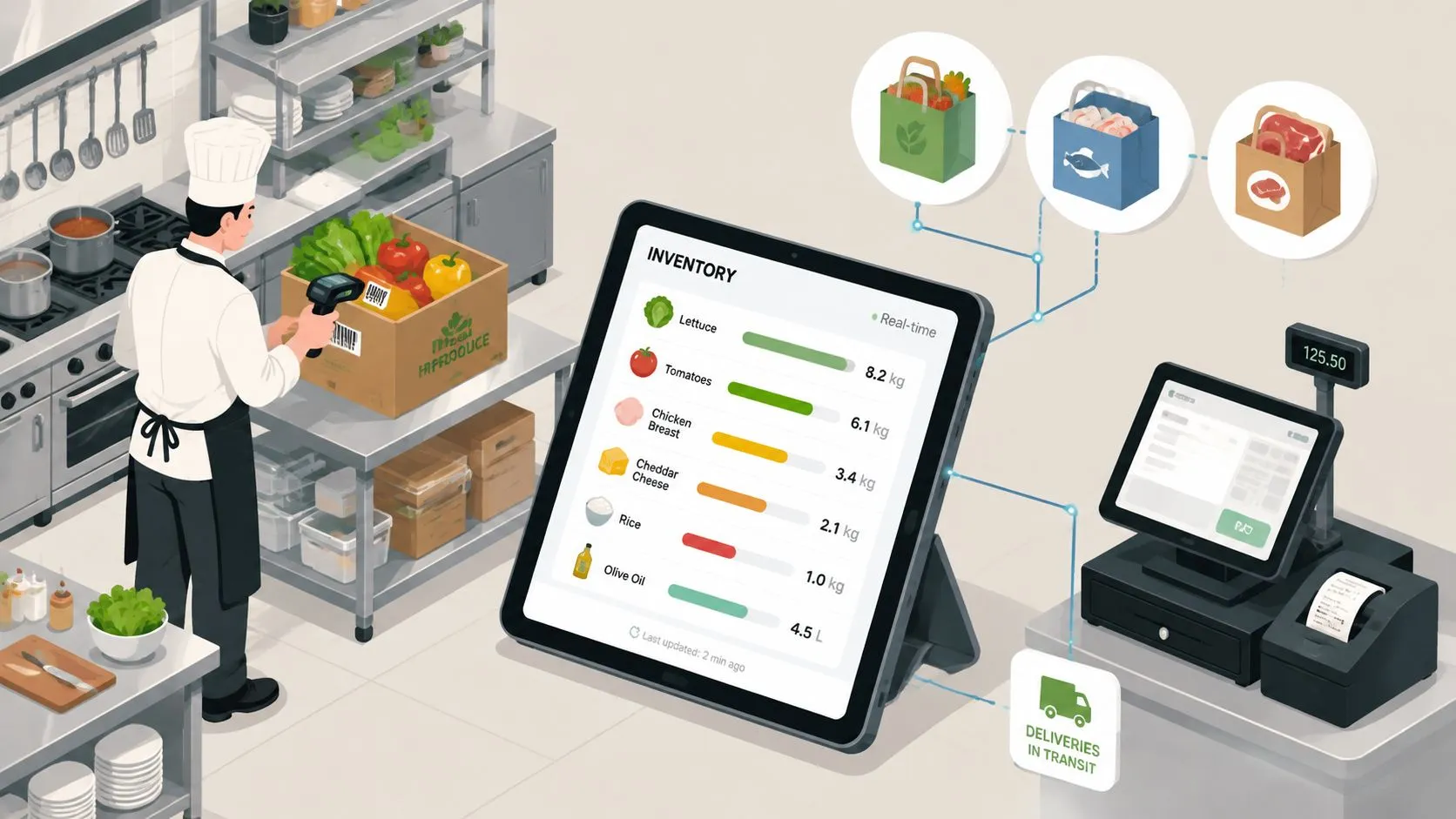
A restaurant’s online inventory management system keeps stock, recipes, and reorder decisions in one live system so the POS, delivery apps, and back office all agree on what’s available. On a busy Friday, that matters fast. Two tablets are printing Uber Eats and DoorDash orders, the line is moving, and somebody’s still guessing how much chicken is left because the clipboard, the spreadsheet, and the kitchen all say something different.
The shift to a connected system is less about software buzz and more about control. Restaurants are operating in a market where inventory software itself is growing, with one estimate placing the broader category at USD 2.51 billion in 2025 and projecting USD 5.52 billion by 2034 in one market study, while another puts the broader market at USD 2.76 billion in 2025 and USD 4.14 billion by 2031 (Fortune Business Insights). For restaurants, the pressure is even more immediate, because food cost control, shrink, and real-time visibility all hit margin at the same time (Apicbase restaurant inventory statistics).
What an Online Inventory Management System Does for a Restaurant
An online inventory management system tracks what you have, what you’ve used, what you need to reorder, and what each menu item consumes, all in real time. In restaurant terms, that means the system isn’t just counting cases in the storeroom, it’s watching ingredients move through recipes, sales, transfers, and receiving so the manager isn’t rebuilding the truth at the end of the night.
The practical difference shows up during service. A Friday rush can look fine on the line while the back office is already drifting off reality, especially if Uber Eats, DoorDash, and in-house tickets all live in different places. When counts don’t update as orders fire, staff start guessing, prep gets padded, and the closing team spends half the night reconciling what should’ve been obvious before dinner started.
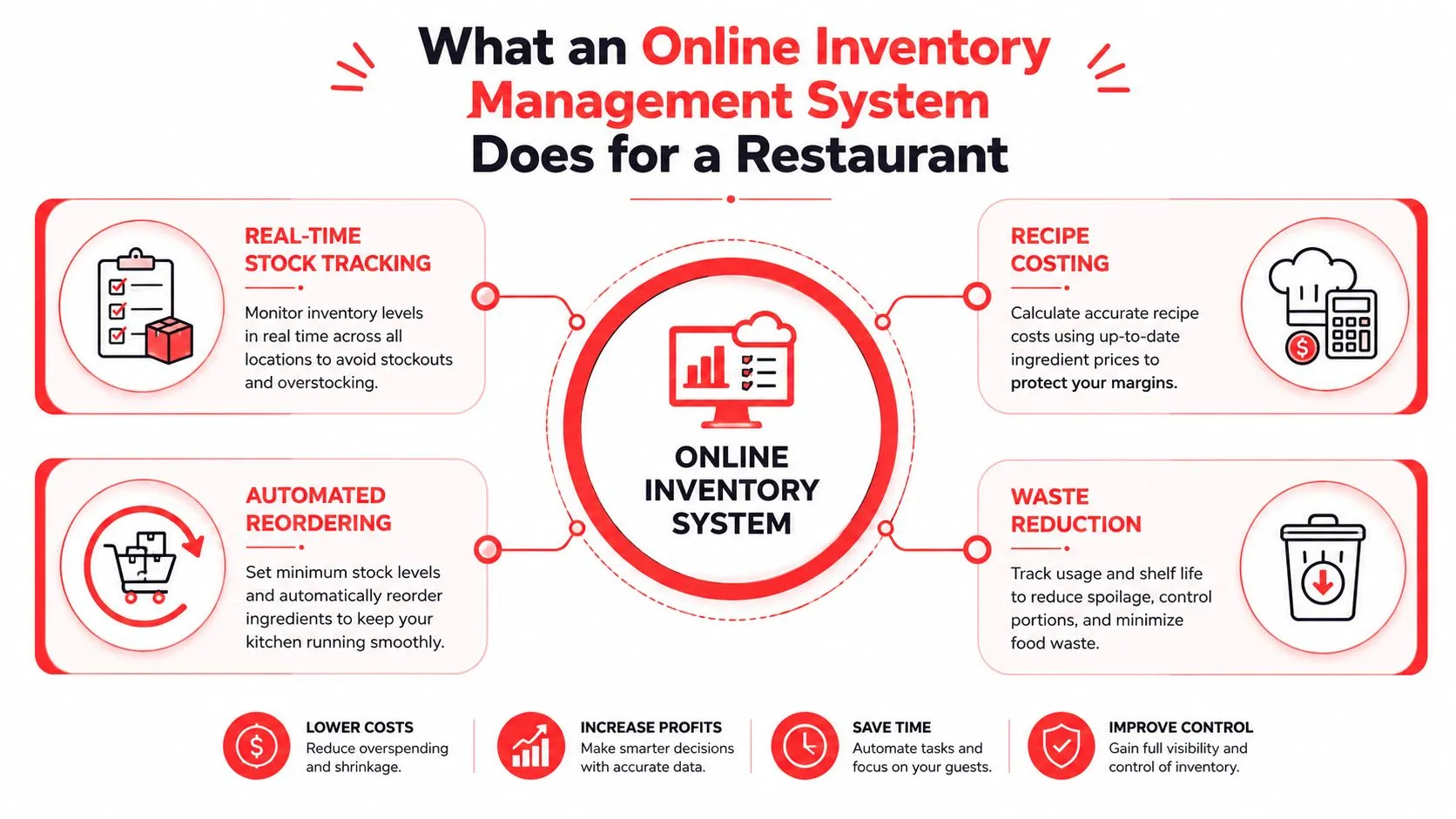
The best systems change that by tying usage to the transaction itself. A sale in the POS, a transfer between locations, or a receiving adjustment updates the inventory record instead of waiting for someone to type it later. That’s why operators should treat inventory as part of the restaurant’s operating system, not a separate spreadsheet hobby.
Practical rule: if a menu item sells, the ingredient count should move with it, not after someone gets around to entering the sale.
The operational mindset here matters more than the menu styling. If you’re trying to improve consistency, start by making the count visible where the order happens. OrderOut’s inventory management best practices are useful because they reinforce the same idea restaurant operators already know, the count only helps if it matches the floor.
Core Mechanics Every Restaurant Inventory System Needs
A real system doesn’t just “track stock.” It handles the four basics restaurant operators feel every day, real-time tracking, recipe-level costing, multi-location sync, and a clean receiving workflow that uses barcode scanning and purchase orders instead of handwritten fixes. If a vendor demo can’t show those mechanics clearly, it’s usually a sign the product is better at reporting than operating.
Real-time tracking and recipe costing
Real-time tracking means the count changes when the sale happens, not when the shift lead remembers to update the sheet. That sounds simple until you’ve watched a line sell through the last pan of a protein while the inventory report still says you’re safe. The reason this matters is straightforward, restaurant food cost usually sits in a tight band, and food-cost control problems are a known operational pain point in the industry (Apicbase restaurant inventory statistics).
Recipe-level costing is the second half of that picture. Instead of treating a burger as one item, the system links it to the actual ingredient bill, so every sale pulls from the right components. That’s the difference between a rough guess and a cost model you can use when menu prices, prep volumes, or portion sizes change.
Multi-location sync and receiving discipline
Multi-location sync matters the moment you have more than one store. A branch can be short on tortillas while another store is sitting on too much, and a central dashboard only helps if it shows both counts cleanly. Feature guides for restaurant systems consistently call out multi-location visibility, centralized reporting, barcode scanning, and purchase-order automation as the pieces that keep transfers, labeling, and reordering under control (Shopify enterprise inventory management, Capterra inventory management guide).
A useful way to review software is to ask what happens at receiving. Can the team scan items, label them, attach them to a purchase order, and match what arrived against what was expected? If the answer is mostly manual, the system is still asking staff to clean up mistakes after the fact.
Operator’s test: if a system can’t show the same item correctly at two locations at once, it’s not ready for a multi-unit restaurant.
For a structured reference on counting and reorder thresholds, OrderOut’s guide to par levels in inventory is worth a look because par only works when the underlying count is trustworthy.
How the Back-End Architecture Keeps Inventory Honest
The restaurant version of inventory truth works best when one ledger is authoritative and everything else is supporting machinery. The clean model is a transactional stock ledger as the source of truth, a fast cache for quick availability checks, and an event stream that tells the rest of the system what changed. This resembles the dry-storage sheet nobody can scribble on without a timestamp, the kitchen display’s running count, and the shout that tells prep, the bar, and the front counter the stock just moved.
That structure matters because concurrency is where inventory breaks. If a marketplace, a POS, and a web order page all read stale availability, they can sell the same item twice before the system catches up. The fix is not “faster typing,” it’s atomic reservation so the stock decrement happens as one indivisible action and the rest of the stack updates after it commits (inventory management system design).
For a neutral reference point on real-time design, the Kagool realtime inventory approach is a helpful example of how teams think about live stock control without turning it into a spreadsheet problem. The key idea is that the cache is allowed to be fast, but it’s never allowed to be authoritative.
Why the ledger has to win
When the ledger loses, operators get the worst kind of surprise, a sale that looked valid in one place and impossible in another. The architecture recommended in reference designs separates the system of record from availability lookups and asynchronous propagation, so read-heavy traffic doesn’t crush the transactional store (Cockroach Labs inventory management reference architecture). That separation is especially useful when delivery apps and POS traffic are both peaking at the same time.
The practical takeaway is simple. The team should trust one running balance, not three versions of the truth. That’s why OrderOut’s restaurant back office software overview fits the larger picture, because inventory doesn’t sit alone, it lives inside the same operational stack as ordering, receiving, and reporting.
Benefits Restaurant Operators Actually Feel
The best inventory software doesn’t impress a manager with features, it changes the workday. The first thing people notice is less waste, because prep is based on what’s moving instead of what felt safe last week. When counts are cleaner, the kitchen can prep tighter and the closing team doesn’t have to explain why the fridge is full of product nobody sold.
Less waste, fewer surprises
Waste drops when the system stops letting old assumptions drive buying. If a location sees a low-stock alert before the item is gone, prep can adjust before service turns into a fire drill. That’s where digital control beats intuition, especially in restaurants where one missed count can ripple into over-prep, spoilage, or both.
Fewer errors and better labor use
Manual re-entry creates errors that don’t always look dramatic at first. One tablet entry, one POS ticket, and one spreadsheet update can easily disagree even when everybody meant well. When the POS is the source of truth, staff spend less time checking work and more time serving customers, which is exactly where labor belongs during a rush.
Margin protection in the real world
Profitability improves when the manager can see real food usage instead of a once-a-month guess. Broader inventory research also makes the scale of bad inventory control clear, because out-of-stocks and overstocks were estimated to cost retailers about $1.77 trillion globally in 2023 (The Retail Exec). Restaurants don’t need that exact retail figure to know the point, if the count is off, the margin bleeds.

The operators who get the most value usually start small. They clean up the count, tighten the recipe data, and use the system to expose drift before they try to automate everything. OrderOut’s restaurant performance metrics guide is a good complement here, because the right KPI only matters if the underlying inventory data is trustworthy.
Why POS and Delivery Integration Is the Deciding Factor
An inventory system only works as well as the sales data feeding it. In restaurants, that means the POS should stay the source of truth, whether the store runs Clover or Square, because that’s where orders, modifiers, and actual fulfillment already live. If the inventory tool sits off to the side, it becomes another place for the team to reconcile instead of one place to operate from.
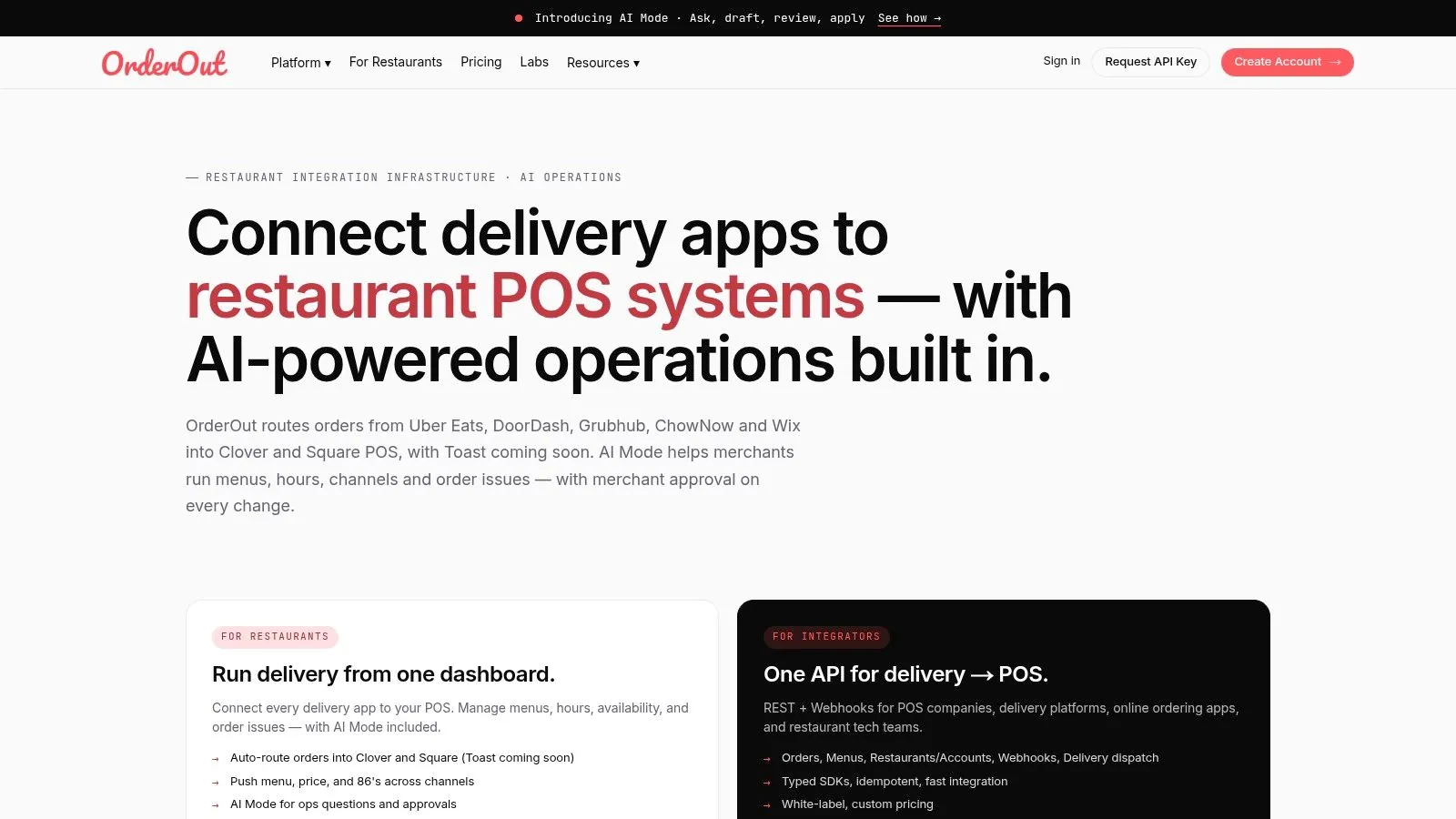
That’s why delivery integration matters so much. When Uber Eats, DoorDash, and Grubhub orders inject directly into the POS, the sale enters the same workflow as dine-in and pickup, so the ingredient counts move once and the staff doesn’t have to re-key anything. OrderOut’s 3rd-party order engine hub and a channel-plus-POS setup like Grubhub to Clover integration show how tightly that flow has to be mapped for the inventory side to stay honest.
The technical payoff is cleaner than the operational one, but the operator feels both. The POS writes the transaction, the inventory ledger updates, and the channel stops living in its own little world. For owners who care about the plumbing, the same principle applies in broader systems work, which is why systems integration services UK is a useful external read, the value comes from connecting systems that were never meant to be separate.
A phased rollout that doesn’t break service
Start with one location that already has decent count discipline. Baseline the current numbers first, because importing bad counts just automates bad math. After that, map the menu and the recipes carefully, then check modifiers and combo rules so the delivery menus don’t create mismatched ingredient usage.
Training should happen around the receiving and closing routines, not in a generic software meeting. Role-based permissions help here, because managers, cashiers, and kitchen leads don’t need the same level of access. Then watch the first month closely and compare what the system says against what the team sees on the shelf.
A practical way to phase it:
- Pilot one store first: prove the workflow before asking every location to change.
- Lock the recipe map: every major item needs a clean ingredient relationship.
- Clean up modifiers: delivery menu hygiene matters because bad modifier mapping creates bad stock movement.
- Set receiving rules: purchase orders and barcode scans should match what arrived.
- Review early drift: compare reported usage with actual usage before expanding.
If you’re at the point where the process is clear and you just need the connection between delivery apps and Clover, the fastest next move is to install OrderOut free from the Clover App Market.
OrderOut’s point-of-sale integrations guide is useful if you want to sanity-check the integration side before rollout, because POS and delivery data have to stay aligned for inventory to matter.
KPIs and ROI Examples Operators Can Measure
A rollout is easier to defend when the manager can point to a short list of numbers that change after the switch. The right KPIs are the ones tied to daily restaurant work, not vanity reporting. I look at food cost variance, stockout events, time spent on manual counts, waste, spoilage, and receiving accuracy, because those are the places where an online inventory management system shows up in the shift, the P&L, and the closing routine. If those measures do not move, the system is only giving you cleaner screens.
| KPI to track | Where the data comes from | Operational outcome it improves |
|---|---|---|
| Food cost variance | POS sales, recipe mapping, and inventory counts | Better menu costing and tighter margin control |
| Stockout events per shift | POS, prep logs, and low-stock alerts | Fewer missed sales and fewer rush substitutions |
| Time spent on manual counts | Closing routine and manager logs | More labor available for service and prep |
| Waste and spoilage | Waste sheets, receiving, and inventory adjustments | Less over-prep and better purchasing |
| Receiving accuracy | Purchase orders and scanned receiving | Cleaner counts and fewer vendor disputes |
The cleanest ROI story usually starts with the work that gets lighter. If count variance drops, managers spend less time doing late reconciliations and fewer hours chasing missing product. If receiving is tighter, the back office gets less noisy because the numbers in the system line up better with what arrived. If the kitchen trusts the counts, the line spends less time waiting on guesses and more time cooking from the same source of truth the POS and delivery feeds are using.
That source of truth matters even more once recipe-level costing and delivery channels are connected. A missing modifier map or a bad combo rule can distort usage across storefront orders and third-party delivery, which makes the ROI look worse than the workflow really is. For teams trying to understand how cross-system visibility helps without adding more moving parts, the guide on hybrid BI inventory is a useful reminder that reporting only works when the feed underneath it is clean.
The mistakes usually come from speed, not intent. Teams move bad counts into a new system and then blame the software for inheriting the bad baseline. They also turn on reordering before they understand variance, which can create a different kind of mess, a system that buys confidently from the wrong starting point.
What to fix before you blame the software
- Bad baseline data: start with a clean count, or the system will preserve the error.
- Spreadsheet thinking: inventory has to behave like a ledger, not a loose file.
- Modifier hygiene: a wrong combo map can distort ingredient usage across delivery channels.
- Permission gaps: too many people editing stock creates noise that looks like theft or waste.
- Over-eager automation: do not let reorder logic outrun the team’s ability to trust the numbers.
For a broader operational context on which metrics matter in the restaurant back office, OrderOut’s restaurant performance metrics guide is a helpful companion.
A Case Example With Delivery Aggregators and POS
A Clover restaurant that runs Uber Eats, DoorDash, and Grubhub feels the difference immediately once all three channels stop living on separate tablets. Before integration, the manager is bouncing between screens, staff are retyping orders, and the inventory picture lags behind what’s selling. After integration, the marketplace order lands in the POS, the ticket stream is unified, and the inventory ledger updates in the same motion.
That changes how the floor feels. The kitchen stops wondering whether the next ticket came from a tablet or the counter, and the manager stops cross-checking three places just to find out what sold. The point isn’t that the software is flashy, it’s that the restaurant gets one operational truth instead of three partial ones.
For teams trying to understand how cross-system visibility helps without overcomplicating the stack, the guide on hybrid BI inventory is a good reminder that better reporting only matters when the source data is already clean. That’s the same logic here, the inventory system can only be as strong as the POS and delivery feeds underneath it.
What actually improves
The clearest gains are qualitative but obvious to anyone who’s worked a rush. Staff stop re-keying orders. Managers spend less time hunting for discrepancies. The line sees one stream of tickets instead of trying to mentally merge multiple channels.
The decision also gets easier at the multi-location level. A store with clean POS integration can compare usage across branches without trying to unify five different count methods first. That’s where the source-of-truth model earns its keep, because it makes transfer decisions, prep planning, and reorder checks feel less like detective work.
The operator takeaway is simple. Treat inventory as a ledger, let the POS anchor the sale, connect delivery channels so they move with the order, and pilot before rolling it out chain-wide. If you’re ready to make that switch on Clover, the fastest move is to install the integration and start from a clean baseline.
Frequently Asked Questions
What does an online inventory management system do for a restaurant?
It tracks stock, recipe usage, receiving, and reorder needs in one live system. For a restaurant, that means the manager can see ingredient counts tied to actual sales instead of guessing from a clipboard or a spreadsheet. It also helps the team keep the POS and inventory in sync.
Does inventory software replace the POS?
No, it should work with the POS, not replace it. The POS is the operational source of truth because that’s where orders, modifiers, and sales already happen. Inventory software should listen to the POS and update counts from there.
Can OrderOut connect delivery apps like Uber Eats, DoorDash, and Grubhub?
Yes, OrderOut is built to inject third-party delivery orders into the POS so the restaurant doesn’t have to juggle extra tablets or manual re-entry. That keeps the order flow cleaner and helps inventory move with the sale. It’s especially useful for Clover and Square operators.
How do multi-location restaurants handle separate stock counts?
They need branch-level visibility with a company-wide view. A good system keeps each location’s counts separate while still allowing central reporting, transfers, and comparison across stores. That prevents duplicate ordering and makes drift easier to spot.
What should a Clover restaurant do first?
Start by connecting the delivery orders to the POS and cleaning up the menu and recipe map. OrderOut is free to install on the Clover App Market, so the first step is usually to get the integration live and then validate the counts against a real baseline. After that, pilot the workflow at one location before expanding.
If you’re ready to stop juggling tablets and start using your POS as the source of truth, OrderOut connects delivery orders straight into Clover and Square so inventory, tickets, and counts move together. It’s a practical way to cut re-keying, reduce avoidable errors, and make the back office easier to run when service gets busy.