
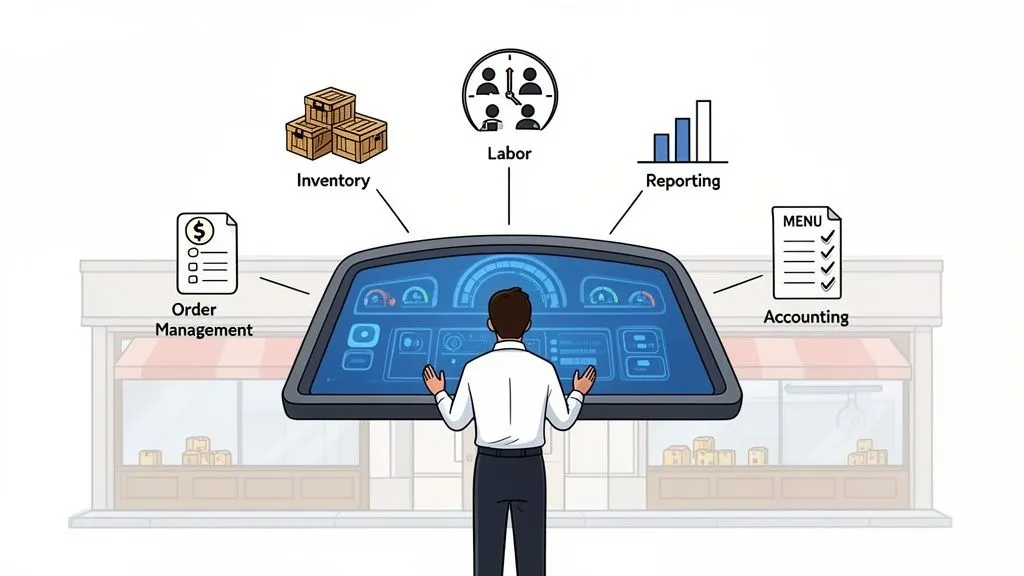
Picture your restaurant. What the customer sees—the friendly service, the great food, the smooth payment process at the POS—is just the tip of the iceberg. That’s your front office.
Beneath the surface, however, is the massive, hidden base that keeps the whole operation running. This is your back office, where the real, gritty work of running a successful restaurant happens day in and day out.
What Is Restaurant Back Office Software?
Restaurant back office software is a digital command center for your restaurant’s core operations. In simple terms, it’s a single system that helps you manage everything that happens behind the scenes, from tracking inventory and managing staff schedules to analyzing sales data. Instead of using scattered spreadsheets and paper checklists, this software centralizes your most important tasks, giving you a clear view of your business’s health.
Technically, this software integrates various operational modules—like inventory management, labor scheduling, and reporting—often connecting directly with your Point of Sale (POS) system to automate data collection and analysis.
Think about all the moving parts it helps you control:
- Keeping tabs on every single ingredient to cut down on food waste.
- Building employee schedules and keeping labor costs in check.
- Digging into sales reports to spot what’s selling and what’s not.
- Juggling orders pouring in from multiple delivery apps.
Why it matters: This centralization is crucial for restaurant efficiency. Instead of getting buried in spreadsheets or manually punching in orders from Uber Eats and DoorDash, the software automates these workflows. This reduces costly human errors, saves your staff countless hours, and provides the data you need to make smarter, profit-driven decisions. It directly impacts your bottom line by improving both staff productivity and operational control.
From Chaos to Control
Without a dedicated system, managers often spend hours just trying to connect the dots. They might pull a sales report from their Square POS, then hunt down a separate spreadsheet for inventory levels, and finally open yet another file to check labor costs for that shift. This piecemeal approach isn’t just a time-sink; it’s a recipe for expensive mistakes.
A proper back office system links all these pieces together. When a customer buys a burger through your Clover terminal, the software instantly deducts the bun, patty, and cheese from your inventory count. You get a real-time, accurate view of your stock levels and food costs without lifting a finger.
This kind of automation is a total game-changer for restaurant efficiency. It turns operational chaos into clarity, empowering you to make smarter, data-backed decisions that directly boost your bottom line. To see how this all connects, take a look at our guide on what an order management system is and how it helps streamline operations. It’s a crucial piece of the puzzle for building a more organized and profitable business.
Core Features for Modern Restaurant Operations
Great restaurant back office software isn’t just one thing; it’s a suite of tools that work together to take the daily grind off your plate. Think of it less like a single piece of software and more like a digital Swiss Army knife for your restaurant. Each tool is designed to solve a specific problem, from tracking every last onion to scheduling your crew for a slammed Saturday night.
The magic happens when all these functions talk to each other. They centralize your operations, giving you a clear, honest look at your business and helping you make smarter moves.
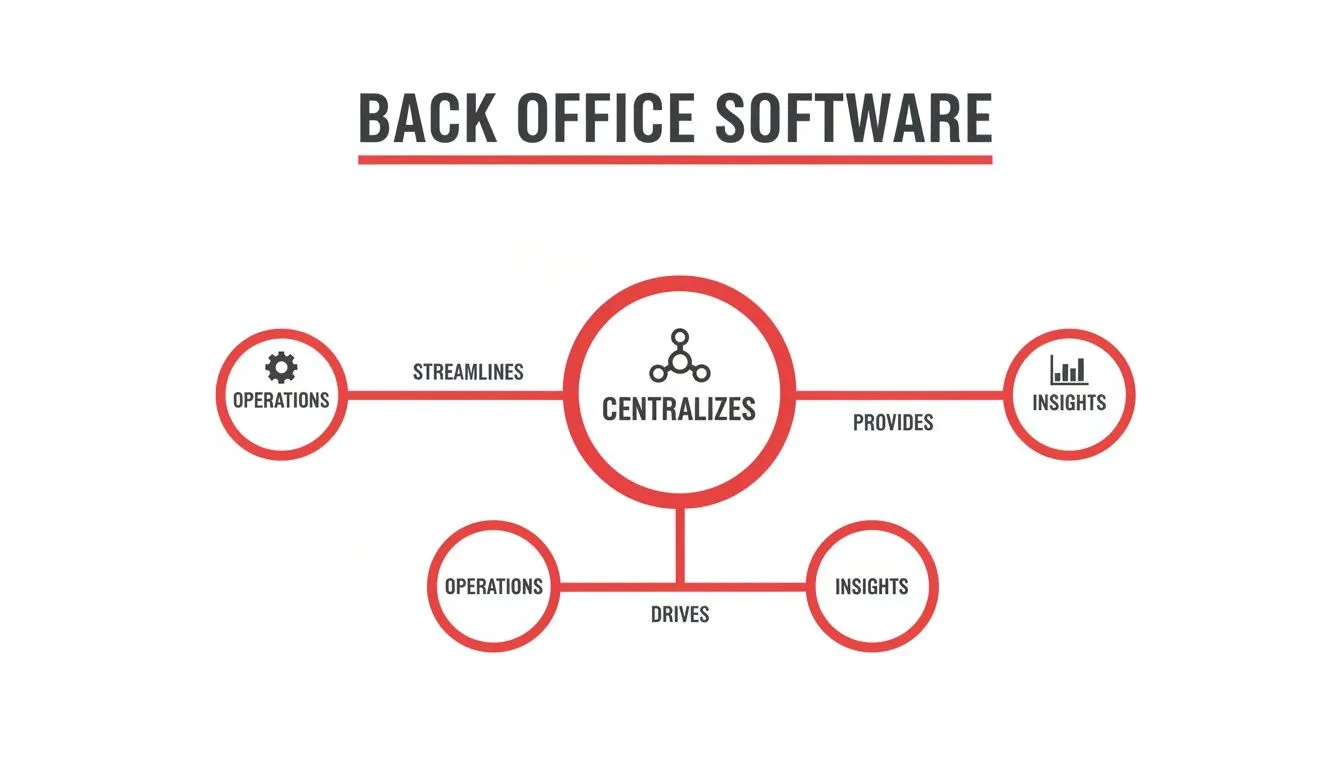
As you can see, pulling all that messy operational data into one place is the foundation. It gives you the clarity you need to stop guessing and start making decisions that actually grow your bottom line.
Inventory and Food Cost Management
Let’s be honest, manual inventory counts on a clipboard are a nightmare. A solid restaurant inventory management system is where the real control begins. It moves you from guesstimates to real-time facts.
Here’s how it works in the real world: a customer orders a burger through your Square POS. Instantly, the system deducts one beef patty, one bun, two slices of cheese, and a handful of fries from your digital stockroom. No guesswork.
Why it matters: This simple action prevents two of the biggest profit killers in the business: food waste from buying too much and angry customers because you ran out of your best-selling dish mid-service. By giving you precise, real-time control over your inventory, this feature directly reduces your food costs—your single largest expense—and improves staff productivity by eliminating hours of manual counting.
Labor Management and Scheduling
Anyone who’s ever built a schedule on a spreadsheet knows the pain. Modern labor tools do more than just fill slots; they help you staff smarter. The software can look at your sales history from your POS and forecast future demand, telling you when you need more hands on deck and when you can run lean.
Why it matters: This saves you from being overstaffed on a slow Tuesday (wasting labor dollars) or, even worse, understaffed during the Friday night rush (costing you sales and customer satisfaction). By automating scheduling and integrating with your time clock and payroll, these tools reduce administrative hours, cut down on human error, and free up your managers to actually manage the restaurant floor, directly boosting efficiency and staff productivity.
Reporting and Analytics for Better Decisions
This is where your back office system stops being a tool and starts being a strategic partner. It’s not just about collecting data; it’s about turning all those numbers into plain English insights you can actually use. A good analytics dashboard shows you exactly which menu items are making you the most money, what your busiest hours really are, and even which servers are your top performers.
Why it matters: This isn’t just interesting trivia—it’s actionable intelligence. You can use this data to engineer a more profitable menu, run smarter promos, and staff more effectively. For example, if you see that a high-margin item sells best on Tuesdays, you can run a targeted promotion to boost sales further. This data-driven approach is a massive leap from gut-feel decisions and is crucial for sustainable growth.
Key Back Office Software Features And Their Impact
| Feature | Primary Function | Key Benefit for Your Restaurant |
|---|---|---|
| Inventory Management | Tracks ingredients from purchase to sale in real-time. | Slashes food waste, prevents 86-ing popular items, and gives you pinpoint-accurate food costs. |
| Labor & Scheduling | Automates shift scheduling, time tracking, and payroll. | Prevents over/understaffing, cuts down on admin hours, and ensures accurate pay. |
| Reporting & Analytics | Turns raw sales and operational data into visual reports. | Reveals your most (and least) profitable items, identifies sales trends, and helps you make smarter business moves. |
| Order Consolidation | Funnels all third-party delivery orders into one system. | Eliminates “tablet hell,” reduces order entry errors, and speeds up your kitchen workflow. |
| Accounting Integration | Syncs sales, payroll, and purchasing data with your accounting software. | Simplifies bookkeeping, reduces manual data entry, and gives you a clear view of your financial health. |
As the table shows, each feature is designed not just to manage a task, but to solve a core profitability or efficiency problem that every restaurant faces.
Menu and Restaurant Delivery Order Consolidation
If you’re on multiple delivery apps, you know the chaos of “tablet hell”—that chorus of pings and dings from a dozen different devices. Juggling orders from DoorDash, Uber Eats, and other platforms is a recipe for disaster. This is where order consolidation becomes a lifesaver for your restaurant operations.
An integration platform acts as the traffic controller. It grabs every single order from all your delivery partners and pushes them straight into your main POS system, like Clover. Your team doesn’t have to frantically punch in orders from a tiny tablet screen anymore.
Why it matters: This simple automation makes your POS integration work for you, not against you. The kitchen gets clean, accurate tickets faster, which means better ticket times and happier customers. The result is a calmer front-of-house, a huge reduction in costly order errors, and a much smoother, more efficient delivery operation overall.
The Power Of POS Integration And Delivery Automation
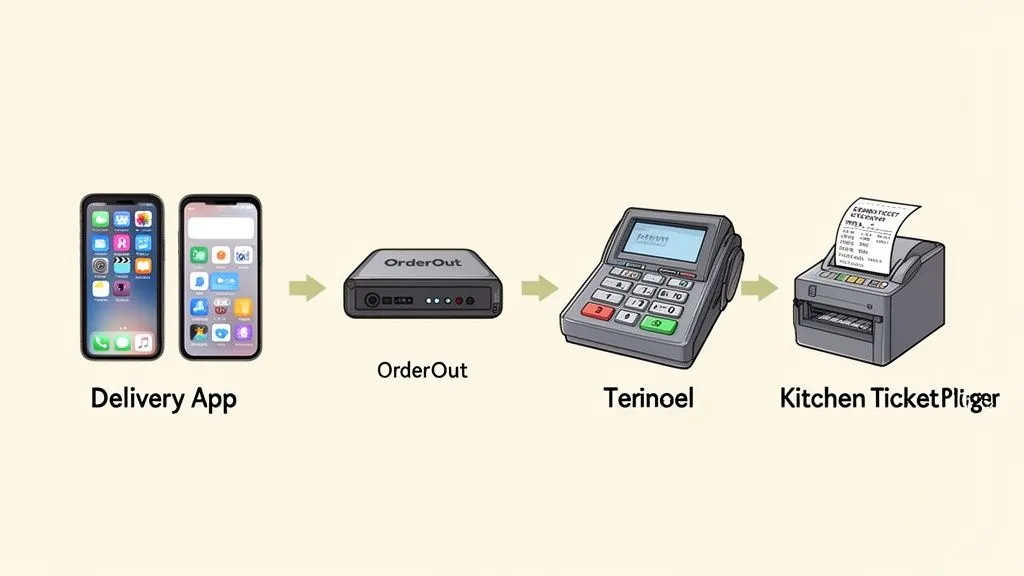
Real efficiency happens when your systems talk to each other. Think about your kitchen crew trying to cook during a busy service without talking to the servers. It would be chaos. That’s what it feels like to run a restaurant with disconnected systems. POS integration is the bridge that gets every part of your operation communicating, and it’s where restaurant back office software proves its worth by connecting your sales data directly to your operational data.
This link is absolutely essential when it comes to restaurant delivery. Without it, your staff is trapped in “tablet hell”—juggling a counter full of iPads and manually punching every single order from DoorDash, Uber Eats, and others into your main POS system. This isn’t just slow; it’s a surefire way to make costly mistakes and leave hungry customers waiting.
How Automation Transforms Restaurant Operations
Let’s walk through a real-world example of POS integration in action. A customer places an order on DoorDash. Instead of another tablet beeping incessantly, an integration platform like OrderOut instantly injects that order into your Square or Clover POS. The ticket prints in the kitchen exactly like an in-house order. No one has to touch a thing.
That one simple act of automation delivers immediate, tangible benefits:
- Fewer Order Errors: When you get rid of manual re-entry, you slash the odds of wrong orders. That means happier customers and less money down the drain on remakes and refunds.
- Faster Ticket Times: The kitchen gets the order the second it’s placed, which cuts down prep time and gets food out the door faster.
- Reduced Labor Costs: Your team can stop being data entry clerks and start focusing on what they do best: taking care of your guests.
Why it matters: Manually entering orders is a quiet profit killer. Automating the connection between your delivery apps and your POS is one of the quickest, most impactful ways to run a tighter ship, lower costs, and keep customers coming back. This is a clear, actionable step that directly improves restaurant efficiency, staff productivity, and your bottom line. To go deeper on this, check out the essentials of POS software integration in our detailed guide.
Practical Next Step: The most immediate way to boost efficiency is to stop manual order entry. Find an automation tool that links the systems you already use every day. To see these benefits for yourself, explore a solution that integrates your POS with third-party delivery apps. You can start building a more streamlined and profitable restaurant today by signing up for free at https://dashboard.orderout.co.
Calculating Your Return On Investment
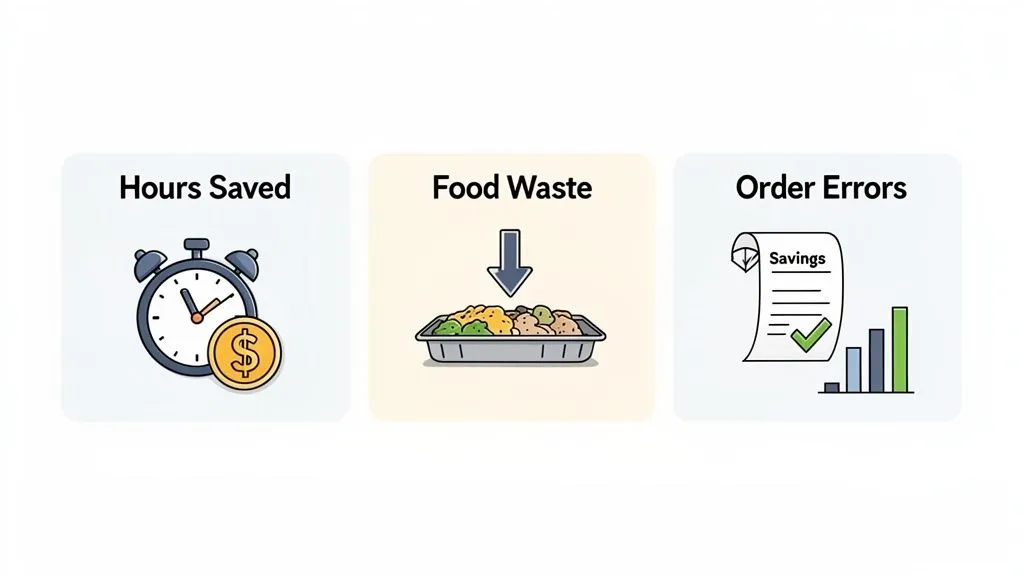
Investing in new food tech feels like a big commitment, but restaurant back office software is designed to pay for itself—often faster than you’d think. It works by finding and plugging the common, everyday leaks in your restaurant’s finances.
Forget complicated formulas. Calculating your potential return on investment (ROI) is really about looking at the real-world savings you can measure right now.
The easiest place to start is with labor. How many hours do your people spend every single week just punching in orders from all those different restaurant delivery apps? Add up those hours, multiply by their pay rate, and you’ve got your first, most tangible saving.
Next up is food waste. This is a huge one. Good inventory tools can cut down on spoilage by 2-3%, which might not sound like much, but it easily adds up to thousands of dollars a year. This kind of software gives you the hard data to stop over-ordering, keeping that money in your bank account instead of tossing it in the trash.
The Hidden Costs of Manual Errors
Order mistakes are another silent killer of profit. Think about it: every time an order is keyed in wrong from a delivery tablet, you’re on the hook for a comped meal, a refund, and maybe even a customer you’ll never see again. Those little mistakes snowball, hitting your bottom line directly.
By automating how orders flow from apps like DoorDash straight into your POS system, you pretty much wipe out those manual entry errors. This is one of the biggest perks of a solid POS integration—it protects your revenue and makes customers happier at the same time.
A great way to see these improvements in action is to get comfortable with your numbers. You can learn more by checking out this guide on creating a restaurant profit and loss statement to really understand your financial health.
Real-World Example: Imagine a small café spends just five hours a week manually entering delivery orders from Uber Eats and DoorDash. At $15 an hour, that’s $75 per week ($300 a month) in wasted labor. Now, add the savings from less food waste and preventing just two order errors a week. Suddenly, a low-cost software subscription is generating a positive ROI almost from day one by directly impacting your time savings and error reduction.
A Practical Takeaway
So where do you start? Pinpoint your biggest financial headache. Is it wasted labor on manual tasks? Sky-high food costs? A constant stream of order mistakes?
By tackling just one of these areas, the right restaurant back office software can deliver a clear, fast return on your investment.
To see how automation can impact your ROI firsthand, start onboarding for Free with OrderOut in just a few clicks.
How To Choose The Right Food Tech And Back Office Software
Picking the right restaurant back office software can feel like a huge task, but it really just comes down to answering a few honest questions about your restaurant’s daily grind. The goal isn’t to find the flashiest system with a million features; it’s to find the one that actually solves your biggest headaches without creating new ones.
Let’s start with the one thing that’s an absolute deal-breaker for modern restaurant operations: POS integration. In plain language, this means: does the software play nicely with the point-of-sale system you already use every day? Whether you’re running on a Clover or a Square POS, that connection has to be seamless. If it’s not, you’re just signing up for more manual data entry, and nobody has time for that.
Building Your Selection Checklist
Once you’ve confirmed it works with your POS, it’s time to dig into the features that will genuinely impact your efficiency and, ultimately, your bottom line. Here are the must-haves to look for before you make a decision.
- Delivery App Connectivity: Can the software pull in orders from all your third-party platforms like DoorDash and Uber Eats into one place? This is how you escape “tablet hell” and is non-negotiable for any restaurant serious about restaurant delivery.
- User-Friendly Interface: How intuitive is it? If your team needs weeks of training just to navigate the basics, it’s going to hurt productivity more than it helps. Always, always ask for a demo to see it in action.
- Scalability for Growth: Think about your future. Will this software scale with you when you open your second or third location? You need a solution that can grow with your ambitions, not one you’ll outgrow in a year.
- Reliable Customer Support: It’s 7 PM on a Friday night, and something breaks. Can you get a real human on the line to help you? Check out reviews and ask about their support hours—because problems never happen at convenient times.
Cloud Solutions and Making the Final Call
The entire industry is shifting toward more flexible and accessible systems. Cloud-based solutions are no longer just a trend; they now account for 61.4% of the global market revenue and are growing at 15.2% a year. This move to the cloud means powerful tools are no longer reserved for massive chains with deep pockets. It’s a game-changer for small and medium-sized businesses, which is why they are the fastest-growing group of users.
For a real-world example, look at how a platform like OrderOut connects DoorDash orders directly into a Square POS, completely automating the process. That’s a perfect illustration of how these tools eliminate manual work and boost efficiency. You can discover more about these market trends and their impact.
The best approach is to identify your single biggest pain point—whether it’s inventory waste, labor costs, or delivery chaos—and find a solution that excels at solving that one problem first.
When it comes time to choose, some operators weigh the pros and cons of custom software vs. off-the-shelf solutions. Honestly, for most restaurants, a proven, ready-to-go platform is the quickest way to see a return on your investment. For more on this, check out our guide to leading restaurant technology companies.
Your Practical Next Step: Before you sign anything, insist on a free trial or a live demo. There’s no substitute for seeing how the software actually performs in your restaurant, with your team, during a real shift. It’s the only way to know for sure if it’s the right fit.
Ready to see how seamless integration works? You can start onboarding for Free in a few clicks at https://dashboard.orderout.co.
Taking the Next Step Toward a More Efficient Restaurant
We’ve walked through how modern restaurant back office software has become a non-negotiable tool for any serious operator. It’s about more than just convenience; it’s about reclaiming your time, cutting down on costly mistakes, and finally getting a crystal-clear picture of your restaurant’s financial health.
If you’re still drowning in spreadsheets and juggling a sea of tablets, it’s time to let automation take over. The best place to start is by looking for a solution that plays nicely with the systems you already rely on, especially your POS and those third-party delivery apps.
For example, finding an integration partner is often as simple as browsing your POS system’s app store. Here’s a look at how an integration app shows up right inside the Square marketplace, making it incredibly easy to connect the dots.
The real game-changer here is that powerful food tech is no longer some complicated, standalone system. You can find it directly on platforms like Clover and Square. This deep POS integration means you can get your restaurant operations running like a well-oiled machine without needing a massive technical overhaul.
Why it matters: A more profitable, streamlined restaurant isn’t a distant dream. By leveraging the app marketplaces you already use, like Clover or Square, you can implement powerful automation tools with just a few clicks. This is the most actionable path to seeing immediate improvements in efficiency and your bottom line.
Ready to see what a more efficient restaurant looks like? Get started today at dashboard.orderout.co.
Common Questions Answered
Diving into restaurant back office software can feel like a big step, and you’ve probably got a few questions. Let’s tackle some of the most common ones we hear from restaurant owners and managers just like you.
The good news? Modern platforms are built to be intuitive, not intimidating. The whole point is to make your life easier and lighten your team’s workload, not to add another complicated system to the mix.
Most systems are surprisingly quick to pick up. The time your staff gets back from not having to punch in delivery orders by hand or track inventory on a clipboard is well worth the short time it takes to get comfortable with a new tool.
Will This Software Actually Lower My Food Costs?
Yes, absolutely. In fact, this is often where restaurants see the biggest financial win. The software gives you a crystal-clear, real-time picture of your inventory by connecting what you sell directly to what you have in stock.
This means you can see exactly what ingredients are being used, what’s going to waste, and which dishes are your true moneymakers. With that kind of data at your fingertips, you can stop guessing on your purchase orders, fine-tune your menu for maximum profit, and seriously cut down on expensive food waste.
Why it matters: Back office software turns your sales data into actionable intelligence. It gives you the power to confidently control your single biggest expense. Even a tiny reduction in food waste can add up to thousands in savings over a year, directly boosting profitability.
What’s the First Step to Integrating My Delivery Apps?
Getting your delivery apps connected is much more straightforward than you might think. Today’s integration platforms are designed to do all the technical heavy lifting for you.
Your first move is usually just signing up for a service and following their simple setup guide. This typically just involves linking your accounts from platforms like DoorDash or Uber Eats and connecting your POS system.
For example, a platform like OrderOut acts as a bridge, automatically syncing your third-party apps with your Square or Clover system. Once it’s set up, orders from all your delivery channels flow straight to your POS, just like an in-person order. No more manual entry.
Why it matters: This smooth POS integration is the secret sauce. It’s what cuts down on order errors, frees up your staff, and helps your entire kitchen run faster, which is a direct and immediate boost to your overall restaurant efficiency.
Your Actionable Takeaway: Stop wasting time and money on manual tasks. The quickest path to a more efficient and profitable restaurant is through automation. By integrating your delivery apps directly with your POS system, you can reduce errors, save on labor costs, and streamline your entire operation starting today. Start onboarding for Free in just a few clicks.