
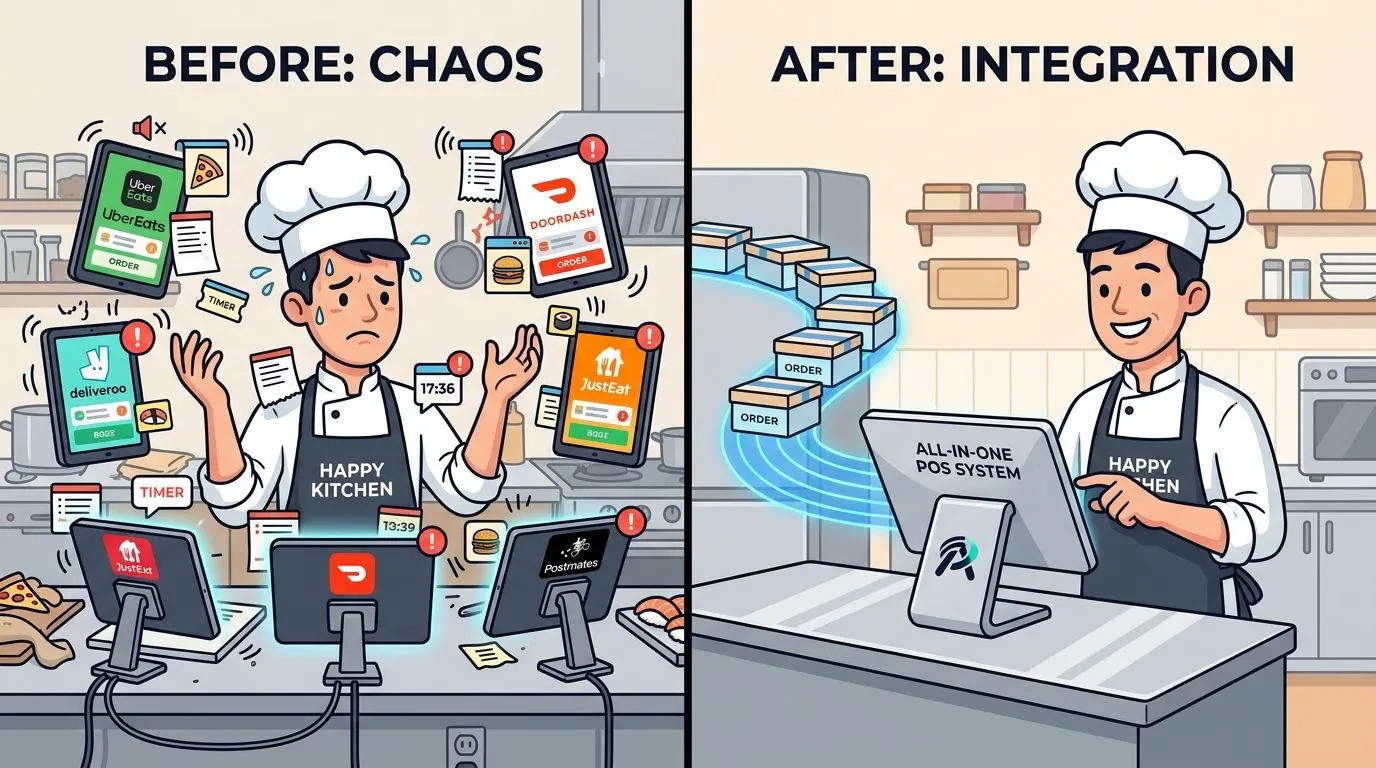
A third-party food delivery service is a company that provides restaurants with an online marketplace and/or logistics to handle orders from customers who want their food delivered. It became a permanent part of restaurant demand when spending on delivery orders placed through third-party apps at quick-service restaurants more than tripled in mid-2020, and that increased app-based ordering persisted afterward.
Most restaurant owners already know the upside. Uber Eats, DoorDash, and Grubhub can bring in orders fast. The part that gets glossed over is whether those orders are manageable and profitable once the kitchen is busy, the tablets start chirping, and staff are re-keying tickets by hand.
That gap is where operators get hurt. The market is large, concentrated, and not going away. One industry estimate put global online food delivery revenue at about $156.75 billion in 2024 and $173.57 billion in 2025, with DoorDash at 78.6%, Uber Eats at 18.7%, and Grubhub at 2.7% of the U.S. third-party delivery market in one 2023 estimate, according to Gridwise’s food delivery market overview. If you run a restaurant, delivery isn’t a side project anymore.
What Is a Third Party Food Delivery Service
A third party food delivery service sits between your restaurant and the customer. In plain terms, the service lists your menu, accepts the order, processes payment, and often arranges the driver. For many operators, that means instant access to demand without building an in-house delivery team.
That convenience changed from optional to operational. The USDA found that, at quick-service restaurants, spending on delivery orders placed using a third-party app more than tripled in June through August 2020 compared with pre-pandemic levels. The same USDA chart shows high app-based ordering still persisted by April through June 2022, according to the USDA chart on app-based restaurant ordering.
Why operators treat it as a core channel
A lot of restaurant advice still talks about delivery as if it’s a temporary marketing lever. That’s outdated. Customers built the habit, and restaurants now have to run the channel with the same discipline they apply to dine-in, takeout, and catering.
Three things matter most:
- Demand is durable: App-based off-premises ordering didn’t snap back to old patterns.
- Platform concentration is real: In the U.S., most operators are dealing with the same few apps, especially DoorDash and Uber Eats.
- Execution matters more than enrollment: Getting listed is easy. Running the channel cleanly is the hard part.
Third-party delivery creates sales opportunity, but it also creates a second service line inside your kitchen.
What the service actually does
The service can do some or all of the following:
| Function | What it means in practice |
|---|---|
| Marketplace exposure | Your restaurant appears where customers already browse |
| Order capture | The platform takes the order and payment |
| Dispatch | A driver is assigned without you staffing one |
| Status updates | The platform pushes order and delivery updates |
The trade-off is control. The platform can bring demand, but it also inserts itself into your workflow, your customer experience, and your margin structure.
If you’re trying to understand the bigger off-premises shift, OrderOut’s guide to what off-premise means for restaurants is a useful companion read because it frames delivery as one part of a larger operating model, not an isolated feature.
Marketplace vs Logistics-Only Models Explained
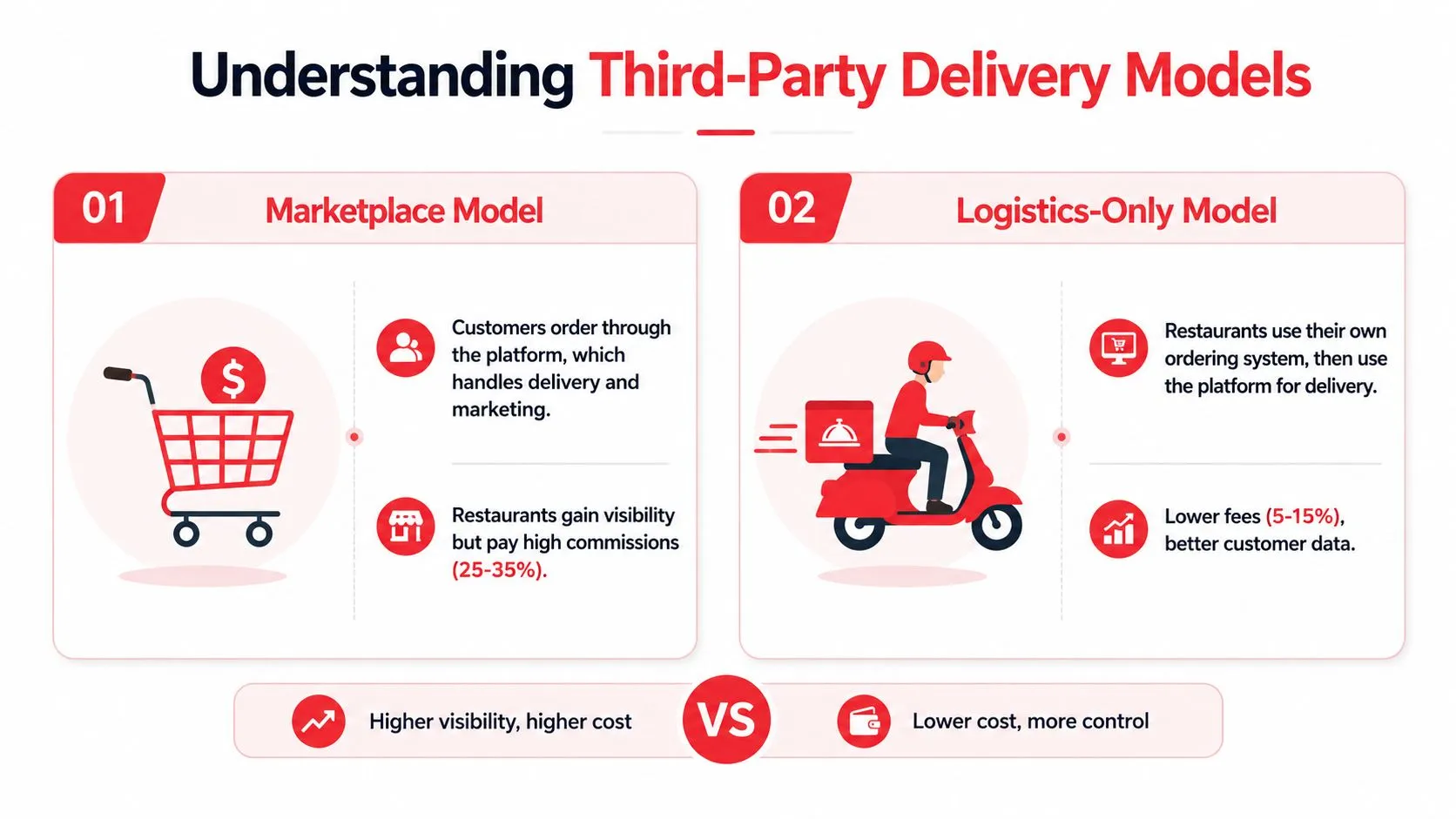
Not every third party food delivery service works the same way. Restaurant operators often lump them together, but there are two very different models: marketplace and logistics-only.
Marketplace model
DoorDash, Uber Eats, and Grubhub are the familiar example. The customer orders inside the platform’s app. The platform controls discovery, checkout, dispatch, and much of the customer communication.
For a restaurant, this is like renting a stall inside a busy food hall. You get foot traffic, but you’re operating on someone else’s floor, under someone else’s rules.
Logistics-only model
A logistics-only setup is different. The restaurant owns the ordering surface, usually its own website or branded ordering page, and uses a delivery network only for fulfillment. In that model, the customer relationship starts with the restaurant, not the marketplace.
That setup usually gives the operator more control over branding, customer data, and channel strategy. It also changes the fee conversation because you’re paying for delivery logistics, not always for marketplace demand.
Practical rule: If the customer starts in the app marketplace, the platform owns more of the relationship. If the customer starts on your ordering page, you keep more control.
Why the technical difference matters
Under the hood, these platforms aren’t just passing tickets from one screen to another. They’re multi-sided logistics marketplaces that keep the consumer app, merchant workflow, courier dispatch, and payment stack synchronized in real time. That’s why restaurants don’t have to run their own fleet. The platform handles dispatch, routing, and customer support while exposing the merchant to the order stream and status updates through an API, per the technical architecture overview of food delivery platforms.
For operators, the takeaway is simple. You aren’t choosing only a sales channel. You’re choosing where the order originates, who handles the driver, and who controls the customer relationship after the meal is delivered.
If you want a practical operating lens on that distinction, OrderOut’s system of delivery article breaks down how different delivery models affect the restaurant’s daily workflow.
The True Cost of Delivery Fees and Margin Impact
Most discussions about third party food delivery service economics stop at growth. That’s incomplete. The harder question is whether the order still makes sense after fees, packaging, labor, and remake risk.
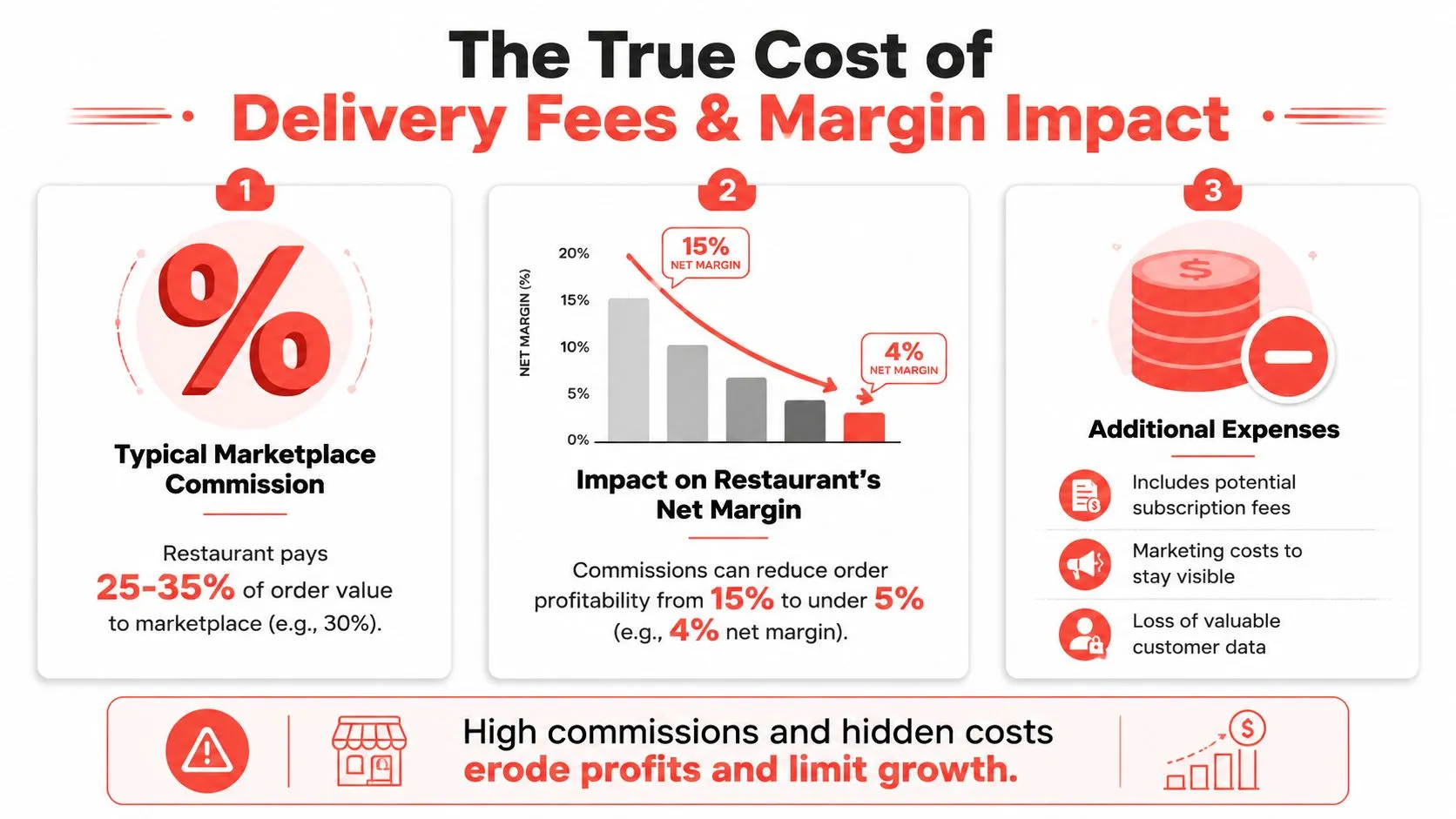
One industry benchmark cited by Volante Systems found the average aggregator fee was 18.4%, while 30% of restaurants reported paying 30% or more, according to Volante Systems’ delivery fee analysis. DispatchTrack also notes that Uber Eats charges around 30% of routed orders in one industry analysis, and that a 2025 delivery study found third-party platform accuracy improved by only 1 percentage point year over year, according to DispatchTrack’s review of third-party delivery economics and benchmarking.
Why operators misread delivery profitability
Restaurant owners often look at delivery sales as incremental revenue. Sometimes they are. Sometimes they aren’t.
A delivery order only helps if it contributes margin after:
- Commission and platform fees: These are the obvious deductions.
- Packaging costs: Delivery-safe packaging often costs more than dine-in plating.
- Extra labor touchpoints: Packing, checking, sealing, and staging all take labor.
- Error and remake exposure: Wrong modifiers and missed items get expensive fast.
A high-fee channel can turn a busy sales stream into low-value work if the menu isn’t engineered for it.
Which orders usually hold up better
Not every item belongs on a delivery marketplace. Operators tend to do better when they sell items that travel well, have simple modifier trees, and can absorb channel costs without collapsing margin.
A useful way to audit your delivery menu is to ask:
| Menu question | Why it matters |
|---|---|
| Does it travel well? | Poor travel quality creates refunds and complaints |
| Is it easy to assemble accurately? | Complex builds increase error risk |
| Can it carry fee pressure? | Low-margin items get squeezed fastest |
| Does it slow the line? | Bottleneck items hurt all channels |
The wrong delivery menu doesn’t just hurt margin. It also clogs the kitchen with orders that are harder to produce and more likely to come back as problems.
Margin work isn’t glamorous, but it’s where the key decision sits. Third-party delivery can make financial sense. It just doesn’t make sense automatically.
The Operational Drag of Tablet Hell
The margin problem gets most of the attention. The labor problem usually shows up first.
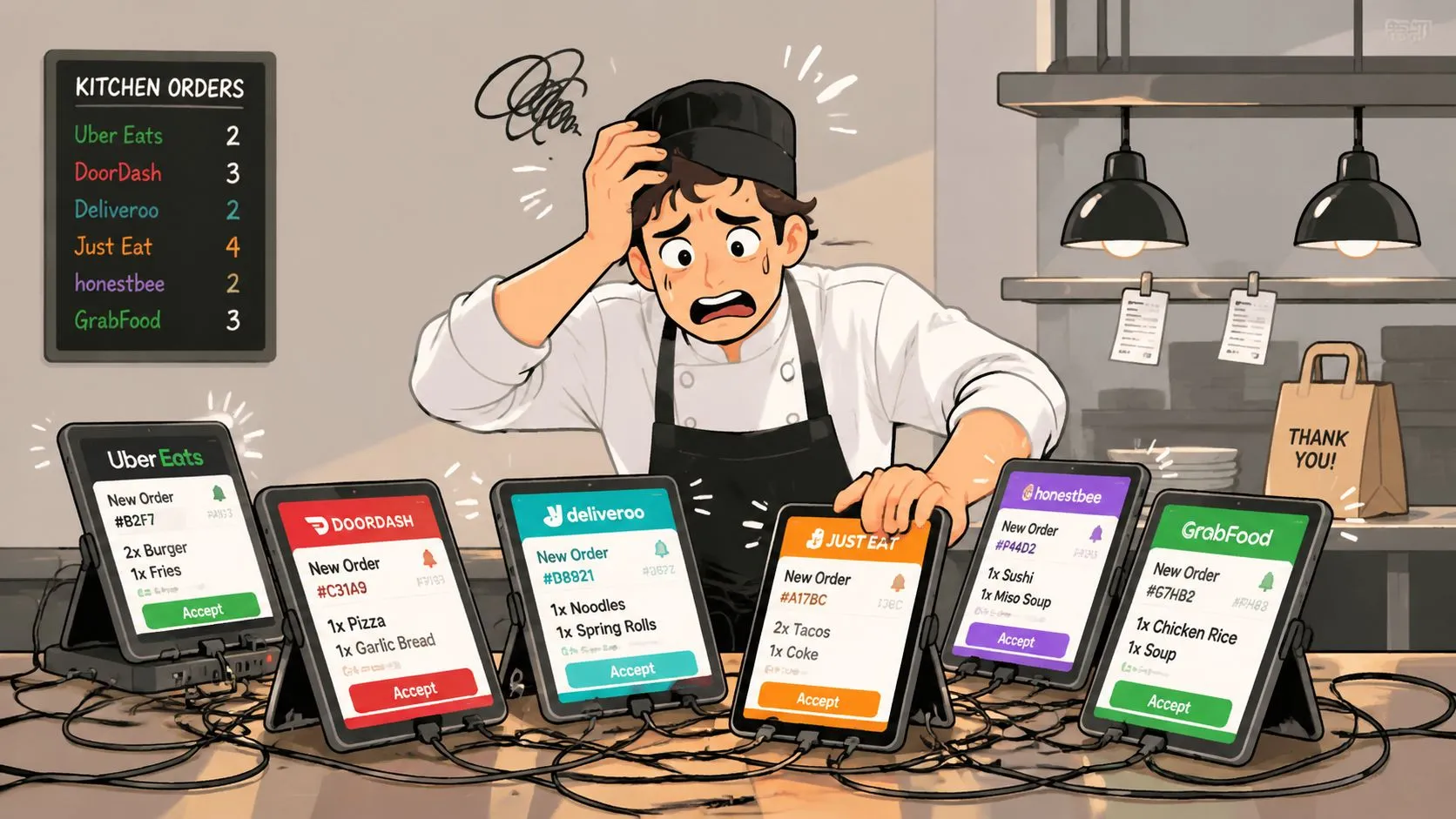
On a busy night, the pattern is familiar. A DoorDash tablet pings. An Uber Eats tablet lights up. Grubhub has its own screen. Someone on expo or the front counter has to stop what they’re doing, accept the order, read every item and modifier, then type it all into Clover or Square so the kitchen can produce it.
Where the workflow breaks
That process looks manageable when orders are light. It falls apart during the rush.
The operational drag comes from four places:
- Interrupted staff attention: Team members leave production or guest-facing work to become data-entry clerks.
- Manual re-keying risk: One missed modifier can turn into a bad review or remake.
- Split systems: The tablet says one thing. The POS says another. Staff trust neither fully.
- Counter clutter: Multiple devices create noise, confusion, and charging problems.
This is why so many restaurants say delivery feels busier than it should. The issue isn’t only order volume. It’s the extra admin wrapped around every order.
OrderOut’s article on tablets in restaurants captures this pain well because the actual problem isn’t the hardware itself. It’s the fragmented workflow the hardware creates.
Why stress turns into mistakes
In most restaurants, the POS is still the system staff trust for inventory, kitchen printing, reporting, and end-of-day reconciliation. When marketplace orders live outside that system, employees have to bridge the gap manually.
That creates the worst kind of repetitive task. It’s simple enough to be tedious and important enough that every mistake matters.
A short walkthrough makes the point:
- Tablet receives order: Staff hears the alert and checks the marketplace screen.
- Staff accepts and reads line items: They parse modifiers, combos, and special instructions.
- Order is re-entered into the POS: Every item must be keyed again.
- Kitchen fires from the POS: Only after re-entry does production start.
None of that work improves the food. It just compensates for disconnected systems.
The Solution with Direct POS Delivery Integration
How do you make third-party delivery less chaotic and more profitable without adding more work for the staff you already have?
Direct POS delivery integration pushes Uber Eats, DoorDash, and Grubhub orders straight into Clover or Square so they enter the same production flow as every other order. Staff work from the POS, the kitchen gets a clean ticket, and managers are no longer stuck reconciling orders across disconnected systems.
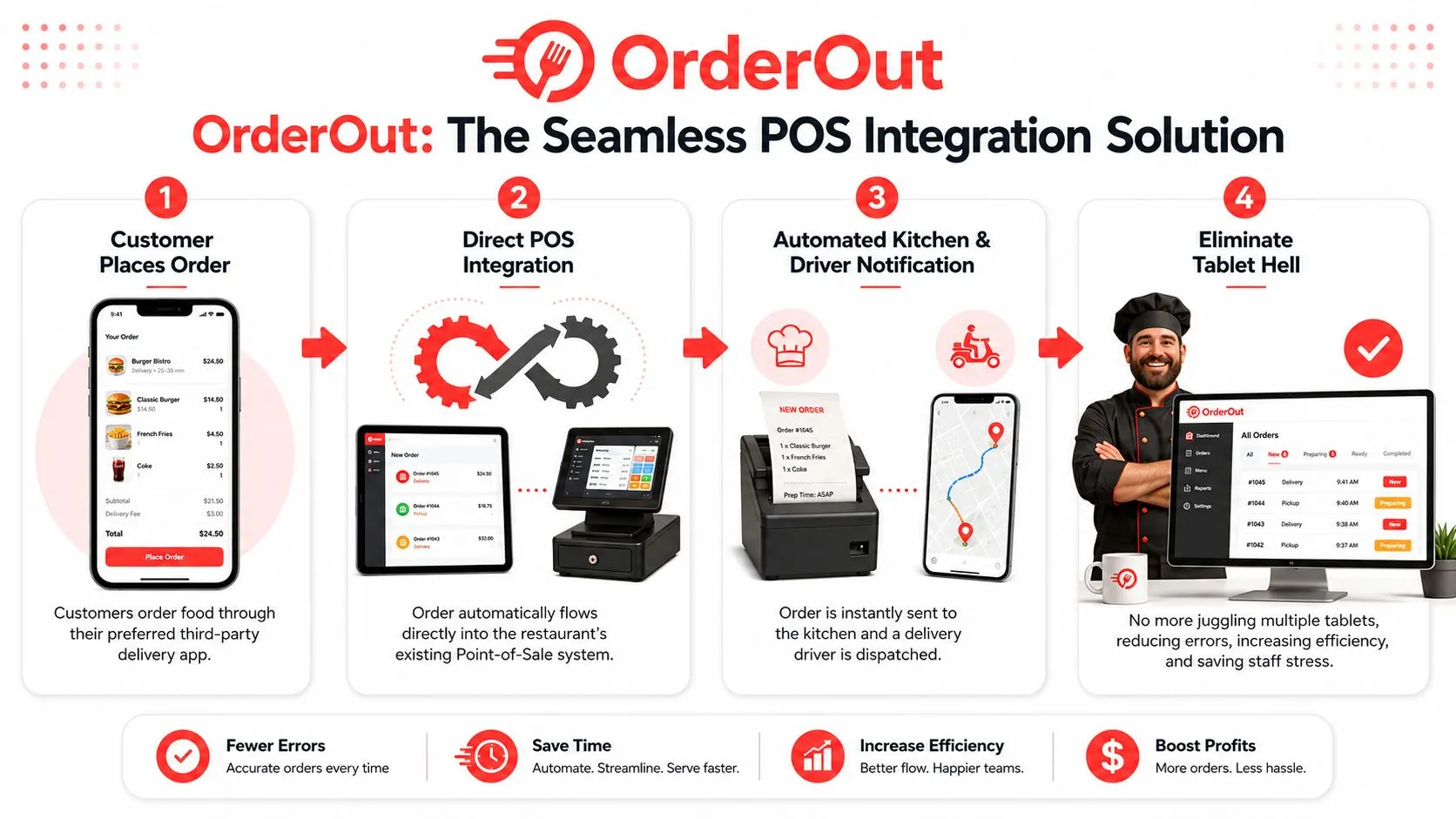
How delivery POS integration works
The order no longer stops on a marketplace tablet waiting for someone to re-enter it. It passes through the integration layer, maps to your POS menu and modifiers, and prints through the same kitchen workflow your team already knows.
That sounds simple, but the mapping work matters. Uber Eats, DoorDash, and Grubhub do not structure menus the same way. A good integration translates those item names, modifier groups, combo rules, and prep instructions into a format Clover or Square can process cleanly. If the menu is sloppy, the order flow will be sloppy too.
Here is what changes at the store level. A guest places an Uber Eats order. The order lands in the POS, routes to the right printer or KDS station, and starts production without anyone touching a second screen. That saves time, but more importantly, it removes a failure point during a rush.
Why This Solves the Core Problem
The biggest delivery problem for many restaurants is not demand. It is friction. High commission fees already pressure margins, so every extra labor minute and every preventable error makes the channel harder to justify.
Direct POS integration cuts the admin burden that turns delivery into a low-margin distraction.
- One working system: The POS stays the system staff use for order flow, reporting, and reconciliation.
- Faster kitchen starts: Orders fire as soon as they are accepted and mapped correctly.
- Fewer entry mistakes: Staff are not retyping modifiers, quantities, or special instructions.
- Cleaner front counter: Fewer tablets means less noise, less clutter, and less training overhead.
- Better control: Managers can evaluate delivery sales inside the same operating system they use for the rest of the business.
That last point matters more than it gets credit for. If delivery lives outside the POS, operators spend too much time piecing together what happened. If delivery flows into the POS correctly, they can start fixing the parts that directly affect profit, including menu setup, prep timing, staffing, and packaging standards. OrderOut’s integrated POS system guide explains that operating model in more detail.
Packaging still matters. Integration fixes workflow, not food quality in transit. Teams reviewing containers and transport fit can use Simply Hospitality container tips to pressure-test whether the packaging matches the menu.
For operators using Clover, OrderOut’s Clover delivery integration is built for this exact workflow. The broader third-party order engine for restaurant delivery integration shows how marketplace orders are routed into the POS instead of being managed as a separate process. If you want the Grubhub-specific setup, the canonical Grubhub Clover delivery POS integration covers that implementation. Square users can review OrderOut’s Square delivery integration for the same order-injection approach.
A practical next move mid-shift
If you run Clover and want to stop re-keying marketplace orders, install the app from the OrderOut Clover App Market listing for delivery POS integration. If you run Square, start from the OrderOut Square App Marketplace listing.
OrderOut is free to install on the Clover App Market, which makes it practical to test the workflow change without taking on another hardware project.
Best Practices for Profitable Delivery Operations
Once orders flow directly into the POS, you can work on the part that improves delivery performance: operational discipline.
Tighten the delivery menu
A smaller delivery menu usually performs better than a full dine-in menu. Focus on items that hold quality in transit, have clear modifier logic, and don’t bog down the line.
Good delivery menus usually have these traits:
- Travel stability: Fried food with a short quality window needs extra scrutiny.
- Build simplicity: Cleaner item structures reduce packing and production mistakes.
- Packaging fit: If the dish doesn’t fit the container well, quality will slip before it arrives.
- Margin resilience: Some menu items tolerate channel costs better than others.
Treat packaging like part of the product
Packaging isn’t an afterthought. It’s part of execution. Lids that leak, venting that traps steam, and containers that collapse under stacked items can ruin a solid kitchen performance.
For operators reviewing packaging details, Simply Hospitality container tips offer practical guidance on matching container style to food type and transport needs.
Manage governance, not just orders
Restaurants working across several platforms need to think beyond ticket flow. The National Restaurant Association points to issues such as fee transparency, contract transparency, sales-tax remittance responsibility, insurance and indemnity terms, and access to anonymized order data in its public policy principles for third-party delivery.
That means profitable delivery operations depend on more than speed. They also depend on knowing:
- Who owns the customer relationship
- What data the restaurant can access
- Which party carries which risks
- How each platform contract affects margin and accountability
If you want a restaurant-operator framing of that bigger picture, OrderOut’s guide to making third-party delivery service profitable is a useful next read.
Frequently Asked Questions
What is a third party food delivery service for restaurants?
It’s a service that lets customers order from your restaurant through an external platform, and in many cases also handles driver dispatch. Common examples are Uber Eats, DoorDash, and Grubhub. For operators, the key issue isn’t only getting listed. It’s making sure those orders fit your margin and workflow.
Does OrderOut work with Clover?
Yes. OrderOut connects third-party delivery orders into Clover so the POS can stay the operational source of truth. If you want to review the setup, see OrderOut’s restaurant technology overview and the OrderOut FAQ for delivery POS integration questions.
Do I need extra tablets to manage delivery apps?
Not if your delivery orders are injected directly into your POS. The point of direct integration is to remove extra tablets and avoid manual re-keying. That gives staff one working system instead of multiple disconnected order screens.
Which delivery apps connect through OrderOut?
OrderOut’s positioning for this solution is Uber Eats, DoorDash, and Grubhub routed directly into Clover or Square. For implementation details, operators can review the OrderOut integration API and delivery connection options or the OrderOut onboarding and pricing information.
Is direct POS delivery integration only for large chains?
No. In practice, independents often feel the pain more because they have less labor slack and less room for manual entry mistakes. Direct integration is useful anywhere staff are juggling tablets, re-keying orders, and trying to keep the kitchen moving.
If you’re ready to stop re-keying Uber Eats, DoorDash, and Grubhub orders and get them flowing straight into Clover or Square, start your free onboarding in the OrderOut dashboard for restaurant setup.